
Brailliant BI 40X Braille Display
5.0Editor score
40-cell refreshable display
Bluetooth 5 connectivity
Large internal storage
This guide compares the top braille displays for blind users including refreshable models and writing slates to help you find the perfect accessible technology.
Finding the right braille display can transform how blind users interact with digital content. A good device offers reliable refreshable text, seamless connectivity, and durable construction for daily use.
We compared ten distinct products ranging from advanced electronic displays to manual writing slates. Each option was evaluated for portability, compatibility, and specific features that support literacy and independence.
Every pick below highlights key strengths and ideal use cases for different needs. Please note that pricing and availability fluctuate, so verify current details before making your final decision today.
5.0Editor score

4.8Editor score

3.4Editor score
The following table provides a side-by-side overview of all ten products evaluated in this guide. Use this comparison to quickly identify specifications and key differences before reading the detailed reviews.




The Brailliant BI 20X Braille Display stands out as a top choice for blind users seeking a reliable and portable solution. It offers a 20-cell refreshable display that provides clear text for reading and writing tasks without needing a screen.
We may earn a commission when you buy through this link, at no additional cost to you.
Its multi-device connectivity allows you to connect up to five Bluetooth devices and one USB device simultaneously. This makes switching between phones tablets and computers seamless. The built-in KeySoft Lite apps add significant value for daily productivity.
While the 20-cell format is compact it might require more scrolling for dense documents compared to wider displays. However this trade-off is acceptable for users prioritizing portability and ease of carrying the device everywhere they go.
This device is ideal for students or professionals who need a lightweight companion for digital access. Its robust feature set and compatibility with major libraries make it a strong recommendation for anyone looking to enhance their digital literacy.
Connect to multiple devices at once to streamline your workflow without constant re-pairing.
Access Bookshare and NLS BARD directly from the device for instant reading material.
We may earn a commission when you buy through this link, at no additional cost to you.
The Brailliant BI 40X Braille Display represents the premium tier of refreshable braille technology. With a 40-cell display it offers more context on screen which is particularly useful for coding mathematical equations or complex text layouts.
We may earn a commission when you buy through this link, at no additional cost to you.
Bluetooth 5.0 ensures a faster and more stable wireless connection compared to previous versions. The increased internal storage of 32GB allows users to download more books and documents directly to the device for offline access.
The higher price point is justified for users who need the extra width and performance. While it is larger than the 20X model it remains portable enough for daily carry. The familiarity of the Perkins keyboard layout also aids quick adoption.
This model is best suited for professionals or advanced students who require maximum efficiency and storage. If budget allows the added width and connectivity features make it a superior choice for heavy daily use.
See more characters at once to reduce scrolling fatigue during long reading sessions.
Bluetooth 5.0 provides a stronger and more reliable connection to your devices.
We may earn a commission when you buy through this link, at no additional cost to you.
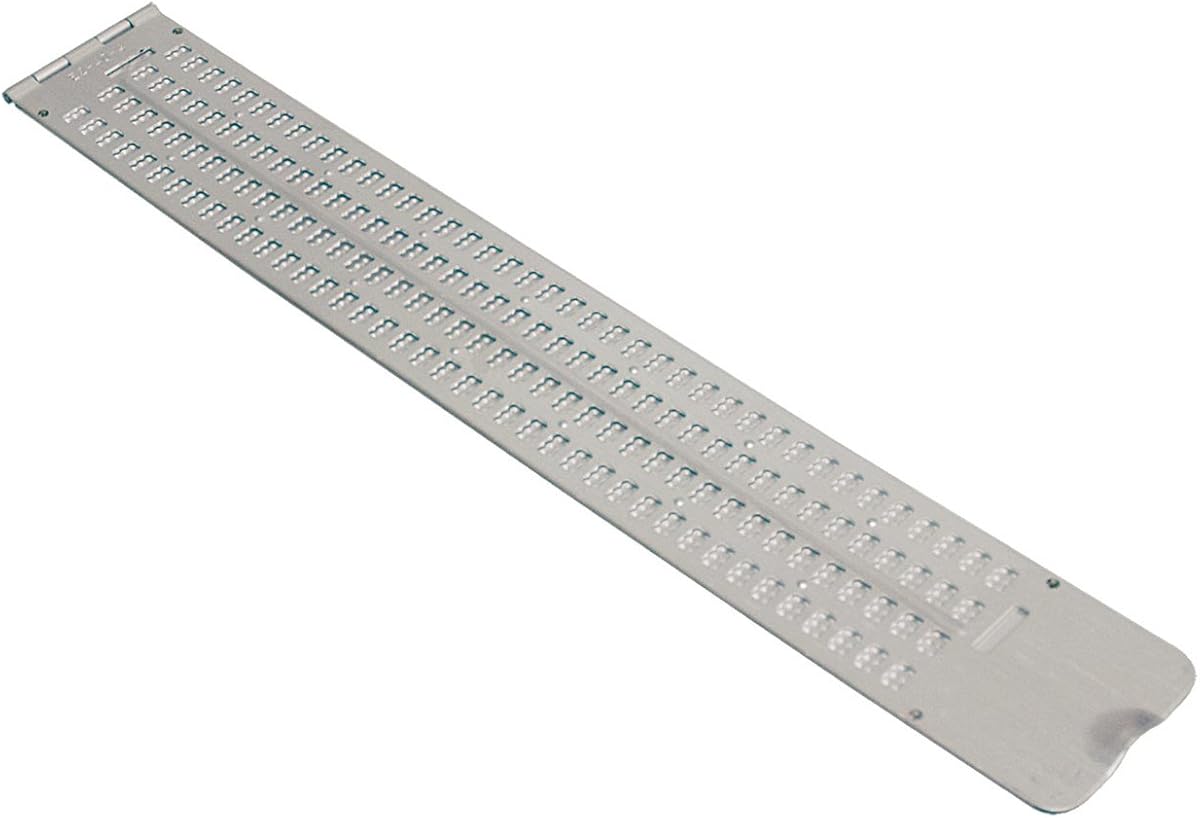
This Braille Slate is a traditional manual writing tool that allows users to emboss braille without electricity. It features 13 lines and 36 cells which provide a decent amount of space for notes or short documents.
We may earn a commission when you buy through this link, at no additional cost to you.
Made of durable aluminum it is built to withstand daily handling and transportation. The hinged design keeps paper in place and ensures consistent alignment for your writing. It includes a free stylus so you can start using it immediately.
Unlike electronic displays it does not refresh text but requires physical effort to write with a stylus. This trade-off is acceptable for users seeking a low-cost way to practice braille or keep simple handwritten notes.
Ideal for beginners or those needing a backup writing tool this slate is an essential accessory. Its simplicity and affordability make it a great addition to any braille literacy toolkit.
Learn braille fundamentals by writing manually without relying on electronics.
Aluminum build ensures the slate lasts for years of daily study and travel.
We may earn a commission when you buy through this link, at no additional cost to you.
The Business Card Slate is designed for embossing small notes like business cards or labels. It measures 4 inches by 2.5 inches making it one of the most portable writing tools available for braille users.
We may earn a commission when you buy through this link, at no additional cost to you.
A built-in signature guide ensures that your name and text are embossed perfectly straight. This feature is particularly helpful for creating professional looking labels for personal items or office organization.
It is not intended for long documents due to its limited size but excels at quick identification tasks. The durable aluminum body and included Classic Stylus ensure it performs well for years of use.
This slate is a perfect gift for anyone learning braille who needs a way to mark items discreetly. Its small size fits in pockets making it a convenient option for daily identification needs.
The guide helps you write straight lines for professional looking labels and cards.
Fits easily in a pocket or purse for quick identification on the go.
We may earn a commission when you buy through this link, at no additional cost to you.
This Full-Page Slate is unique because it fits a standard letter-sized sheet of paper directly. It features 25 lines and 28 cells providing ample space for writing entire pages without moving the slate constantly.
We may earn a commission when you buy through this link, at no additional cost to you.
Made of thick durable plastic it offers a quiet operation that is considerate in shared spaces like classrooms or offices. You can leave your paper inside the slate so it does not get wrinkled or crumpled between writing sessions.
While it is heavier than smaller slates the ability to write full pages makes it efficient for longer tasks. The embossed line numbers on the right help you easily find your place when returning to finish notes.
Ideal for students or writers this slate supports traditional note-taking methods with ease. Its design respects standard paper sizes which is a significant advantage for users in the North American education system.
Designed specifically to hold 8.5×11 paper without cutting off margins.
The plastic material reduces noise compared to metal slates for quieter writing.
We may earn a commission when you buy through this link, at no additional cost to you.
The Pocket Slate offers a unique configuration with 4 lines and 40 cells each making it wide but short. It is constructed from lightweight aluminum which ensures durability without adding bulk to your bag.
We may earn a commission when you buy through this link, at no additional cost to you.
Its slim profile allows it to fit easily into a briefcase or backpack for easy transport. This makes it an excellent choice for travelers who need to jot down quick notes or ideas while on the move.
The design prioritizes width over height which suits short bursts of writing better than long documents. While you cannot write full pages you can capture essential information without needing electronic devices.
This is a practical accessory for professionals who want to maintain braille skills during commutes. Its balance of durability and weight makes it a reliable companion for active lifestyles.
Lightweight and compact enough to carry everywhere without feeling burdensome.
Forty cells per line provide space for more text on each short line.
We may earn a commission when you buy through this link, at no additional cost to you.
The Hable One is a portable braille keyboard that connects to smartphones and tablets via Bluetooth. It features 8 tactile buttons that allow users to type text without seeing the screen while maintaining privacy.
We may earn a commission when you buy through this link, at no additional cost to you.
It is designed for both Android and iOS devices making it versatile for most users. The device integrates seamlessly with built-in screen readers and supports voice commands for a smooth workflow.
While it is an input device rather than a display it complements screen readers perfectly by allowing direct text entry. The battery life extends over a month on a single charge which reduces maintenance and charging hassles.
This product is ideal for users who want to type text messages or emails privately. It lowers the barrier to entry for braille typing with intuitive design and free onboarding resources.
Type messages discreetly without others seeing your phone screen while you type.
Works seamlessly with major screen readers on both iOS and Android systems.
We may earn a commission when you buy through this link, at no additional cost to you.
This handheld label maker allows users to create braille labels for organizing household items. It uses a simple spin dial mechanism to select letters before squeezing the trigger to emboss them onto vinyl tape.
We may earn a commission when you buy through this link, at no additional cost to you.
The device produces labels in both braille letters and numbers which helps identify containers and supplies. It is lightweight and durable enough for regular home use without complicated electronics or batteries.
One roll of half-inch tape is included so you can start organizing immediately. The upper rim of the dial is embossed in braille so you can find the right characters by touch.
This is an essential tool for anyone looking to label medications spices or storage bins. Its simplicity ensures that anyone can use it to maintain an organized living environment.
Create tactile labels quickly for home organization without needing digital tools.
A spin dial and squeeze trigger make it easy for anyone to learn.
We may earn a commission when you buy through this link, at no additional cost to you.
These transparent braille stickers allow you to convert a standard PC keyboard into a bilingual layout. They are printed on clear Lexan so the original key legends remain visible underneath the braille dots.
We may earn a commission when you buy through this link, at no additional cost to you.
Installation is easy with a peel-and-stick method that ensures the stickers do not slip or curl over time. This makes them ideal for users who want to practice braille on a desktop without buying a new keyboard.
The adhesive is strong enough to stay in place but designed to not ooze or leave residue. While they are not suitable for all laptop keyboards they are a great low-cost upgrade for desktop computers.
This product is best for low-vision users or those learning braille who need tactile keys. It provides an economical way to add braille functionality to existing hardware effectively.
The Lexan material keeps original key labels visible for sighted users too.
Simple peel-and-stick application allows quick setup without technical skills.
We may earn a commission when you buy through this link, at no additional cost to you.
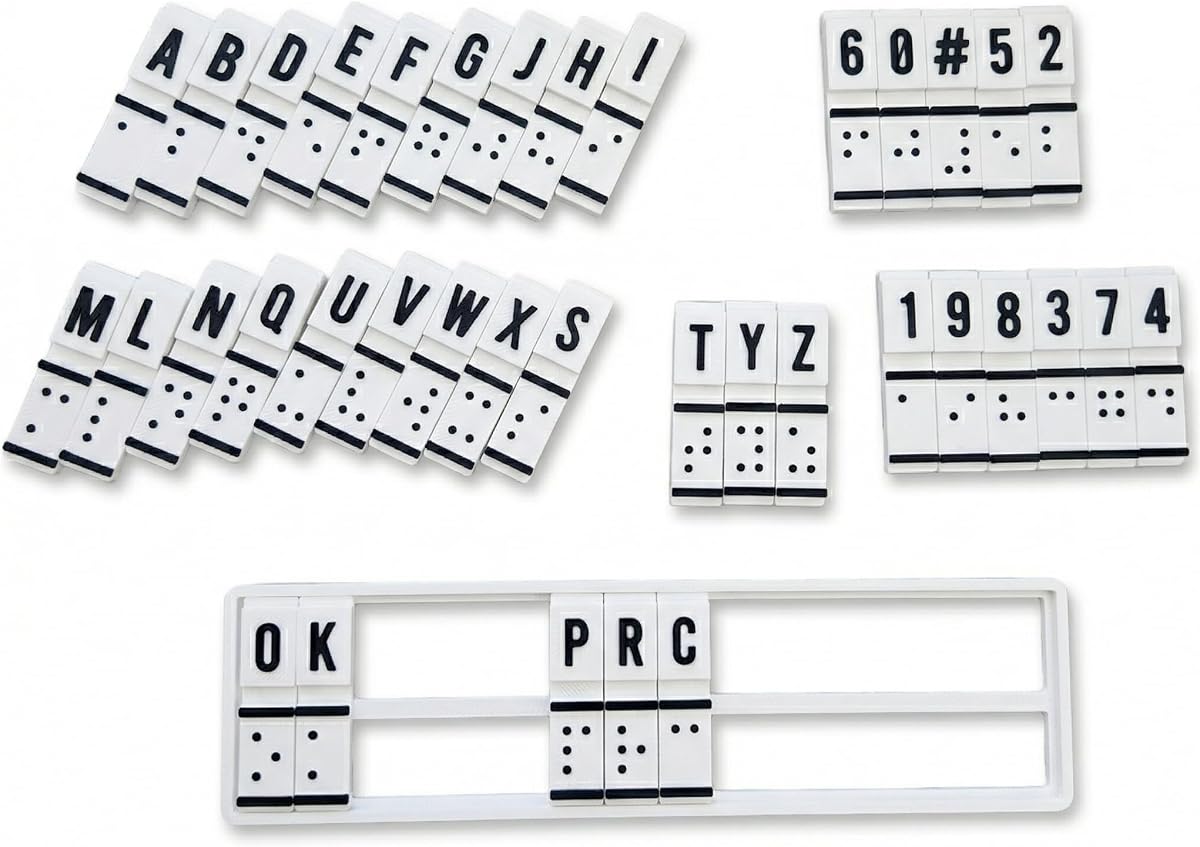
This machine is designed to help beginners learn braille by combining educational features with translation capabilities. It allows users to interact with raised braille cells to build muscle memory without relying on electronics.
We may earn a commission when you buy through this link, at no additional cost to you.
It supports visually impaired users and educators by providing a physical way to practice reading and writing. The device is portable and sturdy enough for use in therapy sessions or at home.
While it may have lower user ratings than premium devices it offers a practical way to bridge sighted and non-sighted communication. The interactive design helps learners understand patterns through direct touch.
This product is ideal for parents or teachers introducing braille to children or adults. Its educational focus makes it a valuable tool for early stages of literacy development.
Feel raised cells to understand patterns and build literacy skills through touch.
Designed specifically for students and educators to teach braille effectively.
We may earn a commission when you buy through this link, at no additional cost to you.
Selecting the right braille tool depends on your specific needs whether you are studying working or simply organizing your home. This guide breaks down the key factors to consider before making a purchase.
You will encounter two main categories: refreshable electronic displays and manual writing slates. Electronic displays offer dynamic text and connectivity while slates are durable and require no power.
The number of braille cells determines how much text is visible at once. Models range from 20 to 40 cells with higher counts reducing the need for constant scrolling.
Ensure the device supports Bluetooth or USB connections that match your current phone or computer. Multiple connection points allow you to switch devices easily without unplugging cables.
For electronic models check the battery capacity to ensure it lasts through your typical workday. Long battery life is crucial for travel or all-day school use without frequent charging.
Consider the size and weight if you plan to carry the device in a backpack daily. Compact options like 20-cell displays or portable slates are easier to transport than larger units.
Some users prefer physical keys like a Perkins keyboard while others might choose a touch-based braille keyboard. Match the input style to your existing reading skills for faster adoption.
Many modern displays come with apps to access services like Bookshare or NLS BARD. Verify that these services align with your personal or professional reading needs before buying.
Prices vary significantly from under twenty dollars for manual slates to several thousand for electronic units. Determine how much you are willing to invest based on your expected usage frequency.
Start by familiarizing yourself with the device layout such as the cursor routing keys or the position of the dots. Spend time practicing basic commands like navigation and selection to build confidence.
Keep your device clean by wiping it regularly with a soft dry cloth. Avoid exposing electronic models to moisture or extreme temperatures which can damage the internal components or battery.
Charge your electronic display using the provided USB cable to ensure optimal battery health. For slates handle them with care to prevent the stylus from bending or the hinges from breaking over time.
A braille display is an electronic device that refreshes text dynamically and connects to computers. A slate is a manual tool used for embossing permanent text on paper without electronics.
Twenty cells are often enough for basic navigation and reading short messages. Forty cells are better for complex tasks like coding or reading long documents with less scrolling.
Yes most modern displays support Bluetooth connections that work seamlessly with both Android and iOS devices for easy access to apps and messages.
Electronic displays often come with their own operating systems but they are designed to be compatible with standard screen readers like JAWS or NVDA on computers.
Use the included USB cable for charging and avoid leaving the device in extreme temperatures. Regularly update firmware to ensure efficient power management features are active.
Yes devices like transparent keyboard overlays or larger tactile tools can help users with residual vision interact more effectively with text and keys.
We have explored a wide range of devices from the versatile Brailliant BI 20X to the affordable manual slates. Each product offers unique benefits depending on your level of literacy and daily routine.
Prioritize features like cell count and connectivity based on your specific tasks whether that is reading books coding or organizing personal items. Portability and battery life should also guide your decision for frequent travelers.
Remember that the technology landscape changes quickly so checking current prices and models is essential. Use this guide as a starting point to find the perfect braille tool for your accessibility needs.