
Dell 24 240Hz Gaming Monitor – SE2426HG
4.7Editor score
240Hz refresh rate
0.5ms response time
IPS technology
FreeSync Premium
Finding the right display for competitive gaming requires careful consideration of refresh rates and adaptive sync technologies. A 24 inch G Sync monitor offers the ideal balance of size and performance for immersive gameplay.
We have analyzed ten top-rated models based on user feedback, technical specifications, and real-world performance metrics. Our comparison covers everything from response times to color accuracy and ergonomic design features.
Each pick highlights unique strengths and potential trade-offs to help you make an informed decision. Remember that prices and availability can change frequently, so verify current details before purchasing your new setup.
4.7Editor score

4.4Editor score

4.5Editor score
As an Amazon Associate we earn from qualifying purchases.
This side-by-side comparison details the specifications and key features of each monitor to help you evaluate performance capabilities and design elements at a glance.




This ASUS TUF model stands out as a top contender for competitive gamers seeking high performance. It features a 240Hz refresh rate and 0.3ms response time which ensures fluid visuals. The Fast IPS panel delivers excellent color fidelity while maintaining rapid pixel transitions.
We may earn a commission when you buy through this link, at no additional cost to you.
Adaptive sync technology including G-Sync compatible and FreeSync Premium prevents screen tearing during intense gameplay. Motion blur reduction tech helps keep moving objects sharp. The display supports 99% sRGB coverage which is impressive for this class of monitor.
While the price is on the higher side it justifies the premium performance specs. The ergonomic stand allows for height adjustments which reduces neck strain. Some users may find the OSD controls slightly complex compared to simpler alternatives.
Overall this monitor is an excellent choice for serious esports players and content creators. Its combination of speed and color accuracy makes it versatile. The 3 year warranty adds significant value for long term reliability.
The combination of 240Hz refresh rate and 0.3ms response time minimizes motion blur effectively. This ensures fast paced action remains clear and easy to track.
Fast IPS technology ensures wide viewing angles and accurate colors. This makes the monitor suitable for both gaming and creative tasks.
We may earn a commission when you buy through this link, at no additional cost to you.
The Dell SE2426HG offers incredible value with its 240Hz refresh rate at a budget friendly price point. It delivers smooth motion and clear visuals thanks to its fast IPS panel. The monitor is ideal for gamers who prioritize performance over advanced features.
We may earn a commission when you buy through this link, at no additional cost to you.
With a 0.5ms response time it minimizes input lag effectively. AMD FreeSync Premium ensures tearing free gameplay across supported systems. The TÜV certification indicates eye comfort features which reduce strain during long sessions.
While it lacks native G-Sync hardware it still supports compatible modes effectively. The stand is tilt only which might limit ergonomic adjustments. However the cost savings make it a strong choice for budget conscious buyers.
This monitor is perfect for entry level competitive gaming or secondary setups. It balances speed and affordability exceptionally well. Users will appreciate the smooth performance for the price.
Getting 240Hz at this price point is rare. It allows budget gamers to experience high frame rates without breaking the bank.
The TÜV certification means blue light filters are optimized. This helps reduce eye strain during extended use.
We may earn a commission when you buy through this link, at no additional cost to you.
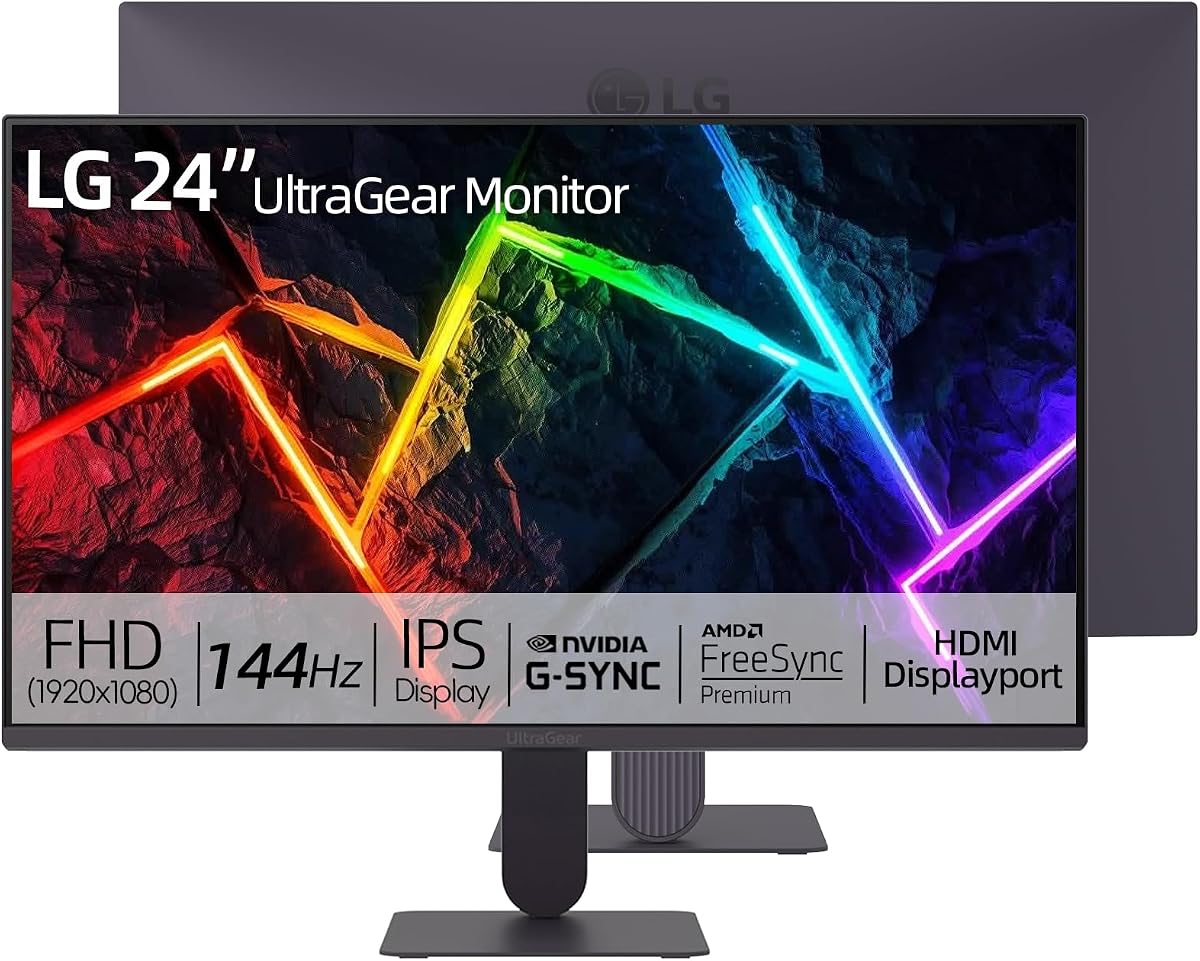
LG's Ultragear series is known for quality displays and this model continues that trend. It features a vivid IPS panel with HDR10 support which enhances visual depth. The 144Hz overclocked refresh rate provides smooth gameplay for most titles.
We may earn a commission when you buy through this link, at no additional cost to you.
Motion blur reduction technology keeps fast moving objects sharp and defined. The 99% sRGB coverage ensures rich color tones for media consumption. G-Sync compatibility works well with NVIDIA GPUs to prevent tearing.
The slim bezel design looks modern and immersive. However the stand does not offer height adjustment which might affect ergonomics. The overclock feature requires manual setting adjustments in the menu.
This monitor is great for single player games and streaming. Its color quality stands out against competitors. It offers a premium experience with some ergonomic tradeoffs.
HDR10 support adds depth to dark scenes. This makes games feel more realistic and engaging.
The slim bezel maximizes screen space. It blends into any setup seamlessly.
We may earn a commission when you buy through this link, at no additional cost to you.
This LG model brings essential gaming features to a competitive price. It uses a 144Hz refresh rate for fluid animation. The 1ms MBR technology helps cut ghosting during movement.
We may earn a commission when you buy through this link, at no additional cost to you.
G-Sync compatibility ensures synchronization with compatible graphics cards. Dynamic Action Sync reduces input lag which improves responsiveness. Black Stabilizer enhances visibility in dark scenes effectively.
The build quality is solid with minimal bezels for immersion. However the stand only offers tilt adjustment. The OSD menu is functional but lacks advanced customization options.
It is a solid choice for FPS gamers needing clear visuals. Performance is consistent across various titles. The price point makes it accessible for many users.
Black Stabilizer brightens shadows without washing out colors. This helps spot enemies easily.
Dynamic Action Sync prioritizes speed. This keeps reactions tight and accurate.
We may earn a commission when you buy through this link, at no additional cost to you.
This ASUS TUF model pushes performance with a 200Hz refresh rate. It delivers ultra smooth visuals for competitive play. The 0.3ms response time ensures minimal blur in fast scenes.
We may earn a commission when you buy through this link, at no additional cost to you.
G-Sync and FreeSync Premium work together to eliminate tearing. The matte screen reduces glare which improves visibility in bright rooms. Ports include DisplayPort and dual HDMI for flexibility.
The anti glare coating helps in various lighting conditions. However there is limited data on overall rating yet. Stand options might be limited based on typical TUF design.
It is ideal for gamers seeking high speed on a budget. The performance specs are hard to beat at this level. Connectivity is robust for multiple devices.
Matte screen reduces reflections significantly. This makes it easier to see details clearly.
Dual HDMI plus DisplayPort support multiple devices. This is great for hybrid work and play setups.
We may earn a commission when you buy through this link, at no additional cost to you.
This monitor excels with its vibrant IPS panel and 99% sRGB coverage. HDR10 support brings out deep colors and contrast details. The 144Hz refresh rate ensures fluid gameplay for most genres.
We may earn a commission when you buy through this link, at no additional cost to you.
1ms MBR reduces blur effectively keeping action sharp. G-Sync compatibility works seamlessly with NVIDIA GPUs. The slim bezel design creates an immersive viewing experience.
VESA mountability allows for flexible mounting solutions. The stand offers tilt but not height adjustment. Overall the display quality and performance are top notch.
It is a strong choice for media and gaming. The color accuracy stands out for creative tasks. Users will enjoy the immersive visuals daily.
99% sRGB coverage delivers vivid visuals. This makes images look lifelike and rich.
VESA mount support allows wall mounting. This saves desk space effectively.
We may earn a commission when you buy through this link, at no additional cost to you.
This LG model delivers natural visual performance with excellent color gradations. It features 144Hz overclock for smooth animations and reduced blur. The 99% sRGB ensures accurate tone reproduction.
We may earn a commission when you buy through this link, at no additional cost to you.
Gaming tools like Black Stabilizer and Crosshair help improve aim. G-Sync compatible technology prevents screen tearing during play. The slim minimalist design looks modern on any desk.
Users praise its comfortable viewing experience over time. Eye care technology reduces strain effectively. The stand is tilt only which limits ergonomic height adjustments.
It is highly recommended for those valuing visuals. The combination of speed and color is hard to match. Excellent for immersion and productivity.
Accurate color reproduction helps in both games and work. This makes it versatile for many uses.
Customizable layouts boost multitasking efficiency. This is useful for work alongside gaming.
We may earn a commission when you buy through this link, at no additional cost to you.
This monitor offers fast gaming with a 200Hz refresh rate and 0.3ms response time. The Fast IPS panel ensures crisp visuals and wide viewing angles. 99% sRGB coverage adds vivid colors to images.
We may earn a commission when you buy through this link, at no additional cost to you.
G-Sync Compatible and FreeSync Premium ensure tearing free performance. ELMB Sync technology further reduces ghosting during high frame rates. It connects via multiple HDMI and DisplayPort inputs.
Eye care features like flicker free help reduce strain. The design supports VESA mounts for wall installation. Overall it is a strong performance driven display.
It suits gamers needing high speed clarity. The tech stack is robust for the price. Good for intense gaming sessions.
ELMB Sync clears up motion blur. This helps keep moving targets sharp.
VESA support and multiple inputs allow customization. This adapts to different desk layouts.
We may earn a commission when you buy through this link, at no additional cost to you.
Another strong entry from LG offers ultra slim bezels for immersion. The 144Hz refresh rate delivers fluid animations. Color accuracy is supported by 99% sRGB coverage.
We may earn a commission when you buy through this link, at no additional cost to you.
G-Sync Compatible ensures low latency gaming without tearing. Black Stabilizer helps visibility in dark game environments. The design supports ergonomic comfort for long sessions.
Eye care technology maintains image quality while protecting vision. It is ideal for gaming and content creation equally. The build quality is reliable for daily use.
This monitor is great for those wanting balanced features. It offers excellent value and performance. Highly recommended for diverse user needs.
Minimal bezels increase screen focus. This makes the viewing experience more immersive.
Eye care tech ensures longer viewing without fatigue. This is helpful for work and play.
We may earn a commission when you buy through this link, at no additional cost to you.
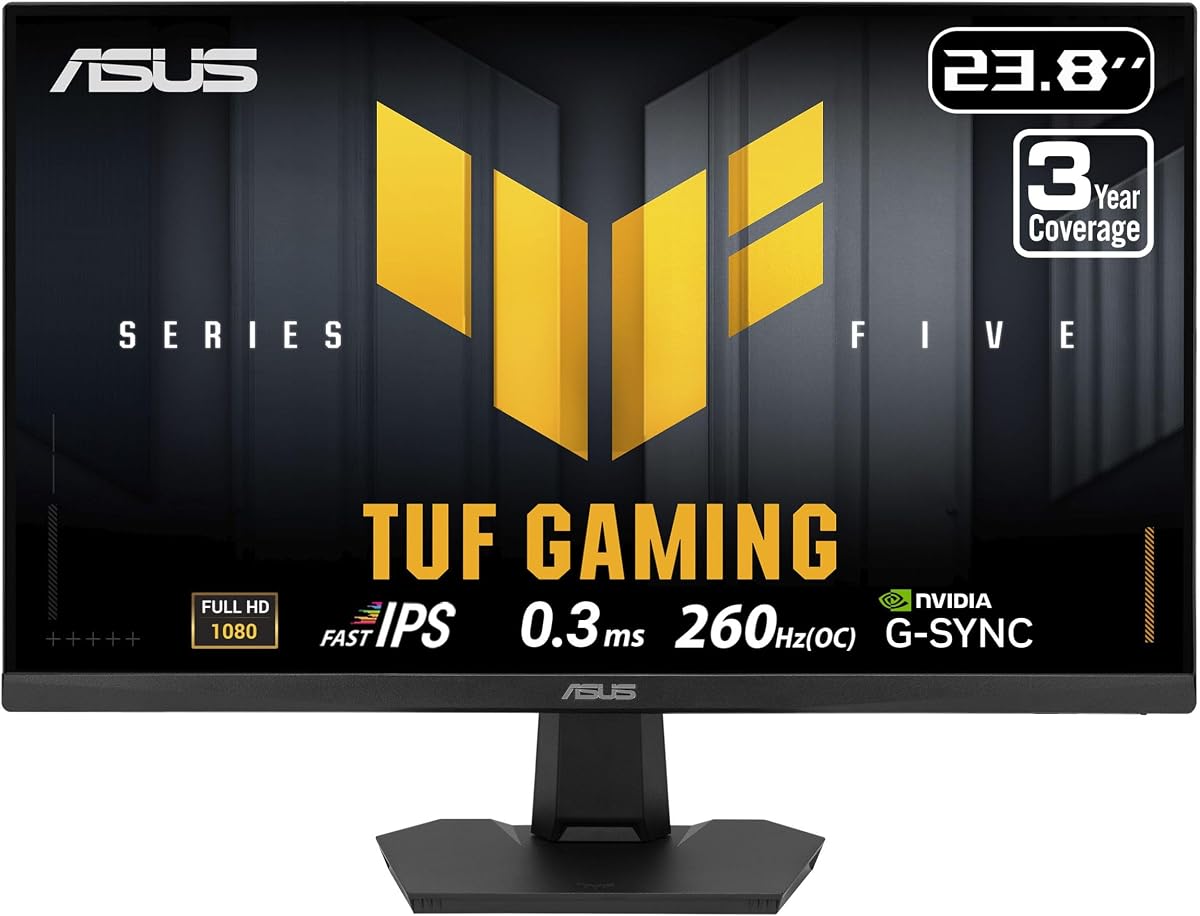
This monitor boasts a 260Hz refresh rate for ultra sharp fluid visuals. The 0.3ms response time ensures precise control. ELMB SYNC technology minimizes ghosting during gameplay.
We may earn a commission when you buy through this link, at no additional cost to you.
G-Sync and FreeSync Premium work together for seamless performance. It includes built-in stereo speakers and VESA mounting support. Adobe Creative Cloud is included with purchase as a bonus.
A 3 year warranty provides peace of mind. The tilt adjustable stand offers basic positioning options. It is a powerful option for competitive gamers.
It fits those prioritizing raw speed above all. The refresh rate leads the pack in this category. Great for high FPS gaming.
260Hz provides the smoothest motion available. This gives a competitive edge in fast games.
Creative Cloud adds value for designers. This makes it useful for content creators too.
We may earn a commission when you buy through this link, at no additional cost to you.
Selecting the right monitor involves balancing specs like refresh rate and sync technology to meet your specific gaming needs.
Refresh rate determines how many frames the screen displays per second. Higher rates like 144Hz or 240Hz make motion smoother and more responsive.
Look for at least 144Hz to notice a difference over standard 60Hz panels.
Response time measures how fast pixels change color. Lower times reduce blur and ghosting during fast movements.
Aim for 1ms or lower for competitive gaming clarity.
G-Sync and FreeSync synchronize the monitor with your GPU to prevent tearing. G-Sync Compatible is certified for NVIDIA cards while FreeSync works on AMD.
Choose one that matches your graphics card brand for best results.
IPS panels offer better colors and viewing angles compared to TN. VA panels provide better contrast but may have slower response times.
IPS is generally recommended for balanced color and speed.
Look for sRGB coverage above 99% to ensure rich accurate colors. This is important for both gaming and creative work.
High sRGB coverage guarantees realistic image reproduction.
Adjustable stands help reduce neck strain during long sessions. Look for tilt height and swivel options if possible.
Ergonomic stands improve comfort significantly over time.
Ensure the monitor has the right ports for your setup. HDMI and DisplayPort are common for gaming PCs.
Multiple inputs allow connecting more than one device easily.
Durability matters for long term use. A solid frame and reliable panel quality prevent issues.
Check warranty terms to ensure long term protection.
Start by connecting your PC using the highest bandwidth cable available like HDMI 2.0 or DisplayPort 1.4 for best performance.
Adjust brightness and color settings in the OSD menu to reduce eye strain. Enable low blue light modes for late night gaming.
Keep the screen clean with a microfiber cloth and avoid harsh chemicals. Regular dusting prevents grime buildup on the panel.
G-Sync generally offers smoother performance but costs more. FreeSync is more affordable and works well with AMD cards. G-Sync Compatible is a middle ground that works with NVIDIA without premium hardware.
Yes higher refresh rates reduce motion blur significantly. This is vital for competitive shooters. Even on smaller screens the difference is noticeable.
1080p is standard and matches hardware well for 24 inch panels. It ensures high frame rates without stressing your GPU too much.
Yes most support HDMI 2.0 which works with current consoles. Ensure the console outputs match the monitor's supported resolution.
Open NVIDIA Control Panel and enable G-Sync Compatible in display settings. Ensure the monitor is set as the primary display.
IPS offers better response times and viewing angles. VA has deeper blacks but may suffer from motion blur. IPS is usually preferred for speed.
We have explored ten top models offering speed and reliability for gaming. Each monitor brings unique strengths tailored to different preferences.
Prioritize refresh rate and response time if competitive play is your goal. Consider ergonomics and color accuracy for mixed use.
Prices and features change frequently so always check current listings. Verify warranty details before finalizing your purchase today.