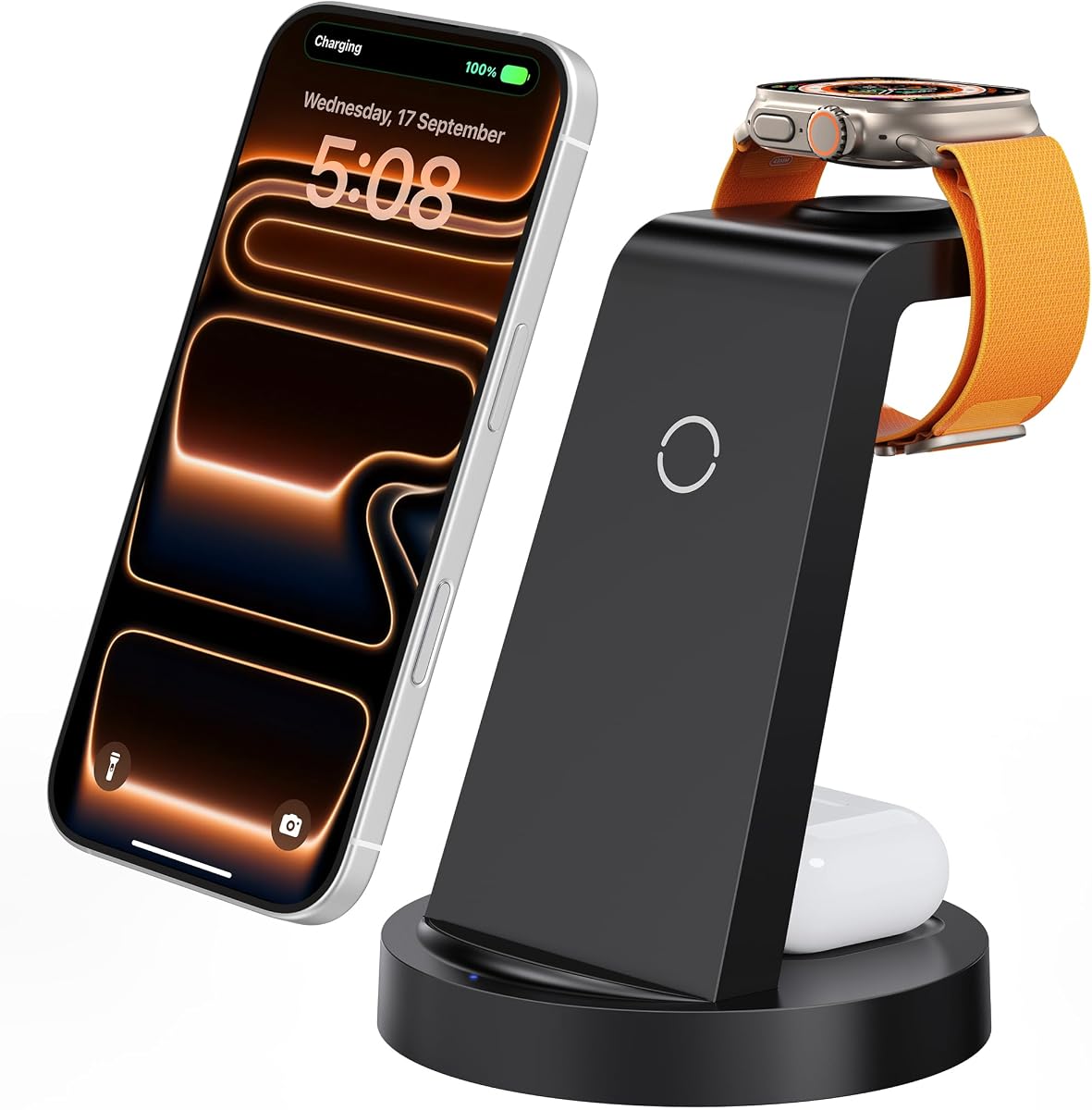
Anlmz 3 in 1 Charging Station – Wireless Charger for Apple Multiple Devices
4.2Editor score
18W adapter included
Soft blue LED indicator
Compatible with newer models
Compare the top charging dock for multiple apple devices to simplify your tech setup and ensure all gadgets stay powered efficiently every day.
Finding a reliable charging dock for multiple apple devices helps you organize your tech and keeps everything powered without tangled cords cluttering your space.
We reviewed ten highly rated options based on charging speed, compatibility, build quality, and safety features to help you choose the right solution for your needs.
Each pick shows specific strengths and trade-offs so you can find the best match for your devices while keeping in mind that prices may change over time.
4.2Editor score

4.2Editor score

4.6Editor score
Here is a side by side look at all ten charging docks to compare their ports, wattage, and compatibility at a quick glance.
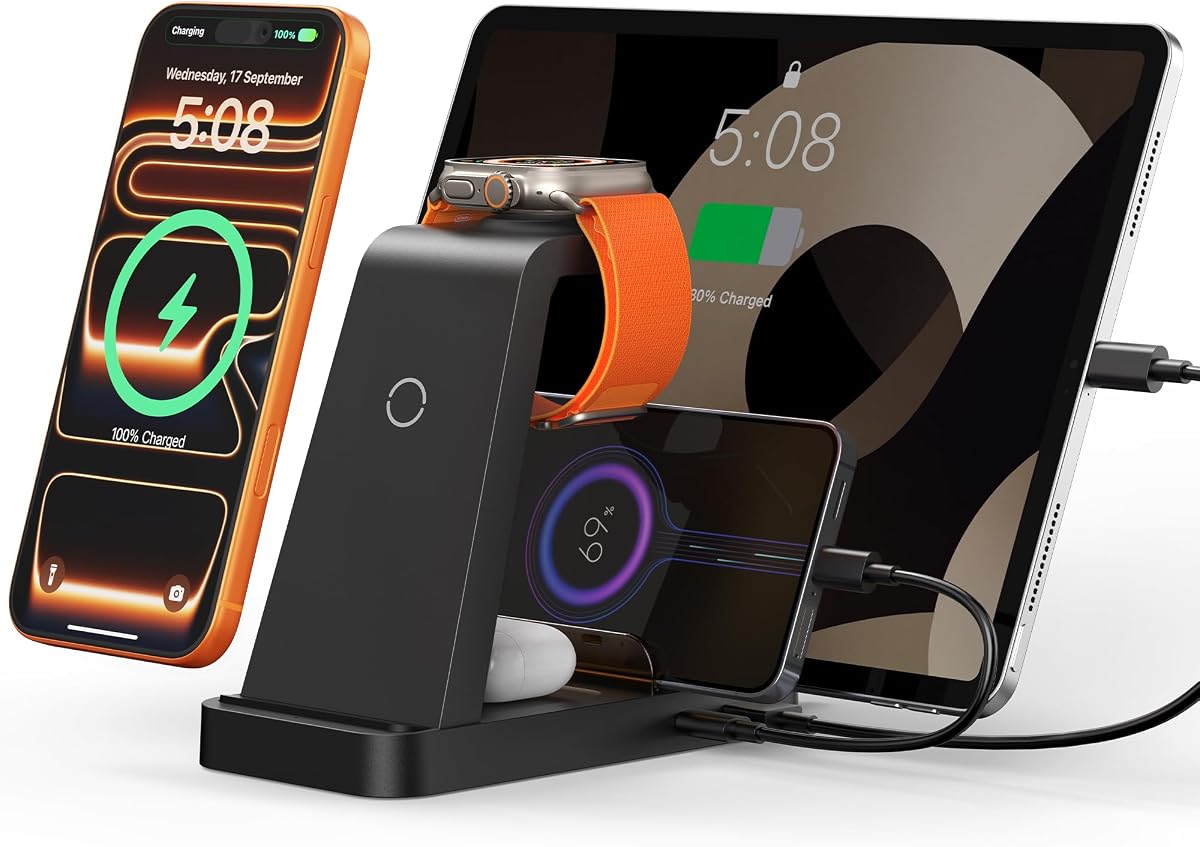


This charging dock for multiple apple devices offers a neat 3 in 1 layout that fits easily on nightstands or desks without clutter.
We may earn a commission when you buy through this link, at no additional cost to you.
It supports fast charging for phones and provides separate spots for watches and earbuds while maintaining safe power delivery through built in protections.
The foldable design makes it easy to pack for trips though the lack of magnetic alignment means careful placement is needed for consistent charging.
Anyone looking for an affordable and reliable way to charge their main gadgets will find this model a practical choice for daily use at home or on the go.
Works with a wide range of iPhone models from the 16 series down to older variants ensuring most users can find compatibility.
Built in protections guard against overheating and overvoltage while the sturdy base keeps devices secure during overnight charging sessions.
We may earn a commission when you buy through this link, at no additional cost to you.
This station stands out by offering a 5 in 1 layout with a powerful 36W adapter that can charge several devices quickly without overheating concerns.
We may earn a commission when you buy through this link, at no additional cost to you.
Users benefit from extra USB and Type C ports that allow charging of non wireless devices while the built in cables make setup straightforward right out of the box.
The need to remove phone cases for optimal charging may be a minor inconvenience but the improved speed and thermal management make it worthwhile for many users.
If you need a robust solution that handles mixed device types and high power demands this charging dock for multiple apple devices is an excellent investment.
The 36W adapter enables faster charging cycles for multiple devices simultaneously reducing wait times and keeping your setup ready for use.
Package includes essential cables and an adapter so you can start using the dock immediately without needing to buy additional accessories separately.
We may earn a commission when you buy through this link, at no additional cost to you.
This dock excels in capacity with ten ports that can handle a mix of laptops tablets and phones making it ideal for households with many users.
We may earn a commission when you buy through this link, at no additional cost to you.
The high wattage USB C ports deliver rapid charging speeds for power hungry devices while the included cables ensure you can connect everything immediately.
Wireless charging is not included but the sheer number of wired options provides flexibility for those who prefer to use their own cables.
For large families or shared workspaces needing a central hub this charging dock for multiple apple devices offers unmatched versatility and reliability.
The 320W total output ensures every connected device gets enough power to charge efficiently without slowing down due to power sharing limits.
Anti-slip pads keep the unit steady while the flame retardant material adds a layer of protection against potential electrical hazards.
We may earn a commission when you buy through this link, at no additional cost to you.
This station combines charging with a smart clock that syncs time via Bluetooth adding useful functionality beyond just powering your devices.
We may earn a commission when you buy through this link, at no additional cost to you.
Users can enjoy adjustable ambient lighting and multiple wireless charging spots which makes it a stylish addition to any desk or nightstand setup.
Compatibility extends to many iPhone models and Apple accessories though Samsung watches are not supported so buyers should check their specific devices first.
If you want a charging dock for multiple apple devices that doubles as a decorative piece with extra utility this model is a strong contender.
The built-in clock syncs automatically to your phone providing accurate time and date info without needing a separate alarm or display.
Warm or cool lighting can be adjusted to match your mood or room ambiance enhancing the overall look of your workspace.
We may earn a commission when you buy through this link, at no additional cost to you.
This budget friendly option provides a clean 3 in 1 layout that keeps your devices organized while offering reliable charging speeds for daily use.
We may earn a commission when you buy through this link, at no additional cost to you.
The included 18W adapter ensures you do not need to source extra power bricks and the soft blue LED avoids disturbing sleep during night charging sessions.
Without magnetic alignment users must place phones carefully on the pad but the generous case compatibility still allows for use with light cases.
For those seeking a no fuss charging dock for multiple apple devices that is easy on the wallet this choice delivers solid performance.
The soft LED indicator shows charging status without harsh glare making it comfortable to keep on a bedside table at night.
Smart chips manage power flow to prevent overcharging and switch to trickle mode once devices are full to protect battery health.
We may earn a commission when you buy through this link, at no additional cost to you.
Designed with portability in mind this foldable magnetic dock collapses into a slim pad that fits easily in a travel bag for on the go charging.
We may earn a commission when you buy through this link, at no additional cost to you.
It uses magnetic alignment to secure devices instantly and includes an 18W adapter so you do not need to hunt for power sources while away from home.
The stand feature allows you to prop up your phone for watching videos or video calls while charging making it versatile for different use cases.
If you need a charging dock for multiple apple devices that travels well and maintains secure connections this model is an ideal fit for your needs.
Strong magnets ensure your iPhone aligns correctly every time preventing the guesswork and misalignment issues common with wireless chargers.
The foldable design reduces bulk and protects the charging surface while packed making it perfect for business trips or vacations.
We may earn a commission when you buy through this link, at no additional cost to you.
This station focuses on power delivery with dual 65W ports that can handle laptops and other high draw devices while maintaining fast speeds for phones.
We may earn a commission when you buy through this link, at no additional cost to you.
The eight port layout provides plenty of flexibility for charging many items at once and the included cables make it ready to use right away.
Without wireless charging spots it is not for everyone but for users with laptops and tablets needing quick power this dock offers excellent performance.
Anyone looking for a charging dock for multiple apple devices that prioritizes power output and reliability will find this model a great match.
Built with GaN technology this charger runs cooler and smaller than traditional power supplies while delivering high wattage outputs efficiently.
The mix of USB C and USB A ports ensures you can connect almost any modern device without needing extra adapters or cables.
We may earn a commission when you buy through this link, at no additional cost to you.
This high power station offers a massive 600W output with dual 100W ports ideal for charging multiple laptops alongside Apple devices simultaneously without slowing down.
We may earn a commission when you buy through this link, at no additional cost to you.
The integration of a wireless charging pad for Apple products alongside the high speed ports makes it a true all in one solution for power hungry users.
While it takes up more space on the desk the convenience of consolidating so many charging needs into one unit justifies the size for serious tech users.
If you need a charging dock for multiple apple devices that can handle heavy loads this model provides top tier performance and reliability.
The 100W ports provide enough power to charge even high end laptops while they are in use ensuring you never lose productivity.
Built in protections guard against overcharging and overheating while the intelligent chipset optimizes power for each connected device.
We may earn a commission when you buy through this link, at no additional cost to you.
This dock stands out with true 15W wireless charging and official certification for Apple Watch which ensures safe and efficient power delivery across your ecosystem.
We may earn a commission when you buy through this link, at no additional cost to you.
The adjustable angle lets you set your phone to the perfect view for StandBy mode making it ideal for bedside or desk use where orientation matters.
While the price is higher than basic models the reliable MagSafe compatibility and certified watch charging make it worth the investment for quality.
If you want a charging dock for multiple apple devices that delivers top performance and safety this Anker model is a highly recommended choice.
Official certification means your watch charges safely at optimal speeds without risking battery health or voiding warranties.
Adjusting the angle up to 45 degrees helps you find the best position for watching content or using your phone in StandBy mode.
We may earn a commission when you buy through this link, at no additional cost to you.
This station combines a 12 port wired hub with a 3 in 1 wireless dock giving you the most comprehensive solution for charging nearly every device you own.
We may earn a commission when you buy through this link, at no additional cost to you.
The wide slots accommodate laptops with bulky cases and the dual 100W ports ensure high speed charging for power hungry devices like MacBooks.
With GaN III tech it stays cool under load and the silent LED indicator avoids disturbing your sleep when placed on a nightstand at home.
If you need a charging dock for multiple apple devices that offers maximum flexibility and power this model is a top choice for any setup.
Extra wide slots make it easy to fit laptops and tablets even with protective cases without needing to remove them before charging.
Advanced GaN III tech helps the unit stay cool during heavy use while multi-layer safety protections keep your devices secure.
We may earn a commission when you buy through this link, at no additional cost to you.
Selecting the right dock means considering factors like port count, charging speed, and how well it fits your desk or travel needs.
Count how many devices you need to charge at once and check whether the dock has enough ports for each. Look for a mix of USB C and USB A if you use both modern and older devices to ensure flexibility. This helps avoid needing multiple adapters or extra cables.
Choose a dock with enough ports to handle your typical daily load.
Higher wattage adapters deliver faster charging which is useful if you need quick top ups during busy days. Check if the dock supports fast charging for your specific phone model and if the total output can handle all connected devices at once without slowing down.
Select a dock that meets or exceeds the power needs of your devices.
If you want wireless charging make sure the dock is designed for your iPhone model and supports magnetic alignment if you use newer phones. Verify that it also supports your Apple Watch and AirPods so you can charge all main items without needing separate plugs.
Ensure the dock supports wireless charging for all your Apple gadgets.
Look for sturdy materials like flame retardant plastic or metal that keep the unit stable and safe during use. Check for non slip pads on the bottom to prevent scratching your desk and for ventilation to avoid overheating during long charging sessions.
Pick a dock made from durable materials that protect both the unit and your desk.
Safety features like overcurrent overvoltage and temperature protection are essential to prevent damage to your devices or potential fire hazards. Look for FCC or other regulatory certifications that confirm the dock meets safety standards for home use and daily charging.
Choose a dock with proper safety protections to keep your devices safe.
Measure your desk or nightstand space to ensure the dock fits without crowding other items. Foldable or compact designs are helpful for small spaces while larger stations may be better for dedicated charging areas where size is less of a concern.
Match the dock size to the available space in your home or office.
Check what comes in the box because some docks include essential cables and adapters while others require you to buy them separately. Having included cables saves time and ensures compatibility with your devices right from the start.
Look for docks that include necessary cables to simplify setup.
Prices vary based on features so set a budget that reflects the performance and durability you need. Check the warranty length and support options to make sure you have assistance if something goes wrong after purchase.
Balance cost with features and warranty coverage for long term value.
Place the dock on a flat stable surface and plug in the included power adapter to start charging your devices. Arrange each gadget on its designated spot ensuring they are centered for best contact if using wireless charging.
Keep the area around the dock clear of flammable materials to allow proper ventilation and avoid overheating during long charging sessions. If the dock becomes warm check that the devices are properly aligned and that no cases are too thick.
Periodically wipe the charging pads with a soft dry cloth to remove dust or debris that might interfere with charging. Store the dock in a dry place when not in use to protect it from moisture and ensure it lasts longer.
Most of these docks support the latest iPhone models including the 17 series since they are designed with broad compatibility. Check the product details to confirm that your specific model is listed among the supported devices.
It depends on the dock and case thickness. Some allow cases up to 5mm while others require removal for best results. Remove metal rings or thick cases if charging seems slow or inconsistent.
High wattage docks with 100W USB C ports can charge MacBooks while lower wattage ones may not. Check the port specs and wattage to ensure it supports your laptop's power needs.
Yes most include safety features like overcharge protection and thermal monitoring. This prevents overcharging and overheating when devices stay plugged in during sleep or while you are away.
Only a few models support both Apple and Samsung watches. Most focus on Apple Watch compatibility so check the product details if you plan to charge a non Apple watch.
Use a soft dry cloth to gently wipe the pads. Avoid water or chemicals that could damage the coating or create a safety hazard for electronics.
We reviewed ten top rated docks ranging from compact travel options to powerful multi port hubs that suit any setup. The GETPALS and Anker models shine for everyday use while the high wattage docks offer unmatched power for demanding users.
Pick the dock that fits your device count and space needs while ensuring it supports your main Apple gadgets. Consider features like foldable design or smart lighting if they match your lifestyle or workflow preferences.
Prices and availability can change over time so check current listings and reviews before making a final decision. Keep in mind what matters most to you and choose the option that offers the best balance of power and convenience.