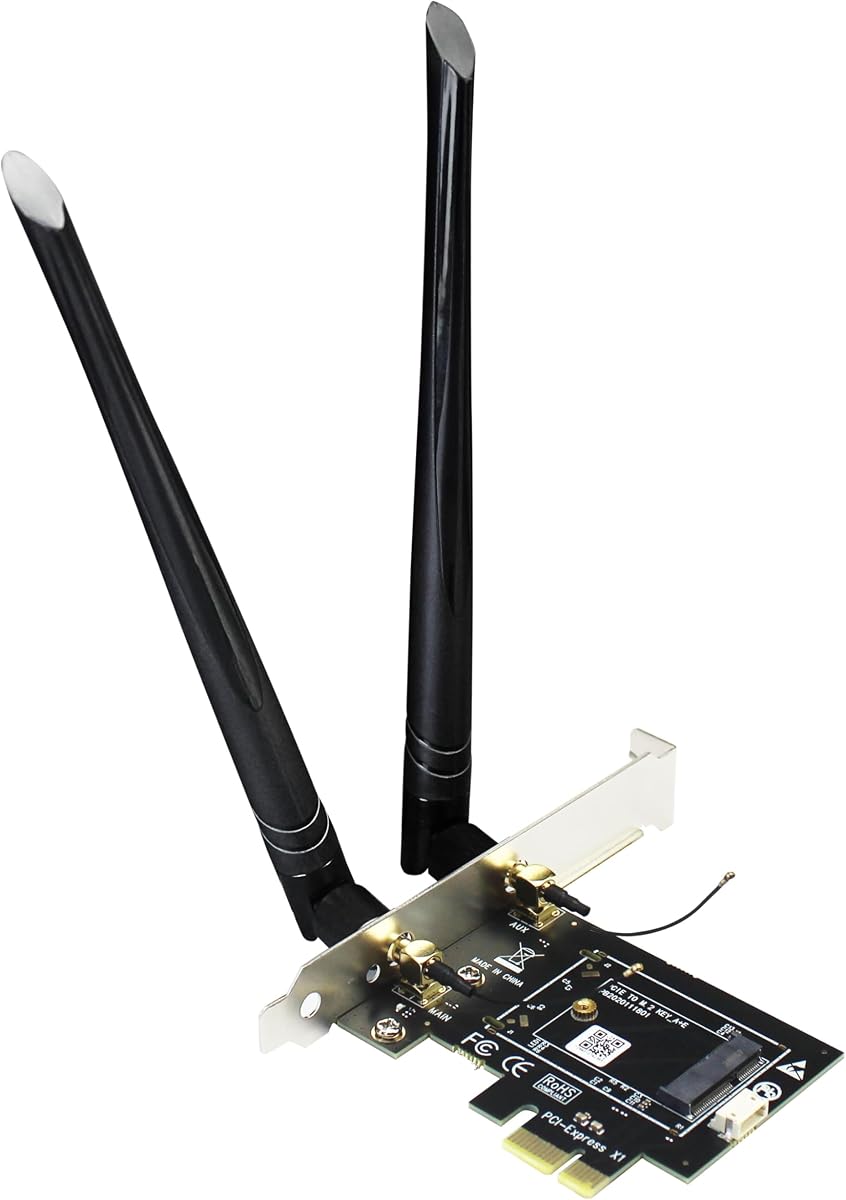
GLOTRENDS WA01 M.2 E Key to PCIe X1 WiFi
4.1Editor score
Adapter for M.2 modules
Supports Wi-Fi 4 to 7
Includes SMA antenna kits
This guide compares the top M2 Key E WiFi Cards for laptops and desktops including Wi-Fi 6E and Wi-Fi 7 options to help you upgrade your wireless networking.
Modern computing demands reliable high-speed wireless connections for streaming gaming and remote work. Choosing the right M2 Key E WiFi card ensures your device stays connected without lag or dropouts.
We evaluated ten top-rated modules focusing on speed compatibility and features like tri-band support and Bluetooth integration. Each entry offers detailed specs to guide your upgrade decision effectively.
Every pick highlights key strengths and potential limitations for various setups. Note that prices fluctuate frequently so check current listings before purchasing to secure the best deal.
4.1Editor score

4.5Editor score

4.6Editor score
The following table provides a side-by-side overview of all ten selected M2 Key E WiFi cards highlighting their core specifications to help you compare options quickly.


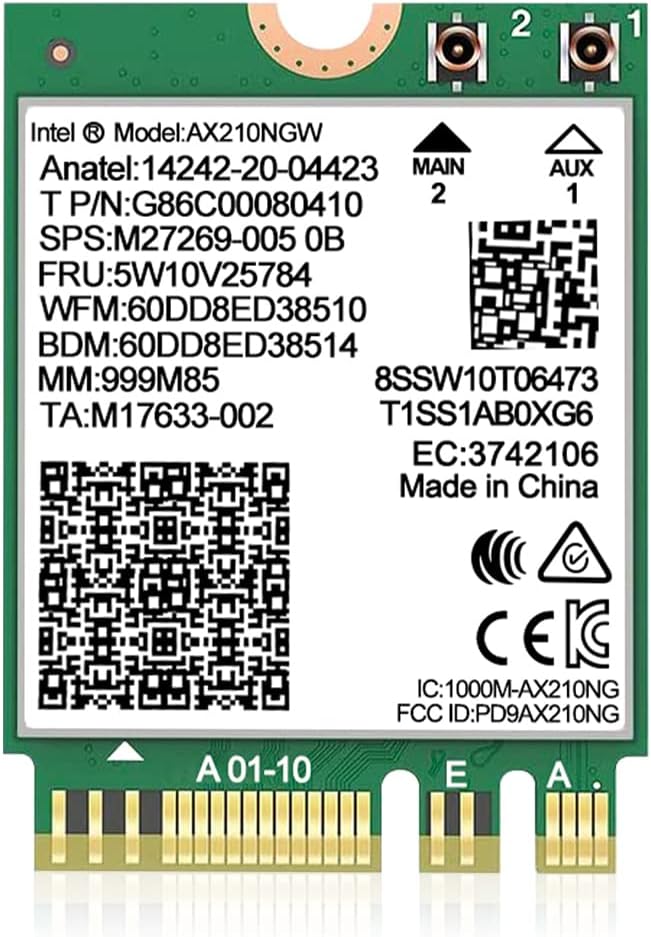




This kit includes the popular AX210 NGW module which brings Wi-Fi 6E capabilities to compatible devices. It is rated highly by users for reliable performance and fast throughput across all bands.
We may earn a commission when you buy through this link, at no additional cost to you.
The tri-band support allows you to utilize the new 6GHz spectrum for less interference and higher speeds. Bluetooth 5.3 ensures your peripherals stay connected with lower latency and better battery life.
While installation is straightforward you will need to connect the antenna cables properly to avoid signal issues. The included brackets help secure the card in different chassis sizes effectively.
Buy this if you want a future proof upgrade that supports the latest Wi-Fi standards without needing a full motherboard replacement. It is ideal for gamers and power users needing top speeds.
Supporting the 6GHz band means your network stays relevant even as more routers adopt Wi-Fi 6E technology.
Everything from cables to brackets is included so you do not need to source extra parts separately.
We may earn a commission when you buy through this link, at no additional cost to you.
This adapter card allows you to use standard M.2 Wi-Fi modules in desktop PCIe slots. It is a cost-effective solution for upgrading older desktops with modern wireless capabilities.
We may earn a commission when you buy through this link, at no additional cost to you.
The kit includes high gain antennas to ensure strong signal reception throughout your room. It supports almost every M.2 Wi-Fi card from Wi-Fi 4 up to the newest Wi-Fi 7 standards.
Note that Bluetooth signals travel over a USB connection so you must attach the included cable to your motherboard header. This is a minor step but worth knowing before assembly.
Choose this adapter if you already have a Wi-Fi module or want to mix and match cards without buying new ones. It is perfect for budget desktop upgrades.
Compatible with a wide range of M.2 modules making it a versatile choice for any enthusiast.
Specifically designed to bring wireless flexibility to desktop computers that lack M.2 slots.
We may earn a commission when you buy through this link, at no additional cost to you.
This is one of the few official Intel Killer cards featuring the latest Wi-Fi 7 standard. It is built for users who demand the absolute fastest wireless speeds available today.
We may earn a commission when you buy through this link, at no additional cost to you.
Gaming and VR applications benefit greatly from the ultra-low latency this card provides. Bluetooth 5.4 ensures seamless connectivity for wireless headsets and controllers.
Keep in mind that you will need a compatible Wi-Fi 7 router to unlock the full speed potential. It is also limited to Intel processors so check your system before buying.
Invest in this if you are building a high-end rig and want to stay ahead of the curve. It delivers premium performance for serious gamers.
Killer software features allow you to prioritize game traffic for smoother online play.
Supports 5.8 Gbps speeds when paired with a Wi-Fi 7 router for maximum throughput.
We may earn a commission when you buy through this link, at no additional cost to you.
This adapter card is designed to give desktops M.2 wireless capabilities easily. It supports both Wi-Fi and Bluetooth signals simultaneously using the included cables.
We may earn a commission when you buy through this link, at no additional cost to you.
The package comes with a full height bracket which is useful for standard desktop cases. It works on both Intel and AMD motherboards making it a flexible choice for custom builds.
While it only supports up to 5GHz it covers most standard use cases efficiently. The Bluetooth connection is handled via the USB cable included in the box.
Select this if you need a reliable adapter for an existing module and want all necessary brackets. It is a solid option for general desktop upgrades.
Works with both Intel and AMD systems without issues for broader user appeal.
Includes the cables and brackets needed for a standard desktop installation.
We may earn a commission when you buy through this link, at no additional cost to you.
This module brings the latest Wi-Fi 7 capabilities to laptops and mini PCs. It is designed for users who want to future proof their wireless connection against upcoming standards.
We may earn a commission when you buy through this link, at no additional cost to you.
Multi-Link Operation allows simultaneous use of multiple bands for lower latency. Bluetooth 5.3 offers stable connectivity for your peripherals and audio devices.
You must use Windows 11 and a Wi-Fi 7 router to get the most out of this card. It is not backward compatible with Wi-Fi 7 features on older routers.
Buy this if you are upgrading a high-end laptop and want to prepare for the future. It offers the fastest wireless speeds available right now.
Connects to multiple bands at once for faster and more stable connections.
Uses 4K QAM for higher data rates and better efficiency in crowded areas.
We may earn a commission when you buy through this link, at no additional cost to you.
This card uses the trusted AX210 chipset for reliable tri-band performance. It is a good choice for laptops that need a direct replacement for older modules.
We may earn a commission when you buy through this link, at no additional cost to you.
It offers 5400 Mbps speeds across the three bands for smooth streaming and gaming. The vendor includes a one year warranty which adds peace of mind.
Make sure your laptop slot is Key A or E as it does not support CNVio interfaces. You will need to install drivers from Intel for full functionality.
Choose this if you need a standard AX210 module for a laptop upgrade without extra accessories. It is a safe reliable option.
Powered by Intel technology ensuring compatibility with most modern laptops.
Comes with a one year warranty for added consumer protection.
We may earn a commission when you buy through this link, at no additional cost to you.
Another strong contender featuring the AX210 chipset for consistent Wi-Fi 6E performance. It supports WPA3 security ensuring your wireless network remains protected.
We may earn a commission when you buy through this link, at no additional cost to you.
MU-MIMO helps manage multiple devices on the network efficiently without lag. This is great for households with many connected gadgets streaming at the same time.
It comes as just the card so you may need to have antenna cables handy for your device. Installation is simple for users familiar with laptop hardware.
Buy this for a straightforward upgrade path for compatible laptops needing modern wireless. It balances speed and security well.
Supports WPA3 to protect your data on public and private networks.
MU-MIMO handles multiple data streams to reduce congestion.
We may earn a commission when you buy through this link, at no additional cost to you.
This kit provides the AX210 card plus antennas and cables for a full upgrade. It is designed for users who want a complete solution without searching for parts.
We may earn a commission when you buy through this link, at no additional cost to you.
The 8dBi antennas offer better range and signal strength than standard ones. This is beneficial if you are far from your router or have thick walls.
Installation requires routing the cables carefully to ensure they fit in the device. The brackets help secure the card in place during operation.
Select this if you want all the parts needed for an upgrade in one box. It simplifies the process significantly.
The 8dBi antennas provide stronger signals for better range coverage.
Includes cables and brackets so you have everything in one purchase.
We may earn a commission when you buy through this link, at no additional cost to you.
This card offers Wi-Fi 7 performance at a very competitive price point. It brings advanced speeds and features to users who want high performance without high costs.
We may earn a commission when you buy through this link, at no additional cost to you.
MLO support means your connection can switch bands seamlessly for speed and stability. It is great for 4K streaming and fast file transfers.
Make sure to remove old drivers from your system before installing new ones to avoid conflicts. This step ensures the best performance from day one.
Choose this if you want to try Wi-Fi 7 tech without spending a fortune. It is a great entry point for the new standard.
Delivers top tier Wi-Fi 7 speeds at a lower price than competitors.
MLO allows the card to combine bands for a more stable link.
We may earn a commission when you buy through this link, at no additional cost to you.
This card focuses on essential Wi-Fi 6 performance at a very low price. It is perfect for laptops that need a simple wireless upgrade without expensive features.
We may earn a commission when you buy through this link, at no additional cost to you.
It supports dual bands for decent speeds on 5GHz and 2.4GHz. The compact design ensures it fits easily into standard M.2 slots.
While it does not support the new 6GHz band it handles everyday tasks like browsing and streaming well. It is a practical choice for general users.
Buy this if you need a basic upgrade to Wi-Fi 6 on a budget. It gets the job done reliably.
Provides modern Wi-Fi 6 speeds at a fraction of the cost of premium cards.
The 2230 form factor fits into almost any laptop slot.
We may earn a commission when you buy through this link, at no additional cost to you.
Selecting the right M2 Key E WiFi card requires understanding several key factors to ensure compatibility and performance.
Modern cards offer Wi-Fi 6E or Wi-Fi 7 which provide faster speeds and new frequency bands. Older Wi-Fi 5 or 6 cards are cheaper but may limit future network capabilities.
Always check your router capabilities to decide if Wi-Fi 7 is worth the extra investment for your needs.
Bluetooth versions range from 5.2 to 5.4 affecting range latency and power efficiency. Newer versions support better connections for wireless headsets and controllers.
Ensure the card supports the latest Bluetooth standard if you plan to connect multiple wireless devices simultaneously.
Cards must match your laptop or desktop slot interface such as Key A or Key E. Some systems require PCIe adapters to use M.2 cards on desktops.
Verify your motherboard slot type before purchasing to avoid buying an incompatible card.
Most new cards require Windows 11 to function fully especially Wi-Fi 7 models. Older Windows 10 systems may work but lack some advanced features.
Check the product specifications to confirm OS requirements match your current system.
Many cards come with antennas and cables which are necessary for signal reception. Others only include the card so you must source parts separately.
Look for kits that include all necessary hardware to simplify the installation process.
High performance cards can generate heat especially in small laptops. Ensure your device has adequate airflow or thermal pads.
Consider cards with better heat dissipation for long term reliability in compact builds.
Some cards rely on specific manufacturer drivers which may need regular updates. Others use generic Intel or AMD drivers that are easier to manage.
Check if drivers are easily downloadable to avoid installation hurdles later.
Prices range from budget friendly options to high end premium models. Higher price does not always mean better performance if your current hardware is limited.
Compare features against your actual usage needs to find the best value for your budget.
Begin by shutting down your device and unplugging it from power sources. Remove the back panel to locate the existing wireless card if replacing an old one.
Insert the new card carefully into the slot at a slight angle before screwing it down. Attach the antenna cables securely to prevent signal loss during operation.
Reassemble the case and install the latest drivers from the official website. Restart your system to allow the operating system to recognize the new hardware.
You can use older routers but you will not get 6GHz benefits. A Wi-Fi 6E router is recommended to unlock all features of the card.
Yes but you usually need an adapter to fit the card into a PCIe slot. These adapters are sold separately or included in kits.
Most cards work with both but specific models may have limitations. Always check the product description for CPU compatibility details.
Without antennas the signal range will be very poor. Always connect the provided cables to ensure decent performance.
Visit the Intel or manufacturer website to download the latest drivers. Avoid relying on generic Windows updates for best performance.
Yes fully features of Wi-Fi 7 cards need Windows 11. Older systems may not support the new protocol properly.
We reviewed ten options ranging from budget adapters to high-end Wi-Fi 7 modules. Each brings unique features for different user needs and budgets.
Prioritize compatibility with your current hardware and router standards. Getting the best performance means your components work well together.
Prices change often so verify current listings before purchasing. Choosing the right card today can upgrade your wireless for years.