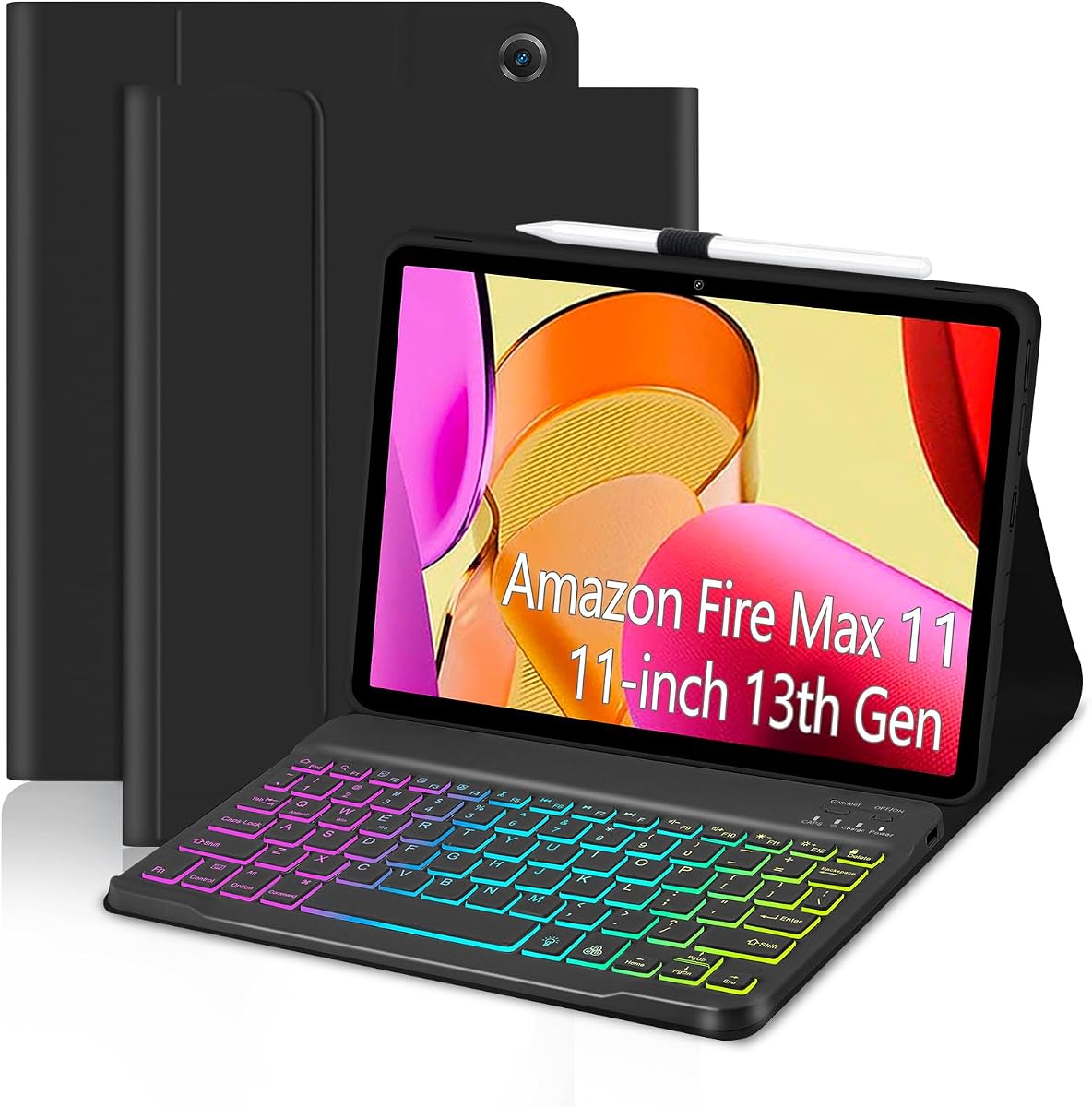
EAMPANG Case with Keyboard for Amazon Fire Max 11 inch
4.5Editor score
Rainbow backlit keyboard
Magnetic detachable design
Built-in pen holder
Discover the top keyboard case for Fire Max 11 options compared for typing comfort, protection, and features to boost your tablet productivity today.
Finding the right keyboard case for Fire Max 11 can transform your tablet into a powerful productivity tool. Whether you need typing comfort, robust protection, or creative versatility, the best cases combine reliable function with smart design elements tailored to your workflow.
We have carefully compared ten highly rated keyboard cases designed specifically for the Fire Max 11. Each option offers unique features like detachable layouts, backlighting, touchpads, and enhanced safety to help you find the perfect match for your needs.
Every selection below highlights key strengths, honest limitations, and ideal use cases. Please note that product availability and details may vary over time, so checking current listings ensures you get the latest features and support for your device.
4.5Editor score
4.2Editor score

4.6Editor score
Below is a side-by-side look at all ten keyboard cases, highlighting key specs like connectivity, backlighting, and protection features to help you compare quickly.


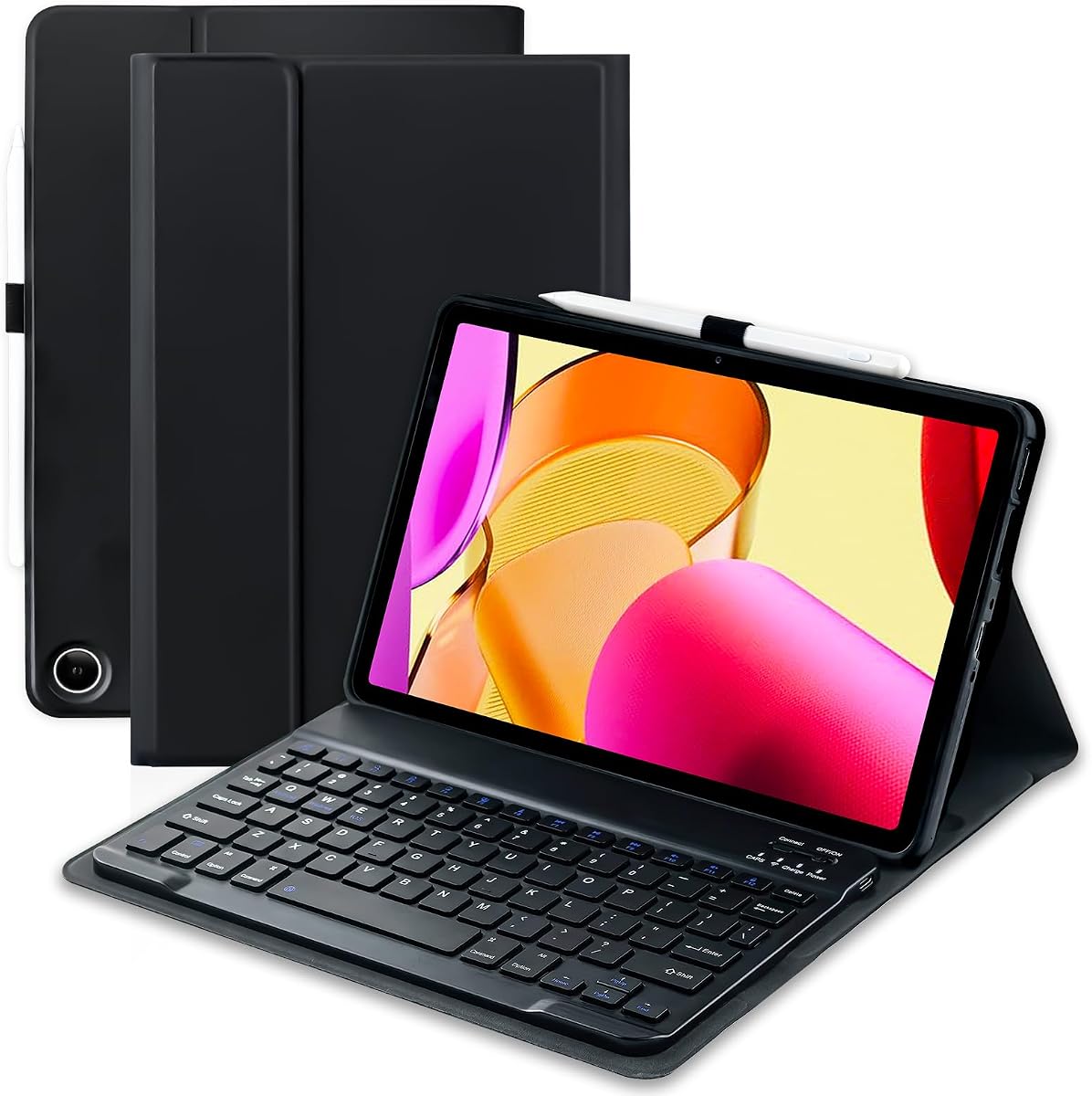


This case delivers solid typing support at an entry-level price. It features a rainbow backlit keyboard, magnetic attachment, and a built-in pen holder to keep your stylus secure. The honeycomb inner shell helps with heat dissipation for consistent performance.
We may earn a commission when you buy through this link, at no additional cost to you.
Key strengths include customizable lighting with seven colors and adjustable brightness for night use. The shortcut keys support quick access to common tasks like editing or browsing. Precise cutouts ensure all ports and sensors remain accessible.
Trade-offs include the absence of a touchpad and fewer color options compared to premium cases. However, the magnetic keyboard is easy to attach and detach for versatile usage. The TPU inner shell provides cushioning against impacts.
Ideal for budget-conscious users who want backlighting and reliable protection without extra features. It balances functionality and cost well for everyday tasks like note-taking or light work.
Seven adjustable colors and breathing light modes enhance visibility in low-light settings. You can turn off the backlight to conserve battery when not needed.
The stylus holder on the case allows you to store and access your pen quickly. It helps prevent loss during travel or storage in bags.
We may earn a commission when you buy through this link, at no additional cost to you.
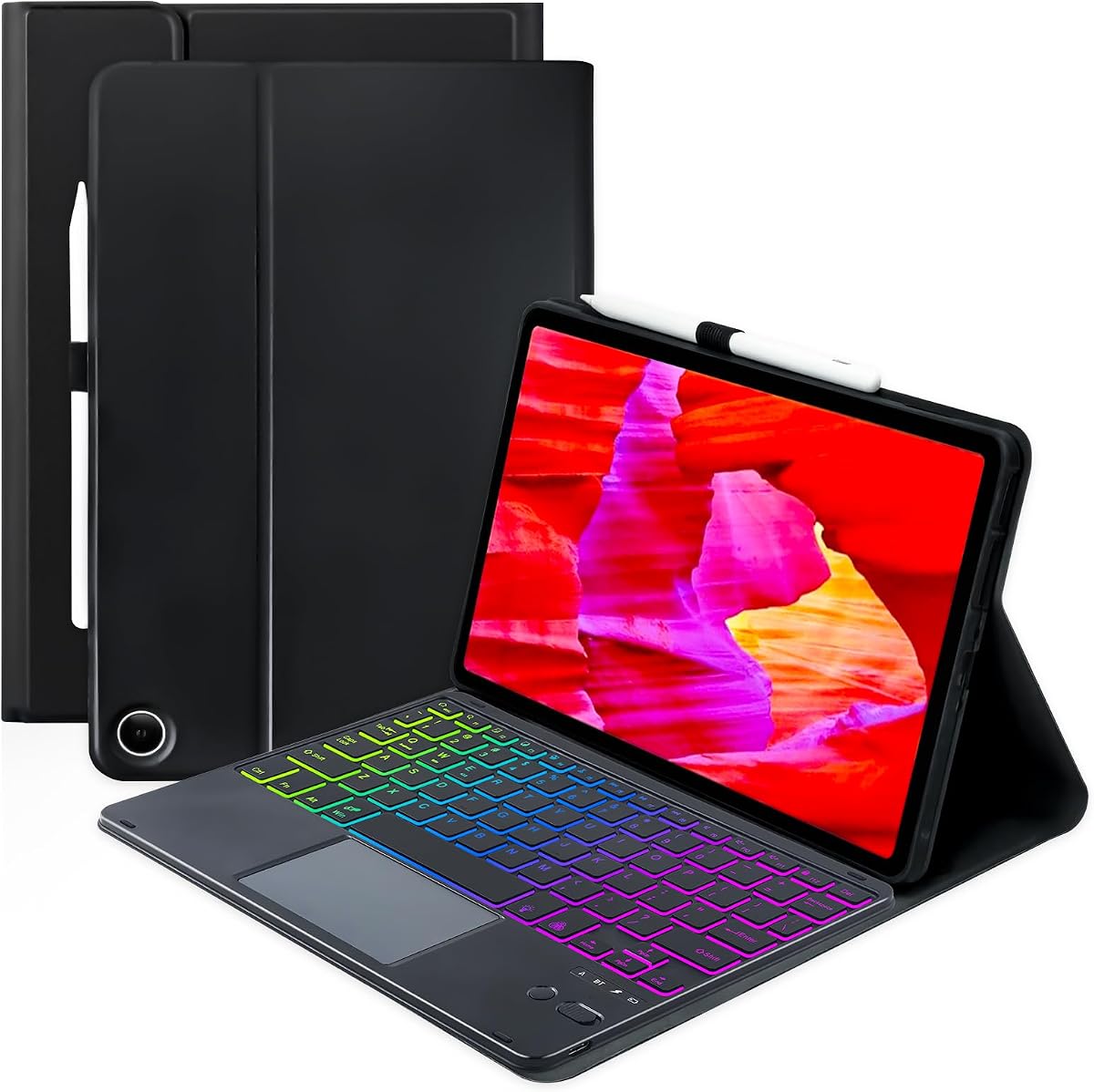
This option stands out with an integrated touchpad that replaces a mouse for navigation. It offers rainbow backlighting and a rechargeable keyboard for convenience. The case supports multiple angles and includes anti-slip grooves for stability.
We may earn a commission when you buy through this link, at no additional cost to you.
Key strengths include the touchpad's multi-finger gesture support and efficient keyboard connectivity. The anti-slip design prevents sliding during use. The PU leather provides durable protection with a non-slip lining.
Trade-offs involve the added bulk from the touchpad and keyboard assembly. Some users may find the weight higher than slim cases. The backlight options are limited compared to RGB models.
Suitable for users who prioritize cursor control and typing efficiency. It works well for documents and web browsing where precision is key.
The built-in touchpad supports gestures and eliminates the need for a mouse. It simplifies scrolling and clicking in apps and documents.
A lithium battery powers the keyboard without requiring cable replacements. It stays charged longer and reduces maintenance over time.
We may earn a commission when you buy through this link, at no additional cost to you.
This case includes a magnetic detachable keyboard and a rechargeable Bluetooth mouse for full laptop-like control. It offers auto sleep/wake and full edge coverage to protect your device from drops. The inner honeycomb grid helps reduce overheating.
We may earn a commission when you buy through this link, at no additional cost to you.
Key strengths are the integrated mouse, adjustable viewing angles, and quick stand function. The auto sleep/wake feature conserves battery. The 360 protection prevents scratches and bumps effectively.
Trade-offs involve the need to charge the mouse separately and the lack of a touchpad. The setup adds complexity compared to simpler cases. The price may be higher for casual users.
Best for productivity workflows needing precise cursor control. It transforms the tablet into a versatile work device with reliable protection.
A rechargeable Bluetooth mouse provides fine control for documents and apps. It pairs with the case for a complete productivity setup.
The case automatically wakes the tablet when opened and sleeps it when closed. This helps save battery life during daily use.
We may earn a commission when you buy through this link, at no additional cost to you.
This official case features a built-in trackpad and powers the keyboard via pogo pins, eliminating independent charging. It includes customizable shortcuts and uses recycled materials for sustainability. Zero setup is needed for magnetic attachment.
We may earn a commission when you buy through this link, at no additional cost to you.
Key strengths are the responsive trackpad gestures, adjustable pointer speed, and seamless integration with the tablet. The 15 shortcut keys enhance navigation efficiency. It wakes automatically when opened.
Trade-offs include a higher cost compared to third-party options. Customization is less flexible. The detachable back cover helps for multi-position viewing.
Recommended for users prioritizing official support and trackpad integration. It delivers reliable performance and eco-conscious design for daily use.
Pogo pins draw power directly from the tablet to run the keyboard. This removes the need for separate charging cycles.
Gestures like pinch-to-zoom and task switching simplify navigation. The trackpad is responsive and customizable for comfort.
We may earn a commission when you buy through this link, at no additional cost to you.
This case includes a magnetic detachable keyboard and Bluetooth mouse for expanded control. It features 3-zone backlighting and auto sleep/wake to save power. The honeycomb grid helps dissipate heat and extend device lifespan.
We may earn a commission when you buy through this link, at no additional cost to you.
Key strengths are the included mouse, adjustable angles, and pen holder for stylus storage. The backlight provides visual enjoyment. The case supports reading and writing comfortably.
Trade-offs involve pairing the Bluetooth mouse separately and the absence of a touchpad. The setup takes more effort than pogo pin options. The honeycomb design is effective for heat.
Ideal for users who value mouse support and visual customization. It balances practical features with good protection and comfort.
Customize your typing with three zones of backlighting. It enhances visibility and adds a stylish touch to your setup.
The honeycomb pattern in the inner layer reduces heat buildup. It helps maintain performance during extended use sessions.
We may earn a commission when you buy through this link, at no additional cost to you.
This case offers a 7-color backlight and a 420mAh battery lasting up to 90 hours. It attaches magnetically and includes a pen holder for your stylus. The TPU and leather shell provide all-round protection against drops.
We may earn a commission when you buy through this link, at no additional cost to you.
Key strengths are the exceptional battery life, quick Type-C charging, and adjustable viewing angles. The design is portable and reduces tablet damage. Precise cutouts ensure full access to ports.
Trade-offs involve the need to charge via Type-C and lack of a touchpad. Some users prefer pogo pin power. The auto sleep/wake saves battery effectively.
Suitable for travelers needing long-lasting wireless typing. It balances power efficiency with protective and style.
The 420mAh battery supports continuous use for up to 90 hours. It charges fully in about two and a half hours via Type-C.
Open the case to wake the screen and close to sleep. This feature protects battery life and keeps data private.
We may earn a commission when you buy through this link, at no additional cost to you.
This official case uses pogo pins for power and includes an integrated trackpad with adjustable speed. It offers customizable shortcuts and is made with recycled materials. Zero setup is needed for magnetic installation.
We may earn a commission when you buy through this link, at no additional cost to you.
Key strengths are the trackpad's responsive gestures, 15 shortcut keys, and durable design. The stand allows hands-free viewing. It wakes when opened and protects edges.
Trade-offs include the premium pricing and less customization than third-party models. The detachable cover adds versatility for video use. The eco-design appeals to sustainability users.
Best for users wanting official integration and trackpad support. It delivers reliable performance with environmentally conscious materials.
Power flows through pogo pins to avoid separate keyboard charging. This simplifies your setup for long-term use.
Built with post-consumer recycled plastics, the case supports sustainability. Packaging is fully recyclable for eco-friendly shipping.
We may earn a commission when you buy through this link, at no additional cost to you.
This case features a magnetic keyboard with Type-C charging and anti-slip grooves for stability. It offers 50 hours of battery life and multi-function shortcut keys. The pen holder stores your stylus securely on the back cover.
We may earn a commission when you buy through this link, at no additional cost to you.
Key strengths include precise hole positioning, heat-dissipating honeycomb design, and multi-angle adjustability. The keyboard is easy to attach and detach. The PU leather protects the body.
Trade-offs involve the lack of a trackpad and simpler angle adjustments. The battery lasts well but requires occasional charging. The design focuses on core functionality.
Ideal for users prioritizing typing efficiency and durability. It delivers a compact, practical solution for daily use.
Anti-slip grooves prevent the tablet from tipping during typing. This ensures a stable setup for writing or reading.
Shortcuts allow quick access to interface, copy, paste, and media. This boosts productivity without navigating menus.
We may earn a commission when you buy through this link, at no additional cost to you.
This case adds style with blue accents and rainbow backlighting. It includes a magnetic keyboard, Type-C charging, and a built-in pen slot. The honeycomb design aids heat dissipation. Full coverage protects against scratches.
We may earn a commission when you buy through this link, at no additional cost to you.
Key strengths are the adjustable brightness, multi-functional keys, and secure pen storage. The soft TPU shell protects against drops. Precise cutouts keep ports accessible.
Trade-offs include a lower rating and lack of a touchpad. Some users report variability in build quality. The price remains competitive.
Suitable for users seeking colorful design and basic functionality. It works well for light use and creative tasks.
The pen slot holds your stylus without slipping. It keeps your pen ready for note-taking or drawing.
The honeycomb pattern helps disperse heat during use. This improves performance and extends device lifespan.
We may earn a commission when you buy through this link, at no additional cost to you.
This case features premium vegan leather and a Bluetooth detachable keyboard. It offers up to 70 hours of battery life and a full shortcut row for media and volume control. Auto sleep/wake helps save power.
We may earn a commission when you buy through this link, at no additional cost to you.
Key strengths are the multi-view angles, shockproof TPU inner shell, and precise cutouts. The keyboard keys are resilient and quiet. The stylus pen holder prevents loss.
Trade-offs involve the need for Bluetooth pairing and no touchpad. The warranty and support offer peace of mind. The design balances style and protection.
Ideal for users valuing aesthetics and long battery life. It provides a comfortable typing experience with reliable durability.
The exterior uses high-quality vegan leather for a stylish look. It provides scratch resistance and comfort for daily use.
Shortcuts allow quick control over brightness and media. This enhances efficiency without navigating settings manually.
We may earn a commission when you buy through this link, at no additional cost to you.
Selecting a keyboard case requires evaluating connectivity, protection, and features that match your usage patterns. Below are key factors to help you narrow down your choice.
Cases use magnetic pogo pins, Bluetooth, or Type-C charging. Pogo pin models power directly from the tablet, while Bluetooth requires separate pairing. Type-C ports offer flexible charging without cables.
Choose pogo pin for seamless integration or Bluetooth for removable flexibility. Consider your need for a stable connection versus portability.
Rainbow backlighting with seven colors enhances visibility in low light. Adjustable brightness and breathing modes improve comfort during night typing. Some models let you turn off lights to save power.
Prioritize adjustable backlighting if you work in dim environments. Ensure the keyboard allows brightness control without complex steps.
Cases with built-in trackpads provide cursor control without extra devices. Others include Bluetooth mice for precise movement. Models without either rely on touch input.
If you need navigation for documents, choose a trackpad or mouse option. This adds efficiency compared to touch-only setups.
Battery capacity ranges from 420mAh to higher capacities. Some offer 70 to 90 hours of use per charge. Type-C charging provides quick top-ups.
Check battery specs for your usage duration. Longer life reduces charging frequency and supports travel.
Full 360-degree protection shields against drops and scratches. Honeycomb inner shells help dissipate heat. PU leather covers add durability.
Ensure the case covers edges and corners fully. Heat-dissipating designs prevent overheating during extended use.
Stylus holders prevent your pen from getting lost. Some cases include slots or pockets for secure storage. Others omit this feature entirely.
If you use a stylus regularly, choose a case with a pen holder. This simplifies carrying accessories.
Cases support multiple angles for typing or viewing. Anti-slip grooves keep the tablet stable. Some allow forward/backward movement for height.
Look for at least two or three angles. This improves ergonomics for different tasks like reading or writing.
Shortcuts and multi-function keys speed up tasks like copy and paste. Layouts vary in size and key feel. Some include full rows for media control.
Check key spacing and shortcut availability. A full row helps control media and brightness directly.
Install the case by attaching the magnetic keyboard or connecting via Type-C or Bluetooth. Ensure the tablet sits securely in the protective cover and all ports align with cutouts for proper access.
Use the auto sleep/wake function by opening and closing the lid. Charge the keyboard using the provided cable or pogo pins to maintain battery life. Regularly update the device to support compatibility.
Clean the case with a soft cloth to avoid damaging materials. Store in a cool place to protect electronics. Use the pen holder to keep your stylus nearby and prevent loss.
No, most cases are specifically designed for Fire Max 11 13th Generation models. Always check the product description for compatibility before purchase to avoid fit issues.
It depends on the model. Some use pogo pins and draw power from the tablet. Others require USB-C charging or separate pairing. Check specifications for charging requirements.
No, styluses are typically not included. Cases with pen holders allow you to store your own stylus securely. Confirm inclusion details in product listings.
Use the Fn key with light controls to change brightness or colors. Some models offer automatic switching between colors for visual variety in dark settings.
Yes, many cases feature adjustable grooves for typing or viewing. This helps maintain comfort for different activities like reading, watching videos, or writing.
Check Bluetooth pairing and battery levels. Some models require reconnection after sleep mode. Ensure the tablet remains within signal range for stable use.
Yes, magnetic cases allow detachment for pure tablet use. The cover still provides protection while the keyboard is removed for reading or media consumption.
Most cases offer scratch and drop protection but not water resistance. Keep them dry to avoid damage. Use a protective sleeve for additional safety in humid environments.
The ten keyboard cases reviewed provide diverse options for productivity, protection, and style. From budget-friendly backlit models to official cases with trackpads, there is a match for various workflows.
Prioritize features like battery life, connectivity type, and pen holders based on your needs. Balancing practical functions with design helps find the best companion for your tablet.
Always verify current product details and prices before purchase. Conditions may change, so checking listings ensures you get the right model with up-to-date support.