
Amazon Basics HDMI Cable
4.7Editor score
Supports 4K at 60Hz
High-Speed 18Gbps bandwidth
Ethernet support included
This guide compares the top HDMI cable for Fire TV Cube options for 2026, analyzing speed, durability, and compatibility to help you choose the perfect cable.
Finding the right HDMI cable for Fire TV Cube ensures your streaming setup delivers crisp visuals and reliable connectivity. A high-quality cable supports resolutions and bandwidth for smooth playback without signal dropouts or interference issues.
We evaluated ten top-rated cables based on speed ratings, connector quality, length, and user feedback. This list covers various needs from budget-friendly picks to premium high-speed options for future-proof setups.
Each pick highlights key features and real-world performance to guide your decision. Prices and availability can change frequently, so verify current details before purchasing to ensure you get the best value available today.
4.7Editor score
4.7Editor score

4.7Editor score
This table provides a side-by-side look at all ten selected HDMI cables for Fire TV Cube. Compare their key specifications and features to find the right fit for your home theater needs.


The Amazon Basics HDMI Cable stands out as a top value option for Fire TV Cube setups. With a strong 4.7 rating and support for 4K at 60Hz, it delivers clear visuals without breaking the budget. It is perfect for users who want dependable connectivity for streaming media or gaming.
We may earn a commission when you buy through this link, at no additional cost to you.
This cable supports up to 18Gbps bandwidth, which is ideal for current streaming needs. The inclusion of Ethernet allows sharing internet connections among devices. Its compatibility extends across consoles and players, making it versatile for any home entertainment system.
While it lacks a braided jacket, the cable is durable enough for daily use. The 6ft length works well for most setups but may not reach distant ports. The black color blends well with other equipment behind media consoles.
Choose this cable if you need a reliable connection at a low cost. It suits families wanting multiple cables for different rooms without overspending. Overall, it remains a solid choice for essential Fire TV Cube HDMI needs.
Supports 4K video at 60Hz for smooth playback without interruptions.
Offers essential features like Ethernet and high bandwidth at a budget price.
We may earn a commission when you buy through this link, at no additional cost to you.
PowerBear 4K HDMI Cable offers robust durability with its braided nylon jacket and gold connectors. The 10ft length provides flexibility for placing Fire TV Cube devices away from the TV. It is a strong choice for users needing extra reach or wall installation.
We may earn a commission when you buy through this link, at no additional cost to you.
Rated CL3 for in-wall use, this cable can be safely run through walls for clean setups. Gold connectors resist corrosion to maintain signal integrity over years. The braided texture prevents tangles and withstands bending without internal damage.
It supports 4K at 60Hz and HDMI 18Gbps speeds which handle streaming well. While thicker than standard cables, the durability trade-off is worth it for longevity. It works universally with consoles and players alike.
Select this cable for setups needing longer reach or in-wall routing. The braided design protects against wear in high-traffic areas. It is a practical upgrade from thinner standard cables for Fire TV Cube users.
10ft length allows flexible placement of devices far from the TV screen.
CL3 rating ensures safety for running cables inside walls behind furniture.
We may earn a commission when you buy through this link, at no additional cost to you.
Highwings HDMI Cable is known for its durable braided construction and extensive testing. It supports 4K at 60Hz and HDR, ensuring vivid visuals for Fire TV Cube users. The gold-plated connectors help maintain a secure connection over time.
We may earn a commission when you buy through this link, at no additional cost to you.
Rigorously tested to 15000 bends, this cable resists cracking at the joints. It is ideal for households where cables get moved frequently. The braided texture protects against daily wear and tear in busy living rooms.
Compliant with HDMI 2.0 standards it supports HDCP 2.2 for streaming content. Plug-and-play design means no driver installation is needed for setup. It pairs well with most home entertainment devices without issues.
Choose this cable if you need a sturdy option for frequent plugging. The bend life ensures it lasts longer than cheaper plastic cables. It is a reliable pick for everyday Fire TV Cube streaming needs.
Exclusive SR joint design prevents cracking at the connection points.
Supports HDR and 4K for stunning picture quality on modern TVs.
We may earn a commission when you buy through this link, at no additional cost to you.
This converter allows Fire TV Cube to connect to older TVs with composite inputs. It is a niche solution for users without HDMI capable displays. The package includes necessary cables to get started quickly.
We may earn a commission when you buy through this link, at no additional cost to you.
Installation takes minutes and works with Amazon Media Players. It converts the HDMI signal to standard definition for older screens. This makes legacy hardware useful with modern streaming services.
The lower rating reflects video quality limits of standard definition. It is not ideal for HD viewing but serves a specific retro need. It is useful for secondary TVs or guest rooms.
Pick this only if you need to connect to an older TV. For most users a direct HDMI cable is better. It remains a useful adapter for keeping older displays in the loop.
Converts modern HDMI signals for use with older standard definition TVs.
We may earn a commission when you buy through this link, at no additional cost to you.
The ienza HDMI Port Extender protects your TV's HDMI port from wear and tear. It acts as a port saver by reducing stress when plugging and unplugging devices. This is valuable for frequent users or renters.
We may earn a commission when you buy through this link, at no additional cost to you.
At 0.5M it is short enough to add minimal bulk. It allows easy removal of streaming devices without bending the TV port. This extension reduces the risk of loose connections over time.
Compatible with various streaming devices including Fire TV Stick. It is simple to use and plug-and-play. While short, it serves a specific function for port protection.
Use this to extend the life of your TV's HDMI ports. It is a small accessory that can prevent costly repairs. Ideal for anyone who changes devices regularly.
Reduces stress on the HDMI port to prevent connection issues.
We may earn a commission when you buy through this link, at no additional cost to you.
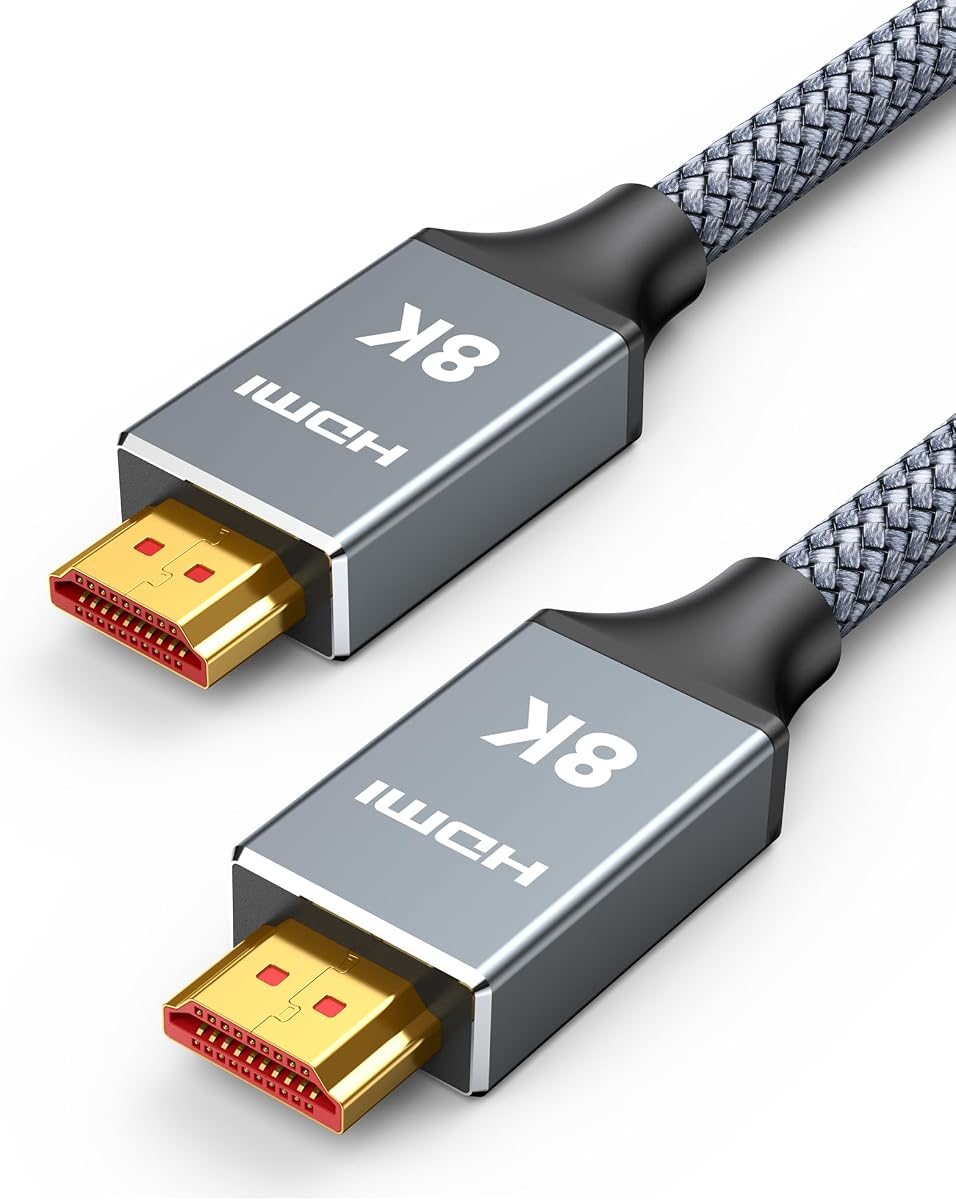
Capshi 8K 4K@120Hz HDMI Cable offers top-tier specs for future-proofing your setup. With 48Gbps bandwidth and HDMI 2.1, it supports high refresh rates for gaming and 8K video. It is a powerful choice for high-end users.
We may earn a commission when you buy through this link, at no additional cost to you.
The cable supports VRR and ALLM for smoother gameplay and better visuals. Its nylon-braided jacket and gold connectors ensure reliable signal transmission. This design protects against interference and maintains connection quality.
Backward compatibility ensures it works with older HDMI versions. While Fire TV Cube may not need full 8K speed, this provides headroom for upgrades. It delivers high clarity and fluidity for any content.
Choose this if you want maximum performance and longevity. It is great for gamers or home theater enthusiasts. The extra speed ensures readiness for next-gen displays and streaming.
48Gbps ensures support for 8K and 120Hz 4K video.
Features like VRR and ALLM reduce latency and screen tearing.
We may earn a commission when you buy through this link, at no additional cost to you.
Silkland Certified HDMI 2.1 Cable provides verified performance with a 2-Pack value. Certified cables guarantee full bandwidth and features like eARC and VRR. The 10ft length supports flexible setups for multiple rooms or devices.
We may earn a commission when you buy through this link, at no additional cost to you.
The E-Braid technology ensures durability against black screens and flickering. It supports dynamic HDR for vivid images and high refresh rates for gaming. Customer care is also strong for peace of mind.
Backward compatibility helps it integrate with older devices easily. The 10ft size is generous for hiding cables or reaching distant ports. It is ideal for multi-device entertainment systems.
Select this for high-performance needs and certified quality. The 2-Pack saves money compared to buying single cables. It is a top-tier option for serious home theater setups.
Official 2.1 certification ensures reliable high speed data transfer.
2-Pack allows for connecting multiple high-end devices easily.
We may earn a commission when you buy through this link, at no additional cost to you.
Silkland Certified HDMI 2.1 Cable 2-Pack 6.6FT offers premium specs in a bundle. It supports 10K HDR and high bandwidth for future devices. The 6.6ft length is a standard size for most home uses.
We may earn a commission when you buy through this link, at no additional cost to you.
Certified for 2.1, it ensures stable signals for streaming and gaming. The double-layer braiding adds durability and reduces interference risks. It is versatile for both consoles and media players.
The 2-Pack provides good value for multiple connections. It simplifies managing cables with a reliable set. The dynamic HDR support enhances image quality effectively.
Choose this for a certified upgrade to your home setup. It suits those needing multiple high-speed cables. The 6.6ft length fits most standard TV connections well.
Certified 2.1 cables in a 2-Pack for multiple device connections.
We may earn a commission when you buy through this link, at no additional cost to you.
Silkland Certified HDMI 2.1 Cable 2-Pack 3.3FT is perfect for tight setups. Its short length reduces clutter and is ideal for devices close to the TV. Certified speed ensures high-quality performance despite the small size.
We may earn a commission when you buy through this link, at no additional cost to you.
Supports 8K HDR and dynamic HDR for excellent image quality. The 2-Pack allows for extra connections or replacements. Braided design ensures reliability and longevity in daily use.
Use this for setups with limited space between TV and devices. The short length prevents excess cable loops. It is great for soundbars or close consoles.
Pick this to keep cables tidy and high-speed. It is a premium option for compact home theater arrangements. The 3.3ft length is specific and effective for close connections.
Short 3.3ft length minimizes cable clutter in tight spaces.
We may earn a commission when you buy through this link, at no additional cost to you.
Rankie HDMI Cable offers a budget-friendly 2-Pack for multiple rooms. It supports 4K and Ethernet for shared internet connections. This is a practical choice for basic home streaming needs.
We may earn a commission when you buy through this link, at no additional cost to you.
Category 2 certification ensures reliable performance for standard use. It works well with Fire TV Cube and other devices for streaming content. The 6ft length is standard for most TV setups.
The 2-Pack helps cover multiple devices without extra cost. It is simple and effective for basic audio video needs. However, it lacks the durability of premium braided options.
Choose this for budget-conscious multi-room setups. It is great for guest rooms or secondary TVs. The value and reliability make it a solid pick for everyday use.
2-Pack bundle provides good value for covering multiple devices.
We may earn a commission when you buy through this link, at no additional cost to you.
Choosing the right HDMI cable involves balancing speed, length, and build quality for your specific setup.
Bandwidth determines how much data your cable can transfer per second. For Fire TV Cube look for at least 18Gbps to support 4K video at 60Hz. Higher bandwidth like 48Gbps ensures future-proofing for advanced streaming.
Always check that the cable supports the needed bandwidth to avoid buffering or quality loss.
Cable length should match the distance between your Fire TV Cube and TV. Common lengths include 6ft or 10ft depending on your furniture setup. Ensure there is enough slack without excessive excess.
Select a length that reaches comfortably without tension on the connectors.
Braided nylon jackets protect against wear and tearing better than standard plastic. Gold-plated connectors resist corrosion and ensure stable connections over time. Check for durable materials if you plan to move the cable often.
Invest in braided options for better longevity and protection against daily wear.
Ensure the cable has standard HDMI connectors compatible with your TV and device. Most Fire TV Cube setups use standard HDMI A male connectors. Check if you need an adapter for older TVs.
Verify connector type to ensure a plug-and-play connection without adapters.
ARC or eARC support allows the TV to send audio to your soundbar or receiver. This simplifies wiring by reducing extra audio cables. Ensure your chosen cable supports this if you use external audio.
Prioritize ARC features if you have an external audio system connected.
Some HDMI cables include Ethernet support to share internet among devices. This reduces the need for separate network cables for consoles or streaming devices. Check if this is relevant to your network setup.
Use Ethernet-enabled cables to simplify network connections for multiple devices.
HDMI 2.1 Certified cables are tested for performance standards ensuring reliability. Look for certifications to avoid signal issues or bandwidth throttling. It adds confidence in the cable quality.
Choose certified cables to guarantee they meet official speed and quality standards.
Affordable cables work well for basic streaming while premium ones suit future needs. Consider buying 2-Packs for value if you need multiple cables. Balance cost with the needed features.
Compare price against necessary features to find the best value for your budget.
Plug one end of the HDMI cable into the Fire TV Cube HDMI port and the other into your TV. Ensure both ends are securely seated to prevent signal loss. Verify that the Fire TV Cube is powered on and connected to the correct input source.
Avoid bending the cable sharply near the connectors as this can cause internal wire damage over time. Route the cable along walls or behind furniture to reduce tripping hazards. Use cable clips or ties to keep it organized and secure.
Periodically check the connectors for dust or corrosion and clean with a dry cloth if needed. If you plan to move the cable often ensure it is a braided or durable type. Store excess cable neatly without kinking to preserve lifespan.
HDMI 2.0 or higher is recommended for Fire TV Cube to support 4K at 60Hz. Most modern cables meet this requirement and provide reliable streaming performance.
A cable supporting 18Gbps bandwidth ensures smooth 4K playback without interruptions. Poor quality cables can cause flickering or signal dropouts during high data transfer.
6ft is common for most setups but choose 10ft if your TV is far from the device. Ensure length reaches comfortably without excessive excess cluttering the area.
Yes, HDMI port extenders help position the Fire TV Cube away from the TV. They protect the TV port and simplify device removal or adjustment easily.
ARC supports basic audio return while eARC supports higher bandwidth audio formats. Both simplify wiring but eARC is better for advanced sound systems and Dolby Atmos.
Braided cables offer superior durability and resistance to wear over standard plastic ones. They protect internal wires and connectors from physical damage in high traffic areas.
The Amazon Basics HDMI Cable and Capshi 8K HDMI offer excellent choices for most users based on speed and durability. Each product in this guide provides unique benefits ranging from value bundles to certified high-speed performance.
Prioritize bandwidth and build quality to ensure your Fire TV Cube delivers crisp visuals. If you need multiple cables 2-packs offer better value for home setups.
Prices and availability can change frequently so always check current listings before purchasing. This ensures you get the best deal and the right cable for your setup today.