
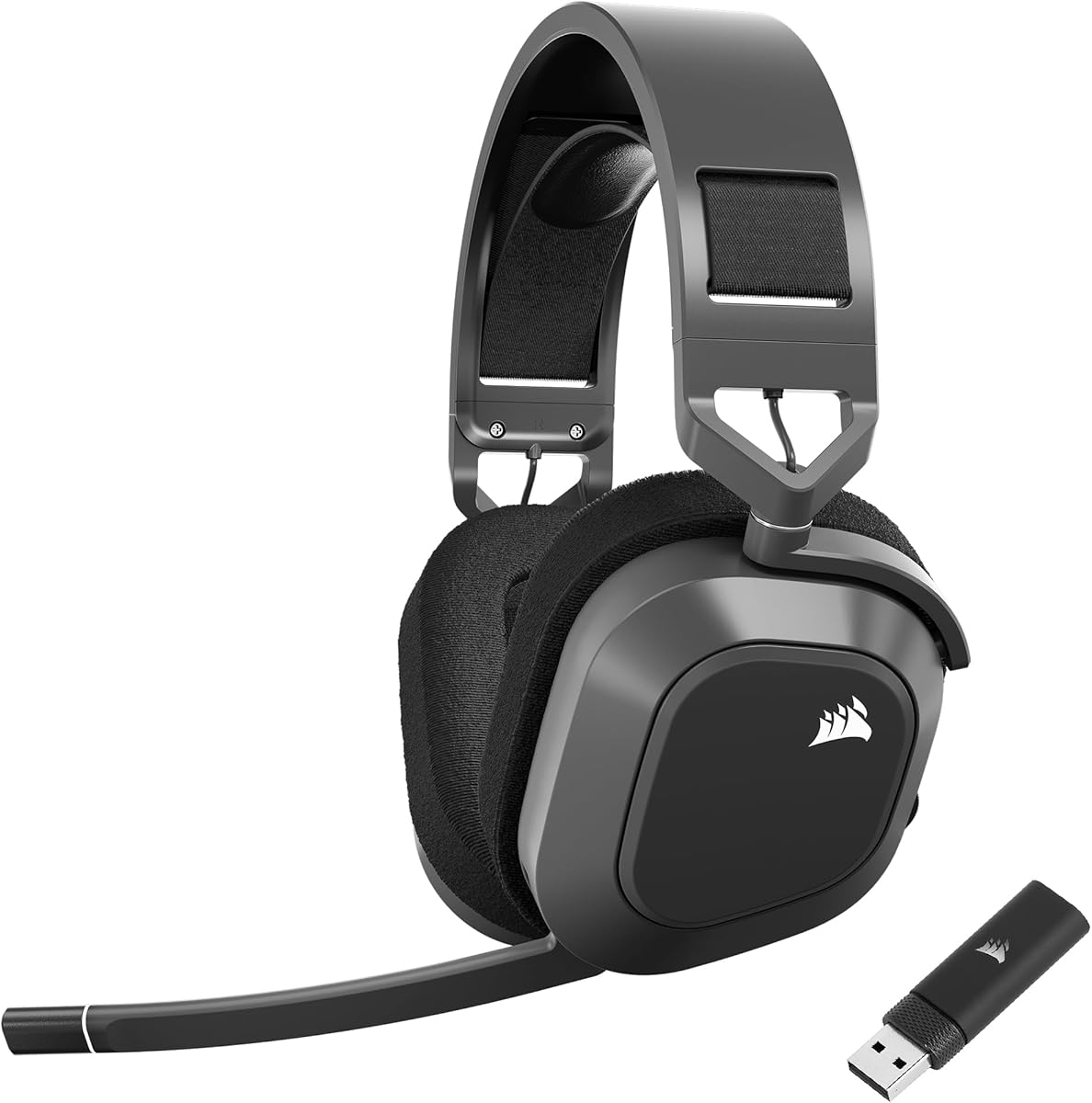
Wireless Gaming Headset for PC PS5 PS4 Mac Switch 7.1 Surround Sound 100-Hr
4.4Editor score
7.1 Surround Sound
100-Hour Battery Life
Multi-Platform Compatibility
This guide compares the top ten Mac gaming headsets for immersive sound and comfort during extended play sessions on your desktop or laptop.
Finding the right audio gear for your Apple computer is essential for immersive gameplay and clear communication with teammates. A good headset delivers rich sound and comfort that fits your workflow without distractions.
We evaluated ten top models based on audio quality and connectivity options alongside comfort features and build durability. Each pick was chosen for its ability to work seamlessly with macOS and common gaming platforms.
Every selection highlights key strengths and unique features to help you find the perfect match for your setup. Keep in mind that availability and details may shift over time as manufacturers update their product lines.
4.4Editor score

4.6Editor score
4.2Editor score
This side-by-side comparison outlines the core strengths of each headset to help you decide which model fits your Mac setup and gaming needs.




This headset combines custom-tuned drivers with breathable comfort to deliver stunning sound for long Mac gaming sessions. With a strong wireless connection and flip-up mute features, it is built for focus and clarity.
We may earn a commission when you buy through this link, at no additional cost to you.
The premium 50mm neodymium audio drivers cover a wide frequency range so you hear every detail. Memory foam earpads and microfiber fabric keep pressure low even during marathon play. The aluminum yokes add structural strength that lasts.
While it offers solid performance on Mac, some users may miss deep software integration for audio tuning. The price is higher than entry-level options but justified by build quality and audio fidelity.
It is a strong choice for players who value audio quality and comfort above all else. If you want a reliable wireless option that keeps you immersed, this headset is worth the investment.
Custom-tuned 50mm drivers deliver clear highs and deep bass for realistic soundscapes during play.
Microfiber mesh and memory foam prevent heat buildup and keep your ears comfortable over hours of use.
We may earn a commission when you buy through this link, at no additional cost to you.
This model stands out for its massive battery life and flexible connectivity options. You can switch between USB wireless and Bluetooth depending on your device. The audio delivers decent clarity for the price.
We may earn a commission when you buy through this link, at no additional cost to you.
The 100-hour playtime via Bluetooth and 45-hour via 2.4GHz ensures you rarely need to recharge. Retractable ENC noise-canceling mic filters background noise well. Memory sponge cushions and passive noise isolation add comfort.
Build quality is functional but does not match premium models in weight or rigidity. Bluetooth works well for media but the 2.4GHz mode is better for gaming to avoid latency.
For budget-conscious gamers who need long playtime and multi-device support, this headset is hard to beat. It provides all the essentials without breaking the bank.
Up to 100 hours of battery life means you can game for days without needing to plug in for power.
Switch between 2.4GHz wireless for low latency and Bluetooth for mobile use with a simple tap.
We may earn a commission when you buy through this link, at no additional cost to you.
Razer delivers a solid wired option with patented drivers that keep highs and lows clear. The convertible cables allow you to use USB-C or Type-A adapters for different ports on Mac or other devices. Comfort is high for long sessions.
We may earn a commission when you buy through this link, at no additional cost to you.
The 3-part driver design avoids muddy audio so you can hear footsteps and effects distinctly. Retractable mic ensures optimal positioning when needed. Memory foam cushions wrapped in fabric keep pressure even.
As a wired headset, it lacks the freedom of wireless but ensures stable audio without battery concerns. The surround sound can sound enhanced but not always accurate to natural acoustics.
It is ideal for users who prefer simplicity and consistent audio quality over wireless convenience. If you need a dependable wired headset for Mac gaming, this fits the bill.
The patented 3-part driver structure pushes out clear highs, mids, and lows for deeper immersion.
Use either USB-C or Type-A cables to connect to your Mac without needing extra software.
We may earn a commission when you buy through this link, at no additional cost to you.
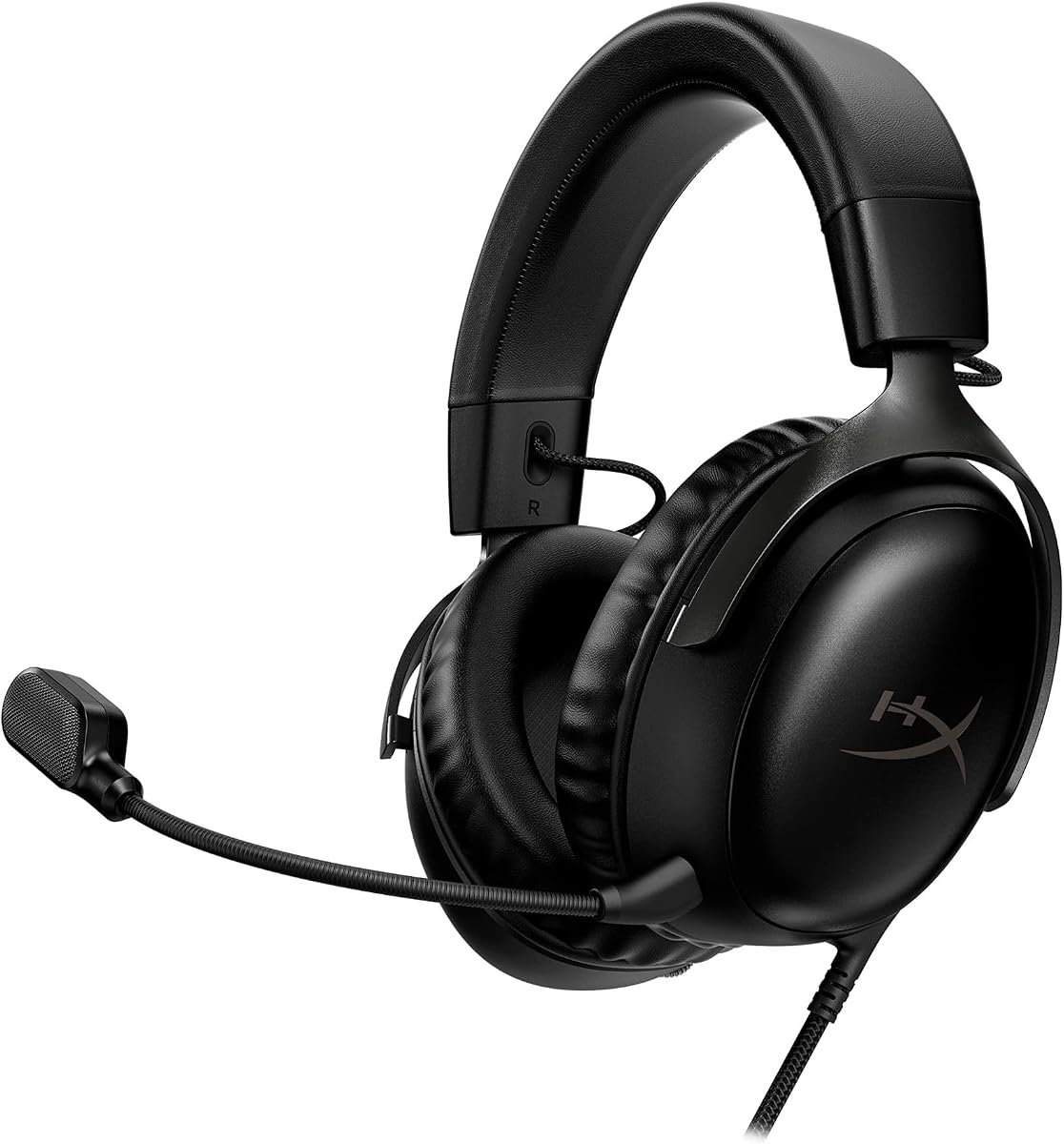
HyperX continues its legacy with a headset built for comfort and durability. The angled drivers are tuned to accent dynamic gaming sounds and the mic is improved for clear calls. Memory foam cushions are soft and breathable.
We may earn a commission when you buy through this link, at no additional cost to you.
Audio engineers tuned the 53mm drivers to handle dynamic sounds well so explosions and whispers are balanced. The noise-cancelling mic with mesh filter keeps your voice clear. Aluminum frame resists travel damage.
It is a wired solution so range is limited but audio is consistent. Some may find the bass slightly strong for music but perfect for game immersion.
This headset is a safe pick for players who want comfort and reliability without dealing with wireless latency. It works seamlessly across many devices including Mac.
Angled drivers highlight dynamic gaming sounds so you stay immersed in the action.
Noise-cancelling tech ensures clear voice chat even in noisy environments.
We may earn a commission when you buy through this link, at no additional cost to you.
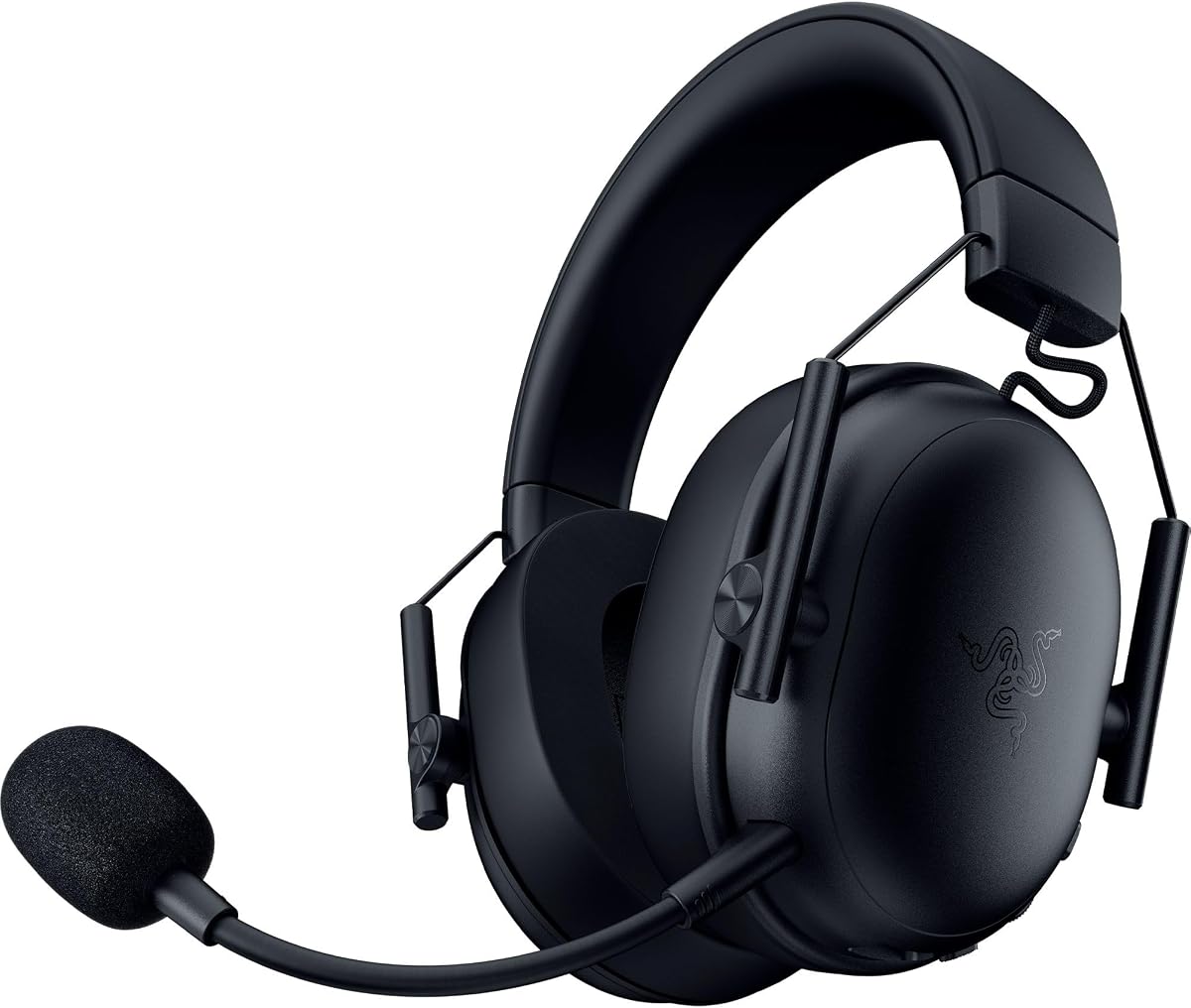
This model focuses on speed and weight so you stay focused on the game. The wireless connection has low latency to keep audio synced with visuals. Drivers provide better clarity and soundstage for footsteps.
We may earn a commission when you buy through this link, at no additional cost to you.
The Gen-2 drivers deliver powerful audio with improved positioning so you hear cues clearly. SmartSwitch Dual Wireless lets you toggle between 2.4GHz and Bluetooth easily. The mic can be removed when not needed.
At 270g it is very light but some may feel it lacks the solid build of heavier headsets. The bass can overpower mids if not adjusted via software.
For fast-paced competitive play this headset offers great responsiveness without burdening your head. It is ideal for gamers who prioritize lightweight comfort and clear positioning.
Optimized weight reductions provide long-lasting comfort for intense gaming sessions.
HyperSpeed technology ensures audio syncs with gameplay for competitive advantage.
We may earn a commission when you buy through this link, at no additional cost to you.
This headset merges iconic design with wireless tech to deliver detailed sound. SLIPSTREAM ensures low latency and audio fidelity so you react faster. Dolby Atmos on PC adds three-dimensional sound.
We may earn a commission when you buy through this link, at no additional cost to you.
Custom-tuned 50mm drivers deliver sounds in exquisite detail across a wide range. Broadcast-grade mic captures your voice clearly with a mute indicator. Comfort is good but battery life is not the longest.
RGB lighting adds style but reduces playtime when enabled. If you want spatial audio and clean wireless performance this is a strong choice.
It suits players who value precise sound positioning and immersive environments. The build quality and mic performance make it a reliable daily driver.
Three-dimensional sound placement helps you react faster and more accurately to in-game cues.
Captures your voice with terrific clarity and includes a visual mute indicator.
We may earn a commission when you buy through this link, at no additional cost to you.
This headset is built around comfort with signature foam and soft leatherette cushions. The angled drivers accent dynamic gaming sounds and the mic has clear voice capture. The metal frame withstands daily use.
We may earn a commission when you buy through this link, at no additional cost to you.
Memory foam in the headband and ear cups creates a snug fit that reduces fatigue. Audio is tuned by HyperX engineers for entertainment. Controls are conveniently placed on the earcup.
It is a wired headset so you miss wireless mobility but gain consistent audio. The white color looks premium but may show marks over time.
Ideal for Mac users who value comfort and simple plug-and-play setup across devices. Its durability and audio tuning make it a top choice for long sessions.
Signature memory foam and premium leatherette provide a plush fit all around.
USB-A, USB-C, and 3.5mm connectors fit most platforms without extra adapters.
We may earn a commission when you buy through this link, at no additional cost to you.
This headset lets you toggle between PC and phone with a simple switch. Dual wireless support means you can stay connected to both Bluetooth and 2.4GHz. The design is portable and ergonomic.
We may earn a commission when you buy through this link, at no additional cost to you.
SmartSwitch technology ensures seamless audio for any activity. Breathable memory foam ear cushions keep your ears comfortable during long play. Detachable mic makes it travel friendly for calls.
It does not work with Xbox consoles so choose carefully. The lighting adds visual flair but can be turned off to save battery.
For multi-device users this model offers great flexibility without needing extra gear. It suits people who switch between mobile and desktop often.
Switch from PC to phone easily and enjoy seamless audio for any activity.
Apply preferred lighting effects and sync them with supported games and apps.
We may earn a commission when you buy through this link, at no additional cost to you.
This model uses a 2.4GHz USB to deliver real-time audio with low latency. The 50mm driver transports you into the game world with clear steps and reloads. Buttons are intuitive for controls.
We may earn a commission when you buy through this link, at no additional cost to you.
Dual input design gives you a choice between lag-free wireless and Bluetooth for other uses. Multi-functional buttons let you mute and adjust volume quickly. Comfort is decent for the price.
Bluetooth does not directly work with Mac or PS5 without an adapter. This is a minor hurdle but worth noting if you rely on Bluetooth features.
Budget gamers who need low latency performance will find great value here. It brings reliable wireless audio at a cost that is hard to beat.
Real-time gaming audio with less than 30ms delay keeps you ahead of the competition.
Switch between 2.4GHz dongle for gaming and Bluetooth for mobile use as needed.
We may earn a commission when you buy through this link, at no additional cost to you.
This model offers dual connectivity to cover both low latency gaming and high fidelity listening. Wireless range reaches up to 50ft so you can move freely. Memory foam pads and a floating headband provide plush comfort.
We may earn a commission when you buy through this link, at no additional cost to you.
Enjoy high-fidelity 24bit/96kHz sound that exceeds typical gaming headsets. Battery life is impressive at 65 hours via wireless and up to 130 with Bluetooth when RGB is off. Aluminum reinforcement keeps it durable.
Bluetooth works best for non-gaming audio since latency is higher. The cost reflects these advanced features and premium build. If you want a single headset for all media needs this fits.
It is perfect for users who demand long battery life and top comfort without sacrificing audio quality. This headset excels at combining performance with versatility.
Experience 24bit/96kHz sound that surpasses standard gaming headset fidelity.
Up to 65 hours over 2.4GHz wireless ensures you play for days between charges.
We may earn a commission when you buy through this link, at no additional cost to you.
Selecting the right Mac gaming headset requires balancing audio performance comfort and connectivity to match your workflow and play style.
Decide whether you prefer wireless freedom or wired reliability. Wireless offers ease of movement but uses battery and can be pricier. Wired guarantees consistent audio without power concerns but limits range.
Choose wireless if you want to move around freely. Choose wired for zero lag and no charging hassle.
Look for drivers that deliver clear highs and balanced bass so you hear every footstep. Surround sound modes add immersion but test them to ensure they do not muddy the audio.
Prioritize audio clarity over extra features for better gameplay awareness.
A good mic with noise cancellation ensures your teammates hear you clearly. Detachable or retractable designs add convenience when you do not need to use voice chat.
Test mic clarity if communication is a priority for your gaming.
Plush earpads and adjustable headbands reduce fatigue during long sessions. Breathable materials prevent sweat buildup and keep your ears cool.
Choose memory foam and breathable fabrics for extended comfort.
For wireless models longer battery life reduces charging interruptions. Some headsets offer over 60 hours so you can game for days.
Check battery specs to match your typical playtime without charging.
Ensure the headset works with macOS software and hardware ports. Some require specific dongles or software that may not run on Mac.
Check product details to confirm macOS support before buying.
Build materials like aluminum frames and flexible headbands increase longevity. A sturdy design survives travel and daily use better than fragile plastic.
Look for reinforced materials if you travel or use the headset daily.
Weigh the features against the cost to find the best balance. Budget headsets can offer good value while premium ones provide advanced features.
Buy based on your needs not just the highest price tag.
Connect the headset via USB wireless dongle or Bluetooth depending on your model. Ensure your Mac detects the device and set it as the output input in system preferences.
Adjust the headband and earcups for a snug fit. Tighten enough to block noise but not so much it hurts during play.
Clean the earpads regularly with a soft cloth to maintain comfort. Store the headset in a dry place to avoid damage from humidity or drops.
Most models listed work with modern Macs via USB or Bluetooth. Always check product details for any software limitations. If you need advanced audio features verify Mac support before purchasing.
A 2.4GHz wireless dongle offers lower latency than Bluetooth. Bluetooth works well for calls but can introduce delay during gaming. Use the 2.4GHz mode for smooth competitive play.
Yes most feature memory foam and adjustable headbands for comfort. Breathable fabrics reduce heat buildup. Choosing the right size helps avoid fatigue over time.
Many models support multiple platforms like PC consoles and phones. Check compatibility details for specific features like microphones. Some modes may be limited on certain consoles.
Check the manufacturer website for any available software updates. Some headsets use proprietary apps on PC for tuning. On Mac basic audio settings often work without extra tools.
Battery life varies but many offer over 40 hours. Premium models may reach over 60 hours without needing a charge. Turn off features like lighting to extend battery.
Several models offer 7.1 or spatial audio modes for immersion. Use audio software or built-in controls to enable it. Test to ensure it suits your preference.
Store it in a dry place away from direct sun. Use the original case or stand if available. Keep the headband relaxed to maintain shape.
We have explored ten standout headsets that offer a range of features for Mac users. Each model brings unique strengths from wireless flexibility to wired stability and comfort.
Prioritize comfort audio clarity and connectivity that match how you play. Think about battery life and microphone quality if you talk to teammates often.
Prices and availability may change so check current details before buying. Choose the one that best fits your needs for a rewarding gaming experience.