
GLOTRENDS M.2 NVMe to PCIe 4.0 X4 Adapter
4.6Editor score
Supports PCIe 4.0
Includes low-profile brackets
Effective cooling heatsink
This guide compares the top M2 Pcie Adapter models for speed and compatibility to help you expand storage without replacing your main drive.
Finding the right M2 Pcie Adapter can transform your desktop storage setup instantly. These cards let you use fast NVMe drives in standard PCIe slots for better performance and flexibility.
We evaluated ten top-rated adapters based on speed, cooling, and build quality. Each option supports common drive sizes and ensures reliable connectivity for your system expansion needs.
Every pick highlights key strengths and trade-offs for different users. Prices and availability change often, so verify current details before making your final purchase decision today.
4.6Editor score
4.6Editor score

4.4Editor score
This side-by-side comparison highlights key specifications and capabilities across all ten selected M2 Pcie Adapter models to help you find the perfect fit.




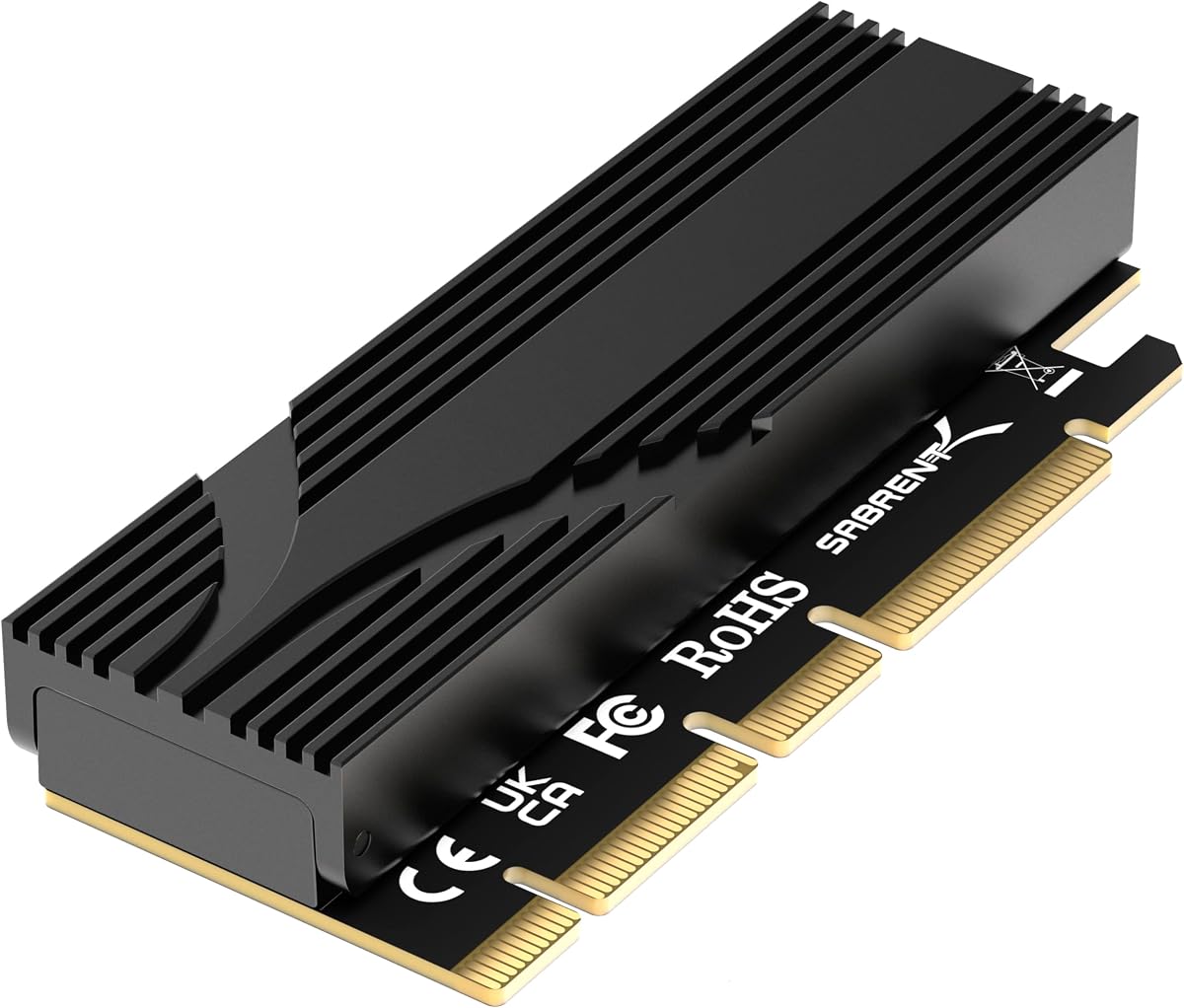
The SABRENT adapter stands out as a top choice for users seeking future-proof speed and ease of use. With a strong rating and solid build quality, it supports NVMe drives up to PCIe 5.0 speeds when paired with the right motherboard slot.
We may earn a commission when you buy through this link, at no additional cost to you.
Its standout feature is the tool-free design that eliminates the need for tiny screws when securing your drive. The built-in aluminum heatsink ensures stable temperatures without adding fan noise, while the x16 physical connector offers excellent stability in the slot.
While it shines in performance, note that it only works with NVMe drives and requires a Gen5 slot to unlock its full potential. In older slots, performance matches the available generation, so checking compatibility before purchase is wise.
Buyers looking for a reliable, high-performance expansion card that simplifies installation will find this adapter ideal. It balances cutting-edge speed with practical design, making it a smart long-term investment for power users.
Supports PCIe 5.0 for maximum throughput when your motherboard and slot allow it.
Tool-free installation saves time and avoids lost screws during drive swaps.
We may earn a commission when you buy through this link, at no additional cost to you.
The GLOTRENDS adapter delivers excellent value with strong performance for the price. It offers PCIe 4.0 support and comes with everything you need for a smooth installation, including brackets for small cases.
We may earn a commission when you buy through this link, at no additional cost to you.
Key strengths include its effective cooling solution that lowers SSD temps by up to 20 degrees and full support for OS booting. It works across Windows, Linux, and Mac, ensuring broad compatibility for most users.
Keep in mind that older Intel CPUs may limit speeds since PCIe 4.0 support starts around 11th Gen. Also, it is designed strictly for NVMe drives, so SATA M.2 options will not work with this card.
For budget-conscious buyers wanting reliable Gen4 performance without extra features, this adapter is a top pick. It balances cost and capability well, making storage expansion accessible to everyone.
Reduces SSD temperature by up to 20 degrees under load for stable performance.
Includes both standard and low-profile brackets to fit various PC cases.
We may earn a commission when you buy through this link, at no additional cost to you.
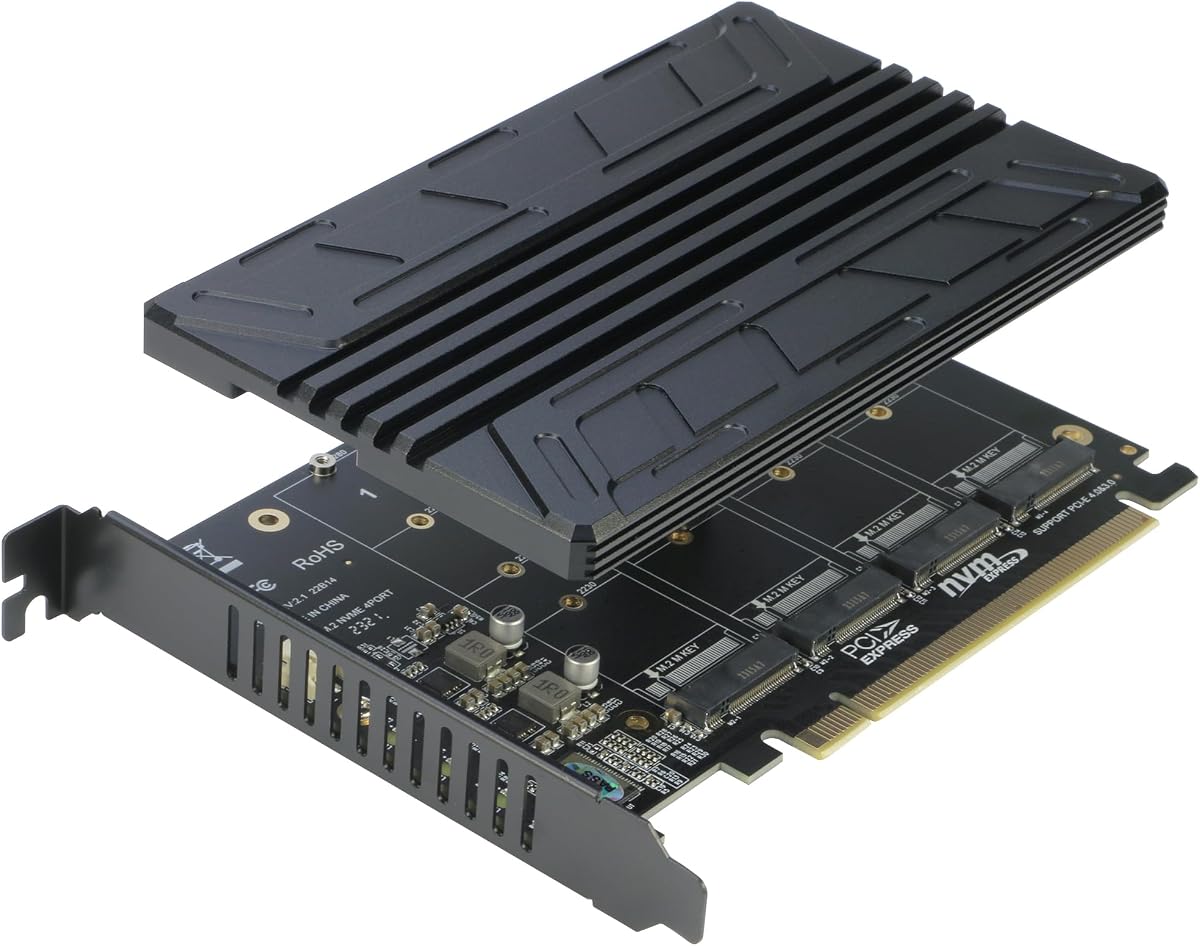
The ASUS Hyper M.2 card is designed for users needing maximum storage capacity and speed. It supports four NVMe drives simultaneously with active cooling to prevent throttling during heavy use.
We may earn a commission when you buy through this link, at no additional cost to you.
Its standout feature is the built-in blower-style fan and stylish heatsink, ensuring all drives stay cool. It also supports Intel VROC and AMD RAID configurations, making it perfect for workstation or server environments.
Note that it requires a motherboard supporting PCIe bifurcation to recognize all four drives. This adds complexity and cost, so confirm your board supports this before purchasing to avoid compatibility issues.
For professionals needing massive fast storage in one card, this premium adapter delivers unmatched capacity and cooling. It is a specialized tool for those who require robust multi-drive solutions.
Holds up to four NVMe SSDs for massive capacity and combined bandwidth.
Blower-style fan prevents overheating even under sustained heavy loads.
We may earn a commission when you buy through this link, at no additional cost to you.
StarTech delivers reliable hardware with this adapter, focusing on broad compatibility and support. It works with PCIe 3.0 motherboards and supports both NVMe and AHCI SSDs for flexible options.
We may earn a commission when you buy through this link, at no additional cost to you.
Key strengths include its broad drive size support and inclusion of a low-profile bracket for smaller cases. With a two-year warranty and dedicated technical support, it offers peace of mind for business or home use.
The main limitation is its 3.0 speed cap, which may bottleneck faster drives. Also, it lacks an integrated heatsink, so consider airflow or thermal solutions for long workloads.
Choose this if you need a dependable, well-supported adapter for standard speeds. It is ideal for users who prioritize vendor support and compatibility over raw performance.
Backed by a two-year warranty and 24/5 professional technical support.
Supports NVMe and AHCI drives across multiple sizes for maximum flexibility.
We may earn a commission when you buy through this link, at no additional cost to you.
This dual-slot adapter offers unique flexibility by supporting both NVMe and SATA M.2 drives simultaneously. It is a rare find for users needing mixed drive types without buying separate cards.
We may earn a commission when you buy through this link, at no additional cost to you.
Its main strengths are the dual slots and LED status indicators that show power and data activity. It also supports multiple drive lengths and includes brackets for different case sizes.
Note that SATA drives need an external cable connection, adding some complexity. Additionally, the PCIe version may be slower than modern Gen4 options, but it serves well for mixed storage needs.
Buyers with legacy SATA and new NVMe drives will appreciate this hybrid design. It maximizes slot usage and adds versatility to storage setups.
Holds one NVMe and one SATA drive for flexible storage mixing.
Visual power and data transfer indicators help monitor drive activity.
We may earn a commission when you buy through this link, at no additional cost to you.
This adapter stands out for its complete kit that includes extra tools and thermal accessories. It supports PCIe 4.0 speeds and comes with everything needed for installation.
We may earn a commission when you buy through this link, at no additional cost to you.
Key strengths include included spare bolts, a screwdriver, and two thermal pads for better cooling. The aluminum heatsink helps stabilize performance, and it supports booting on most systems.
While the cooling is passive and the heatsink is basic, the added accessories make setup easier. It is a practical choice for users who want a full package without extra purchases.
Choose this if you value convenience and included accessories. It delivers solid performance and a hassle-free experience for everyday storage needs.
Includes screwdriver and thermal pads for complete setup without extra buys.
Delivers full Gen4 speeds when paired with compatible hardware.
We may earn a commission when you buy through this link, at no additional cost to you.
This quad adapter is ideal for users needing high capacity in a single slot. It supports four M.2 NVMe SSDs with individual status LEDs for monitoring drive health.
We may earn a commission when you buy through this link, at no additional cost to you.
Key strengths include its compact heatsink design and support for PCIe 4.0 speeds. It works well with server boards and specific consumer motherboards that support bifurcation.
Note that without BIOS support for PCIe bifurcation, only one drive will be recognized. Also, hardware RAID is not supported, requiring software solutions for advanced setups.
Buyers building high-capacity storage arrays will value this flexible adapter. It balances density and cooling well for multi-drive configurations.
Supports four NVMe SSDs for massive storage capacity in one card.
Individual LEDs show each drive's activity and health status.
We may earn a commission when you buy through this link, at no additional cost to you.
This adapter emphasizes stability and cooling with its aluminum heatsink and solid-state capacitors. It is designed to prevent power fluctuations and keep temperatures in check.
We may earn a commission when you buy through this link, at no additional cost to you.
Key strengths include its solid build quality and low-profile bracket for smaller cases. The aluminum heatsink effectively reduces heat, extending drive lifespan and stabilizing performance.
While it focuses on core features without extras, its power regulation adds reliability. It is a solid choice for users prioritizing drive longevity and consistent operation.
Choose this if you want stable power and effective cooling without unnecessary extras. It delivers dependable performance for daily storage tasks.
Uses solid-state capacitors to ensure stable voltage and prevent spikes.
Aluminum heatsink reduces heat for consistent performance under load.
We may earn a commission when you buy through this link, at no additional cost to you.
This adapter offers a straightforward solution for adding NVMe storage via PCIe. It supports Gen4 speeds and includes an aluminum heatsink to keep drives cool.
We may earn a commission when you buy through this link, at no additional cost to you.
Key strengths include its wide compatibility with common SSD models and effective cooling that reduces temps significantly. It is simple to install and works across most operating systems.
Note that it lacks a low-profile bracket and advanced features, focusing on basics. This makes it ideal for standard towers without space or power constraints.
Choose this for a hassle-free, reliable upgrade path. It delivers solid speed and cooling without extra complexity.
Works with common SSD models like Samsung, Plextor, and Kingston.
Aluminum heatsink reduces drive temperature by up to 20 degrees.
We may earn a commission when you buy through this link, at no additional cost to you.
This adapter is perfect for users needing to conserve their main PCIe slot. It uses an available X1 slot, leaving the X16 free for graphics cards or other add-ons.
We may earn a commission when you buy through this link, at no additional cost to you.
Key strengths include its compact design and support for OS booting. It comes with both regular and low-profile brackets, making it versatile for different cases.
Note that X1 slot limits bandwidth, so speeds are slower than x4 options. It is best for storage expansion rather than boot performance requiring maximum throughput.
Choose this if you need to add storage without sacrificing your GPU slot. It is a practical, budget-friendly solution for slot conservation.
Uses free X1 slots to leave X16 available for graphics cards.
Includes standard and low-profile brackets for flexible case compatibility.
We may earn a commission when you buy through this link, at no additional cost to you.
Selecting the right M2 Pcie Adapter depends on your motherboard support and storage needs. Consider these key factors to ensure compatibility and performance.
Match the adapter's PCIe generation to your motherboard slot. Gen5 adapters work best on Gen5 slots but fall back to Gen4 or Gen3 speeds otherwise. Check your CPU and motherboard specs before buying.
Always verify your system supports the adapter's max generation to avoid bottlenecks.
Most adapters support NVMe M-key drives but exclude SATA M.2 options. Confirm your drive type matches the adapter requirements. Some cards also vary in supported lengths like 2230 or 2280.
Ensure your drive type and size match the adapter's supported list to avoid installation issues.
NVMe drives generate heat under load, so cooling matters. Passive aluminum heatsinks work well for most users, while multi-drive cards may need active fans. Consider case airflow before buying.
Effective cooling prevents throttling and extends SSD lifespan during heavy workloads.
Multi-drive adapters require motherboard bifurcation to split one slot into multiple x4 lanes. Check your BIOS for x16x4x4x4 options if using 4-drive cards. Some boards support this while others do not.
Verify BIOS settings support bifurcation before purchasing multi-slot adapters.
Most modern adapters support booting from NVMe drives, but older boards may not. Check if your motherboard BIOS allows PCIe boot for OS drives. Some require specific UEFI settings.
Confirm boot support if planning to install your operating system on the new SSD.
Full-size desktops need standard brackets while small form factors use low-profile ones. Many adapters include both or only one type. Measure your case clearance before buying.
Choose an adapter with the correct bracket size for your PC case dimensions.
Modern OS systems like Windows 10 and 11 have native NVMe drivers. Windows 7 or older may need manual drivers. Most adapters work plug and play without extra software.
Ensure your OS has NVMe support for seamless plug and play setup.
Look for solid capacitors and sturdy connectors for stable power and durability. Quality materials prevent signal loss and voltage spikes. Trusted brands offer better support and reliability.
Select adapters with quality components for long-term stability and performance.
Before installation, power down your PC and unplug it from the wall. Ground yourself to avoid static discharge and damage to internal components.
Insert the adapter into an available PCIe slot and secure it with screws. Place your M.2 drive in the slot and lock it with the provided screw or tool-free mechanism.
Ensure proper airflow in your case so the adapter heatsinks can dissipate heat. Check drive recognition in BIOS and format the new drive in your operating system before use.
Most adapters only support NVMe M-key drives and not SATA M.2 models. Check the product details carefully. Only a few specific models support SATA, but they are rare and require extra connections.
Modern operating systems like Windows 10 and 11 have native NVMe drivers. You do not need extra software. Older systems like Windows 7 may require manual driver installation from the SSD manufacturer.
Yes, most modern motherboards support booting from NVMe over PCIe. Your BIOS must recognize the card. Some older systems may only allow using the drive as storage rather than a boot drive.
The adapter will operate at the speed of your lowest PCIe slot. A Gen3 slot limits speeds to 3.0 rates. You will not get Gen5 speeds unless both adapter and slot support it.
This occurs when your motherboard does not support PCIe bifurcation. Multi-drive cards need BIOS settings to split lanes. Check your manual to enable x4x4x4x4 mode in BIOS.
Yes, NVMe drives generate heat and throttling can occur without cooling. Adapters with built-in heatsinks help maintain performance. High speeds or multi-drive setups especially benefit from active or passive cooling.
Our top picks include the SABRENT Gen5 adapter for speed, GLOTRENDS for value, and ASUS for capacity. Each offers distinct strengths for different storage needs and system types.
Prioritize PCIe generation support and cooling features to match your workload. Ensure your motherboard supports boot and bifurcation if using advanced multi-drive solutions.
Check current product details and compatibility before buying since features and availability change over time. Verify your specific system requirements for a seamless expansion experience.