
Redragon M612
4.6Editor score
Eight thousand DPI optical sensor
Eleven programmable buttons
Ergonomic claw grip design
Discover the top lightweight mouse options for gaming and work. This guide compares sensors, battery life, and ergonomics to help you choose the ideal fit for
Finding the right lightweight mouse can transform your computing experience. Whether you game competitively or work long hours, a lighter device reduces strain and improves precision. We have analyzed the market to find models that balance speed, comfort, and durability.
Our team evaluated ten top-rated options based on sensor performance, build quality, and user feedback. We looked at wireless latency, battery longevity, and ergonomic design to ensure every pick meets high standards. This list covers various budgets and use cases for diverse needs.
Each entry highlights key strengths and potential trade-offs so you can decide confidently. We include detailed specs and pros cons to streamline your research process. Remember that availability and costs vary, so check current listings before purchasing your new device.
4.6Editor score

4.6Editor score

4.5Editor score
This side-by-side comparison helps you visualize key differences across all ten models. We focus on sensor capabilities, connectivity types, weight, and unique features to highlight what sets each option apart for your specific workflow or gaming style.





The Logitech G305 stands out as a top contender in the lightweight wireless category. With a 4.6 rating from thousands of users, it proves its reliability. Its HERO sensor delivers precision while the LIGHTSPEED connection ensures lag-free gameplay.
We may earn a commission when you buy through this link, at no additional cost to you.
This mouse weighs only 3.4 ounces, making it easy to maneuver during intense sessions. The battery life is exceptional, offering up to 250 hours on a single AA battery. You can even extend this to nine months with endurance mode.
While it lacks RGB lights and uses a disposable battery, these trade-offs save weight and cost. The compact design fits well in travel bags. Most users find the click feel crisp and satisfying for both work and play.
If you want a wireless mouse that balances performance and portability without breaking the bank, this is an excellent choice. It suits gamers and professionals alike who value speed and longevity over flashy extras.
The efficient power management allows weeks or months of use on one battery charge.
Its compact size and included nano receiver make it perfect for laptop setups on the go.
We may earn a commission when you buy through this link, at no additional cost to you.
The Redragon M612 offers incredible value for those seeking features without high costs. It holds a 4.6 rating thanks to its robust build and versatile functionality. The optical sensor supports up to 8000 DPI for accurate tracking across surfaces.
We may earn a commission when you buy through this link, at no additional cost to you.
With eleven programmable buttons, you can map macros or shortcuts easily. The skin-friendly frosted coating prevents slipping, while the claw grip design reduces hand fatigue. RGB lighting adds style to your desk setup without extra expense.
A wired connection means no battery worries but less portability. The software is functional but not intuitive for first-timers. Still, the tactile feedback and responsive clicks make it a favorite among budget-conscious gamers.
Choose this if you need a feature-rich mouse that delivers performance at a low price. It is ideal for desktop users who want customization and style without spending much money on peripherals.
Eleven buttons let you assign any function to enhance productivity or gaming efficiency.
The ergonomic shape and textured rubber grips ensure comfort during long usage sessions.
We may earn a commission when you buy through this link, at no additional cost to you.
Designed with pro esports athletes, the G PRO X Superlight 2 sets a new benchmark. It features the HERO 2 sensor with up to 44000 DPI tracking. The lightweight build at 60 grams ensures fast movements without strain.
We may earn a commission when you buy through this link, at no additional cost to you.
Eight kHz polling provides near-instant response for competitive play. USB-C charging replaces disposable batteries for convenience. The ZERO-additive PTFE feet glide smoothly on any surface. This model prioritizes pure performance over flashy features.
The high cost may deter casual users, but pros appreciate the precision. The lack of RGB and extra buttons keeps weight down. Clicks are tactile and reliable thanks to LIGHTFORCE hybrid switches.
If you seek tournament-grade quality and are willing to invest, this mouse delivers. It fits competitive gamers and power users who need the fastest and most accurate wireless experience available.
HERO 2 sensor offers zero smoothing and filtering for accurate pixel tracking.
Sixty gram weight reduces fatigue and improves aim speed during extended gaming.
We may earn a commission when you buy through this link, at no additional cost to you.
This model introduces breakthrough haptic technology for immersive gameplay. The Haptic Inductive Trigger System gives real-time feedback without standard mechanical switches. It features the HERO 2 sensor for precise tracking over 888 IPS.
We may earn a commission when you buy through this link, at no additional cost to you.
You can adjust actuation points and rapid trigger resets to suit your play style. The battery lasts 60 to 90 hours with LIGHTSPEED wireless. A thin-wall case makes it durable yet light. UHMWPE feet ensure effortless gliding.
Setup requires Logitech G HUB software which adds complexity. The price is steep compared to other options. But the innovation in click technology offers a distinct advantage for competitive shooters.
Consider this if you want next-gen feedback and customization. It suits pros and enthusiasts looking for an edge in fast-paced matches where milliseconds matter.
Haptic feedback provides real-time sensory cues during critical game moments.
Five level reset points allow instant re-engagement after click releases.
We may earn a commission when you buy through this link, at no additional cost to you.
The G502 Hero brings legendary ergonomics with adjustable tuning. The HERO sensor delivers up to 25600 DPI. You can arrange up to five 3.6g weights to match your preference. This flexibility supports various grip styles.
We may earn a commission when you buy through this link, at no additional cost to you.
A dual mode scroll wheel switches between ratchet and free spin. Mechanical switch tensioning ensures clean feedback. RGB lighting syncs with other gear via SOFTWARE. It remains a classic for productivity and gaming.
While heavier than ultra-light mice, the balance feels stable. The cable can limit movement compared to wireless. But the build quality and sensor performance keep it a top pick for many users.
Buy this if you prefer a heavier feel with adjustable options. It suits those needing many buttons and precise scrolling for work or complex games.
Adjustable weights let you fine-tune feel for comfort and accuracy.
Dual mode wheel handles rapid scrolls or pixel-perfect stops effortlessly.
We may earn a commission when you buy through this link, at no additional cost to you.
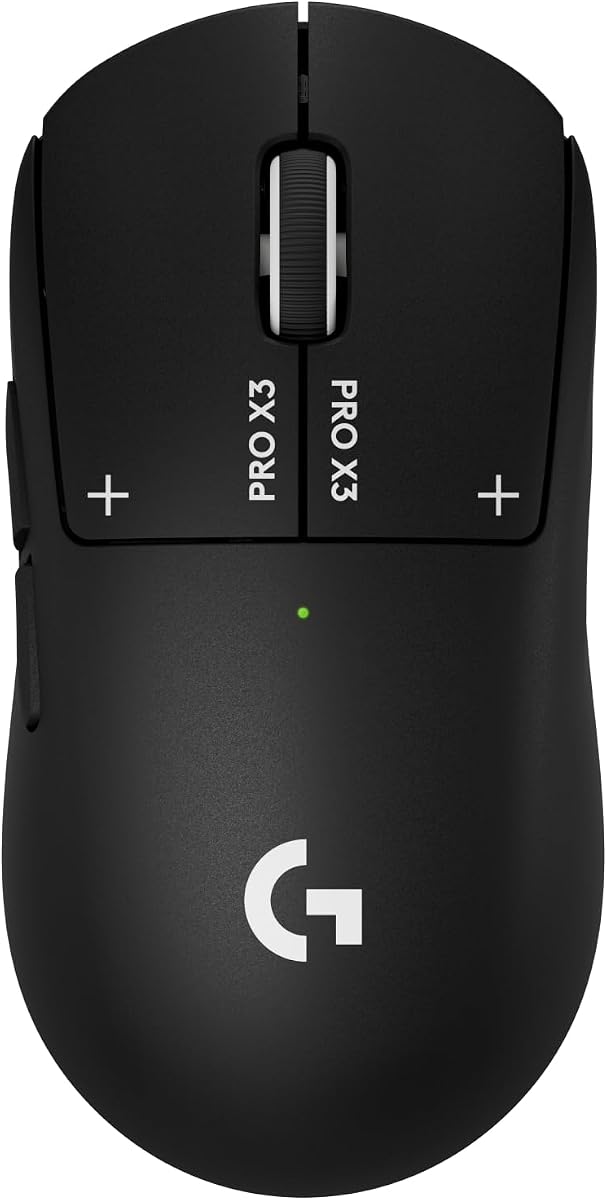
The G PRO X3 SUPERSTRIKE brings extended playtime to pro setups. It supports up to 135 hours on one charge. The HERO 2 sensor tracks over 930 IPS with zero lag. Haptic technology enhances immersion.
We may earn a commission when you buy through this link, at no additional cost to you.
Eight kHz polling ensures tournament-grade responsiveness. USB-C charging is convenient. The build uses a thin-wall case for durability. This model is built for continuous use without interruptions.
Cost is the main downside for average buyers. Features like haptics require software configuration. However, for pros needing longevity and speed, it delivers strong performance and reliability.
Ideal for users prioritizing battery life and precision. It fits competitive setups where downtime must be minimized and accuracy is critical for success.
135 hour battery ensures uninterrupted play over multiple days.
8 kHz polling matches pro standards for zero perceived latency.
We may earn a commission when you buy through this link, at no additional cost to you.
The M185 offers simple and effective wireless control. It fits small to medium hands comfortably. The ambidextrous shape suits both left and right users. One AA battery lasts up to a year thanks to sleep mode.
We may earn a commission when you buy through this link, at no additional cost to you.
The nano receiver stores inside the mouse for easy travel. It works with Windows, Mac, and ChromeOS. Productivity increases compared to touchpads. This makes it ideal for office laptops.
Gaming features are absent which limits appeal for players. The plastic build feels light but not premium. Still, for general tasks and portability, it performs reliably without fuss.
Choose this for everyday work and travel. It suits users who want a hassle-free mouse that works anywhere without software or charging needs.
Simple setup means no drivers needed for instant wireless connection.
Contains recycled plastic materials reducing environmental impact.
We may earn a commission when you buy through this link, at no additional cost to you.
This mouse cuts click noise by 90 percent with SilentTouch. It suits quiet offices and shared spaces. The contoured shape supports right-handed users for hours. Battery life extends to 18 months with auto-sleep.
We may earn a commission when you buy through this link, at no additional cost to you.
Optical tracking ensures precision on most surfaces. The nano receiver connects easily to any system. You avoid distractions from loud clicks. This feature makes it stand out for general productivity.
Not ideal for gaming due to lack of high DPI. Only right-handed design limits some users. But for typing and browsing, comfort and silence are top priorities.
Pick this if noise reduction matters most. It fits office workers or students needing a reliable, quiet tool for daily tasks.
Advanced internal dampening minimizes sound without sacrificing tactile feel.
Contoured grips and natural tilt reduce hand strain during work.
We may earn a commission when you buy through this link, at no additional cost to you.
The MX Master 4 focuses on productivity and comfort. Haptic feedback on specific actions adds a new layer of interaction. The MagSpeed scroll wheel lets you scroll fast or stop precisely. Quiet clicks minimize distractions.
We may earn a commission when you buy through this link, at no additional cost to you.
Ergonomic design supports a natural tilt and thumb rest. Bluetooth and USB-C dongle offer versatile connectivity. You can access tools via an Actions Ring. This suits creative pros and heavy computer users.
It is not built for gaming speed or weight. The large shape may not fit small hands. But for navigation and workflow, it offers unmatched efficiency and comfort.
Choose this for serious office work. It fits users needing advanced shortcuts and comfort over many hours of use.
Scroll thousands of lines per second with effortless fluid motion.
Customizable sensations confirm actions without distracting noise.
We may earn a commission when you buy through this link, at no additional cost to you.
The white version offers identical performance with a distinct look. It keeps the HERO 2 sensor and 60g weight. The color fits bright setups nicely. This model delivers precision for competitive gaming.
We may earn a commission when you buy through this link, at no additional cost to you.
Polling rates reach 8 kHz for instant response. USB-C charging provides convenience. The finish resists stains but requires care. It suits gamers who want style alongside speed.
The main trade-off is aesthetics versus durability. Cleaning might be needed more often. But the function remains pro grade. It works as well as the black variant.
Pick this if you value form and function equally. It suits users with light themed setups who refuse to compromise on specs.
The clean white finish enhances modern desk aesthetics.
All technical features match the black edition for consistent results.
We may earn a commission when you buy through this link, at no additional cost to you.
Selecting the right lightweight mouse involves considering several key factors beyond just weight. We break down what to look for to ensure you get the best fit for your specific needs.
A high quality sensor tracks movement precisely without acceleration. Look for optical sensors rated at 10000 DPI or higher for smooth aiming. This ensures your cursor moves exactly as you intend.
Prioritize models with zero smoothing or filtering for raw input accuracy.
Wireless mice offer freedom but rely on batteries or charging. Wired options provide consistent power but limit range. Decide if mobility or simplicity matters more to you.
Wireless tech has improved so latency is often negligible for gaming.
Lower grams improve speed and reduce wrist fatigue. Some mice have adjustable weights to find your sweet spot. A balanced shape prevents strain during long sessions.
Aim for under 100 grams if you want a true lightweight feel.
Rechargeable units avoid waste but need outlets. AA batteries are simple to replace. Check expected hours of use to avoid interruptions.
Long lasting power ensures your mouse is ready when you are.
Comfort is vital for health. Contoured shapes fit palm or claw grips better. Ambidextrous designs suit both hands equally well.
Test sizes if possible to ensure natural hand placement.
Extra buttons allow custom macros. Good software lets you remap keys easily. This boosts productivity in work or games.
Check if required apps are easy to use on your OS.
Durable plastics withstand daily use. Smooth feet glide across surfaces without scratch. Look for PTFE or UHMWPE materials for best glide.
Strong construction means the mouse lasts for years.
Prices range widely. High end models offer tech extras. Budget ones cover basics well. Match features to what you truly need.
Invest in quality if you use the mouse daily for work.
Keep the surface clean for optimal tracking. Dust can cause jitter so wipe the mouse foot often. Use a mouse pad to protect both device and table.
Update firmware through manufacturer software when available. This fixes bugs and improves connectivity. Check for driver updates regularly to maintain performance.
Store properly when not in use. Avoid heavy items on top that could warp the case. For wireless, power down to save battery if unused for long periods.
Yes they reduce fatigue and allow faster movements. Lighter devices help maintain precision over long sessions. Most pros prefer them for speed and control advantages.
Most users prefer 60 to 100 grams for gaming. Heavier ones suit work or stability needs. It depends on your grip strength and personal comfort.
Not necessarily. Quality brands use thin walls but strong materials. They pass rigorous tests for drop and click endurance. Look for reputable names.
Absolutely. Many are designed for both tasks. Wireless options save desk space. Look for comfort features if typing all day.
Use a soft damp cloth. Avoid soaking the device. Clean feet with a mild cleaner to maintain glide. Dry thoroughly before use.
Interference from USB ports causes it. Change receivers or battery. Ensure distance is short. Updates also help fix connection issues.
HERO and PixArt sensors are top tier. They offer zero smoothing for raw movement. Check reviews for tracking tests on your surface.
Yes several affordable models exist. They lack pro extras but perform well. Look for solid sensors and ergonomic shapes in that range.
We reviewed ten models covering budget to premium needs. Each offers distinct strengths for gaming or work. Our top picks highlight value and performance leaders.
Focus on sensor quality and weight for gaming. For work, prioritize ergonomics and battery. Match features to your daily tasks to avoid overspending.
Prices and availability change often so verify current info. Check user reviews before buying. Choose the one that fits your hands and goals best.