
Pulsar Gaming Gears X2H Crazylight
4.3Editor score
37g weight
XS-1 sensor
Symmetrical shape
Discover the lightest mice for gaming in October 2026. This guide compares top ultra-light models for speed precision and comfort tailored to competitive
Finding the lightest mice for gaming can transform your competitive edge. Ultra-light designs reduce fatigue and improve speed during intense sessions. We explore top models engineered for precision and comfort.
Our team analyzed ten leading ultra-light gaming mice based on sensor performance weight and build quality. We compared specs from industry giants and emerging brands to find the best options for every play style.
Each pick highlights key features like polling rates battery life and ergonomic shape. Prices and availability may change, so check current listings before purchasing to ensure you get the best deal available today.
4.3Editor score

4.5Editor score
4.4Editor score
Compare the top ten ultra-light gaming mice side by side. This table highlights weight sensor type connection modes and key features to help you choose the perfect match for your setup.




The Logitech G PRO X Superlight 2 is a champion in the lightweight gaming mouse space. With a 60 gram build and HERO 2 sensor it delivers unmatched precision and speed for competitive FPS players.
We may earn a commission when you buy through this link, at no additional cost to you.
Its 8 kHz polling rate ensures your inputs are registered instantly. The 95-hour battery life keeps you gaming longer between charges. POWERPLAY compatibility means you can charge while you play.
While the price is high the performance justifies it. The lack of RGB is a trade-off for weight savings. Zero-additive PTFE feet provide seamless gliding on any surface.
Prospective buyers who value performance above all should choose this mouse. It is built for esports pros and serious gamers. The reliability and speed make it a top choice.
The HERO 2 sensor tracks over 800 IPS and up to 44000 DPI. Zero smoothing or acceleration ensures your movements are exact.
Enjoy up to 95 hours of gaming on a single charge. USB-C charging is fast and convenient for daily use.
We may earn a commission when you buy through this link, at no additional cost to you.
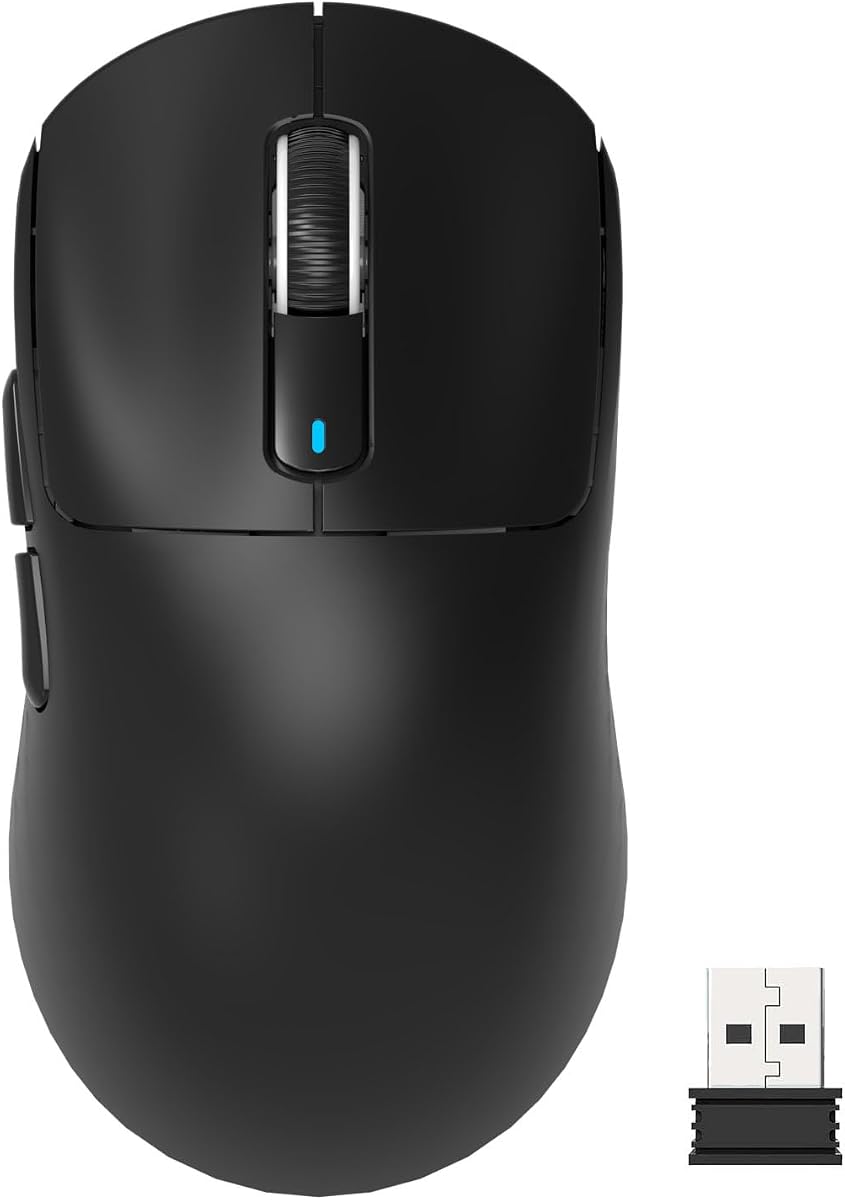
The Pulsar X2H Crazylight redefines ultra-light with a 37 gram weight. It is lighter than an egg and feels nearly weightless during play. This is ideal for high-speed gaming.
We may earn a commission when you buy through this link, at no additional cost to you.
Its XS-1 sensor offers 32000 DPI and 750 IPS tracking speed. Optical switches ensure swift responses with minimal double clicks. The dust-proof structure protects internals from debris.
The main trade-off is the mini size which may not suit large hands. Battery life is shorter than competitors. But the speed and control it offers are exceptional.
Players seeking maximum speed will love this mouse. The DOT skates enhance gliding on hard pads. It is a premium tool for dedicated gamers.
At 37 grams the X2H is one of the lightest mice available. The minimalist design ensures ultra-light handling without sacrificing durability.
The XS-1 sensor delivers 32000 DPI and 750 IPS. It provides unparalleled precision and speed for competitive play.
We may earn a commission when you buy through this link, at no additional cost to you.
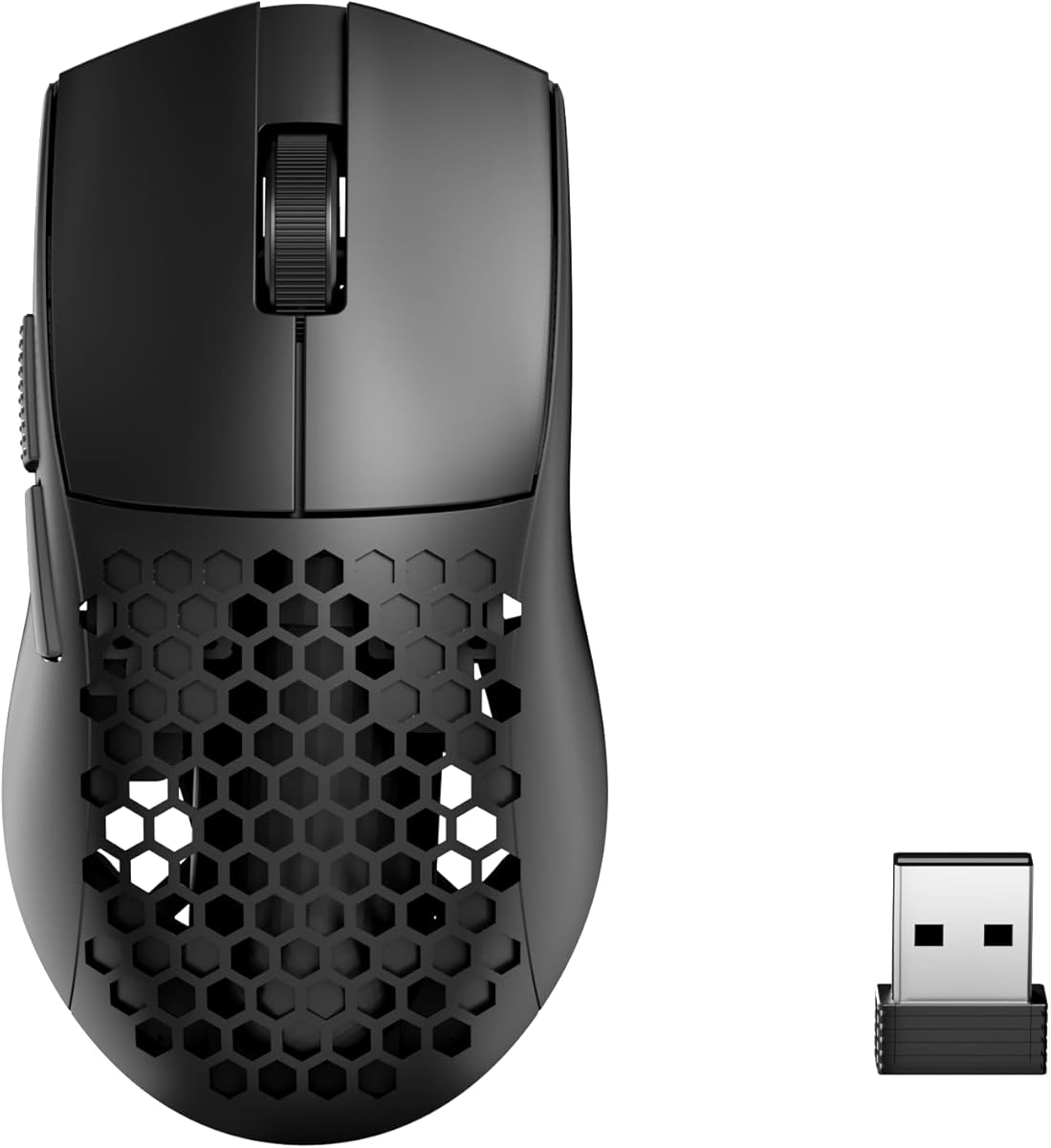
The Redragon M725 Honeycomb Shell offers ultra-light gaming at a budget price. At 49 grams it reduces arm fatigue. The honeycomb shell aids airflow to keep hands dry.
We may earn a commission when you buy through this link, at no additional cost to you.
It supports Type-C wired Bluetooth and 2.4GHz wireless modes. With up to 8000 DPI and five programmable buttons you can customize your setup. Redragon software allows full control.
While the sensor is not flagship level it performs well for most games. The build is basic but functional. This mouse is a great entry into lightweight gaming.
Gamers on a tight budget should consider this model. It delivers essential lightweight features without breaking the bank. The tri-mode connection adds versatility for daily use.
Connect via Type-C wired Bluetooth or 2.4GHz wireless. Switch modes seamlessly for work or gaming within 10 meters.
Five programmable buttons can be mapped with macros. Use Redragon software to optimize your workflow or gaming style.
We may earn a commission when you buy through this link, at no additional cost to you.
The Razer Viper V3 HyperSpeed balances weight and battery life. At 82 grams it is heavier than ultra-light options but still light for wireless. The FOCUS PRO 30K sensor ensures accuracy.
We may earn a commission when you buy through this link, at no additional cost to you.
It offers up to 280 hours of battery life on a single AA battery. Hyperspeed wireless provides low latency even in noisy environments. On-mouse DPI control is convenient for quick changes.
The AA battery adds weight but extends playtime. Some may prefer built-in batteries. The sensor tracks well on glass which is a nice plus.
Players needing long battery life will find this ideal. It is a solid all-rounder for gaming and work. The price makes it accessible for many users.
Up to 280 hours of gameplay on one AA battery. Power through intense scrimming sessions without constant recharging.
FOCUS PRO 30K sensor delivers accurate tracking. It works flawlessly on a wide variety of surfaces including glass.
We may earn a commission when you buy through this link, at no additional cost to you.
The Logitech G305 Lightspeed is a reliable wireless gaming mouse. With HERO sensor and LIGHTSPEED tech it delivers lag-free gaming. Its compact design is perfect for travel.
We may earn a commission when you buy through this link, at no additional cost to you.
It offers 250 hours of continuous gameplay on one AA battery. Endurance mode in G HUB software extends battery to nine months. Nano receiver storage keeps your USB safe.
At 96 grams it is heavier than modern ultra-light mice. The design is classic but still effective. It is great for laptops and portable setups.
Travelers and casual gamers will appreciate this mouse. It combines durability with efficient battery life. A trusted name for portable gaming needs.
Compact design with built-in nano receiver storage. It is ideal for use with gaming laptops on the go.
HERO sensor delivers up to 10x power efficiency. Enjoy 250 hours of continuous gameplay on one AA battery.
We may earn a commission when you buy through this link, at no additional cost to you.
The MCHOSE L7 Pro weighs 39 grams for ultra-light gaming. It features a new ergonomic design that fits various hand shapes. Tri-mode connection adds versatility for work or play.
We may earn a commission when you buy through this link, at no additional cost to you.
An 8K polling rate offers ultra-low latency. Optical switches provide clear response with 150 million clicks. The included 8K receiver enhances visuals and performance.
As a newer brand reviews are limited but specs are strong. The driver allows customization. This mouse delivers pro features at a mid-range price.
Gamers seeking high polling rates should try this model. It balances weight and connectivity well. A strong contender for competitive gaming.
At 39 grams it is lighter than an egg. The ergonomic design conforms to various hand shapes for comfort.
8K Hz polling rate offers 0.125ms latency. Enjoy fast stable connection for precise gaming commands.
We may earn a commission when you buy through this link, at no additional cost to you.
The ATTACK SHARK X3 uses the Pixart PAW3395 flagship sensor. At 49 grams it is ultra-light for competitive play. Tri-mode connection supports up to four devices.
We may earn a commission when you buy through this link, at no additional cost to you.
Kailh GM8.0 switches offer crispy sound and 80 million clicks. The ergonomic design supports palm grip. Programmable buttons allow macro setup via driver.
The small size may not fit larger hands. But the sensor is top-tier. It offers great performance for the price.
Gamers needing flagship sensor features will love this. It is great for multi-device users. The switches ensure durable and stable performance.
Pixart PAW3395 provides 26000 DPI and 650 IPS tracking. Committed to capturing the slightest movement.
Supports three modes with four device connections. Switch seamlessly between work and gaming setups.
We may earn a commission when you buy through this link, at no additional cost to you.
The Pulsar X2 Crazylight in medium size weighs 39 grams. It offers ultra-light handling with minimal build. The XS-1 sensor brings pro precision to the table.
We may earn a commission when you buy through this link, at no additional cost to you.
Optical switches minimize double clicks with quick response. A dust-proof structure protects internals. The included DOT skates improve glide on hard pads.
The price is premium compared to others. The medium size fits claw and fingertip grips. This is a strong option for serious gamers.
Players who want premium feel and weight should choose this. The durability is exceptional. It delivers lightweight without sacrificing reliability.
Low-profile wide symmetrical shape supports claw and fingertip. It minimizes wrist movement for quick reactions.
Protected internals resist dust and debris. It ensures consistent performance even with extended use.
We may earn a commission when you buy through this link, at no additional cost to you.
The ASUS ROG Harpe Ace Mini is built for smaller hands. Weighing 49 grams it is ultra-light. The semi-symmetrical shape supports fingertip and claw grips.
We may earn a commission when you buy through this link, at no additional cost to you.
ROG AimPoint Pro sensor delivers 36K DPI. Tri-mode connectivity allows wired 2.4GHz RF and Bluetooth. The ROG Omni Receiver supports multi-device setup.
It has 105 hours battery which is less than others. But the shape is refined for comfort. Ideal for competitive gaming on desktop or laptop.
Gamers with smaller hands or specific grip needs should buy this. The pro shape ensures precision. It maximizes control with minimal fatigue.
Co-developed with pro players for optimized grip. The refined shape fits wider spectrum of handshapes.
ROG SpeedNova ensures ultra-low latency and reliability. Multi-device support through single receiver for streamlined setup.
We may earn a commission when you buy through this link, at no additional cost to you.
The Redragon M808 Storm brings RGB to lightweight gaming. At 85 grams it is lighter than average. The honeycomb shell reduces weight and improves airflow.
We may earn a commission when you buy through this link, at no additional cost to you.
It includes seven programmable buttons and RGB customization. The No-Drag Weave Cable minimizes friction. DPI and colors are customizable via software.
It is wired only which limits mobility. The weight is moderate but still light. This mouse is great for budget RGB enthusiasts.
Gamers wanting RGB without high cost will like this. The cable design is a nice touch. It offers essential lightweight features effectively.
Cutout honeycomb shell with frosted finish. Offers unlimited possibilities and potential to maximize aim.
Software supports 100 to 12400 DPI and RGB. Engineer your liked way to win.
We may earn a commission when you buy through this link, at no additional cost to you.
Choosing the lightest mouse requires weighing sensor performance weight and connection modes. This guide helps you pick the perfect match.
Lighter mice improve speed and reduce fatigue. Aim for under 60 grams for competitive gaming. However too light may reduce feel.
Consider your grip style when picking weight. Heavier may feel more stable for palm grip while lighter suits fingertip.
A top sensor ensures accurate tracking. Look for flagship sensors like HERO PAW3395 or XS-1. Ensure DPI matches your play style.
High DPI helps on large mousepads. Check IPS and acceleration limits to ensure no spinout.
Wireless is great for mobility but check latency. 2.4GHz RF or Bluetooth options suit different needs. Wired offers zero latency and steady power.
Tri-mode mice offer versatility. Select based on whether you game on desktop or laptop.
Long battery life reduces downtime. Check hours of playtime and recharge time. Built-in battery or AA options matter.
Rechargeable is convenient. AA options allow instant swap if battery dies.
Optical switches avoid double clicks and last longer. Mechanical offer tactile feel but may wear. Consider your preference.
Check switch lifespan for longevity. Ensure durability matches your play style and intensity.
Ergonomics affect comfort over time. Symmetrical suits many grips. Asymmetric may suit right-hand users more.
Try sample shapes if possible. Size matters for hand size and grip type.
More buttons allow macros and keybinds. Check if you need side buttons. Programmable software adds value.
Minimal buttons reduce weight. Balance needed features with weight goals.
Durable materials prevent cracks and damage. Honeycomb shells reduce weight but may collect dust. Check durability.
Invest in quality to avoid early failure. Ensure build meets your usage intensity and style.
Start by configuring your DPI and polling rate. Use the official software to customize buttons. Ensure the sensor is clean and free of dust.
Keep your mouse clean by wiping with a dry cloth. Avoid moisture or harsh chemicals. Check skates regularly for smooth gliding.
Charge wireless models regularly. For wired mice ensure cables are not tugging. Store in a dry place to avoid damage.
The Pulsar X2H Crazylight is among the lightest at 37 grams. Other options include the MCHOSE L7 Pro at 39 grams. These are ideal for FPS gamers who want speed and minimal weight.
No modern lightweight mice use high-end sensors. Models like the G PRO X Superlight 2 and Pulsar X2H use flagship sensors. This ensures tracking speed and accuracy remain top-tier despite low weight.
Yes modern wireless tech offers low latency. Brands like Logitech and Razer use 2.4GHz RF. Ensure polling rate and battery life suit your needs.
Many have durable switches like optical types. Honeycomb shells may collect dust but are sturdy. Proper care extends life significantly.
Symmetrical shapes like Pulsar X2H support claw grip well. Avoid overly curved designs. Ensure size matches hand length.
They work on most pads but hard pads enhance speed. Check skates for low friction. Glass pads may need compatible skates for best glide.
Check manufacturer apps monthly. Updates improve sensor tuning. Keeping firmware current ensures best performance.
Some users prefer more weight. If you prefer heavier feel test different grams. Many find under 60g ideal.
The Logitech G PRO X Superlight 2 Pulsar X2H and Redragon M725 lead the pack. Each offers unique strengths for different players and budgets.
Prioritize sensor quality weight and battery life. Choose based on your grip style and play habits. Don't overlook connection needs for your setup.
Always check current prices and stock. Offers change often. With these picks you can find your perfect lightweight gaming mouse.