
Lexar OC DDR5 RAM 1x8GB
4.8Editor score
6000MT/s Speed
CL38 Low Latency
On-Die ECC Support
This comprehensive guide compares the top Lexar DDR5 RAM kits and competing memory modules to help you find the best performance, reliability, and value for
Choosing the right DDR5 RAM is crucial for modern computing. High speed and low latency ensure smooth multitasking, gaming, and professional workloads across diverse platforms.
We evaluated ten top memory kits focusing on speed, compatibility, and build quality. Each product was analyzed for features like XMP support, heatsink design, and platform readiness.
Every pick highlights key strengths and potential trade-offs. Prices fluctuate frequently, so verify current availability and costs before purchasing to ensure you get the best deal available.
4.8Editor score

4.4Editor score

4.8Editor score
This table provides a side-by-side comparison of all ten selected memory kits. Review the specs to see how each model handles speed, capacity, and design requirements.



This Lexar DDR5 RAM kit offers a reliable starting point for new builds. With a strong 4.8 rating, users appreciate its high speed and stable performance.
We may earn a commission when you buy through this link, at no additional cost to you.
The 6000MT/s speed paired with CL38 latency ensures responsive multitasking. It supports both Intel XMP and AMD EXPO profiles for easy overclocking.
While it lacks RGB features, the minimalist aluminum armor heatsink provides excellent thermal control. Its low 39mm profile fits well under most coolers.
Ideal for budget builders or those needing a single stick upgrade. It delivers consistent results for gaming and daily computing tasks.
The sandblasted aluminum heatsink keeps temps low during intense sessions.
Works with Intel 14th Gen and AMD AM4/AM5 for broad compatibility.
We may earn a commission when you buy through this link, at no additional cost to you.
The Lexar Thor Z RGB brings style and substance. Rated 4.4, it offers 32GB of capacity for heavy multitasking and gaming demands.
We may earn a commission when you buy through this link, at no additional cost to you.
With 6000MT/s speed, it keeps pace with next-gen titles. The enhanced RGB lighting adds immersion to your build aesthetics.
The aluminum heatsink ensures peak performance under pressure. On-die ECC improves stability for critical daily workloads.
A solid choice for gamers wanting style without sacrificing speed. It balances performance and looks well for the price.
Brighter RGB lighting syncs with components for a cohesive look.
On-die ECC corrects errors automatically for reliable operations.
We may earn a commission when you buy through this link, at no additional cost to you.
G.SKILL Flare X5 targets AMD users specifically. With a 4.7 rating, it delivers tight CL36 timings for optimal responsiveness.
We may earn a commission when you buy through this link, at no additional cost to you.
It includes JEDEC profiles and AMD EXPO for easy setup. The matte black design complements minimalist builds perfectly.
While it lacks RGB, performance remains top-tier. Ensure your motherboard is on the QVL for best results.
This kit is perfect for AMD-focused gaming rigs. It balances raw speed with reliable stability.
Built specifically for AM5 platforms with EXPO profiles.
Matte black finish suits clean, uncluttered system designs.
We may earn a commission when you buy through this link, at no additional cost to you.
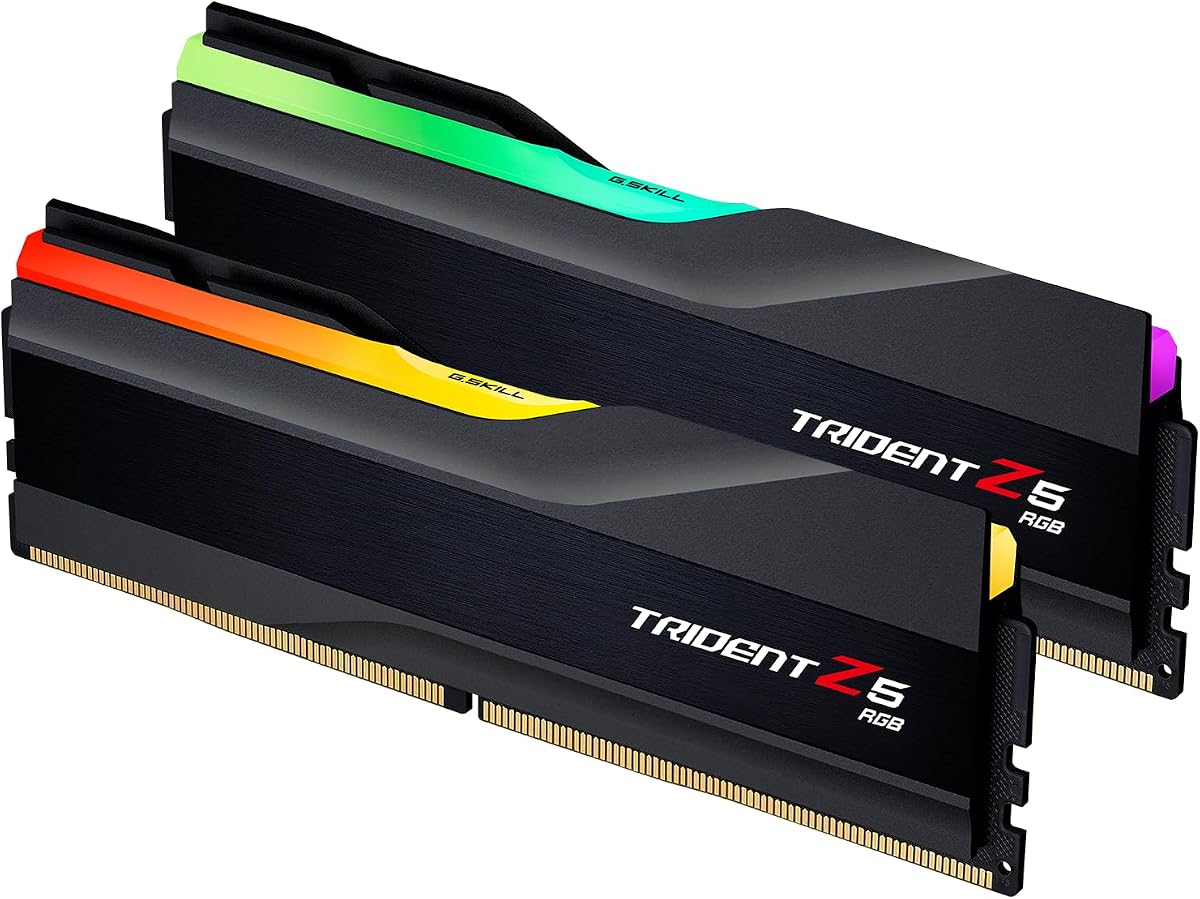
The Trident Z5 RGB Series stands out for gamers. It combines speed with stunning lighting effects. Rated 4.7, it performs well under load.
We may earn a commission when you buy through this link, at no additional cost to you.
Supports both Intel and AMD platforms. It offers 6000MT/s with tight CL36 latency for smooth gameplay.
The design is sleek yet robust. RGB syncs easily with major motherboards. Note that tuning may be needed for peak results.
Choose this for high-end gaming builds. It delivers both looks and the power required for AAA titles.
Works seamlessly with Intel XMP and AMD EXPO.
Striking RGB lighting enhances overall system aesthetics.
We may earn a commission when you buy through this link, at no additional cost to you.
For heavy workloads, 64GB is key. This kit offers immense capacity without sacrificing speed. It handles video editing and 3D rendering with ease.
We may earn a commission when you buy through this link, at no additional cost to you.
Maintains 6000MT/s speed even at higher capacity. The matte finish keeps your build looking professional and clean.
Ensure compatibility with your motherboard QVL. It requires careful setup but rewards with stability.
This is the ultimate choice for creative pros. It ensures you never run out of memory during complex tasks.
Massive capacity for multi-layer video editing and rendering.
Retains high speeds despite doubled capacity compared to smaller kits.
We may earn a commission when you buy through this link, at no additional cost to you.
ADATA brings great value with RGB. Rated 4.8, it impresses with reliable performance. The 16GB capacity suits mid-range systems well.
We may earn a commission when you buy through this link, at no additional cost to you.
6000MT/s ensures quick response times. The black RGB adds flair without breaking the bank. Warranty support is also a strong point.
While 16GB may limit heavy multitasking, it is sufficient for gaming. It balances cost and features effectively.
A smart pick for budget-conscious gamers. It offers style and speed at a competitive price.
Brings RGB lighting to budget-friendly DDR5 kits.
Offers an 11-month warranty for added peace of mind.
We may earn a commission when you buy through this link, at no additional cost to you.
Designed specifically for AMD Ryzen systems. It ensures optimal compatibility. Rated 4.7, it delivers exceptional results for AMD users.
We may earn a commission when you buy through this link, at no additional cost to you.
The RGB is vibrant and customizable. With CL36 timings, performance is consistently smooth. The matte design fits well in modern cases.
While it comes at a premium, the optimization is worth it. It simplifies setup for Ryzen builders.
Ideal for high-end Ryzen gaming builds. It ensures you get the most out of your CPU.
Fine-tuned for AMD platforms to minimize stability issues.
Dynamic lighting effects enhance your setup's visual appeal.
We may earn a commission when you buy through this link, at no additional cost to you.
A solid all-rounder for AMD and Intel. It offers 32GB capacity and fast speeds. Rated 4.5, it meets most user expectations well.
We may earn a commission when you buy through this link, at no additional cost to you.
CL36 latency ensures quick response. It supports EXPO profiles for easy overclocking. The design is clean and functional.
Lack of RGB might be a downside. However, performance and value make up for it.
Great for general computing and gaming. It provides reliability without extra frills.
Works well across various platforms for consistent results.
Simple matte black look suits professional setups.
We may earn a commission when you buy through this link, at no additional cost to you.
XPG delivers top-tier performance here. With CL30 latency, it is among the fastest. Rated 4.8, it exceeds expectations for speed and quality.
We may earn a commission when you buy through this link, at no additional cost to you.
The low-profile design fits under large coolers easily. RGB customization adds flair to high-end builds. Stability is exceptional even under load.
Cost is higher, but you get premium features. It is worth it for enthusiasts needing top speed.
Choose this for competitive gaming or overclocking. It ensures every millisecond counts in performance.
CL30 latency offers ultra-fast response for competitive play.
Low profile ensures compatibility with massive CPU coolers.
We may earn a commission when you buy through this link, at no additional cost to you.
A balanced option for those who want RGB. It offers 32GB capacity and 6000MT/s speed. Rated 4.5, it performs reliably for most users.
We may earn a commission when you buy through this link, at no additional cost to you.
The low profile fits under most coolers. It ensures your RGB can shine without interference. Build quality is consistent with other XPG products.
Timings are standard CL36, not the tightest. Still, this is a solid choice for stylish builds.
Perfect for users valuing looks. It provides good performance with a great aesthetic.
Slim heatsink allows maximum lighting visibility and clearance.
Delivers 6000MT/s speed for smooth gaming experiences.
We may earn a commission when you buy through this link, at no additional cost to you.
Selecting the best DDR5 RAM involves several factors. This section explains the key aspects to consider for your specific needs.
Speed determines how fast data moves. Look for kits with at least 6000MT/s for modern gaming. Latency, measured in CL, affects response time. Lower CL is better for performance.
Prioritize 6000MT/s with CL36 or lower for best results.
Capacity impacts multitasking. 32GB is ideal for most users. Professionals might need 64GB for rendering. 16GB suits basic tasks but may limit heavy use.
Choose 32GB as a sweet spot for most builds.
Ensure compatibility with your CPU and motherboard. Intel uses XMP, while AMD uses EXPO. Some kits support both, which is ideal for flexibility.
Check your motherboard QVL before buying to confirm support.
Heatsinks manage heat. Aluminum armor or low-profile designs work well. Ensure the height fits under your CPU cooler. Good thermal control maintains stability.
Pick a heatsink that fits your case and cooler clearly.
RGB adds visual appeal. Look for customizable lighting options. Ensure it syncs with your motherboard. Some kits lack RGB, focusing purely on performance.
Decide if RGB is important for your build style.
DDR5 RAM varies in price. Higher speed or capacity usually costs more. Balance your needs with your budget. A 32GB kit often offers the best value.
Set a budget before shopping to avoid overspending.
A good warranty protects your investment. Some brands offer longer coverage. Check for easy RMA processes. Reliable support is crucial if issues arise.
Choose brands with strong reputations for customer service.
Overclocking boosts performance. Look for kits with easy profiles. XMP and EXPO simplify this. Ensure your motherboard supports the speed you want.
Opt for kits with clear overclocking profiles.
First, turn off your PC and unplug it. Ground yourself to avoid static damage. Install the RAM sticks firmly into the correct slots. Ensure the clips click into place for security.
Second, boot into your BIOS. Check if the RAM speed is detected. Enable XMP or EXPO profiles to reach rated speeds. Save settings and restart to finalize changes.
Third, monitor temperatures using system tools. Ensure airflow is good inside your case. Dust your RAM occasionally to prevent overheating. Keep the system clean for longevity.
No, DDR5 RAM is not compatible with DDR4 motherboards. They use different slots and voltage standards. Ensure your motherboard supports DDR5 before buying.
For gaming, 6000MT/s is a great standard. It balances speed and cost. Higher speeds help slightly, but 6000MT/s is enough for most AAA games.
Mixing RAM kits can cause instability. Buy matched kits that are tested together. Using different capacities or speeds may lead to system crashes.
Yes, enabling XMP in BIOS is necessary to reach advertised speeds. Without it, RAM runs at default slower speeds. This ensures optimal performance.
RGB lighting enhances aesthetics. It allows you to customize your PC look. While not needed for performance, it adds style to builds.
For gaming and general use, 32GB is ideal. Professionals might need 64GB. Basic users can manage with 16GB. Match needs to your workload.
We reviewed ten top DDR5 memory kits including Lexar and competitors. Each offers unique strengths for different builds. The Lexar Thor Z RGB stands out for style and value.
Prioritize speed and capacity based on your needs. Ensure compatibility with your motherboard and CPU. Look for kits with strong stability and thermal design.
Always check current prices before buying. Prices change frequently due to demand. Verify availability and warranties to secure the best deal.