
Tablet Wall Mount Holder
4.5Editor score
360 degree rotation capability
Adjustable aluminum alloy base
Fits 4.7 to 13 inch devices
Finding the right wall mount for your Lenovo Tab One tablet can transform how you use your device in daily life. Whether you need it for cooking recipes, video calls, or digital signage, a secure mount keeps your tablet accessible and hands-free.
We have carefully evaluated ten different wall mount options to find the best fits for Lenovo tablets. Our comparison focuses on build quality, compatibility, ease of installation, and security features to ensure your investment is protected.
Each pick in this list highlights specific strengths and ideal use cases for different environments. Please note that product availability and pricing can change frequently, so checking the latest details before purchasing is always recommended.
4.5Editor score

5.0Editor score

4.7Editor score
As an Amazon Associate we earn from qualifying purchases.
This side-by-side comparison highlights the key specifications and features of every mount reviewed. Use this table to quickly identify which product best matches your specific needs for size, security, and adjustability.




This acrylic wall mount offers a premium frameless display solution specifically designed for Lenovo TAB tablets like the M11 and K11. With a high rating of 4.7 stars, users appreciate the sleek aesthetic and sturdy metal standoff hardware that keeps the tablet secure and visible.
We may earn a commission when you buy through this link, at no additional cost to you.
The mount features 8mm thick acrylic material available in black, white, or clear finishes to match any decor. It comes with chrome finished standoff hardware and a 90-degree USB C adaptor to ensure your tablet stays powered while mounted. The dimensions are optimized for 11 inch tablets providing a clean professional presentation.
While the price is higher than basic brackets the included accessories and premium materials justify the cost for commercial or high-visibility settings. The main trade-off is that installation requires drilling into the wall which might not suit renters. However the secure fit and aesthetic appeal make it a top choice.
This mount is ideal for businesses or home offices where presentation matters. If you want your Lenovo tablet to look like a built-in display rather than a temporary add-on this is the best premium option available today.
The frameless acrylic design elevates the tablet into a professional display element suitable for lobbies or retail counters.
The included 90-degree USB C adaptor ensures easy power access without cluttering the mount area with bulky cables.
We may earn a commission when you buy through this link, at no additional cost to you.
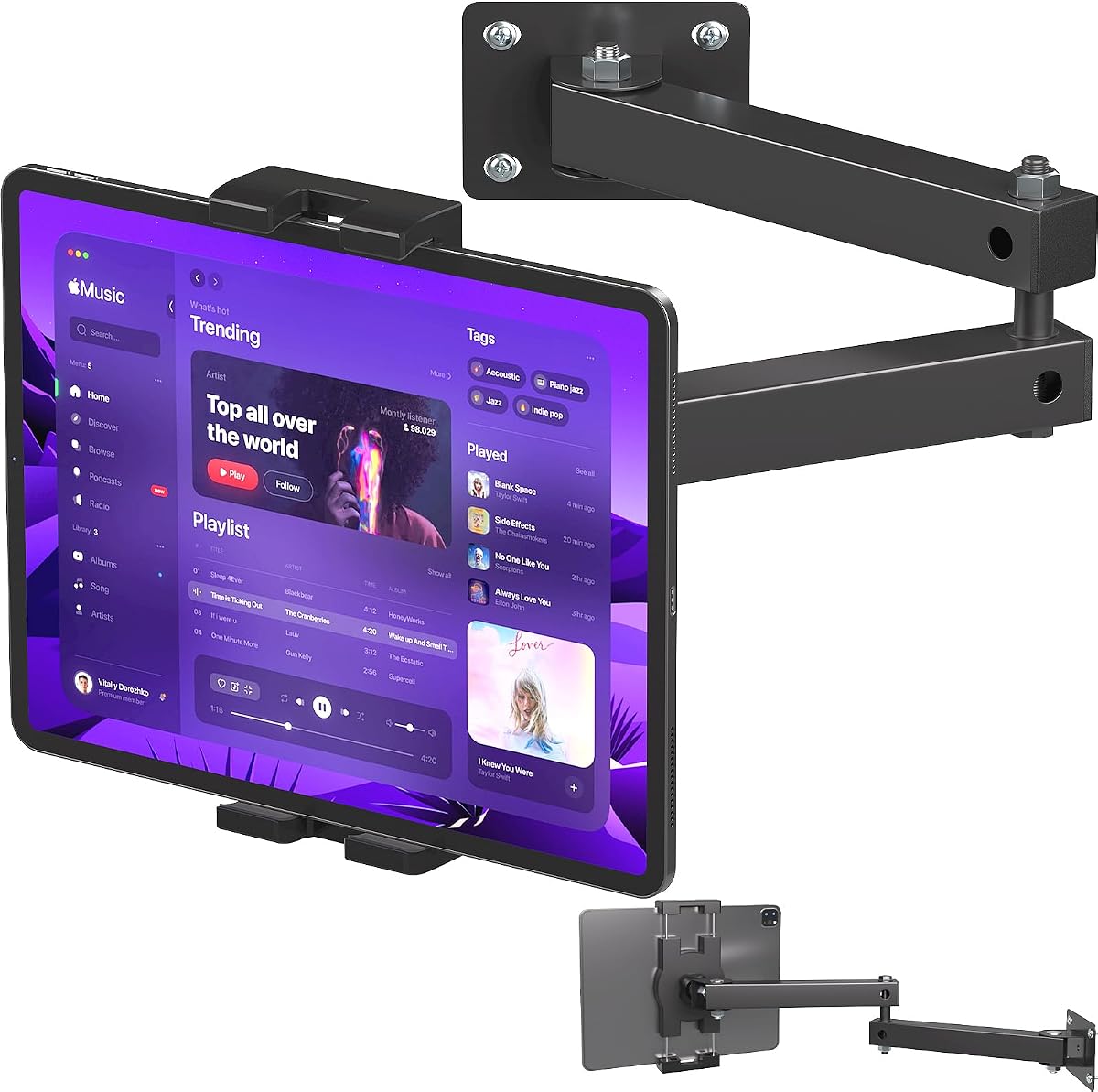
This aluminum wall mount provides an excellent budget-friendly option for securing Lenovo tablets and other devices. It boasts a 4.5 star rating and features high-strength aluminum alloy arms that ensure durability and stability. The design emphasizes adjustability allowing users to position their tablets easily.
We may earn a commission when you buy through this link, at no additional cost to you.
The mount includes a 360 degree metal swivel ballhead that lets you switch between portrait and landscape modes instantly. You can adjust the angle from left to right or top to bottom by 180 degrees to find the perfect viewing position. It fits devices ranging from 4.7 to 13 inches covering most Lenovo Tab models.
To ensure maximum stability you should use the included hexagonal screws to lock the shafts. Installation requires your own drilling tools and following the included instructions carefully. While this adds a small hurdle the resulting secure fit is worth the effort for most home or office users.
If you need a reliable and adjustable mount without spending a lot this option is a strong contender. It balances cost and functionality well making it a great choice for kitchens or offices where flexibility is key.
The 360 degree rotation and 180 degree tilt allow you to customize the view for any task or location.
High-strength aluminum alloy ensures the arm does not bend or sag under the weight of the tablet.
We may earn a commission when you buy through this link, at no additional cost to you.
This universal wall mount stands out with a perfect 5.0 star rating making it a top choice for reliability. It is built from high-strength metal materials that resist bending and wobbling ensuring your Lenovo tablet stays secure. The adjustable length feature allows it to fit a wide range of tablet sizes from 7 to 13 inches.
We may earn a commission when you buy through this link, at no additional cost to you.
One of its best features is the case friendly design which supports tablets up to 2.1 cm thick. This means you do not have to remove your protective case to mount the device saving time and reducing wear. The length adjusts from 177mm to 317mm accommodating various tablet dimensions comfortably.
Installation is straightforward with all necessary screws included and a clear step-by-step manual. It is slim enough to save space in tight areas like kitchens or gyms without compromising stability. The trade-off is that it offers basic adjustment without complex tilt mechanisms found in premium models.
For most users seeking a secure and versatile mount this product delivers exceptional value. It is ideal for those who want a no-fuss setup that works with their existing case and tablet size without breaking the bank.
The adjustable bracket ensures a snug fit for different tablet sizes without needing multiple mounts.
Keep your protective case on while mounting to maintain device safety and avoid repeated handling.
We may earn a commission when you buy through this link, at no additional cost to you.
This mount is designed for security with a lockable tamper-proof design that prevents unauthorized removal. It is perfect for high-traffic areas like retail stores or offices where your Lenovo tablet needs protection. The steel construction ensures durability while the full motion arm allows for easy viewing angle adjustments.
We may earn a commission when you buy through this link, at no additional cost to you.
The mount supports tablets from 7.9 to 11 inches which covers many Lenovo Tab models. It features tilt swivel and rotation capabilities to optimize visibility for digital signage or interactive kiosks. The VESA 75×75 pattern ensures it fits standard mounting points on walls or stands easily.
While it is heavier than plastic mounts the added security justifies the weight for commercial use. Installation requires drilling into a stud or solid wall to support the steel frame. The US-based customer support adds peace of mind for buyers needing help setup.
Choose this if security is your top priority. It transforms your tablet into a secure kiosk while maintaining easy access for authorized users. The combination of protection and adjustability makes it a strong contender for public spaces.
The locking mechanism ensures only authorized personnel can remove the tablet from the mount.
Tilt and swivel features allow you to position the screen for optimal viewing from any angle.
We may earn a commission when you buy through this link, at no additional cost to you.
This commercial-grade mount features a locking enclosure that turns your Lenovo tablet into a secure kiosk. It is built with heavy-duty aluminum and steel to withstand constant daily use in demanding environments. The tamper-proof screw system offers superior protection compared to traditional key locks.
We may earn a commission when you buy through this link, at no additional cost to you.
It fits screens from 9.7 to 13 inches and supports tablets up to 0.47 inches thick. The dynamic viewing includes 360 degree rotation and smooth tilt to eliminate glare and improve engagement. This makes it ideal for POS systems or interactive displays in retail or healthcare settings.
Installation uses a standard 100x100mm VESA base for a flush fit against any wall. All hardware is included to ensure a quick and damage-free setup. While the enclosure limits physical access to buttons it keeps the device safe from dust and tampering.
For businesses needing a robust POS solution this mount is a solid investment. It balances security with visibility ensuring your tablet remains protected while still being functional for staff or customers.
The locking enclosure shields the tablet from theft and physical damage in high-traffic areas.
Standard VESA mounting ensures the unit sits flush against the wall for a clean commercial look.
We may earn a commission when you buy through this link, at no additional cost to you.
This mount is a simple yet effective solution for securing tablets on walls. It has a high rating of 4.7 stars and offers a 360 degree swiveling bracket for easy orientation changes. The design is sturdy enough to hold devices securely while remaining affordable for most budgets.
We may earn a commission when you buy through this link, at no additional cost to you.
It fits devices from 4.7 to 12.9 inches making it compatible with most Lenovo Tab sizes. The 30 degree tilt adjustment helps reduce glare during video calls or recipe viewing. Installation is described as quick and hassle-free with minimal tools required.
While it lacks complex features like long adjustable arms it excels at keeping tablets stable and accessible. The main trade-off is limited case support so you may need to remove protective cases for fitting. However for basic home use it delivers good value.
If you want an easy way to wall mount your tablet without spending much this is a reliable choice. It works well in kitchens or offices where a simple secure mount is all you need for daily tasks.
The 360 degree rotation makes it simple to switch between vertical and horizontal content.
A low-cost option that provides essential wall mounting without unnecessary complexity or features.
We may earn a commission when you buy through this link, at no additional cost to you.
This mount uses 3M Command adhesive strips to allow installation without drilling holes or causing damage to walls. It is perfect for renters or those who want to mount a Lenovo tablet quickly. The adjustable brackets let you set the distance to fit different tablet sizes comfortably.
We may earn a commission when you buy through this link, at no additional cost to you.
It holds devices up to 11mm thick including many Lenovo models. The setup takes less than 2 minutes and can be removed easily without leaving residue. The design allows for portrait or landscape orientation and includes built-in cord clips for cable management.
Note that these strips are not for wet or hot surfaces like bathrooms. They work best on smooth flat surfaces and may not stick well to textured wallpaper. While the weight limit is around 5lbs it is sufficient for most tablets.
Choose this if you want to avoid permanent installation changes. It offers a clean and temporary solution that keeps your walls intact while still securing your device securely for daily use.
The adhesive strips remove cleanly allowing you to change the mount location without wall repair.
Set the bracket distance to fit your specific tablet width for a snug and secure hold.
We may earn a commission when you buy through this link, at no additional cost to you.
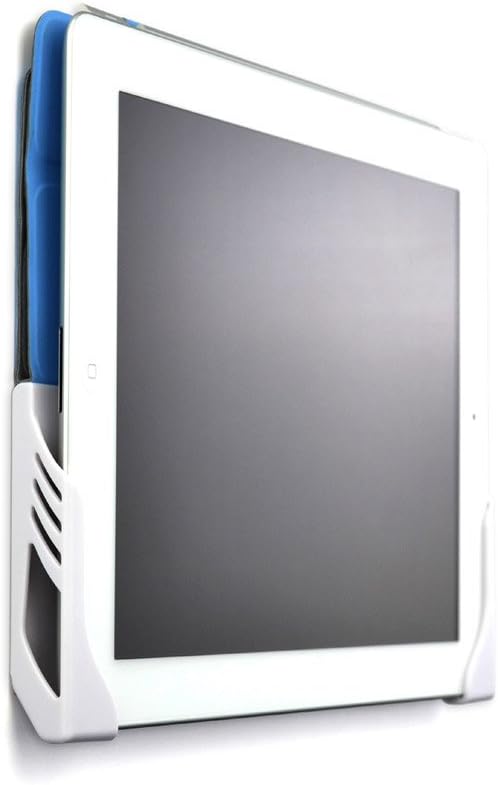
This black wall mount is constructed from aluminum alloy and iron for stability and durability. It fits tablets from 7 to 13 inches and includes all necessary hardware for a straightforward setup. The 360 degree rotation allows you to switch between portrait and landscape modes easily.
We may earn a commission when you buy through this link, at no additional cost to you.
For larger tablets between 10 and 13 inches it secures them vertically while smaller ones can go horizontal. The bracket includes sponge pads to cushion the device and prevent scratches during use. The base is designed to mount on flat walls or wooden cabinets securely.
While it does not have a complex arm the direct mount is sturdy and minimizes wobble. Installation requires drilling and a wrench which is included in the package. It is a solid choice for those who want a simple and robust mounting solution.
If you prefer a straightforward mount without extra arms this product offers good value. It keeps your Lenovo tablet secure and visible making it a practical choice for offices or home spaces.
The iron and aluminum construction ensures the mount does not bend under the weight of the tablet.
Sponge pads on the bracket cushion the tablet to avoid scratches and improve grip.
We may earn a commission when you buy through this link, at no additional cost to you.
This mount is notable for its wide compatibility supporting devices from 4.7 to 17.3 inches. It has a high 4.6 star rating and features a sturdy aluminum base that attaches securely with screws. The 360 degree rotation ball ensures you can adjust the device to any angle comfortably.
We may earn a commission when you buy through this link, at no additional cost to you.
The base has four drilled holes for versatile mounting on walls or cabinets. Anti-slip rubber pads protect your Lenovo tablet from scratches and sliding to keep it firmly in place. It is easy to mount on any vertical surface with the included screws.
While it does not offer extensive tilt adjustments the rotation is sufficient for most viewing needs. The wide fit makes it a great option if you have multiple devices of different sizes. Installation is simple but requires a drill to secure the base properly.
For those needing a mount that grows with their devices this is a versatile choice. It balances strength and flexibility to handle various tablet sizes with confidence and reliability.
Fits a wide range of devices from small phones to large tablets for maximum versatility.
Anti-slip pads prevent your tablet from sliding or scratching while keeping it stable.
We may earn a commission when you buy through this link, at no additional cost to you.
This mount features a unique foldable design that lets you fold the arms to save space when not in use. It has a 4.7 star rating and is built from heavy-duty aluminum alloy that is anti-rust and durable. The 2-stage extendable arm allows for flexible positioning across a room.
We may earn a commission when you buy through this link, at no additional cost to you.
It fits tablets from 4.7 to 12.9 inches and allows 180 degree and 360 degree rotations for perfect viewing. The ball head supports multiple angle adjustments to capture the best view for your needs. Installation requires four screws to secure the base to a vertical surface.
The foldable feature is great for compact spaces where you need the tablet out of the way sometimes. However the moving parts mean more to consider compared to static mounts. The material quality ensures it withstands frequent adjustments without loosening.
Choose this if you need an arm that moves and tucks away when not needed. It is a smart solution for kitchens or offices where space and visibility are both priorities.
Fold the arms flat against the wall to save room when the tablet is not in use.
The extendable arm allows you to bring the tablet closer for interaction or push it back for display.
We may earn a commission when you buy through this link, at no additional cost to you.
Selecting the right wall mount involves considering several factors to ensure it meets your specific needs.
Check the thickness and screen size range of the mount against your Lenovo Tab One dimensions. Ensure it supports your device weight and case thickness if you plan to keep it on.
Always verify the size limits before purchasing to avoid installation issues.
For public spaces or shared offices choose a mount with locking or anti-theft features. These prevent unauthorized removal and protect your investment from theft or tampering.
Look for locks or tamper-proof screws depending on your security needs.
Consider how much movement you need. Some mounts offer 360 degree rotation and tilt while others are fixed. This affects how easily you can view the screen from different angles.
Opt for adjustable models if you need flexible viewing positions.
Determine whether you can drill into the wall or need an adhesive option. Permanent mounts are stronger but removable ones are better for renters. Ensure you have the right tools for your chosen type.
Choose a mounting method that fits your wall type and permissions.
Look for materials like aluminum or steel that resist bending and corrosion. A sturdy construction ensures the tablet remains stable and prevents wobbling over time.
Metal builds generally last longer than plastic alternatives.
If your tablet needs to stay plugged in ensure the mount allows cable access. Some include angled USB adapters or channels to route cables neatly to a power source.
Check if power access is integrated or if you need to manage cables manually.
Prices vary based on features like security or articulating arms. Decide what features are essential for your use case and compare options within that range.
Balance cost against the durability and features you need.
Consider where the mount will be used such as a kitchen or office. Moisture and heat can affect adhesive mounts so choose durable materials for those areas.
Select a mount suited for the temperature and humidity of the location.
Start by reading the installation manual carefully to understand the required tools and steps. Mark the wall points clearly before drilling to ensure the mount is level and centered.
Once installed check the clamp tension regularly to make sure the tablet is secure. Adjust the angle as needed to reduce glare or improve viewing comfort.
Clean the mount and your tablet regularly with a soft dry cloth to prevent dust buildup. Avoid using harsh chemicals that might damage the mount finish or tablet screen.
Many of the universal mounts listed support cases up to 2.1 cm thick so you can often keep your protective case on. Always check the thickness limit in the product specs before mounting to ensure a secure fit.
Most permanent mounts require a drill and screwdriver for installation. Some kits include the necessary hardware and a small wrench but you will need to provide your own drill for wall anchors.
Yes most adjustable mounts allow you to rotate the tablet between portrait and landscape. Look for models with 360 degree rotation for the most flexibility in screen orientation.
For high-traffic areas choose a mount with a locking mechanism or anti-theft enclosure. These prevent unauthorized removal and keep your device secure in public or shared spaces.
Yes but avoid adhesive mounts near high heat or moisture. Select a metal mount that can withstand humidity and allows easy access for cooking recipes or media playback.
Most mounts listed support standard tablets weighing up to 3 to 4 pounds. Check the product details for specific weight limits to ensure your Lenovo tablet is safely supported.
We hope this guide helped you find the perfect wall mount for your Lenovo Tab One. The top picks offer a range of options from budget-friendly to premium secure solutions.
Prioritize compatibility and security features based on where you plan to use your tablet. An adjustable mount can greatly enhance your daily experience and device accessibility.
Remember to check the latest prices and availability before buying as offers may change over time.