
acer Nitro V 15.6
4.3Editor score
165Hz Refresh Rate
8GB GDDR7 VRAM
16GB DDR4 Memory
Finding the right gaming laptop means balancing power and portability. The RTX 5050 brings new AI features and solid performance for modern titles. This guide helps you navigate the latest models designed for gamers and creators.
We compared ten top laptops based on display quality, cooling systems, and processor speed. Each option offers unique strengths for different budgets and needs. Our analysis highlights what matters most when choosing a new machine.
Every pick shows key specs and real-world performance notes to simplify your decision. Remember that prices and availability can change quickly. Check current listings to confirm the best deal for your situation.
4.3Editor score

4.6Editor score

4.0Editor score
As an Amazon Associate we earn from qualifying purchases.
This side-by-side comparison breaks down the core strengths of each model. From display tech to cooling design, see how they stack up for your specific needs.




This Acer Nitro V leads our list with a powerful combo of CPU and GPU. Its 180Hz screen delivers smooth visuals, and the RTX 5050 handles modern games well. With a high rating, it stands out for performance.
We may earn a commission when you buy through this link, at no additional cost to you.
The Intel Core 7 240H ensures fast application loading and streaming. AI tools and DLSS enhance gaming without stuttering. The 1TB SSD gives room for a large game library right away.
Some users may find the chassis lacks premium materials. Noise levels rise during intense sessions, but thermal stability remains strong. These are acceptable trade-offs for the price.
It is ideal for gamers who want high refresh rates and speed. If you need reliable hardware without overspending, this model fits the bill.
A 180Hz panel reduces motion blur, making fast-paced games look clearer. This helps competitive players react faster to in-game events.
DLSS 4 and AI tools optimize frames per second. This means you can enjoy better visuals without needing the highest graphics settings.
We may earn a commission when you buy through this link, at no additional cost to you.
The acer Nitro V offers a budget-friendly entry into RTX 5050 gaming. It delivers consistent frame rates for mainstream titles. With a 4.3 rating, it balances cost and capability effectively.
We may earn a commission when you buy through this link, at no additional cost to you.
Its i5 processor and 8GB GDDR7 VRAM keep games running smoothly. The 165Hz screen provides fluid motion. The included mouse pad adds value to the package for new buyers.
The FHD screen lacks the sharpness of higher resolutions. DDR4 memory is slower than DDR5 but still capable. These limits are expected at this price range.
Choose this if you want a reliable machine under a thousand dollars. It is perfect for students or casual gamers seeking a first gaming laptop.
You get key gaming specs without extra markup. This makes it accessible for those who need performance on a tight budget.
8GB VRAM allows for better texture quality in games. It ensures you can play titles without frequent stuttering or texture pop-in.
We may earn a commission when you buy through this link, at no additional cost to you.
This IdeaPad Pro stands out for creators who also game. The OLED screen offers true blacks and vivid colors. Its Ryzen AI processor adds efficiency for daily tasks.
We may earn a commission when you buy through this link, at no additional cost to you.
The 2.8K OLED panel excels in media work and gaming. With RTX 5050, it handles rendering and play. Durability testing ensures it can survive travel.
Battery life is moderate under load. Gaming performance is good but not tuned for pro titles. Still, it offers a premium feel rarely seen in this class.
It is ideal for professionals who need quality screens. If you value visuals and portability, this model delivers a unique experience.
OLED technology provides infinite contrast for deep blacks. This creates more immersive visuals for movies and games alike.
Ryzen AI optimizes background tasks to save power. This helps maintain performance while you work on complex projects.
We may earn a commission when you buy through this link, at no additional cost to you.
Alienware brings its iconic design to the RTX 5050 market. The cooling system targets core components directly for efficiency. This keeps heat away during extended play.
We may earn a commission when you buy through this link, at no additional cost to you.
The WQXGA display offers rich visuals. Onsite support gives peace of mind for owners. The build quality feels sturdy and well-engineered.
The cost is higher than average. Access to internal parts is harder than usual. These factors may limit some users.
Pick this if you want a stylish and reliable machine. Its service and cooling make it a smart long-term choice.
Cryo-Chamber focuses airflow exactly where needed. This reduces thermal throttling and keeps performance steady.
Onsite service saves time and hassle. A technician can visit your location to fix issues quickly.
We may earn a commission when you buy through this link, at no additional cost to you.
The Katana features a powerful i7-14650HX CPU for heavy workloads. DDR5 memory boosts multitasking and gaming. This makes it suitable for streaming.
We may earn a commission when you buy through this link, at no additional cost to you.
Its 144Hz screen keeps visuals smooth. The 75Wh battery supports longer sessions away from power. Design remains compact and portable.
Build quality is functional but basic. Noise can increase under load. These are typical trade-offs for performance-focused machines.
It is great for power users needing CPU speed. If you prioritize tasks over flashy features, this model delivers.
The i7-14650HX handles complex workflows easily. This ensures fast app switching and smooth multitasking.
A 75Wh battery helps you stay away from outlets. This is useful for students or travelers on the go.
We may earn a commission when you buy through this link, at no additional cost to you.
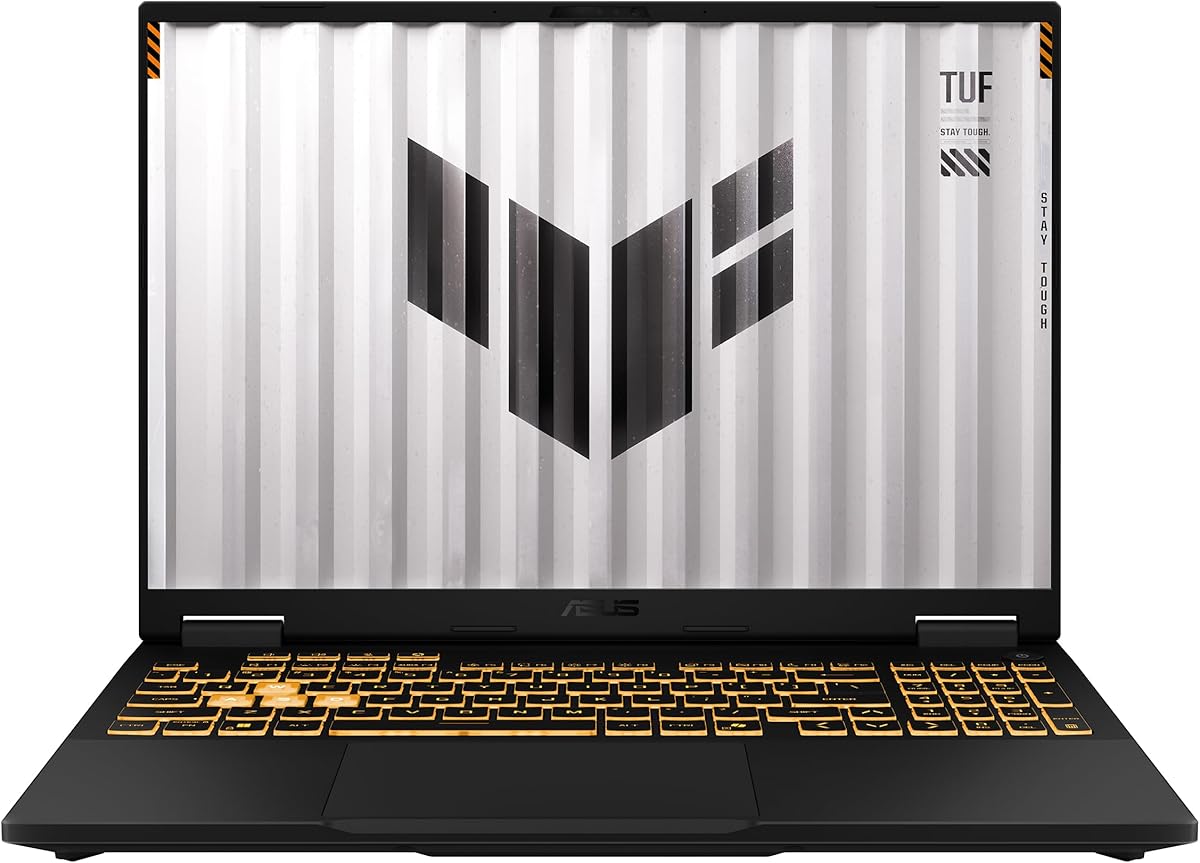
TUF Gaming focuses on toughness and reliability. It meets MIL-STD standards for resistance to wear. The screen offers accurate colors for media.
We may earn a commission when you buy through this link, at no additional cost to you.
Arc Flow fans cool effectively without much noise. DDR5 and PCIe Gen4 SSD ensure quick access. This model suits rugged environments.
Weight is higher than average. Lack of Thunderbolt 4 may limit external docks. Still, it remains a solid choice.
Choose this for durability and steady performance. It is great for users who need a sturdy gaming tool.
MIL-STD testing ensures the laptop can handle stress. This is vital for users in tough conditions.
100% sRGB ensures true color output. This helps when editing photos or watching content.
We may earn a commission when you buy through this link, at no additional cost to you.
LOQ brings AI tuning to optimize your game play. G-Sync syncs frames to stop tearing and lag. This creates smoother gameplay.
We may earn a commission when you buy through this link, at no additional cost to you.
Rapid Charge Pro fills the battery in minutes. The 1TB SSD stores many games. Performance feels consistent thanks to AI.
The display is standard without high refresh rates. Build materials are practical but not premium. These are minor drawbacks.
It fits gamers who want intelligent performance. If you need fast charging and sync tech, this is a strong pick.
G-Sync prevents screen tearing and lag. This leads to cleaner images during fast action.
AI adjusts settings automatically for best results. This saves time and helps maintain consistent FPS.
We may earn a commission when you buy through this link, at no additional cost to you.
ROG Strix offers advanced tech for pros. MUX Switch bypasses iGPU for more FPS. RGB bar adds flair to any setup.
We may earn a commission when you buy through this link, at no additional cost to you.
Wi-Fi 7 ensures faster network speeds. Tool-free access makes upgrades simple. This design supports long-term use.
No rating is available yet. High cost may be a barrier. These are considerations for early adopters.
Choose this for tech-forward features. If you want the latest in connectivity, this model fits.
MUX Switch routes frames directly from GPU. This can boost FPS significantly in games.
Wi-Fi 7 offers faster and more stable connections. This is ideal for online gaming.
We may earn a commission when you buy through this link, at no additional cost to you.
Cyborg focuses on portability and style. Weighing under 5 lbs, it fits easily in bags. The translucent keys add visual flair.
We may earn a commission when you buy through this link, at no additional cost to you.
DDR5 and Ryzen 7 deliver solid multitasking. 1TB SSD is a nice inclusion. It balances size and power.
Cooling may struggle under heavy loads. Battery life is typical for its class. These are trade-offs for weight.
It suits users who travel often. If you need a laptop for class and play, this is strong.
Lightweight builds make daily carry easier. This helps students or commuters on the move.
Translucent keys give a unique look. This helps the laptop stand out.
We may earn a commission when you buy through this link, at no additional cost to you.
GIGABYTE adds AI to simplify control. GiMATE adapts to your needs automatically. The chassis stays under 20mm thick.
We may earn a commission when you buy through this link, at no additional cost to you.
The hinge allows flat positioning for sharing screens. i7 ensures smooth performance. This is practical for work.
Display is standard. It lacks unique extras. Still, it fits the needs of general users.
It works well for mixed tasks. If you want thin and easy control, consider this.
GiMATE provides intuitive command control. This reduces complexity in daily use.
A slim chassis fits in tight bags. This helps when traveling or commuting.
We may earn a commission when you buy through this link, at no additional cost to you.
Choosing the right laptop with RTX 5050 means weighing several factors. This guide breaks down what to prioritize for your needs.
Refresh rate impacts how smooth gameplay looks. Higher rates reduce motion blur and help you react faster.
Look for at least 144Hz for competitive play.
Good cooling prevents overheating and throttling. It keeps performance steady over time.
Check for dual fans and airflow design.
The CPU handles tasks besides graphics. Strong processors ensure fast loading and multitasking.
Opt for Core i5 or Ryzen 5 at minimum.
16GB RAM is standard for modern games. SSDs ensure quick boot times.
Prioritize DDR5 for speed and SSD capacity.
A sturdy build survives travel. Military standards are a good sign.
Choose materials that resist wear.
Ports matter for monitors and peripherals. USB-C and HDMI are essential.
Check for WiFi 6E support.
Battery life varies by use. Larger batteries help away from power.
Expect modest battery while gaming.
Support ensures help when needed. Onsite service is a plus.
Check warranty length before buying.
Always place your laptop on a hard surface. This ensures vents stay clear for cooling.
Keep the screen clean with soft cloth only. Never use harsh chemicals on display glass.
Update drivers regularly for best performance. This ensures your RTX card runs smoothly.
The RTX 5050 runs most modern titles at 1080p and 1440p. It supports ray tracing and DLSS. This allows high settings in many games.
DDR5 offers faster speeds and efficiency. It helps multitasking and gaming. For new laptops, it is a solid choice.
Use elevated stands or fans. Clean vents often. Ensure cooling settings are optimized for load.
Some models allow upgrades. Others use onboard memory. Check your specific laptop specs before purchase.
Yes. RTX cards and strong CPUs support editing. The 5050 handles 1080p and some 4K tasks well.
DLSS 4 uses AI to boost frames. It improves visuals without high settings. This helps gaming performance greatly.
Our top picks cover needs from budget to premium. The Acer Nitro V and IdeaPad Pro stand out.
Focus on what matters most for your use. Balance performance, display, and durability.
Check current listings to confirm pricing. Deals may vary across stores and time.