
ASUS TUF F16 RTX 4050
4.0Editor score
Latest DDR5 high speed memory
RTX 4050 GPU performance
16 inch spacious workspace
Finding the right laptop for Fusion 360 requires balancing performance with portability. You need a machine that handles complex 3D modeling, rendering, and simulations without lagging. Whether you are an engineer, designer, or student, the hardware choices significantly impact your workflow efficiency and creative freedom during long design sessions.
We analyzed ten distinct models ranging from budget-friendly options to high-performance gaming rigs. Our comparison focuses on CPU core counts, GPU capabilities, RAM capacity, and display quality. Each product was evaluated based on its ability to run Autodesk software smoothly while maintaining battery life and build quality for daily professional use.
Each pick in this list highlights specific strengths like processing power, screen clarity, or affordability. You will find detailed breakdowns of what makes each device suitable for CAD tasks. Keep in mind that availability and pricing can change frequently, so verifying current stock and deals before purchasing is always recommended for the best value.
4.0Editor score

4.5Editor score
4.0Editor score
As an Amazon Associate we earn from qualifying purchases.
The following table provides a side-by-side look at the key specifications and features of all ten laptops reviewed. This allows you to quickly compare processor types, memory amounts, storage capacity, and screen sizes to find the model that best fits your specific design needs and budget constraints.




This HP Victus laptop stands out as the top choice for running Fusion 360 efficiently. With a rating of 4.5 stars, it balances performance and value exceptionally well for users requiring robust computational power. The 32GB RAM ensures that complex assemblies and simulations load quickly without freezing the system.
We may earn a commission when you buy through this link, at no additional cost to you.
The 8-core Intel i5 processor paired with the RTX 3050 graphics card provides the necessary horsepower for rendering tasks. The 144Hz display offers smooth visual feedback when rotating 3D models, making detailed design work more intuitive. Additionally, the backlit keyboard and numeric keypad are essential for rapid data entry and late night sessions.
While the gaming design might not appeal to every professional setting, the performance trade-off is minimal for the price. The weight is slightly higher than business ultrabooks but remains portable enough for office to home use. Users should expect excellent responsiveness when managing large project files simultaneously.
It is highly recommended for students and professionals who need a reliable machine for daily CAD work. The combination of Windows 11 Pro and ample storage makes it a versatile tool for various engineering tasks. This model delivers consistent performance that supports long-term project development without lag.
The 32GB of DDR4 RAM allows you to keep Fusion 360, browser tabs, and communication apps open simultaneously without performance drops.
The RTX 3050 GPU accelerates viewport rendering, ensuring that your 3D models rotate and zoom smoothly during design reviews.
We may earn a commission when you buy through this link, at no additional cost to you.
The ASUS TUF F16 offers premium specs that cater to power users demanding the highest performance for CAD applications. Its 4.0 rating reflects solid reliability and build quality suitable for intensive engineering workloads. The inclusion of DDR5 RAM provides faster data throughput compared to standard DDR4 systems found in many competitors.
We may earn a commission when you buy through this link, at no additional cost to you.
With a 16-inch display, you gain significantly more screen real estate for your workspace which is crucial for detailed drawing and modeling. The Core 5 210H processor handles multitasking seamlessly, allowing for efficient background processes while you focus on design. The bundled laptop cooler helps maintain optimal temperatures during extended rendering sessions.
The RGB lighting adds a customizable touch but can be turned off to reduce distractions during professional presentations. While the price is higher than average, the long term value comes from the longevity of the high-speed components. Users who prioritize raw speed and large workspace will appreciate the extra features included here.
This laptop is ideal for professionals who want a top-tier machine that can handle future software updates with ease. The combination of high-end graphics and fast memory ensures that even complex simulations run without significant bottlenecks. It is a strong investment for those committed to advanced 3D design workflows.
DDR5 RAM technology allows for quicker access to active files and improves overall system responsiveness during heavy multitasking operations.
The 16-inch FHD+ screen provides ample space to view toolbars and model details simultaneously without needing external monitors constantly.
We may earn a commission when you buy through this link, at no additional cost to you.
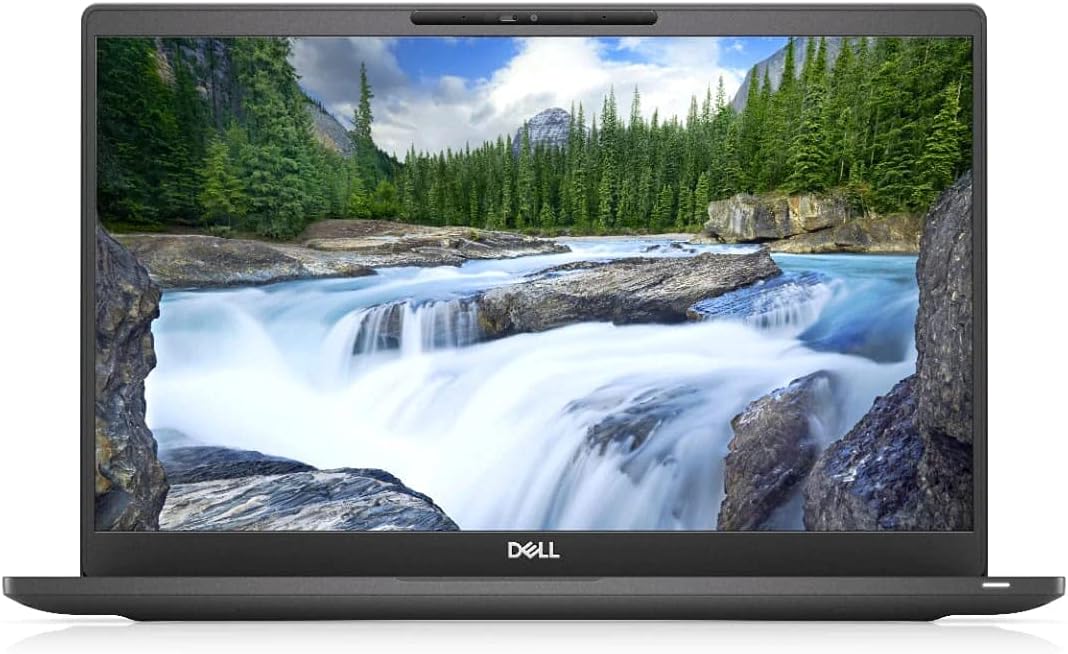
The Dell Latitude 7400 provides excellent value for users seeking a professional machine on a stricter budget. With a 4.0 rating, it delivers reliable performance for everyday CAD tasks without the high cost of gaming laptops. The 32GB RAM is a standout feature at this price point allowing for smooth operation of Fusion 360.
We may earn a commission when you buy through this link, at no additional cost to you.
Its 14-inch FHD screen is sharp enough for detailed work while keeping the device portable for travel. The renewed status means you get premium build quality and performance features at a fraction of the cost of new models. Windows 11 Pro ensures compatibility with all necessary enterprise software tools.
The older processor generation might struggle slightly with very complex simulations compared to newer chips but remains capable for standard designs. Limited storage can be managed with external drives or cloud solutions which is common for budget-conscious users. Overall it offers a solid foundation for professional work without breaking the bank.
This model is perfect for students or startups needing a dependable laptop for essential engineering duties. The balance of high memory and lower cost makes it a practical choice for those prioritizing budget over cutting-edge speed. It remains a robust tool for daily productivity in various office environments.
Finding 32GB RAM in a budget-friendly renewed laptop allows you to run heavy applications smoothly without needing immediate upgrades.
The 14-inch chassis fits easily into standard bags making it convenient to carry to meetings or co-working spaces daily.
We may earn a commission when you buy through this link, at no additional cost to you.
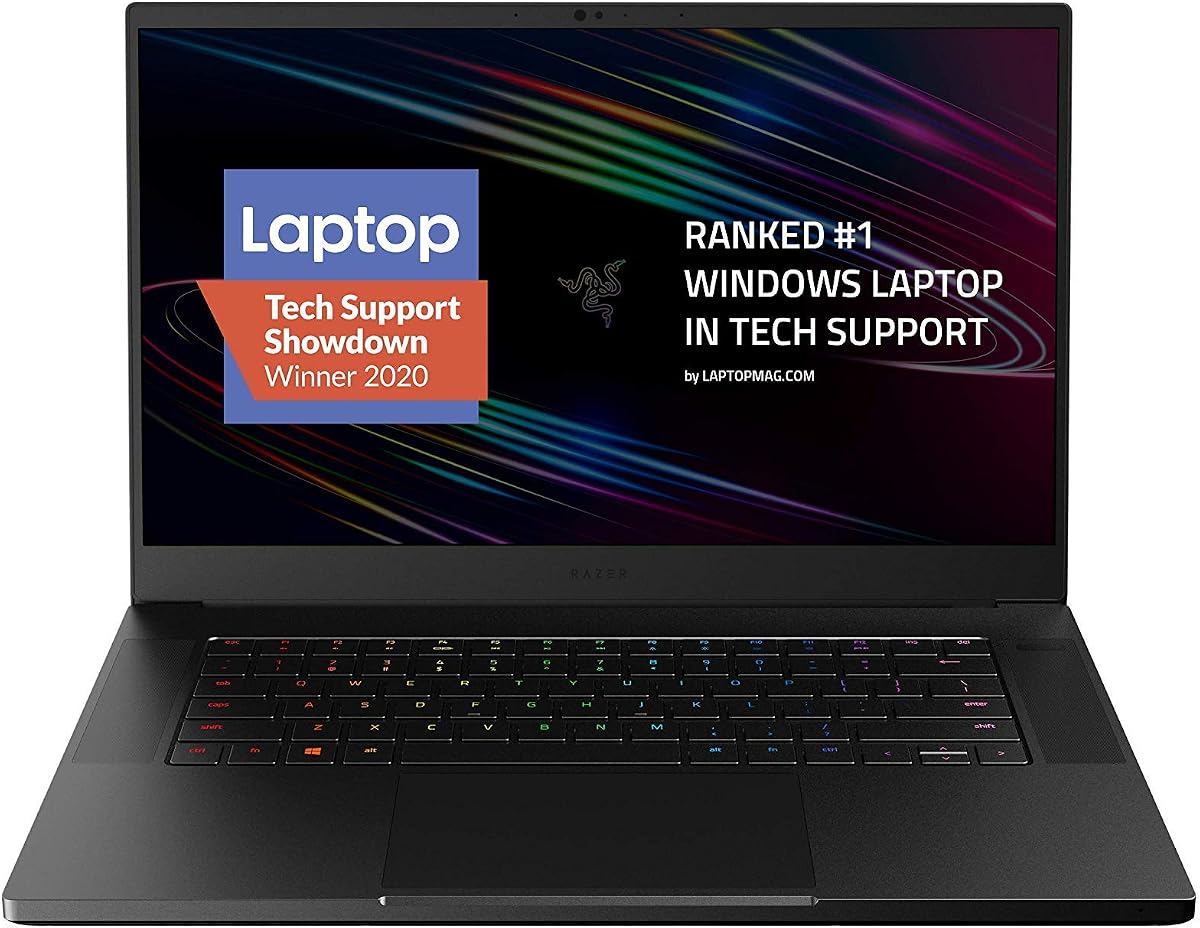
The Razer Blade 15 Advanced is known for its premium build quality and powerful performance suitable for high-end design tasks. With a 4.3 rating, it combines elegance with the raw power needed for intensive CAD workflows. The CNC aluminum unibody frame ensures durability while maintaining a sleek profile that fits professional environments well.
We may earn a commission when you buy through this link, at no additional cost to you.
Its 300Hz display provides incredibly smooth visuals which is beneficial when manipulating 3D models in real time. The RTX 2070 Super GPU supports accelerated rendering and allows for complex visualizations without lag. Thunderbolt 3 connectivity offers fast data transfer speeds and easy connection to external displays for expanded workspace setups.
The 16GB RAM might feel limiting for very large assemblies but can be upgraded depending on the specific model configuration. Battery life is typical for high-performance laptops and users may need to stay near power outlets during heavy workloads. The price reflects its premium nature and is best suited for those valuing design aesthetics alongside performance.
This laptop is an excellent choice for professionals who want a powerful machine that looks good in any setting. The build quality and fast display make it a joy to use for long design sessions. It remains a strong contender for those who can afford the higher investment for top-tier hardware features.
The CNC aluminum unibody frame offers exceptional durability and a premium feel that withstands daily professional use effectively.
The 300Hz refresh rate ensures that even rapid rotations of complex 3D models appear fluid and clear on screen.
We may earn a commission when you buy through this link, at no additional cost to you.
This ASUS TUF Gaming Laptop is a robust option for users needing reliable hardware at a reasonable price. It has earned a 4.5 rating for its solid performance and durability which are critical for daily work environments. The military standard construction ensures the laptop can withstand bumps and rough handling during travel or commutes.
We may earn a commission when you buy through this link, at no additional cost to you.
The Core i7 processor provides enough power for standard modeling tasks and the 144Hz screen delivers smooth visuals for better interaction. Wi-Fi 5 connectivity ensures stable internet access for cloud collaboration and updates. The thermal design helps keep the system cool during prolonged use which is important for maintaining consistent performance over time.
Upgrading the RAM from the base 8GB is recommended for smoother multitasking with modern software requirements. While it ships with Windows 10, it remains compatible with essential productivity tools and can be upgraded easily if needed. The balance of performance and durability makes it a practical choice for budget-conscious engineers and students.
It is a great fit for those who prioritize reliability and speed over premium features or aesthetics. The durable build and decent graphics make it capable of handling regular design loads efficiently. This model offers a dependable experience for anyone needing a workhorse laptop without overspending on unnecessary extras.
The MIL-STD-810G construction ensures the chassis can withstand physical shocks making it reliable for frequent travel or on-site work.
The 144Hz screen reduces motion blur providing sharper images when working with dynamic 3D designs and animations regularly.
We may earn a commission when you buy through this link, at no additional cost to you.
The Acer Chromebook Spin 513 stands out as a portable choice for users who need a lightweight device for basic tasks. With a 4.1 rating, it offers good value for those who primarily work in cloud-based environments. The 360-degree hinge allows for flexible usage modes which can be useful for presentations or collaborative sessions.
We may earn a commission when you buy through this link, at no additional cost to you.
The Snapdragon processor provides adequate speed for web browsing and document editing making it suitable for students or casual users. The Corning Gorilla Glass display ensures the screen is resistant to scratches and impacts during daily use. Its compact size makes it easy to fit into any bag or carry comfortably over long distances.
Running on Chrome OS means compatibility is limited to web apps and Android applications which may not support all CAD software. Storage space is limited so relying on cloud services is necessary for storing larger design files effectively. This is best suited for those who do not require heavy native processing power or offline access.
It is a great secondary device for checking designs or managing projects on the go. The portability and battery life make it ideal for travelers who need to stay connected without carrying heavy hardware. While not a primary workstation for Fusion 360 it serves well as a supplementary tool.
The 360-degree hinge allows you to use the device as a tablet or tent for viewing content in different environments easily.
Corning Gorilla Glass on the display protects against daily wear and tear keeping the visuals clear and safe from damage.
We may earn a commission when you buy through this link, at no additional cost to you.
The HP Chromebook x360 14b is highly rated for its reliable performance in everyday computing tasks. With a 4.9 rating, users appreciate its fast boot times and smooth operation for daily workflows. The 8GB RAM ensures that multiple browser tabs and apps can run without significant lag or slowdowns during normal use.
We may earn a commission when you buy through this link, at no additional cost to you.
The Full HD IPS display provides clear visuals and wide viewing angles which are great for sharing screens with colleagues. The UFS storage allows for quicker data access compared to traditional eMMC options helping files load faster than typical budget laptops. Its design allows for easy transition between laptop and tablet modes for versatile work styles.
While the processor is basic and limits heavy engineering software use it handles web-based tools effectively. The backlit keyboard is a nice addition for working in low light environments ensuring comfortable typing. This device is perfect for those who need a secure and simple system for basic productivity needs on a budget.
It is recommended for students or professionals looking for a simple laptop for email and web work. The high rating reflects user satisfaction with its speed and build quality for light tasks. It is a solid choice for anyone who values simplicity and ease of use over raw processing power.
UFS storage technology speeds up file loading and application launches providing a responsive experience for daily tasks easily.
The IPS panel ensures colors look accurate from wide angles making it great for viewing content with others comfortably.
We may earn a commission when you buy through this link, at no additional cost to you.
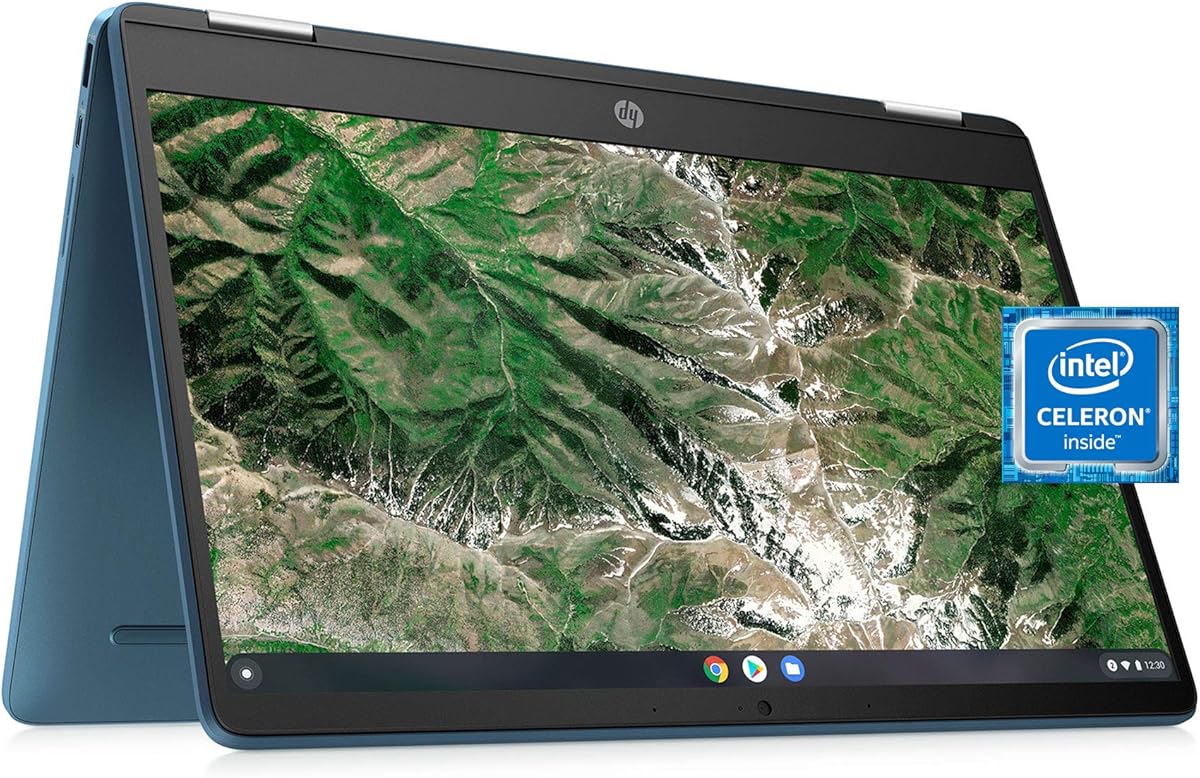
This HP X360 14a Chromebook is a budget-friendly option for users needing a simple and versatile device. It holds a 4.4 rating for providing good value for money in the entry-level category. The Intel Celeron processor is suitable for basic web browsing and document editing without demanding high system resources.
We may earn a commission when you buy through this link, at no additional cost to you.
The touchscreen adds an interactive layer that makes navigating apps and content more intuitive especially for tablet mode usage. Its 360-degree hinge allows you to adjust the screen for comfortable viewing whether you are sitting at a desk or standing. The renewed condition ensures you get a functional unit at a significantly lower cost than brand new models.
Storage space is limited so users should rely on cloud services for storing files and applications. It is best suited for light tasks like email and online research rather than heavy professional workloads. The Bluetooth connectivity supports wireless peripherals allowing for a clean setup without excessive cables cluttering your desk.
It is a good choice for students or casual users who need a secondary device for personal tasks. The affordable price and convertible features make it practical for various settings without requiring a large investment. While not suitable for CAD work it performs well for general daily activities and web consumption.
The HD touchscreen allows for direct interaction with apps making navigation easier and more engaging for all users.
The flexible hinge lets you use the device as a tablet for note taking or reading content comfortably anywhere.
We may earn a commission when you buy through this link, at no additional cost to you.
The HP 2026 X360 is a compact laptop designed for users who prioritize portability above all else. With a 3.6 rating, it offers a balance of features suitable for casual use and light productivity tasks. The 11.6-inch screen makes it easy to carry but might feel tight for detailed design work requiring multiple windows.
We may earn a commission when you buy through this link, at no additional cost to you.
It features an Intel 4-Core processor that provides decent performance for everyday applications and web browsing. The 8GB memory allows for smooth multitasking between common apps without constant reloading. Its renewed status means you can access these features at a price point that is accessible for many buyers seeking basic computing needs.
Windows 11 support ensures compatibility with modern software and security updates for continued use. The touchscreen adds a layer of convenience for navigating settings and selecting options directly with your finger. While the size is small it is perfect for traveling or working in spaces where a full laptop is cumbersome.
This model is best for students or professionals needing a secondary device for light tasks. The compact design and reasonable specs make it a practical choice for on-the-go use without breaking the bank. It serves well as a companion device for checking emails and managing schedules while mobile.
The 11.6-inch chassis fits easily into small bags making it convenient for daily commutes or travel without added bulk.
Windows 11 compatibility ensures you can run current applications securely and efficiently without worrying about legacy system issues.
We may earn a commission when you buy through this link, at no additional cost to you.
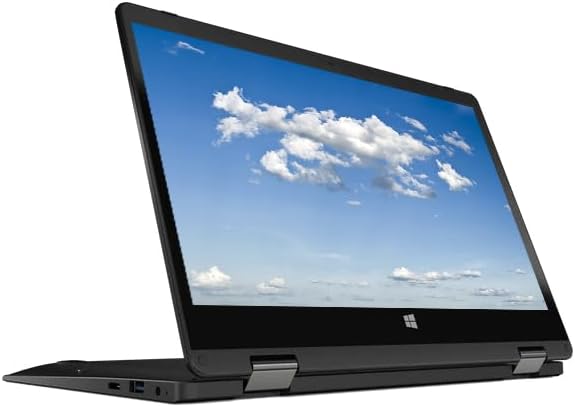
The Acer Gateway 11.6 is an entry-level device designed for basic computing needs at a minimal cost. With a 3.1 rating, it provides essential functionality for users who do not require high-end performance. The Intel processor handles simple tasks like web browsing and document writing without significant delays during use.
We may earn a commission when you buy through this link, at no additional cost to you.
The 64GB storage is tight but sufficient if you rely on cloud storage for your files and applications. It runs on Windows 11 which provides a familiar interface and security updates for better protection. The convertible hinge allows you to use the device as a tablet for reading or media consumption comfortably.
Its small form factor makes it very easy to carry around for quick tasks or presentations. The HD IPS touchscreen adds value to the experience by allowing direct interaction with content. While it is not suitable for demanding software it serves well for basic educational or home office purposes effectively.
This laptop is a good fit for those needing a cheap second device or a basic work machine. The price point and Windows support make it accessible for anyone needing to stay connected. It is a reliable tool for simple daily activities without requiring a large financial investment to operate.
The low cost and basic specs make this an accessible option for users just starting with personal computing needs.
The HD IPS touchscreen lets you navigate easily with your fingers which is helpful for casual browsing and media viewing.
We may earn a commission when you buy through this link, at no additional cost to you.
Selecting the right laptop for Fusion 360 involves considering several key hardware components that directly impact performance and usability.
A powerful processor with multiple cores is essential for handling complex calculations in 3D modeling. Look for CPUs with at least six cores to ensure smooth rendering and simulation capabilities.
Prioritize models with higher clock speeds to reduce lag during detailed design work.
Fusion 360 relies heavily on RAM to keep large assemblies running smoothly without crashing. Having 32GB of RAM allows you to multitask between design software and other applications easily.
Ensure the laptop supports memory upgrades for future-proofing your investment against software updates.
A dedicated GPU accelerates rendering and improves viewport performance when rotating 3D models. NVIDIA RTX series cards are highly recommended for professional engineering workflows.
Integrated graphics may work for simple models but will struggle with complex assemblies or simulations.
Solid State Drives (SSD) provide faster boot times and quicker access to large design files. NVMe SSDs are preferred over traditional SATA SSDs for enhanced speed.
Aim for at least 512GB of storage to keep your project files and operating system running efficiently.
High-resolution screens with good color accuracy help in precise modeling and detailed design work. A refresh rate above 60Hz can make the viewport feel smoother during interaction.
Consider the screen size; 15 inches or larger offers more workspace for toolbars and model details.
If you travel or work on-site, a laptop with military-grade durability will withstand bumps and drops better. Aluminum chassis often provide better cooling and structural integrity.
Check for sturdy hinges and quality materials that ensure longevity despite daily usage and transport.
Long battery life is crucial for working away from power outlets during meetings or travel. Gaming laptops often have shorter battery life but offer better performance.
Balance performance needs with portability by checking realistic battery usage for your specific workflow.
Having multiple ports like USB-A, USB-C, and HDMI allows for easy connection to external monitors and peripherals. Thunderbolt support adds versatility for fast data transfer.
Ensure you have enough ports to connect your essential tools without needing a bulky dock constantly.
Start by installing Fusion 360 from the official Autodesk website to ensure you have the latest drivers and security patches. Configure your settings to match your workflow preferences and set up regular backups for your design files.
Clean your laptop regularly using a soft microfiber cloth to prevent dust from accumulating on the screen and keyboard. Use compressed air to clear out vents which helps maintain optimal cooling performance during intensive sessions.
Avoid exposing your device to extreme temperatures or humidity which can damage internal components. Keep the laptop plugged in when performing heavy renders to prevent sudden shutdowns that could corrupt your work.
Autodesk recommends at least 16GB of RAM for smooth performance with larger assemblies. However, 32GB is ideal for professional workflows to ensure smooth multitasking and complex rendering without slowdowns.
Fusion 360 is not natively supported on ChromeOS. You would need to use the web version which has limitations compared to the desktop app. For serious work, a Windows or macOS device is necessary.
While integrated graphics can handle simple models, a dedicated GPU is highly recommended for rendering and complex simulations. An NVIDIA RTX card ensures the best experience with hardware acceleration enabled.
Processor speed is critical because Fusion 360 relies on single-core performance for many operations. Look for CPUs with high clock speeds to reduce lag and ensure faster calculation times.
A screen size of 15 inches or more is recommended for comfortable viewing of toolbars and design details. Larger screens improve productivity by allowing you to see more of your workspace at once.
If you work primarily at a desk, prioritize performance for faster rendering. If you travel often, look for a balance between battery life and portability to meet your mobility needs.
The HP Victus FHD-Gaming-Laptop stands out as the top choice due to its excellent balance of performance and affordability. It offers the necessary hardware to handle complex designs while providing a reliable experience for students and professionals alike.
When choosing your laptop, prioritize RAM and processor speed to ensure smooth operation during long design sessions. The hardware you select today will impact your productivity for years to come so choose wisely based on your workload.
Remember that prices and availability change frequently so check current stock and deals before making your final purchase. Verify that the specs match your specific requirements to get the most value from your investment in design tools.