
Ordilend Keyboard Cleaner & Laptop Cleaning Kit
4.6Editor score
All-in-one cleaning set
Includes brush and cloths
Affordable price point
Compare the top laptop fan cleaning kits for performance and value. This guide reviews electric dusters, brushes, and accessories for safe device maintenance.
Keeping your laptop fans clean is essential for performance and longevity. Dust buildup can cause overheating and loud noises. A quality cleaning kit helps you remove debris safely without damaging sensitive components inside your machine.
We compared ten top-rated products based on power, versatility, and ease of use. Our selection includes rechargeable electric dusters, manual brush sets, and comprehensive tool kits. Each option offers unique benefits for different cleaning needs and budgets.
Each pick shows key specs and real-world performance details to help you decide. Note that prices change frequently on Amazon so check current listings before buying. We focus on value and reliability to ensure your device stays cool and running smoothly for years.
4.6Editor score
4.4Editor score

4.5Editor score
Here is a side-by-side comparison of all ten products we reviewed. This table highlights key specs and features to help you find the right tool for your laptop maintenance needs quickly.




This FRESMOL electric air duster is a top choice for laptop fans. It replaces disposable cans with a rechargeable cordless blower. The rating shows strong user satisfaction for its ease of use and power.
We may earn a commission when you buy through this link, at no additional cost to you.
Its 100000 RPM motor delivers consistent airflow to clear dust from vents and keyboards. The LED display lets you check speed and battery levels instantly. Attachments like nozzles reach tight gaps without forcing debris deeper.
Battery life depends on the speed setting you choose. Lower speeds last longer but may struggle with caked dust. The plastic housing is light but durable enough for regular maintenance tasks.
Buy this if you need a versatile and powerful cleaning tool for laptops. It balances performance and convenience well. Users appreciate the safety design and portability for home or office use.
The rechargeable battery means no cords to manage during cleaning. You can move around freely to reach all sides of your laptop.
Built-in LED light reveals dust in dark vents or under keys. This helps you see what you are cleaning for better results.
We may earn a commission when you buy through this link, at no additional cost to you.
The iFixit Laptop Cleaning Kit offers a complete solution for spotless devices. It includes tools for screens keyboards and cooling fans. User ratings reflect high trust in iFixit tools for quality.
We may earn a commission when you buy through this link, at no additional cost to you.
Microfiber cloths keep screens pristine without streaks. The dust blower clears debris from keyboards effectively. Anti-static brushes prevent damage to sensitive components during cleaning.
This kit lacks an electric blower which limits deep cleaning power. It relies on manual tools which take more time for heavy dust. Still the included items cover basic maintenance needs well.
Choose this for a safe and organized cleaning routine. It is perfect for regular upkeep without expensive electric tools. The pouch keeps everything handy for travel or storage.
The included screen saver and cloths protect your display during use and cleaning. This prevents scratches and smudges from accumulating.
Tools are designed to prevent static buildup on electronics. This keeps internal components safe from electrical damage while cleaning.
We may earn a commission when you buy through this link, at no additional cost to you.
This MiaEpic Z3 duster stands out with ultra high RPM motor power. It reaches up to 280000 RPM for tough debris removal. The LCD screen offers real-time feedback on battery and speed levels.
We may earn a commission when you buy through this link, at no additional cost to you.
Its powerful turbo fan clears stubborn dust from PC fans and laptop vents efficiently. The LED light illuminates dark corners for precise cleaning. Multiple attachments allow use on cameras and cars too.
The runtime is long but the unit is heavier than basic models. Charging takes a few hours but Type-C ensures fast top-ups. Price is higher but performance justifies the investment for pros.
Buy this if you need serious cleaning power for heavy duty tasks. It is ideal for tech enthusiasts who value speed and battery life. The gift packaging makes it a great choice for gifting.
The 280000 RPM motor blows away dust that weaker models miss. This saves time and effort on deep cleaning sessions.
The LCD screen helps you monitor charge to avoid power loss mid task. This feature ensures reliable performance every time you clean.
We may earn a commission when you buy through this link, at no additional cost to you.
The WOLFBOX MegaFlow 50 is designed for portability and ease. It reaches 110000 RPM with three gear settings to suit tasks. Weighing only 0.45 lb it is very comfortable to hold.
We may earn a commission when you buy through this link, at no additional cost to you.
Its lightweight design allows for long cleaning sessions without arm fatigue. The lanyard ensures safe indoor or outdoor use. Three gears let you balance speed and battery life effectively.
Battery performance drops on high settings but remains strong on low. It lacks an LED light which limits use in dark spots. The price is reasonable for the build quality and speed.
Pick this if you want a portable blower for daily cleaning. It works well for keyboards and small vents. The fast charge and durability make it a reliable daily driver tool.
The light body reduces strain when cleaning hard to reach areas. You can hold it steadily for better control and precision.
Three speed gears help you match power to the cleaning task. Lower speeds extend battery while high speed handles tough dust.
We may earn a commission when you buy through this link, at no additional cost to you.
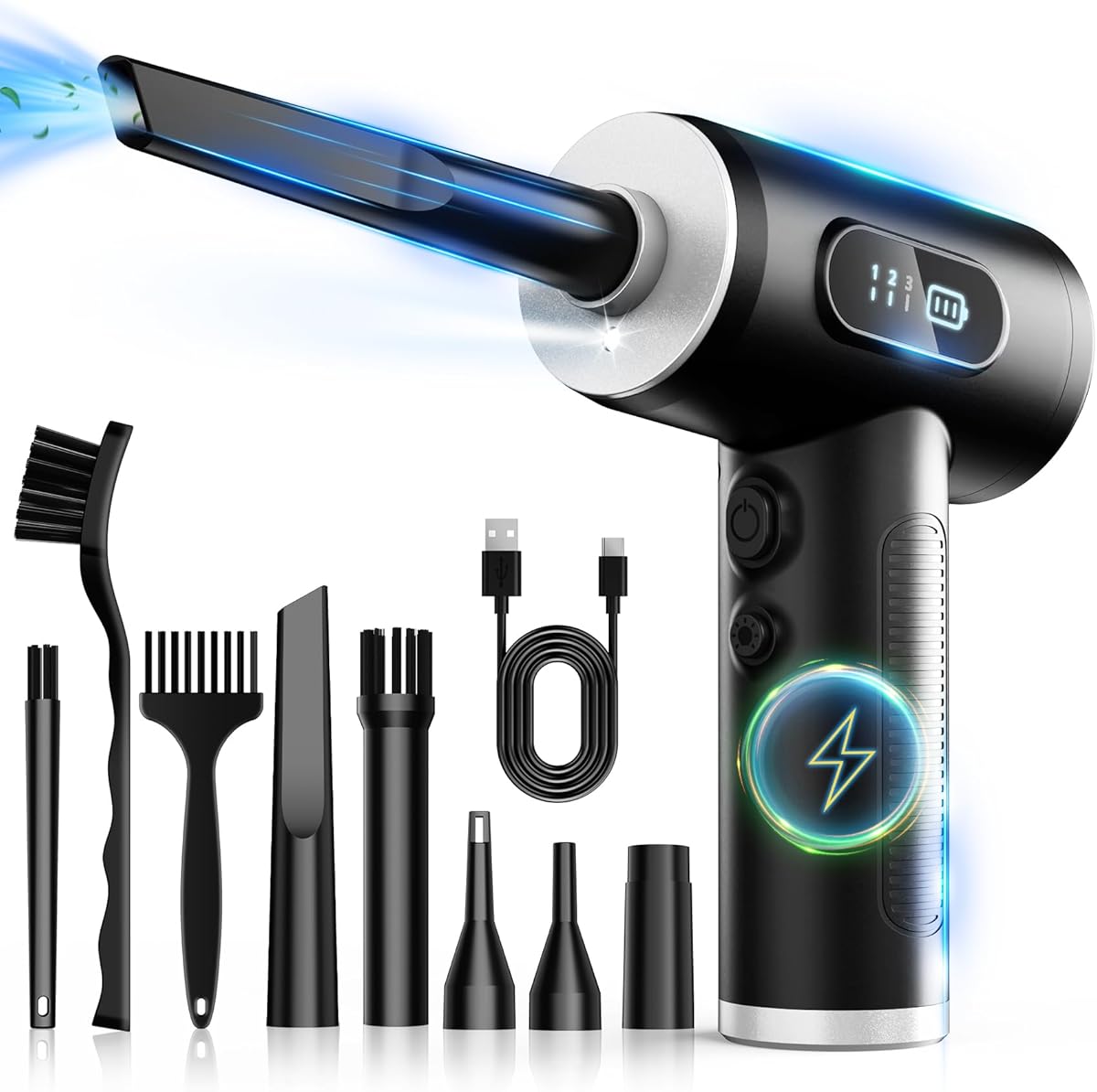
Ordilend offers a budget friendly all-in-one cleaning kit for laptops. It includes brushes cloths and a keycap puller for deep cleaning. The rating shows satisfaction with the variety of included tools.
We may earn a commission when you buy through this link, at no additional cost to you.
The retractable brush works on keyboards while cloths polish screens. The lens pen targets delicate surfaces like cameras. This set covers many device types beyond just laptops.
It lacks electric power so deep vent cleaning takes manual effort. You must use the brush carefully to avoid damage. Still the low cost makes it great for occasional maintenance.
Buy this for a versatile manual cleaning set at a low price. It is ideal for students or light users. The compact design fits easily in bags or drawers.
The keycap puller helps remove keys for deep cleaning underneath. This feature adds value for mechanical keyboard owners.
A thick cloth absorbs stubborn stains without streaks on screens. The right angle fit helps reach screen corners effectively.
We may earn a commission when you buy through this link, at no additional cost to you.
This electric duster delivers 130000 RPM with a large 8000mAh battery. It offers four gears and AI chip protection for safe use. User feedback highlights the extended runtime compared to peers.
We may earn a commission when you buy through this link, at no additional cost to you.
The 8000mAh battery provides 120 minutes on low speed. This reduces interruptions during long cleaning sessions. Fast Type-C charging restores power quickly for reuse.
Weight is slightly higher than ultra light models. The price is competitive but not the cheapest on the market. Still the battery and protection features add significant value.
Choose this for long cleaning sessions without charging worries. It suits users who need consistent power for multiple devices. The included brushes help tailor cleaning to delicate areas.
The large battery lets you clean many laptops on one charge. This reduces downtime and increases productivity for tech work.
AI chip prevents overheating during use. This extends the life of the motor and keeps devices safe.
We may earn a commission when you buy through this link, at no additional cost to you.
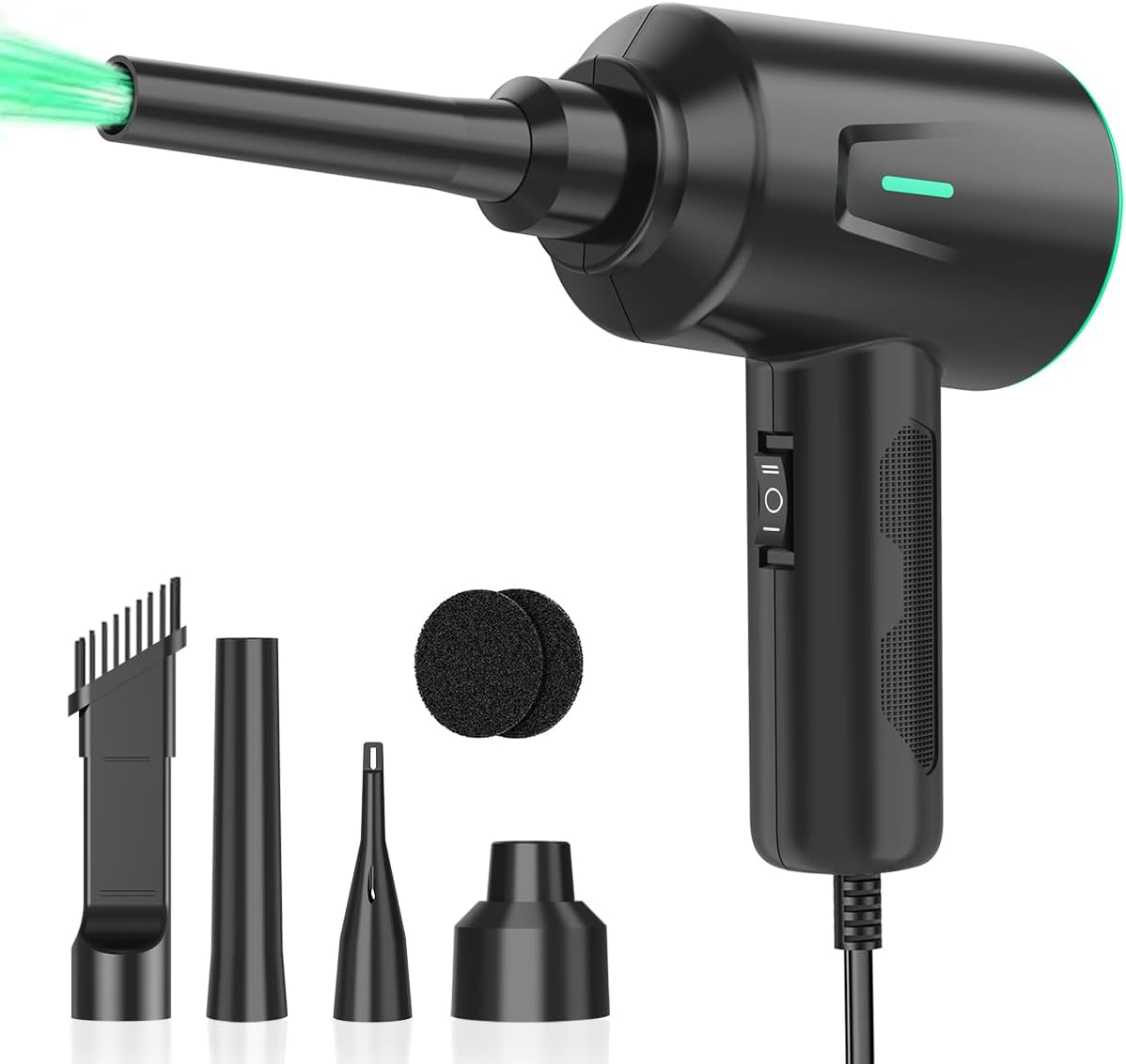
Meudeen Air Duster uses a corded design for continuous power. It offers 500W motor speed and two speed settings. The cord provides unlimited runtime for cleaning large areas.
We may earn a commission when you buy through this link, at no additional cost to you.
Its long cord reaches across desks and rooms easily. The motor is powerful enough to clear deep dust. Noise levels are low for a unit this size.
You need an outlet nearby so mobility is limited by cord length. It is less convenient than cordless options for travel. However the lack of battery maintenance is a plus.
Buy this for fixed workspace cleaning where outlets are available. It is great for heavy cleaning without battery worries. The price is competitive for a motorized blower.
The corded design means you never run out of power mid task. This is perfect for deep cleaning large devices.
An 8.2ft cord gives you room to move around furniture. This helps you clean hard to reach areas safely.
We may earn a commission when you buy through this link, at no additional cost to you.
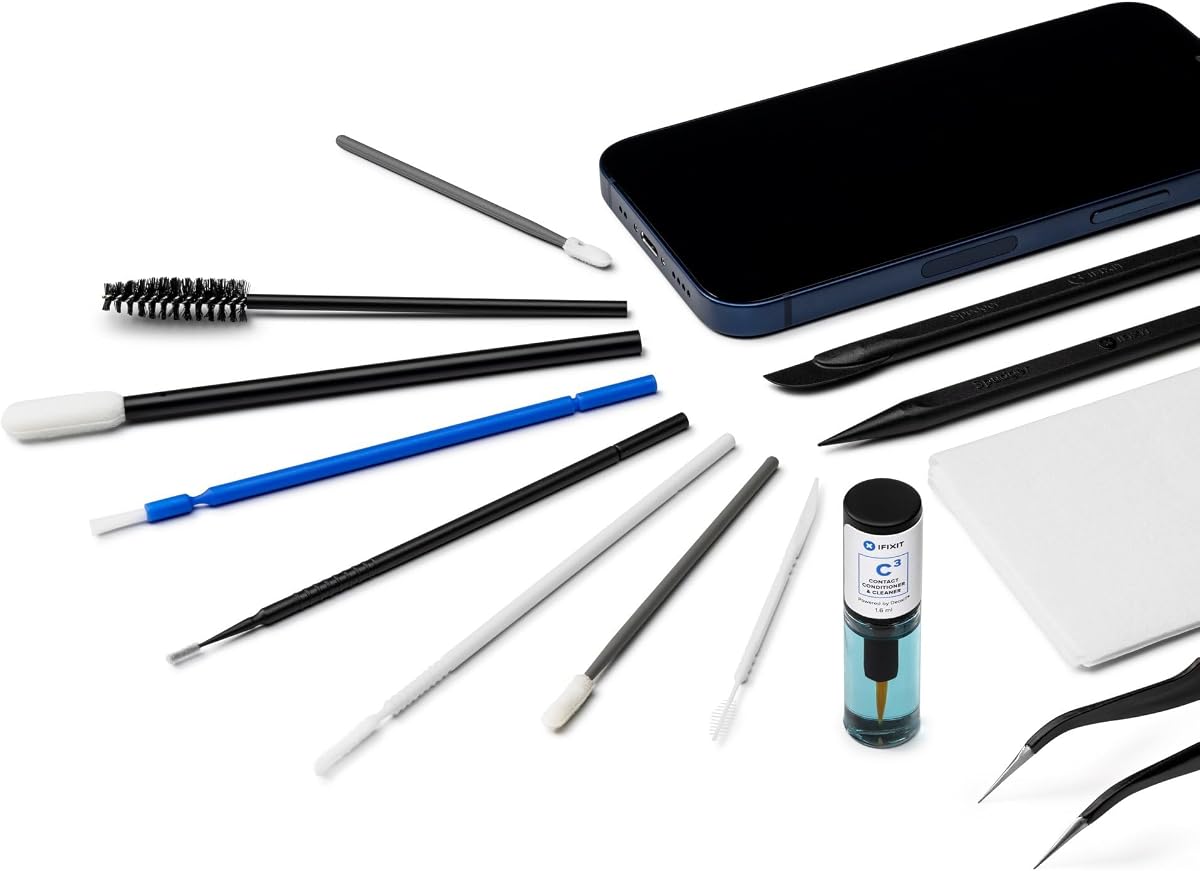
iFixit Precision Kit includes tools for hard to reach areas. It offers spudgers swabs and brushes for delicate cleaning. The brand is trusted for reliability and quality electronics tools.
We may earn a commission when you buy through this link, at no additional cost to you.
DeoxIT D100L helps clean contacts on boards. Precision foam swabs clean small components without damage. This kit focuses on precision rather than airflow cleaning.
It lacks a blower so dust removal relies on brushing. You must be careful with dry dust on boards. Still it is excellent for detailed maintenance after dust is blown out.
Choose this if you do repairs and detailed maintenance often. It is great for professionals handling phones and laptops. The reusable tools save money over time.
The included DeoxIT spray helps restore connection function. This prevents glitches caused by oxidized contacts over time.
Foam tips clean sensitive spots without leaving lint behind. This helps keep components clean during repairs.
We may earn a commission when you buy through this link, at no additional cost to you.
This set offers ten brushes in different sizes for various tasks. Most are anti-static nylon to protect electronics. The soft ones work on screens while hard ones reach deep vents.
We may earn a commission when you buy through this link, at no additional cost to you.
Brushes remove debris from keyboards and fans without air. This reduces risk of spreading dust with compressed air. The variety fits many surfaces around devices.
It does not blow dust out so you must brush carefully. Dust may remain inside fans without airflow help. Still it is a cheap and effective tool for surface cleaning.
Buy this for a cheap supplement to other cleaning tools. It is great for gentle cleaning of screens and ports. Keep one handy for quick maintenance sessions.
Nylon bristles prevent static damage to components. This keeps circuits safe during regular brushing.
Ten brushes let you choose the right fit for gaps. This helps clean different sizes of ports easily.
We may earn a commission when you buy through this link, at no additional cost to you.
This electric duster provides strong airflow for diverse tasks. It reaches 110000 RPM for cleaning laptops and cars. The LED light helps spot dust in tight spots.
We may earn a commission when you buy through this link, at no additional cost to you.
Multiple nozzles make it useful for balloons and sofas. The cordless design offers flexibility for any location. Rechargeable battery reduces waste compared to canned air.
Battery specs are vague so runtime may vary. Build quality is average but functional for home use. Price is decent for the multi-purpose capabilities offered.
Choose this if you need a household blower for many jobs. It works for electronics and car cleaning alike. The LED light adds practical value for dark corners.
Nozzles allow use beyond electronics. Inflate mattresses or clean car vents effectively.
Reusable design cuts waste from disposable cans. This saves money and protects the environment.
We may earn a commission when you buy through this link, at no additional cost to you.
Selecting the right cleaning tool depends on your specific needs and budget. Here are key factors to consider before purchasing.
Electric dusters offer speed but need charging or cords. Manual kits require effort but work anywhere. Consider where you clean most often.
Choose cordless for convenience and corded for unlimited runtime.
Higher RPM means better debris removal. Look for at least 100000 RPM for tough dust. Adjustable speeds add versatility for delicate areas.
Match speed to your cleaning task frequency and intensity.
Longer runtime reduces interruptions. Aim for 90 minutes or more on low speed. Fast charging saves time between uses.
Check battery specs to ensure it fits your cleaning routine.
Nozzles and brushes reach tight spaces. More attachments mean better precision. Ensure they fit your laptop model ports.
Look for kits with at least 3 or 4 tools.
Build materials affect lifespan. Metal or reinforced plastic is better. Avoid flimsy units for daily heavy use.
Prioritize durability to save money long term.
Built-in lights help see inside vents. This prevents missing hidden dust spots. Useful for dark or cramped spaces.
Look for integrated LED if visibility is a concern.
Rechargeable units reduce waste. Canned air contributes to carbon footprint. Electric options save money over time.
Choose reusable for a greener approach to maintenance.
Set a budget but consider value. Cheap kits may lack power. Mid-range tools balance cost and performance well.
Compare features against price to find the best deal.
Start by shutting down your laptop and unplugging it to ensure safety. If your battery is removable take it out to prevent accidental power on. This protects sensitive electronics from static or short circuits during cleaning.
Use the nozzle attachments to direct airflow into fan vents and keyboard gaps. Hold the duster at a slight angle to avoid pushing debris deeper. Move methodically around all sides of the device for thorough results.
After cleaning store the tool in a dry place away from dust. Charge electric models fully after use to maintain battery health. Clean the nozzles regularly to ensure consistent airflow performance.
Most kits are safe when used correctly. Electric dusters with anti-static features prevent electrical damage. Avoid touching internal parts directly and keep the unit steady to avoid physical harm to components.
Clean fans every three to six months for optimal performance. If you use your laptop in dusty environments increase frequency. Regular cleaning prevents overheating and extends device lifespan.
Canned air works but is less eco-friendly and more expensive long term. Electric dusters offer consistent airflow and reusable power. Consider switching to electric for frequent maintenance needs.
Soft brushes and angled nozzles work best for tight keyboard spaces. They lift debris without damaging key switches. Avoid hard brushes that might scratch keys.
Yes runtime matters for larger jobs. Short batteries may leave tasks unfinished. Look for models offering over 90 minutes for uninterrupted cleaning sessions.
Manual kits are cheaper but slower for heavy dust. Electric dusters save time and effort. Choose based on budget and frequency of use.
Some comprehensive kits include cloths and cleaners for screens. Check product contents before buying. Not all fans cleaning kits include screen care items.
A warranty protects against defects and early failure. Look for at least one year coverage. This ensures support if the motor or battery fails.
We reviewed ten top tools ranging from electric dusters to manual kits. The FRESMOL and iFixit options lead for balance of features and value. Each product serves different needs from heavy duty to light cleaning.
Prioritize power and battery life if you clean often. Manual kits work for occasional touchups. Look for anti-static protection and LED lights to improve safety and visibility.
Check current prices and reviews before finalizing your choice. Prices change often so stay updated on deals. Use this guide to find a tool that keeps your laptop running cool and efficient.