
Amazon Fire HD 8 Kids tablet
4.6Editor score
Bright eight-inch HD display
Up to thirteen hours battery life
32GB storage and 3GB RAM
Selecting the right digital device for young children requires careful consideration of safety, durability, and educational value. Parents need tools that foster creativity while protecting against inappropriate content and excessive screen time.
We analyzed ten leading tablets specifically designed for toddlers and preschoolers. Our evaluation focuses on build quality, battery life, parental control features, and the breadth of available educational apps and games.
Each entry below highlights key strengths and potential limitations to help you make an informed choice. Please note that product availability and specifications may change, so always verify details before purchasing.
4.6Editor score

4.3Editor score

4.0Editor score
As an Amazon Associate we earn from qualifying purchases.
The following table provides a side-by-side comparison of all ten tablets featured in this guide, highlighting their core specifications to help you identify the best fit for your child's needs.


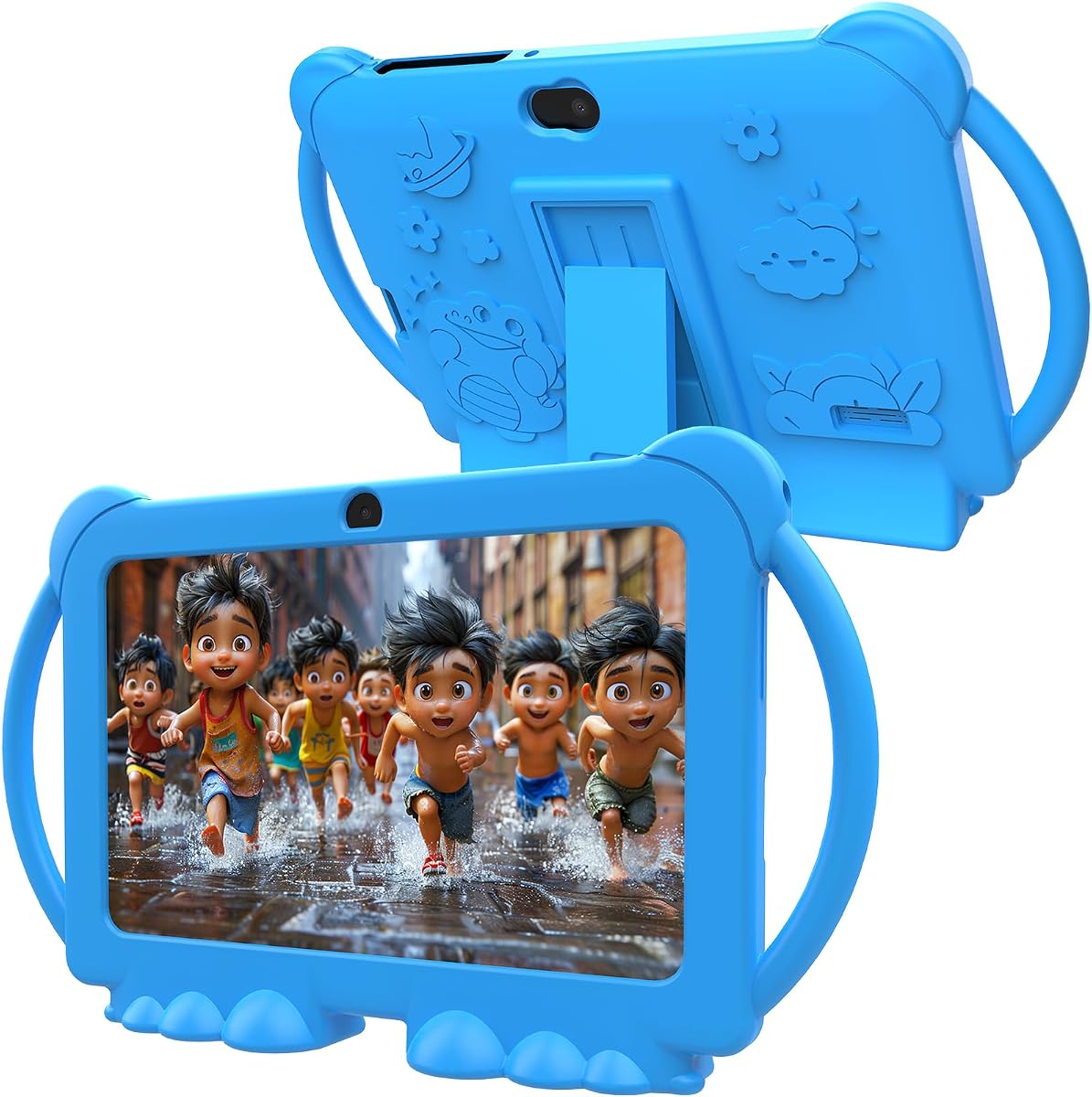


The Amazon Fire 7 Kids tablet stands out as the top choice for families seeking a balanced mix of value, durability, and content. With a strong rating from thousands of parents, it offers a complete package including a one-year subscription to Amazon Kids+ and a protective case.
We may earn a commission when you buy through this link, at no additional cost to you.
This device excels in safety and ease of use. The Parent Dashboard allows caregivers to set educational goals, time limits, and filter content effectively. The two-year worry-free guarantee provides peace of mind, ensuring that accidental breaks are covered without extra cost.
While the screen resolution is not as sharp as larger models, the 10-hour battery life ensures all-day use during travel or quiet time. The internal storage is modest but expandable via microSD for those needing more space for videos and games.
This tablet is ideal for parents who want a reliable, safe device without a high price tag. It is best suited for daily home use and short trips where durability and content variety matter most.
Includes access to thousands of ad-free books, games, and videos from trusted brands like Disney and PBS Kids.
The included kid-proof case is designed to absorb drops and bumps, making it safe for young children.
We may earn a commission when you buy through this link, at no additional cost to you.
The Amazon Fire HD 8 Kids tablet offers an upgraded experience with a brighter 8-inch HD screen and improved performance. It is perfect for children who enjoy video content or graphic-heavy games. The 13-hour battery life supports extended use without frequent charging.
We may earn a commission when you buy through this link, at no additional cost to you.
With 32GB of internal storage and 3GB of RAM, this model handles multitasking better than standard entry-level tablets. The strengthened aluminosilicate glass screen adds extra durability against scratches and impacts during rough handling.
The parental control features remain robust, allowing remote activity review and content prioritization. The included kid-proof case is sturdy and includes a handle for easy transport. This model bridges the gap between basic tablets and more advanced devices.
Families looking for better visual quality and longer battery life should consider this option. It is suitable for children who consume a lot of media or for use during long car rides and flights.
The 8-inch HD display provides clearer text and vibrant colors for reading and watching videos.
Additional RAM ensures smoother navigation and faster app loading times compared to base models.
We may earn a commission when you buy through this link, at no additional cost to you.
This tablet offers significant value with 4GB of RAM and 32GB of ROM at a lower price point than major brands. It runs Android 12, which means it supports the Google Play Store and a wider range of third-party apps compared to locked ecosystems.
We may earn a commission when you buy through this link, at no additional cost to you.
The inclusion of dual cameras adds fun for kids who enjoy taking pictures or videos. The shockproof case is designed to protect the device from drops, and the adjustable stand allows for hands-free viewing during lessons or movies.
While the battery life may not match Amazon's tablets, the eye protection screen features automatic brightness adjustment to reduce strain. The parental control system allows filtering of web pages and management of screen time.
This is an excellent option for families who want Google services without a premium price. It is best for tech-savvy parents who know how to configure Android settings and install specific educational apps.
Support for Google Play allows downloading of popular apps and games not found in Amazon's store.
Automatic brightness adjustment and IPS display technology help reduce eye fatigue during reading.
We may earn a commission when you buy through this link, at no additional cost to you.
YosaToo Kids Tablet stands out with its pre-loaded offline learning app YUBABE, which offers Montessori and STEM activities without needing internet. This makes it ideal for travel or areas with unstable Wi-Fi. It runs Android 16 for a modern user experience.
We may earn a commission when you buy through this link, at no additional cost to you.
The tablet includes Google Kids Space, providing a safe environment for exploration. The drop-proof case with stand ensures durability and convenience. It also supports the Play Store for further customization by parents.
Parental controls are comprehensive, allowing filtering and time limits. The device is lightweight and portable. While it is less established than big brands, the specs offer good value for the price.
This is a strong choice for families who travel often and need offline educational content. It is suitable for children who need structured learning time even without an internet connection.
YUBABE app provides STEM and art activities that work without Wi-Fi.
Android 16 ensures access to latest security updates and app versions.
We may earn a commission when you buy through this link, at no additional cost to you.
Designed for ages 6-12, this tablet bridges the gap to standard devices with a slim case and HD screen. It offers more storage and advanced features like secure web browsing and voice calling to approved contacts. The two-year warranty remains included.
We may earn a commission when you buy through this link, at no additional cost to you.
The parental control suite allows for more autonomy with tools to approve purchases and manage downloads. It supports educational goals and time limits. The battery life is reliable at up to 13 hours.
The content library includes ad-free books and videos. The device supports Wi-Fi calling which is convenient for older kids. The design feels less like a toy and more like a personal device.
This model is perfect for children transitioning from toddler tablets to personal tech. It is best for school-aged kids who need storage for school apps and more mature communication features.
Kids can browse the web with guardrails to filter inappropriate content independently.
Voice and video calls via Wi-Fi allow connection to approved family members.
We may earn a commission when you buy through this link, at no additional cost to you.
PEICHENG Kids Tablet offers a solid configuration with 4GB RAM and dual cameras for photography. The IPS screen provides clear visuals for reading. It runs Android 12 and supports Google Play Store for app downloads.
We may earn a commission when you buy through this link, at no additional cost to you.
The parental control mode allows setting limits and filtering web pages. The case is designed to absorb impact. The default password for kids mode is provided for easy setup. It supports up to 512GB expansion via microSD.
While the battery life is shorter than premium options, the value is high for basic usage. The eye protection screen adjusts brightness to reduce fatigue. It supports Wi-Fi and Bluetooth for connectivity.
This is a good option for creative kids who enjoy photography. It is best for families seeking a functional device with Google services at a low entry price.
Dual cameras allow kids to take photos and videos with front and rear lenses.
Support for microSD cards up to 512GB allows for extensive media storage.
We may earn a commission when you buy through this link, at no additional cost to you.
ApoloSignage features a large 10-inch display and 8GB RAM which is impressive for this category. It runs Android 16 and includes Google Kids Space. The screen offers blue light reduction technology for eye comfort.
We may earn a commission when you buy through this link, at no additional cost to you.
The battery is 5000mAh to support extended use. The case includes an adjustable stand. The resolution is 1280×800 for sharp visuals. It supports Wi-Fi and is certified for safety.
This device is better suited for older children who need screen space for reading or homework. It is not recommended for very small hands due to size. The storage is expandable to 1TB.
Ideal for kids who watch long videos or read digital books. It is best for shared family use or for children with larger physical needs.
Blue light reduction helps minimize eye strain during extended screen time.
8GB RAM allows for smooth multitasking of multiple apps simultaneously.
We may earn a commission when you buy through this link, at no additional cost to you.
HOTTABLET supports up to 1TB storage expansion which is unique for this price. It has 4GB RAM and Android 12. The case is a durable silicone cover with a stand. The IPS screen has eye protection mode to reduce fatigue.
We may earn a commission when you buy through this link, at no additional cost to you.
Parental controls allow customization of profiles. It includes iWawa app for creative content. The battery is 3000mAh which is typical for 7 inch devices. It supports 3.5mm headphone jack.
This is a good choice for media-heavy households needing extra space. The case stands for hands-free use. It is reliable for basic apps and games.
Recommended for parents who want to store many videos locally. It is best for home use where storage is a priority over battery life.
Support for microSD up to 1TB allows unlimited media storage.
Silicone case with stand allows stable placement without holding.
We may earn a commission when you buy through this link, at no additional cost to you.
aiprotablet offers a large 10-inch screen and 6000mAh battery for long endurance. It runs Android 16 and supports fast PD charging. The 24GB RAM ensures smooth performance for complex tasks.
We may earn a commission when you buy through this link, at no additional cost to you.
It includes comprehensive parental controls and a case. The display supports 1280×800 resolution. It has dual speakers and Bluetooth. The Unisoc T606 processor provides stable performance.
This model is best for long trips where charging is not possible. It is suitable for older kids needing power for school apps. The face recognition adds convenience.
Ideal for users prioritizing battery over portability. It is best for family sharing or older children with high usage needs.
6000mAh capacity supports long hours of continuous reading and video.
18W PD fast charging gets the device ready quickly.
We may earn a commission when you buy through this link, at no additional cost to you.
PRITOM features a modern USB Type-C port for faster charging. It runs Android 13 and includes iWawa app for fun and learning. The case is impact-resistant and lightweight. It has a clear IPS display.
We may earn a commission when you buy through this link, at no additional cost to you.
Parental controls cover apps and spending limits. It supports up to 512GB expansion. The battery is durable for daily use. It has dual camera for fun.
This is a reliable choice for basic needs. It is suitable for children who need a safe device for games and videos. The interface is user-friendly.
Recommended for families wanting modern charging on a budget. It is best for general home use and light learning activities.
USB Type-C allows for faster charging and standard cable use.
iWawa app provides safe and age-appropriate apps for children.
We may earn a commission when you buy through this link, at no additional cost to you.
Choosing the right tablet for young children involves balancing performance, safety, and ease of use. This guide outlines key factors to consider.
Screen size affects portability and visibility. A 7-inch screen is portable and easy for small hands, while an 8 or 10-inch screen offers better text clarity and video quality. Look for IPS panels for better color accuracy and viewing angles.
Choose 7-inch for travel or 8-10-inch for home use where visibility is a priority.
Young children often drop devices. A tablet with a shockproof case or reinforced corners is essential. Look for sturdy materials like silicone or foam that absorb impact. Some models offer a two-year warranty to cover accidental breakage.
Prioritize tablets with included protective cases and warranties to save costs and ensure safety.
Effective parental controls allow you to filter content, set time limits, and manage screen time. Check if the tablet has a dedicated dashboard for remote monitoring. Features like safe web browsing and app approval are critical.
Select a device with robust parental control software to maintain a safe digital environment.
Storage capacity determines how many videos and games can be saved. 32GB is standard for kids tablets, but expandable storage via microSD offers flexibility. Check if the tablet supports high-capacity cards for future growth.
Choose a tablet with expandable storage options to accommodate growing media libraries.
Android devices provide broad app access through Google Play Store, while Fire tablets use the Amazon Appstore. Both offer curated kid-friendly apps. Ensure the OS is supported with security updates for longevity.
Consider if you prefer Google services or Amazon's ecosystem before choosing the operating system.
Battery life determines usage time between charges. Aim for at least 8 to 10 hours of continuous use. Look for USB Type-C charging for faster top-ups. Long battery life is essential for travel or school days.
Prioritize models with 10+ hour battery life to ensure all-day reliability.
Many tablets include subscriptions to educational services like Amazon Kids+. This provides ad-free books and games. Check if the included content matches your child's interests and learning level.
Look for bundles that include educational subscriptions to maximize value.
Features like cameras, Bluetooth, and Wi-Fi enable communication and creative play. Some models include FM radios or voice calling capabilities. Ensure the device supports stable Wi-Fi for content downloads.
Select extras like cameras or calling features based on your child's age and needs.
Always set up parental controls before handing the device to your child. Configure screen time limits and safe web browsing settings to prevent exposure to inappropriate content. Use the dashboard to review activity regularly.
Clean the screen with a soft, lint-free cloth. Avoid harsh chemicals or abrasive materials that could damage the coating. Store the tablet in a cool, dry place when not in use.
Keep the software updated to ensure security patches are installed. Charge the battery regularly to maintain health. Do not leave the device in direct sunlight or extreme temperatures.
Yes, with proper supervision and parental controls. Most kids tablets include content filters and time limits. Ensure the device is age-appropriate and used for short intervals.
Most tablets in this range offer between 8 to 13 hours of mixed use. Fire tablets often reach 13 hours while others may range between 8 to 10 hours.
Android tablets allow app installation via Play Store. Amazon Fire tablets require sideloading or using the Amazon Appstore. Always check parental restrictions before installing third-party apps.
Use the included protective case which often covers the screen. For added protection, apply a tempered glass screen protector that fits the device.
Basic models are good for light learning tasks. Larger tablets with better RAM and storage are better suited for school apps and document editing.
Use the parental dashboard to set daily limits. Most tablets have a sleep timer feature that automatically locks the device at a set time.
The Amazon Fire 7 Kids and Fire HD 8 Kids remain top contenders for their durability and content. They offer the best balance of features and safety for young children.
For budget-conscious buyers, the generic Android tablets like Kids Tablet 7 Inch offer value but require more setup. Consider your family's specific needs when making a final decision.
Remember to check current prices and availability before purchasing. Regularly update the device settings to ensure a safe and productive digital experience.