
OMOTON C2
4.8Editor score
Solid aluminum build
Integrated charging cutout
Anti-slip silicone pads
In today's connected world, video calls are essential for work and personal life. Using your iPhone for Facetime requires a stable hands-free solution to maintain eye contact and reduce strain. A quality stand transforms your desk into a professional setup for seamless communication and clarity.
We evaluated ten top-rated phone stands based on stability, adjustability, and build quality. Our selection includes aluminum and metal options designed to hold your device securely during long meetings. Each product offers unique features to enhance your viewing angle and overall user experience.
Every pick highlights specific strengths like MagSafe compatibility or foldable designs. These options cater to different needs whether you prioritize portability or desk aesthetics. Note that product details and availability may change over time as manufacturers update their lines.
4.8Editor score

4.6Editor score
4.6Editor score
As an Amazon Associate we earn from qualifying purchases.
The following table provides a side-by-side comparison of the ten selected models. It highlights key specifications to help you determine which stand aligns best with your specific desk setup and usage requirements.


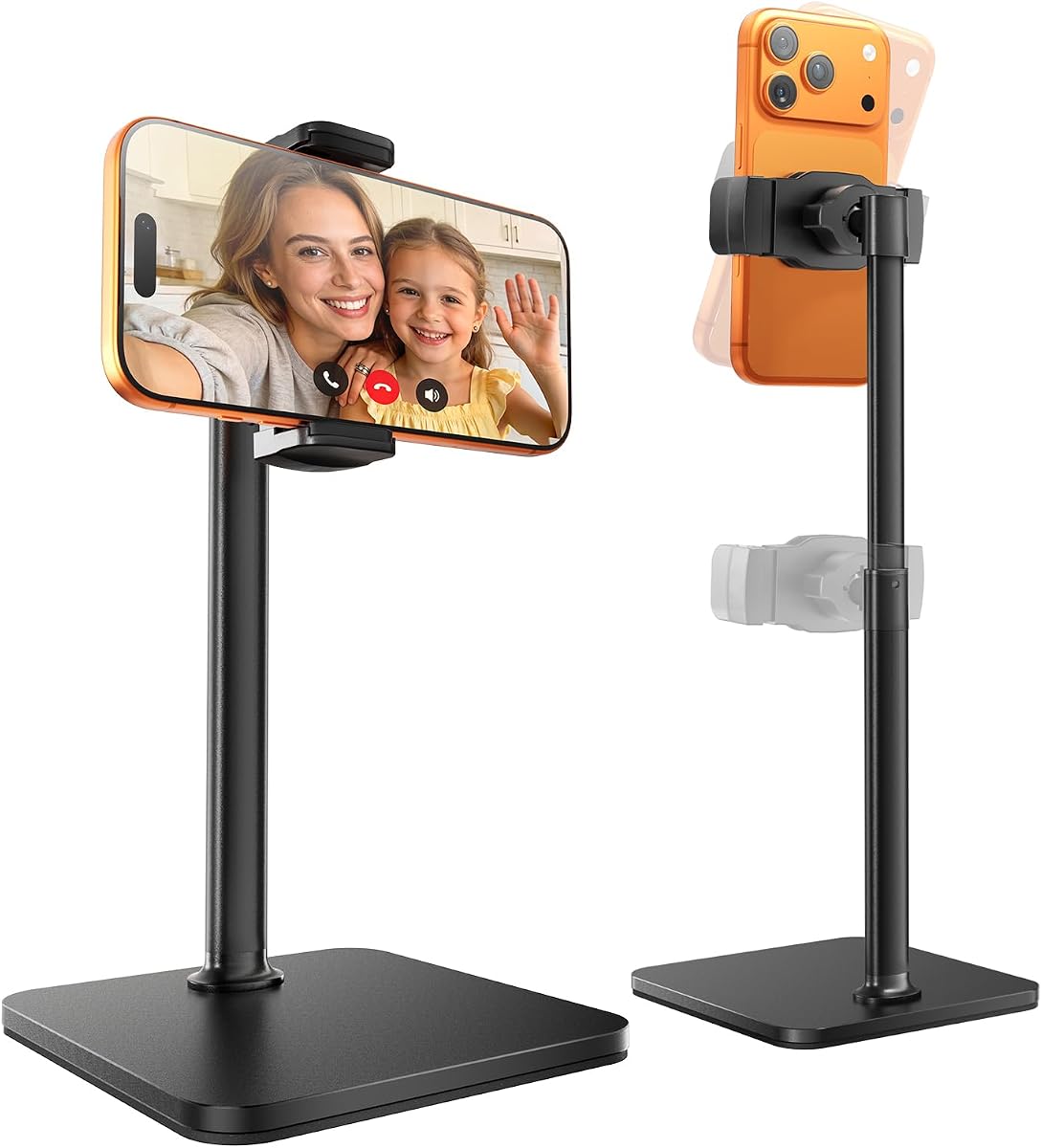

The COOPER ChatStand is a top-tier solution for users seeking a robust desk mount. With a rating of 4.6 stars it delivers on stability and ergonomic design. Its telescoping structure allows for precise positioning during calls.
We may earn a commission when you buy through this link, at no additional cost to you.
This stand features an adjustable height range from 9 to 13 inches. This flexibility ensures your camera aligns perfectly with your eyes reducing back strain. The weighted metal base prevents tipping even during active video sessions.
While highly stable the bulkier design may not suit those who travel frequently. Assembly requires some effort but the result is a sturdy platform. The non-slip padding ensures your device stays secure.
Ideal for home office users or content creators who need a fixed spot. This stand provides the professional look and functionality needed for high-quality Facetime calls without compromising on stability.
Adjustable height eliminates the need to hunch over your desk reducing fatigue during long meetings.
The weighted metal base ensures the stand remains steady even on uneven surfaces or when adjusting angles.
We may earn a commission when you buy through this link, at no additional cost to you.
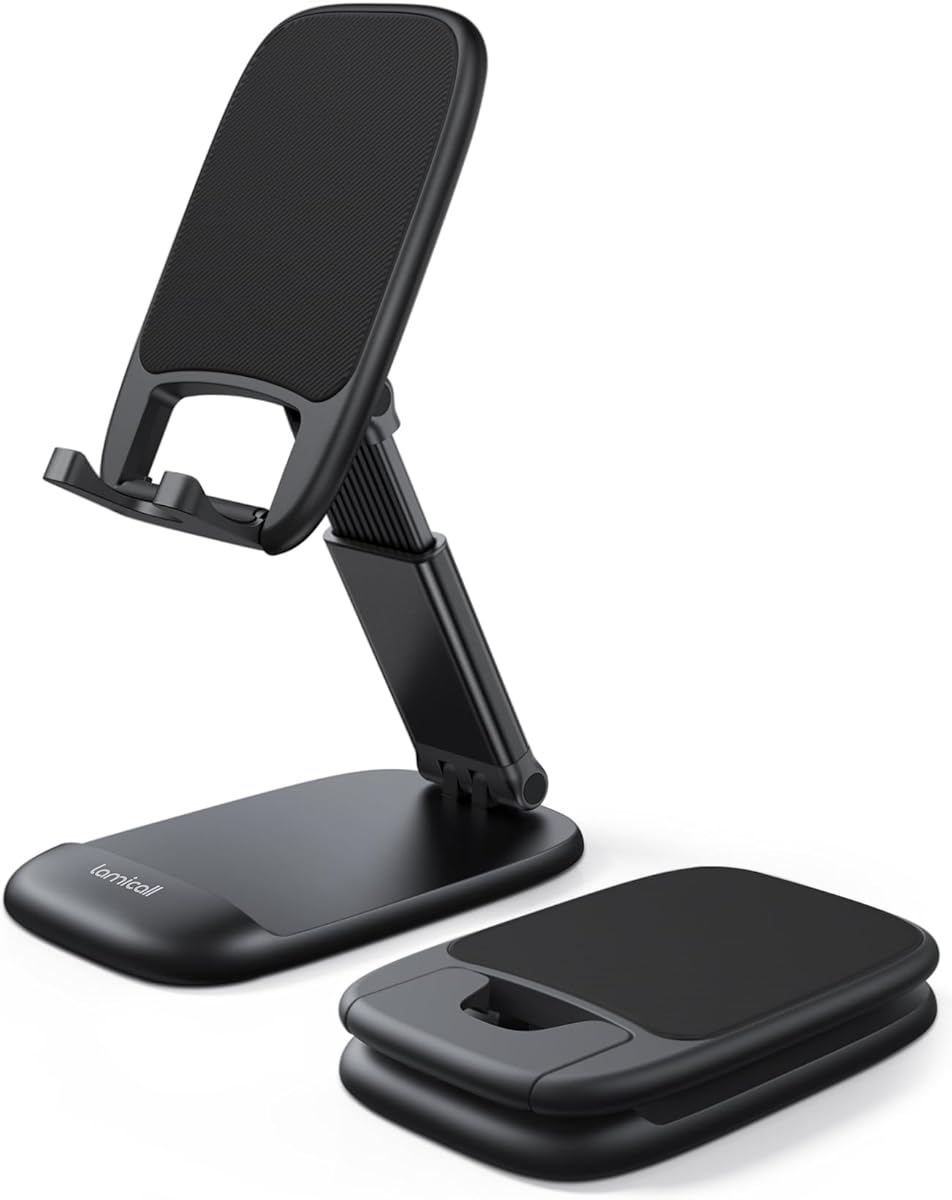
This Lamicall stand offers exceptional value with a high rating of 4.8 stars. It combines portability with functional adjustability for daily use. The bi-folding design makes it easy to store in a backpack.
We may earn a commission when you buy through this link, at no additional cost to you.
Users appreciate the thick case compatibility up to 0.71 inches. The anti-slip silicone mats protect your device from scratches while holding it securely. The weighted metal base adds necessary stability for desk use.
Height adjustment is limited to 3.2 inches which might be low for some. However the viewing angle remains comfortable for most standard setups. The smooth surface prevents long-term wear and tear.
Perfect for travelers or those with limited desk space. This stand balances convenience with quality ensuring your iPhone stays secure during calls without adding clutter to your workspace.
Fold easily into a pocket-sized profile for quick transport between home office and desk settings.
Anti-slip silicone mats ensure your phone case remains scratch-free even with repeated placement and removal.
We may earn a commission when you buy through this link, at no additional cost to you.
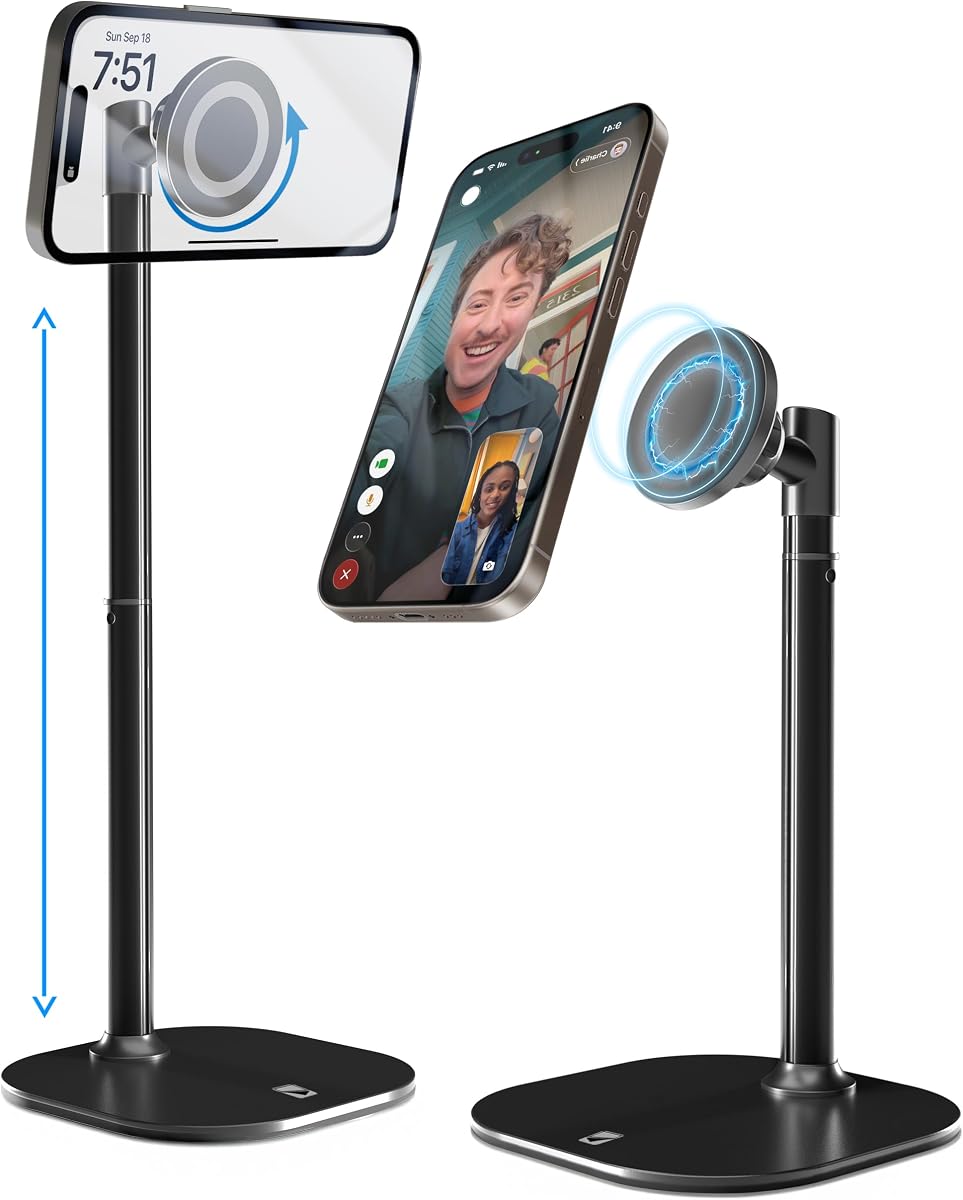
The COOPER MagStand is designed specifically for iPhone users with MagSafe capabilities. Its magnetic connection provides a sleek way to mount your device without clamps. The adjustable height matches ergonomic needs perfectly.
We may earn a commission when you buy through this link, at no additional cost to you.
This stand allows for 360 degree rotation and 55 degree tilt. Such flexibility ensures you can frame your video perfectly for any meeting. The weighted metal alloy base keeps the unit stable during use.
Compatibility is limited to MagSafe cases which adds an extra cost for some users. The magnetic hold is strong though it holds the phone securely even if shaken. Packaging avoids plastic for sustainability.
Best for those invested in the Apple ecosystem seeking a premium experience. This stand merges style and utility offering a modern solution for high-quality video calls and content creation.
Strong magnets ensure your phone attaches instantly and securely without the need for physical clips or holders.
Rotate and tilt freely to find the optimal angle for recording or watching content comfortably.
We may earn a commission when you buy through this link, at no additional cost to you.
This DIMONCOAT stand excels in providing a wide range of motion for your iPhone. With an adjustable height spanning 5.9 inches it adapts to various desk heights. The design focuses heavily on ergonomic correction.
We may earn a commission when you buy through this link, at no additional cost to you.
The 180 degree flip and 360 degree rotation allow for versatile positioning. A weighted metal base with EVA mat ensures the stand stays put on your surface. Silicone clips protect your device from scratches.
While the adjustment is robust the assembly process may require patience. The base is larger than some models which impacts desk space. However the stability it provides is worth the trade-off for many.
Recommended for users who need precise angle adjustments for different activities. Whether streaming or video calling this stand offers the flexibility to customize your setup effectively without sacrificing support.
Full rotation capabilities allow you to switch between landscape and portrait modes effortlessly.
Enhanced silicone clips hold the phone firmly while preventing scratches on your device finish.
We may earn a commission when you buy through this link, at no additional cost to you.
The OCYCLONE stand stands out with its four-point adjustable design. This feature gives users granular control over height and viewing angles. It is built to be durable yet foldable for easy storage.
We may earn a commission when you buy through this link, at no additional cost to you.
Its reinforced structure and anti-slip pads keep your phone secure during use. The reserved charging port space means you can plug in your device while using the stand. This is vital for long calls.
Setting up the four points might seem complex at first glance. Once adjusted however it locks firmly without shaking. The lack of a heavy base means it relies on friction for stability.
Great for travelers or those who need quick adjustments. This stand balances flexibility with utility ensuring your phone is accessible and secure for any type of media consumption or communication.
Multiple adjustment points let you fine-tune the position for the most comfortable viewing experience possible.
Access to charging ports ensures your battery stays full during extended video calls or streaming sessions.
We may earn a commission when you buy through this link, at no additional cost to you.
This LISEN stand focuses on style and functionality for the modern desk. It offers a built-in charging hole to keep your workspace organized. The adjustable height reduces neck strain effectively.
We may earn a commission when you buy through this link, at no additional cost to you.
With an angle range from 5 to 85 degrees it accommodates different preferences. The under and bottom are covered with anti-slip silicone to prevent sliding. This protects both your device and your desk.
The height is fixed within a specific range which might not suit taller desks. However the built-in hole helps prevent cable tangles and keeps your desk clutter-free. The design is practical for daily use.
Ideal for office workers who value a clean aesthetic. This stand combines ergonomic benefits with cable management features ensuring a tidy workspace while supporting your iPhone securely.
Integrated cable management keeps your desk tidy by preventing tangled cords during use.
Silicone coverage on all contact points ensures your phone stays firmly in place without sliding.
We may earn a commission when you buy through this link, at no additional cost to you.
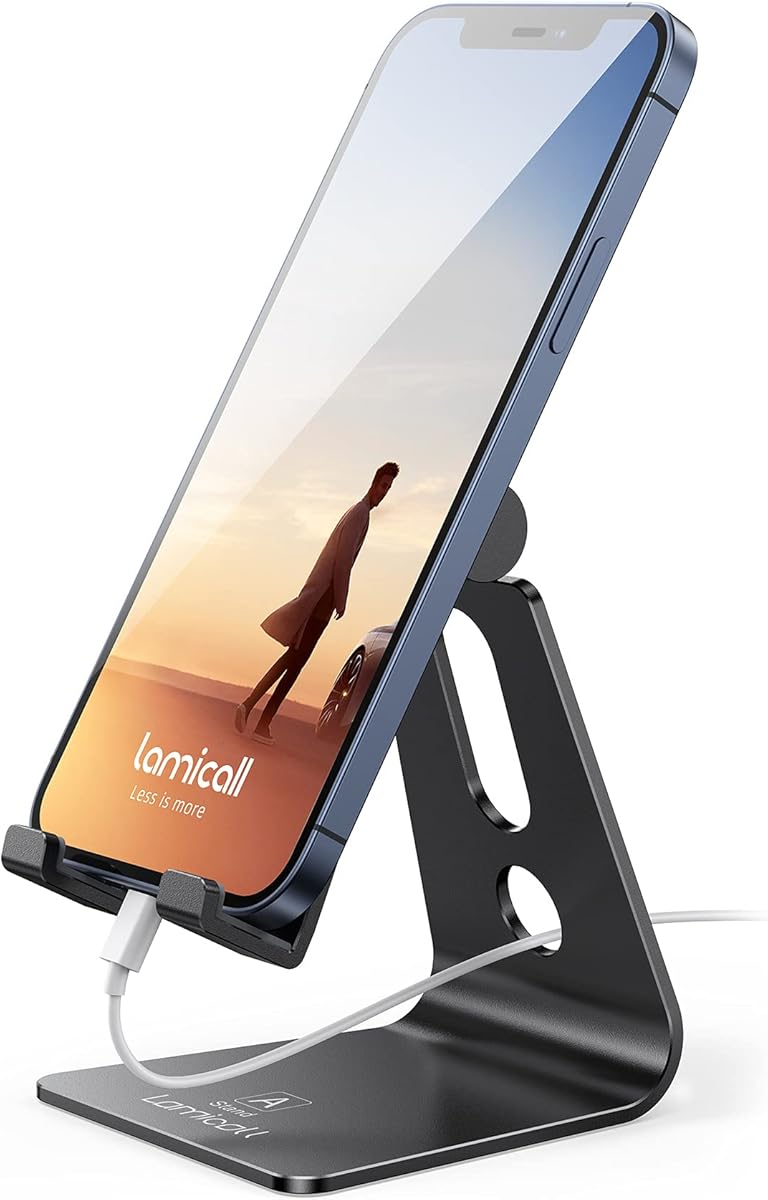
The OMOTON C2 is a budget-friendly option with an impressive 4.8 star rating. Made from thick aluminum it offers superior stability without the high cost. The design is simple yet effective for daily tasks.
We may earn a commission when you buy through this link, at no additional cost to you.
Its 270 degree rotating angles allow for flexible viewing. The long hook holds heavy cases securely without removing them. This durability ensures the stand remains functional for years of regular use.
It lacks height adjustment which limits positioning options on taller desks. However for standard setups the stability is excellent. The anti-scratch pads protect your device from surface damage.
Perfect for users seeking reliability without overspending. This stand provides a solid foundation for video calls and media consumption with a sleek look that fits any professional environment.
Thick aluminum material provides stability that prevents tipping during typical desk interactions.
Integrated cutout allows you to charge your phone while it rests in the stand.
We may earn a commission when you buy through this link, at no additional cost to you.
This Lamicall model is celebrated for its sleek and elegant design. The high-quality aluminum alloy gives it a premium metallic luster. It serves as a stylish desktop partner for your iPhone.
We may earn a commission when you buy through this link, at no additional cost to you.
The low gravity center ensures stability without needing a massive base. Rubber cushions protect your phone from scratches and sliding. This makes it safe for devices with various case types.
The hook width is limited to 14mm which may not fit very thick cases. Users with large phones should use landscape mode for stability. Despite this the aesthetic appeal is a major plus.
Best for those who value form as much as function. This stand blends seamlessly into modern office decor while providing reliable support for your daily communication needs.
High-quality aluminum alloy provides a smooth finish that looks professional on any desk.
Rubber cushions on contact points prevent scratches and ensure your phone stays secure.
We may earn a commission when you buy through this link, at no additional cost to you.
The tounee stand is designed for creators needing precise framing for content. Its 8 to 11 inch height range supports full-body shots effectively. The metal weighted base prevents shaky footage during active use.
We may earn a commission when you buy through this link, at no additional cost to you.
With a 50 degree tilt capability it helps avoid low-angle frustration. The open-grip design works with most cases without removal. This makes it convenient for quick adjustments during recording sessions.
While the height is adjustable it tops out at 11 inches which might limit high-angle shots. However for standard desk usage it performs well. The footprint is compact saving space on cluttered desks.
Recommended for influencers or hobbyists needing reliable video framing. This stand offers the stability and flexibility required for high-quality streaming and recording without needing professional gear.
Designed specifically for live streaming needs ensuring your phone stays stable during active sessions.
Tilt capabilities allow for overhead shots or specific framing needs without moving the stand.
We may earn a commission when you buy through this link, at no additional cost to you.
This CreaDream stand offers universal compatibility for a wide range of devices. The aluminum body provides a sturdy construction that holds your phone steadily. It is suitable for office kitchen and dining table use.
We may earn a commission when you buy through this link, at no additional cost to you.
The multi-angle design allows adjustment to your desired angle. Rubber pads and feet protect your device from scratches and sliding. This ensures longevity of both the stand and your phone.
The hook is widened to fit devices in protection cases comfortably. While it supports 270 degree rotation it does not adjust in height. This limits flexibility for different eye-level needs.
Ideal for households with multiple devices of varying sizes. This stand provides reliable support and a smooth touch experience ensuring your iPhone is always ready for video calls.
Universal design means it works with many different phone sizes making it a versatile family solution.
Sturdy aluminum body ensures the stand withstands regular daily use without bending or breaking.
We may earn a commission when you buy through this link, at no additional cost to you.
Selecting the right stand requires evaluating stability adjustability and compatibility. This section explores the key factors to consider.
A stable base is critical for Facetime calls to prevent your phone from falling during use. Heavier materials like aluminum or weighted metal bases reduce the risk of tipping over especially when you interact with the screen. Look for stands with anti-slip pads that grip the desk surface securely.
Always check reviews for mentions of wobbling. A stable stand ensures your camera angle remains consistent throughout your call.
Adjustability is key to ergonomic health. Stands that allow you to adjust height and angle help you keep your eyes level with the camera reducing neck strain. Telescoping or rotating mechanisms offer more flexibility than fixed stands.
Choose a model that offers a range of motion to suit your desk height. This ensures comfortable viewing without hunching.
Ensure the stand supports your iPhone model and any case you use. Some stands have limited hook widths or clip sizes that may not fit thicker cases. Universal stands typically support devices between 4 to 8 inches.
Verify compatibility with your specific phone model to avoid issues with fit or balance during calls.
Build quality affects both durability and aesthetics. Metal alloys and aluminum offer better stability and longevity compared to plastic. High-quality materials often look more professional on your desk.
Invest in stands made from durable metals to ensure they last longer and look better over time.
If you need to move your stand frequently consider a foldable or compact design. Portable stands are lightweight and easy to pack for travel. However they may sacrifice some stability compared to heavier models.
Balance the need for portability with the stability required for your primary use case.
Many users need to charge their phones during long video sessions. Stands with charging cutouts allow you to keep your device powered without removing it from the stand. This feature keeps your workspace organized.
Look for models with built-in charging holes if you frequently use your phone for extended periods.
Price ranges vary widely based on features and materials. Basic models offer good value but may lack adjustability. Premium options provide advanced features like MagSafe compatibility or superior build quality.
Determine how much you are willing to spend based on how often you use the stand daily.
Consider extras like 360 rotation or MagSafe support. These features enhance your video call experience by providing better framing options. Ensure these features match your workflow needs.
Extra features can make a significant difference in usability if you need precise control.
To get the best results place your stand on a flat surface away from vibrations. Adjust the height so the camera is at eye level for a natural view. This improves the quality of your video calls.
Clean the stand regularly to remove dust and debris. Use a soft cloth to wipe down metal or plastic surfaces. Avoid harsh chemicals that could damage the protective coatings or rubber pads.
Store your stand in a cool dry place when not in use to prevent warping. If it is foldable collapse it carefully to avoid stress on hinges. Proper maintenance ensures it lasts for years.
Most models in this roundup are designed to accommodate thick cases up to 0.75 inches. Always check the specific compatibility details for each stand to ensure your case fits securely without slipping during calls.
Yes many of the selected stands feature adjustable height and angle settings. These features allow you to position your phone so the camera aligns with your eyes reducing neck strain during long Facetime sessions.
Absolutely these stands are designed for both video calls and content creation. They offer the stability and flexibility needed for recording videos or streaming without shaking or tipping over.
Some models specifically mention MagSafe compatibility allowing for magnetic attachment without clamps. Check the product details to confirm if MagSafe support is included for your specific iPhone model.
Use a damp cloth to wipe the silicone or rubber pads gently. Avoid using harsh chemicals that could degrade the material. Regular cleaning keeps the grip effective and prevents slipping during use.
Many of the models are foldable and portable making them ideal for travel. Check the weight and folded dimensions to ensure they fit comfortably in your bag without adding bulk.
We explored ten top-rated stands that balance stability adjustability and design. From the versatile COOPER ChatStand to the budget-friendly OMOTON C2 each model offers unique benefits for your video call setup.
Prioritize ergonomics and compatibility when making your choice. A well-designed stand enhances your communication experience by keeping your device steady and at the right height.
Remember to check current availability and specs before purchasing. Prices and features may vary so choose the model that best fits your specific needs and budget for the best results.