
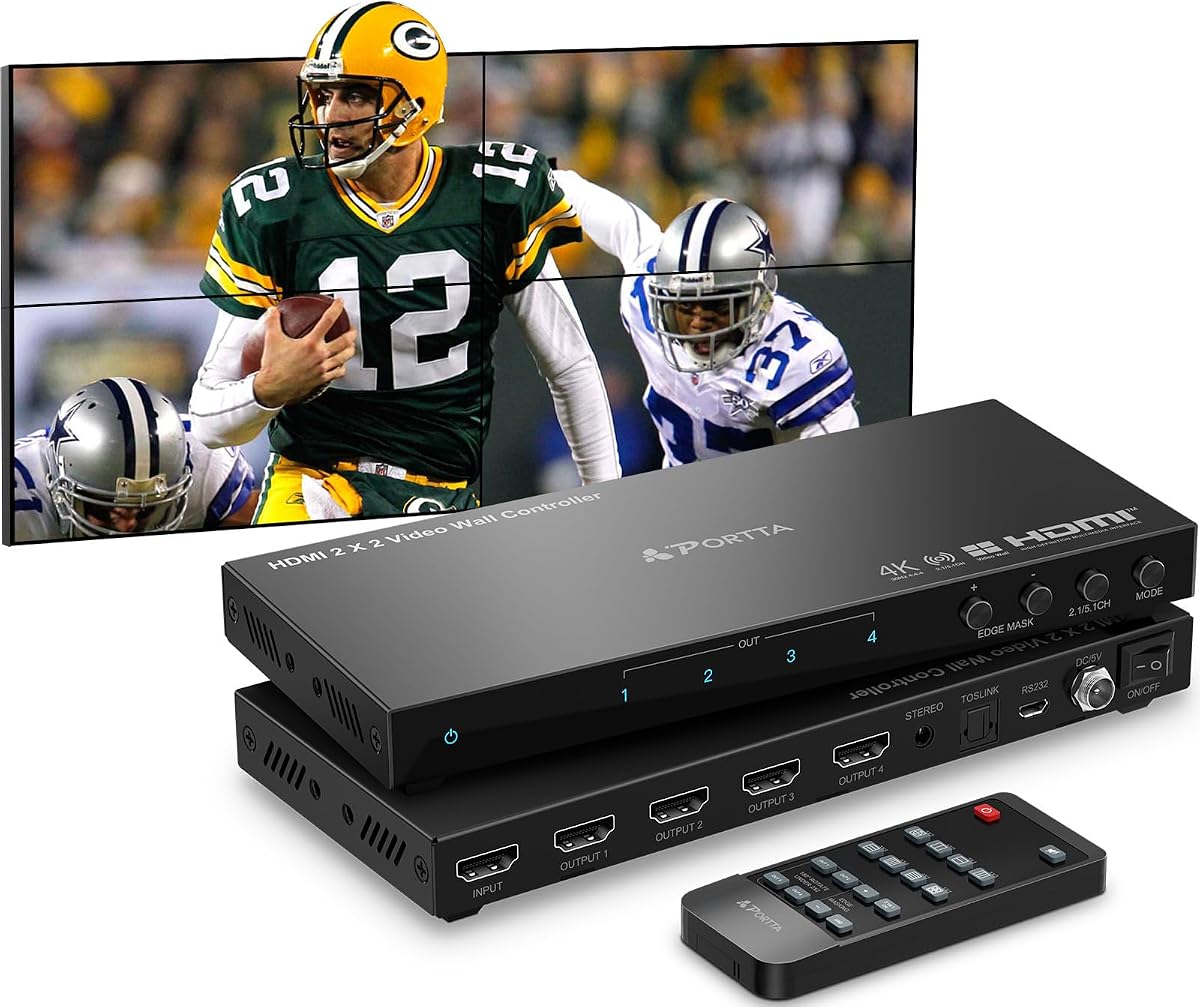
2×2 4k Video Wall Controller
4.6Editor score
Affordable price point
HDMI and DVI input support
Basic remote control included
This guide compares the top HDMI Video Wall Controller models for 2026, evaluating performance, features, and reliability to help you choose the right system.
Choosing the right HDMI Video Wall Controller is essential for creating seamless multi-screen displays in commercial or home setups. These devices manage signal distribution and ensure synchronized output across multiple monitors or televisions effectively.
We evaluated ten leading models based on resolution support, input flexibility, and ease of configuration. Our analysis focuses on real-world performance, build quality, and the range of display modes available to users today.
Each pick below highlights specific strengths and ideal use cases for different needs. Please note that product availability and pricing may vary over time, so verify current details before purchasing your preferred model.
4.6Editor score

4.8Editor score

4.2Editor score
The following table provides a side-by-side comparison of all ten models included in this guide. It highlights key specifications and unique features to help you quickly identify the best fit for your specific display requirements.



This J-Tech Digital controller stands out with its excellent 4.8 rating and robust feature set. It is designed to combine up to four HDMI displays into one seamless video wall effectively. The device supports 4K@30Hz input and offers flexible 1080P outputs for reliable performance across multiple screens.
We may earn a commission when you buy through this link, at no additional cost to you.
The key strengths include the availability of eight different display modes and comprehensive audio extraction options. Users can route audio to external sound systems via SPDIF Optical or 3.5mm ports. Additionally, the image rotation and edge masking functions help achieve perfect alignment and minimize bezel gaps.
One trade-off is that the output resolution is fixed at 1080P even with 4K input, which may not suit high-fidelity needs. However, this is acceptable for most commercial signage applications where reliability matters more than ultra-high resolution output. The split mode lacks rotation or edge masking support.
Anyone needing a dependable system for digital signage or information display should buy this model. It offers a balance of features and support with free lifetime technical assistance from their Texas-based team. We recommend it for its strong user feedback and functional versatility.
Route audio to external sound systems easily via optical or analog outputs for better sound quality.
Use the edge masking function to adjust up to eight pixels for a seamless video wall appearance.
We may earn a commission when you buy through this link, at no additional cost to you.
This budget-friendly controller offers a practical solution for combining four TV screens into one display wall. It supports HDMI and DVI inputs, making it versatile for older devices or different setups. The controller splits complete signals into four HDMI outputs for display on LCD TVs or rear-projection units.
We may earn a commission when you buy through this link, at no additional cost to you.
Key strengths include eleven different splicing modes and flexible control options like remote or button press. The memory function remembers last settings when plugged in again, ensuring a seamless user experience. Each channel supports various resolutions including 1080p, making it suitable for standard digital signage needs.
While it lacks detailed high-resolution specifications compared to premium models, it delivers core functionality well. The trade-off is a simpler design which may not suit complex enterprise environments. However, for basic setups it provides value through its low price point and ease of use.
Ideal for small businesses or individuals needing a cost-effective video wall solution. It is easy to operate and widely compatible with various input devices. We recommend checking specific resolution needs before purchasing to ensure it meets your exact requirements.
Control modes easily via IR remote or RS232 to fit your workflow.
Choose from eleven different modes to fit your specific TV arrangement.
We may earn a commission when you buy through this link, at no additional cost to you.
This premium model delivers professional-grade performance with seamless switching and advanced multiviewer capabilities. It supports 4K@60Hz input and routes signals to any combination of four output displays without picture loss. The unit allows for flexible resolution management through upscale or downscale features for various output needs.
We may earn a commission when you buy through this link, at no additional cost to you.
The standout features include LAN-based web control for remote management and five multiviewer presets per output. Users can view all four source signals on one screen in multiple layouts. The rotate function allows flipping any output image by one80 degrees to accommodate unique installation orientations.
While the price is higher than standard controllers, the advanced features justify the cost for professional setups. The trade-off is complexity; users may need technical knowledge to configure LAN settings. However, the ability to manage displays remotely is invaluable for enterprise or large-scale digital signage.
Professionals needing remote management and seamless source switching should buy this controller. It is built for stable 24×7 operation and comes with lifetime technical support. We recommend it for scenarios where reliability and advanced control are critical priorities.
Take advantage of LAN web control for easy remote configuration and monitoring.
Use multiviewer presets to display multiple signals simultaneously on one screen.
We may earn a commission when you buy through this link, at no additional cost to you.
This OREI controller offers versatility with both HDMI and USB-C inputs, making it compatible with modern laptops and gaming consoles. It divides one source across four TV screens simultaneously in various configurations like 2×2 or 1×4. The device supports up to 4K 60Hz input ensuring smooth high-definition performance.
We may earn a commission when you buy through this link, at no additional cost to you.
It includes multiple display modes and bezel adjustment for optimal screen setup. Users can extract audio through optical and L/R outputs. The included dual voltage power supply supports international use with an adapter. RS-232 control allows for advanced automation integration in complex setups.
Users should note it does not support HDR10 or Dolby Vision which may limit media playback quality. Also, the 1×4 splitter mode displays the same source on all TVs at 4K rather than splitting content. These are acceptable trade-offs for general signage where HDR is less critical.
Those needing USB-C compatibility for modern laptops should buy this model. It is a solid choice for corporate presentations or home theaters with diverse input sources. We recommend it for its flexibility and straightforward setup process.
USB-C input ensures you can connect latest laptops without extra adapters.
Dual voltage supply with international adapter makes it useful for travel.
We may earn a commission when you buy through this link, at no additional cost to you.
This model focuses on seamless multi-screen display with HDMI and USB-C inputs for broad compatibility. It supports 4K@60Hz input and outputs to four screens simultaneously with various display modes. The bezel adjustment feature helps enhance viewing experience by aligning screens perfectly.
We may earn a commission when you buy through this link, at no additional cost to you.
The device manages EDID to ensure optimal screen setup for connected sources. Optical and analog outputs are available for audio extraction. It includes a dual voltage power supply and international adapter for global use. RS-232 control allows professional integration.
Users may notice output is limited to 1080p which is standard for video walls but limits detail. However, the bezel adjustment helps hide gaps. This is acceptable since bezels remain visible even at higher resolutions. The remote is basic but functional for common changes.
Buyers prioritizing screen alignment and bezel management should choose this unit. It suits retail displays or control rooms where seamless visuals matter most. We recommend it for its focused features on display optimization.
Adjust bezels to create a more continuous visual across multiple screens.
Dual voltage ensures you can use the device internationally with included adapter.
We may earn a commission when you buy through this link, at no additional cost to you.
This matrix system allows switching four HDMI sources to four displays or splitting one source across four screens. It is designed for complex setups needing more than a simple one-to-four split. Support includes Blu-ray, PC, and gaming consoles up to 4K@60Hz.
We may earn a commission when you buy through this link, at no additional cost to you.
The unit supports various audio formats including Dolby TrueHD and DTS-HD. Advanced EDID ensures sources detect the correct display settings. Web control enables remote management which is critical for large installations. It offers versatile matrix capabilities for flexible signal routing.
The complexity and cost are higher than standard controllers making it suitable only for advanced needs. Users may need technical help with web interface configuration. However, the ability to manage multiple sources adds significant value for professional environments.
Professionals needing matrix switching should buy this model for its robust capabilities. It is ideal for conference rooms or studios where multiple inputs must be managed efficiently. We recommend it for those requiring extensive signal routing.
Switch multiple sources across multiple displays with advanced matrix controls.
Access and control the unit remotely via standard web browser interface.
We may earn a commission when you buy through this link, at no additional cost to you.
This processor distributes one HDMI input to four outputs with eleven splicing modes for flexibility. It supports 4K 30Hz input but outputs fixed 1080p. Edge masking prevents distortion by adjusting picture edges. Control includes manual, IR remote, or RS232 options.
We may earn a commission when you buy through this link, at no additional cost to you.
Key strengths include extensive layout options such as 1×2 or 3×1 and robust audio extraction. The 180-degree rotation adjusts border orientation in 2×2 mode. It comes with mounting ears and a comprehensive manual. Support includes a 2-year warranty.
Outputs fixed at 1080p may limit high-resolution needs. However, the edge masking improves appearance by reducing gaps. This is acceptable for most signage. The warranty adds security for long-term use.
Buyers prioritizing layout variety should select this model. It fits well in shops needing varied display shapes. We recommend it for its detailed mode options.
Choose from eleven different modes to create custom display shapes.
Use edge masking to fix distortion near screen borders.
We may earn a commission when you buy through this link, at no additional cost to you.
This controller supports HDMI and USB-C inputs at 4K60 with each output port matching that resolution. It allows creating four 4K TVs into one wall easily. Multiple splice modes like 1×4 offer layout flexibility. Rotation allows each output to flip 180 degrees.
We may earn a commission when you buy through this link, at no additional cost to you.
Features include plug and play design with no drivers required. Operation is simple via remote or three buttons. It is built for stable 24×7 work suitable for continuous display. Connection is straightforward for most users.
Detailed mode options are not explicitly listed which may limit advanced configuration. Also limited support details are available compared to other brands. However, the true 4K outputs are a strong point for detailed visuals.
Those needing 4K outputs should buy this model for its straightforward setup. It suits setups where resolution is key. We recommend it for its plug and play simplicity.
True 4K60 outputs ensure every screen displays sharp images.
Simple button and remote operation makes setup fast.
We may earn a commission when you buy through this link, at no additional cost to you.
This controller offers USB input for auto display and play of video and image files. It supports max 3840×2160@60Hz input and HDMI 2.0. Multiple modes allow different layouts like 2×2. Audio is handled via 3.5mm and SPDIF optical.
We may earn a commission when you buy through this link, at no additional cost to you.
Features include border adjustment and image cropping to display without black edges. Users can adjust brightness, sharpness, and color temperature. USB play supports common formats like MP4 and JPEG. IR extension allows remote control up to ten meters.
The USB playback requires a drive which may not fit setups without external storage. Also adjusting many settings can be complex. However, the ability to show local files is useful for ads.
Buyers needing direct USB content playback should select this unit. It fits well for kiosks or displays showing local files. We recommend it for its versatile input options.
Play videos directly from USB drive without a connected computer.
Adjust picture settings to match your display environment.
We may earn a commission when you buy through this link, at no additional cost to you.
This model supports up to six HDMI outputs for large displays. It allows creating six 4K TVs into one wall. Multiple splice modes like 2×3 offer layout flexibility. Each output supports 4K60 resolution with rotation capabilities.
We may earn a commission when you buy through this link, at no additional cost to you.
Features include plug and play design with simple connection. Switching is easy via remote or buttons. It is built for stable 24×7 operation. This suits continuous display needs well in commercial spaces.
More outputs mean more cables and a more complex setup process. Also space is needed for six displays. However, for large walls this provides a complete solution. It handles high resolution consistently.
Buyers needing six displays should select this model for its expandability. It is ideal for large lobbies or showrooms. We recommend it for its robust output capacity.
Connect up to six TVs for a large multi-screen display.
Designed to run continuously without interruption or failure.
We may earn a commission when you buy through this link, at no additional cost to you.
Selecting the right HDMI Video Wall Controller requires understanding your specific display needs and connection requirements. This guide outlines the key factors to consider before making a purchase.
Ensure the controller supports the input resolution of your source devices such as 4K 60Hz or lower. Many models allow 4K input but output fixed at 1080p so check this distinction carefully.
Look for models offering both HDMI and USB-C inputs if you use modern laptops. This ensures you can connect various devices without needing additional adapters.
Different projects require different layouts such as 2×2 grids or vertical strips like 1×4. Verify the controller offers enough splicing modes to fit your wall configuration.
A good unit should allow you to switch modes easily via remote or software. This helps adapt your display for different content types quickly.
If you need sound from your video wall, check for optical or analog audio outputs. This allows you to connect external speakers for clear audio.
Some models offer multi-channel audio support which is essential for immersive setups. Others might only support stereo which limits audio quality.
Remote control is basic but necessary for changing modes without touching the device. More advanced units offer RS-232 or LAN control for professional integration.
Web control allows you to adjust settings from a computer which simplifies maintenance. This is valuable for setups located in hard-to-reach places.
Physical screens may need to be mounted rotated which requires digital rotation support. Ensure the unit allows 180-degree rotation for specific outputs to align images.
Edge masking helps reduce the visible gaps between screens. This is crucial for a seamless look where bezels would otherwise interrupt the image.
Check if the power supply supports your voltage needs if traveling internationally. Some units include dual voltage adapters which adds convenience.
A longer warranty and reliable technical support give peace of mind. Look for providers offering lifetime support or extended coverage periods.
If you plan to expand your display later consider models that support more screens like six outputs. This future-proofs your investment against growing needs.
Matrix controllers allow more complex routing if you need to switch multiple sources. This is better than simple splitter controllers for enterprise use.
Commercial displays often run 24×7 so stability is key. Look for units described as stable for continuous work to avoid downtime.
Physical mounting options like ears or brackets help integrate the controller into your setup. This ensures it stays secure in high-traffic areas.
Connect your source device such as a laptop or PC to the controller using HDMI or USB-C cables. Ensure the source outputs the correct resolution for best results.
Plug the HDMI outputs from the controller to your TV screens and power the unit using the provided adapter. Select the desired display mode via the remote or software interface.
Regularly update firmware if available to maintain performance and security. Keep the controller in a well-ventilated area to prevent overheating during long use.
Yes most modern controllers support 4K inputs. However check if outputs are fixed at 1080p or true 4K. Models with true 4K outputs are needed if you want full resolution on each screen.
Use a USB-C to HDMI adapter or a full-featured USB-C cable depending on your device. Ensure the cable supports video output to prevent connection issues with the controller.
Use edge masking functions in the controller settings to crop the image edges. This hides the borders and creates a seamless look across multiple displays.
No it is typically used for professional automation systems. Home users can rely on IR remotes or simple software control for basic mode switching.
Yes models with LAN or web control allow remote management. This is helpful for large setups where accessing the physical unit is difficult or inconvenient.
Matrix controllers let you switch multiple sources to multiple displays. Splitters take one source and divide it across multiple screens without source switching.
We recommend the J-Tech Digital model for most users due to its strong balance of features and reliability. The budget option from the unnamed brand fits simple needs while the premium J-Tech offers advanced control.
Prioritize resolution support and layout flexibility when choosing a unit. Ensure the controller supports your specific screen count and input sources to avoid compatibility issues.
Prices and availability change so always check current listings before buying. Verify your requirements match the selected model to ensure satisfaction.