
HDMI Extender Over Ethernet, 1080P 60Hz, 164FT, PoC, EDID -HT202P
4.4Editor score
1080P 60Hz Support
164 Feet Range
Power Over Cable
Compare the top HDMI over Ethernet extenders for long-distance signal transmission with support for 4K video and audio over standard network cabling.
Finding the right HDMI over Ethernet solution helps you extend video signals across rooms without losing quality. These devices convert HDMI to run over Cat5e or Cat6 cables for reliable long-distance connections.
We reviewed ten top-rated extenders based on distance support, resolution capabilities, and ease of setup. Each product was analyzed for compatibility with common sources like consoles and media players.
Every pick includes key specs and real-world performance notes to guide your choice. Prices and availability can change, so check current listings before purchasing to ensure you get the best deal today.
4.4Editor score

4.6Editor score

4.6Editor score
This table compares all ten HDMI over Ethernet extenders side by side. It highlights resolution support, max distance, and key features to help you find the right model for your needs.



The OREI HDMI Extender Over Cat5 165ft offers reliable 4K extension up to 50 meters. It scores high for stability and includes useful features like loop out and IR support for remote control.
We may earn a commission when you buy through this link, at no additional cost to you.
Its ability to maintain 4K@30Hz over Cat6 cables makes it ideal for media setups. The loop out port helps you monitor locally while sending video to a distant screen.
While it does not support 60Hz at 4K, the performance is consistent for most uses. Users appreciate the included IR cables that let you control sources from afar.
This model is best for home theaters or offices needing stable video extension. It balances cost and performance well for long-distance HDMI transmission.
It transmits 4K@30Hz and 1080p over long CAT6 runs without loss.
The HDMI loop out allows you to view content locally on the transmitter.
We may earn a commission when you buy through this link, at no additional cost to you.
This extender is a great budget option for 1080p video needs. It supports 60Hz refresh rates and uses PoC to simplify power wiring over the network cable.
We may earn a commission when you buy through this link, at no additional cost to you.
Its EDID copy ensures the source and display stay compatible. Setup is simple with plug-and-play operation for most HDMI sources.
While it lacks 4K capability, it handles Full HD content reliably. This makes it a smart choice for classrooms or office displays.
Buyers looking for cost-effective HDMI extension will find it suitable. It delivers consistent performance within its 1080p limits.
Only one power adapter is needed as power flows to the receiver.
Built-in EDID copy helps maintain stable resolution across runs.
We may earn a commission when you buy through this link, at no additional cost to you.
The OREI HDMI Over Ethernet Extender delivers premium 4K@60Hz performance. It supports HDR formats and reaches 230 feet over Cat6 cables for flexible placement.
We may earn a commission when you buy through this link, at no additional cost to you.
Its metal housing aids heat dissipation and durability. The built-in IR allows remote control of sources from the receiver end.
This model supports HDCP 2.2 and 18Gbps bandwidth for crisp visuals. It is ideal for home theaters or professional AV installations.
Buyers needing high bandwidth and long runs will appreciate it. It combines robust features with reliable OREI support.
It handles 18Gbps with HDR and HLG support for rich colors.
Signals extend up to 230 feet without significant loss or lag.
We may earn a commission when you buy through this link, at no additional cost to you.
This unit splits one HDMI source into four remote displays. It is useful for conference rooms or exhibitions needing synchronized video across screens.
We may earn a commission when you buy through this link, at no additional cost to you.
Each receiver gets power over cable so only one adapter is needed. The IR support lets you control the source from any display location.
While 4K runs at 30Hz, it covers most signage or meeting needs well. The loop out port offers local monitoring on the transmitter.
Buyers with multi-screen needs will find it valuable. It simplifies cabling while supporting reliable distribution.
The transmitter sends video to four receivers over Cat6 cables.
Only the transmitter requires a power adapter for all receivers.
We may earn a commission when you buy through this link, at no additional cost to you.
This extender supports 18Gbps bandwidth for smooth 4K@60Hz playback. It includes HDR and loop out for flexible display setups.
We may earn a commission when you buy through this link, at no additional cost to you.
The EDID management helps optimize compatibility between source and display. It is great for home theaters needing rich visuals.
It works best with direct Cat6 connections as switches may not be supported. The range is shorter than some but still solid.
Gamers and movie fans seeking high refresh rates will like it. It delivers quality over moderate distances.
It supports HDMI 2.1 features and HDR for vivid playback.
The HDMI loop out lets you preview content locally while extending.
We may earn a commission when you buy through this link, at no additional cost to you.
This extender supports up to 230 feet of 1080p or 4K@30Hz. It is a practical choice for large rooms or outdoor screens.
We may earn a commission when you buy through this link, at no additional cost to you.
It includes IR cables for remote control of source devices. PoC reduces cable clutter by powering the receiver via Ethernet.
The loop out port allows local monitoring on the transmitter. Performance is stable for presentations or casual viewing.
Buyers needing distance without extra amps will appreciate it. It offers solid value for long-run extensions.
It reaches 230 feet at 1080p and 130 feet at 4K.
Included IR cables enable source control from the receiver side.
We may earn a commission when you buy through this link, at no additional cost to you.
This extender adds KVM functionality so you can control a PC remotely. It supports 4K@60Hz and includes stereo audio outputs.
We may earn a commission when you buy through this link, at no additional cost to you.
The HDMI loop out on the transmitter helps with local setups. It is suitable for offices needing remote workstation access.
While USB is limited to 1.1, it handles basic keyboard and mouse input. The range and resolution make it versatile.
Buyers needing remote control with video will find it useful. It blends KVM with HDMI extension effectively.
Keyboard and mouse can be connected at the receiver to control PCs.
Analog speakers or headphones can connect at the receiver end.
We may earn a commission when you buy through this link, at no additional cost to you.
This extender supports Cat5e through Cat7 and offers mounting holes for fixed installs. It reaches 230 feet at 1080p with clear video.
We may earn a commission when you buy through this link, at no additional cost to you.
The IR remote control and loop out port add convenience. It suits offices, classrooms, or outdoor screens needing reliability.
While HDR is not natively supported, colors are vivid for most uses. EDID cloning ensures compatibility with different displays.
Buyers seeking mountable units for venues will appreciate it. It offers good value for long-distance setups.
The devices include holes for secure wall or rack mounting.
Full HD signals travel up to 230 feet reliably over Cat6.
We may earn a commission when you buy through this link, at no additional cost to you.
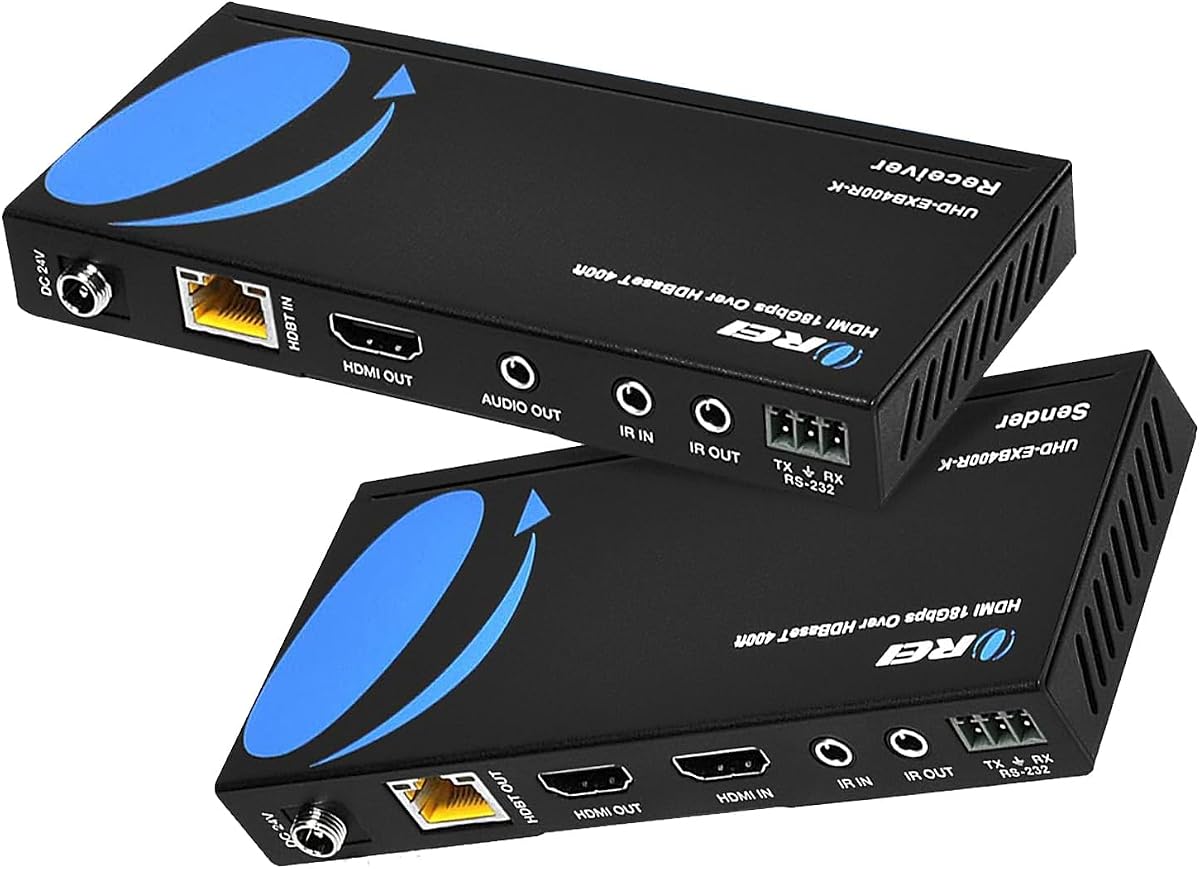
This model uses HDBaseT technology to reach 400 feet with 4K@60Hz. It includes RS-232 control and two-way IR for advanced setups.
We may earn a commission when you buy through this link, at no additional cost to you.
The loop out port and CEC support add flexibility. It suits professional AV needs requiring long reliable runs.
It must be paired with matching OREI transmitters. Switches are not supported but performance is lossless over distance.
Buyers needing maximum range and control features will value it. It is built for serious installations.
Signals extend 400 feet with zero latency over Cat5e or Cat6.
The RS-232 port allows integration with automation systems.
We may earn a commission when you buy through this link, at no additional cost to you.
The PWAY extender provides 230 feet of extension with mounting holes for stability. It supports 4K@30Hz and includes IR remote control.
We may earn a commission when you buy through this link, at no additional cost to you.
Setup is plug-and-play with minimal wiring. PoC simplifies power needs for the receiver unit.
While 4K is limited to 30Hz, it suits most casual needs well. The design fits home theaters or meeting rooms.
Buyers seeking easy installation and long range will like it. It delivers dependable performance without complexity.
No drivers are needed and setup requires connecting HDMI and Cat6.
The units include holes for secure mounting on walls or racks.
We may earn a commission when you buy through this link, at no additional cost to you.
Selecting the right HDMI over Ethernet extender involves considering resolution, distance, and features like IR or loop out.
Check if the extender supports the resolution you need like 4K@60Hz or 1080p@60Hz. Some models cap 4K at 30Hz which may not suit gaming.
Choose a unit that matches your source and display capabilities for best results.
Most extenders work over Cat6 or Cat7 cables with ranges from 165 feet to 400 feet. Verify the distance matches your room layout.
Longer runs may need better cables to avoid signal degradation.
Confirm compatibility with Cat5e, Cat6, or Cat7. Cat6 is common for 4K. Higher grade cables help maintain performance at longer distances.
Use high-quality cables to prevent dropouts or flickering.
PoC lets the receiver draw power from the transmitter via Ethernet. This reduces wall outlets and simplifies setup for wall-mounted displays.
Ensure the package includes the right power adapter for your region.
IR support allows you to control source devices like media players from the receiver location. Some models offer two-way IR for advanced control.
Check if IR cables are included and if they support your device types.
A loop out port on the transmitter lets you connect a local display while sending signal to a remote one. This is useful for monitoring or dual setups.
Verify the loop out works with your intended local display resolution.
EDID helps the source recognize the display and adjust resolution correctly. Look for EDID copy or pass-through features for compatibility.
Good EDID handling prevents black screens or resolution mismatches.
Check the warranty length and support options. Reputable brands offer at least one year coverage and technical assistance.
Good support ensures help if you face setup or performance issues.
Connect the source HDMI to the transmitter and the display to the receiver. Run a single Cat6 cable between them. Plug power into the transmitter.
Allow time for EDID negotiation so resolution is correct. If the display shows black, check cable connections and ensure devices match supported formats.
Avoid bending the Ethernet cable sharply. Keep units in ventilated spots to prevent overheating and update firmware if available.
Most models require a direct link between transmitter and receiver. Routers or switches may cause compatibility issues unless the device explicitly supports them.
Cat6 or Cat7 cables are recommended for 4K. Lower grades may struggle over longer runs. Ensure cables are rated for high bandwidth to maintain stability.
Yes, HDMI carries audio so audio is transmitted. Some models have analog audio outputs if you need separate speakers at the remote end.
Flickering often points to cable issues or EDID mismatch. Try reseating connectors, using better cables, or checking supported resolutions on both source and display.
PoC simplifies setup by using one power adapter. Separate power may offer more flexibility but adds extra cables near the display.
Most extenders support gaming but check refresh rates. 1080p@60Hz works for many titles. 4K gaming requires 60Hz support for smooth play.
This guide covered ten top HDMI over Ethernet extenders for various needs from budget to premium. Each offers unique strengths in resolution, range, and features.
Prioritize resolution and distance that match your setup. Also consider IR, loop out, and PoC based on your convenience needs.
Always check current product details and prices before buying since specs and availability may change.