
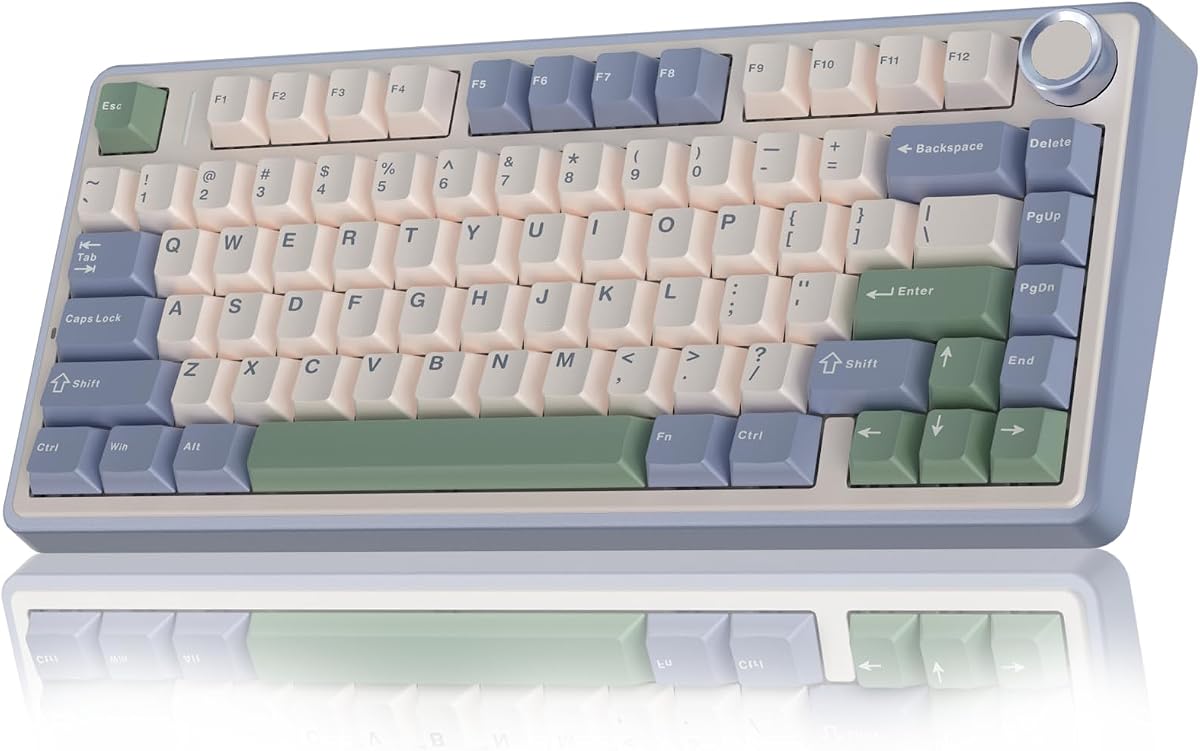
Womier DK75 75% Wireless Gaming Keyboard
4.5Editor score
Compact 75% layout
Quiet membrane switches
Long-lasting battery
Discover the top green backlit gaming keyboards for 2026. This guide compares features, performance, and value to help you choose the perfect match.
Finding the right green backlit gaming keyboard can transform your setup. These boards offer unique aesthetics and functional lighting that enhances gameplay without distracting you. A good choice blends comfort, durability, and responsive keys for long sessions.
We analyzed ten top models based on connectivity, build quality, and lighting options. Each product brings distinct features like wireless modes, hot-swappable switches, or unique displays. Our focus was on performance and value for gamers and professionals.
Every pick highlights key strengths and potential trade-offs to guide your decision. Ratings reflect user feedback and technical specs from official sources. Prices may change, so check current listings before buying to ensure the best deal.
4.5Editor score
4.6Editor score
4.8Editor score
This table summarizes the core specifications of each selected model. Compare connectivity options, switch types, and layout sizes to find the keyboard that fits your desk and gaming needs best.


The AULA F75 stands out as a top contender in the green backlit gaming keyboard space. With a 4.6 rating, users praise its creamy typing sound and wireless versatility. It combines aesthetics with high performance.
We may earn a commission when you buy through this link, at no additional cost to you.
Its tri-mode connection supports five devices simultaneously, making it great for multitasking. The hot-swappable base lets you swap switches without soldering. The RGB lighting offers 16.8 million colors and music sync.
While the driver is limited to Windows, the onboard controls handle most daily tasks. The gasket structure enhances typing comfort. This keyboard balances price and features well for enthusiasts.
Buy this if you want a premium feel without the high cost. It suits gamers and typists seeking customization. The build quality supports long-term use.
Connect via Bluetooth, 2.4GHz, or USB-C. Switch between devices instantly.
Swap switches easily. Program macros for faster gameplay.
We may earn a commission when you buy through this link, at no additional cost to you.
The Womier DK75 offers exceptional value for budget-conscious gamers. Its 4.5 rating reflects reliable performance in a sleek design. It delivers a creamy typing feel without the noise of mechanical switches.
We may earn a commission when you buy through this link, at no additional cost to you.
Features include 15 RGB effects and a smart display for status updates. The 4000mAh battery lasts through days of use. PBT keycaps resist wear and oil, keeping the look fresh.
As a membrane board, it lacks switch customization. However, for casual use, the comfort is notable. The ergonomic design reduces fatigue during long sessions.
Choose this for a quiet, cost-effective setup. It fits well on smaller desks. Ideal for students or shared spaces.
The 75% layout keeps essentials while freeing up desk space.
Perfect for late-night gaming without disturbing others.
We may earn a commission when you buy through this link, at no additional cost to you.
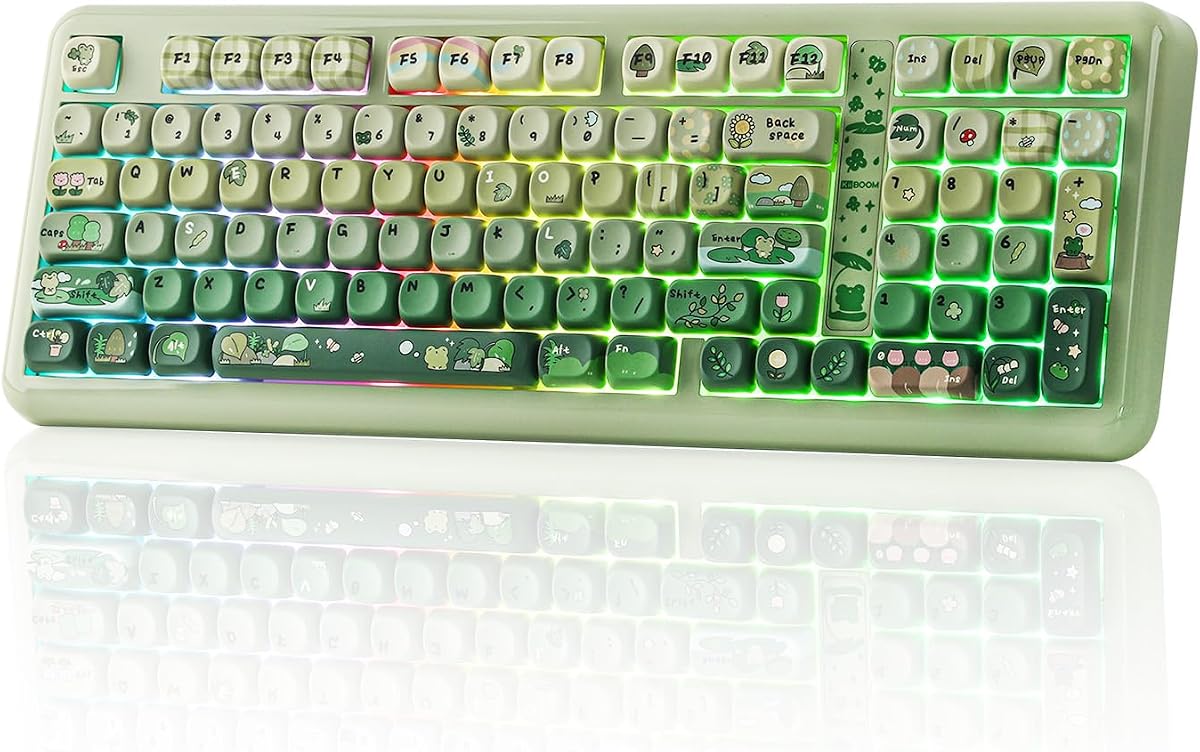
The KiiBoom Phantom98 Lite delivers premium features for serious enthusiasts. Its 4.8 rating highlights exceptional quality. The gasket mount and sound layers ensure a refined typing experience.
We may earn a commission when you buy through this link, at no additional cost to you.
VIA support allows deep customization of keys and macros. The 8000mAh battery supports long trips without charging. RGB effects sync with music for dynamic visuals.
The price is higher, but the build justifies it. Users appreciate the stable typing feel. It suits those wanting full control over their setup.
Invest in this for a high-end experience. It is ideal for productivity and gaming. The battery life is unmatched in its class.
Use VIA to remap keys and create custom layers easily.
High-quality materials ensure the keyboard lasts for years.
We may earn a commission when you buy through this link, at no additional cost to you.
The Womier SK80 stands out with its color multimedia display. Users enjoy showing custom GIFs or system stats on the small screen. It combines mechanical feel with modern visuals.
We may earn a commission when you buy through this link, at no additional cost to you.
The gasket mount design reduces noise and improves stability. You can swap switches to tailor the sound. RGB lighting offers 19 effects for atmosphere.
Software customization is limited to Windows, which may inconvenience Mac users. The screen is a unique feature but adds weight. Still, it is a great choice for streaming setups.
Buy this for visual flair and typing comfort. It works well for creators and gamers. The build is solid and responsive.
Show off your personality with custom images on the screen.
The gasket mount minimizes flex for consistent keystrokes.
We may earn a commission when you buy through this link, at no additional cost to you.
The Keymatic Gaming Keyboard bridges the gap between compact and functional. It keeps a number pad while offering wireless freedom. Users appreciate the creamy membrane feel.
We may earn a commission when you buy through this link, at no additional cost to you.
Tri-mode support connects to multiple devices seamlessly. The media knob and screen add convenience. The battery lasts long for daily use.
Switch swaps are not possible here. The membrane structure suits light typing. It is sturdy and stable on the desk.
Choose this for data entry and gaming balance. It fits well in home offices. Good value for the feature set.
The number pad makes it ideal for spreadsheet work too.
Bluetooth and 2.4GHz ensure stable connections across devices.
We may earn a commission when you buy through this link, at no additional cost to you.
The Owpkeenthy Full Size keyboard offers classic functionality for those needing a number pad. Its 4.5 rating reflects consistent typing comfort. The linear red switches provide fast actuation.
We may earn a commission when you buy through this link, at no additional cost to you.
N-key rollover ensures all commands register simultaneously. The XDA keycaps are comfortable and durable. RGB lighting offers 18 modes for style.
Being wired means less flexibility but stable connection. The desk space requirement is a trade-off. Still, it is a reliable workhorse for office and gaming.
Buy this for a full-size experience. It suits data-heavy tasks. The keys feel smooth and responsive.
Red switches allow rapid typing without tactile feedback.
Kickstands help maintain a comfortable typing angle.
We may earn a commission when you buy through this link, at no additional cost to you.
The Aula Nova75 combines modern design with robust battery power. Its 4.7 rating shows strong user satisfaction. The TFT display offers interactive visuals for your setup.
We may earn a commission when you buy through this link, at no additional cost to you.
Hot-swap support lets you change switches easily. The gasket structure improves sound quality. The battery is massive, lasting over days of use.
Customizing the screen requires Windows software. The build quality is high for the price. It fits modern minimalist desks well.
Select this for style and endurance. It suits gamers who love customization. The display adds a cool touch.
Monitor volume and connection status visually with ease.
Swap switches to find your preferred click level.
We may earn a commission when you buy through this link, at no additional cost to you.
The Aula F75 earns praise for its balanced compact design. Users love the creamy typing sound. The RGB customization is deep, supporting dynamic effects.
We may earn a commission when you buy through this link, at no additional cost to you.
It includes hot-swappable switches for personalization. The gasket layers dampen noise effectively. The keycaps are double-shot for longevity.
Switching to 75% layout may take time. The driver works best on wired Windows modes. Still, it is a strong performer for its class.
Choose this for a premium compact feel. It fits well on busy desks. Ideal for focused gaming sessions.
Silencer layers reduce hollow sounds during typing.
Program keys for quick actions in complex games.
We may earn a commission when you buy through this link, at no additional cost to you.
The Redragon K742 offers robust customization through VIA support. Users appreciate the silent typing feel. It is great for hybrid work and gaming.
We may earn a commission when you buy through this link, at no additional cost to you.
The gasket structure dampens sound effectively. PBT keycaps resist shine over time. Battery life supports multiple days of use.
Setup may require contacting support for files. The build is sturdy for the price. It fits well in shared workspaces.
Buy this for flexibility and quiet typing. It suits office workers who game. The knob adds media convenience.
Five-layer padding ensures a quiet and pleasant sound.
The 98% layout saves space while keeping essentials.
We may earn a commission when you buy through this link, at no additional cost to you.
The AULA S99 blends retro aesthetics with modern tech. It offers a comfortable typing angle with its foldable stand. The rotary knob helps control volume and lighting.
We may earn a commission when you buy through this link, at no additional cost to you.
It supports multiple devices via Bluetooth and wireless. Macros can be set easily for shortcuts. The numpad ensures compatibility for data tasks.
As a membrane board, it lacks tactile feedback. Still, it is quiet and durable for office use. The design is visually appealing.
Choose this for a classic look with convenience. It suits mixed-use environments. Good for those needing a number pad.
Adjustable angle reduces wrist strain during long typing.
Assign complex actions to single keys for efficiency.
We may earn a commission when you buy through this link, at no additional cost to you.
Choosing the right keyboard involves balancing size, switches, and connectivity. This section explains key factors to consider for performance and comfort.
Layout size affects desk space and typing comfort. Full size includes a numpad but takes more room. Compact 60% or 75% layouts save space and keep essentials.
Choose a layout based on your available desk area. Gamers often prefer compact, while typists may want full size.
Switch type defines the tactile feel and sound. Mechanical switches offer durability and customization. Membrane switches are quieter and budget-friendly.
Look for mechanical if you want custom feel. Choose membrane for quiet office use.
Connectivity determines how you use the keyboard. Wired offers stability while wireless frees your desk. Tri-mode supports Bluetooth, 2.4GHz, and USB-C.
Pick wireless for a clean desk. Choose wired for zero latency in competitive play.
RGB lighting adds style and visibility. Custom effects can match your setup theme. Check for brightness control and color variety options.
Opt for customizable lighting to personalize your space. Ensure brightness is adjustable for dark rooms.
Battery life is critical for wireless models. Look for high capacity mAh ratings for longer uptime. Auto-sleep features help conserve energy.
Select a model with at least 4000mAh for regular use. Check charging time to stay powered up.
Build quality impacts durability. Gasket mounts and sound layers improve feel. PBT keycaps resist wear better than ABS.
Prioritize strong materials for longevity. Check for stabilizer quality to avoid rattling.
Customization options allow you to tailor the keyboard. Hot-swappable PCBs let you change switches without soldering. Software support enables macros.
Choose hot-swap if you like to experiment. Ensure driver support for your operating system.
Ergonomics ensure comfort during long sessions. Foldable stands and tilt designs reduce wrist strain. The layout should support natural hand positioning.
Check for adjustable feet or stands. A comfortable setup prevents fatigue.
Start by connecting via your preferred wireless mode. Pair Bluetooth devices or insert the USB dongle. Adjust brightness to suit your lighting.
Use hot-swappable options to change switches. Match switches to your typing or gaming style. Clean the surface gently with a dry cloth.
Store in a dry place when not in use. Avoid spills to protect electronics. Update firmware via software to ensure stability.
Green backlighting enhances visibility in dark environments without the glare of white. It is a popular choice for gaming aesthetics. The color does not affect performance directly.
Most keyboards use a dedicated key or dial to toggle Bluetooth and 2.4GHz. Ensure the device is in pairing mode first. Check the manual for specific shortcuts.
If the keyboard has a hot-swap PCB, you can change switches easily. Use a switch puller to remove old ones. Soldering is not needed for compatible types.
Most wireless models last 10 to 30 hours with lighting on. Higher capacity batteries extend use to multiple days. Adjust brightness to conserve power.
Many models support Mac with key remapping features. Check product specs for Mac compatibility. Some software may be Windows only.
Turn off the keyboard and unplug it. Use compressed air to remove dust. Wipe keys with a slightly damp cloth. Avoid harsh chemicals.
We reviewed ten top green backlit gaming keyboards ranging from budget to premium. Each offers unique features to suit different needs. The AULA F75 and KiiBoom Phantom98 Lite stand out for performance.
Prioritize what matters most: battery life, switch type, or layout size. Ensure the keyboard supports your operating system. Customization options add long-term value.
Check current prices and availability before buying. Deals change often, so verify the latest specs. This guide helps you find a reliable companion for your setup.