
DUMOS 52” Reversible Gaming Computer Desk with Drawers and Power Outlet
4.6Editor score
Reversible L/R Setup
RGB LED Lighting
Power Hub with USB
Finding the right gaming desk for your console setup is crucial for comfort and organization. A good desk provides ample space for your console, monitors, and accessories while keeping cables managed and within reach.
We compared ten popular options based on storage capacity, build quality, lighting features, and ergonomic design. Each product was evaluated for its ability to support a cohesive console gaming environment.
Each pick highlights key strengths and ideal user scenarios to guide your decision. Please note that prices and availability may change over time so verify details before purchasing your next desk.
4.6Editor score

4.7Editor score
4.6Editor score
As an Amazon Associate we earn from qualifying purchases.
This comparison table outlines the key specifications of each top-rated gaming desk to help you quickly identify which model best fits your console setup needs and space constraints.




The ODK 53 inch L Shaped Gaming Desk stands out as a top choice for console gamers seeking a balanced mix of storage and functionality. With a solid 4.7 rating it delivers reliable performance for daily gaming and work setups.
We may earn a commission when you buy through this link, at no additional cost to you.
Its L-shaped design provides ample surface area for multiple monitors and console hardware. The built-in USB ports and AC outlets simplify power management ensuring your devices stay charged without tangled cords.
While the desk is sturdy and offers great space utilization the assembly process can take some time to ensure stability. The LED lighting adds a nice touch but is not as dynamic as dedicated RGB setups.
This desk is ideal for gamers who want a practical workstation with enough room for accessories and peripherals. Its reversible design allows for flexible placement in corners making it versatile for various room layouts.
Dual shelves and a CPU stand keep your console and gaming accessories organized and accessible during sessions.
Integrated outlets and USB ports eliminate the need for extra power strips near your desk.
We may earn a commission when you buy through this link, at no additional cost to you.
The DUMOS 52 inch Reversible Gaming Computer Desk offers exceptional value for budget-conscious gamers. It combines essential features like power outlets and storage in a compact design that fits well in smaller rooms.
We may earn a commission when you buy through this link, at no additional cost to you.
Its reversible L/R setup allows you to adapt the desk to your room corner while the RGB lighting adds customizable ambiance. The built-in outlets provide convenient charging for controllers and headsets without extra cables.
Although the drawers are fabric which may not be as durable as solid wood they still provide accessible storage. The monitor shelf helps improve posture but may not support extremely heavy screens on its own.
This desk is perfect for gamers looking for an affordable yet functional setup that includes modern lighting features. Its design prioritizes ergonomics and storage efficiency making it a strong contender for entry-level gaming stations.
RGB strips with music sync create an immersive environment that reacts to your gameplay audio.
The reversible design and compact footprint maximize utility without overwhelming small gaming areas.
We may earn a commission when you buy through this link, at no additional cost to you.
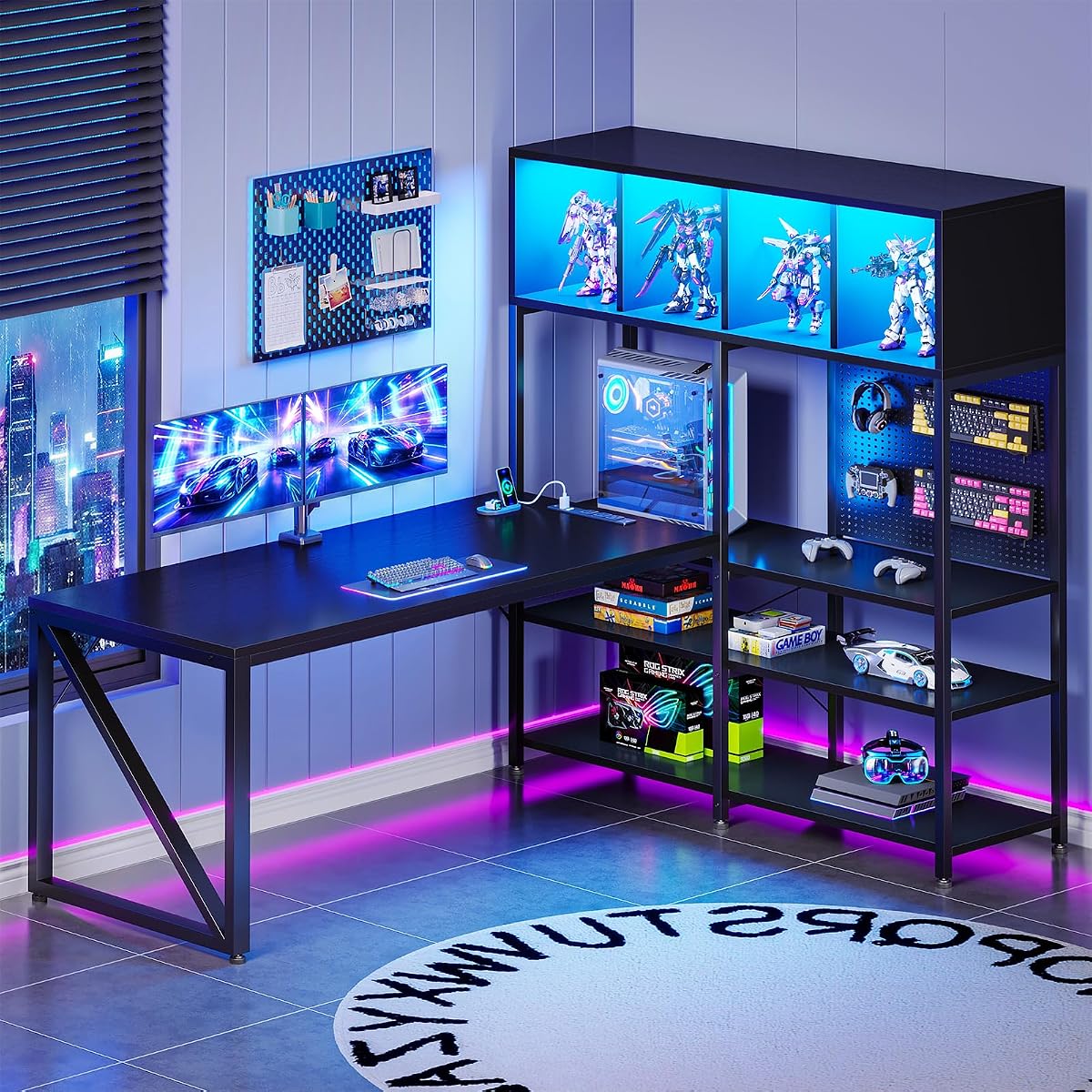
The AODK 63 inch L Shaped Gaming Desk is designed for gamers who want a professional and organized setup. It features premium storage options like a display cabinet and pegboard that keep your gear visible and accessible.
We may earn a commission when you buy through this link, at no additional cost to you.
The extra-deep desktop provides plenty of room for dual monitors and large mouse pads ensuring comfortable movement during intense sessions. Built-in power outlets and LED lighting enhance convenience and ambiance seamlessly.
While it comes at a higher price the added storage and build quality justify the investment for serious gamers. The desk requires significant floor space which may not suit smaller rooms or tight corners.
This desk is ideal for users seeking a complete workstation that supports both gaming and productivity. Its thoughtful design elements like open legroom and modular storage make it a standout choice for premium setups.
The display cabinet and pegboard protect collectibles while keeping essential accessories within easy reach.
An extra-deep desktop ensures comfortable viewing distances and room for multiple peripherals.
We may earn a commission when you buy through this link, at no additional cost to you.
This Gaming Desk with PC Display Stand is uniquely designed to showcase high-end PC builds alongside console setups. The elevated stand allows your PC to serve as a centerpiece improving visibility and airflow significantly.
We may earn a commission when you buy through this link, at no additional cost to you.
Integrated RGB lighting syncs with your internal PC lights creating a cohesive gaming environment. The three spacious drawers help keep cables and controllers organized while the side shelf offers space for collectibles.
While this desk excels at showcasing hardware it may be overkill for users who do not plan to display their PC tower. The price reflects its specialized design and robust construction materials used.
Ideal for gamers with premium PC cases this desk turns your setup into a visual statement. It combines functionality with style offering a clean desk surface and accessible storage for all your gaming essentials.
The elevated desktop stand positions your PC at eye level to maximize the view of your internal components.
Three built-in drawers keep your workspace clean by storing accessories away from the main desktop.
We may earn a commission when you buy through this link, at no additional cost to you.
The 51 Inch Gaming Desk offers a compact solution for gamers with limited space. It integrates storage and lighting into a smaller footprint making it suitable for dorms or smaller bedrooms.
We may earn a commission when you buy through this link, at no additional cost to you.
RGB LEDs add a vibrant gaming feel while the four fabric drawers provide ample organization for controllers and cables. The PC tower stand keeps your console off the floor improving accessibility and airflow.
Although the desk is narrower than others it still supports essential monitors and peripherals well. The carbon fiber texture gives it a modern look but assembly instructions may need careful attention to ensure stability.
This desk is a practical choice for those prioritizing size and storage balance. It delivers on core gaming desk needs without demanding too much room in your living space.
A smaller footprint ensures the desk fits easily into tight corners or shared rooms.
USB ports and power outlets on the desk reduce the need for external power solutions.
We may earn a commission when you buy through this link, at no additional cost to you.
The AODK L Shaped Desk Gaming Desk is a versatile option for corner setups. Its reversible design and built-in storage make it adaptable to different room layouts and user preferences efficiently.
We may earn a commission when you buy through this link, at no additional cost to you.
Power outlets and USB ports are integrated into the desk for easy charging of devices. The LED strip adds ambient light while the CPU stand and hooks keep your workspace organized and functional.
Some users may find the LED brightness modest compared to dedicated gaming lights. Assembly is straightforward with labeled parts but checking for all components before starting is recommended for best results.
This desk offers strong value for those seeking an L-shaped layout with essential power features. It balances storage and utility effectively making it a reliable choice for long-term gaming use.
The reversible hutch allows you to configure the desk to match your room's corner orientation.
Multiple outlets and USB ports reduce cable clutter by centralizing power access at your desk.
We may earn a commission when you buy through this link, at no additional cost to you.
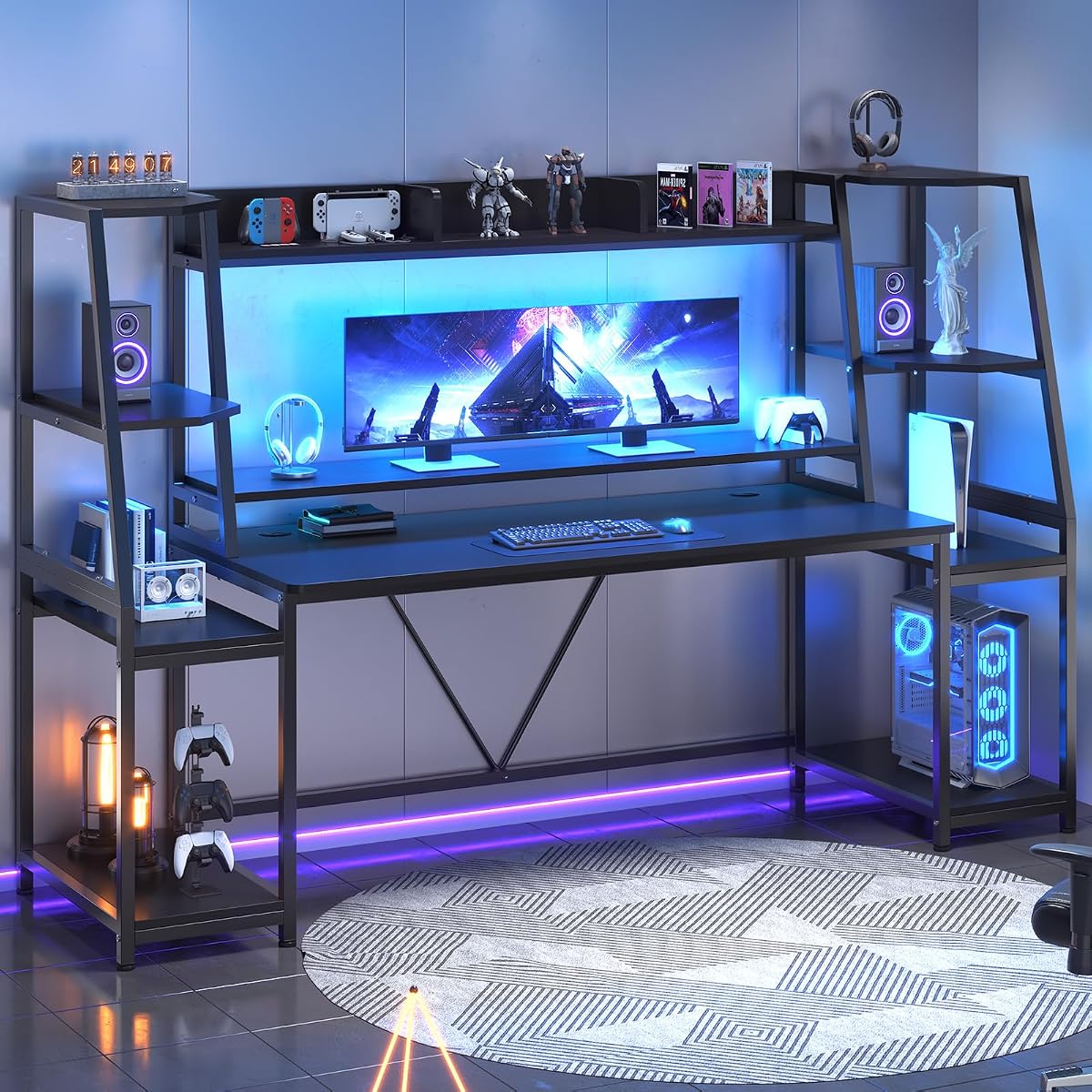
The SEDETA 79 inch Gaming Desk provides a massive workspace for serious gamers needing room for multiple setups. Its extra width accommodates several monitors and consoles making it a true workstation solution.
We may earn a commission when you buy through this link, at no additional cost to you.
Two large shelves allow for significant storage of hardware and games while the smart LED strips sync with music for dynamic lighting effects. The monitor stand helps maintain ergonomic comfort during long sessions.
The desk is heavy and requires more floor space than standard options which may limit where it can be placed. Assembly can be more involved due to its size but the stability it offers is excellent.
This desk is perfect for those who want a dedicated gaming and work zone. Its generous dimensions and storage features make it ideal for users who value spaciousness and customization in their setup.
The 79 inch width provides ample room for multiple screens and gaming accessories simultaneously.
RGB light strips with music sync add an engaging visual layer to your gaming environment.
We may earn a commission when you buy through this link, at no additional cost to you.
The Korfile 66 inch L Shaped Gaming Desk focuses on organization with multiple storage options. It is designed to keep your desk tidy and functional for both work and gaming tasks effectively.
We may earn a commission when you buy through this link, at no additional cost to you.
Integrated power stations allow for easy charging of devices while LED lights add customizable ambiance to your room. The fabric drawers and CPU shelf help manage clutter keeping your workspace efficient.
While it offers many features some users report minor issues with assembly or stability that are worth considering. The monitor riser provides ergonomic benefits but may require adjustment for perfect alignment.
This desk is a solid choice for those prioritizing storage and power integration. It balances practicality with style making it a reliable option for users who need a clean and organized gaming area.
Multiple drawers and hooks help keep accessories organized and accessible without cluttering the desktop.
Integrated power stations reduce cable mess by bringing outlets directly to your workspace surface.
We may earn a commission when you buy through this link, at no additional cost to you.
The Korfile 47 Inch Gaming Computer Desk delivers extensive storage in a compact footprint. Its five drawers provide flexible options for organizing accessories and small items efficiently.
We may earn a commission when you buy through this link, at no additional cost to you.
A full-coverage monitor mount improves posture and frees up desk space for other gear. The RGB strip adds color and customization to your setup making it visually appealing for gaming sessions.
The narrow width means limited space for multiple monitors so it is best suited for single screen setups. Assembly is straightforward but attention to detail is needed to ensure all parts are aligned correctly.
This desk is ideal for users who prioritize storage in a small area. It offers practical functionality and a modern look that fits well in dorms or apartments with limited square footage.
Five drawers offer versatile mounting options to fit your specific room layout needs.
A full-coverage monitor mount elevates your screen to a comfortable viewing height reducing strain.
We may earn a commission when you buy through this link, at no additional cost to you.
The Veken 55 Inch Large Electric Standing Desk allows gamers to alternate between sitting and standing easily. Its electric adjustment system helps reduce sedentary time and improve overall comfort during long sessions.
We may earn a commission when you buy through this link, at no additional cost to you.
The quiet motor ensures smooth transitions without noise distractions while memory presets save your preferred heights. A spacious 55 inch desktop fits multiple monitors and peripherals keeping your workspace organized.
While the desk offers health benefits it requires an electrical outlet for the motor and may cost more than standard desks. Cable management features keep cords tidy ensuring a clean look and safe environment.
This desk is a strong choice for users concerned about posture and movement. It combines practicality with health benefits making it a valuable investment for those who spend hours at their gaming station.
Electric adjustment encourages regular movement which can reduce fatigue during long gaming sessions.
Built-in cable management keeps wires hidden and organized for a clean desk appearance.
We may earn a commission when you buy through this link, at no additional cost to you.
Choosing the right gaming desk involves evaluating dimensions, storage features, and ergonomic design to ensure it supports your console setup effectively.
The size and shape of your desk should align with your available space and hardware requirements. L-shaped desks maximize corner space for multiple monitors and consoles while rectangular desks fit better in tighter rooms.
Measure your room and consider how many peripherals you need to place on the surface before deciding on dimensions.
Effective storage solutions such as drawers, shelves, and CPU stands help keep your setup clutter free and organized. Look for desks with integrated hooks for headsets and open racks for consoles to maintain easy access.
Prioritize storage options that match your accessory volume to prevent items from piling up on your workspace.
Integrated power outlets and USB ports simplify cable management by providing centralized charging for your devices. This feature is essential for console setups where controllers, headsets, and consoles need frequent power.
Ensure the desk includes enough outlets to accommodate your specific hardware without requiring extra power strips.
An ergonomic desk supports healthy posture by offering features like monitor stands and adjustable heights. Proper screen elevation reduces neck strain during long gaming or work sessions.
Look for desks with monitor risers or adjustable legs to customize the desk to your height and comfort.
A sturdy frame and solid desktop materials ensure stability during intense gameplay or when moving peripherals. Check for reinforced steel frames and adjustable foot pads that help level the desk on uneven floors.
Invest in a desk that feels stable and does not wobble to ensure long-term durability and safety.
Integrated RGB lighting or LED strips can enhance your gaming environment with customizable colors and effects. While not essential these features add visual appeal and help set the mood for gaming.
Choose lighting options that align with your room style and gaming preferences for a cohesive look.
Consider how easy the desk is to assemble and maintain over time. Clear instructions and labeled parts simplify setup while durable materials reduce the need for frequent repairs.
Look for desks that offer customer support and warranty options in case of shipping damage or missing parts.
To maintain your gaming desk clean regularly dust the surface and wipe down any spills to prevent damage. Avoid placing heavy objects on the edges to maintain structural integrity.
Check all bolts and screws periodically to ensure the desk remains stable especially after moving furniture or adjusting components. Tighten any loose connections to prevent wobbling during use.
If your desk includes LED lights or power outlets test them regularly to ensure they function properly. Protect any built-in electronics from moisture and ensure power cords are not pinched or strained.
The best size depends on your room space and hardware needs. A desk with at least 50 inches of width typically accommodates a console and monitor comfortably. If you need storage for accessories consider an L-shaped desk for more surface area.
Many modern gaming desks include integrated power outlets and USB ports to simplify cable management. These features allow you to charge controllers and power consoles directly from the desk without needing extra power strips.
Most gaming desks come with clear instructions and labeled parts to make assembly straightforward. Depending on the complexity some may require 30 minutes to an hour to assemble so plan accordingly.
Yes many gaming desks are designed with ergonomic features that make them suitable for both work and gaming. The spacious desktop and storage options help keep your workspace organized for both activities.
Gaming desks are typically made from durable materials like engineered wood tops and steel frames. These materials provide a balance of aesthetics, stability, and cost effectiveness for everyday use.
Most gaming desks come with all the necessary tools to assemble the desk so you do not need special equipment. Always check the packaging to ensure all parts and tools are included before you begin.
Choosing the right gaming desk can transform your gaming experience by providing organization and comfort. This guide highlights top options that balance storage, ergonomics, and style for various setups.
Prioritize features like power outlets and storage based on your specific console and accessory needs. A desk that supports your hardware comfortably ensures better gameplay and less clutter.
Remember to check current prices and availability before making your purchase to get the best deal. Your ideal desk is within reach and will serve as the foundation of your gaming setup for years to come.