
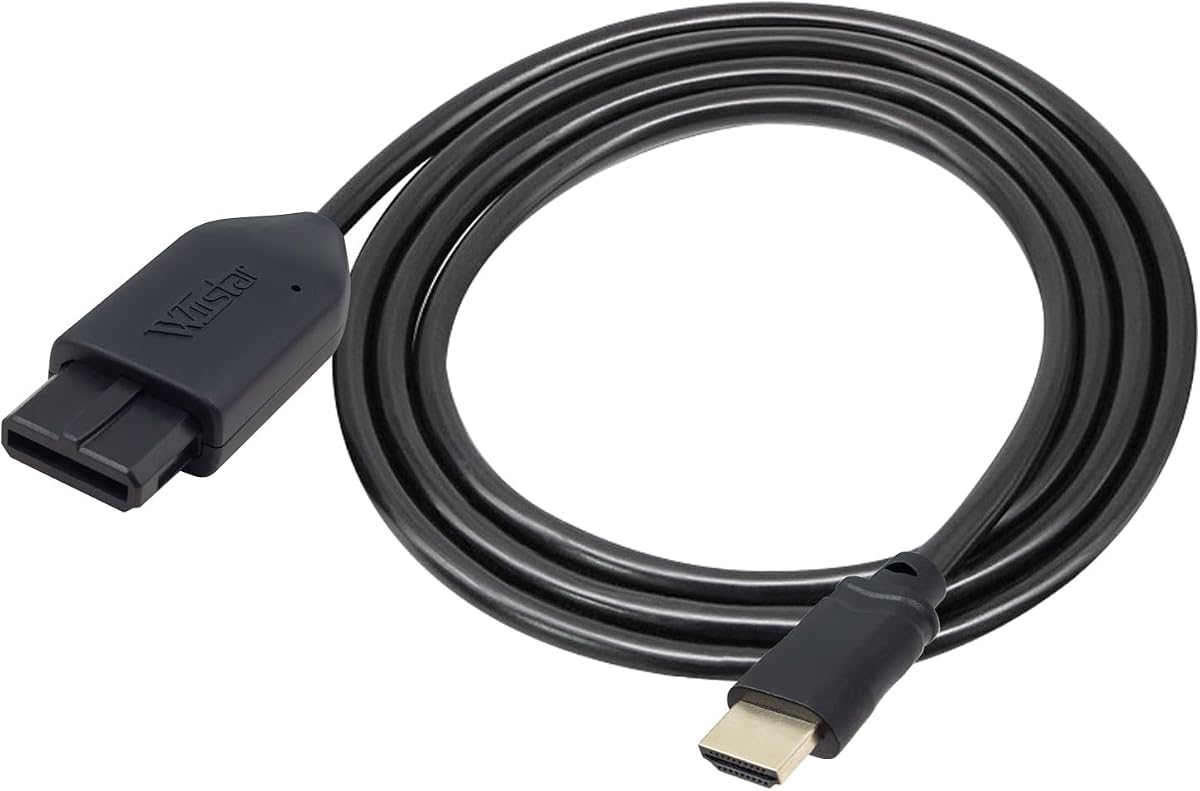
HDMI Adapter for N64/ Game Cube/SNES
4.2Editor score
Supports 720P/1080P
Plug and play setup
Includes HDMI cable
This guide compares the top GameCube HDMI adapters for modern TVs, evaluating video quality, compatibility, ease of setup, and signal performance to help you
Finding the right GameCube HDMI adapter can transform your retro gaming setup. Modern TVs lack the old connectors these consoles use, so a reliable converter is essential for crisp visuals on today's displays.
We compared ten popular adapters based on compatibility, video processing quality, ease of setup, and user feedback. Our goal is to highlight options that balance performance, durability, and value for GameCube enthusiasts.
Each pick below shows key features, pros, cons, and where to find the product. Prices and availability may change, so verify details before purchasing to ensure you get the right adapter for your setup.
4.2Editor score

4.6Editor score

4.4Editor score
The following table provides a side-by-side comparison of the top GameCube HDMI adapters available. Each entry highlights core specifications to help you quickly identify the best match for your console and display needs.



The Kaico Gamecube HDMI Adapter stands out with its dedicated GCVideo operating system, delivering superior image quality compared to standard AV cables. Its ability to enhance visuals through Line Doubling and Scanlines without extra power makes it ideal for retro enthusiasts.
We may earn a commission when you buy through this link, at no additional cost to you.
Users appreciate the plug-and-play simplicity alongside advanced features like firmware updates via USB. The included remote simplifies menu navigation, while the 3D printed shelf protects the console's digital connector, ensuring long-term durability.
Although priced higher than basic converters, the investment pays off through enhanced performance and reliability. The lack of extra power requirements adds convenience, making it a streamlined choice for clean setups.
This adapter is best suited for GameCube owners with DOL-001 models seeking high-quality visuals. Its blend of advanced features and ease of use makes it the top recommendation for serious retro gaming setups.
The adapter provides crisp visuals with Line Doubling and Scanlines options, significantly improving over standard AV outputs.
Built-in USB updates and protective shelf design ensure the adapter remains reliable and easy to maintain over time.
We may earn a commission when you buy through this link, at no additional cost to you.
This adapter offers an affordable solution for connecting legacy consoles like the GameCube to modern TVs. It supports 720P/1080P conversion and includes an HDMI cable, simplifying the setup process for users.
We may earn a commission when you buy through this link, at no additional cost to you.
Plug-and-play functionality ensures quick installation, though an external power supply is necessary. Its compatibility with multiple consoles makes it versatile for owners of various classic systems.
While the image quality is functional, it lacks the advanced processing found in premium adapters. The trade-off is a lower price point and straightforward usability.
Ideal for budget-conscious gamers, this adapter gets the job done without extra cost. It is a practical choice for those prioritizing affordability over high-end visual enhancements.
The adapter works with GameCube, N64, and SNES, offering broad compatibility for multi-console collections.
Affordable pricing combined with included accessories provides a complete solution without hidden costs.
We may earn a commission when you buy through this link, at no additional cost to you.
BITFUNX NGC to HDMI™ Adapter combines advanced signal processing with modern storage options. Its full digital HDMI output ensures zero transmission loss, providing excellent color and resolution for classic games.
We may earn a commission when you buy through this link, at no additional cost to you.
With support for microSD cards up to 512GB and homebrew software, this adapter offers more than just video conversion. The remote and firmware update capabilities add flexibility for power users.
While premium-priced, the enhanced performance and additional features justify the cost. The included bracket protects the adapter and ensures stable connections during gameplay.
Best for enthusiasts seeking top-tier visuals and extra functionality, this adapter delivers reliability and innovation. It is a standout choice for those willing to invest in quality.
Zero transmission loss and high precision color processing ensure stunning visuals on modern displays.
MicroSD support and Swiss compatibility allow for expanded game storage and enhanced functionality.
We may earn a commission when you buy through this link, at no additional cost to you.
This converter is designed for devices with standard composite AV inputs, including the GameCube. It converts analog signals to 1080p HDMI output, making it suitable for various retro gaming systems.
We may earn a commission when you buy through this link, at no additional cost to you.
Plug-and-play ease and included accessories simplify setup. The adapter supports multiple TV formats, ensuring broad compatibility with different regions and displays.
Limitations include lack of 3D or 4K support, but this is standard for legacy devices. External power is needed, which adds minor complexity.
A practical choice for users needing RCA conversion, this adapter balances cost and functionality. It is ideal for basic setups requiring straightforward connectivity.
Works with multiple formats including PAL and NTSC, making it adaptable for global users.
Includes HDMI and USB cables, offering everything needed to start playing quickly.
We may earn a commission when you buy through this link, at no additional cost to you.
This adapter converts analog S-Video signals to digital HDMI, providing better image quality than standard AV cables. The all-in-one design eliminates extra cables, simplifying the setup process for users.
We may earn a commission when you buy through this link, at no additional cost to you.
The built-in console-specific port ensures a direct connection, while support for 1080p60hz output offers smooth visuals. No extra power is needed, which streamlines operation.
Users may experience occasional blue screens if connections aren't optimal. The fixed resolution limits flexibility compared to some premium options.
For those seeking simplicity and cleaner visuals, this adapter is a solid choice. Its plug-and-play nature makes it accessible for casual retro gaming.
S-Video signal output provides a cleaner image than composite, enhancing overall visual experience.
Eliminates need for extra cables by integrating ports directly into the console connection.
We may earn a commission when you buy through this link, at no additional cost to you.
This adapter converts S-Video signals to HDMI for modern displays, supporting multiple classic consoles. The included toggle switch lets users switch between 4:3 and 16:9 ratios easily.
We may earn a commission when you buy through this link, at no additional cost to you.
Detachable design allows use of high-end HDMI cables for better performance. Low latency ensures responsive gameplay, critical for competitive or precision-based games.
While resolution is average, the flexibility of aspect ratios and multiple console support makes it versatile. Users value its ease of use and compatibility.
Best for gamers prioritizing flexibility and responsive gameplay, this adapter is a reliable choice. It suits setups needing adjustable display ratios without complex configurations.
Switch between 4:3 and 16:9 seamlessly, adapting to different display preferences or games.
Detachable HDMI ports allow users to upgrade cables for improved signal transmission.
We may earn a commission when you buy through this link, at no additional cost to you.
The OLCLSS HDMI adapter brings retro gaming to life on modern displays with 1080P upscaling. Its wide compatibility covers N64, GameCube, and SNES, making it versatile for multi-console collections.
We may earn a commission when you buy through this link, at no additional cost to you.
Ultra-low input lag ensures responsive gameplay, while aspect ratio switching adapts to different screen sizes. The design supports stable transmission without requiring extra power for standard use.
Some users note that power may be needed for certain displays. Despite this, the clarity and ease of use make it a solid option.
Ideal for gamers seeking crisp visuals and flexible setup, this adapter delivers value. It suits those upgrading older systems to modern high-definition TVs.
Upscales to 1080P for sharp picture quality, ideal for large modern displays.
Ultra-low input lag ensures smooth, lag-free gameplay for a better experience.
We may earn a commission when you buy through this link, at no additional cost to you.
This adapter is designed for straightforward use with Nintendo consoles, supporting both S-Video and composite outputs. No additional power is required, simplifying setup significantly.
We may earn a commission when you buy through this link, at no additional cost to you.
All-in-one functionality eliminates messy cables, while broad compatibility ensures it works with N64, SNES, and GameCube. The 12-month warranty adds confidence for buyers.
While the design is basic, it serves its purpose well. Users appreciate the convenience and simplicity of connecting legacy systems without complications.
Perfect for casual gamers seeking simplicity, this adapter is a hassle-free choice. It prioritizes ease of use over advanced features.
No need for extra power or complicated installations ensures instant playability.
Supports multiple classic consoles via proprietary analog ports for versatile use.
We may earn a commission when you buy through this link, at no additional cost to you.
This adapter supports legacy systems on modern TVs with clear picture quality and minimal lag. It includes an HDMI cable, simplifying the initial setup process for users.
We may earn a commission when you buy through this link, at no additional cost to you.
No external power is required, and the plug-and-play design ensures quick connection. Its compatibility with multiple consoles makes it a flexible solution for various gaming needs.
Some users may need to troubleshoot connections if issues arise. Despite this, the value and convenience are strong selling points.
Best for users seeking a balanced option with included accessories, this adapter offers reliability. It is ideal for simple retro gaming setups.
HDMI cable included reduces additional purchases, offering a complete solution out of the box.
Minimal lag ensures responsive control, essential for enjoyable gaming experiences.
We may earn a commission when you buy through this link, at no additional cost to you.
This adapter converts S-Video signals to HDMI, offering cleaner output than standard RCA composite. It includes a 1.5m cable, providing flexibility for setup without additional purchases.
We may earn a commission when you buy through this link, at no additional cost to you.
No external power is needed, simplifying connection. The adapter outputs original console resolution, preserving authentic visuals without upscaling.
While it lacks upscaling, the focus on clean signal output is beneficial for purists. The nickel-plated connectors ensure durability over time.
Ideal for retro enthusiasts prioritizing original signal quality, this adapter delivers straightforward performance. It is best for simple setups without extra power needs.
Extracts S-Video signal for a more defined image compared to RCA composite outputs.
Nickel-plated connectors resist oxidation, ensuring stable signal transmission long-term.
We may earn a commission when you buy through this link, at no additional cost to you.
Selecting the right adapter requires understanding compatibility, video processing, and ease of use.
Ensure the adapter supports your specific GameCube model. Some only work with DOL-001 consoles featuring the digital port.
Check model numbers to avoid purchasing incompatible adapters.
Higher-end adapters offer better image clarity with features like Line Doubling and resolution support up to 480p or 1080p.
Prioritize units with strong signal processing to enhance retro visuals.
Some adapters need external power supplies while others run solely from the console. This impacts setup complexity.
Choose models without extra power if simplicity is a priority.
Plug-and-play functionality minimizes setup time. Look for remote controls for menu navigation if adjustments are needed.
Simple installations help users focus on gameplay rather than technical setup.
Sturdy connectors and protective features, like 3D printed shelves, extend the adapter's lifespan.
Select units with warranties to protect against defects.
Some adapters support microSD cards, firmware updates, or homebrew software. These add flexibility for advanced users.
Consider extras based on your technical needs.
Check if the adapter includes HDMI cables or USB power cords. This reduces extra costs.
Complete packages offer better value for initial setup.
Good customer service ensures quick resolution if issues arise. Look for warranties and return policies.
Reliable support adds confidence when purchasing retro accessories.
Connect the adapter directly to your GameCube's AV Multi-Out port if supported. Insert the HDMI cable into the adapter and your TV.
Power the adapter if needed using an external USB source. Ensure connections are secure to avoid signal loss.
Adjust aspect ratios or settings using the remote or toggle switch if available. For long-term care, keep connectors clean and avoid bending cables excessively.
No. Some adapters only support DOL-001 consoles with the digital port. Check your console's model number before purchasing.
It depends on the adapter. Some draw power from the console, while others require a USB power source for stable performance.
Most support up to 1080p or 480p, depending on the model. Check specifications to confirm supported resolutions.
Yes, most offer plug-and-play functionality. You just need to connect the cables and configure settings if required.
Yes, they are designed for TVs with HDMI inputs. Ensure your TV is set to the correct HDMI input source.
Some advanced models like the BITFUNX adapter support homebrew software. Check the product description for homebrew compatibility details.
Adapters often connect directly to the console's proprietary port. Converters typically take AV cables. Both achieve HDMI output but differ in setup complexity.
Check your connections and ensure the adapter is receiving power. Verify the HDMI input on your TV is correctly selected.
The Kaico and BITFUNX adapters stand out for advanced features and image quality, while budget options like the N64 HDMI Converter offer affordability.
Prioritize compatibility and power needs when choosing. Ensure the adapter fits your console model and desired setup complexity.
Prices and availability may vary, so check current listings before purchasing. This guide helps simplify decisions for a better retro gaming experience.