
Brother Sublimation Printer
4.4Editor score
Affordable entry price point
Easy app integration support
Vibrant color output quality
Choosing the right fabric printing printer can transform your creative projects into professional products. Whether you are a hobbyist or a small business owner, finding a machine that balances speed, quality, and ease of use is essential for success in today's market.
We have carefully evaluated the top ten fabric printing solutions available this month. Our analysis focuses on print quality, ink compatibility, maintenance requirements, and overall value to help you make an informed decision that suits your specific production needs.
Each pick in this list highlights key strengths and potential limitations based on user feedback and technical specifications. Remember that prices and availability change frequently, so always check the latest details before making your final purchase decision online.
4.4Editor score

4.9Editor score

4.5Editor score
As an Amazon Associate we earn from qualifying purchases.
This side-by-side comparison highlights the unique capabilities of each machine to help you identify the best fit for your specific fabric printing requirements and budget constraints.





The DXZ 2026 14-inch A3 DTF Printer Bundle stands out as the top choice for serious fabric printing enthusiasts and business owners. With a stellar rating of 4.9, this machine offers professional-grade quality that rivals much more expensive industrial systems.
We may earn a commission when you buy through this link, at no additional cost to you.
Its high-performance F1080 printhead delivers 2880 x 1440 DPI resolution, ensuring eye-catching details on every garment. The vacation-proof auto maintenance feature keeps the printer ready even after long idle periods, reducing downtime and maintenance stress significantly.
While the price point is higher than entry-level options, the included two-year ink supply and extensive warranty coverage justify the investment. Users appreciate the ability to print on everything from kids wear to plus size hoodies without splicing.
This printer is ideal for those looking to scale their custom apparel business quickly. The combination of speed, reliability, and comprehensive support makes it a standout choice for anyone needing consistent, high-quality fabric printing results.
The genuine 14-inch print width allows for large designs without cutting or stitching, perfect for full-back graphics on adult garments.
Built-in moisturizing and scheduled cleaning automate upkeep tasks, extending printhead life and ensuring consistent output quality over time.
We may earn a commission when you buy through this link, at no additional cost to you.
The Brother Sublimation Printer is an excellent choice for hobbyists and beginners entering the fabric printing space. With a solid 4.4 rating, it balances performance and ease of use without breaking the bank.
We may earn a commission when you buy through this link, at no additional cost to you.
It integrates seamlessly with the Artspira app, offering over 100 sublimation designs and stylish templates. The dye sublimation ink creates bright, rich colors that remain vibrant through multiple wash cycles on polyester items.
While it requires a separate heat press for transfers, the overall workflow is straightforward for DIY mugs, tumblers, and shirts. The printer ensures longevity and durability, making it a great starting point for small scale projects.
This machine is best suited for casual creators or those testing the waters of custom apparel. Its reliability and simple interface make it a strong budget-friendly option for producing high-quality personalized gifts.
The Artspira app simplifies design creation with pre-made templates and photo editing tools tailored for sublimation printing.
Sublimation ink melts into coated items under heat, ensuring prints do not peel or fade over time.
We may earn a commission when you buy through this link, at no additional cost to you.
The Epson SureColor F170 offers professional-level performance for those who demand exceptional print clarity and consistency. Its 4.5 rating reflects user satisfaction with the high-quality results and reliable operation.
We may earn a commission when you buy through this link, at no additional cost to you.
Featuring the PrecisionCore printhead, this printer delivers outstanding image clarity with precise droplet control. The included genuine Epson sublimation ink ensures consistent color saturation and high contrast for vibrant transfers.
The 150-sheet auto-feed tray adds efficiency to workflow, reducing paper prep time. High-capacity ink bottles with auto-stop features minimize waste and save money on consumables over the long term.
This bundle is ideal for professional photographers or businesses requiring top-tier sublimation quality. The combination of speed, ease of use, and superior print fidelity makes it a premium choice for serious fabric printing needs.
PrecisionCore technology allows for incredibly detailed and vibrant prints that stand out in professional applications.
Auto-feed trays and high-capacity inks reduce manual intervention, keeping production flowing smoothly during busy periods.
We may earn a commission when you buy through this link, at no additional cost to you.
The Brother PrintModa Studio Fabric Printer is designed specifically for home crafters who want to print directly on fabric rolls. It allows for custom banners and home decor without needing external transfer paper.
We may earn a commission when you buy through this link, at no additional cost to you.
With Artspira integration, users can access a wide range of templates and edit text or images easily. Wireless connectivity lets you print directly from your laptop, streamlining the creative process for various craft projects.
Although it has a lower rating than some competitors, its ability to print on fabric directly is a unique advantage. Fast speeds ensure you get custom orders done quickly compared to traditional crafting store methods.
This machine suits crafters who enjoy home decor and personalized items. Its straightforward workflow and direct fabric printing make it a convenient choice for hobbyists looking to save time on custom fabric creation.
Print directly on fabric rolls instead of paper transfers, simplifying the process for banners and home decor items.
The Artspira app provides editable templates for various projects, making design creation accessible for non-professionals.
We may earn a commission when you buy through this link, at no additional cost to you.
The InkSonic A3 R1390 DTF Printer offers a comprehensive solution for small businesses looking to start custom apparel production. It features a 13-inch print width and includes essential components like an oven and ink.
We may earn a commission when you buy through this link, at no additional cost to you.
Its 24/7 technical guidance ensures users can set up and operate the machine with confidence. The white ink circulation system prevents settling, ensuring sharp colors on both light and dark garments.
The bundle comes with 3500ml of premium ink and consumables, reducing initial setup costs. Compatible with cotton, polyester, and blends, it provides versatility for various product types and client requests.
This printer is ideal for entrepreneurs needing a complete start-up kit. With solid build quality and reliable support, it helps small teams produce professional transfers without needing extensive prior printing experience.
Access to 24/7 technical guidance helps resolve setup issues quickly, ensuring minimal downtime for new business owners.
Mixing and filtration systems keep white ink flowing smoothly, preventing clogs and ensuring consistent opacity on dark fabrics.
We may earn a commission when you buy through this link, at no additional cost to you.
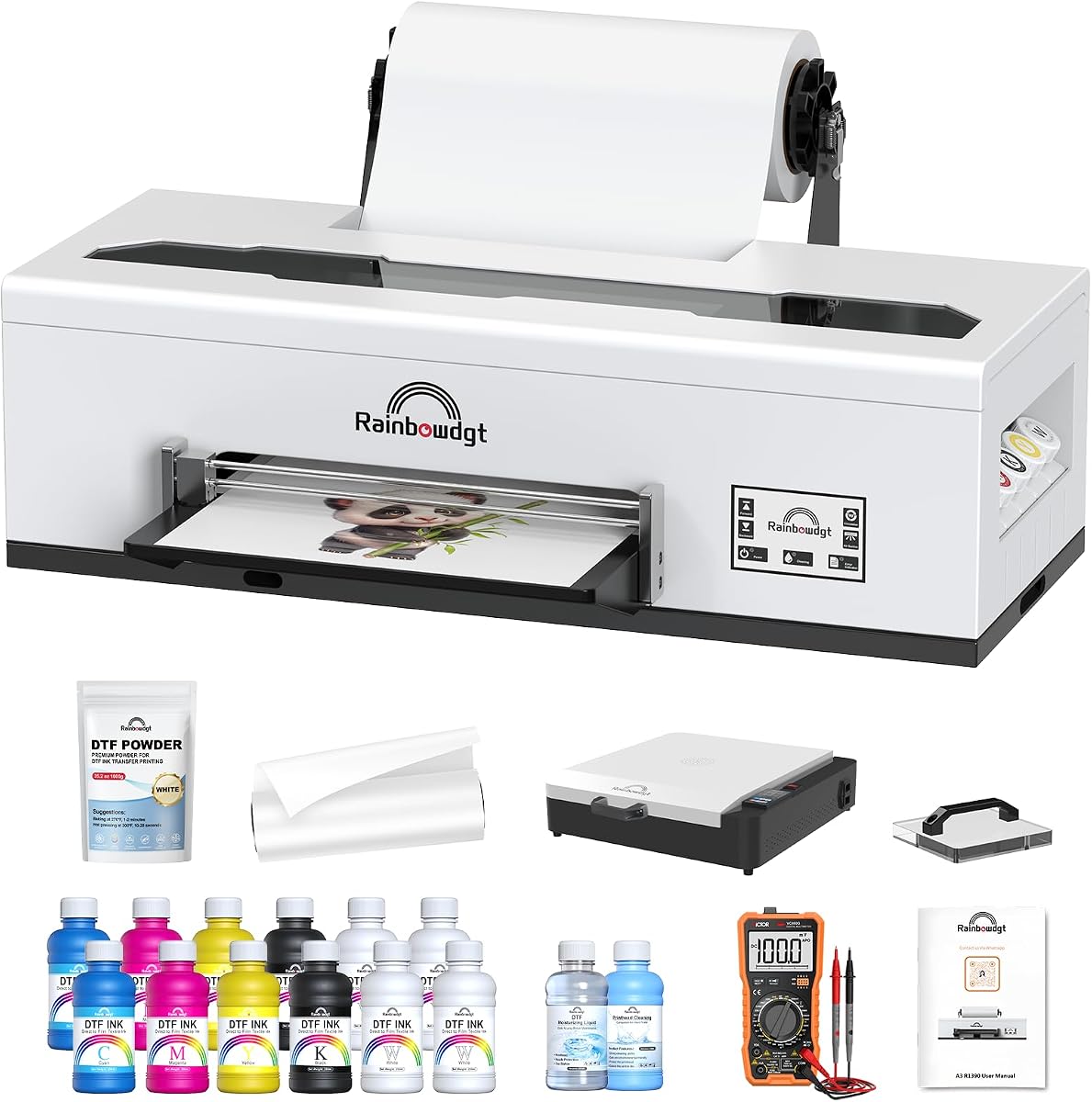
The RAINBOWDGT R1390 Bundle is a standout for those seeking long-term value. With a perfect 5.0 rating, users praise the included two-year ink supply and comprehensive startup components.
We may earn a commission when you buy through this link, at no additional cost to you.
It delivers vivid, sharp details with 100% true-to-image color reproduction. The smart adsorption system keeps film flat during printing, preventing wrinkles and ensuring precise transfer alignment on garments.
The bundle includes a curing oven, ink, film, and powder, covering all immediate needs. Multi-fabric compatibility allows for seamless printing on cotton, polyester, and leather, expanding potential product offerings.
Ideal for growing brands, this machine balances quality and cost-effectiveness. The automatic nozzle protection and rapid heating features reduce manual maintenance, making it easier to focus on production and design.
Includes all necessary supplies like ink, film, and oven, allowing businesses to launch operations immediately without extra purchases.
Photorealistic capabilities ensure designs look exactly as intended, crucial for high-end custom apparel and promotional products.
We may earn a commission when you buy through this link, at no additional cost to you.
The Spark F13 brings professional DTF printing into a workflow designed specifically for home studios and small shops. It offers a 13-inch width and focuses on reducing long-term ownership costs.
We may earn a commission when you buy through this link, at no additional cost to you.
With G7-certified color performance, it ensures colors stay close to original designs. The 12-hour auto cleaning helps limit clogs during downtime, keeping the machine ready for daily use.
Users appreciate the simple controls for essential functions like white ink circulation and platen vacuum. The lifetime technical assistance helps guide beginners through setup and routine maintenance steps.
This printer suits home-based sellers looking for reliability without the complexity of industrial machines. Its user-friendly design and cost-saving features make it a practical choice for growing custom apparel businesses.
Designed to reduce ongoing costs with automated cleaning and efficient ink systems, making it affordable for home businesses.
Dedicated buttons for key functions simplify maintenance, reducing the learning curve for new users starting their printing journey.
We may earn a commission when you buy through this link, at no additional cost to you.
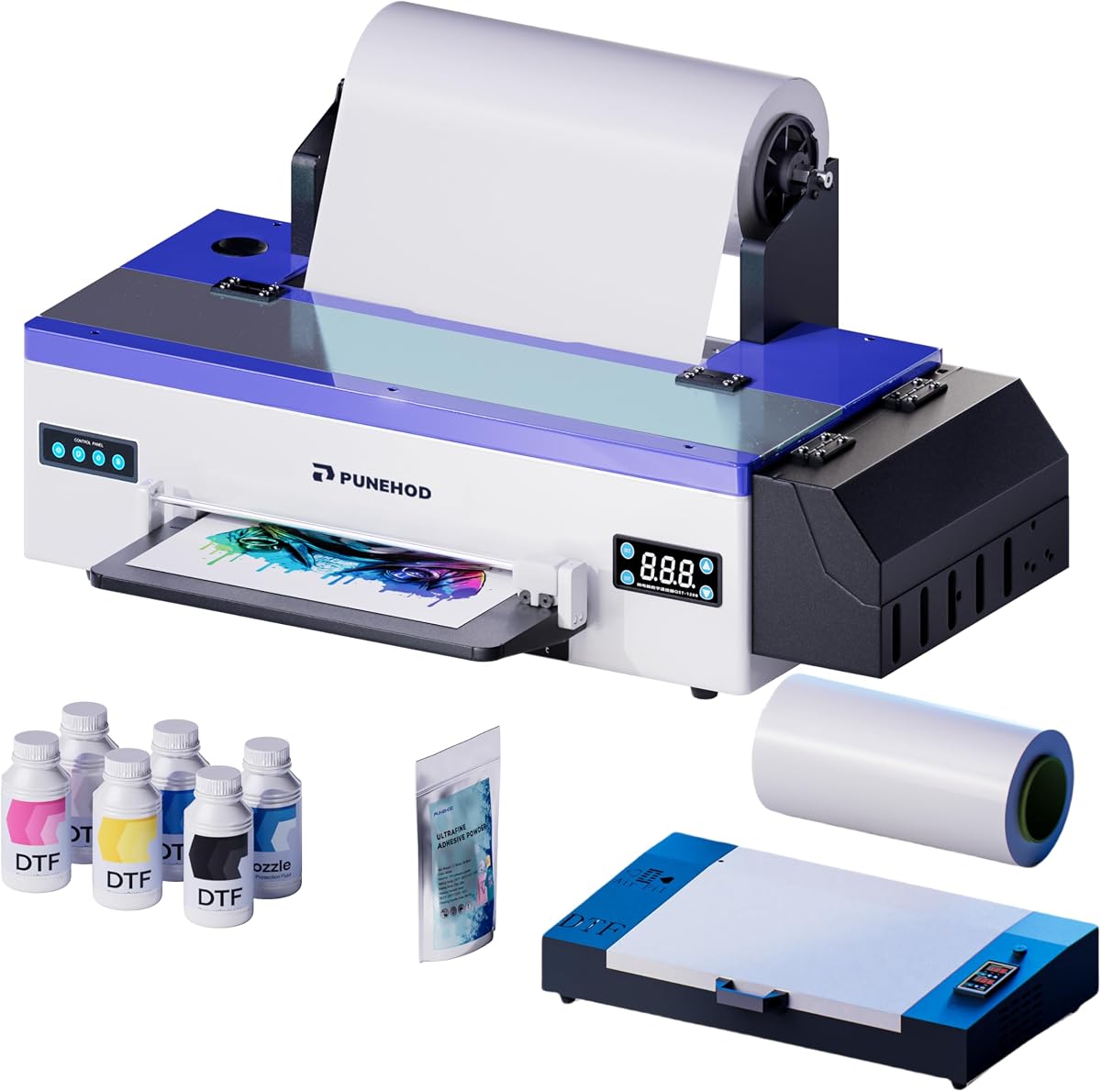
The PUNEHOD A3 L1800 DTF Printer features an upgraded roll-to-roll system that significantly reduces film waste. With a 4.6 rating, it is valued for its efficiency and complete supply setup.
We may earn a commission when you buy through this link, at no additional cost to you.
Its automatic cutter allows for precise cuts based on custom patterns, improving workflow efficiency. The built-in three-core white ink system ensures consistent solid layers, preventing nozzle clogging issues.
Suitable for both home DIY and commercial orders, this printer delivers stable output speeds. The complete kit includes ink, powder, film, and tutorials, making it easy to start production immediately.
Ideal for businesses needing higher volume capabilities, this machine balances cost and performance. The roll feeding system and advanced ink maintenance make it a smart choice for growing apparel brands.
The roll-to-roll design cuts film waste by 30 percent, offering significant savings for high-volume production runs.
Three-core white ink maintenance ensures even mixing and unobstructed flow, crucial for dark garment transfers.
We may earn a commission when you buy through this link, at no additional cost to you.
EQ Printables Inkjet Fabric Sheets provide a simple way to print designs on fabric without investing in a dedicated printer. With a 4.7 rating, users appreciate the ease of use and soft finish.
We may earn a commission when you buy through this link, at no additional cost to you.
You can scan photos or letters and print directly on these sheets using a standard inkjet printer. The material feels soft and never rubbery, making it comfortable for wearable projects.
Each pack contains six sheets, ideal for small crafts or personalized gifts. The lack of special requirements makes it accessible for anyone with a home office printer.
Best suited for occasional projects or testing designs, this product offers flexibility without the commitment of new hardware. It is a great option for hobbyists who need quick, custom fabric results.
Works with standard home inkjet printers, removing the need for specialized hardware or expensive setup costs.
The soft material ensures comfort on skin, making these sheets perfect for t-shirts and other wearable items.
We may earn a commission when you buy through this link, at no additional cost to you.
TransOurDream Upgrade Transfer Paper offers a straightforward method for customizing light-colored fabrics. With a 4.4 rating, it is praised for its bright results and ease of application.
We may earn a commission when you buy through this link, at no additional cost to you.
The lower melting point makes it easy to iron on without damaging the fabric. No mirror printing is required, simplifying the design process for images and text.
It works best with light or white cotton blends. The included Teflon paper helps protect garments during transfer, ensuring a professional-looking result even with basic equipment.
Best for home DIY projects like t-shirts and tote bags, this product delivers durable and stretchable prints. It is an affordable solution for personalizing items without needing complex machinery.
No mirror printing requirement simplifies the process, making it ideal for beginners and quick craft projects.
Bright and stretchable transfers withstand washing and wear, ensuring your custom designs last for years.
We may earn a commission when you buy through this link, at no additional cost to you.
Selecting the right printer depends on your specific needs, budget, and production volume. This guide breaks down the key factors to consider before you buy.
Choose between sublimation, DTF, or inkjet sheets based on your material requirements. Sublimation works best on polyester, while DTF handles cotton and blends effectively.
Evaluate which technology aligns with your product goals to ensure optimal results.
Consider the maximum width you need for your designs. Standard A3 printers handle up to 13 inches, while premium models offer 14 inches or more.
Select a width that accommodates your largest garment size without requiring splicing.
Look at the long-term cost of ink and maintenance supplies. Some bundles include years of ink, which can significantly reduce operational expenses.
Factor in recurring costs to calculate the true price of ownership over time.
Check for features like auto-cleaning and ink circulation systems that prevent clogs. Regular maintenance is crucial to avoid downtime and protect your investment.
Prioritize models with automated features to reduce manual effort and extend printhead life.
Ensure the printer supports compatible software and connectivity options like Wi-Fi or USB. User-friendly design tools can streamline your workflow significantly.
Choose a system with intuitive software to minimize the learning curve for your team.
Research the warranty terms and available technical support. Brands offering 24/7 assistance or on-site service provide peace of mind for businesses.
Verify coverage details to ensure you can resolve issues quickly when they arise.
Consider how quickly the printer can produce batches for your orders. Fast speeds are essential for meeting tight deadlines in commercial environments.
Balance speed with quality to maintain client satisfaction without compromising design integrity.
Measure your available workspace to ensure the printer fits comfortably. Larger bundles with ovens may require dedicated areas for operation.
Allocate enough space to allow for smooth workflow and access to accessories.
To start using your fabric printer, ensure the printer is calibrated properly according to the manufacturer's manual. Clean the printhead before the first run to prevent any initial clogs or streaks in your designs.
Always store your printer in a temperature-controlled environment to avoid ink drying out or freezing. Perform regular maintenance tasks like running nozzle checks and cleaning cycles to keep the machine in optimal working condition.
For fabric transfers, apply the heat press at the correct temperature and pressure for your specific material. Regularly inspect your consumables like ink levels and films to prevent interruptions in your production workflow.
Sublimation dye bonds with polyester using heat, whereas DTF uses a film transfer that works on cotton and other blends. DTF generally requires more setup but offers wider fabric compatibility.
You should run cleaning cycles weekly if you print daily, or before every use if printing occasionally. Regular maintenance prevents clogs and maintains consistent print quality over time.
No, fabric printers require specific dye or pigment inks designed for their technology. Using regular ink can damage the printhead and produce poor quality results.
Transfer temperatures vary by material and ink type, typically ranging from 320 to 400 degrees Fahrenheit. Always follow the supplier's guidelines for your specific ink and fabric.
Sublimation and DTF printers require a heat press for transferring designs. Inkjet fabric sheets may work with an iron for small projects, but a press ensures durability.
Store ink in a cool, dark place to prevent evaporation and separation. Keep film in a sealed container away from moisture to ensure proper adhesion during transfers.
DTF printers are designed to print on dark fabrics using white ink underbases. Sublimation printers are generally limited to light or white polyester items.
Our top picks highlight that the DXZ DTF Bundle, Brother Sublimation, and Epson SureColor offer the best balance of features for different needs. Each machine excels in specific areas like speed, ease of use, or material versatility.
When deciding, prioritize the fabric types you will use most often and the volume of production you expect. Investing in a printer that aligns with your workflow will save time and money in the long run.
Remember to check current pricing and availability before purchasing as offers change frequently. Taking the time to compare specs and support options will ensure you find the perfect solution for your business.