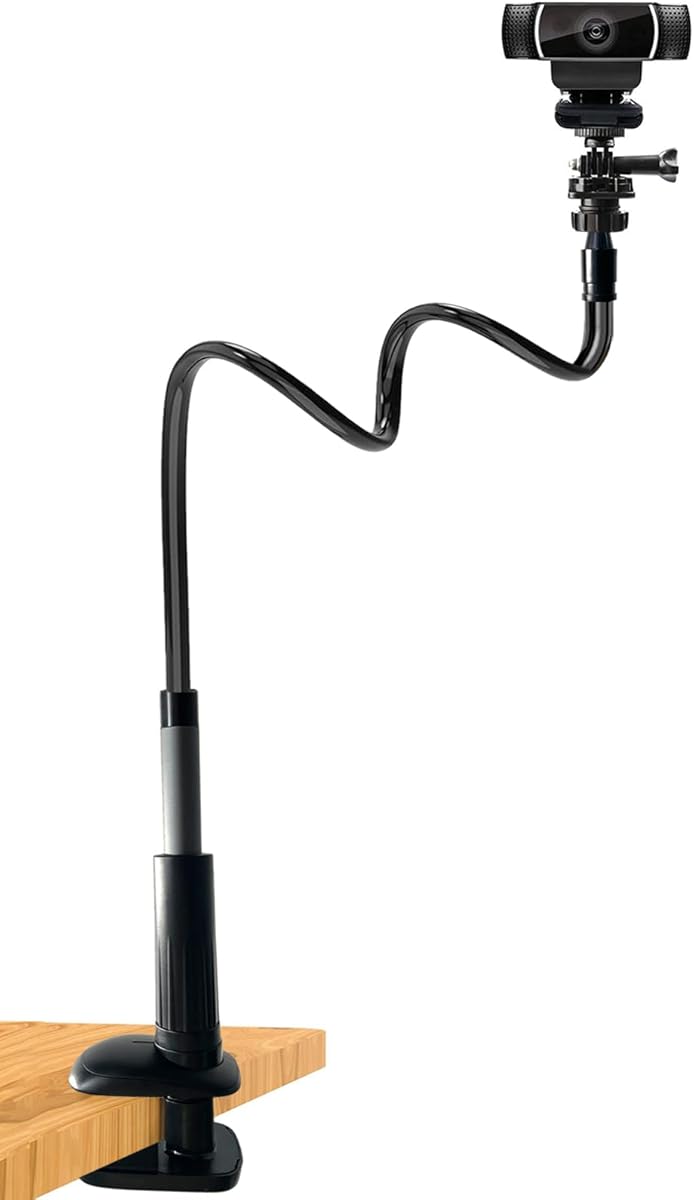
30 Inch Webcam Stand Camera Mount
4.1Editor score
Up to 30 inch flexible reach
Thick durable clamping base
Universal 1/4 inch screw fit
Finding a reliable clamp on webcam arm can transform your workspace by freeing up desk space and improving your camera angle. These versatile mounts allow you to position your device at the ideal height for comfortable viewing during calls or content creation.
We have carefully evaluated ten leading models based on stability, flexibility, build quality, and compatibility with various devices. Our selection includes options ranging from simple gooseneck stands to advanced magic arm kits designed for professional overhead shooting needs.
Each pick highlights unique strengths to help you match the right tool to your specific workflow and budget. Keep in mind that availability and pricing may change over time, so checking current listings before purchasing is always recommended for the best deal.
4.1Editor score

4.5Editor score

4.4Editor score
As an Amazon Associate we earn from qualifying purchases.
This side by side comparison breaks down the key specifications and capabilities of each featured mount to help you quickly identify the model that best fits your unique recording or conferencing requirements.




This affordable mounting solution offers a straightforward way to elevate your webcam without consuming valuable desk space. With a rating of 4.1 stars, users appreciate its flexibility and the ability to position their camera at eye level easily.
We may earn a commission when you buy through this link, at no additional cost to you.
The standout quality here is the upgraded thick base which provides a secure grip on various surfaces ranging from desks to nightstands. The gooseneck arm allows you to bend it into an S or Z shape for added stability during recording sessions.
While it performs well for lighter webcams like the Logitech C920 or Brio, it is not designed to carry heavier DSLR cameras. Some users note that bending the tube correctly is crucial to minimize bouncing when typing or moving nearby.
Ideal for budget conscious streamers or remote workers who need a reliable overhead view, this stand delivers essential functionality without unnecessary complexity. It is a great entry point for anyone looking to upgrade their video call setup today.
The thickened clamp base ensures your mount stays put even when adjusting the arm angle during active meetings or recordings.
Fits all standard devices with a 1/4 inch screw hole including most popular webcams and action cameras for versatile use.
We may earn a commission when you buy through this link, at no additional cost to you.
SMALLRIG brings professional grade engineering to the table with this 22 inch magic arm designed for creators who demand precision. It holds a 4.4 rating reflecting its robust construction and reliable performance in various mounting scenarios.
We may earn a commission when you buy through this link, at no additional cost to you.
The anti deflection design ensures that the arm stays secure even if accidentally bumped during use. Each joint features double ball clamps for independent angle adjustments making it ideal for complex overhead or vlogging setups.
While it includes a phone clamp and adapters for multiple thread sizes the load capacity is capped at 600 grams. This means it is perfect for webcams and phones but not suitable for heavy camera rigs or large microphones.
If you need a sturdy mount that can handle dynamic positioning without slipping this option stands out among competitors. It is best suited for content creators who value durability and flexibility over the lowest possible price tag.
The anti deflection interface and friction pads work together to prevent slippage during long recording sessions or calls.
Clamp onto regular desktops or round tubes like tripods with ease thanks to the rotatable friction pads design.
We may earn a commission when you buy through this link, at no additional cost to you.
This flexible mount earns a top spot for its balance of affordability and performance across various devices. With a 4.5 rating it appeals to users who need a quick solution for action cameras or small webcams.
We may earn a commission when you buy through this link, at no additional cost to you.
The flexible gooseneck can be extended to 11.6 inches allowing you to position the camera close to your subject. The mini tripod head supports 360 degree rotation so you can frame your shot perfectly without moving the base.
Keep in mind that it is not recommended for clamping directly on screens and works best on stable non moving objects. The max weight limit is less than 500 grams so avoid attaching heavy loads that could strain the joints.
For DIY enthusiasts or those needing a spare mount for different setups this product offers excellent value. It is particularly useful for creative angles in product photography or streaming where traditional tripods fall short.
The gooseneck bends easily to reach tight spaces or awkward angles while maintaining a firm hold on the device.
Compatible with popular models like DJI OSMO 360 and various Logitech webcams making it a versatile tool.
We may earn a commission when you buy through this link, at no additional cost to you.
This mount combines durability with a user friendly design that simplifies setup for home office users. Its 4.4 rating indicates satisfaction with its stability and ease of use in daily conferencing or streaming tasks.
We may earn a commission when you buy through this link, at no additional cost to you.
The desk clamp is specifically engineered for flat surfaces offering superior gripping strength without damaging the tabletop. The arm itself is wrapped in silicone which prevents debris accumulation and protects your device from scratches during adjustments.
While it holds webcams and action cameras securely using an S shape for the arm can help reduce any minor wobble. The compatibility with 1/4 and 3/8 screw holes allows for future expansion with other accessories like lights or microphones.
For those who prioritize build quality and a clean look on their desk this model is a strong contender. It meets the needs of remote workers who want a reliable tool that blends functionality with aesthetic appeal.
Soft rubber pads on the clamp prevent slips and scratches ensuring your furniture stays in pristine condition over time.
Installation is quick and easy without needing any extra tools making it ready to use right out of the box.
We may earn a commission when you buy through this link, at no additional cost to you.
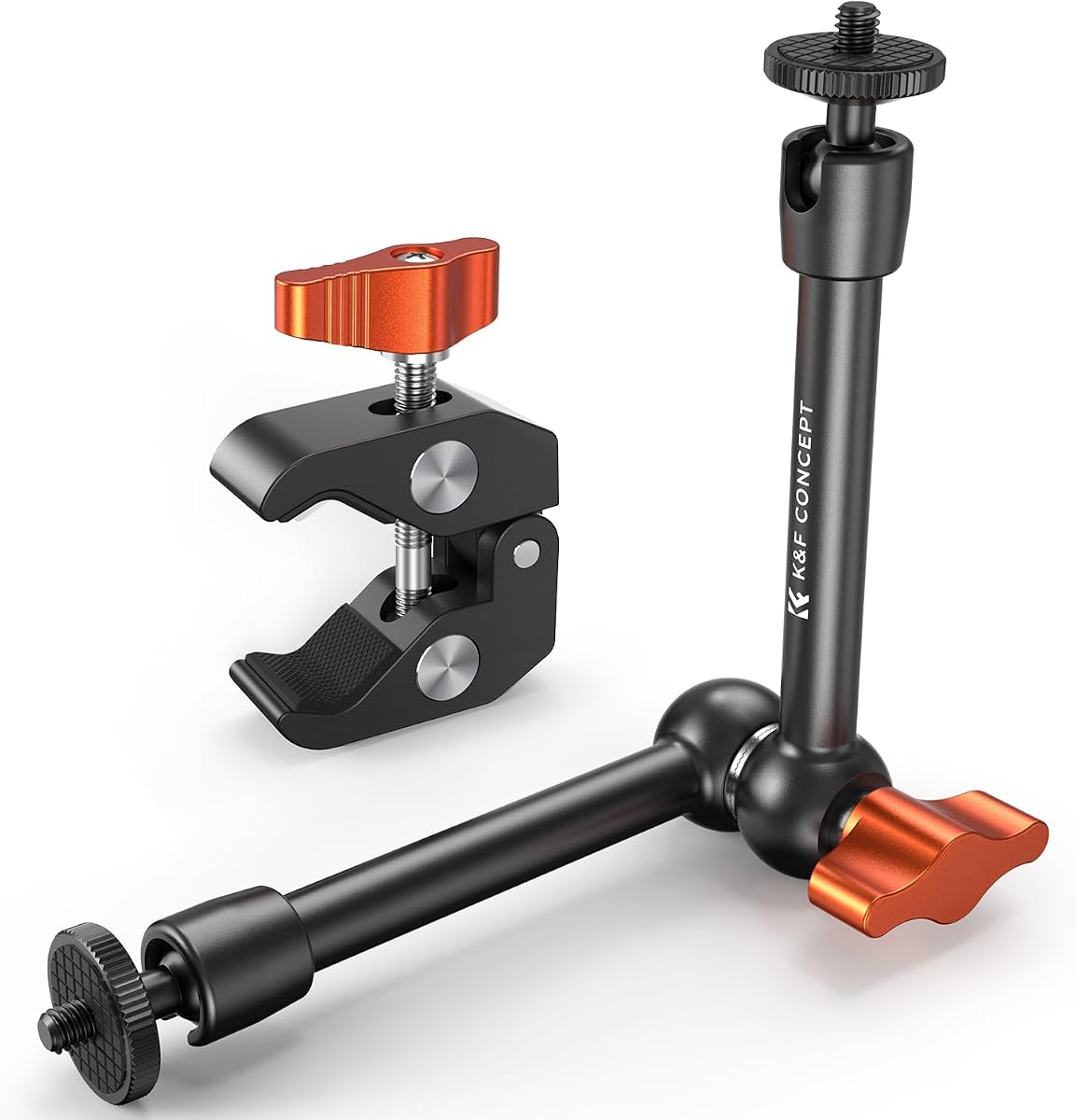
This compact kit offers a robust solution for mounting devices where space is limited but strength is still required. With a 4.2 rating it performs well for standard photography and video tasks that do not involve movement.
We may earn a commission when you buy through this link, at no additional cost to you.
The magic arm allows for 360 degree adjustments so you can position your device in the ideal spot effortlessly. It includes a super clamp that opens from 15mm to 55mm giving you flexibility in what surfaces you can attach it to.
Although the load capacity is up to 2 kilograms it is designed for static scenes so avoid using it for moving vehicles or vigorous activities. The all metal construction ensures durability but the short length may not reach deep desks.
Ideal for mounting accessories like lights or microphones on existing stands this kit expands your setup options. It is a practical choice for creators who need a reliable secondary mount for their gear.
The all metal design provides a sturdy frame that resists bending under weight compared to plastic alternatives.
The knob screw allows you to loosen for rotation or tighten to lock the head and joint positions securely.
We may earn a commission when you buy through this link, at no additional cost to you.
NEEWER delivers a versatile overhead mount that excels in stability and flexibility for various creative needs. Its 4.5 rating highlights user satisfaction with its ability to handle phones and cameras without wobbling during use.
We may earn a commission when you buy through this link, at no additional cost to you.
The arm features three sets of 360 degree dual ball head adapters which give you immense control over angles and height. An anti twist pin at each interface ensures the connected device remains firmly locked in place even if the arm is touched.
While the load capacity is limited to 500 grams it is perfect for webcams and phones used in streaming or video calls. The nonslip pads on the clamp protect your furniture and the arm provides a solid grip on both flat and round surfaces.
This model is an excellent choice for anyone needing a dedicated overhead view for tutorials or gaming. It balances professional features with an approachable price point making it a favorite among hobbyists and pros alike.
Anti twist pins prevent unexpected loosening ensuring your camera stays aimed correctly throughout your entire session.
The super clamp fits both flat desks up to 2 inches thick and cylindrical objects like tripod legs easily.
We may earn a commission when you buy through this link, at no additional cost to you.
This kit provides a comprehensive solution for overhead shooting with multiple heads to adjust your view precisely. A 4.3 rating reflects its reliability for indoor photography and streaming tasks where stability is paramount.
We may earn a commission when you buy through this link, at no additional cost to you.
The rotatable clamping blocks allow you to grip both flat surfaces and cylindrical objects securely. Non-slip silicone pads enhance friction to keep the mount in place and protect your equipment from scratches during adjustments.
With a load capacity of 1 kg it supports a decent range of devices but is not intended for dynamic outdoor activities. The built-in 1/4 and 3/8 threaded holes make it easy to attach accessories like LEDs or microphones.
Content creators and streamers will appreciate the included phone holder and action camera adapter which expand its utility. It is a solid investment for anyone building a permanent setup for high quality video production.
Three ball heads let you rotate and lock the arm at any angle to capture the perfect shot every time.
The extension holes on the clamp allow you to add more gear quickly without needing extra adapters.
We may earn a commission when you buy through this link, at no additional cost to you.
This model stands out with a perfect 5.0 rating offering a high quality experience for those seeking a full featured stand. Its design emphasizes both stability and portability making it ideal for hybrid workers who travel occasionally.
We may earn a commission when you buy through this link, at no additional cost to you.
The gooseneck arm is made from a solid aluminum magnesium alloy core providing rigidity while remaining fully bendable. With a total length of 36.6 inches it reaches far over your desk to position your webcam at a comfortable eye level.
The heavy duty base fits surfaces up to 2.56 inches thick which covers most standard desks and tables effectively. Silicone padding protects your furniture and the foldable design allows it to be tucked away when not in use.
Whether you are recording YouTube videos or joining Zoom meetings this stand ensures your device stays steady. It is a top recommendation for anyone needing a versatile tool that performs well across various scenarios.
The extended arm length lets you position your camera exactly where you need it without moving your desk.
Its foldable structure helps reduce clutter by allowing you to store it neatly behind your computer when done.
We may earn a commission when you buy through this link, at no additional cost to you.
This unit offers a straightforward design that works well for overhead shots of hands or objects. With a 4.4 rating it appeals to users needing a dedicated view for tutorials like cooking or drawing without complex rigging.
We may earn a commission when you buy through this link, at no additional cost to you.
The desktop stand can be adjusted from 12.79 to 21.65 inches providing flexibility in height. The holding arm is 13 inches long which is sufficient for close up work but may not reach far across a large desk.
Comes with a phone holder and ballhead allowing you to switch between devices easily. The materials include high quality steel and ABS ensuring durability for light to medium daily use without breaking.
If you need a specialized tool for detailed tasks this mount provides a stable platform for your camera. It is a practical choice for hobbyists or educators who want a simple setup to teach or demonstrate skills.
You can raise or lower the desktop base to find the best height for your camera and subject easily.
Suitable for live web conferencing makeup tutorials streaming or crafting videos where overhead views are needed.
We may earn a commission when you buy through this link, at no additional cost to you.
This compact arm delivers high performance for small setups where space is tight but strength is needed. Its 4.6 rating reflects user confidence in its ability to hold devices securely during recording sessions.
We may earn a commission when you buy through this link, at no additional cost to you.
The 360 degree dual ball head allows you to adjust your device to the ideal position effortlessly. Both ends of the arm are equipped with 1/4 screws so you can attach various accessories like microphones or flashes.
While the max clamp opening is 55mm it fits a wide variety of surfaces including poles and tables. The cushions increase friction and protect your equipment ensuring that your gear remains safe from wear and tear.
It is an excellent solution for mounting small gear on existing stands or desks where a full tripod is too large. For those needing a reliable short arm for specific angles this product offers great value and durability.
With a 2kg limit it supports heavier accessories than typical small arms giving you more flexibility in setup.
The anti scratch design ensures your device stays pristine even after repeated adjustments or use over time.
We may earn a commission when you buy through this link, at no additional cost to you.
Selecting the right mount depends on several factors including your device weight and the surfaces available in your workspace.
Always check the maximum weight the arm can support before purchasing. If your webcam or phone is heavy ensure the arm has a high load rating to prevent drooping or accidental falls.
Choose a model with at least 20 percent more capacity than your device weight for safety and long term stability.
Measure your desk depth and desired camera height to pick an appropriate arm length. Longer arms offer more reach but may sag if the material is not sturdy enough.
For standard desks a 20 to 30 inch arm works best to position the camera at eye level without stretching too far.
Evaluate the range of the clamp to ensure it fits your table thickness. Look for rubber pads or non slip designs to protect your furniture from scratches during tightening.
A thick base clamp provides more stability than a thin one so it holds your arm firmly in place during adjustments.
Decide between a gooseneck or a magic arm based on how often you change angles. Goosenecks hold a shape once bent while magic arms allow multi joint rotation with locking knobs.
If you need frequent adjustments pick a magic arm with ball heads for easier repositioning without moving the base.
Aluminum alloy is preferred for its balance of strength and lightness compared to plastic or ABS. A solid metal core prevents bending and extends the lifespan of the mount.
Look for silicone wrapping or foam padding to avoid debris buildup and protect your equipment from metal on metal contact.
Verify that the mount uses standard 1/4 or 3/8 inch screw threads for your device. Some models include phone holders or adapters that add versatility to your setup.
Ensure the kit includes all necessary screws or adaptors so you do not need to buy extra parts later for installation.
Look for features like anti twist pins or double ball clamps if you plan to use the arm for recording. These elements reduce wobbling and keep the device steady during movement.
If you are on a busy desk a heavier base with non slip pads will minimize vibrations caused by typing or nearby activity.
Prices vary significantly from basic goosenecks to professional magic arm kits. Determine how much you are willing to spend based on how critical stability is for your work.
Higher priced models often offer better build quality and accessories so consider the long term value when making your final decision.
Begin by placing the clamp securely on a flat stable surface and tightening it until it does not wobble. Ensure the rubber pads are in place to protect your desk from scratches during use.
Adjust the arm to your desired position and lock all knobs or ball heads firmly before attaching your device. For goosenecks shape the arm into an S or Z curve for extra stability against vibrations.
Regularly clean the silicone pads and metal joints with a dry cloth to prevent dust accumulation that can reduce friction. Check the screws and knobs every month to ensure they remain tight and functional over time.
Most webcam arms are designed for lighter devices like phones or webcams. Some models support up to 2kg but you should check the specific load capacity of each product to ensure it can handle the weight of your DSLR safely.
A gooseneck is flexible and holds its shape once bent while a magic arm has multiple joints with ball heads that can be rotated and locked. Magic arms offer more precision but goosenecks are often simpler to set up quickly.
Most clamps fit standard flat desks with a thickness between 5mm and 55mm. Some models also include designs for round tubes or poles but always check the clamp opening range to confirm it matches your surface.
Secure the clamp firmly and avoid using the arm near active typing or movement. For goosenecks try bending the tube in an S or Z shape which adds rigidity and reduces bounce during use.
Yes if the mount includes 1/4 or 3/8 screw holes you can attach a microphone using standard adapters. Check the product specs to confirm it supports the weight of both your camera and the mic together.
It is generally safe but you should ensure the load is balanced and the clamp is tight to prevent accidental slips. If you are not using it for long periods consider loosening the arm slightly to reduce stress on the joints.
Our top picks offer a range of solutions from affordable goosenecks to robust magic arm kits for professional setups. Each model has unique strengths whether you need stability flexibility or versatility for your specific tasks.
Prioritize load capacity and clamp security to ensure your device remains safe during use. A sturdy mount not only improves your video quality but also protects your workspace from potential accidents.
Keep in mind that prices and availability may vary so always check current listings before buying. Investing in the right tool today will streamline your workflow and enhance your content creation for years to come.