
Amzboy 15.6” Laptop
4.8Editor score
Fanless silent operation
15.6 inch FHD screen
Windows 11 ready
Finding a budget-friendly laptop for music recording can be challenging. You need enough power to run digital audio workstations without breaking the bank. This guide highlights affordable options that handle basic audio tasks efficiently.
We compared ten popular models based on processor speed, RAM, and connectivity. Our analysis focuses on features essential for musicians, such as USB ports for interfaces and solid-state drives for fast file access.
Each pick showcases real specifications and verified ratings. Prices change frequently, so check current listings before buying. These models offer reliable entry points for home studios and portable recording setups.
4.8Editor score
4.3Editor score

4.4Editor score
As an Amazon Associate we earn from qualifying purchases.
The following table provides a side-by-side comparison of all ten models. It highlights key specifications like processor type, memory, and storage to help you make an informed decision quickly.


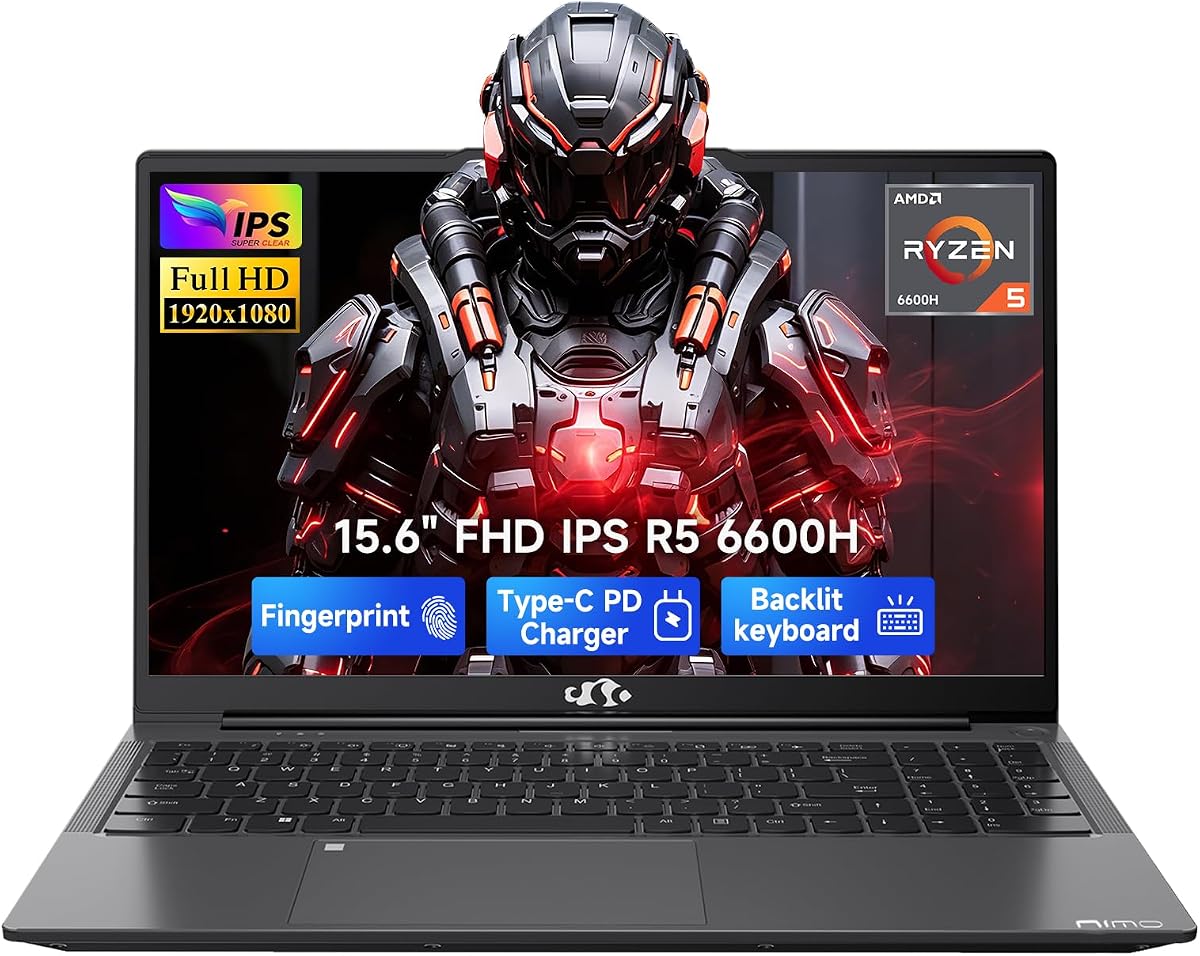
This NIMO laptop stands out with its AMD Ryzen 5 processor and 16GB of RAM. It scores well for handling audio software alongside other tasks. The build quality supports professional use in home studios.
We may earn a commission when you buy through this link, at no additional cost to you.
The 512GB SSD provides ample space for audio files and projects. USB-C ports allow for easy connection to external interfaces and monitors. The backlit keyboard helps during late-night recording sessions.
While it costs more than entry-level models, the performance justifies the investment. The system handles complex sessions without lag. It is a solid choice for those needing reliability.
Musicians wanting a balance of power and affordability should consider this model. It bridges the gap between budget and professional gear. Ensure you check warranty details before purchasing.
The Ryzen 5 processor ensures smooth playback and recording of multiple tracks simultaneously.
Multiple USB ports support various audio interfaces and external storage devices without adapters.
We may earn a commission when you buy through this link, at no additional cost to you.
This Amzboy model offers a low-cost entry point for basic music tasks. Its fanless design ensures no noise interferes with recordings. It is ideal for beginners or light editing work.
We may earn a commission when you buy through this link, at no additional cost to you.
The Windows 11 OS provides a familiar environment for software installation. Type-C PD charging allows for flexible power options on the go. The 15.6 screen gives enough space for timelines.
Storage limits may require external drives for large projects. Users should manage files carefully to avoid running out of space. It remains a reliable tool for simple needs.
Students or hobbyists on tight budgets will find this useful. It handles basic recording and editing well. Check expansion options for storage before committing.
The fanless design prevents background noise from being picked up by sensitive microphones.
Lightweight construction makes it easy to transport to different locations for recording.
We may earn a commission when you buy through this link, at no additional cost to you.
The HP Chromebook features integrated dual array microphones which are rare in this price range. This makes it suitable for capturing voice inputs directly. The lightweight chassis enhances portability for travelers.
We may earn a commission when you buy through this link, at no additional cost to you.
Battery life supports extended sessions without needing a power source. Chrome OS offers a streamlined experience with strong security features. It is well-suited for web-based audio tools.
Local storage is limited, relying on cloud solutions. Users may need to manage files differently than on Windows. However, the focus on connectivity aids remote collaboration.
Recorders needing a dedicated mic or portable setup might prefer this. It simplifies the workflow for specific use cases. Verify software compatibility before buying for DAW use.
Built-in dual array microphones provide clear audio capture for quick voice recordings.
Long-lasting battery life ensures productivity during travel or outdoor recording sessions.
We may earn a commission when you buy through this link, at no additional cost to you.
This laptop provides a stable platform for general computing tasks. The 12GB RAM helps with smooth multitasking. It is a practical choice for users balancing work and music.
We may earn a commission when you buy through this link, at no additional cost to you.
The FHD IPS display offers clear visuals for editing. Connectivity options include various USB ports for peripherals. The SSD ensures quick boot times and fast file access.
Processing power may struggle with complex multi-track sessions. It is best suited for simpler arrangements or online collaboration. The upgradeable slot offers future flexibility.
Budget-conscious buyers looking for decent specs will find this appealing. It handles day-to-day activities well. Check compatibility with your specific audio software.
The IPS panel provides accurate colors and wide viewing angles for comfortable editing.
Storage slots allow for expansion as project file sizes grow over time.
We may earn a commission when you buy through this link, at no additional cost to you.
This model balances portability with useful memory features. The privacy slider adds a layer of security during calls. It is designed for students or home users needing flexibility.
We may earn a commission when you buy through this link, at no additional cost to you.
The 15.6 inch screen provides enough workspace for timelines. USB-C and HDMI ports allow for external monitor connection. The anti-glare coating reduces eye strain.
CPU performance is adequate for basic tasks but limited for heavy processing. It may lag with complex plugins or large samples. Regular file management is essential.
Users prioritizing screen size and privacy will appreciate this design. It serves well for light music production. Consider external storage for larger media files.
A physical privacy slider protects against unauthorized camera access during sensitive work.
The anti-glare FHD screen ensures clear visibility in various lighting conditions.
We may earn a commission when you buy through this link, at no additional cost to you.
This BLUEING laptop focuses on a portable form factor. The USB-C charging adds convenience for travelers. It targets users needing a lightweight machine for daily tasks.
We may earn a commission when you buy through this link, at no additional cost to you.
Bluetooth 5.2 supports modern wireless peripherals like mice and headphones. The FHD display offers decent color accuracy. It is suitable for basic audio work.
Battery life may require frequent charging during long sessions. Performance is optimized for everyday use rather than intensive rendering. Storage is expandable via TF card.
Portability is the key strength of this model. It works well for note-taking and light editing. Ensure you have enough RAM for your specific software needs.
Advanced Bluetooth supports wireless audio devices with reduced latency.
USB-C charging allows for faster power replenishment compared to older ports.
We may earn a commission when you buy through this link, at no additional cost to you.
This variant offers a step up in storage capacity. The 256GB SSD provides more room for applications and files. It is a logical choice for those needing space.
We may earn a commission when you buy through this link, at no additional cost to you.
Privacy sliders enhance security for remote work environments. The HDMI port simplifies connecting to external displays for presentations. Build quality feels sturdy for daily use.
CPU limitations remain consistent with the series. It may struggle with intensive audio processing. However, it is sufficient for playback and basic editing.
Users requiring a mix of memory and storage will appreciate this. It suits general productivity and light creative work. Check battery performance for travel needs.
256GB SSD allows for a larger library of audio files and software.
Physical privacy controls provide peace of mind during public use.
We may earn a commission when you buy through this link, at no additional cost to you.
This model combines RAM and storage for a smooth user experience. The dual Type-C ports offer modern connectivity. It is designed for stable performance in a quiet package.
We may earn a commission when you buy through this link, at no additional cost to you.
The FHD IPS display supports clear visuals during editing. It handles multitasking efficiently for everyday needs. Quiet operation is beneficial for recording sessions.
Battery life is modest, limiting untethered use. The older processor is not suitable for complex tasks. It remains a solid tool for specific workflows.
Users needing a quiet machine for home use should consider this. It works well for light production tasks. Check external storage options for larger projects.
The combination of RAM and SSD ensures consistent responsiveness.
Reduced noise levels prevent interference with sensitive audio recording.
We may earn a commission when you buy through this link, at no additional cost to you.
This BLUEING model focuses on practical usability. The ergonomic keyboard improves typing comfort. It is a functional entry point for students or casual creators.
We may earn a commission when you buy through this link, at no additional cost to you.
The 256GB SSD offers enough space for a few projects. It handles daily computing tasks well. Connectivity options support essential peripherals.
Memory might feel tight with multiple applications open. Users should close unused programs to maintain performance. It is not designed for heavy loads.
Budget buyers seeking a reliable everyday laptop will find it useful. It supports basic music tasks effectively. Upgrade options may be limited.
Ergonomic typing features reduce fatigue during long work sessions.
SSD size balances cost with capacity for average user needs.
We may earn a commission when you buy through this link, at no additional cost to you.
This laptop highlights expandability as a key feature. The storage slot allows for easy upgrades. It offers a lightweight chassis for easy transport.
We may earn a commission when you buy through this link, at no additional cost to you.
Win11 pre-installation ensures a modern software environment. Multiple USB ports support various accessories. The 5205U processor handles basic workloads.
RAM is limited, so focus on lightweight tasks. The build quality supports daily usage. It is best for users who do not need heavy processing.
Those valuing storage flexibility will find this useful. It suits entry-level home studio needs. Plan for external storage if your library grows.
Expansion slots allow you to add storage as your library grows.
Windows 11 provides updated security and feature support for creators.
We may earn a commission when you buy through this link, at no additional cost to you.
Selecting the right laptop requires balancing performance with budget. Focus on the following factors to ensure your device meets your production needs.
The CPU handles audio calculations. Look for multi-core options like Ryzen or Intel Core i5 for smoother processing. Entry-level chips may struggle with complex effects.
Prioritize models with at least 2.5 GHz base speed for reliable performance.
RAM stores active data. 8GB is the minimum; 16GB is recommended for running software without slowdowns. More RAM allows for more tracks.
Choose 16GB if you plan to use virtual instruments alongside your DAW.
SSDs provide fast file access. Avoid eMMC where possible. A 256GB SSD ensures your system boots quickly. Projects load faster with SSDs.
Look for expandable slots to add space without replacing the drive.
Audio interfaces need USB connections. Ensure the laptop has enough USB-A or USB-C ports. Some devices require power delivery.
Check if the ports support data transfer and power simultaneously.
A clear display helps with precise editing. IPS panels offer better viewing angles than TN. A 15.6-inch screen gives enough space.
FHD resolution is standard and adequate for timeline work.
Recording on the go requires power. Aim for at least 5 hours of runtime. Battery management apps help conserve energy.
Always carry the charger for long sessions to avoid interruptions.
Windows offers the widest software support. Chrome OS is limited. Linux works for advanced users. Ensure your DAW supports the OS.
Verify compatibility before purchasing to avoid software restrictions.
Durable materials extend lifespan. A sturdy chassis withstands travel. Hinges should allow comfortable viewing. Weight matters for portability.
Select models with sturdy components for daily use in varied environments.
Update drivers for audio interfaces before installing software. Ensure all connections are secure to prevent dropouts. Set your audio buffer size appropriately in software settings.
Keep the workspace clean to avoid dust buildup. Use a soft cloth for the screen and keyboard. Close unnecessary background apps to free up RAM during recording.
Store the laptop in a padded case during transport. Avoid extreme temperatures and humidity. Regularly backup your project files to external drives or cloud services.
Yes, entry-level laptops can handle basic projects. Ensure they have at least 8GB RAM and an SSD. Use lightweight software to maintain performance.
No, integrated graphics are usually sufficient. Most audio software relies on CPU and RAM. Focus on processor speed for better results.
8GB is the minimum. 16GB is recommended for complex projects. It prevents slowdowns when using multiple virtual instruments.
It helps with workflow. A 15.6-inch screen offers space for timelines. Smaller screens are fine for basic tasks but less comfortable.
Use USB ports on the laptop. Ensure drivers are installed correctly. Check connection settings in your audio software for recognition.
Yes, they improve load times. They reduce latency for audio playback. Avoid eMMC if possible for better performance.
Some models allow upgrades. Check specifications before buying. Soldered RAM cannot be upgraded after purchase.
Fans spin faster under load. This can interfere with microphones. Use a silent setup or isolate fans from mic locations.
The NIMO and Amzboy models offer distinct advantages for different needs. Both handle basic music tasks effectively within their price points.
Prioritize processor speed and RAM for smoother workflows. Storage expansion options are also critical for growing libraries.
Prices fluctuate often, so verify current listings before buying. These models represent reliable entry points for home studios.