
MSI Z370-A PRO
4.5Editor score
Supports 64GB DDR4
ATX form factor
AMD CrossFireX ready
This guide compares the top Brand for Z370 Motherboard options based on performance, features, and reliability to help you choose the right board for your
Selecting the right motherboard is crucial for any computer build. The Brand for Z370 Motherboard offers robust support for Intel processors and modern connectivity options that enthusiasts demand today.
We evaluated ten top models focusing on build quality, expansion slots, and cooling solutions. Our analysis ensures you find a board that matches your specific performance needs and budget constraints effectively.
Each pick highlights unique strengths like audio quality or overclocking support. Keep in mind that availability and pricing fluctuate frequently so check current listings before finalizing your purchase decision.
4.5Editor score
4.6Editor score

4.4Editor score
Here is a side-by-side comparison of all ten models to help you quickly identify which features matter most for your specific desktop computing requirements and goals.


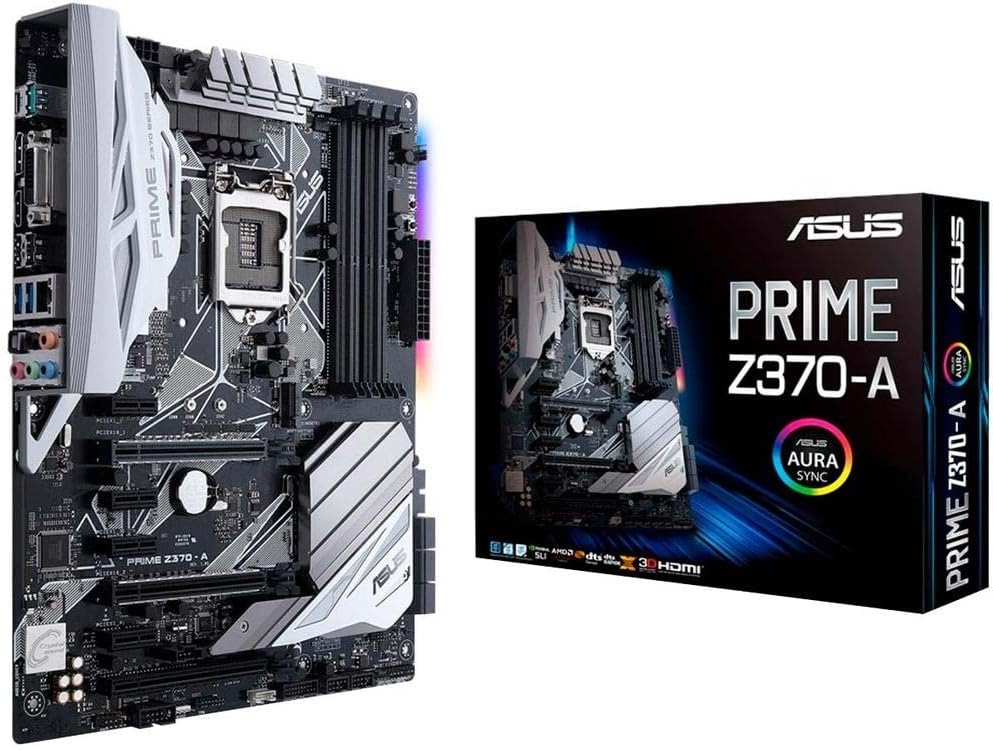
The ASUS Prime Z370-A stands out as a top contender for enthusiasts seeking reliable performance. It boasts a 4.6-star rating from users who praise its balanced feature set and stability.
We may earn a commission when you buy through this link, at no additional cost to you.
Its dual M.2 slots provide fast storage connectivity while the S1220A audio codec delivers immersive sound for media and gaming. The AURA Sync RGB allows for seamless lighting customization across compatible peripherals.
While the price is higher than entry-level boards the premium components justify the cost for long-term reliability. The only trade-off is slightly fewer SATA ports compared to some competing models.
This board is ideal for builders who want a blend of aesthetics and performance. We recommend it for those prioritizing audio and storage speed in their Z370 build.
The Realtek S1220A codec with Japanese capacitors ensures warm and immersive sound quality for audiophiles.
Dual M.2 slots allow for high-speed NVMe SSDs without sacrificing traditional SATA drive capacity.
We may earn a commission when you buy through this link, at no additional cost to you.
The ASUS Prime Z390-P offers substantial expansion capabilities with six PCIe slots. It is rated 4.4 stars for its utility in demanding multi-card setups like mining or specialized workstations.
We may earn a commission when you buy through this link, at no additional cost to you.
Safe Slot Core technology protects against heavy GPU damage ensuring longevity. The robust fan management helps maintain low noise levels even under sustained loads.
Gamers might prefer boards with more gaming-centric features but this model excels in raw connectivity and durability. The design prioritizes function over flashy aesthetics.
Consider this board if you need extensive expansion slots for specialized hardware. Its stable performance makes it a solid choice for professional or mining use cases.
Fortified PCIe slots prevent physical damage from heavy graphics cards ensuring system stability over time.
FanXpert 4 provides precise control over system fans to optimize airflow and noise levels dynamically.
We may earn a commission when you buy through this link, at no additional cost to you.
The MSI Z370-A PRO delivers essential features without unnecessary extras making it a top budget choice. Users rate it 4.5 stars for its reliability and straightforward design.
We may earn a commission when you buy through this link, at no additional cost to you.
It supports up to 64GB of DDR4 memory which is generous for this price tier. The layout is clean and simple helping beginners navigate the BIOS without confusion.
Advanced gamers looking for RGB lighting or premium audio might find it lacking. However for general computing and moderate gaming it provides excellent value for the investment.
We recommend this board for cost conscious builders who need solid performance. It covers the basics well and ensures stability for standard workstation tasks.
Supporting up to 64GB of RAM allows for heavy multitasking and future-proofing your system.
The BIOS is designed for ease of use allowing quick adjustments without complex navigation.
We may earn a commission when you buy through this link, at no additional cost to you.
The Gigabyte Z370 AORUS Gaming 7 is a powerhouse for enthusiasts who want top tier features. It holds a 4.4-star rating for its robust build and extensive connectivity options.
We may earn a commission when you buy through this link, at no additional cost to you.
Three M.2 slots provide ample room for high speed storage while the ESS Sabre DAC ensures studio quality audio. The RGB FUSION system offers deep customization for your rig look.
Managing the lighting software can be complex for new users. Additionally the premium price means it is an investment for those who value high end aesthetics and performance.
This board is perfect for gamers and streamers seeking maximum connectivity. We recommend it for builds where audio and storage speed are critical priorities.
Three M.2 slots allow you to run multiple NVMe drives simultaneously for maximum throughput.
The ESS Sabre DAC delivers high fidelity sound that surpasses standard onboard audio codecs.
We may earn a commission when you buy through this link, at no additional cost to you.
The GIGABYTE Z390 UD is tailored for high load tasks such as cryptocurrency mining. It earns a 4.4-star rating for its ability to handle multiple cards with ease.
We may earn a commission when you buy through this link, at no additional cost to you.
Six PCIe slots and Above 4G decoding support maximize card utilization. The Smart Fan 5 ensures the system stays cool during extended runtimes without excess noise.
Casual users may find the feature set basic compared to gaming boards. It prioritizes raw efficiency and stability over decorative elements or advanced gaming audio.
Choose this board if your primary goal is maximizing GPU capacity. It is a reliable tool for specialized workloads and professional computing tasks.
CEC 2019 ready technology helps reduce power consumption significantly during operation.
Smart Fan 5 uses multiple sensors to automate cooling and prevent thermal throttling.
We may earn a commission when you buy through this link, at no additional cost to you.
The ASUS TUF Z370 Plus Gaming focuses on toughness and reliability. It receives a 4.5-star rating for its military grade components and long term durability.
We may earn a commission when you buy through this link, at no additional cost to you.
Features like TUF LANGuard and MOSFETs protect against power surges and wear. The five year warranty offers peace of mind for long term users building high performance systems.
While audio quality is decent it may not satisfy audiophiles seeking premium codecs. However for gaming and general use the stability is the primary selling point.
We recommend this board for gamers who value longevity. It balances performance with rugged design to withstand heavy daily usage.
TUF components are tested to military standards to ensure extreme reliability.
A five year warranty provides extended support compared to standard board terms.
We may earn a commission when you buy through this link, at no additional cost to you.
The ASUS PRIME Z370-P offers a balanced mix of protection and performance. It holds a 4.4-star rating for its reliability and user friendly design.
We may earn a commission when you buy through this link, at no additional cost to you.
5X Protection III safeguards the system against electrical surges and heat. The Safe Slot Core ensures that heavy GPUs remain securely anchored without risk of damage.
It may lack the flashy features of high end boards but delivers core functionality well. For those seeking stability without complex software this is a strong contender.
Consider this board for general home office or gaming builds. It provides dependable performance for most standard computer requirements.
5X Protection III ensures component longevity against electrical and environmental stress.
Safe Slot Core reinforces PCIe slots to prevent damage from heavy graphics cards.
We may earn a commission when you buy through this link, at no additional cost to you.
The Gigabyte Z370 HD3 provides essential features for mainstream builds. It achieves a 4.4-star rating for its straightforward functionality and compatibility.
We may earn a commission when you buy through this link, at no additional cost to you.
It supports dual channel DDR4 and includes an M.2 slot for fast storage. The design focuses on stability without unnecessary complex features that might confuse new users.
Advanced users might find the feature set too minimal for their needs. However for standard office or entry gaming tasks it performs admirably.
We recommend this board for those needing a reliable base. It delivers consistent performance without the cost of premium add-ons.
Supports dual channel DDR4 to ensure balanced memory performance for daily tasks.
Includes a Gen3 M.2 slot for quick system drive installation and fast boot times.
We may earn a commission when you buy through this link, at no additional cost to you.
The ASRock Z370 EXTREME4 includes modern connectivity like USB Type-C. It holds a 4.3-star rating for its feature density relative to its price point.
We may earn a commission when you buy through this link, at no additional cost to you.
USB 3.1 Gen2 ports provide fast data transfer speeds for peripherals. The motherboard layout supports efficient airflow and memory speeds well for overclocking.
Users report occasional software glitches with the utility suite. Audio remains average compared to dedicated sound cards but is adequate for general use.
Consider this board for those needing Type-C on board. It offers strong hardware features for a competitive market price.
USB Type-C ports offer reversible plug-in and fast data transfer for modern devices.
A robust VRM layout supports stable overclocking for increased processor speeds.
We may earn a commission when you buy through this link, at no additional cost to you.
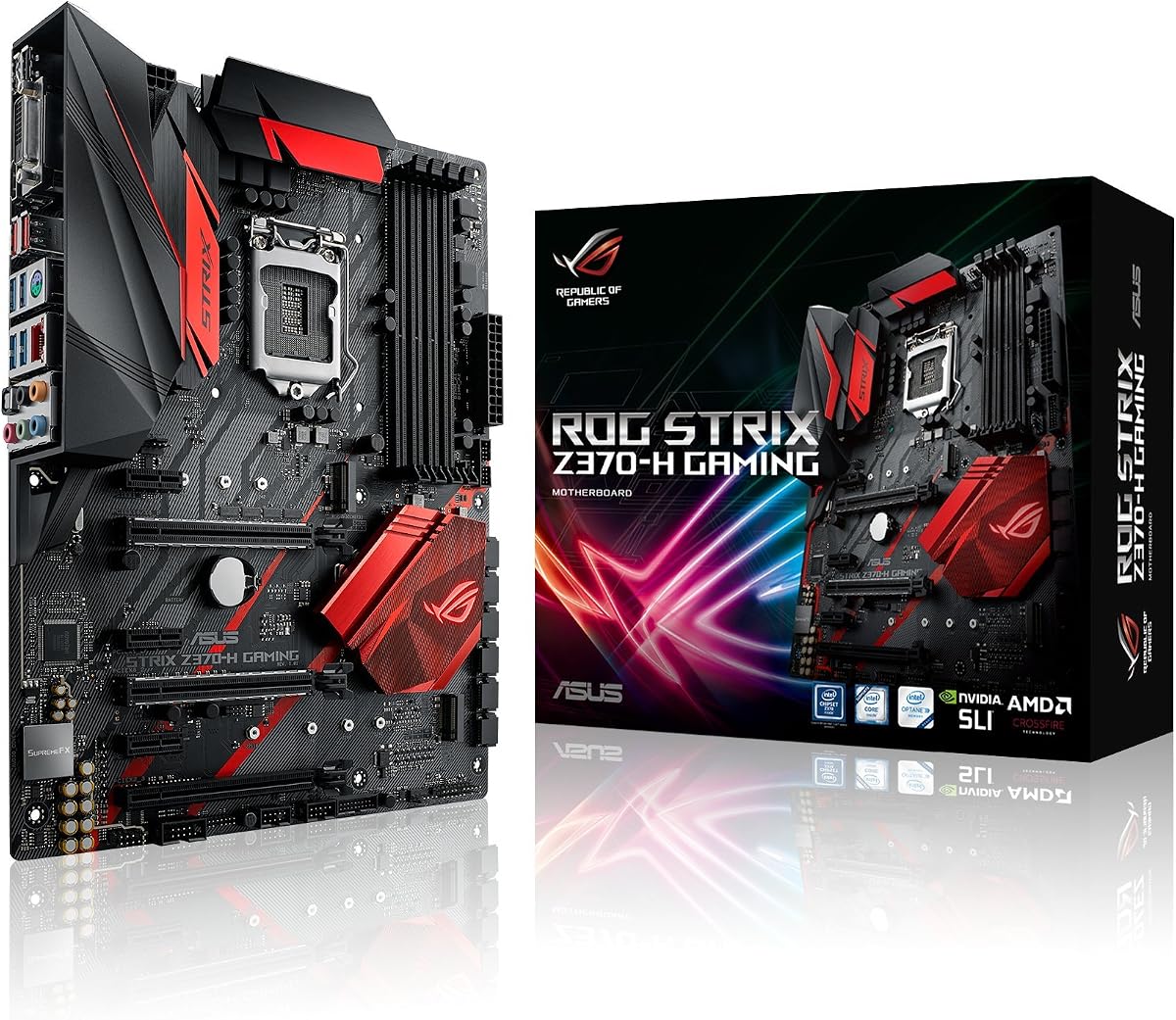
The ASUS ROG Strix Z370-H is designed specifically for gamers who want style. It rates 4.4 stars for its aesthetic appeal and solid performance metrics.
We may earn a commission when you buy through this link, at no additional cost to you.
It supports up to 64GB of RAM and offers ample USB connectivity for peripherals. The built-in RGB lighting enhances the look of any gaming setup effectively.
The array of ports can be overwhelming for casual users. While it excels in gaming performance the price may fluctuate depending on market conditions.
We recommend this board for gamers prioritizing aesthetics. It delivers a strong foundation for a visually appealing high performance rig.
Integrated lighting zones allow you to sync colors with your system for a cohesive look.
Multiple USB ports ensure you can connect all your gaming gear without hubs.
We may earn a commission when you buy through this link, at no additional cost to you.
Choosing the right motherboard requires evaluating compatibility and features carefully. This guide breaks down the key factors to consider for your specific needs.
Ensure the motherboard socket matches your processor model such as LGA 1151. Checking this prevents installation issues and ensures stable system performance.
Always verify the specific CPU generation supported before purchasing.
Look for the maximum RAM capacity supported by the board. This is crucial for futureproofing your system against memory demands.
Select a board with at least 32GB capacity for modern gaming needs.
Evaluate the number of PCIe slots available for GPUs and other cards. Multiple slots are needed for multi GPU setups or specialized hardware.
Ensure the board has enough physical space for your planned hardware.
Check for M.2 slots to support high speed NVMe SSDs. These provide significantly faster boot and load times compared to traditional drives.
Prioritize boards with multiple M.2 slots if storage speed is a priority.
The Voltage Regulator Module impacts stability during high load operations. A quality VRM ensures consistent power delivery for stable performance.
Look for robust cooling solutions on the VRM area.
Integrated audio codecs vary in quality between different models. For audiophiles a dedicated audio codec is preferred over standard solutions.
Check for dedicated audio capacitors and shielding for better sound.
Ensure the board has enough USB ports for your peripherals. USB 3.1 Gen2 offers faster data transfer for external drives.
Confirm the number of Type-A and Type-C ports available.
If aesthetics matter choose a board with RGB headers and sync features. This allows you to customize lighting across your entire system.
Check compatibility with your software preferences like Aura or Fusion.
Install the motherboard in a clean dry environment to avoid static damage. Use the provided standoff screws to secure the board properly within your case.
Update the BIOS immediately after installation to ensure compatibility with your processor. This step is often required for stable system performance on Z370 boards.
Keep your system clean by regularly dusting the heatsinks and fans. Proper airflow maintains optimal temperatures and prolongs the life of your components.
Z370 motherboards generally support 8th and 9th Generation Intel Core processors. Always check the specific CPU support list on the manufacturer website before buying.
Yes many of these boards support multiple GPUs and have above 4G decoding. This makes them suitable for cryptocurrency mining setups with multiple graphics cards.
Most Z370 boards support up to 64GB of DDR4 memory. However some models may have lower limits so verify the specs before purchasing.
Yes almost all models in this list have M.2 slots that support NVMe SSDs. Check the number of slots if you plan to use multiple high speed drives.
For 9th Gen processors you may need a BIOS update. It is recommended to update the BIOS immediately after installation for best compatibility.
Many gaming focused models include RGB headers and lighting. Prime models may not have onboard lighting but often include headers for external strips.
Common codecs include Realtek ALC887 and ALC1220A. High end models might feature dedicated DACs for better sound quality.
Yes most follow standard ATX form factors making installation straightforward. Follow a guide and use antistatic precautions during the build.
We have reviewed ten top options ranging from budget-friendly to premium gaming boards. Each model offers distinct strengths tailored to different build priorities.
Prioritize features like VRM quality and storage speed for long term performance. Ensure the board matches your specific CPU and GPU needs.
Always check current pricing and stock levels as they change regularly. This guide provides a solid foundation for making a confident purchase decision.