This comprehensive guide compares the top ten Bluetooth USB audio transmitters for gaming, work, and travel, evaluating latency, audio quality, and compatibilit
As an Amazon Associate we earn from qualifying purchases. We may earn a commission when you buy through links on this page, at no additional cost to you. Read our affiliate disclosure.As an Amazon Associate we earn from qualifying purchases.Purchases through our links may earn us a commission, at no extra cost to you. Read our affiliate disclosure.
Finding the right Bluetooth USB audio transmitter can transform your listening experience across multiple devices. Whether you want to connect wireless headphones to a gaming console, desktop computer, or legacy audio system, a reliable transmitter ensures high-quality sound with minimal delay. The market offers many options, but not all support the latest codecs or provide stable connections for demanding applications.
We have carefully evaluated ten leading products based on their audio fidelity, latency performance, and ease of use. Our analysis focuses on critical factors like codec support, connection range, and compatibility with modern operating systems and consoles. This list helps you identify which device best fits your specific needs, from immersive gaming sessions to professional conference calls.
Each pick in this guide highlights key strengths and potential limitations to help you make an informed decision. We examine real-world performance scenarios to ensure the recommendations hold up under daily use. Please note that availability and pricing can change, so always verify current details before purchasing your preferred model.
Top 3 Picks for Best Bluetooth USB Audio Transmitter
Best Budget
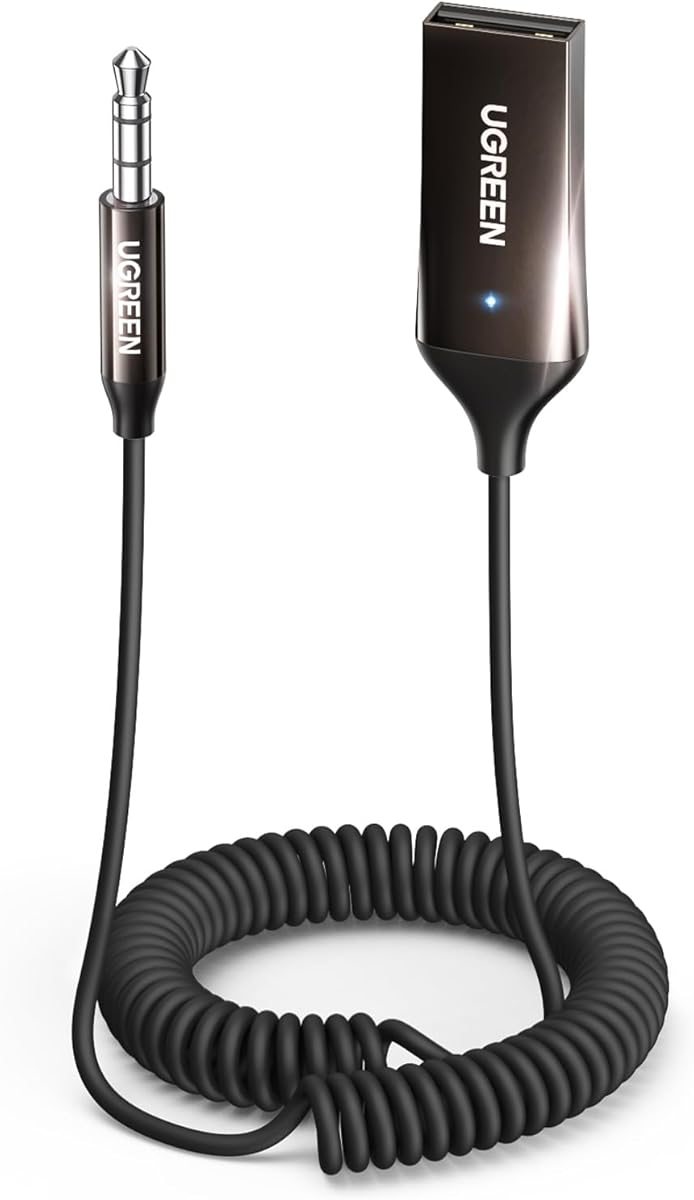
UGREEN USB to Bluetooth 6.0 Adapter 3.5mm Bluetooth Receiver for Car USB 2.0 to 3.5mm Jack Kit with Built-in Microphone Aux Input for Hands-Free Calls Compatible with Car Speaker and Home Audio
Top 10 Best Bluetooth USB Audio Transmitter in 2026 Compared
This side-by-side comparison highlights the core specifications and unique selling points of each selected transmitter to help you quickly identify the best fit for your setup.
UGREEN USB-C Bluetooth Adapter for PS5 with APTX Low Latency/aptX-Adaptive
aptX Adaptive Support
USB-C Connectivity
Low Latency Mode
Qualcomm Chipset
This UGREEN adapter stands out for its seamless integration with modern consoles and PCs, delivering high-fidelity audio with minimal latency. It supports advanced codecs like aptX Adaptive, ensuring that your gaming or music experience remains immersive and synchronized. The Qualcomm chipset inside provides a reliable connection that minimizes dropouts even in environments with potential interference.
Pros
Minimal audio delay
High-quality codecs
Plug and play
Stable connection
Good compatibility
Cons
Microphone needs setup
Linux not supported
We may earn a commission when you buy through this link, at no additional cost to you.
The device excels in low latency performance, reducing audio delay to less than 100 milliseconds for most supported headphones. This makes it ideal for competitive gaming where timing is crucial. Users can easily switch between codecs to match their headphones capabilities, optimizing sound quality or speed as needed. The LED indicators provide clear visual feedback on the current working status and codec selection.
While the microphone functionality requires enabling a specific mode via a double-click, this is a common trade-off for maintaining audio quality during media playback. The adapter defaults to a high-quality audio mode, which is excellent for gaming but may require manual adjustment for calls. Additionally, Linux users will need to look elsewhere as compatibility is limited to Windows and macOS systems.
If you prioritize synchronized audio for gaming on PS5 or PC, this transmitter offers a robust solution that balances performance and ease of use. It is particularly well-suited for users who own headphones that support aptX Adaptive or HD standards. The plug-and-play nature means you can start enjoying wireless audio immediately without installing additional drivers or software.
Superior Low Latency Performance
The adaptive codec ensures that video and audio remain perfectly synchronized, crucial for immersive gaming experiences.
Versatile Codec Support
Supports multiple standards including aptX HD and SBC, allowing you to tailor the connection to your specific device capabilities.
UGREEN Bluetooth 5.3 Adapter for PS4 PS5 APTX USB Audio Transmitter
Bluetooth 5.3 Technology
aptX Adaptive Support
33 Feet Range
Low Latency Mode
This Bluetooth 5.3 adapter offers impressive range and speed, making it a versatile choice for both gaming and home office use. It supports aptX Adaptive to ensure low latency, which is essential for gaming on consoles like PS5 and PS4. The adapter connects easily via USB, requiring no software installation, and automatically switches between music and talk modes on PC for conference calls.
Pros
Excellent range coverage
Fast pairing speed
Multiple codec options
USB plug and play
Includes mic cable
Cons
Requires mic for calls
Not for PS4 Portal
We may earn a commission when you buy through this link, at no additional cost to you.
The standout feature here is the extended range of up to 33 feet, allowing you to move around your room without losing connection. This is particularly useful for living room setups where you might sit further from the console. The included 3.5mm microphone cable provides a solution for voice chat when using Bluetooth headphones that lack their own built-in mic.
However, achieving clear voice calls requires connecting the external microphone or using the button to switch modes, which adds a slight step to the setup process. Also, users should note that it is not compatible with the PS5 Portal device. Despite these minor caveats, the combination of range, speed, and codec support makes it a strong contender for the budget-conscious buyer.
For those needing a reliable connection that covers a larger area, this adapter delivers solid performance without breaking the bank. It is a practical upgrade for anyone looking to free themselves from cables while maintaining high audio quality and stable connectivity for both media and communication.
Extended Wireless Range
Walk up to 33 feet away from your device without interruption, perfect for spacious living areas.
Automatic Mode Switching
Seamlessly transitions between music and calls on Windows PCs, simplifying your workflow during work hours.
UGREEN USB-C Bluetooth Adapter for PS5 / PC with LE Audio, aptX Adaptive
LE Audio Support
aptX Adaptive Codec
USB-C Port
Dual Pairing
This adapter bridges the gap between current technology and future audio standards by supporting LE Audio alongside traditional codecs. It allows users to switch between low latency for gaming and high quality for music, providing flexibility that many competitors lack. The Qualcomm 6.0 chip ensures fast pairing and robust connections even in crowded wireless environments.
Pros
Next-gen LE Audio
Flexible audio modes
Multi-user streaming
Quick pairing
Stable signal
Cons
Requires LE Audio headphones
Mic not supported
We may earn a commission when you buy through this link, at no additional cost to you.
One of its most unique features is the ability to support multi-sharing in LE Audio mode, enabling multiple listeners to stream audio simultaneously. This is ideal for group gaming sessions or family movie nights where everyone wants to listen without disturbing others. The dual pairing capability in classic mode also adds convenience for users switching between devices frequently.
To fully utilize the LE Audio features, your headphones must support the LC3 codec, which is becoming more common but not yet universal. Additionally, the device does not support microphone use, making it strictly a playback solution. The toggle switch between classic and LE modes makes it easy to configure based on your specific device capabilities.
If you own next-generation headphones or want to prepare your setup for upcoming standards, this adapter offers significant forward-looking value. It maintains excellent audio quality and stability, ensuring that your listening experience is enhanced regardless of the mode you choose.
Multi-User Streaming
Share audio with multiple headphones simultaneously for shared entertainment experiences without extra hardware.
Adaptive Codec Selection
Automatically matches the optimal format to your device, balancing quality and latency effectively.
Creative BT-W5 Smart Bluetooth 5.3 Audio Transmitter with aptX Adaptive
24-bit 96kHz Audio
aptX Adaptive
4 Device Memory
USB-C Connector
The Creative BT-W5 focuses on delivering studio-quality sound through its support for high-resolution 24-bit 96kHz audio. This is a significant advantage for audiophiles who want to preserve detail in their music files without compression artifacts. The aptX Adaptive codec dynamically adjusts the bitrate to maintain quality even when signal conditions change.
Pros
High-res audio support
Multi-device memory
Smart codec selection
Plug and play
Low power draw
Cons
Manual device switch
No USB-A included
We may earn a commission when you buy through this link, at no additional cost to you.
Its ability to remember up to four devices makes switching between a phone, tablet, or PC effortless. You simply press a button to switch the output, avoiding the tedious process of unpairing and repairing. The device is compact and requires negligible power, making it suitable for use with laptops or portable devices without draining the battery quickly.
While it offers excellent audio fidelity, it does not include a USB-A adapter, which may require an additional dongle for older devices. The device switching is manual rather than automatic, which is a minor inconvenience compared to some auto-switching competitors. However, for those prioritizing sound quality and convenience, these trade-offs are often acceptable.
For users with high-fidelity headphones who want a seamless multi-device experience, the BT-W5 offers a premium blend of quality and utility. It is particularly well-suited for professionals who need to switch between work and personal devices frequently while maintaining top-notch audio performance.
Lossless Sound Quality
Delivers crisp, detailed audio that rivals wired connections, perfect for critical listening sessions.
Seamless Device Switching
Remember multiple connections and switch instantly with a single button press for a smoother workflow.
2026 Upgrade Pro Bluetooth 6.0 Transmitter Receiver – 2-in-1 Adapter
TX and RX Modes
20 Hours Battery
USB-C Charging
Dual-Listener Sharing
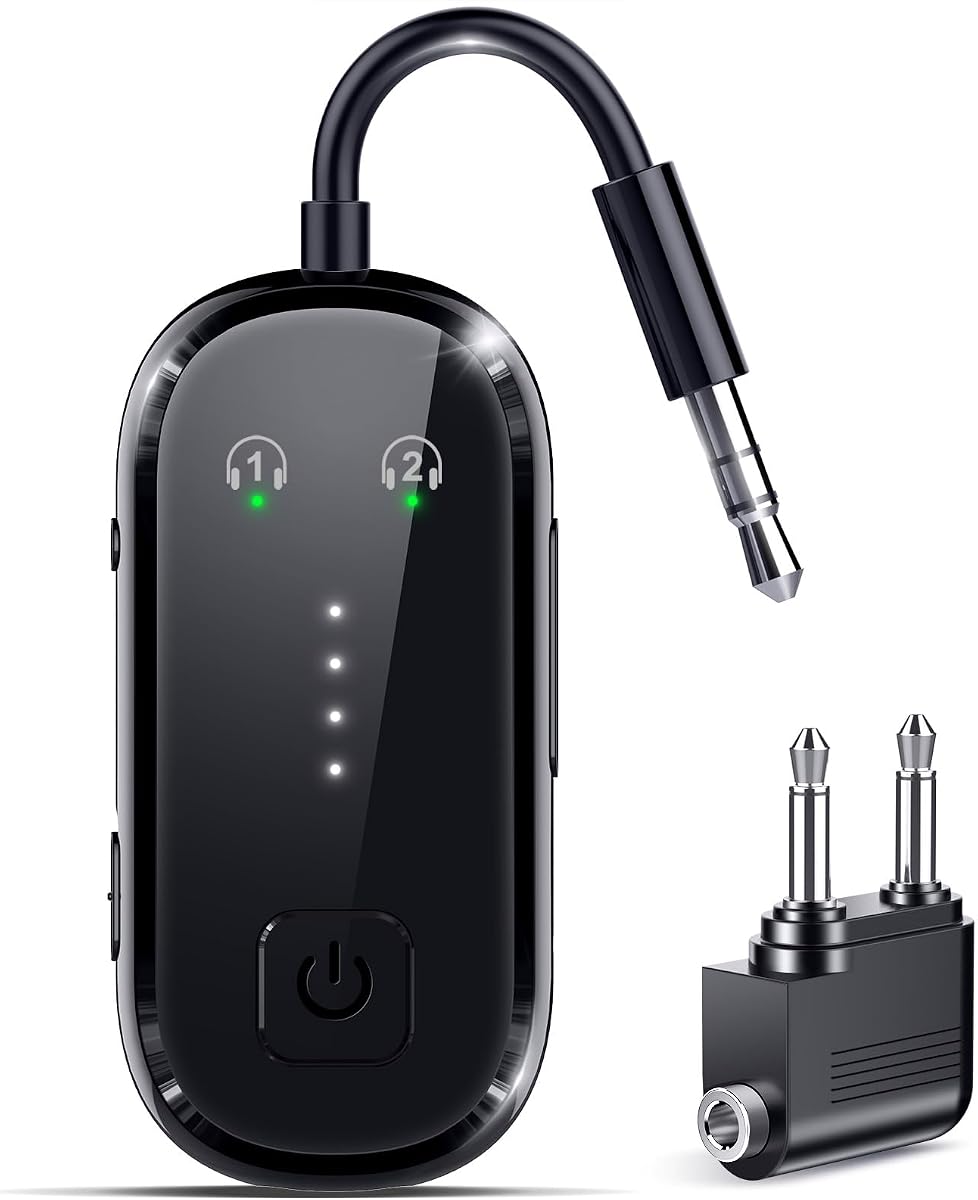
This versatile adapter functions as both a transmitter and a receiver, making it an excellent all-in-one solution for travelers. In TX mode, it can connect your headphones to non-Bluetooth sources like airplane seatbacks, while in RX mode, it enables your audio system to play music from your phone. The 20-hour battery life ensures you stay connected through long flights or days away from a charger.
Pros
Transmitter and receiver
Long battery life
Travel friendly
Dual headphone support
Fast charging
Cons
Requires charging for battery
Not for live music
We may earn a commission when you buy through this link, at no additional cost to you.
The compact design includes dedicated buttons for mode switching and volume control, allowing for intuitive operation on the go. Dual-listener sharing means two people can enjoy the same audio source simultaneously, which is perfect for couples or family travel. The inclusion of a travel case and fast USB-C charging adds to its convenience as a daily carry item.
Note that while it works well for music and media, it is not designed for live music or specific sync devices. You will need to ensure the device is charged for optimal performance since it relies on its internal battery when not plugged into a power source. However, for most travel scenarios, the battery life is more than sufficient.
If you want a single device that can handle multiple scenarios from commuting to air travel, this dual-mode adapter offers unmatched flexibility. Its robust battery and shared audio features make it a standout choice for anyone who values portability and functionality.
Dual Mode Flexibility
Switch between transmitting and receiving audio instantly, adapting to any audio source you encounter.
Extended Battery Life
Enjoy up to 20 hours of playback on a single charge, covering even the longest travel itineraries.
Sennheiser brings its audio expertise to this dongle, offering aptX Lossless support for true high-fidelity streaming. The gaming mode reduces latency to just 30 milliseconds, ensuring that sound effects match on-screen action perfectly. The Auracast feature allows for simultaneous streaming to multiple headphones, making it a powerful tool for modern audio sharing needs.
Pros
Lossless audio
Low latency gaming
Premium brand quality
Dual port support
Easy setup
Cons
Higher price
Limited third party support
We may earn a commission when you buy through this link, at no additional cost to you.
The build quality is robust, and the device includes adapters for both USB-A and USB-C, ensuring compatibility across different computer and console models. It is plug-and-play, meaning you can start using it immediately without fiddling with drivers. The sound profile is tuned to deliver clear vocals and rich bass, typical of Sennheiser's audio tuning.
While the price is higher than many competitors, the inclusion of lossless audio and Auracast justifies the cost for enthusiasts. However, full benefits may require Sennheiser or Auracast-compatible headphones. If you already have compatible gear, this dongle unlocks performance that other transmitters simply cannot match.
For those seeking the highest audio fidelity and cutting-edge streaming technology, this premium dongle delivers unmatched performance. It is an investment in quality that pays off in clearer calls, richer music, and a more immersive gaming experience.
Lossless Audio Streaming
Experience sound exactly as it was intended with aptX Lossless, free from standard compression artifacts.
Auracast Compatibility
Enable multi-streaming capabilities for shared listening experiences that support public broadcasting standards.
This dongle emphasizes ease of use and persistent connectivity, keeping your headphones paired so you can move between devices without resetting. It supports aptX audio codecs for clear music and calls, ensuring that your media remains high quality. The USB-C adapter allows you to use it with modern laptops, while the USB-A base covers older machines.
Pros
Persistent pairing
High-quality codecs
Easy setup
Dual port adapt
Headphone controls
Cons
Lower rating than 700
Basic feature set
We may earn a commission when you buy through this link, at no additional cost to you.
The low latency performance ensures that video and audio stay in sync, which is essential for watching movies or casual gaming. You can use your existing headphone controls to manage media and calls, maintaining the familiar interface you are used to. It is a straightforward solution that works effectively without unnecessary complexity.
While it does not have the latest Auracast features found in the 700 model, it remains a solid performer for everyday tasks. The included USB-C adapter makes it versatile, but you will need to buy a separate unit if you plan to use it on multiple computers simultaneously. For single-device users, it is a reliable choice.
For anyone needing a simple, high-quality plug-and-play solution for office or home use, this dongle delivers consistent results. It is particularly good for those who want to keep their headphones connected across devices without manual re-pairing steps.
Persistent Pairing Technology
Keep your headphones connected to multiple PCs without the hassle of re-pairing every time you switch.
Standard Control Integration
Use the buttons on your headphones to control music and calls, maintaining a familiar user experience.
This adapter focuses on delivering consistent high-quality sound with support for 24-bit 96kHz audio. The aptX Adaptive codec ensures that the signal remains robust even when environmental conditions change. It remembers up to four devices, allowing you to switch between your phone, tablet, or computer with ease using the multi-function button.
Pros
High-res playback
Multi-device support
Smart codec logic
Easy switching
Plug and play
Cons
Manual switching
No auto-switch
We may earn a commission when you buy through this link, at no additional cost to you.
The hands-free profile mode enables clear communication during calls, integrating well with video conferencing software. The device is portable and plugs directly into a USB-C port, requiring no additional power or software. This makes it ideal for professionals who need to switch devices often during the workday.
While it lacks automatic device switching, the manual override ensures you have full control over which device is active. This can prevent accidental interruptions when you are using one device but want to switch to another intentionally. For power users, this control is often preferable to automated systems.
If you need a reliable transmitter that handles high-fidelity audio and multiple connections effectively, this adapter is a strong candidate. It balances professional audio needs with everyday convenience, making it a versatile tool for work and entertainment.
High-Resolution Output
Enjoy detailed sound reproduction that captures nuances often lost in standard Bluetooth compression.
Efficient Multi-Device Handling
Switch between up to four remembered devices easily, streamlining your daily workflow.
This bundle includes the BTD 700 dongle along with a weather-resistant hard-shell case, making it the most travel-ready option in the lineup. The dongle itself supports aptX Lossless and Auracast, providing premium audio quality and modern streaming capabilities. The case protects the dongle from scratches and damage during transit, which is ideal for frequent travelers.
Pros
Includes protective case
High-fidelity audio
Low latency gaming
Dual port support
Durable design
Cons
Extra cost for case
Same as standard
We may earn a commission when you buy through this link, at no additional cost to you.
The included case features a mesh pocket and a compact design, ensuring it fits easily into a backpack or carry-on. The dongle maintains the same high performance as the standard version, with ultra-low latency and high-definition audio. For those who value organization and protection, this bundle adds significant value without altering the core functionality.
If you do not already have a protective case, this bundle is a convenient choice. The extra cost is justified by the peace of mind that comes with protecting your premium audio gear. It remains a top choice for anyone looking to combine high performance with portability and durability.
For travelers who demand the best audio quality and need to protect their gear, this bundle is an excellent choice. The combination of high-end audio features and a rugged case makes it a comprehensive solution for on-the-go listening.
Protective Travel Case
Keep your dongle safe with a durable, compact case designed to withstand travel rigors.
High-Fidelity Audio
Maintain pristine sound quality with aptX Lossless support for music and media playback.
This adapter is designed to bring wireless capability to older car audio systems or home speakers via a 3.5mm aux port. It supports Bluetooth 6.0 for a stable connection and includes a built-in microphone for hands-free calling. The USB power supply means it runs directly from your car's USB port, eliminating the need for charging.
Pros
Adds Bluetooth to cars
USB powered
Built-in mic
Durable connectors
Hands-free calls
Cons
Not a USB transmitter
Requires aux port
We may earn a commission when you buy through this link, at no additional cost to you.
The durable zinc alloy connectors ensure longevity, while the compact size does not take up much space in your vehicle. It can remember up to five devices, allowing multiple family members to connect their phones without re-pairing. The seamless switching between devices ensures you can take calls without missing a beat.
While it is primarily a receiver and not a USB transmitter for PCs, it fills a critical niche for car audio. If your car lacks native Bluetooth, this is an affordable and effective upgrade. The hands-free features make it safer to drive while staying connected to your contacts.
For those looking to modernize an older vehicle's audio system affordably, this adapter is a practical and reliable choice. It turns legacy audio gear into a smart system capable of streaming music and handling calls effortlessly.
Seamless Car Integration
Transform your car stereo into a modern Bluetooth-enabled system with simple aux connectivity.
USB-Powered Convenience
Draw power from your car's USB port so you never have to worry about charging a battery.
We may earn a commission when you buy through this link, at no additional cost to you.
Buying Guide – How to Choose the Best Bluetooth USB Audio Transmitter
Selecting the right transmitter depends on your primary use case, whether it be gaming, office work, or home entertainment. Below are key factors to consider to ensure you get the best performance for your specific needs.
Latency Performance
Latency refers to the delay between the audio signal leaving the source and reaching your headphones. For gaming and video streaming, low latency is essential to prevent lip-sync issues or reaction lag. Look for products that explicitly support aptX Low Latency or aptX Adaptive codecs, which can reduce delay to under 100 milliseconds or even lower. Standard Bluetooth may have delays over 200ms, which can be distracting in fast-paced activities.
Prioritize models with specific low-latency modes if you play competitive games or watch movies.
Codec Support
Codecs determine how audio data is compressed and transmitted over Bluetooth. SBC is the standard, but aptX, aptX HD, and aptX Adaptive offer higher quality and better efficiency. If you own high-resolution headphones, choose a transmitter that supports matching codecs like aptX HD or aptX Lossless. This ensures you get the best sound quality your headphones can produce without unnecessary compression.
Check the codec list to match your headphones' capabilities for optimal sound.
Connection Range
Bluetooth range dictates how far you can move from your device before the connection drops. Most transmitters advertise up to 33 feet, but physical obstructions like walls can reduce this. If you plan to move around a living room or office, ensure the device uses modern Bluetooth 5.3 or later for better stability and range. A strong signal prevents dropouts during media playback.
Consider your room layout and potential obstructions when selecting a range.
Microphone Capability
Not all transmitters support two-way audio for calls. Some are receive-only and require an external mic cable for voice chat. If you plan to use the device for work-from-home calls or gaming voice chat, verify that it supports Hands-Free Profile (HFP). Built-in mics or included cables are convenient additions that save you from buying extra gear.
Confirm microphone support if you need to make calls or chat with teammates.
Port Compatibility
Transmitters come with USB-A, USB-C, or both. Ensure the plug matches your computer or console's available ports. Some models include adapters for both types, providing flexibility if you switch devices often. For mobile devices or modern laptops, USB-C is standard. For older PCs or consoles, USB-A may be required. Always check the packaging for included adapters.
Verify the connector type matches your source device's ports.
Power Source
Some transmitters draw power from the USB port, while others have internal batteries. USB-powered units are more convenient for desktop use as they do not need charging. Battery-operated units are better for travel but require maintenance. For home use, a passive USB draw is preferred to avoid charging hassles. Check if the device supports pass-through charging if you need to keep it powered continuously.
Choose a power source that fits your usage scenario best.
Pairing Memory
The ability to remember multiple devices allows you to switch between sources without re-pairing. Models that save up to four or more connections streamline your workflow when switching between a PC and a phone. Look for devices with dedicated buttons or software to manage these connections easily. This feature reduces the friction of daily usage.
Select a model with multi-device memory for seamless switching.
Operating System Support
Most transmitters work well with Windows and macOS, but Linux support can be hit or miss. If you use Linux, check product descriptions or community forums for compatibility notes. Some devices may require specific drivers or work better in certain distributions. Ensuring OS compatibility avoids frustration after purchase.
Verify compatibility with your specific operating system before buying.
How to Use and Care for Your Bluetooth USB Audio Transmitter
To get started, plug the transmitter into an available USB port on your computer or console. Ensure your headphones are in pairing mode, usually indicated by a blinking light, and allow the transmitter to discover them. Most modern transmitters will pair automatically, but some may require pressing a specific button to initiate the connection. Once connected, you should see a solid light or hear a confirmation tone.
After pairing, configure your device's sound settings to use the transmitter as the default output device. On Windows, this is done via the sound menu, while macOS users can select it in the sound preferences. For consoles like PS5, navigate to the sound settings and select the adapter from the output device list. Proper configuration ensures audio routes correctly to your headphones.
To maintain optimal performance, keep the transmitter away from heat sources and physical stress. If using a battery-powered model, avoid draining the battery completely to preserve its lifespan. Clean the USB port occasionally with a dry cloth to prevent dust buildup. Following these simple care steps will ensure your transmitter remains reliable for years of daily use.
Frequently Asked Questions
Do all Bluetooth USB transmitters work with PS5?
Not all models are compatible with the PS5 due to Sony's specific requirements for Bluetooth audio. Look for products explicitly stating PS5 compatibility and ensure they support the necessary audio protocols. Most modern transmitters with USB-C or USB-A connectors will work as long as they can be recognized as an audio output device in the console settings.
Why does my audio have lag when watching videos?
Lag usually occurs because the default Bluetooth codec is not optimized for speed. Check if your transmitter supports low-latency codecs like aptX Low Latency or aptX Adaptive. Switching to these modes can significantly reduce the delay between video and audio. If your headphones do not support these codecs, the lag may persist regardless of the transmitter used.
Can I use a USB Bluetooth transmitter for calls?
Yes, many models support hands-free profiles for calls, but some require an external microphone. Check the product details to see if it supports bidirectional audio. If it does not have a built-in mic, you may need to use an included 3.5mm mic or enable specific settings on the device to allow voice input.
What is the difference between USB-A and USB-C transmitters?
The difference lies in the connector shape and compatibility with your device's ports. USB-C is the standard for newer laptops and consoles like PS5, while USB-A is common on older PCs. Some devices come with adapters to fit both types. Ensure you choose the connector that matches your hardware, or get a dual-port model for flexibility.
Do I need to install drivers for these transmitters?
Most modern transmitters are plug-and-play and do not require driver installation on Windows or macOS. They are recognized automatically as audio devices by the operating system. However, some advanced features may require software apps for codec switching or device management. Always check the product manual for specific installation instructions.
How do I update the firmware on my Bluetooth transmitter?
Updates depend on the manufacturer. Some devices update automatically, while others require downloading software from the brand's website. Check the product manual or support site for instructions on firmware updates. Keeping firmware current ensures better compatibility and performance improvements over time.
Final Thoughts on Choosing the Best Bluetooth USB Audio Transmitter
This guide has explored ten top-rated transmitters that offer various features for gaming, work, and travel. The UGREEN PS5 adapter stands out for its low latency and ease of use for console gamers, while the Creative BT-W5 offers superior high-resolution audio for audiophiles. Each product brings unique strengths to the table depending on your specific needs and budget.
When deciding, prioritize features that matter most to you, such as latency for gaming or battery life for travel. Consider your existing headphones and ensure the transmitter supports their codecs for the best experience. A good transmitter bridges the gap between wired reliability and wireless convenience without compromising on sound quality.
Remember that product details and pricing can change, so always verify current specifications before purchasing. We hope this guide helps you find the perfect device to enhance your audio setup and enjoy your favorite media with the freedom of wireless connectivity.
This guide compares the top cell phone detectors for prisons and secure facilities, evaluating RF detection ranges, GPS tracking capabilities, and professional
Compare the best Baby Monitor for 2 Kids models of October 2026 featuring dual cameras split screens and secure connections for ultimate parental peace…