
Pankia Auto Keyboard Clicker Hang up Game Assist
3.2Editor score
Fifteen random speeds available
Indicator light shows mode status
Supports most keyboard devices
This guide compares the top ten automated keyboard clicker devices for gaming and productivity, analyzing hardware features and physical actuation methods for
Automated keyboard clickers are specialized hardware tools designed to simulate repetitive key presses without manual input. These devices help users maintain activity in games or applications while freeing up their hands for other tasks or rest periods during long sessions.
We evaluated ten physical clicker devices based on their adjustability, speed control options, and compatibility with various keyboard types. Our analysis focuses on mechanical durability, noise levels, and ease of setup to ensure reliable operation across different computing environments and user preferences.
Each selection below highlights specific strengths like random speed settings, independent port control, or specialized foot designs for precise actuation. Please note that availability and pricing fluctuate frequently, so verify current stock and shipping details before making your final purchasing decision online.
3.2Editor score

5.0Editor score

4.3Editor score
The following table provides a side-by-side overview of all ten reviewed devices, highlighting their core specifications and unique capabilities to help you identify the right hardware for your specific automated clicking requirements.




This physical automated keyboard clicker stands out with its digital display that clearly shows click speeds in numbers. It offers extensive programmability through fixed and random timing combinations, making it suitable for complex tasks requiring precise input simulation.
We may earn a commission when you buy through this link, at no additional cost to you.
The device allows you to set specific press times and execute clicks in defined groups, giving you granular control over automated sequences. Its USB power source ensures consistent performance without relying on internal batteries, while the button design makes settings accessible without software installation.
Users should note that the complexity of programming groups A B and C might require patience to master effectively. The device warns against excessive clicking speeds to prevent heat damage, so users must respect the mechanical limits during operation.
Anyone needing advanced control over automated inputs for games or specific software will find this tool valuable. It balances physical reliability with software-level customization options to reduce the need for digital drivers or scripts.
The digital display ensures you always know the current click speed, reducing guesswork during configuration.
Combining fixed and random intervals helps mimic human behavior more effectively than simple repeating loops.
We may earn a commission when you buy through this link, at no additional cost to you.
This device meets computer clicking requirements through a fully programmable interface that allows precise control over intervals and counts. It simulates finger tapping to prevent games or applications from going offline during idle periods effectively.
We may earn a commission when you buy through this link, at no additional cost to you.
With three independent ports, each can have its clicking speed adjusted separately to handle different tasks simultaneously. The device supports timed operations and rest periods, which helps manage wear on the mechanism during extended usage sessions.
Users must avoid exceeding five clicks per second to prevent heat-related damage to the internal components. The physical clicking arm requires careful positioning to ensure it presses keys accurately without slipping off the surface.
Ideal for users who need to keep systems active without installing software, this tool offers robust hardware-based automation. Its programmability bridges the gap between simple clickers and complex macro systems.
Separate controls for three ports allow simultaneous management of multiple input tasks efficiently.
Built-in warnings protect the motor and arm from excessive stress during high-frequency use.
We may earn a commission when you buy through this link, at no additional cost to you.
This tool offers fifteen different random click speeds to choose from, allowing users to select the pace that fits their needs. An indicator light flashes to show the current mode, making it easy to track settings without a screen.
We may earn a commission when you buy through this link, at no additional cost to you.
The device can click the keyboard at the speed you set, saving time on repetitive tasks. Its clicking arm extends and adjusts to fit different positions, supporting most keyboards and mice for wide compatibility.
Users might find the lack of digital feedback limiting if precise timing is required for specific applications. The interface relies on button presses and light patterns, which can be less intuitive than programmable alternatives.
For those needing a straightforward solution to keep games active or perform basic repetitive clicks, this device is reliable. The manufacturer provides a satisfaction guarantee to support customer confidence in its performance.
Selecting from fifteen speeds ensures you can match the click pattern to your specific use case.
Flashing indicator lights provide immediate confirmation of the selected operating mode.
We may earn a commission when you buy through this link, at no additional cost to you.
This device meets screen click needs by automatically clicking when placed on the keyboard or mouse. All three ports can adjust speed separately, allowing you to meet different needs with one versatile hardware unit.
We may earn a commission when you buy through this link, at no additional cost to you.
The clicking arm features three adjusting parts to make positioning easier on various key layouts. It is designed to save time on repetitive tasks by simulating natural finger taps without manual intervention.
Users must avoid clicking more than five times per second to prevent heat damage to the motor components. Since this is a separate box unit, ensure you have the full kit to use the arm effectively.
Suitable for a wide range of clicking applications, this tool helps keep computers active during idle periods. It provides a physical alternative to software scripts that might be blocked by system policies.
Adjusting ports separately allows for tailored automation across different parts of your setup.
Speed limits protect the physical mechanism from overheating during extended usage sessions.
We may earn a commission when you buy through this link, at no additional cost to you.
This computer keyboard clicker can be adjusted to fit different heights of keyboards found in the market, ensuring versatility. The mouse auto clicking tool offers a wide range of random click time settings for flexible automation control.
We may earn a commission when you buy through this link, at no additional cost to you.
It allows you to set time directly on the host without programming, making it easier to use for all skill levels. The physical mouse clicker features a rubberized cover to click without damaging the keyboard, reducing sound levels.
While the price reflects its premium build quality, users must ensure proper calibration to avoid false triggers during use. The device simulates real manual clicking with fixed drops and irregular patterns to enhance effectiveness.
For gamers or professionals needing a reliable, adjustable solution across different hardware, this is a strong choice. The combination of physical safety features and easy controls offers a premium experience.
Height adjustment ensures the clicker presses the right keys regardless of keyboard thickness.
Rubberized covers prevent noise and physical damage to keycaps during operation.
We may earn a commission when you buy through this link, at no additional cost to you.
Customize your clicking with random intervals to mimic human activity more closely, enhancing effectiveness on online platforms. Unlike software solutions, this physical clicker does not require installation and works independently of your computer software.
We may earn a commission when you buy through this link, at no additional cost to you.
Simply set it up on your computer and adjust the settings for your specific needs to manage repetitive tasks. The motor does not heat up during operation, and the device features low noise to maintain a quiet environment.
Users should note that adjusting the height and position of the click head requires physical effort to ensure accuracy. The sturdy build prevents breakage, but placement must be precise to avoid missing key presses entirely.
This tool is efficient for gaming assistants looking to keep games active without manual intervention. Its independent operation ensures consistent performance without risking security or software compatibility issues.
Operating without software installation avoids potential security risks or system conflicts.
Low noise motors ensure the device does not disrupt your focus or nearby colleagues.
We may earn a commission when you buy through this link, at no additional cost to you.
This clicking arm can only be used with the Pankia Box universal control unit, so ensure you have both parts. It meets screen click needs by placing the arm on the keyboard or mouse to click automatically without manual input.
We may earn a commission when you buy through this link, at no additional cost to you.
The clicking arm has three adjusting parts to make it easier to click on the keyboard precisely. It saves you a lot of time by handling repetitive tasks that would otherwise require your constant attention.
Users must avoid clicking more than five times per second to prevent heat damage to the mechanical components. Remember that this item is sold as an accessory and cannot function independently without the main control box.
Ideal for existing Pankia Box owners needing a replacement or extension arm, this component integrates seamlessly into the system. It provides physical support for automation when you already own the central processing unit.
Designed specifically to work with the Pankia Box system for seamless integration.
Three parts allow for fine-tuning the position to match your specific key layout.
We may earn a commission when you buy through this link, at no additional cost to you.
This clicking arm can extend and adjust different positions, supporting most keyboards and mice for wide compatibility. It offers 15 different random click speeds, allowing you to choose the random clicking speed you need for specific tasks.
We may earn a commission when you buy through this link, at no additional cost to you.
The indicator light flashes to indicate the mode number, so you know which speed is active at any time. Press the button for 3 seconds to start, and the device will click the keyboard at the speed you set automatically.
Users might find the lack of digital controls limiting if precise timing is required for complex sequences. The device relies on physical buttons and lights, which is simple but less versatile than programmable software tools.
For basic game assistance or keeping systems active, this tool provides a reliable physical solution. The manufacturer commits to high quality products and offers a satisfaction guarantee to support your purchase.
With fifteen options, you can find a speed that matches almost any game or app requirement.
Flashing lights give immediate feedback on the current mode without needing a screen.
We may earn a commission when you buy through this link, at no additional cost to you.
This 2-pack includes one quiet pink fidget and one clicky green keyboard clicker for different settings and preferences. Each uses four mechanical-style keys for a familiar finger-pressing feel that relieves stress during work.
We may earn a commission when you buy through this link, at no additional cost to you.
The compact design includes a keychain clip for carrying on keys or bags during commutes and breaks. Use the quiet pink fidget in shared spaces and save the louder green clicker for home or private places.
While this is a handheld fidget tool rather than a PC automation device, it serves a similar tactile purpose for stress relief. It is not designed to automate system inputs but offers a portable solution for nervous energy.
Ideal for office environments or travel where a real keyboard is not needed, this set helps keep hands busy. The two sound profiles ensure you can choose between discreet and audible feedback based on context.
Two distinct profiles allow you to switch between silent and clicky modes as needed.
Clip-on keychains make it easy to carry the fidget wherever you go.
We may earn a commission when you buy through this link, at no additional cost to you.
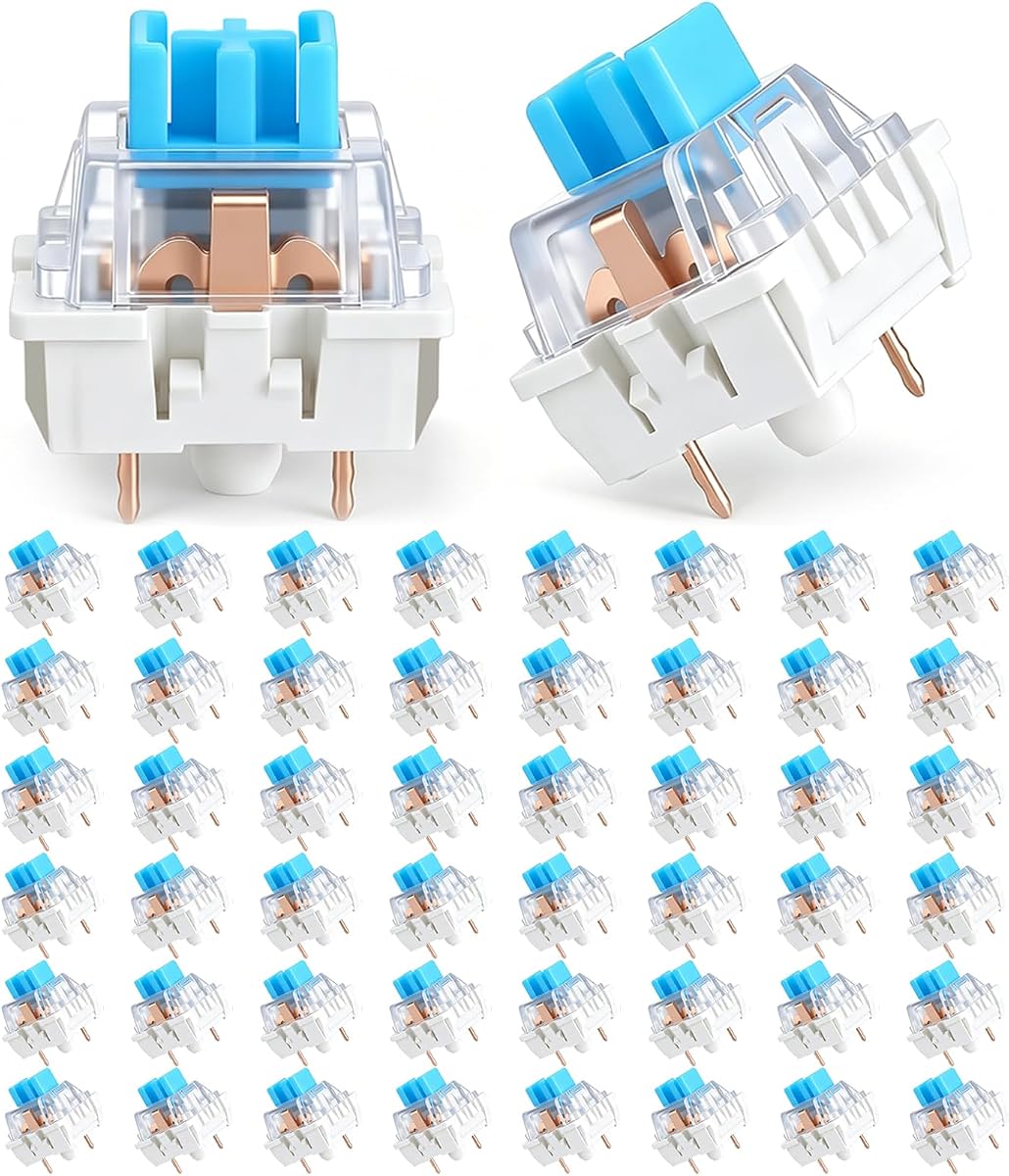
These blue click switches provide a distinct tactile feedback with a crisp and audible mechanical sound during activation. The mechanical keyboard switches feature a rapid and responsive key travel that minimizes fatigue during extended use.
We may earn a commission when you buy through this link, at no additional cost to you.
Packed in a delicate PVC plastic box, the switches are protected from damage and prevent the pins from bending. They are ideal for gaming, typing, or users who prefer mechanical feel and distinct feedback for daily content creation.
Users must note that the loud sound makes these unsuitable for quiet environments like libraries or offices. The switches are waterproof and durable, but they require installation into a keyboard or 3D printed fidget case to function.
For mechanical keyboard enthusiasts or those building custom clicker tools, this pack offers high quality components. The tactile satisfaction helps reduce stress and can be used as a fingertip toy to relieve anxiety.
The distinct click and feedback provide a sensory experience that helps reduce anxiety.
Waterproof materials and high cycle life ensure long-lasting performance for custom projects.
We may earn a commission when you buy through this link, at no additional cost to you.
Selecting the right automated keyboard clicker requires evaluating hardware reliability, adjustability, and compatibility with your specific tasks. Consider these factors to ensure you invest in a tool that meets your needs.
Different models offer varying levels of control over click intervals. Some use fixed random intervals while others allow precise timing or programmable groups for complex sequences.
Ensure the clicking arm can be adjusted to fit your keyboard height and key placement. A flexible arm reduces the risk of missed keys and ensures consistent actuation over time.
Check the product warnings regarding click limits. High-speed continuous use can cause heat damage, so select a device with clear thermal limits or heat-resistant construction.
Look for devices with intuitive interfaces. Simple button presses and indicator lights are often more reliable than complex software setups that may conflict with system security.
Verify that the clicker works with both keyboards and mice if needed. Some models are specialized for keyboards only, while others offer universal support for different input types.
Consider the noise level during operation. Rubberized covers or low-noise motors are essential if you plan to use the device in shared or quiet work environments.
Most devices run on USB power, which provides consistent energy without battery swaps. Ensure the included cable or adapter suits your available power sources for uninterrupted operation.
Choose brands that offer satisfaction guarantees or customer support. Physical tools can sometimes have issues, and responsive service helps resolve setup or warranty questions quickly.
Place the clicking arm on the key you wish to activate, ensuring it aligns correctly with the switch mechanism. Use the adjustment features to secure the arm firmly so it does not slip during operation.
Connect the device to a USB port to power it on. Use the buttons to select the desired speed or mode, and refer to the indicator lights to confirm the active setting before starting.
Avoid excessive clicking speeds to prevent the motor from overheating. Allow the device to rest after long sessions, and store it in a dry place to maintain its mechanical integrity over time.
Legal status depends on the context and platform terms of service. While legal for personal use, using them in games that prohibit automation can lead to account bans. Always check user agreements.
Most hardware clickers do not require software installation. They operate via physical USB connection and onboard settings, which makes them independent of your operating system and more secure.
Yes, many devices are compatible with laptops. However, ensure the clicking arm is adjustable enough to fit your specific keyboard height and key spacing for accurate presses.
Avoid setting click speeds higher than five per second as recommended by manufacturers. Let the device rest after extended use and avoid continuous operation without breaks to protect the motor.
Fixed timing repeats clicks at constant intervals while random timing varies the delay between presses. Random timing is better for mimicking human activity on platforms that detect automated patterns.
Standard keyboard clickers are designed for physical keys or mice. While some may work on tablets with specific adapters, they generally cannot directly simulate touch input without extra hardware.
The Physical Click Auto Keyboard Clicker Mouse Jigglier leads our list for its advanced digital controls and reliable physical performance. It balances programmability with hardware independence to suit diverse user needs effectively.
Prioritize devices with adjustable arms and clear speed warnings to ensure safe and accurate operation. Investing in a durable model with a satisfaction guarantee provides peace of mind for long-term use.
Remember to verify current stock and shipping details before purchasing since prices and availability fluctuate frequently. Selecting the right tool helps save time while keeping your activities running smoothly and consistently.