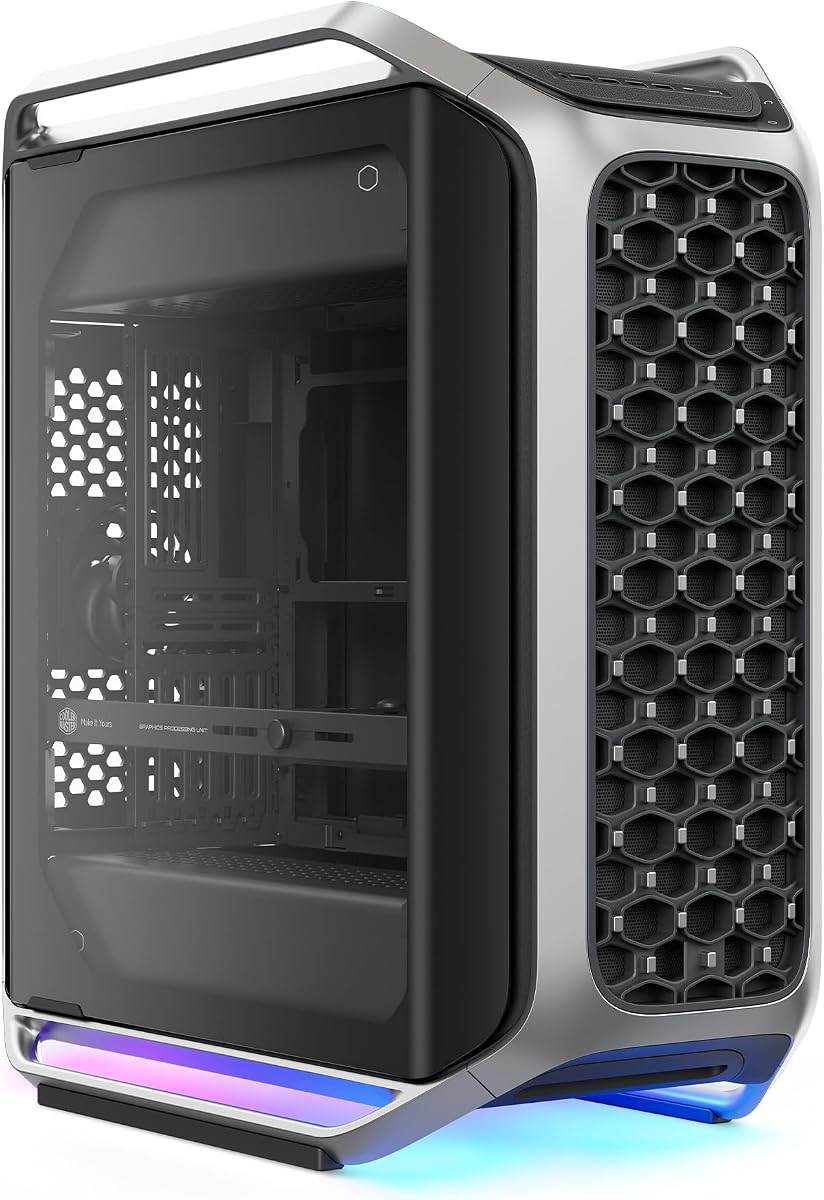
Cooler Master Cosmos Alpha Full Tower PC Case, High Airflow Curved Aluminum
4.4Editor score
Curved aluminum frame design
Supports E-ATX motherboards
Rotatable internal layout
This guide compares the top aluminum PC cases for performance and aesthetics. We review ten models to help you find the best chassis for your unique build
Aluminum PC cases offer a premium blend of durability and thermal performance. These chassis protect your components while providing sleek designs that enhance your workspace.
We evaluated ten leading models based on airflow, compatibility, and build quality. Our analysis ensures you select a case that fits your hardware and aesthetic goals perfectly.
Each pick highlights specific strengths like modularity or portability. Remember that prices fluctuate frequently, so check current listings before making your final purchase decision.
4.4Editor score

4.6Editor score

4.8Editor score
This comparison table provides a side-by-side look at the key specifications and features of our ten top-rated aluminum PC cases.




The Cooler Master Cosmos Alpha stands out as a flagship aluminum PC case. It features a premium curved aluminum frame and supports E-ATX motherboards. Its rating of 4.4 highlights its solid construction and versatile design.
We may earn a commission when you buy through this link, at no additional cost to you.
This case offers extreme hardware compatibility with support for GPUs up to 400mm and PSUs up to 240mm. The FreeForm 2.0 rotatable layout allows you to customize internal component orientation for better airflow. Front I/O includes 4× USB-A and 2× USB-C 20Gbps ports for modern connectivity.
While the price is high, the build quality justifies it for enthusiasts. The integrated ARGB underglow adds visual flair. It is ideal for those wanting a showcase build without compromising on thermal performance or component support.
Buyers should consider this if they need top-tier modularity and aesthetics. It is perfect for high-end workstations or gaming rigs. The investment ensures longevity and a premium look in your setup.
The aluminum frame aids heat dissipation while curved panels optimize airflow paths for internal components.
ARGB underglow and tempered glass panels create a stunning showcase for your hardware setup.
We may earn a commission when you buy through this link, at no additional cost to you.
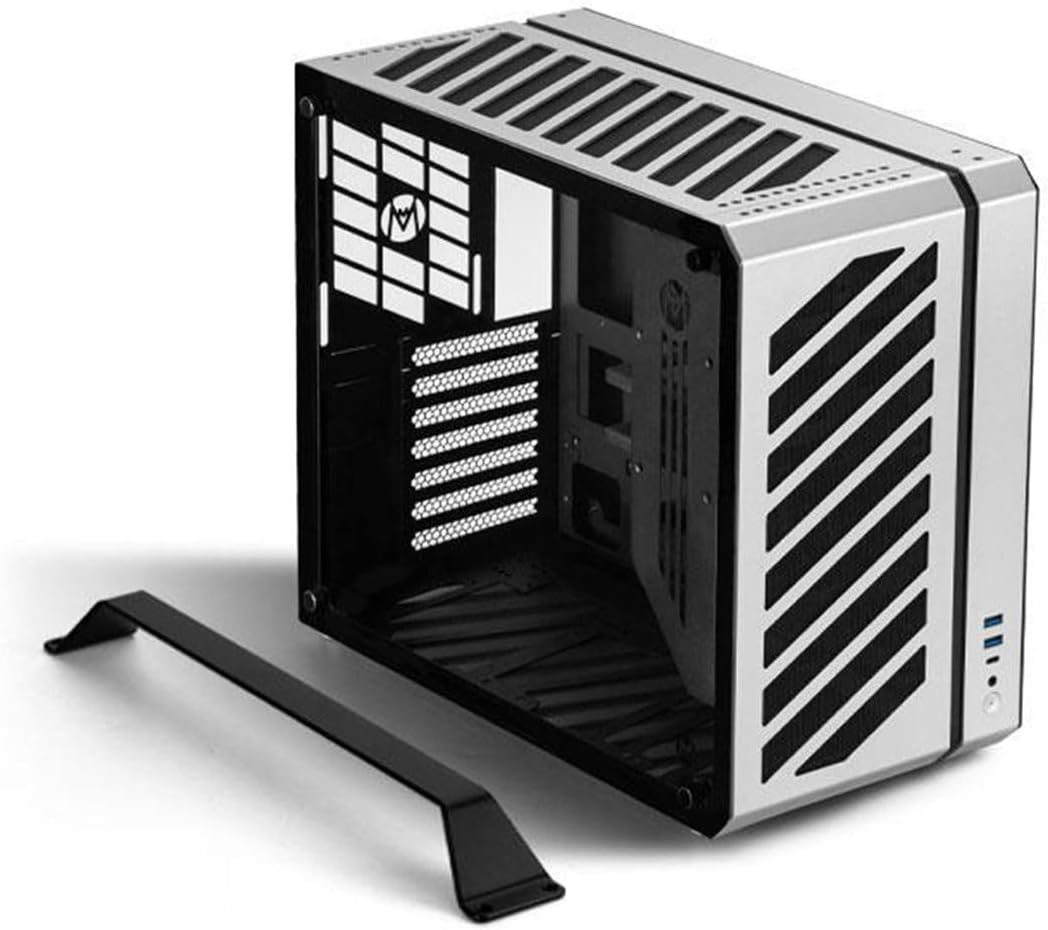
The MATX Case B2Pro offers exceptional value with a 5.0 rating. It is a full aluminum case designed for MATX and ITX boards. Its compact 17.8L capacity fits well on desktops while maintaining a premium look.
We may earn a commission when you buy through this link, at no additional cost to you.
Constructed with 3.0mm aluminum thickness for the frame, this case ensures durability. The mesh side panels provide perfect heat dissipation. It supports ATX and SFX power supplies and fits 240mm integrated water cooling.
The silver anodized surface treatment adds to its aesthetic appeal. While assembly is required, the build quality is impressive for the price. It balances form and function effectively for budget-conscious builders.
Consider this case if you need a compact, reliable aluminum chassis. It is ideal for entry-level to mid-range builds. The high rating reflects its reliability and solid construction quality.
Thick aluminum construction ensures longevity in a small footprint suitable for any desk.
Mesh panels and support for 240mm cooling keep temps low in a small space.
We may earn a commission when you buy through this link, at no additional cost to you.
This Open Air Frame case uses aerospace magnesium aluminum alloy for superior strength. It supports ATX and MATX boards and allows integrated water cooling installations. The design focuses on maximum cooling and easy access.
We may earn a commission when you buy through this link, at no additional cost to you.
The 8mm actual thickness ensures structural integrity. Metal support rods and anti-slip pads add stability. It is ideal for enthusiasts who want unrestricted airflow and component visibility without traditional case constraints.
Assembly is required upon shipment, which may be a drawback for some. However, the material quality is high. It offers a unique alternative to enclosed cases for test benches or permanent open builds.
Buyers seeking extreme cooling and modularity should consider this. It works well for overclocking or testing. The magnesium aluminum construction ensures it lasts while providing excellent thermal performance.
Open design removes barriers to airflow for superior cooling and quick hardware access.
Aerospace alloy provides high strength and corrosion resistance for long-term use.
We may earn a commission when you buy through this link, at no additional cost to you.
The Mechanic Master C34 is a compact ATX case with a built-in handle. It supports standard ATX boards and GPUs up to 335mm. The 4.6 rating reflects its balance of portability and performance.
We may earn a commission when you buy through this link, at no additional cost to you.
Its interior supports 240mm liquid cooling and high tower CPU coolers up to 162mm. The metal front I/O panel includes modern USB Type-C interfaces. It optimizes space without sacrificing essential compatibility.
Cable management is easier with recommended SFX/L power supplies. The aluminum construction adds durability to the small form factor. It is perfect for LAN parties or tight desk spaces.
Choose this case if you need a portable ATX solution. It serves well for mobile workstations or compact gaming rigs. The included handle ensures easy transport and setup anywhere.
Integrated handle allows effortless transport for LAN events or reconfiguration.
USB-C on the front ensures fast data transfer for modern devices.
We may earn a commission when you buy through this link, at no additional cost to you.
The MasterFrame 500 features a FreeForm 2.0 aluminum exo-structure for ultimate flexibility. It supports Mini-ITX to E-ATX motherboards. The 4.2 rating indicates solid performance for enthusiasts needing modularity.
We may earn a commission when you buy through this link, at no additional cost to you.
Pre-installed dual 200mm fans ensure powerful airflow right out of the box. You can accommodate up to 7 fans and 360mm radiators. Interchangeable panels allow personalized builds and modding options.
The open-frame layout is great for thermal performance but may collect dust. However, the flexibility is unmatched for custom setups. It is ideal for those who prioritize cooling and component variety.
Buyers wanting a highly modular aluminum case should pick this. It supports complex water cooling loops and diverse hardware. The included fans add immediate value and cooling capacity.
Massive 200mm fans support intense airflow for extreme thermal management.
Interchangeable panels let you customize the case to your exact needs.
We may earn a commission when you buy through this link, at no additional cost to you.
The C34Pro supports ATX and E-ATX motherboards with a portable handle. It fits 420mm GPUs and 360mm radiators for flagship components. The 3.9 rating suggests some trade-offs but solid capabilities.
We may earn a commission when you buy through this link, at no additional cost to you.
Constructed with a 2mm aluminum shell and 1mm steel frame for durability. Versatile PSU mounting options include front, bottom, and side. Multi-zone fan mounts ensure stable cooling under heavy loads.
It offers 18mm cable management space and a magnetic screwdriver kit. The compact 30.6L capacity makes it portable for a full tower. Ideal for builders needing high compatibility and movement.
Choose this if you need a portable E-ATX solution. It balances size with robust component support. The aluminum construction ensures a premium look and solid protection for your gear.
Supports large GPUs and radiators despite a compact chassis footprint.
Multiple PSU positions allow optimization of airflow and cable routing.
We may earn a commission when you buy through this link, at no additional cost to you.
The Define 7 XL features a solid brushed aluminum front and silent operation. It accommodates E-ATX motherboards and massive storage needs. The 4.6 rating confirms its quality and reliability.
We may earn a commission when you buy through this link, at no additional cost to you.
Install up to 18 HDDs alongside 5 SSDs in the default layout. Convert to Open Layout for custom water loops with up to 480mm radiators. Brushed aluminum encases a refined front door design.
Versatile multi-brackets convert unused fan positions to mounts. It is perfect for workstation builders needing storage and cooling. The build quality ensures a sleek, durable solution.
Buyers seeking a silent, high-capacity aluminum case should pick this. It serves well for servers or creative workstations. The modular design adapts to many storage and cooling needs.
Advanced sound dampening ensures whisper quiet operation even under load.
Support for 18 HDDs makes it a powerhouse for data storage.
We may earn a commission when you buy through this link, at no additional cost to you.
The Lian Li V100-ATX boasts a 4.8 rating and tool-less mounting. It supports ATX boards and high-end hardware. Its design includes 4x pre-installed PWM-controlled ARGB fans.
We may earn a commission when you buy through this link, at no additional cost to you.
Fits GPUs up to 420mm and CPU coolers up to 178mm. A top radiator up to 360mm ensures excellent thermal performance. Each side panel features tool-less mounting for easy access.
The integrated 26-LED ARGB strip enhances visibility and aesthetics. It is a reliable choice for a solid gaming setup. The price reflects high value for the quality provided.
Choose this for a reliable mid-tower with great aesthetics. It suits users wanting good cooling and ease of assembly. The pre-installed RGB adds immediate visual appeal to your build.
Tool-less side panels streamline your build and maintenance process.
Pre-installed fans and top radiator support deliver solid thermal results.
We may earn a commission when you buy through this link, at no additional cost to you.
The O11D EVO RGB offers a seamless view by removing the front pillar. It supports E-ATX motherboards and GPUs up to 455.7mm. The 4.7 rating highlights its popularity among builders.
We may earn a commission when you buy through this link, at no additional cost to you.
Increased size provides ample room for the latest hardware. Two height options for motherboard installation allow flexible fan and cooler setups. Velcro straps and dual-layered clips tidy up cables.
Features two 1.5mm L-shaped RGB strips for beautiful lighting options. The PSU mounting bracket protrudes 15mm for additional cable space. Ideal for those wanting a stunning display build.
Buyers wanting a showpiece aluminum case should pick this. It supports large components and custom loops. The design focuses on both performance and visual impact.
Seamless design allows clear viewing of all internal components.
Adjustable motherboard positions let you optimize airflow and routing.
We may earn a commission when you buy through this link, at no additional cost to you.
This JOYJOM case offers an ultra-compact 4.3L capacity. It includes a PCIe 3.0 riser for vertical GPU mounting. The 2.0mm aluminum body ensures good heatsink performance.
We may earn a commission when you buy through this link, at no additional cost to you.
Supports standard ITX motherboards and FLEX-Small 1U Power Supplies. The graphics card support is limited but sufficient for small builds. Ideal for tight spaces needing a gaming PC.
The black aluminum finish provides a clean and professional look. It comes with the case, riser, and screws. This solution is perfect for those wanting a simple SFF setup.
Choose this for an entry-level small form factor build. It balances size with aluminum durability. The included riser saves extra cost and setup time.
Ultra-compact size fits anywhere while still supporting a powerful GPU.
Solid aluminum body ensures durability and helps dissipate heat.
We may earn a commission when you buy through this link, at no additional cost to you.
Selecting an aluminum PC case involves evaluating dimensions, airflow, and build quality. This guide breaks down the key factors you should consider for a successful build.
Aluminum cases are typically made from aluminum or magnesium alloys. Look for thickness specifications like 3.0mm for structural integrity.
Thicker aluminum provides better durability and heat dissipation.
Check if the case supports your motherboard form factor such as E-ATX, ATX, or ITX.
Ensure the internal dimensions can accommodate your chosen board and ports.
Airflow is critical for performance. Look for mesh panels and multiple fan mounts.
Consider support for radiators like 240mm or 360mm for liquid cooling.
Measure the length of your graphics card against the case's max GPU clearance.
High-end GPUs can be 400mm or longer and need dedicated space.
Modular cases allow you to adjust layouts for airflow or component placement.
Features like rotatable trays or interchangeable panels offer flexibility.
If you move your PC often, look for built-in carry handles.
Lightweight aluminum cases are easier to transport than steel ones.
Aluminum offers a premium look often combined with glass panels or mesh.
Choose finishes like brushed aluminum or silver to match your setup.
Check for cable routing holes and management space behind the motherboard tray.
Features like dual-layered clips help keep cables tidy and organized.
When building, start by mounting the motherboard tray to ensure alignment. Use the provided screws and guides to avoid stripping threads on the aluminum frame.
Regularly clean dust from filters and fans using compressed air. Aluminum cases do not rust but can accumulate debris affecting airflow and temperatures.
Avoid placing the case on uneven surfaces to prevent stress on the frame. If moving your PC, detach heavy components like large GPUs for safety.
Aluminum cases are generally lighter and dissipate heat better than steel. They also offer a more premium aesthetic but can be more expensive. Steel is more durable against impacts while aluminum is lighter.
Many aluminum cases support E-ATX but not all. Always check the product specifications for motherboard compatibility before purchasing. Full tower models typically offer this support.
Use a microfiber cloth and mild soap to clean the exterior. Avoid harsh chemicals that might damage anodized surfaces. Dust filters should be vacuumed regularly.
Most aluminum cases support radiators up to 360mm or larger. Check clearance for top and front mounts. Ensure your radiator size fits the case dimensions.
Open frames maximize airflow and allow easy access to components. They are great for testing and overclocking but lack dust protection. Ideal for enthusiasts needing maximum cooling.
Some aluminum cases come with pre-installed fans while others do not. Always check the product description for included accessories. Adding quality fans improves thermal performance significantly.
Aluminum conducts heat well helping to dissipate warmth from internal components. This reduces reliance on fans and keeps the system cooler. It is a key material choice for thermal performance.
Aluminum cases often feature sound dampening materials to reduce noise. However, fan speeds impact noise more than material. Look for silent series if noise is a concern.
We reviewed ten top aluminum PC cases ranging from compact options to full towers. Each offers unique benefits for cooling and durability.
Prioritize cooling and motherboard support when selecting a case. Ensure it meets your component sizes and aesthetic goals.
Remember to check current pricing before purchasing. Our guide helps you make an informed choice for your next build.