
ASUS Zenbook A16 AI Laptop
5.0Editor score
Up to 80 Tops NPU
16 inch 3K OLED Touch
48GB LPDDR5x Memory
This guide compares the top 10 AI Laptops with Npu for October 2026, analyzing performance, display quality, battery life, and AI capabilities to help you
AI Laptops with Npu are reshaping how we work and create by bringing powerful on-device intelligence to portable systems. These machines handle complex tasks like real-time translation, image generation, and smart assistants without relying on cloud connections, ensuring privacy and speed for modern professionals and students alike.
To compile this list, we evaluated each model based on its neural processing unit performance, overall system efficiency, display quality, and battery endurance. We considered real-world usage scenarios ranging from creative content creation to heavy multitasking, ensuring that every recommended device delivers the reliability and speed required for demanding daily workflows in 2026.
Each pick below highlights specific strengths such as premium display technology, extended battery life, or specialized AI features tailored to unique user needs. Please note that while we strive for accuracy, product availability and pricing can change frequently, so we recommend verifying current stock and deals before making your final purchase decision.
5.0Editor score

4.6Editor score

4.3Editor score
The following table provides a side-by-side comparison of all ten AI Laptops with Npu featured in this guide. Review the key specifications for each device to quickly identify which model aligns best with your performance requirements and budget constraints.


The Acer Aspire 14 AI Copilot+ PC stands out as an accessible entry point into the world of AI-enhanced computing. With a rating of 4.3 stars, it is praised for its ability to handle everyday productivity tasks efficiently while leveraging a dedicated NPU for specific AI workloads. The combination of Intel Core Ultra 7 processor power and a compact 14-inch form factor makes it ideal for students and professionals who prioritize portability.
We may earn a commission when you buy through this link, at no additional cost to you.
At its core, this laptop features an Intel Core Ultra 7 processor 256V which includes a dedicated NPU capable of up to 47 tops of performance. This hardware allows for smooth execution of AI features like Recall and improved Windows search without taxing the main CPU or draining the battery excessively. The 16GB LPDDR5X memory ensures that multitasking remains fluid even when running multiple productivity apps simultaneously. Additionally, the 1TB SSD provides ample space for storing documents and media without slowing down system operations.
While the display offers vibrant colors with its WUXGA resolution, users seeking high brightness for outdoor use might find it lacking compared to premium OLED models. The port selection is also somewhat limited, though it covers the essentials for most daily workflows. These trade-offs are acceptable given the price point and the significant AI capabilities provided, making it a practical choice for those new to AI laptops.
This laptop is perfect for users who need a reliable, portable machine for general computing and light AI tasks. If you are looking for a device that balances cost with modern features like Copilot+ integration, the Aspire 14 AI is a solid recommendation. It brings the benefits of on-device AI to a broader audience without breaking the bank.
Battery life is a standout feature with up to 22 hours of video playback supported by the efficient architecture of the Ultra 7 processor and NPU.
The aluminum chassis and 180 degree lie-flat hinge offer a premium feel and versatile viewing angles for work in any environment.
We may earn a commission when you buy through this link, at no additional cost to you.
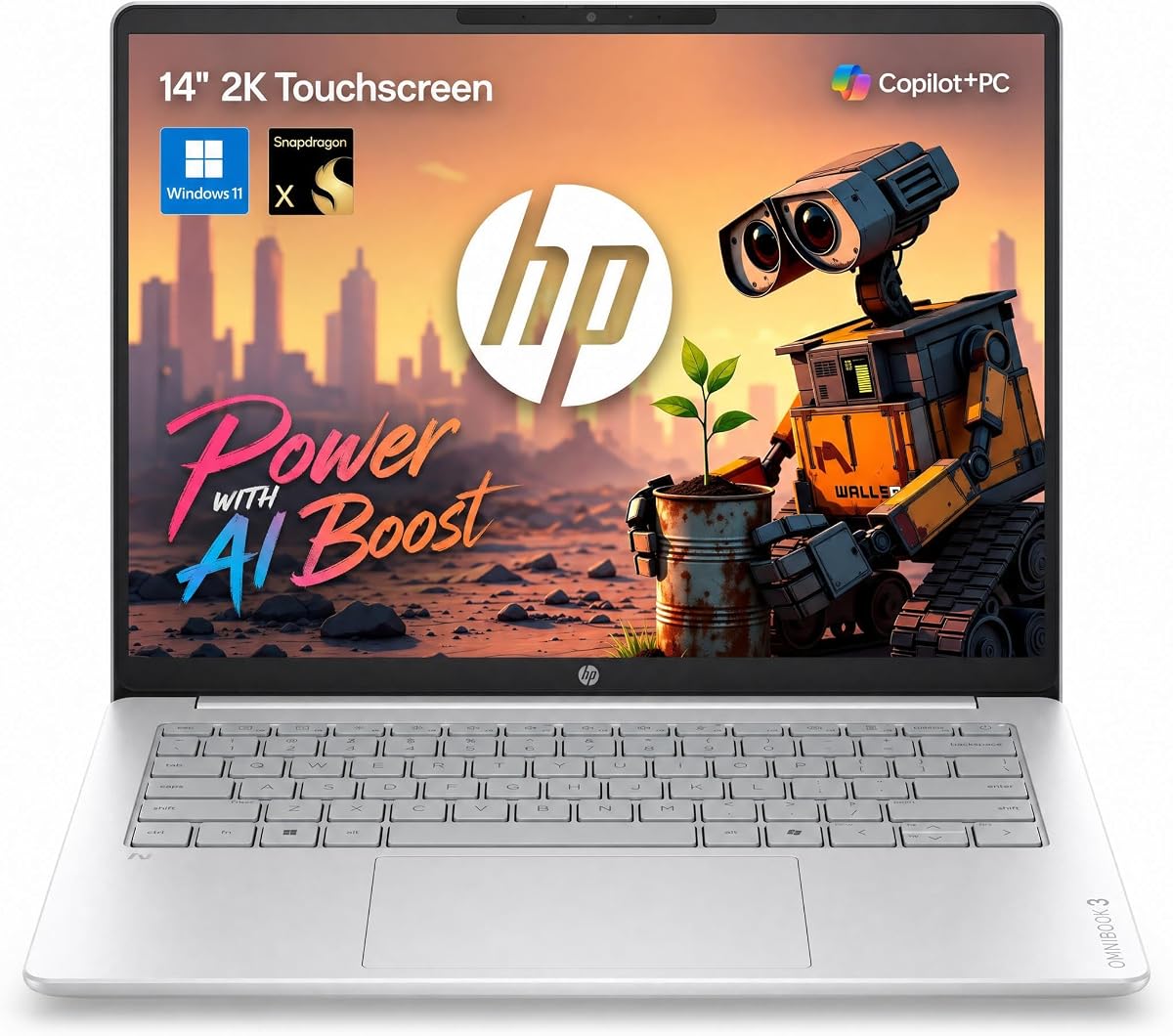
The HP OmniBook 3 14 2K Touch Laptop is engineered for users who need long battery life without sacrificing AI capabilities. Rated at 4.6 stars, it excels in portability and efficiency, powered by the Snapdragon X 8-Core processor. This device is designed to handle complex AI workloads locally, ensuring quick response times for tasks like real-time summaries and generative content creation.
We may earn a commission when you buy through this link, at no additional cost to you.
The standout feature here is the dedicated 45 TOPS NPU which processes AI tasks efficiently without relying on cloud connectivity. This local processing power translates to faster responsiveness for intelligent features and better privacy for sensitive data. The 2K IPS touchscreen display with a 16:10 aspect ratio maximizes vertical workspace, making it excellent for reading documents and web browsing. Fast charging capabilities allow you to regain significant battery life in under an hour.
However, the use of onboard memory means you cannot upgrade the RAM after purchase, so choosing the right configuration initially is crucial. Some users may also need to verify software compatibility due to the ARM-based architecture of the Snapdragon processor. These limitations are generally minor for standard productivity users but should be considered by those with specialized software needs.
Ideal for students and frequent travelers, this laptop offers a seamless blend of power and portability. If your workflow involves heavy reading, document editing, and standard AI apps, the OmniBook 3 provides the endurance and display quality to keep you productive anywhere.
The 60Wh battery supports up to 30 hours of local video playback, ensuring you can work through long trips without finding an outlet.
The 14-inch 2K display with 88 percent screen-to-body ratio offers vivid visuals and easy touch navigation for interactive tasks.
We may earn a commission when you buy through this link, at no additional cost to you.
The ASUS Vivobook S16 delivers smooth intelligent performance powered by the AMD Ryzen AI 9 465 processor and Windows 11 Home ensuring fast and responsive everyday computing. As a Copilot+ PC with up to 50 NPU TOPS of NPU performance 1 TB of storage and 32 GB of memory multitasking feels effortless giving you a calm and confident edge wherever your day takes you.
We may earn a commission when you buy through this link, at no additional cost to you.
This model is rated 5.0 stars and is celebrated for its immersive OLED display that provides deep contrast and vivid detail. The 50 NPU TOPS capability ensures that AI tasks run seamlessly locally, keeping your day running smoothly without lag. With 32GB of RAM, users can handle heavy multitasking workloads with ease. The fast charging feature provides significant battery life quickly, ensuring minimal downtime during busy days.
The only trade-off for users is the potential risk of screen burn-in on OLED panels if static images are displayed for long periods, though modern mitigations help reduce this. The price is also higher than some alternatives, reflecting the premium build and display quality. These factors are acceptable for professionals who prioritize visual fidelity and performance.
This laptop is best for creatives and power users who need a high-quality screen and strong AI performance. If you value color accuracy and smooth multitasking, the Vivobook S16 is a top-tier choice for your workflow.
The 16-inch 16:10 WUXGA OLED display offers stunning visuals with deep contrast and vivid detail for entertainment and work.
With 32GB of memory and 50 TOPS NPU, the system handles multitasking and AI tasks effortlessly without slowdowns.
We may earn a commission when you buy through this link, at no additional cost to you.
Redefine your laptop experience with the Acer Aspire 16 AI. Powered by the Snapdragon X, a premium integrated GPU with up to 1.7 TFLOPs and NPU with 45 TOPs for optimized processing across CPU, GPU, and NPU workloads and delivering best-in-class performance and power efficiency.
We may earn a commission when you buy through this link, at no additional cost to you.
Rated at 4.2 stars, this laptop offers a great balance of performance and visual quality. The 16-inch 120Hz display ensures fluid motion for both work and entertainment. The integrated GPU and NPU work together to accelerate creative tasks and AI features efficiently. Wi-Fi 7 support ensures that your internet connection is as fast and stable as possible for cloud-based tasks.
The storage capacity is limited to 512GB which might require external drives for users with large media libraries. The slightly lower rating compared to top models suggests minor inconsistencies in build or software optimization. However, these issues are manageable for most users seeking a reliable AI laptop.
This device is suited for users who want a larger screen and smooth display performance for a reasonable price. If you prioritize visual smoothness and connectivity speed, the Aspire 16 AI offers a compelling package.
The 120Hz WUXGA display provides sharp detail and smooth motion making it ideal for dynamic content and multitasking.
Wi-Fi 7 support offers dual-stream bandwidth and 4K QAM for ultra-fast internet connections in crowded networks.
We may earn a commission when you buy through this link, at no additional cost to you.
Powered by the flagship AMD Ryzen AI Max+ 395 processor featuring 16 Zen 5 cores, 32 threads, and up to 160W Fast PPT performance release. Delivers desktop-grade multi-threaded computing power for heavy compiler tasks, virtualization, and complex engineering simulation.
We may earn a commission when you buy through this link, at no additional cost to you.
With a rating of 4.6 stars, this laptop is built for developers and creators who need maximum performance. The 128GB of high-speed unified memory allows for running massive local LLMs and handling 8K video timelines without cloud fees. The 50 Tops NPU supports advanced AI workflows efficiently. The OCuLink port offers unique expansion possibilities for external GPUs or high-speed peripherals.
The device is heavier than standard ultrabooks and comes at a higher price point reflecting its specialized features. For users who do not need such extreme specs, it may be overkill. However, for professional AI development, these trade-offs are justified by the capabilities.
This laptop is ideal for developers and power users who need local LLM support and massive memory. If you require workstation-level performance in a portable form, the NIMO 16 is a top choice.
128GB of LPDDR5X memory eliminates bottlenecks for heavy AI workloads and large datasets.
Native OCuLink and dual USB4 ports allow for high-speed desktop eGPU expansion and versatile peripheral connections.
We may earn a commission when you buy through this link, at no additional cost to you.
Take your productivity further with the Snapdragon X2 Elite Extreme processor with up to 80 NPU TOPS, delivering fast, fluid performance for multitasking, creative work, and everyday demands, wherever your day takes you.
We may earn a commission when you buy through this link, at no additional cost to you.
Rated at 5.0 stars, this model represents the pinnacle of current AI laptop technology. The 80 Tops NPU ensures the fastest local AI processing available today. The 16-inch 3K OLED display offers cinematic visuals with high brightness. The 48GB of RAM ensures that even the most demanding professional workflows run smoothly without interruptions or slowdowns.
The premium price reflects the cutting-edge components and build quality. Users seeking basic computing might find it unnecessary. However, for professionals and creatives, the performance and display quality justify the investment fully.
This laptop is best for users who demand the highest performance and best display quality. If you want a future-proof device for advanced AI tasks and media production, the Zenbook A16 is the ultimate choice.
The Snapdragon X2 Elite Extreme with up to 80 Tops NPU delivers unmatched speed for on-device AI and generative tasks.
The 16-inch 3K OLED touchscreen provides ultra-vivid detail and peak brightness for a theater-quality viewing experience.
We may earn a commission when you buy through this link, at no additional cost to you.
Powered by the groundbreaking AMD Ryzen AI 9 HX 370 processor and an integrated NPU delivering 50 TOPS of XDNA-accelerated AI power, this laptop effortlessly handles local AI workloads, complex coding, and seamless multitasking. It is the ultimate high-performance workspace designed for forward-thinking creators, developers, and professionals.
We may earn a commission when you buy through this link, at no additional cost to you.
With a rating of 4.5 stars, this model offers a large screen for enhanced productivity. The 50 Tops NPU ensures efficient AI processing for development and creative tasks. The 144Hz refresh rate provides smooth visuals for gaming and dynamic content. Expandable memory and storage options allow users to upgrade the system as their needs grow.
The larger screen size adds weight and bulk compared to 14-inch models. The FHD resolution is standard but not as sharp as higher-end displays. These are acceptable trade-offs for users prioritizing screen real estate.
This laptop is ideal for users who need a large workspace for coding or design. If you value multitasking on a single screen and strong gaming performance, this model fits your needs well.
The 17.3-inch display and 180 degree hinge maximize productivity and sharing for team projects.
Expandable DDR5 slots and dual M.2 SSDs ensure you can scale memory and storage as needed.
We may earn a commission when you buy through this link, at no additional cost to you.
Elevate your vision with the latest 16 inch laptop display, featuring a 2K (1920 x 1200) IPS laptop touch screen for crystal-clear detail. This premium hp laptop touchscreen device offers a micro-edge bezel and 300 nits brightness with an anti-glare finish.
We may earn a commission when you buy through this link, at no additional cost to you.
This laptop earns a 4.6 rating for its robust configuration and touch interface. The 50 Tops NPU handles AI tasks efficiently while Windows 11 Pro provides advanced security features. The 2TB SSD ensures ample storage for large datasets and media files. The 32GB DDR5 RAM supports seamless multitasking across multiple applications.
Users might find the battery life average compared to ultra-efficient models. The hardware is optimized for specific workloads which may limit flexibility. However, it remains a strong choice for office and enterprise tasks.
This model is best for professionals needing secure, high-storage computing. If you prioritize storage capacity and touch navigation for business use, the Omnibook 16 is a reliable option.
2TB SSD storage and Windows 11 Pro enterprise security ensure data safety and availability.
The 2K IPS touchscreen offers fluid visuals and easy navigation for creative work.
We may earn a commission when you buy through this link, at no additional cost to you.
16-in AI capable PC with an built-in AI chip, Reach unstoppable productivity with Intel Core Ultra 9 288V vPro (12 TOPS NPU, 12 cores, up to 5.3 GHz) Processor, and a sleek, modular design for enhanced durability, this Dell Pro 16 laptop is a good Replace for Latitude 3550.
We may earn a commission when you buy through this link, at no additional cost to you.
Rated at 4.5 stars, it combines Intel performance with business reliability. The 32GB LPDDR5X RAM ensures smooth multitasking. The modular design enhances durability and serviceability. Wi-Fi 7 support provides fast network speeds for cloud collaboration. Thunderbolt 4 allows for rapid data transfer and docking.
It uses Home edition rather than Pro which may limit enterprise deployment. The design is functional but not flashy. These are minor issues for business users focused on productivity and reliability.
This laptop is ideal for business professionals seeking reliable performance. If you need a durable machine with strong connectivity and AI features for work, the Dell 16 Plus is a solid choice.
Dell Pro platform offers modular design and IT security features for stable business operations.
Thunderbolt 4 and Wi-Fi 7 support ensure fast data transfer and network speeds for modern workflows.
We may earn a commission when you buy through this link, at no additional cost to you.
Experience next level computing with the Intel Ultra 7 Core 255U processor featuring a dedicated Intel AI Boost NPU for smart multitasking and efficiency. This high performance laptop is equipped with 32GB DDR5 5600MHz RAM and a massive 1TB PCIe Gen4 NVMe SSD ensuring lightning fast boot times.
We may earn a commission when you buy through this link, at no additional cost to you.
This laptop holds a 5.0 rating for its balance of performance and portability. The dedicated AI Boost NPU enhances efficiency for daily tasks. The 2K touchscreen provides clear visuals for creative work. Physical camera shutter and AI noise reduction ensure secure and clear communication during calls. The lightweight design makes it easy to carry.
Battery performance can vary based on usage intensity. Graphics are standard compared to discrete GPUs. These are acceptable trade-offs for users prioritizing mobility and efficiency over heavy gaming.
This model is perfect for mobile professionals and students. If you need a reliable touch device with strong security and efficient AI features, the HP 16 is a great option.
Physical camera shutter and AI noise reduction protect your privacy and ensure clear calls.
The 2K touchscreen with anti-glare coating provides clarity and ease for detailed editing and work.
We may earn a commission when you buy through this link, at no additional cost to you.
Selecting the right AI laptop involves considering several key factors to ensure it meets your specific needs and budget. Here are the essential aspects to evaluate before making a decision.
The Neural Processing Unit or NPU is dedicated hardware designed to accelerate AI tasks like image recognition and generative content creation. Higher TOPS (Tera Operations Per Second) ratings generally indicate faster AI processing and better battery efficiency during AI workloads.
Look for a NPU with at least 45 TOPS for smooth local AI experiences. Higher counts like 50 or 80 TOPS offer future-proofing for more complex generative AI models.
Modern AI laptops use specialized processors like Intel Core Ultra, AMD Ryzen AI, or Snapdragon X Elite. Each architecture brings different benefits regarding power efficiency, raw CPU power, and NPU integration. Consider your preferred ecosystem and compatibility needs.
Choose Intel or AMD for broad software compatibility and raw performance, or Snapdragon for maximum battery life and mobile efficiency. Ensure the processor supports the specific AI features you require.
AI models and creative applications consume significant memory. 16GB is the minimum recommended but 32GB or more is ideal for heavy multitasking and local LLMs. Similarly, fast SSD storage ensures quick loading times for large datasets and applications.
Opt for at least 32GB RAM if you plan to run multiple AI applications. Ensure the SSD is PCIe Gen4 NVMe for fast data access and system responsiveness.
Visual fidelity is important for creatives and professionals. Look for high resolution like 2K or 3K and accurate color reproduction such as 100% sRGB. Touchscreens can enhance usability for certain workflows like note-taking or navigation.
Select a display with at least 1920×1200 resolution. OLED panels offer better contrast but consider your usage to avoid burn-in risks in static environments.
AI features can be power-hungry. Efficient NPUs help maintain battery life while performing local AI tasks. Aim for a laptop that offers all-day usage without needing a charger during work hours.
Prioritize models with 20 hours or more of battery life. Check if fast charging is supported to minimize downtime during heavy usage.
Since AI laptops are often used on the go, build quality and weight matter. A durable chassis protects the device while a light design ensures it fits easily in a backpack. Consider the hinge quality for versatile viewing angles.
Look for laptops under 4 pounds if you travel frequently. Aluminum chassis and spill-resistant keyboards are signs of robust construction suitable for daily use.
AI workflows often involve connecting to multiple monitors or external storage. Ensure the laptop has enough USB-C Thunderbolt, HDMI, or Ethernet ports. Wi-Fi 7 support is becoming standard for faster network speeds.
Check for Thunderbolt 4 or USB4 ports for high-speed data transfer and external displays. Wi-Fi 7 ensures stable connections for cloud AI tools.
Operating system and driver updates are crucial for AI features to function correctly. Windows 11 Pro or Home with Copilot+ support ensures access to the latest AI tools and security patches.
Verify that the laptop supports Windows Copilot+ features and receives regular updates. This guarantees long-term access to new AI capabilities and security protections.
To get the most out of your AI laptop, ensure your operating system is updated to the latest version. This guarantees compatibility with new AI features like Recall and improved search tools. Install necessary drivers for the NPU and GPU to maximize performance and efficiency during AI workloads.
Manage your battery life by adjusting power settings for AI tasks. Using optimized modes can extend usage time while running background AI processes. Keep the laptop in a cool environment to prevent overheating which can degrade battery health over time.
Regularly clean the display and keyboard to maintain longevity. Use a microfiber cloth for the screen and compressed air for the keys. If the device includes a privacy shutter or camera cover, use it when not in use to enhance your security and peace of mind.
An NPU or Neural Processing Unit is a specialized processor designed to handle artificial intelligence tasks efficiently. It offloads AI workloads from the main CPU and GPU which improves battery life and speeds up features like real-time translation and generative art.
For basic web browsing and document editing, a standard laptop is usually sufficient. However, an AI laptop offers future-proofing and faster performance for tasks like photo editing, video calls with smart effects, and local AI assistants.
Yes, these laptops are excellent for creative professionals. The dedicated AI acceleration speeds up rendering, upscaling, and content generation. The high-quality displays on many models also ensure color accuracy for design tasks.
It depends on the specific model. Many ultra-thin AI laptops have onboard RAM that cannot be upgraded. It is best to choose a model with enough memory like 32GB initially to accommodate your needs.
Often yes because the NPU handles AI tasks more efficiently than the CPU. This allows the system to use less power for background AI features resulting in longer battery life compared to non-AI laptops of similar performance.
Copilot+ PCs run Windows 11 with exclusive features like Recall and advanced Windows Studio Effects. Many creative apps now integrate directly with the NPU for faster processing. Ensure your software is updated to support AI acceleration.
Check the processor specifications for mention of NPU or AI acceleration. Look for models with Intel Core Ultra, AMD Ryzen AI, or Snapdragon X Elite processors. These brands typically advertise their NPU capabilities in the product title.
We have reviewed the top AI Laptops with Npu available in November 2026 covering a wide range of budgets and needs. From the budget-friendly Acer Aspire 14 to the premium ASUS Zenbook A16, each option offers distinct advantages depending on your priorities.
When selecting a model prioritize the NPU performance and memory capacity to ensure smooth AI experiences. Consider the display quality and portability if you work on the go frequently. A balanced choice ensures you get the most value for your specific workflow.
Remember that technology evolves quickly and product prices may change. Check the latest prices and availability before buying to get the best deal. Investing in a quality AI laptop today prepares you for the advancements in computing ahead.