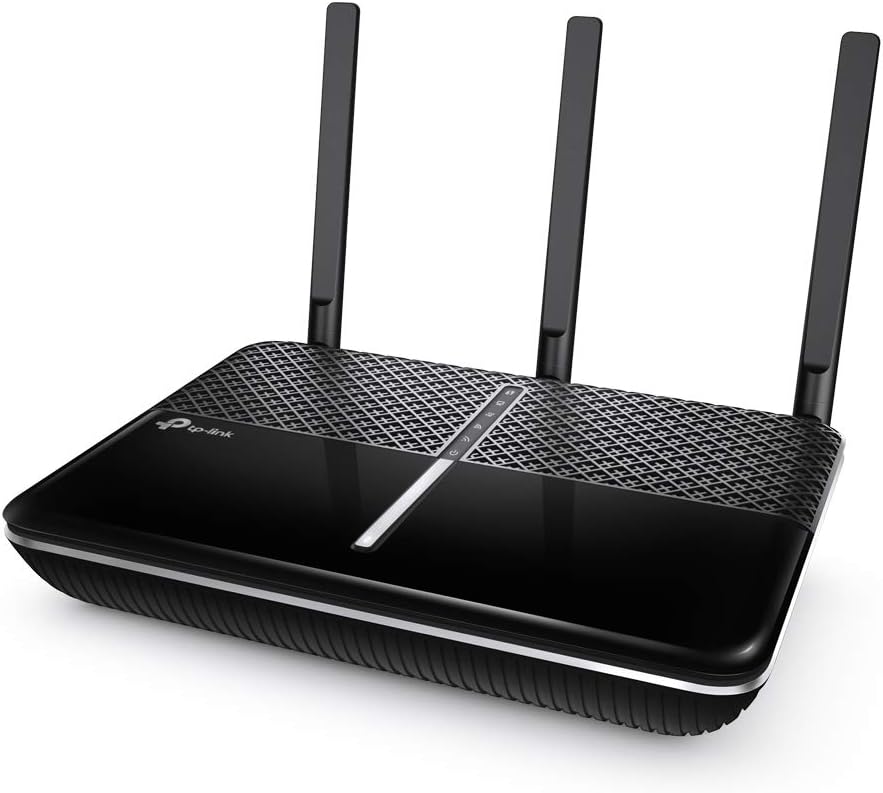
TP-Link AC2600 Smart WiFi Router (Archer A10)
4.5Editor score
Extreme Dual band Wi-Fi speeds
Ultimate range with external antennas
Secure remote VPN access
This guide compares the top ten AC2600 WiFi router models for 2026, analyzing performance, coverage, security, and value for home networks.
Choosing a reliable wireless router is essential for modern homes that demand fast internet speeds and consistent coverage across every room. The AC2600 standard offers a strong balance of speed and range, making it a popular choice for households with multiple connected devices.
We have evaluated ten leading AC2600 routers based on their technical specifications, user feedback, and real-world performance capabilities. Each model was assessed for throughput, range, security features, and ease of setup to provide a comprehensive comparison for buyers.
Each pick in this list highlights key strengths and potential trade-offs to help you find the right fit for your specific needs. Please note that product availability and pricing can change frequently, so verify details before making your final purchase decision.
4.5Editor score
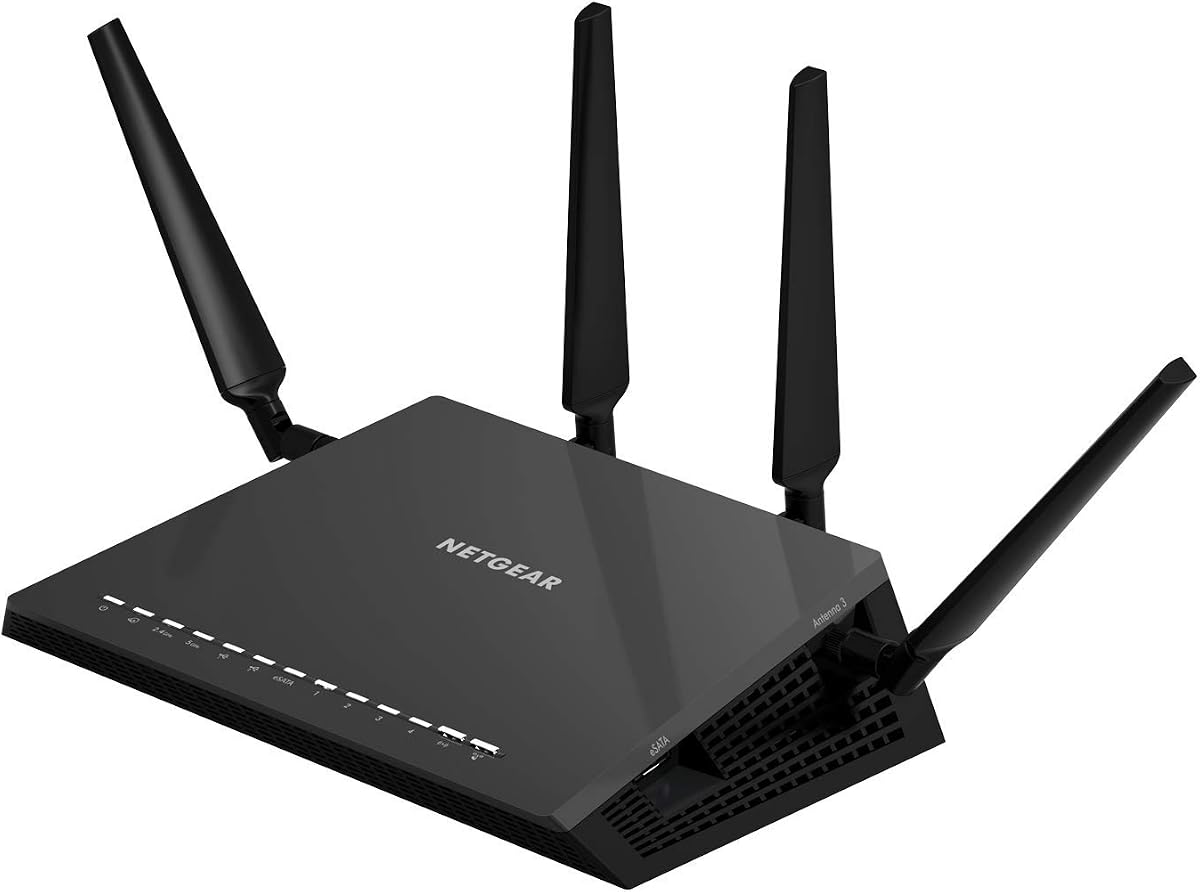
4.4Editor score

4.3Editor score
The following table provides a side-by-side comparison of all ten selected AC2600 WiFi routers, highlighting their primary specifications and key features to help you make an informed decision quickly.


This model stands out as a high-performance router that combines robust hardware with flexible connectivity options. It is rated highly for its ability to handle multiple devices simultaneously without significant drops in speed.
We may earn a commission when you buy through this link, at no additional cost to you.
The R7800 uses a powerful dual-core processor to manage network traffic efficiently, ensuring that streaming and gaming remain smooth even when many devices are connected. Its range is impressive, covering large areas effectively.
While it is priced higher than many budget models, the extra features like USB 3.0 ports and extensive coverage justify the cost for users with larger homes. However, its physical size might not fit in compact spaces.
This router is best suited for users who need maximum performance and have many devices to connect. If you want a reliable network for a busy household, this is a strong candidate.
The 1.7GHz dual-core processor ensures that data routing happens quickly without bottlenecks during peak usage times.
With USB 3.0 and eSATA ports, you can easily share printers and storage drives across your entire network.
We may earn a commission when you buy through this link, at no additional cost to you.
The Archer A10 offers a compelling balance of speed and cost, making it an ideal choice for budget-conscious buyers. It provides high-speed internet access with a strong wireless signal that covers typical home layouts well.
We may earn a commission when you buy through this link, at no additional cost to you.
Its design includes multiple external antennas to boost signal strength, ensuring consistent connectivity throughout the house. The setup process is straightforward, often guided by an intuitive mobile app.
While it lacks some advanced ports like USB found in pricier models, it covers the essential networking needs effectively. Users might find the interface simpler compared to professional-grade hardware.
This router is perfect for small to medium homes that need reliable internet without breaking the bank. If you want solid performance at a low cost, this is the top recommendation.
The combination of internal and external antennas ensures that signals reach further into your home compared to standard routers.
Connecting and configuring the device is simplified through the Tether app, allowing quick installation for non-technical users.
We may earn a commission when you buy through this link, at no additional cost to you.
This specialized router is designed specifically to minimize lag and optimize performance for online gaming. It ranks high for its ability to prioritize gaming traffic over other network activities.
We may earn a commission when you buy through this link, at no additional cost to you.
Features like Dynamic QoS allow users to select which applications receive priority bandwidth, ensuring smooth gameplay. The geo-filtering tool helps connect to the nearest game servers, reducing response times.
While it excels at gaming, it may be overkill for users who do not play online games. The premium price reflects these specialized features.
If you are a serious gamer looking for the best ping and connection stability, this router is the ideal choice. It delivers the low latency required for competitive play.
This technology ensures that gaming data packets are sent first, preventing lag spikes during critical moments.
You can choose specific geographic regions to connect to, reducing distance to servers for faster responses.
We may earn a commission when you buy through this link, at no additional cost to you.
This router focuses on providing solid processing power and flexible control over family internet usage. It is designed to handle multiple threads efficiently for smooth application performance.
We may earn a commission when you buy through this link, at no additional cost to you.
The enhanced parental controls allow detailed management of how and when devices access the internet, which is useful for families. It supports mesh capabilities to help extend range.
Users might find the setup process requires more steps than simpler models. Additionally, the mesh features are specific to the brand.
This unit is a good choice for households that need robust parental controls and decent performance. It suits families managing many devices.
Profiles can be created for each person, allowing strict management of access times for specific devices.
The dual-core processor helps maintain high speeds even when multiple applications are running simultaneously.
We may earn a commission when you buy through this link, at no additional cost to you.
The R7450 is a reliable router that fits well in the mid-range category with consistent performance. It delivers good speeds and coverage for average household use.
We may earn a commission when you buy through this link, at no additional cost to you.
Its dual-core processor and amplifiers work together to ensure strong signal propagation and data handling. This makes it suitable for streaming and general browsing.
While it is a strong contender, it does not offer the extra connectivity options of higher-end models. It is a safe choice for standard needs.
If you want a dependable router without needing gaming features or extra ports, this model works well. It offers stability for daily tasks.
The three amplifiers ensure that the signal reaches further and penetrates walls better than weaker units.
This technology allows the router to communicate with multiple devices simultaneously, improving overall speed.
We may earn a commission when you buy through this link, at no additional cost to you.
This router is known for its distinct look and integrated security features that protect connected devices automatically. It uses Intel technology to manage network throughput effectively.
We may earn a commission when you buy through this link, at no additional cost to you.
AiProtection powered by Trend Micro provides continuous monitoring against security threats, which is a valuable addition. The integration with Alexa allows for voice control over network settings.
Some users have reported that the initial setup can be tricky compared to simpler routers. The ratings are slightly lower than top competitors.
For users who value design and security features, this router is a strong contender. It suits tech-savvy households looking for style.
AiProtection offers continuous threat protection that blocks malicious websites and unauthorized access attempts automatically.
Alexa integration lets you manage guest networks and turn off WiFi using simple voice commands.
We may earn a commission when you buy through this link, at no additional cost to you.
While it exceeds the standard AC2600 category, this router offers incredible speed for those looking to upgrade. It uses WiFi 6E technology for better performance and lower latency.
We may earn a commission when you buy through this link, at no additional cost to you.
The tri-band design splits traffic across three channels, reducing congestion when many devices are online. This is great for high-traffic homes.
The cost is significantly higher than standard AC2600 models, and you need compatible hardware to utilize the speed. It is an investment for future-proofing.
If you want the fastest available speed and plan to upgrade devices soon, this is a great choice. It prepares you for the next generation of internet.
This newer standard uses the 6 GHz band to provide faster speeds and less interference than older models.
OFDMA allows the router to serve multiple devices at once, improving efficiency and speed.
We may earn a commission when you buy through this link, at no additional cost to you.
This is the latest in router technology, offering speeds that exceed standard AC2600 limits. It is designed for those who need the absolute best performance.
We may earn a commission when you buy through this link, at no additional cost to you.
With WiFi 7 support, it provides massive bandwidth for streaming and gaming. The multi-gigabit ports ensure that wired connections are not bottlenecks.
The price is high, and current devices may not yet support these speeds. It is a high-end option for enthusiasts.
If you are building a high-end home office or gaming setup, this router is unmatched. It is ready for the future of internet.
The latest standard offers significantly faster speeds and lower latency compared to older generations.
The 2.5 Gig WAN port supports internet plans faster than standard 1 Gigabit connections.
We may earn a commission when you buy through this link, at no additional cost to you.
This router offers a balanced mix of modern WiFi 6 tech and ease of use. It is well suited for apartments and small homes.
We may earn a commission when you buy through this link, at no additional cost to you.
The coverage is decent for most standard living spaces, and the app makes managing the network simple. It supports modern encryption standards.
It is not as fast as some AC2600 models, but it is efficient and reliable. It is a good choice for simpler needs.
If you want a reliable router for daily use without too many bells and whistles, this works well. It is a solid pick for stability.
The Nighthawk app allows you to manage settings and check speeds directly from your phone.
This advanced security protocol helps protect your network against unauthorized access and threats.
We may earn a commission when you buy through this link, at no additional cost to you.
This classic model delivers standard dual band performance for home networks. It provides the essential features needed for basic connectivity.
We may earn a commission when you buy through this link, at no additional cost to you.
Its design supports wired connections well, and the four antennas help boost signal. It includes a warranty that offers peace of mind.
Users might find the rating lower due to occasional setup issues. It is a basic option for those with simple needs.
If you want a reliable dual band router without extra smart features, this is a choice. It serves basic functions well.
Four gigabit ports allow you to connect devices with a stable wired link for best performance.
A two-year warranty and 24/7 support help you resolve issues quickly if they arise.
We may earn a commission when you buy through this link, at no additional cost to you.
When choosing an AC2600 router, you must consider several factors to ensure you get a device that fits your specific network needs.
Look at the square footage coverage listed by the manufacturer to ensure it matches your home size. Larger homes may need routers with more antennas or higher power amplifiers to avoid dead zones.
Select a router with enough range to cover all rooms effectively.
Consider how many devices will connect to your network at the same time. Routers with MU-MIMO technology handle multiple simultaneous connections better than standard models.
Choose a model that supports the total number of devices you own.
A stronger dual-core processor helps manage data traffic efficiently, preventing slowdowns during heavy use. This is crucial for homes with streaming and gaming happening simultaneously.
Prioritize models with at least a dual-core processor for stability.
Ensure the router includes WPA3 encryption and regular security updates to protect your data. Some models offer built-in antivirus protection that blocks threats automatically.
Opt for routers with strong security suites included.
If you have children, look for routers that allow you to manage screen time and filter content. Many modern routers offer apps that let you set schedules per device.
Verify that the parental controls are easy to use.
Check for the number of Ethernet ports and USB ports available for wired connections. If you need to connect printers or storage drives, USB ports are essential.
Pick a router with enough ports for your wired needs.
A good router should have a user-friendly app or interface that simplifies the initial configuration. Complex setups can be frustrating if you are not a tech expert.
Choose brands with positive feedback on ease of use.
Prices vary widely depending on features and brand. Determine how much you are willing to spend before comparing models to find the best value.
Compare features to price to find the most reasonable option.
Place your router in a central location away from walls or metal objects to maximize signal coverage. Keep it on a flat surface and ensure it has enough ventilation to prevent overheating.
Regularly update the firmware to ensure your network stays secure and performs at its best. Most routers allow you to enable automatic updates through the mobile app.
Restart your router every few weeks to clear the cache and improve performance. If you notice slow speeds, reset the network settings to default and reconfigure.
AC2600 refers to older WiFi 5 technology with speeds up to 2.6 Gbps, while WiFi 6 offers better efficiency and capacity. WiFi 6 handles more devices better than AC2600, but AC2600 is often more affordable.
Yes, most of these routers are standalone devices that require an external modem to connect to the internet. Some models combine both, but check the specs before buying.
Yes, many AC2600 routers support gaming features like Quality of Service to reduce lag. However, dedicated gaming routers offer more advanced optimization for serious players.
MU-MIMO allows the router to send data to multiple devices simultaneously rather than one by one. This improves speed and reduces congestion in homes with many connected devices.
You should check for firmware updates at least once a month or enable automatic updates. Updates often fix security vulnerabilities and improve performance stability.
Slow speeds can be caused by poor placement, interference from other electronics, or outdated firmware. Try moving the router to a central spot and updating its settings.
Most modern AC2600 routers support guest networks to isolate visitors from your main devices. Check the product description to confirm this feature is available.
Yes, you can add a Wi-Fi extender or use mesh systems if available to increase coverage. Some models allow you to connect extenders to create a larger network.
We have explored ten top AC2600 WiFi routers ranging from budget-friendly options to high-performance gaming units. Each model offers unique strengths suitable for different household needs.
Consider your specific requirements such as coverage area, number of devices, and security needs before making a decision. Investing in a reliable router ensures a smooth internet experience for all users.
Always check current prices and availability before purchasing as deals change frequently. Use this guide to find the perfect match for your home network.