
ARCTIC P8 Silent
4.6Editor score
High static pressure
Virtually silent motor
Efficient cooling
This guide compares the top 80mm case fans for quiet cooling and high airflow across various budgets and performance needs in October 2026.
Finding the right 80mm case fan is crucial for maintaining optimal temperatures in compact builds. These small fans deliver significant airflow while fitting into tight spaces like NAS enclosures and ITX chassis.
We evaluated ten leading models based on noise levels, static pressure, bearing life, and PWM control. Our analysis covers top brands known for reliability and engineering excellence in the cooling sector.
Each pick highlights specific strengths such as silent operation or high performance. Prices may fluctuate over time, so check current listings before making your final purchase decision today.
4.6Editor score

4.9Editor score

4.8Editor score
This side-by-side comparison highlights the key differences between the top ten models we reviewed for performance and reliability.



The Noctua NF-A8 PWM stands out as the top performer in our reviews with a near perfect rating. It delivers exceptional cooling while maintaining very low noise levels ideal for silent builds.
We may earn a commission when you buy through this link, at no additional cost to you.
Its Flow Acceleration Channels and Advanced Acoustic Optimisation frame ensure superior performance compared to standard fans. The 4-pin PWM interface allows automatic speed control based on system temperature needs.
While it carries a higher price tag than generic options the longevity justifies the cost. The MTTF rating exceeds 150,000 hours ensuring years of reliable service without replacement.
Anyone prioritizing silent cooling for small form factor PCs should choose this model. It is the most reliable choice for NAS drives and compact chassis applications today.
The fan uses specialized frame technology to reduce vibration and noise significantly at all speeds.
Includes a Low-Noise Adaptor to limit RPM further for users needing absolute silence at idle.
We may earn a commission when you buy through this link, at no additional cost to you.
This pack offers five fans at a very competitive price making it ideal for projects needing multiple units. Each unit focuses on static pressure to push air through dense radiators efficiently.
We may earn a commission when you buy through this link, at no additional cost to you.
The Fluid Dynamic Bearing reduces friction to lower noise while extending the service life significantly. The redesigned blades ensure efficient cooling even when airflow resistance is high inside enclosures.
Users should note the 3-pin connector lacks native PWM speed control unless using fan hubs. However the 3000 RPM capacity provides ample airflow for demanding thermal management requirements.
Buy this set if you need to cool multiple heatsinks or require a budget friendly solution. It balances performance and cost better than buying individual fans elsewhere.
Optimised specifically for high resistance scenarios like thick radiators or dense air filters.
Oil capsule design prevents leakage and maintains silent operation over long periods.
We may earn a commission when you buy through this link, at no additional cost to you.
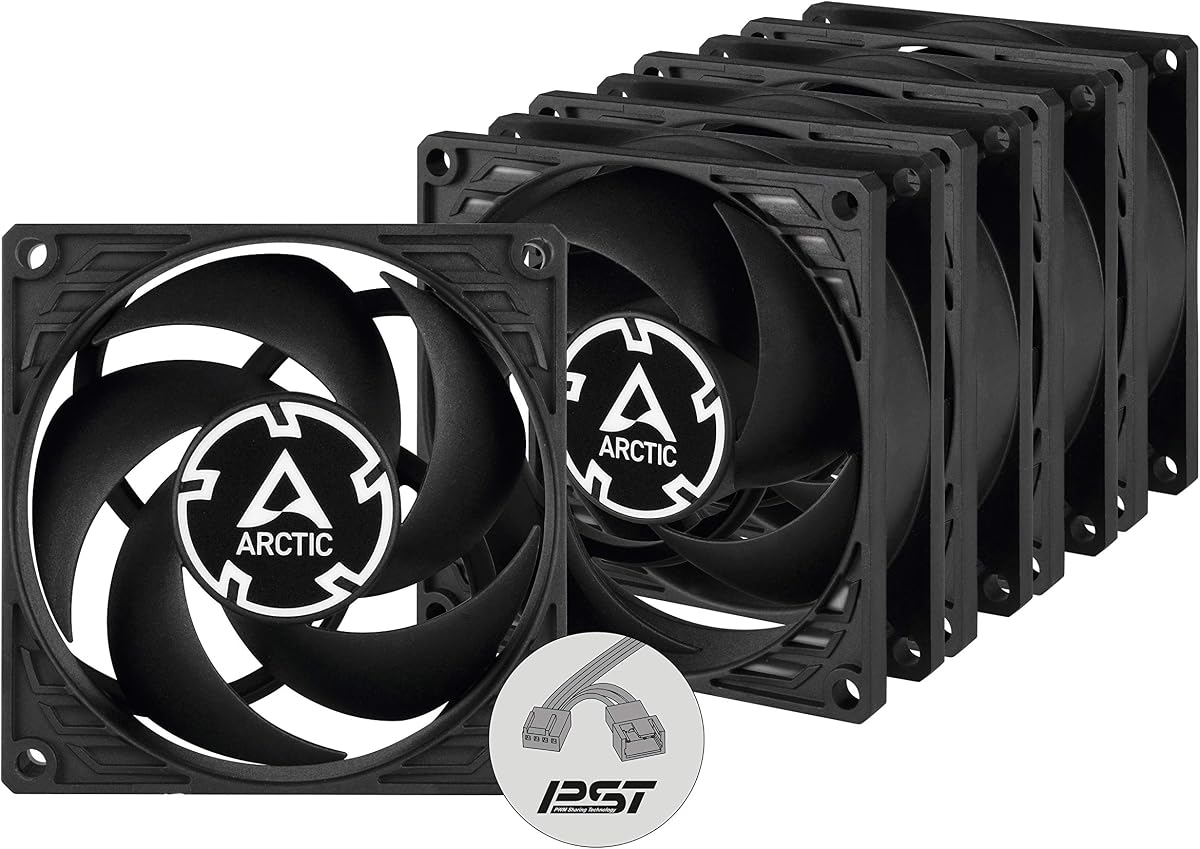
This pack introduces PWM Sharing Technology allowing all five fans to sync with one motherboard header. It simplifies cable management significantly compared to standard daisy chain setups.
We may earn a commission when you buy through this link, at no additional cost to you.
The motor uses a Neodym-Iron-Boron-Magnet ring for improved efficiency over older models. This results in barely noticeable operating sound even when running at low speeds during idle times.
The 4-pin connection ensures full PWM control while PST keeps the wiring minimal for clean builds. It remains optimised for static pressure to handle radiators or restricted intakes well.
Choose this if you want to control a large fan array with a single cable run. It is perfect for compact water cooling loops or multi-radiator PC cooling builds.
PST allows linking fans in series to reduce the number of headers needed on motherboard.
New magnet technology ensures the motor runs efficiently with less electrical resistance.
We may earn a commission when you buy through this link, at no additional cost to you.
The redux edition brings Noctua quality to a more accessible price point without sacrificing core performance. It is an excellent choice for those who want trusted branding on a budget.
We may earn a commission when you buy through this link, at no additional cost to you.
Rated for 1800 RPM it offers a balanced mix of performance and quietness for general use. The automatic speed control via PWM ensures the fan ramps up only when cooling is needed.
While it omits some accessories like the LNA found on the A8 the core cooling capability remains high. It fits standard chassis mounts perfectly and works well as a replacement fan.
This is a smart pick for builders who value brand reputation but need to save cash. It performs remarkably well for daily driving in office PCs and home servers.
1800 RPM provides enough airflow to cool components without generating excessive noise.
Same bearing tech and design philosophy as premium models ensures durability over time.
We may earn a commission when you buy through this link, at no additional cost to you.
This fan is built to handle high performance environments like crypto mining rigs and GPU farms. It focuses on maximum airflow to prevent overheating in dense rack configurations effectively.
We may earn a commission when you buy through this link, at no additional cost to you.
The long life bearing ensures consistent cooling performance even when running for extended periods. The rugged black frame houses the motor securely to withstand vibrations common in heavy duty setups.
It is a universal fit for standard 80mm mounts on cases and CPU coolers alike. While specs are less detailed than premium brands it delivers solid ventilation for basic needs.
Choose this model for budget friendly cooling in workstations or mining stations. It keeps systems cool without adding significant noise to the workspace environment.
Specifically designed to maintain airflow in high density GPU arrays and server racks.
Straightforward design reduces potential points of failure during long run times.
We may earn a commission when you buy through this link, at no additional cost to you.
The P8 Silent is engineered for those who prioritize silence above all other factors in cooling. Its motor generates minimal noise thanks to German development and advanced bearing friction reduction.
We may earn a commission when you buy through this link, at no additional cost to you.
At low speeds the sound level drops to 0.08 Sone making it practically inaudible in quiet rooms. It maintains high static pressure to push air through radiators without needing high RPMs.
The trade off is a lower maximum speed compared to the standard P8 model. Users needing full PWM must look at the PST version or use a dedicated fan controller.
This unit is ideal for HTPCs and sound sensitive office PCs where noise is unacceptable. It proves effective cooling does not require loud operation with the right design.
Engineered specifically to eliminate motor noise even when the fan is spinning.
Blades designed to maintain airflow against high resistance at low noise levels.
We may earn a commission when you buy through this link, at no additional cost to you.
This premium edition brings Noctua performance to all-black builds with a distinctive custom look. It retains the same A-series frame and performance features as the classic model.
We may earn a commission when you buy through this link, at no additional cost to you.
The swappable anti-vibration pads allow you to add a touch of color like red or blue to match your theme. It fits perfectly into chassis that require a uniform dark color scheme.
You get the same quietness and airflow as the standard version but with better visual integration. The 0% PWM stop is useful for semi-passive systems needing fan silence.
Buy this fan if you want top tier cooling without compromising on style and color. It is the ultimate choice for high-end compact and black themed PC builds.
Includes pads in red, black, white, blue, yellow, and green to match any build theme.
Matches the A8 performance with Flow Acceleration Channels for superior quiet cooling.
We may earn a commission when you buy through this link, at no additional cost to you.
This bulk pack offers five silent units for users needing multiple quiet spots in a project. It focuses on the silent variant which is perfect for noise sensitive environments like studios.
We may earn a commission when you buy through this link, at no additional cost to you.
The fans are optimised for static pressure ensuring they perform well on heatsinks even without high speed. The motor design reduces friction significantly to lower operational noise effectively.
Like the single unit version this lacks PWM control but provides a solid solution for basic cooling. It is a reliable choice for server racks where noise reduction is a priority.
Select this pack when you need several quiet fans for a server chassis or lab setup. It balances bulk value with effective thermal management and sound suppression.
Five units offer a significant saving over buying individual silent models separately.
Designed specifically to minimize motor noise for low noise work environments.
We may earn a commission when you buy through this link, at no additional cost to you.
The P8 Max is the most powerful 80mm fan available with an RPM range up to 5000. It is engineered for high density server racks that need aggressive heat dissipation solutions.
We may earn a commission when you buy through this link, at no additional cost to you.
Its Fluid Dynamic Bearing ensures the fan remains silent at low speeds when cooling demands are low. The high static pressure guarantees effective cooling even with increased air resistance inside units.
Users should note that at full speed the noise level will be high but necessary for performance. The PWM controller allows it to ramp down during idle to maintain silence when needed.
Buy this for 2U racks and industrial environments where thermal management is critical. It offers raw power and performance for demanding heat load applications.
Designed to dissipate heat rapidly in high component density server cases efficiently.
Fluid Dynamic Bearing ensures long service life even with continuous operation.
We may earn a commission when you buy through this link, at no additional cost to you.
This fan features a 15mm ultra-thin profile perfect for CPU coolers and tight clearance spaces. It maintains high performance with a 2200 RPM speed and PWM control for smart cooling.
We may earn a commission when you buy through this link, at no additional cost to you.
The S-FDB V2 bearings ensure maximum cooling performance while keeping noise levels to a minimum. It solves shaking blade issues common in lifting modes for more stable operation.
The airflow volume is impressive for its size making it ideal for cases with limited fan depth. It is a perfect match for downward coolers aiming to maximize heat dissipation.
Choose this model if you have restricted height space inside your chassis or cooler. It delivers excellent cooling for its size with reliable control options.
15mm thickness allows installation where standard 25mm fans cannot physically fit.
S-FDB V2 technology keeps blades stable to prevent noise and increase life.
We may earn a commission when you buy through this link, at no additional cost to you.
Choosing the right fan requires balancing airflow, noise, and physical dimensions for your specific build.
Standard 80mm fans are usually 25mm thick but thin 15mm versions exist for tight spaces. Check your case or cooler clearance before buying to ensure the fan fits.
Always verify thickness to avoid installation issues and interference with other components inside.
4-pin PWM fans allow automatic speed control via motherboard headers for better silence. 3-pin fans run at full speed unless you have a dedicated fan controller installed.
Choose PWM if you need variable speed to balance performance and quietness.
Static pressure is crucial for fans pushing air through radiators or filters. Airflow is better for open intake and exhaust spots without major resistance.
Look for static pressure specs if using fans on heatsinks or radiators.
Noise is measured in dB(A) or Sones with lower numbers meaning quieter operation. Silent models often run slower but still provide adequate cooling for low loads.
Prioritize models with low noise ratings for HTPCs and office PCs.
Fluid Dynamic Bearings offer long life and low noise compared to sleeve bearings. S-FDB is a reliable variant that reduces shaking for stable operation.
Look for bearing types that match your usage intensity and noise needs.
Mean Time To Failure ratings indicate expected life in hours. Premium fans often exceed 150,000 hours ensuring long term reliability.
Higher MTTF means less chance of failure requiring replacement in the future.
Buying in packs like 5 units often lowers the cost per fan significantly. Compare per unit cost against single units to get the best value.
Bulk packs are ideal for multi fan projects needing identical performance.
Color and frame design matter for visible builds like glass panels. Premium models offer chromax variants with swappable pads to match themes.
Consider color schemes to ensure visual consistency in your final build.
Install fans with the airflow direction arrow aligned correctly to the chassis intake or exhaust ports. Use the included screws or anti-vibration mounts to secure the frame firmly.
Connect PWM fans to 4-pin headers on your motherboard for automatic speed regulation. Ensure cables are routed neatly to avoid blocking airflow paths or touching blades.
Dust accumulates on blades over time reducing efficiency and increasing noise. Clean blades periodically with compressed air to maintain optimal cooling performance.
Yes a 3-pin fan can plug into a 4-pin header but it will run at full speed. To control speed you need to use a manual controller or PWM splitter adapter.
ITX cases often use 80mm fans for rear exhaust or PSU cooling. Check your specific case manual to confirm support for 80mm dimensions.
Static pressure moves air through obstructions like filters. Airflow moves air through open spaces. Choose pressure for radiators and airflow for free intake.
You can run multiple fans using a PWM splitter or daisy chain if supported. Ensure the combined power does not exceed the header limits on your board.
Smaller fans must spin faster to move the same air volume which generates more noise. Lower RPM options help reduce noise but may offer less total airflow.
Yes due to their superior acoustic performance and MTTF. The reliability and quietness justify the cost for silent and stable builds.
We found the Noctua NF-A8 PWM to be the top choice overall for its balance of quiet and cooling. The ARCTIC P8 Silent offers the best budget option for silent setups.
Prioritize static pressure if using fans on radiators and PWM for smart speed control. Match the fan thickness to your chassis clearance to ensure physical fit.
Prices fluctuate so check current listings on Amazon to secure the best deal before buying today.