
INNOCN 49 Curved Monitor Ultrawide Gaming
4.2Editor score
5K2K resolution clarity
USB C power delivery support
1800R curvature for comfort
Choosing the right display for your racing rig can transform your experience from flat and distant to incredibly immersive and lifelike. A 49 inch ultrawide monitor provides the panoramic view needed to feel like you are truly inside the cockpit, offering a natural peripheral vision that standard screens simply cannot match.
We evaluated ten leading models based on their curvature, refresh rates, panel types, and connectivity options to determine which ones deliver the best performance for sim racing. Each product was assessed for its ability to handle fast motion, display fine track details, and integrate smoothly with modern racing wheels and pedals.
Each pick in this list highlights specific strengths such as budget value, premium OLED quality, or high refresh rates for competitive play. Keep in mind that product availability and pricing can change frequently, so check the current listings before making your final decision for your setup.
4.2Editor score

4.6Editor score

4.3Editor score
As an Amazon Associate we earn from qualifying purchases.
This comparison table provides a quick overview of the key specifications for all ten monitors reviewed in this guide, allowing you to easily identify which model matches your performance needs and budget constraints.





The Raywego 49 inch monitor delivers exceptional value for sim racers looking for high resolution without breaking the bank. With a 4.6 rating from verified buyers, it stands out for its 5120 by 1440 pixel count which rivals more expensive options. The curved design wraps around your vision to create a natural cockpit feel.
We may earn a commission when you buy through this link, at no additional cost to you.
Its 165Hz refresh rate ensures that fast turns and high speed chases remain smooth without noticeable stuttering. The VA panel technology provides strong contrast which helps you see details in dark tunnels or night races. Adaptive Sync support keeps the motion fluid by matching your GPU output with the screen.
While the HDR400 certification is modest compared to premium panels, the 400 nit brightness still offers good visibility in well lit rooms. The stand allows for height and tilt adjustments which are essential for getting the right ergonomic position during long sessions. Some users might prefer a steeper curve like 1000R for more immersion.
This monitor is ideal for racers who want a balance of performance and price. It effectively replaces two 27 inch monitors without bezels interrupting the view. If you prioritize high resolution and smooth motion over extreme HDR performance, this model is a top recommendation.
The 32:9 aspect ratio combined with DQHD resolution fills your peripheral vision naturally making it easier to judge distances and track edges.
With 165Hz and 1ms response time, the monitor minimizes blur and tearing which is crucial when reacting to sudden changes in track conditions.
We may earn a commission when you buy through this link, at no additional cost to you.
The Samsung 49 Odyssey OLED G9 represents the pinnacle of display technology for sim racing with its QD-OLED panel delivering infinite contrast. This means you see true black in dark corners of the track which enhances depth perception significantly. The 4.3 rating reflects its high quality despite the premium cost.
We may earn a commission when you buy through this link, at no additional cost to you.
Its 0.03ms response time is virtually instant providing a competitive edge in racing titles where frame lag can impact performance. The QD-OLED technology produces a wide color spectrum that brings the racing environment to life with vibrant and accurate hues. G-Sync ensures that your GPU and panel stay synced to eliminate tearing.
To protect against burn-in which is a concern with OLEDs, Samsung includes features like logo detection and screen savers that adjust brightness automatically. The 144Hz refresh rate is smooth enough for most sim racers though some may prefer higher Hz for competitive play. The thermal modulation system helps maintain brightness and safety over time.
If budget is not a concern and you demand the absolute best visual fidelity this monitor is unmatched. The infinite contrast and deep blacks make night racing incredibly realistic. For enthusiasts seeking the highest quality screen possible this model sets a new standard for immersion.
Unlike traditional panels, this OLED screen turns off individual pixels for true blacks, making night races and dark tunnels feel genuinely dark.
The near instant response time ensures that your visual feedback matches your physical input without delay, giving you an edge in tight corners.
We may earn a commission when you buy through this link, at no additional cost to you.
The INNOCN 49C1R offers a compelling mix of high resolution and affordability for those building their first major sim racing rig. With a 4.2 rating it delivers sharp visuals at a fraction of the cost of premium models. Its 5120 by 1440 resolution provides ample detail for reading track signs and road textures.
We may earn a commission when you buy through this link, at no additional cost to you.
The USB C port supports 65W power delivery which can charge compatible laptops while displaying video reducing cable clutter in your workspace. The 1800R curvature is gentle on the eyes making it suitable for long sessions of racing or multitasking. Built-in speakers add convenience for voice chat or media.
However the 120Hz refresh rate is lower than many competitors which might result in slightly less fluid motion during very high speed sections. The stand allows tilt and height adjustment but lacks swivel which could limit placement flexibility. Still the value proposition is strong for budget conscious buyers.
This monitor is a great choice if you need a large screen for racing and work without overspending. The high resolution ensures clarity and the USB C connectivity simplifies setup for laptops. It balances performance and cost effectively for entry level and intermediate racers.
The 5K2K resolution provides crisp track details that help you read road markings and signs clearly during high speed laps.
With a single USB C cable you can transmit video and charge your device which is perfect for keeping a clean cockpit setup.
We may earn a commission when you buy through this link, at no additional cost to you.
This 2024 model from Samsung brings high end features to serious sim racers who need top tier motion handling. The 240Hz refresh rate is among the fastest available ensuring that rapid movements like braking and cornering are rendered smoothly. Its 4.1 rating indicates solid performance for this segment.
We may earn a commission when you buy through this link, at no additional cost to you.
The 1000R curvature is very deep which matches the natural arc of human vision and can increase immersion significantly. DisplayHDR 1000 brightness means the screen can produce brilliant highlights that stand out even in bright rooms. This helps in seeing details in sun-scorched scenes on track.
You need a capable GPU to fully utilize the 240Hz resolution so this model is best suited for high end systems. The Auto Source Switch feature detects when your racing rig powers on and switches inputs instantly saving you from manual adjustments. AMD FreeSync Premium Pro keeps your visual output free of tears.
For competitive racers and enthusiasts who demand high refresh rates this monitor is a strong choice. The deep curve and high brightness deliver a dynamic and engaging viewing experience. If you prioritize speed and contrast performance over cost this option delivers.
The 240Hz refresh rate minimizes motion blur ensuring you see every detail of the track during high speed maneuvers.
The 1000R curve wraps the screen tightly around your field of view which can make you feel more enclosed in the cockpit.
We may earn a commission when you buy through this link, at no additional cost to you.
The 2025 version of the Samsung G9 continues to offer robust performance with a focus on immersion and brightness. Its 4.4 rating suggests strong satisfaction among users who value the deep 1000R curve. This model retains the core features that make the G9 series popular for racing.
We may earn a commission when you buy through this link, at no additional cost to you.
DisplayHDR 600 provides ample brightness to ensure that images remain vibrant and clear even in varied lighting conditions. The 144Hz refresh rate is sufficient for most racing titles and pairs well with the DQHD resolution. Auto Source Switch helps keep your workflow efficient by detecting active devices.
While the refresh rate is lower than the 2024 version the ergonomics and overall stability make it a reliable choice for long term use. The curved design supports peripheral vision which is key for sim racing immersion. You may need to check your GPU compatibility before purchase.
This monitor is ideal for those who want a premium feel without needing the absolute highest Hz. The deep curve and high brightness create a realistic track environment. If you prefer a balanced mix of features this model serves well.
The 1000R curve is designed to match the curvature of the human eye for a more natural and engaging viewing experience.
The adjustable stand allows you to find the perfect viewing height to reduce neck strain during extended race sessions.
We may earn a commission when you buy through this link, at no additional cost to you.
The CRUA 49 DQHD stands out as a cost-effective model that still delivers strong performance metrics. With a 4.4 rating it is well regarded for its color accuracy and refresh speed. The DQHD resolution ensures that track details remain crisp during high speed laps.
We may earn a commission when you buy through this link, at no additional cost to you.
165Hz refresh rate provides smooth motion which is essential for competitive racing. The 120% sRGB coverage offers vibrant colors that make the racing environment look lively. The height adjustable stand helps with ergonomics reducing strain on your neck and back.
The 1500R curvature is a balanced choice that is immersive without being too aggressive for some users. Eye-care features like low blue light help reduce fatigue during long sessions. While HDR is basic the overall color performance is strong for this price point.
This monitor is a practical choice for those seeking a reliable wide screen without overspending. The balance of speed and color makes it versatile for racing and other tasks. It is a solid pick for intermediate racers on a budget.
With 120% sRGB coverage, the monitor displays rich and accurate colors that enhance the visual appeal of the racing environment.
The height adjustable stand and eye-care technologies help you stay comfortable during long race events or practice sessions.
We may earn a commission when you buy through this link, at no additional cost to you.
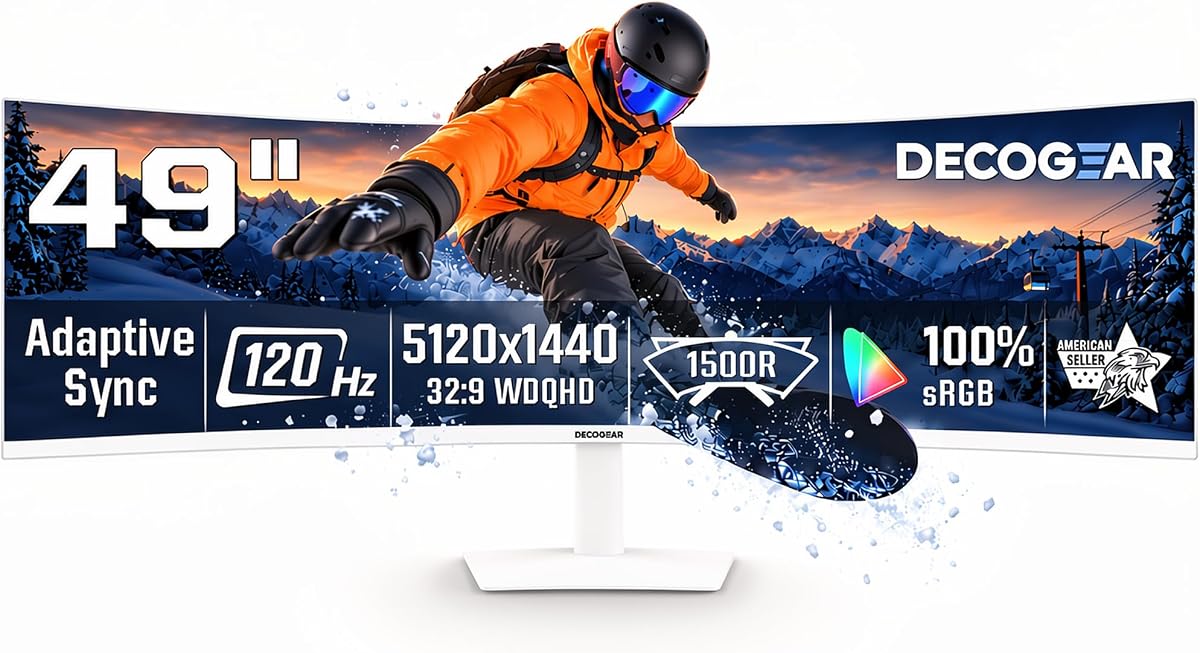
This Deco Gear model offers an accessible entry point into the world of ultra wide displays. With a 4.1 rating it provides basic functionality at a lower cost. The 5K2K resolution allows for detailed track visuals and multitasking windows.
We may earn a commission when you buy through this link, at no additional cost to you.
The USB C port supports KVM which lets you control multiple computers with one set of peripherals. This is useful if you use the same desk for gaming and work. Built-in speakers add convenience for voice chat without needing external speakers.
However the 120Hz refresh rate may feel slower compared to high end models during intense racing moments. The VA panel contrast is decent but not exceptional. The stand adjustments are functional but not as robust as premium brands.
This monitor is a good option for casual racers or those working with a tight budget. It provides a large screen that enhances immersion without requiring a high investment. For basic needs it offers good value.
The USB C and KVM features allow you to connect and switch between multiple devices easily which is great for dual use setups.
For those new to sim racing, this monitor provides the wide experience at a price that does not strain the wallet.
We may earn a commission when you buy through this link, at no additional cost to you.
The ASUS ROG XG49VQ brings trusted gaming features to a wide screen format. Its 4.4 rating reflects strong build quality and gaming specific tools. The DFHD resolution is lower than DQHD but still offers a wide field of view for racing.
We may earn a commission when you buy through this link, at no additional cost to you.
GamePlus and GameVisual overlays provide customizable settings to enhance your gaming experience. DisplayHDR 400 certification ensures decent contrast and brightness levels for a gaming monitor. The 144Hz refresh rate provides smooth motion for most racing titles.
While the resolution is lower than modern standards it can still be appealing for systems with less powerful GPUs. The 1800R curve offers a natural viewing angle for long sessions. The brand reputation adds value regarding software and driver support.
This monitor is suitable for those who want a branded gaming monitor with established features. It is a reliable choice for entry level ultrawide setups. If you are brand loyal or need basic specs it fits well.
The GamePlus overlay provides crosshairs and timers that can help improve your timing and consistency in racing games.
ASUS provides regular driver updates and support which ensures your monitor remains compatible with new software releases.
We may earn a commission when you buy through this link, at no additional cost to you.
The Z-Edge 5K 49 Inch delivers a surprising mix of high refresh rate and resolution at a competitive price. With a 4.5 rating it has impressed users with its performance. The 240Hz refresh rate is rare in this budget segment.
We may earn a commission when you buy through this link, at no additional cost to you.
The 99% sRGB coverage and low Delta E values ensure that colors are accurate which is helpful for photo editing or design work. The DQHD resolution keeps track details sharp. Multiple ports including HDMI 2.1 provide connectivity options.
The 1800R curvature is comfortable for extended use. FreeSync support reduces tearing which improves visual smoothness. However the brand may not have the same support network as major manufacturers. Check warranty terms before buying.
This monitor is a great option for those who prioritize speed and color accuracy. It offers high end specs without the high cost. If you are comfortable with a lesser known brand this model delivers.
With 240Hz, this monitor provides ultra-smooth visuals that help you track fast-moving objects and competitors with ease.
The 99% sRGB coverage ensures that the colors you see are consistent and true to life for better visual clarity.
We may earn a commission when you buy through this link, at no additional cost to you.
The Samsung 49 Odyssey G93SC features QD-OLED technology which delivers infinite contrast and deep blacks. With a 4.1 rating it is favored for its visual quality. The 240Hz refresh rate ensures fluid motion during high speed sequences.
We may earn a commission when you buy through this link, at no additional cost to you.
The QD-OLED panel provides vibrant colors and sharp details. Auto Source Switch detects active inputs to reduce setup time. G-Sync compatibility keeps your visuals free of tearing. The slim design fits well in modern setups.
OLED technology does carry a risk of burn-in with static images but Samsung includes protections to mitigate this. The 1800R curve is immersive though slightly less aggressive than 1000R. This model is great for those who want OLED benefits.
This monitor is ideal for enthusiasts who value image quality above all. It offers a premium experience with high speed performance. If you can manage the burn-in risk this is a top tier choice.
The QD-OLED panel ensures that every pixel delivers true blacks and vibrant colors for a stunning visual experience.
With 240Hz and G-Sync, your gameplay remains smooth and responsive without any visible lag or screen tearing.
We may earn a commission when you buy through this link, at no additional cost to you.
When selecting a monitor for sim racing you must consider several technical factors that influence immersion and performance. This guide explains the key elements to evaluate.
For a 49 inch screen resolution is critical to ensure track details are sharp. DQHD 5120×1440 is the standard minimum to avoid pixelation. Higher pixel density allows you to read track signs and HUD elements clearly.
Always prioritize at least DQHD resolution for a natural cockpit view without visible blocky pixels.
A high refresh rate like 144Hz or 240Hz ensures motion remains smooth during high speed cornering. Response time should be 1ms or lower to prevent motion blur that obscures track lines. These specs help you react faster to hazards.
Select a monitor with 144Hz minimum and fast response time to maintain clarity in fast scenes.
A 32:9 aspect ratio matches two wide screens side by side without bezels. Curvature ranging from 1000R to 1800R wraps the screen to your field of view. Deeper curves increase immersion but may require more desk space.
Choose a curvature that fits your room and provides a comfortable viewing arc.
VA panels offer high contrast which helps in dark racing scenarios. OLED panels provide infinite contrast and deeper blacks but cost more. Color accuracy with 99% sRGB ensures realistic track rendering.
Opt for high contrast VA or OLED if budget allows for better dark scene visibility.
HDR 600 or higher enhances the brightness range to make scenes more dynamic. HDR 400 is common but offers limited improvement over SDR. Proper HDR support improves the realism of bright sunlight or dark shadows.
Look for HDR 600 or higher to achieve more realistic lighting conditions.
AMD FreeSync Premium Pro or G-Sync compatibility prevents screen tearing which disrupts immersion. Ensure your GPU supports the sync tech on the monitor. This keeps the image aligned with your frame output.
Verify that your GPU supports the sync feature on your chosen monitor.
DisplayPort 1.4 or HDMI 2.1 allows high refresh rates at max resolution. USB C is useful for laptops and charging. Ensure the ports match your racing PC specs.
Make sure the monitor has at least one DisplayPort or HDMI 2.1 for best performance.
An adjustable stand with height and tilt adjustment helps align the screen with your eyes. A 49 inch monitor is large and should not sit too high or low. VESA mounts offer flexibility for custom arm setups.
Choose a monitor with ergonomic adjustments to maintain comfort during long races.
To get the most out of your monitor ensure your graphics card can drive the full resolution and refresh rate. Update your drivers regularly to enable sync features like FreeSync or G-Sync properly.
Keep the monitor in a room with controlled lighting to reduce glare. Adjust brightness to match ambient light conditions which helps reduce eye strain during long sessions.
Clean the screen with a soft microfiber cloth to avoid scratching. Avoid spraying liquids directly on the screen. Use a surge protector to protect electronics from power fluctuations.
A 49 inch monitor requires significant desk depth usually around 30 inches or more to be comfortable. In small rooms you may need to position it further back. Measure your space carefully to ensure the curve does not hit your legs or walls.
Yes driving DQHD resolution at high refresh rates requires a powerful GPU to render frames smoothly. A mid to high range graphics card is recommended to avoid bottlenecks. If your GPU is weak consider lowering settings or refresh rate.
The 32:9 aspect ratio is ideal for sim racing as it mimics a wide panoramic view. This matches the field of view of many racing simulators. Other ratios like 16:9 do not provide the same peripheral coverage.
Yes many of these monitors support split screen modes like PIP and PBP for productivity. They offer large workspace for documents and spreadsheets. However they are optimized for gaming with fast refresh rates and curves.
OLED panels offer infinite contrast and faster response times but cost more. VA panels are more affordable and still provide high contrast for dark scenes. OLED risks burn-in with static elements while VA does not.
Set your graphics settings to match the monitor's native resolution and refresh rate. Use the monitor's OSD to enable G-Sync or FreeSync. Adjust brightness and contrast for comfortable viewing in your room lighting.
Choosing the right 49 inch ultrawide monitor transforms your sim rig into an immersive cockpit. The Raywego and Samsung OLED models offer top tier performance for different needs. Your choice depends on your budget and visual priorities.
Prioritize refresh rate and contrast for the most realistic racing experience. Ensure your GPU can handle the resolution to get smooth gameplay without bottlenecks. High contrast is key for night or shadowed track sections.
Check current prices and availability as stock changes often. Compare these ten options to find the best fit for your specific setup. With the right screen your racing sessions will be more engaging and realistic.