
LG 32U990A-S
3.8Editor score
Thunderbolt 5 connectivity support
Nano IPS Black contrast technology
6K resolution with 224 PPI
Finding the right display for high-resolution workflows is essential for professionals who demand precision. A 32 inch 6K monitor offers incredible pixel density allowing you to see more content at once with sharp text and vivid details that standard displays cannot match.
We evaluated the leading models based on panel technology color accuracy connectivity options and ergonomic design. Our list includes top picks from major brands like LG ASUS and Dell ensuring you find a screen that fits your specific creative or gaming needs perfectly.
Each selection highlights unique strengths whether it is Thunderbolt support HDR performance or touchscreen capabilities. Prices and availability change frequently so please verify current details before purchasing to ensure you get the best value for your investment today.
3.8Editor score

3.9Editor score

3.2Editor score
As an Amazon Associate we earn from qualifying purchases.
The following table provides a side-by-side comparison of all ten selected models highlighting their key specifications and unique features to help you make an informed decision for your workspace.


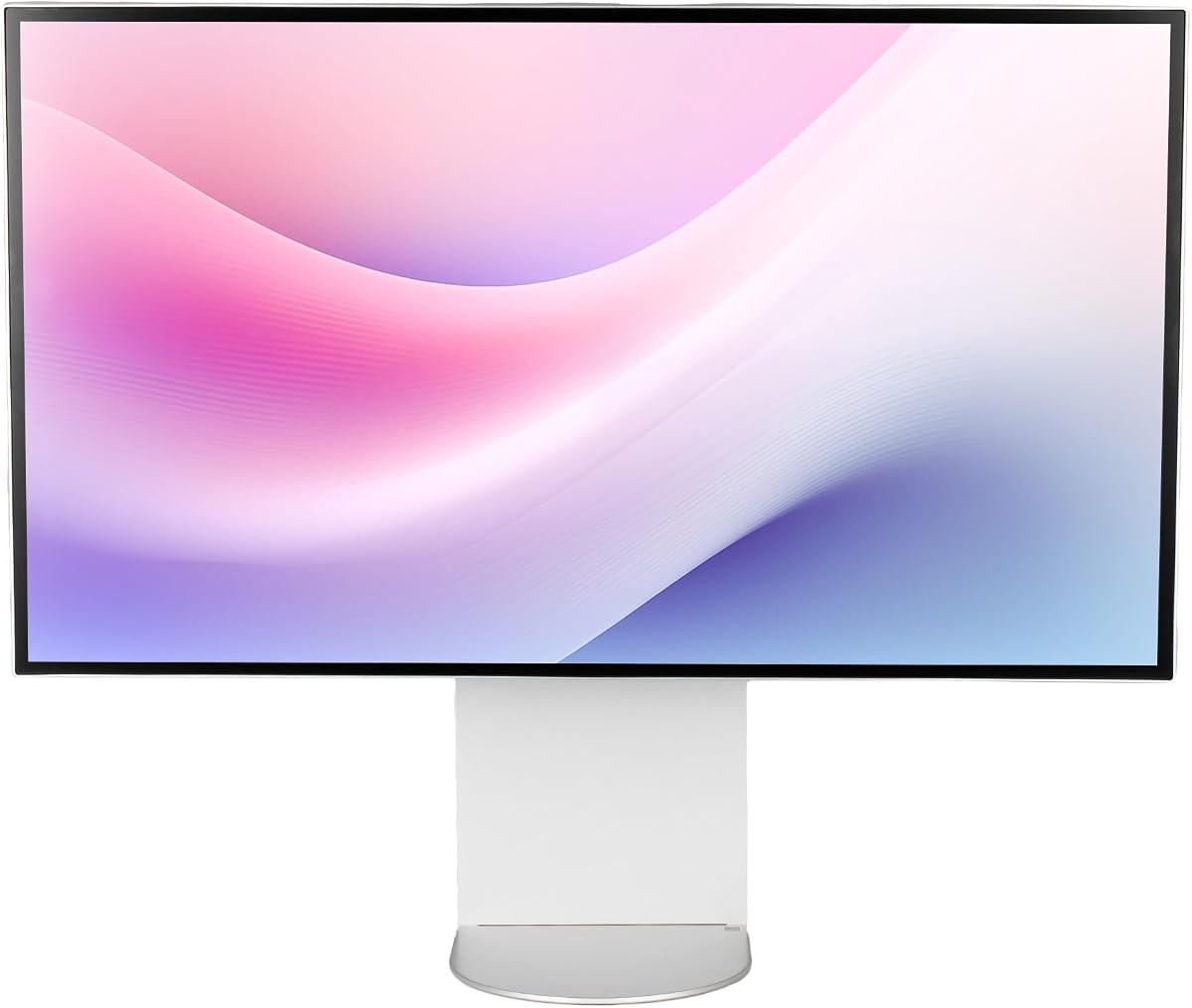
The LG UltraFine evo stands out as the first 6K monitor to feature Thunderbolt 5 connectivity making it a powerhouse for future-ready workflows. With a rating of 3.8 it delivers exceptional clarity and color fidelity that creative professionals demand for high-end production tasks.
We may earn a commission when you buy through this link, at no additional cost to you.
Its Nano IPS Black technology provides a stunning 2000:1 contrast ratio ensuring deep blacks and rich shadows that typical IPS panels struggle to achieve. The 99.5% Adobe RGB coverage ensures your work translates accurately from screen to print which is vital for photographers and designers.
While the 60Hz refresh rate limits its appeal to gamers the monitor excels in productivity and creative tools. The 96W power delivery over a single cable simplifies desk setups by reducing cable clutter while keeping your laptop charged during intensive work sessions.
This monitor is ideal for users who need the best connectivity and color performance regardless of budget. If you require seamless integration with Mac or Windows systems and value Thunderbolt 5 speed this is the top recommendation for professional environments.
Thunderbolt 5 offers transfer speeds up to 80Gbps enabling rapid file movement and support for high-resolution displays without bottlenecks.
DisplayHDR 600 certification guarantees brilliant highlights and crisp contrast enhancing the realism of your visual content.
We may earn a commission when you buy through this link, at no additional cost to you.
The ASUS ProArt PA32QCV is a top-tier choice for color-critical work coming factory calibrated with a Delta E of less than 2. Its 3.9 rating reflects high satisfaction among users who need reliable performance for professional video editing and graphic design projects.
We may earn a commission when you buy through this link, at no additional cost to you.
A standout feature is the MacBook Color Matching preset ensuring consistent visuals when switching between the monitor and an Apple laptop. The dual Thunderbolt 4 ports support daisy-chaining and deliver up to 96W power making it a robust hub for complex multi-device setups.
The built-in Auto KVM switch allows effortless control over two computers with one keyboard and mouse enhancing workflow efficiency significantly. While it lacks high refresh rates the focus on color accuracy and workflow tools makes it invaluable for studio environments.
We recommend this monitor for designers and editors who prioritize color fidelity and seamless Apple integration. The inclusion of a free Adobe Creative Cloud subscription adds value for those starting new projects or expanding their toolkit.
Calman Verified calibration ensures your images and videos look exactly as intended across different output formats.
Auto KVM functionality streamlines your desk by allowing quick switching between sources without hardware changes.
We may earn a commission when you buy through this link, at no additional cost to you.
The Dell UltraSharp U3224KB offers an accessible entry into 6K resolution with a strong focus on office productivity and convenience. Rated 3.2 it includes a built-in webcam making it an all-in-one solution for remote work and conferencing without extra hardware.
We may earn a commission when you buy through this link, at no additional cost to you.
Its USB-C hub allows you to connect multiple peripherals through a single cable to your laptop reducing desk clutter effectively. The 31.5-inch screen delivers sharp text and detailed visuals suitable for spreadsheets coding and document editing tasks.
While it does not match the color precision of premium models it provides sufficient clarity for general professional use. The 450 nit brightness ensures content is visible in well-lit environments and the stand offers reliable ergonomic adjustments.
This monitor is perfect for businesses or individuals seeking 6K clarity on a budget. It balances performance with utility making it a practical choice for workspaces where conferencing and screen real estate are priorities.
The integrated camera simplifies setup for video calls while maintaining a clean professional look.
High-density pixels allow multiple windows to be viewed clearly without constant zooming or scrolling.
We may earn a commission when you buy through this link, at no additional cost to you.
Samsung has engineered the Odyssey G8 as the industry's first 6K gaming monitor offering a unique dual mode that balances resolution and refresh rates. With a 3.7 rating it caters to enthusiasts who want immersive visuals and high performance in competitive games.
We may earn a commission when you buy through this link, at no additional cost to you.
Switching to 3K resolution unlocks a 330Hz refresh rate for lightning-fast action while 6K mode provides intricate details for single-player adventures. The Fast IPS panel ensures response times as low as 1ms reducing blur and ghosting during fast-paced gameplay.
G-Sync and FreeSync compatibility work together to eliminate screen tearing and stuttering ensuring a smooth viewing experience. HDR10+ optimization enhances brightness and contrast adding depth to gaming scenes that standard modes often miss.
We recommend this monitor for gamers who own high-end GPUs capable of driving 6K resolutions. Its dual mode flexibility makes it a versatile investment for both competitive shooters and cinematic story-driven games.
Choose between stunning 6K detail or blistering 330Hz speeds depending on your current gaming needs.
Fast IPS technology ensures colors remain vivid even when movement is rapid across the screen.
We may earn a commission when you buy through this link, at no additional cost to you.
This bundle version of the LG UltraFine evo combines the flagship display with practical accessories to ensure a smooth setup and maintenance experience. The 4.5 rating indicates strong user approval for its ability to deliver professional-grade clarity and color consistency.
We may earn a commission when you buy through this link, at no additional cost to you.
Included cable ties and a cleaning kit help keep your workspace organized and the screen pristine which is crucial for color-accurate work. The display itself offers true 10-bit color depth ensuring smooth tonal transitions essential for video grading and retouching.
Thunderbolt 5 daisy chaining allows you to connect multiple screens while maintaining high data speeds and power delivery for your laptop. This setup reduces cable clutter and streamlines the workflow for teams or individuals with complex multi-monitor arrangements.
Ideal for studios that need reliability and extra peripherals this bundle adds value beyond the monitor itself. It is a comprehensive solution for those who want the best display technology without worrying about immediate accessory purchases.
Support for ten-bit color ensures gradients appear smooth without banding artifacts in professional software.
Included tools simplify maintenance and organization allowing you to focus immediately on your creative work.
We may earn a commission when you buy through this link, at no additional cost to you.
The G32X achieves a perfect 5.0 rating from users who appreciate its minimalist design and high-performance features. This monitor balances aesthetics and function with a CNC-machined aluminum body that looks sleek on any modern desk setup.
We may earn a commission when you buy through this link, at no additional cost to you.
Its brightness level of 500 nits ensures images remain vibrant even in bright rooms while maintaining accurate color with a Delta E under 2. This accuracy is critical for tasks like photo editing where fidelity matters more than raw speed or gaming features.
Anti-glare coatings and low blue light modes protect your eyes during long sessions making it suitable for extended work hours. The universal mount compatibility allows you to use third-party arms for a cleaner look if the included stand does not fit.
We suggest this model for those who value build quality and eye comfort alongside resolution. It offers a premium feel and reliable performance without the complexity of specialized professional calibration tools.
Flicker-free backlighting and low blue light modes reduce strain during long editing or work sessions.
CNC-machined aluminum provides a sturdy durable frame that resists wear over time.
We may earn a commission when you buy through this link, at no additional cost to you.
The G32P offers a glossy panel that enhances color vibrancy and contrast making images pop more than matte screens. Its 4.6 rating reflects high satisfaction among users who prioritize visual richness and unique design elements like the honeycomb cooling system.
We may earn a commission when you buy through this link, at no additional cost to you.
By excluding the stand this model gives you flexibility to mount the monitor on your preferred arm for a fully customized desk. The 99% DCI-P3 coverage ensures that video content and creative projects retain their intended color palette accurately.
The honeycomb design aids in thermal management keeping the internal components cool during extended use. This attention to engineering detail suggests a focus on longevity and performance stability which is appreciated by power users.
This monitor is best for those who already have a monitor arm and want a vivid glossy viewing experience. It is an excellent choice for home studios where controlling lighting is possible to minimize reflections on the glossy surface.
Glossy coating increases perceived contrast and color depth for a more engaging visual experience.
Honeycomb structures improve airflow reducing heat buildup during intensive work or gaming.
We may earn a commission when you buy through this link, at no additional cost to you.
This bundle of the Dell UltraSharp U3224KB adds significant value by including an extended protection plan and necessary cables. The 3.3 rating comes from users who appreciate the peace of mind that comes with comprehensive coverage for their investment.
We may earn a commission when you buy through this link, at no additional cost to you.
Having all necessary cables like Thunderbolt and USB-C pre-packaged simplifies installation saving time and preventing compatibility issues. The monitor maintains the standard features of the UltraSharp line including a built-in webcam and USB hub for productivity.
The extended service pack ensures that if hardware issues arise you have support available beyond the standard manufacturer warranty. This is particularly useful for businesses that need to minimize downtime and keep workflows running smoothly.
We recommend this bundle for business buyers who need reliable equipment and support. The inclusion of cables and warranty makes it a hassle-free choice for corporate or office environments requiring dependable 6K displays.
Two-year protection ensures long-term reliability and support for professional work environments.
Included cables allow immediate setup without additional purchases ensuring faster deployment.
We may earn a commission when you buy through this link, at no additional cost to you.
The ALOGIC Clarity Touch is the world's first 6K touchscreen offering an unparalleled interactive experience for digital artists. Its perfect 5.0 rating highlights how well it meets the needs of designers and architects requiring direct input on large screens.
We may earn a commission when you buy through this link, at no additional cost to you.
The included Active Stylus provides 4096 levels of pressure sensitivity allowing for natural drawing and annotating capabilities. Combined with the 216 PPI resolution your strokes and lines appear smooth and precise as if you were working on paper.
The stand supports 360-degree rotation enabling you to switch between upright viewing and a flat drafting position. This versatility makes it a digital drafting board that adapts to different creative tasks seamlessly.
We highly recommend this for professionals who need a large interactive workspace. While expensive the unique combination of touch and 6K clarity justifies the cost for specialized creative workflows.
Touch capabilities with stylus support allow intuitive sketching and direct manipulation of digital assets.
Colors are calibrated out of the box ensuring consistency across design and presentation work.
We may earn a commission when you buy through this link, at no additional cost to you.
The LG Ultrafine 32U990A-S.AEU offers a standard implementation of 6K resolution with proven LG reliability and panel quality. A rating of 3.6 suggests decent performance for general professional use with a focus on essential features and usability.
We may earn a commission when you buy through this link, at no additional cost to you.
With a Nano IPS panel it provides wide viewing angles and consistent color reproduction suitable for collaborative work environments. The stand allows adjustments in height tilt and pivot ensuring you can find a comfortable viewing position quickly.
Connectivity options include multiple USB-C and DisplayPort inputs allowing you to connect various devices efficiently. HDR600 certification ensures that content supports high dynamic range making highlights and shadows more distinct during video playback.
This model is suitable for users seeking a reliable 6K option without specialized features. It serves well as a standard professional monitor for offices or homes needing clear sharp visuals for daily productivity.
Nano IPS ensures that colors remain accurate even when viewing the screen from different angles.
Height and pivot adjustments help reduce neck strain during long working hours.
We may earn a commission when you buy through this link, at no additional cost to you.
Selecting the right 6K monitor involves weighing several factors beyond resolution. This guide helps you understand what matters most for your specific workflow and needs.
A 32-inch 6K monitor provides approximately 6144 x 3456 pixels resulting in a pixel density around 224 PPI. This density ensures text and lines are exceptionally sharp allowing you to edit complex interfaces without scaling issues.
Look for monitors that maintain high PPI across the whole screen to ensure consistent clarity for detailed work.
IPS panels are standard for these monitors due to wide viewing angles. However Nano IPS Black technology offers superior contrast ratios around 2000:1 compared to standard 1000:1 IPS panels which improves depth in dark scenes.
Prioritize IPS technology if you need accurate viewing from the side or a deeper contrast for HDR content.
For creative work verify the monitor covers at least 98% of DCI-P3 or Adobe RGB. Factory calibration with a Delta E under 2 ensures colors match your final output without extra tweaking.
Check for coverage stats and calibration certificates to ensure the display meets professional color standards.
Thunderbolt 5 or 4 support is crucial for data-heavy workflows as it provides power delivery and video transfer in one cable. HDMI 2.1 and DisplayPort 2.1 are also important for connecting to multiple devices efficiently.
Choose a monitor with the connectivity that matches your current laptop and peripheral setup to avoid bottlenecks.
Most professional 6K monitors are limited to 60Hz but gaming models like the Samsung Odyssey offer dual modes allowing 165Hz or higher. Response times below 5ms are preferable for smooth motion during active use.
If you game or work with fast motion prioritize monitors with higher refresh rates and lower response times.
Adjustable stands that offer height tilt swivel and pivot are essential for long-term comfort. Aluminum bodies and VESA mounting options provide durability and flexibility for different desk setups.
Ensure the stand supports all necessary adjustments to maintain a healthy posture during extended work hours.
Features like KVM switches allow control over multiple computers with one mouse and keyboard. Touchscreens and stylus support add value for designers who need direct input on the display.
Consider extra features based on whether you need collaboration tools or specialized input methods for your work.
Extended warranties like the five-year option on ASUS monitors offer peace of mind for expensive professional gear. Look for brands known for reliable customer service in case hardware issues arise.
Check warranty terms including coverage for dead pixels and accidental damage to ensure long-term protection.
Connect your monitor using the recommended high-speed cables to ensure full resolution is achieved. USB-C or Thunderbolt connections often provide the best data transfer and power delivery for laptops.
Adjust the brightness and color settings in your operating system to match the monitor's capabilities. Calibration tools can help maintain accuracy over time if the panel is not pre-calibrated.
Clean the screen regularly with a soft microfiber cloth and dedicated cleaning solution. Avoid direct pressure on the panel and keep liquids away from the ports to prevent damage.
Yes driving 6K resolution requires significant GPU power to render graphics smoothly. Ensure your computer has a modern graphics card capable of handling high pixel counts without lag.
Thunderbolt 5 offers faster transfer speeds up to 80Gbps compared to 40Gbps for Thunderbolt 4. This allows for better performance with multiple high-resolution displays and fast storage devices.
Most models listed support both Mac and Windows systems. Check the specific product description to ensure drivers and features work correctly with your operating system.
Yes but refresh rates vary. Professional monitors often have 60Hz while gaming models offer higher rates up to 330Hz in dual modes for smoother gameplay.
Use a dry microfiber cloth for light dust and a slightly damp cloth with screen cleaner for smudges. Never spray liquid directly onto the panel and avoid abrasive materials.
Look for coverage that includes dead pixels and backlight issues for at least three years. Extended warranties provide additional security for expensive professional investments.
Our top picks highlight a range of options from the premium LG UltraFine with Thunderbolt 5 to the versatile ASUS ProArt for color-critical work. Each model brings unique strengths to satisfy diverse professional needs.
Prioritize features that align with your workflow such as color accuracy refresh rates or connectivity. Investing in the right panel technology and ergonomic design will significantly improve your daily productivity.
Prices and availability fluctuate frequently so please verify current details before purchasing to ensure you get the best value for your investment today.