
Canon Canoscan Lide 300 Scanner (PDF, AUTOSCAN, Copy, Send)
4.2Editor score
Auto Scan Mode detection
USB connectivity
Compact lightweight design
Finding the right scanner can transform how you manage digital assets. A quality flatbed scanner offers precision for photos, documents, and large-format items. It ensures clarity, speed, and reliability for home or office use.
We evaluated leading models based on resolution, scan speed, connectivity, and software features. Our list covers diverse needs from budget-friendly photo scanning to professional large-format digitization. Each option brings unique strengths to your workflow.
Every pick highlights key specs and real-world performance. You will see what makes each model stand out for specific tasks. Remember that product availability and terms may change, so check current details before buying.
4.2Editor score

3.7Editor score

3.8Editor score
As an Amazon Associate we earn from qualifying purchases.
This table offers a side-by-side comparison of all ten models. It helps you quickly identify key differences in resolution, size support, and operating system compatibility.




The Epson Perfection V39 II stands out for its 4800 dpi optical resolution, making it ideal for detailed photo and document scans. It offers reliable USB connectivity and includes intuitive scanning buttons for quick operation. Users appreciate its ability to enlarge favorite photos without losing clarity.
We may earn a commission when you buy through this link, at no additional cost to you.
Its standout quality is the included Epson ScanSmart software that simplifies scanning tasks. You can stitch oversized images together or send scans to cloud storage with ease. The high-rise removable lid also allows scanning of books and photo albums without closing the lid.
Honest trade-offs include occasional driver compatibility issues reported by some users. While it claims fast scanning speeds, actual times vary based on file size and settings. However, the ease of use and photo restoration features make these acceptable for most home users.
This scanner is best for home and office users who need to digitize photos, artwork, and documents. Its blend of high resolution and user-friendly design ensures your memories remain vibrant. We recommend it for those prioritizing image quality and simple workflow.
Easy Photo Fix technology restores color to faded photos with one click, ensuring your memories remain vibrant without complex editing.
It handles everything from photos to books with a high-rise removable lid, making it perfect for preserving printed materials.
We may earn a commission when you buy through this link, at no additional cost to you.
The Canon Canoscan Lide 300 is a compact document scanner with Auto Scan Mode that detects what you are scanning automatically. It features simple USB connectivity and is designed to digitize documents and images efficiently. Users rate it highly for its ease of use.
We may earn a commission when you buy through this link, at no additional cost to you.
Its strengths lie in its intelligent scanning capabilities that reduce manual steps. You simply place your document and let the scanner handle the rest. This makes it excellent for home offices or students needing quick and accurate scans without technical knowledge.
The main trade-off is its reliance on USB connectivity which limits wireless options. It also focuses primarily on documents rather than high-end photo scanning. However, for basic digitization tasks, its performance is solid and reliable.
This scanner is best for students and home users looking for an affordable and efficient document digitization solution. Its compact design saves space while delivering quality scans. We recommend it for anyone needing a straightforward and dependable scanner.
The scanner automatically detects what you're scanning, simplifying the workflow and reducing the need for manual settings adjustments.
Its lightweight and compact design makes it easy to store or move, ideal for small desks or temporary setups.
We may earn a commission when you buy through this link, at no additional cost to you.
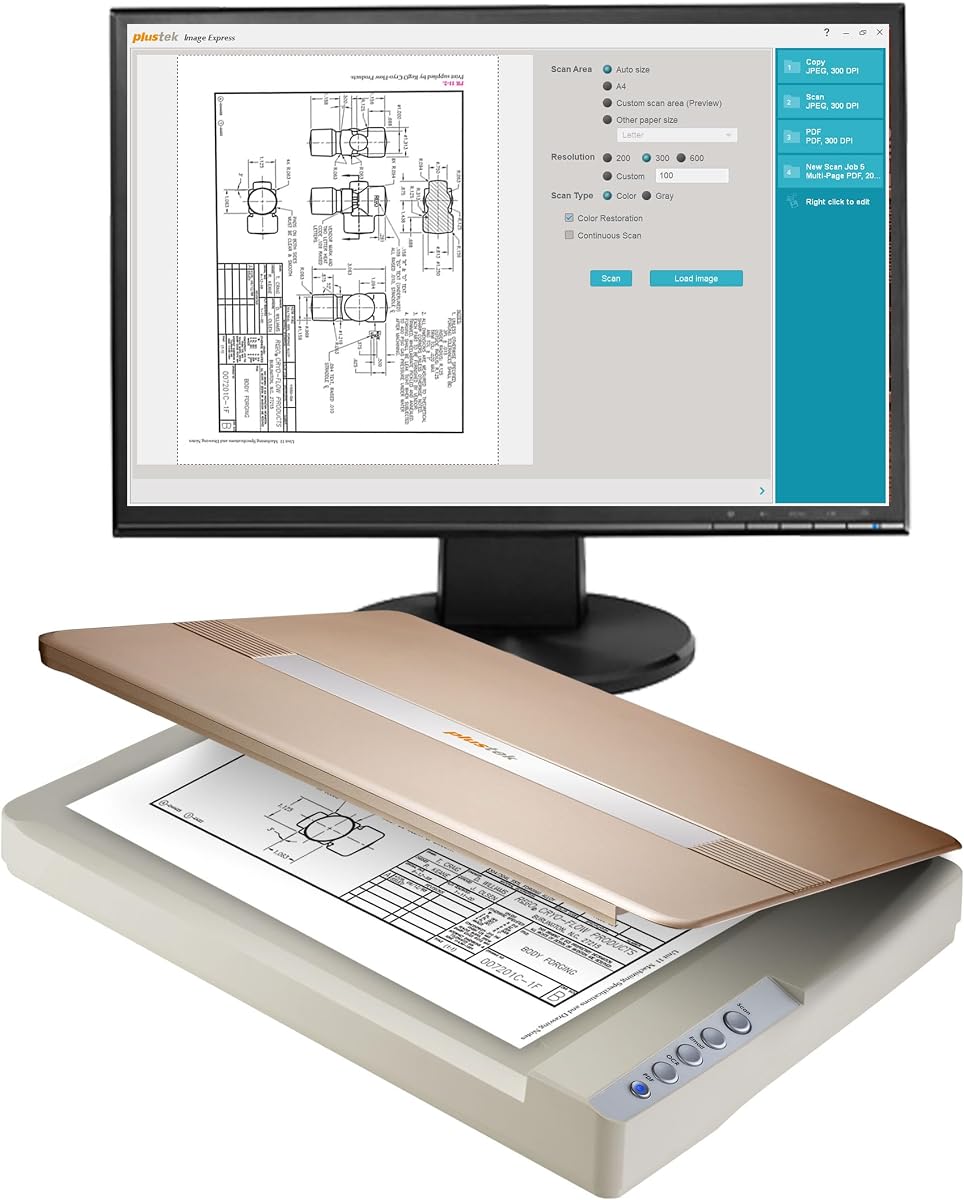
The Plustek OpticPro A320E offers professional large-format scanning with up to 12 x 17 inch area for maps and documents. It supports batch scanning to save multiple PDFs and includes industry-standard TWAIN and WIA drivers. This model is built for efficiency in business environments.
We may earn a commission when you buy through this link, at no additional cost to you.
Its key strength is handling oversized paper like drawings and bound books. The easy file management features allow quick access to destinations like email or FTP folders. OCR functionality also enables searchable PDFs for greater productivity in document workflows.
The trade-off is a higher price point that may be steep for casual users. Some users report needing to download the latest drivers from the website for optimal performance. However, these are minor considerations given its robust feature set.
This scanner is best for professionals, libraries, or small offices needing reliable large-format digitization. Its ability to process multiple documents at once saves significant time. We recommend it for businesses prioritizing productivity and format flexibility.
It accommodates maps, drawings, and large bound books with its 12 x 17 inch scan area, expanding beyond standard letter size.
Doc Action allows quick access to post-scan destinations like email or FTP, streamlining how you share scanned files.
We may earn a commission when you buy through this link, at no additional cost to you.
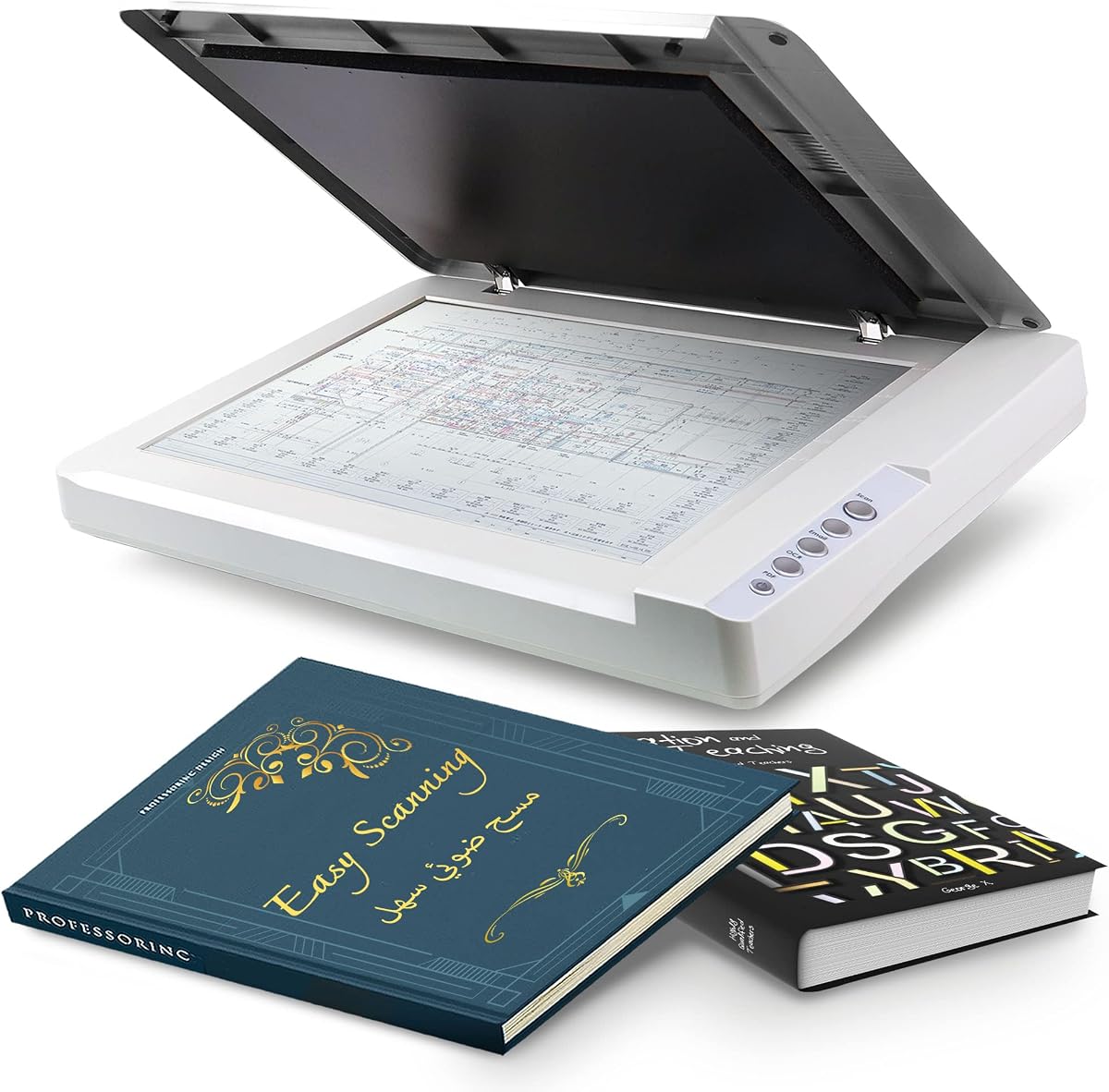
The VIISAN 3120 A3 is designed for high-quality scanning of artworks, photos, and large documents up to A3 size. It offers a maximum optical resolution of 1200 DPI and a frameless design that allows scanning of thick items. Auto-Scan function starts automatically when the lid closes.
We may earn a commission when you buy through this link, at no additional cost to you.
Its standout feature is the fast scanning speed of 8 seconds for A3 color documents at 200 DPI. The LED light source saves energy and requires no warm-up time. It is compatible with Windows and MacOS drivers for broad software integration.
A trade-off is that the CIS sensor only scans flat paper images, not three-dimensional items. Windows WIA drivers also limit scanning to 600 DPI unless using their supplied software. However, its speed and frameless design make it excellent for flat document workflows.
This scanner is best for school projects, business work, and digital publishing that involve large flat documents. It handles textbooks and presentation boards with ease. We recommend it for users needing fast A3 scanning without extra setup.
The frameless scanner glass allows edge-to-edge scanning of large materials like photo albums and thick books.
With 8-second A3 scans at 200 DPI, it boosts productivity in continuous scanning workflows without waiting.
We may earn a commission when you buy through this link, at no additional cost to you.
The VIISAN VF3240 A3 delivers up to 2400 DPI high resolution for capturing every detail with stunning clarity. It achieves a maximum scanning speed of 4 seconds for A3 color documents at 200 DPI. Frameless design supports edge-to-edge scanning of large materials.
We may earn a commission when you buy through this link, at no additional cost to you.
Its key strength is handling oversized materials like engineering drawings and architectural blueprints efficiently. Auto-Scan function automatically starts when the lid closes, boosting productivity in continuous workflows. Windows and MacOS compatibility ensures broad software support.
A trade-off is that full A3 size at 2400 DPI requires MacOS with native ICA driver support. Also, it is designed for flat materials only and not 3D objects. However, its speed and resolution make it ideal for technical drawings.
This scanner is best for engineering and architecture professionals needing precise large-format digitization. It transforms business reports and library collections into digital formats easily. We recommend it for CAD work and high-volume office environments.
With up to 2400 DPI optical resolution, it produces up to 196 million effective pixels per image.
The auto-scan function starts when the lid closes, eliminating manual start steps and saving time.
We may earn a commission when you buy through this link, at no additional cost to you.
The Epson Perfection V19 II offers amazing image clarity with 4800 dpi optical resolution ideal for photo enlargements. It includes Epson ScanSmart software and supports one-touch scanning for simplicity. This model is USB powered and weighs only 3.1 pounds.
We may earn a commission when you buy through this link, at no additional cost to you.
Its standout feature is the built-in kickstand for vertical placement and storage to save space. You can scan books and photo albums with a high-rise removable lid. It also converts documents to searchable PDFs and Microsoft Office files.
Trade-offs include USB-only connectivity which limits wireless options and a smaller scan bed than A3 models. However, its compact design and photo restoration features make it great for desktop use. It balances performance and portability effectively.
This scanner is best for home users needing a compact solution for photo and document digitization. It handles photo albums and books with ease. We recommend it for those valuing space-saving design and high resolution.
A built-in kickstand allows vertical placement and storage, which is perfect for small workspaces.
Restore color to faded photos with one click using Easy Photo Fix technology for vibrant memories.
We may earn a commission when you buy through this link, at no additional cost to you.
The Plustek OpticSlim 1680 delivers high-speed scanning of tabloid-size documents in just 3 seconds for gray or 5 for color. It features four pre-configured buttons for one-key operation to finish jobs instantly. The intuitive interface enables quick image adjustments.
We may earn a commission when you buy through this link, at no additional cost to you.
Its key strength is the simple and easy to understand interface with dual view advanced settings. Compatibility with TWAIN and ICA drivers ensures seamless use with thousands of software applications. Windows and MacOS support broadens access.
Trade-offs include needing to download the latest driver from the website for optimal performance. It focuses on large format documents which may not fit photo albums. However, its speed and intuitive design make it excellent for offices.
This scanner is best for businesses needing fast large-format document processing. It transforms reports and presentations into digital formats. We recommend it for users prioritizing speed and ease of operation.
Scan tabloid-size documents in 3 seconds for gray mode or 5 for color for fast digitization.
Pre-configured buttons allow you to touch a button and finish all jobs instantly.
We may earn a commission when you buy through this link, at no additional cost to you.
The Plustek OS1180 offers large format scanning of A3 documents in approximately 9 seconds. It uses LED light source to save energy with no warm-up time. Its software bundle includes enhanced OCR accuracy with ABBYY and DocAction for sharing.
We may earn a commission when you buy through this link, at no additional cost to you.
Its strengths include hassle-free operation with preset function one-touch buttons. You can easily set file types and destinations without complex menus. It supports 48-bit color for art and documents ensuring quality color reproduction.
Trade-offs include a basic design that may lack advanced features of other models. It is designed for flat materials only. However, its speed and OCR accuracy make it ideal for libraries and schools.
This scanner is best for small offices needing reliable document processing. It handles A3 documents with ease. We recommend it for organizations prioritizing efficiency and accuracy.
LED light source ensures you can start scanning immediately without waiting for warm-up.
Includes ABBYY software for improved OCR, ensuring your scanned documents are searchable.
We may earn a commission when you buy through this link, at no additional cost to you.
The Epson DS-1630 features versatile scanning with auto-duplex scanning through a 50-page Auto Document Feeder. It also includes a flatbed for photos and fragile items. It offers high-speed scanning at up to 25 pages per minute.
We may earn a commission when you buy through this link, at no additional cost to you.
Its key strength is seamless compatibility with TWAIN and ISIS drivers for integration with existing software. It scans to online storage accounts like Dropbox and Google Drive. The 3-year limited warranty includes Advance Exchange with free Next-Business-Day Replacement.
Trade-offs include being primarily sheet-fed, limiting large or fragile item scanning. The footprint is larger than portable models. However, its speed and workflow integration make it excellent for busy offices.
This scanner is best for offices needing high-volume document processing. It minimizes downtime and improves efficiency. We recommend it for businesses prioritizing speed and reliability.
It scans both sides of the page automatically, saving time and reducing manual intervention.
Seamlessly scan to Dropbox, SharePoint, and Google Drive with Epson Document Capture software.
We may earn a commission when you buy through this link, at no additional cost to you.
The Plustek OpticSlim 2700 scans quickly and easily up to 3 seconds at 300dpi in color mode. It includes a built-in PDF button for editable and searchable files. Software can auto rotate, deskew, and crop images to save time.
We may earn a commission when you buy through this link, at no additional cost to you.
Its standout feature is four one-touch buttons for copy, scan, PDF, and custom tasks. This makes it efficient for quick document management. It supports TWAIN protocol for Windows and MacOS ensuring broad compatibility.
Trade-offs include basic software compared to full suites and reliance on USB. It is best for simple and fast document needs. However, its speed and one-touch operation make it highly convenient.
This scanner is best for users needing a fast entry-level document solution. It saves time with automatic image adjustments. We recommend it for quick and efficient scanning tasks.
Scans in up to 3 seconds for fast conversion of documents into digital files.
Auto rotate, deskew, and crop images help you get an ideal picture without manual editing.
We may earn a commission when you buy through this link, at no additional cost to you.
Choosing the right scanner involves evaluating resolution, speed, size, and software. Consider your primary use case and workflow needs to select a model that fits your budget.
Resolution determines the level of detail in scanned images. For photos, 4800 dpi provides high quality for enlargements. For documents, 600 dpi is often sufficient. Higher resolution increases file size and scanning time.
Prioritize resolution based on your content. Use 4800 dpi for photos and 1200 dpi for detailed scans.
Scan speed impacts productivity in busy environments. Some models offer 4-second scans for A3 documents. Others take longer but offer higher quality. Check speed at your desired resolution.
Look for models that balance speed with quality. Fast scanning is crucial for high-volume digitization.
Ensure the scanner handles your document sizes. Standard scanners handle letter and legal sizes. Large-format models support A3 or 12 x 17 inch paper. This is essential for maps and technical drawings.
Check maximum scan area before buying. A3 support is necessary for oversized documents.
Connectivity options include USB and network ports. USB is common for home use. Ethernet and USB 3.0 offer faster transfer and wider access. Choose based on your setup.
USB is convenient for single users. Network support helps shared office environments.
Software affects workflow efficiency. Look for OCR for searchable PDFs. Cloud integration simplifies storage. Auto-scan and one-touch buttons reduce steps. Ensure compatibility with your operating system.
Prioritize software that matches your needs. OCR and cloud options add significant value.
Consider what you scan most. Flatbeds handle photos and books. ADFs support stacks of documents. Some models combine both. Ensure it fits your primary content type.
Flatbeds are best for books. ADFs are best for bulk documents.
User-friendly designs save time. Physical buttons simplify operations. Software should be intuitive. Look for features like photo restoration. Ease of use reduces learning curve.
Choose models with intuitive controls. One-touch scanning is a key convenience.
Warranty and support protect your investment. Look for limited warranties. Check for online resources and driver updates. Support quality matters for troubleshooting. Reliable support minimizes downtime.
Prioritize models with strong support. Check warranty terms before buying.
To start, place documents face down on the scanner bed. Align edges with guides for straight scans. Ensure the lid is closed properly for quality. Adjust software settings based on document type.
For books, lift the lid to avoid bending pages. Use the high-rise lid if available. Keep documents flat to prevent distortion. Clean the glass regularly with a soft cloth.
Maintain your scanner by keeping it in a dry place. Update drivers regularly for performance. Follow manual instructions for cleaning. Proper care ensures long-lasting performance.
For high-quality photo enlargements, 4800 dpi is ideal. It captures fine details. Lower resolutions like 1200 dpi suffice for standard photo storage. Choose based on your print needs.
Yes, several models support A3 or 12 x 17 inch documents. This is essential for large maps and drawings. Check the scan area before purchasing to ensure compatibility.
Optical Character Recognition converts scanned text to editable files. This allows searching and editing. It improves document management. Many models include OCR software for PDFs.
Yes, if the scanner has a high-rise lid. This prevents page bending. Some models handle thicker books. Ensure the glass area accommodates your book size.
Most scanners require TWAIN or WIA drivers. Download the latest from the manufacturer site. Compatibility is ensured with Windows and MacOS. Drivers enable full functionality.
Use a soft lint-free cloth. Gently wipe with glass cleaner. Avoid abrasive materials. Regular cleaning prevents white lines in scans.
This guide highlights ten top models for various needs. From compact photo scanners to large-format workhorses, there is an option for everyone. Each model offers unique strengths in resolution and usability.
Prioritize factors like resolution and size support. Consider software features and ease of use. Your choice should match your primary digitization tasks.
Remember to check current prices and availability before buying. Product terms may change over time. Verify details with the retailer for the latest information.