
LaCie Rugged Mini 2TB
4.6Editor score
Shock resistant design
USB 3.0 speed
Password protection included
Finding reliable storage for your valuable data is crucial for professionals and creatives alike. A rugged external drive ensures your files survive drops and harsh conditions while maintaining fast transfer speeds for your workflow needs today.
We have carefully evaluated ten top models based on durability ratings, connectivity options, and user feedback. This list covers the full range from budget-friendly portable drives to high-capacity RAID solutions for demanding environments.
Each pick highlights specific strengths like portability or massive capacity to match different user requirements. Please note that pricing and availability fluctuate frequently so always verify current details before making your final purchase decision.
4.6Editor score

4.5Editor score

4.4Editor score
As an Amazon Associate we earn from qualifying purchases.
This side-by-side comparison highlights key specifications across all ten models to help you quickly identify the best fit for your storage and performance needs.



The LaCie Rugged USB-C 4TB stands out as a top choice for users needing robust storage. With a strong rating and versatile connectivity it handles tough conditions while keeping data accessible.
We may earn a commission when you buy through this link, at no additional cost to you.
Its rugged protection ensures survival against drops shocks dust and rain making it ideal for field work. The USB-C interface provides fast transfers compatible with modern laptops and desktops.
While it offers ample space for large files the price point may be steep for budget shoppers. However the build quality and reliability justify the investment for professionals.
Buyers seeking a balance of capacity and durability will find this drive exceptional. It remains a smart pick for those prioritizing data safety on the go.
The drive withstands harsh elements ensuring your work remains safe during travel or outdoor use.
USB-C connectivity delivers reliable high-speed transfers to keep your workflow efficient and uninterrupted.
We may earn a commission when you buy through this link, at no additional cost to you.
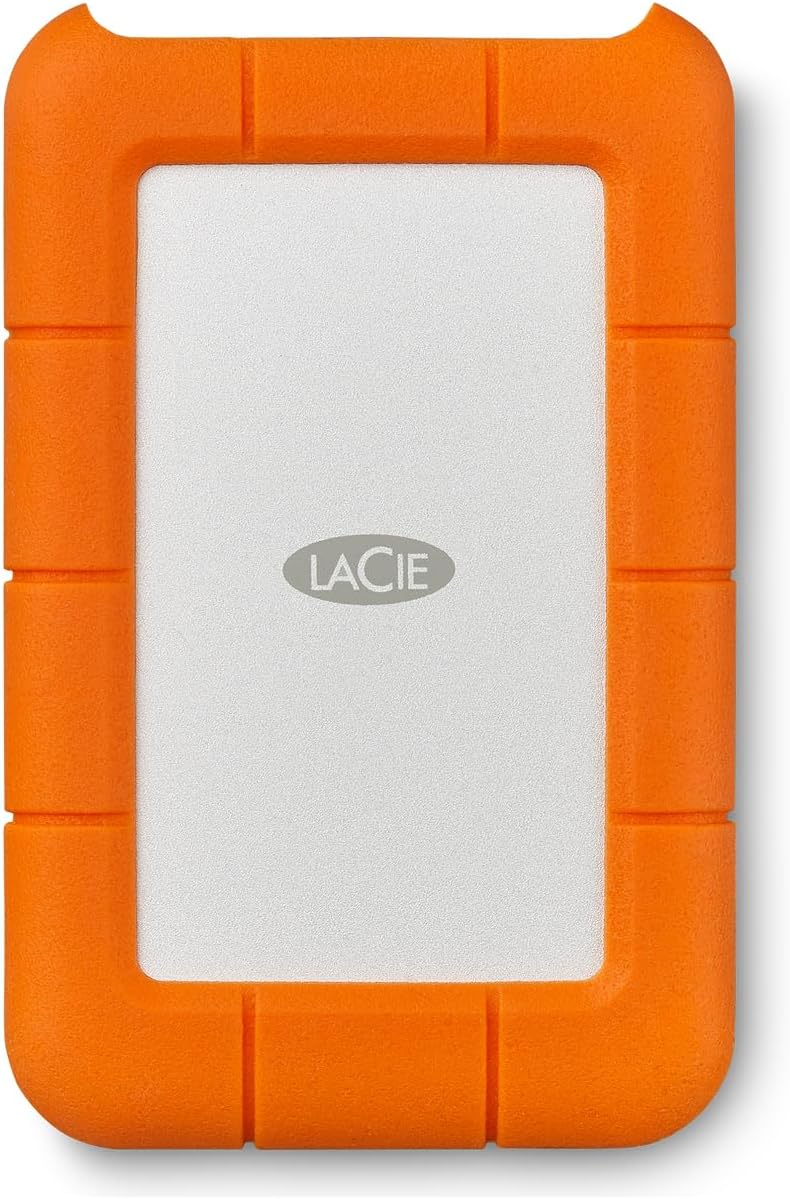
This LaCie Rugged Mini offers excellent value with a high rating and essential security features. Its rugged design protects data from drops and environmental hazards effectively.
We may earn a commission when you buy through this link, at no additional cost to you.
Users benefit from USB 3.0 speeds and a convenient included case for transport. The password protection adds a layer of security for sensitive files.
Mac users should note the reformatting requirement which adds a setup step. Still the cost savings and durability make it a strong entry-level choice.
Perfect for students or casual users needing reliable backup without breaking the bank. It delivers solid performance at a competitive price.
Get essential rugged protection and storage at a price point that fits tighter budgets easily.
Built-in password protection keeps your personal data safe from unauthorized access by others.
We may earn a commission when you buy through this link, at no additional cost to you.
The LaCie Rugged Mini 4TB combines portability with comprehensive data recovery support. This model appeals to users worried about accidental file loss.
We may earn a commission when you buy through this link, at no additional cost to you.
Its 2.5 inch form factor makes it easy to slip into a bag or pocket. Compatibility extends to iPad and iPhone for mobile workflows.
The included Data Rescue Service adds peace of mind when files go missing. However the cost reflects these extra features compared to basic drives.
Ideal for mobile creatives needing secure storage with recovery options. It balances size and functionality well for varied environments.
Works seamlessly with mobile devices like iPad and iPhone for versatile on the go storage.
The rescue service helps restore corrupted or lost files when you need them most urgently.
We may earn a commission when you buy through this link, at no additional cost to you.
This model delivers massive storage in a portable format suitable for heavy data hoarders. The USB-C interface ensures compatibility with modern systems for fast access.
We may earn a commission when you buy through this link, at no additional cost to you.
Its rugged design protects against dust and rain making it reliable for outdoor work. The compact build allows easy transport between office and field.
New to the market it lacks established user reviews which might deter cautious buyers. Still the specs suggest a robust tool for large file needs.
Best for professionals needing room for extensive projects. It scales well for growing storage demands.
With 5TB of space you can store vast archives without frequent upgrades.
Built to handle dust and rain so your data stays safe in varied conditions.
We may earn a commission when you buy through this link, at no additional cost to you.
Designed for speed and durability this drive offers 130MB/s transfers for seamless editing. Its rugged build protects data during heavy use or travel.
We may earn a commission when you buy through this link, at no additional cost to you.
The inclusion of a three-year warranty and Adobe CC enhances value significantly. Users appreciate the long-term peace of mind offered.
The need for a Thunderbolt port may limit compatibility for older systems. Cost is higher but justified for performance users.
Professionals in video or photo editing will love this tool. It balances speed and reliability perfectly.
Transfer large files quickly to keep your creative work moving without bottlenecks.
Long-term protection and included software ensure you get the most from your investment.
We may earn a commission when you buy through this link, at no additional cost to you.
This drive offers immense capacity and RAID options for optimized performance or redundancy. The flat design fits easily into packed gear bags.
We may earn a commission when you buy through this link, at no additional cost to you.
Users can configure RAID 0 for speed or RAID 1 for safety. Password protection adds another layer of security for sensitive projects.
Setting up RAID might confuse casual users but benefits pros needing control. The price reflects the high capacity and features.
Ideal for teams needing large secure storage. It serves demanding workflows well.
Choose RAID modes to prioritize speed or data safety based on your project needs.
Self-encrypting passwords ensure only authorized users can access your stored content.
We may earn a commission when you buy through this link, at no additional cost to you.
The Rugged Triple bridges old and new with FireWire 800 and USB 3.0 ports. It suits users with legacy Mac systems needing reliable backup.
We may earn a commission when you buy through this link, at no additional cost to you.
Dual ports allow flexible connectivity and daisy chaining for multi-drive setups. This unique feature sets it apart from modern single-interface drives.
Limited 1TB capacity restricts use for large media projects. Also the rating suggests mixed user experiences.
Best for specific legacy needs or smaller backups. It fills a niche effectively.
Supports older Mac systems with FireWire 800 to maintain smooth workflows.
Daisy chaining capability allows connecting multiple drives for expanded workspace.
We may earn a commission when you buy through this link, at no additional cost to you.
This model combines high speed with rugged protection in a compact package. The integrated cable design adds convenience for travel users.
We may earn a commission when you buy through this link, at no additional cost to you.
Thunderbolt connectivity ensures fast data access for editing tasks. The build quality and warranty provide confidence for heavy use.
The 1TB limit may fill up quickly for video editors. Price is high but performance is strong.
Ideal for pros needing a portable working drive. It balances speed and durability well.
Integrated Thunderbolt cable stays attached for quick setups anywhere.
High-speed transfers keep your editing timeline fluid and responsive.
We may earn a commission when you buy through this link, at no additional cost to you.
Combining Thunderbolt and USB 3.0 this drive offers versatile connectivity options. RAID modes allow for improved speed or data redundancy.
We may earn a commission when you buy through this link, at no additional cost to you.
The rugged casing protects internal components from environmental damage. It suits workflows needing both high-speed and standard connections.
Setup may require technical knowledge for optimal performance. Older model status means fewer modern features.
Good for mixed environment offices. It offers flexibility for varied needs.
Dual ports let you connect to both legacy and modern devices seamlessly.
RAID options help safeguard critical data against drive failure.
We may earn a commission when you buy through this link, at no additional cost to you.
As an SSD this drive delivers 950 MB/s read speeds for instant access. The 3m drop resistance ensures extreme durability for harsh use.
We may earn a commission when you buy through this link, at no additional cost to you.
Water resistance and Data Rescue Service make it a robust choice for critical workflows. Its build quality is unmatched in the lineup.
Price and capacity are trade-offs but speed justifies cost for pros. It leads the pack in performance.
Best for those needing fastest reliable storage. It stands as a premium tool.
SSD speeds eliminate waiting times for loading heavy assets.
Withstand 3m drops and water exposure without compromising data integrity.
We may earn a commission when you buy through this link, at no additional cost to you.
Selecting the right drive requires balancing capacity, durability, and connectivity options.
Capacity determines how many files you can store. Larger drives suit media professionals needing extensive archives while smaller options fit casual backups.
Assess your current needs and future growth to pick the right size.
Rugged drives protect against drops dust and rain. Look for specific ratings like drop height to ensure suitability for your environment.
Higher durability ratings are worth it for field work or travel.
USB-C offers modern speed while Thunderbolt boosts performance. Ensure your device has compatible ports to avoid adapter issues.
Match the interface to your computer for optimal transfer rates.
SSD drives offer faster speeds than HDD models. Consider your workflow needs for quick access or bulk storage.
Higher speeds reduce wait times during active editing sessions.
Some drives include password protection or encryption. This helps keep sensitive data safe from unauthorized access.
Prioritize these features if privacy is a major concern.
A longer warranty provides peace of mind for your investment. Check for included data recovery services as well.
Look for at least a three-year plan for better protection.
First always connect your drive to a powered port for stable performance. Use high-quality cables to ensure consistent data transfer speeds.
Second avoid placing the drive in extreme heat or wet areas to maintain its rugged integrity. Store it in a soft case when not in use.
Third regularly back up your data to prevent loss from hardware failure. Keep the drive clean with a dry cloth to avoid dust buildup.
Most Lacie Rugged drives work with both systems but Mac users may need to reformat for best performance. Check product details for specific OS requirements before buying.
Yes these drives are ideal for backup due to their durable design and capacity. They ensure your critical data stays safe even in harsh conditions.
Warranty lengths vary by model but many come with a three-year limited plan. Some also include data rescue services for added protection.
Most portable Lacie Rugged models draw power via USB or Thunderbolt cables. Desktop RAID versions might need an external power adapter.
Yes high-speed models like Thunderbolt versions handle video editing well. The rugged protection helps avoid data loss during transport.
Yes many models allow daisy chaining or RAID expansion for more space. This flexibility helps you grow storage as your needs change.
This guide highlights top models ranging from budget Mini versions to premium SSD options. Each serves distinct needs from casual backup to high-speed editing.
Prioritize durability and connectivity based on your workflow to maximize value. Ensure the drive supports your device ports for seamless integration.
Always check current prices and stock before purchasing as these details change often. Investing in the right drive secures your data for the long term.