
SABRENT USB 3.0 4-Bay 2.5in SATA SSD/HDD Docking Station, Fan (DS-4SSD)
4.2Editor score
USB 3.0 interface
Built-in whisper-quiet fan
Tool-free drive access
Finding the right storage solution requires careful consideration of cooling and speed. A reliable enclosure keeps your drives safe from overheating while ensuring fast data access for your daily work and projects.
We analyzed ten top models based on their build quality thermal management and interface speeds. Each product offers unique features ranging from hot swap support to HDMI outputs for versatile connectivity options.
Each pick highlights key strengths and potential trade-offs to help you choose wisely. Remember that availability and stock levels can change frequently so verify details before making your final purchase decision today.
4.2Editor score

4.3Editor score

4.0Editor score
As an Amazon Associate we earn from qualifying purchases.
This table provides a side-by-side overview of the most important specifications for each model so you can quickly identify the device that best fits your specific storage needs.

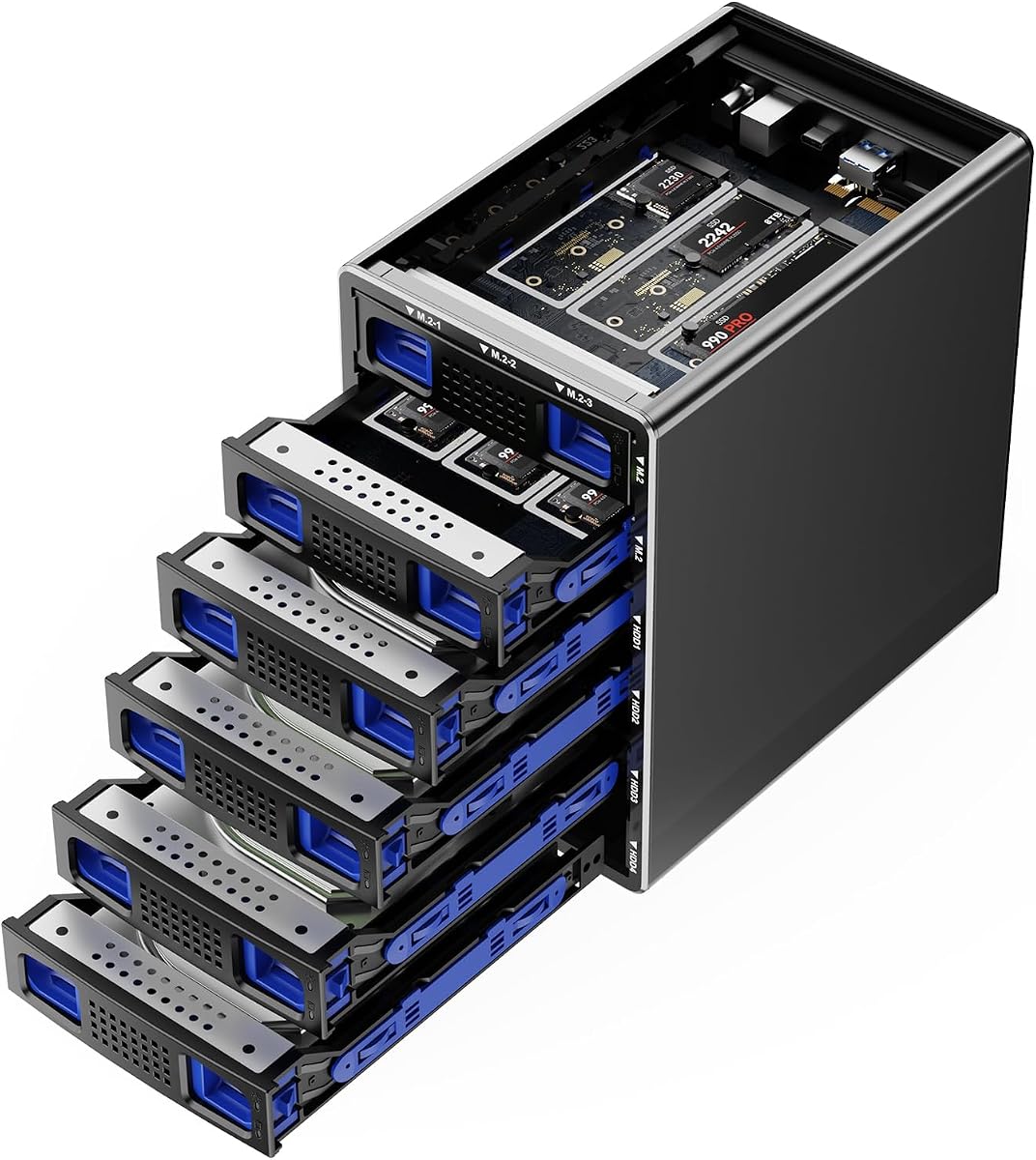

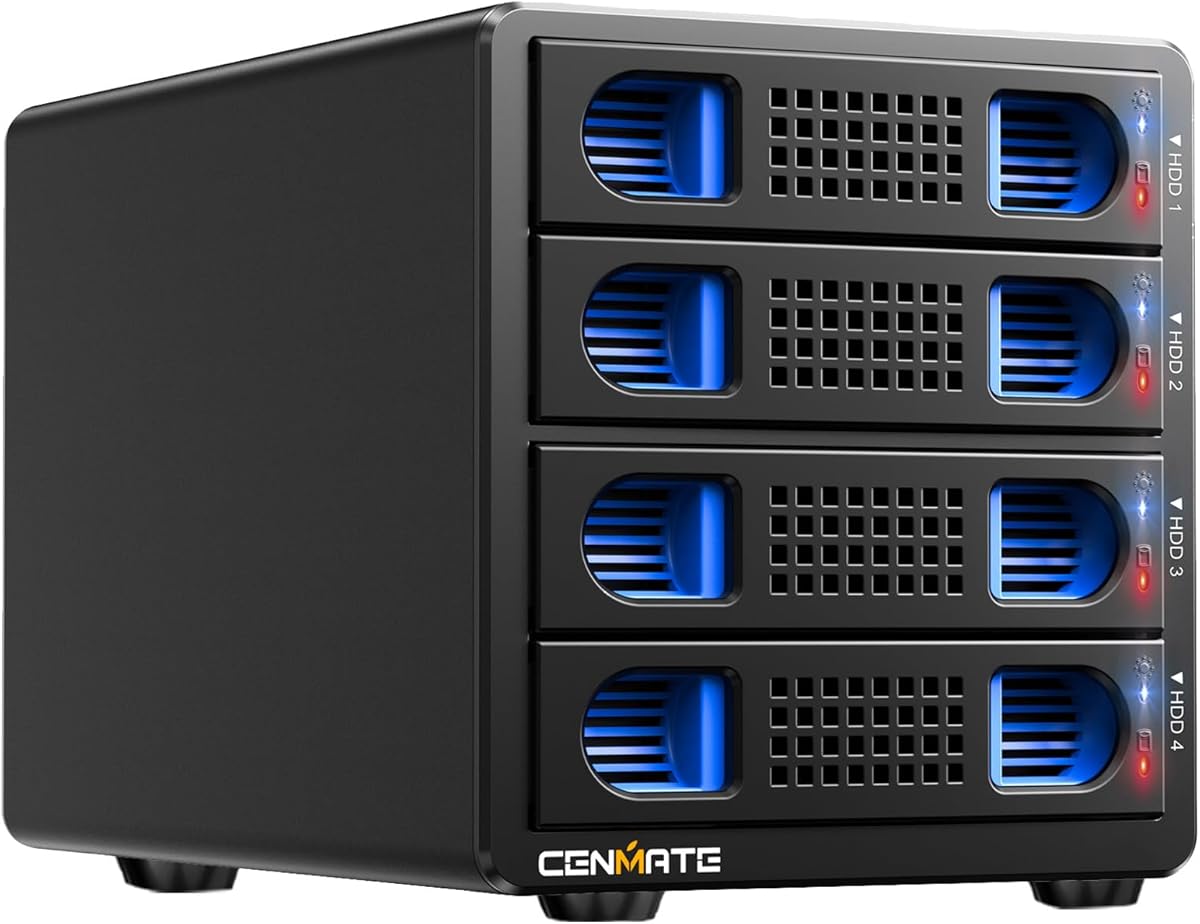
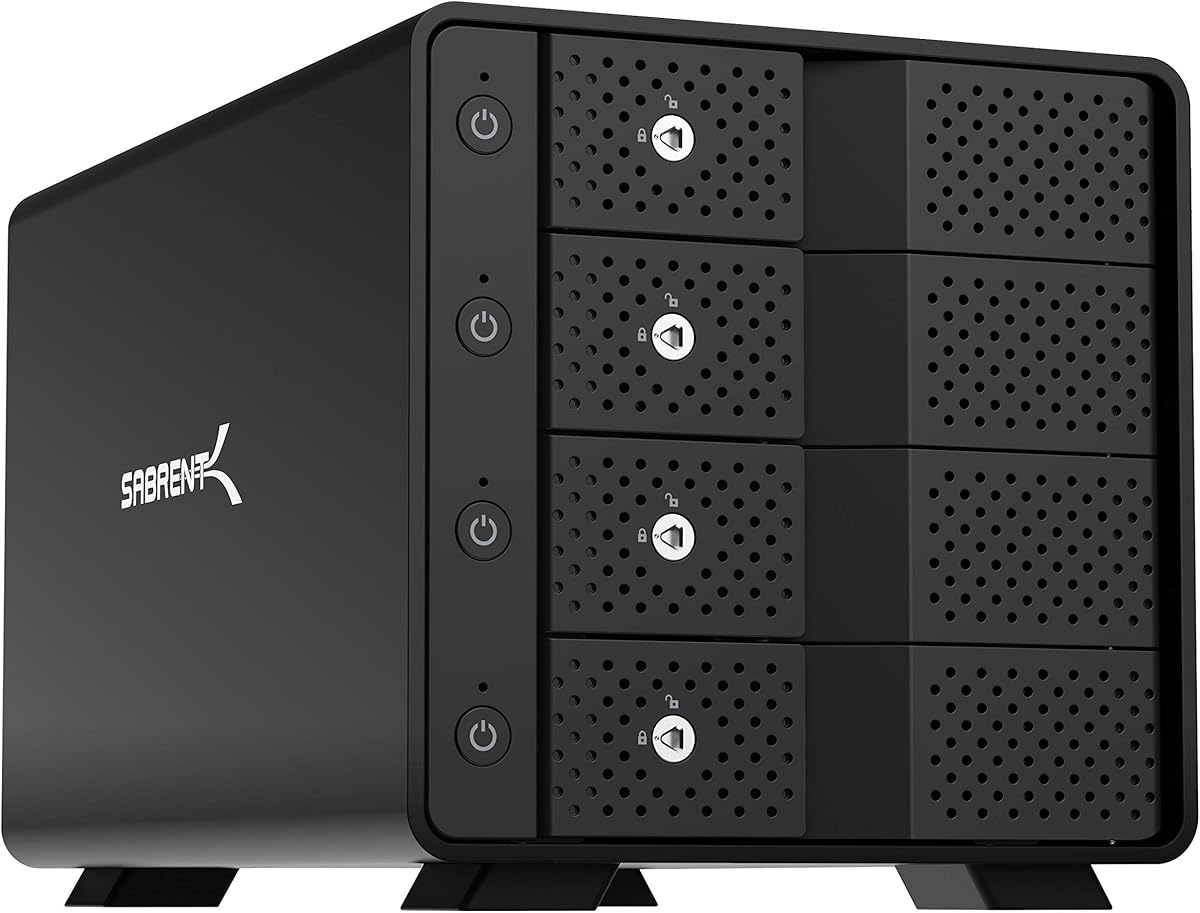
This enclosure is designed to offer reliable external storage for both individuals and business users who need secure data management solutions without complicated setup procedures.
We may earn a commission when you buy through this link, at no additional cost to you.
It supports up to four drives with a total capacity reaching 80TB which provides ample space for large media libraries or extensive project archives that grow over time.
The built-in fan helps manage heat effectively but may produce noise levels around 40 to 50 decibels which could be distracting in very quiet office environments.
Users seeking a straightforward solution for high-capacity storage who prioritize drive safety and ease of use will find this model highly suitable for their daily tasks.
The aluminum-alloy materials provide a robust structure that protects your drives from physical damage while aiding in natural heat dissipation during heavy operations.
Equipped with USB 3.0 ports this enclosure delivers speeds up to 5Gbps which is ten times faster than older USB 2.0 standards for quicker file access.
We may earn a commission when you buy through this link, at no additional cost to you.
This model offers blazing fast data transfer speeds suitable for users who handle large files regularly and need to move data quickly between devices for efficient workflow.
We may earn a commission when you buy through this link, at no additional cost to you.
It features a USB 3.2 interface that supports transfer rates of up to 10Gbps which is significantly faster than standard USB connections for professional editing tasks.
While the hot swappable feature adds convenience the fan noise might be an issue for users who work in extremely quiet environments and need silent operation.
Professionals needing rapid data access and reliable drive safety will appreciate the performance and build quality provided by this advanced storage docking station solution.
The USB 3.2 Gen 2 ports enable transfer speeds up to 10Gbps making it ideal for video editors or data analysts handling large datasets daily.
It works seamlessly with Windows Mac and Linux systems and supports various interfaces including Thunderbolt 3 and Thunderbolt 4 for future-proof connectivity options.
We may earn a commission when you buy through this link, at no additional cost to you.
This DAS enclosure is designed to handle large amounts of data with features that allow you to expand your storage system by connecting multiple devices together.
We may earn a commission when you buy through this link, at no additional cost to you.
The enclosure features intelligent cooling that automatically activates fans when drive temperatures exceed 48 degrees Celsius to protect your data without constant manual monitoring.
While the temperature control is smart the fan activation might introduce noise into a quiet environment which could be bothersome for users sensitive to sound levels.
Creative professionals needing to connect multiple drives and manage heat effectively will find this intelligent design helpful for maintaining system stability and performance.
Two cooling fans automatically turn on when temperatures rise above 48C ensuring your drives stay cool without wasting energy during low-load periods.
A unique HD-TV port lets you connect directly to a TV for 4K video output making it useful for displaying content on large screens easily.
We may earn a commission when you buy through this link, at no additional cost to you.
This innovative enclosure supports both traditional SATA drives and modern M.2 NVMe SSDs in a single unit offering unmatched flexibility for mixed storage needs.
We may earn a commission when you buy through this link, at no additional cost to you.
It can hold four SATA drives and six NVMe SSDs allowing you to combine massive capacity with high speed performance for a comprehensive storage solution.
The silent fans work continuously to cool the drives but may still produce sound which is something to consider if you need a completely silent setup.
Users wanting to maximize storage versatility by using different drive types will find this hybrid design offers the best value and capacity combination available.
Supports up to 136TB total capacity by combining four 22TB SATA drives with six 8TB NVMe SSDs for massive and fast storage access.
The enclosure uses silent fans that do not sleep to ensure continuous cooling protecting your data security during long operating periods reliably.
We may earn a commission when you buy through this link, at no additional cost to you.
This docking station offers more than storage by including an HDMI interface that supports stunning 4K video output for a seamless and efficient workspace setup.
We may earn a commission when you buy through this link, at no additional cost to you.
Data transfer speeds reach up to 10Gbps via USB-C which allows for efficient handling of massive files and high-volume data transfers for professional use.
The built-in fans activate automatically at specific temperatures to ensure drive performance but this automation might introduce noise in quiet environments occasionally.
Media professionals needing fast storage and display capabilities will appreciate the versatile connectivity options provided by this premium aluminum docking station solution.
The HDMI interface supports up to 4K660Hz resolution enabling you to connect your storage directly to a monitor for direct content viewing.
Dual built-in fans activate at 48 degrees to ensure your drives remain cool and perform optimally even during intensive read or write tasks.
We may earn a commission when you buy through this link, at no additional cost to you.
This docking station is designed for users who need a simple and efficient way to access multiple 2.5 inch drives without requiring complex configuration steps.
We may earn a commission when you buy through this link, at no additional cost to you.
It supports up to four drives and features a magnetic cover design that ensures fast and easy access to your drives for regular maintenance needs.
The whisper-quiet fan helps keep your drives cool and healthy while offering an optional switch for noise control which is great for quiet workspaces.
Budget conscious users who primarily work with 2.5 inch drives will find this compact and reliable docking station offers excellent value for their storage needs.
The magnetic cover design allows you to swap drives without screws or tools making daily maintenance quick and hassle-free for any user.
Engineered for continuous operation the whisper-quiet fan keeps drives cool without disturbing your workspace making it suitable for home offices.
We may earn a commission when you buy through this link, at no additional cost to you.
This enclosure provides versatile connectivity by including both USB 3.0 and eSATA ports which ensures compatibility with older systems that lack modern USB ports.
We may earn a commission when you buy through this link, at no additional cost to you.
The aluminum alloy construction ensures durability and heat dissipation while the included eSATA cable adds value for users needing extra connection options for their setup.
Although hot swappable support is not available the stable power supply and dual interface options make this a practical choice for legacy system users reliably.
Users needing to connect to older computers or who prefer eSATA connections will find this model provides the necessary compatibility and reliability for their tasks.
The included eSATA cable allows connection to systems with eSATA ports ensuring broad compatibility beyond standard USB connectivity options for older devices.
Equipped with USB 3.0 and eSATA output this enclosure offers flexible connection options for different user needs and system configurations easily.
We may earn a commission when you buy through this link, at no additional cost to you.
This model offers exceptional storage capacity supporting up to four 32TB drives for a massive total of 128TB which is ideal for extensive data archives and media libraries.
We may earn a commission when you buy through this link, at no additional cost to you.
It features 10Gbps USB-C transfer speeds and an HDMI output allowing for efficient data handling and direct display of content on large screens easily.
The dual built-in fans activate at specific temperatures to maintain drive safety but users should note that these fans may produce noise during active cooling cycles.
Archivists and businesses needing to store and access large volumes of data will find the capacity and connectivity options of this model highly valuable for their work.
Supporting up to four 32TB drives this enclosure offers 128TB total storage which is ideal for large archives or extensive project libraries.
The HDMI interface supports 4K video output enabling you to display your stored media directly on a TV for seamless entertainment experiences.
We may earn a commission when you buy through this link, at no additional cost to you.
This RAID enclosure supports eight different RAID modes allowing you to configure your drives for data redundancy or performance depending on your specific requirements.
We may earn a commission when you buy through this link, at no additional cost to you.
It features dual interfaces including USB 3.0 and eSATA providing flexibility for connecting to different types of computers or legacy systems efficiently.
Although hot swapping is not supported the ability to switch RAID modes ensures you can protect your data or maximize speed based on your needs.
Users who need data redundancy without complex software will find the hardware RAID options and dual interface support practical for business environments.
Supports RAID 0 1 3 5 10 CLONE LARGE and NORMAL modes allowing flexible configuration for speed redundancy or capacity management easily.
With both USB 3.0 and eSATA ports this enclosure ensures broad compatibility with various computer systems for reliable data access.
We may earn a commission when you buy through this link, at no additional cost to you.
This premium docking station features a dedicated controller for each bay which provides stable independent connections for every drive to maximize reliability and performance.
We may earn a commission when you buy through this link, at no additional cost to you.
The aluminum and metal housing with active cooling ensures safe continuous operation while the locking key and Kensington slot offer essential security for your valuable data.
The 10Gbps USB-C interface allows for fast data access and the independent on off switches give you precise control over each drive individually.
Businesses and professionals requiring high reliability and robust security features will find this premium model worth the investment for critical data protection and access.
A dedicated ASMedia ASM1351 controller for each bay gives every drive its own stable independent connection ensuring reliable performance during use.
Includes a locking key and a Kensington slot allowing you to secure the dock physically to a desk and prevent unauthorized access or theft.
We may earn a commission when you buy through this link, at no additional cost to you.
Selecting the right storage solution requires understanding your specific needs regarding speed capacity and cooling capabilities.
The connection interface determines how fast your data moves between the enclosure and your computer. Models with USB 3.2 Gen 2 offer speeds up to 10Gbps which is ideal for large video files or complex datasets. Older USB 3.0 models max out at 5Gbps but are still sufficient for general document storage or backups.
Look for models with USB-C ports for better versatility and future-proofing since they can often work with older USB-A ports using adapters.
Capacity support refers to the maximum storage size each drive bay can handle. While some enclosures support drives up to 20TB per bay others may only support lower capacities. If you plan to use large drives in the future ensure the enclosure supports up to 22TB or 32TB per bay to avoid limitations later.
Check the total maximum capacity supported by the unit to ensure it meets your long-term storage needs without needing to upgrade soon.
Effective cooling is vital for maintaining drive health especially when using high-performance drives that generate significant heat. Models with temperature-controlled fans activate only when needed to save energy and reduce noise while still keeping drives within safe operating limits.
If you work in a quiet environment look for units with silent fans or those that have an option to manually control fan operation.
The build material affects both durability and heat dissipation. Aluminum alloy enclosures are preferred because they act as a large heat sink and protect drives from physical impacts better than plastic options.
Choose models with sturdy metal housings to ensure your drives are protected during transport or long-term stationary use.
Hot swappability allows you to remove or insert drives without powering off the unit. This feature is essential for users who frequently switch between different drives to access different data sets quickly.
If you need seamless access to multiple drives ensure the model explicitly supports hot swapping for convenience and efficiency.
RAID support enables you to configure drives for data redundancy or performance. Some models offer hardware RAID modes that can protect your data even if one drive fails which is useful for business environments.
For most casual users a non-RAID DAS enclosure is simpler and sufficient but consider RAID if data safety is a top priority.
Extra ports like HDMI or eSATA can add versatility to your setup. HDMI ports allow direct video output to a TV while eSATA provides a legacy connection option for older computers.
Evaluate if these extra features are necessary for your workflow before paying extra for them on your final purchase.
A stable power supply is critical for 4-bay enclosures as four drives require significant energy to operate smoothly. Look for units with dedicated DC adapters rated for high-wattage to ensure stability even when all drives are spinning.
Ensure the power adapter is robust and certified to prevent interruptions during critical data operations.
When setting up your enclosure place it on a flat and stable surface away from direct sunlight or heat sources. Ensure the vents are not blocked by other objects so the cooling fans can circulate air effectively.
Insert your hard drives carefully following the tool-free instructions provided by the manufacturer. Make sure drives are seated fully in their trays before powering on the unit to prevent connection issues.
Regularly check the drive activity lights to monitor performance. If the enclosure becomes unusually hot turn it off and let it cool down before using it again to protect your data.
Some enclosures offer RAID modes but many are DAS (Direct Attached Storage) which means they connect drives individually. Check the product details to see if it supports hardware RAID features.
Yes most 4-bay enclosures come with a dedicated DC power adapter because the drives require more power than a USB port can provide. Ensure the adapter matches the voltage requirements.
Many modern enclosures support both sizes but some require adapters for 2.5 drives. Verify the product specifications to ensure compatibility with your existing drive sizes.
Fan noise varies by model but typical levels are around 40 to 50 decibels. Some fans activate only when hot while others run continuously which affects the noise level you hear.
Most units are plug and play with Windows Mac and Linux so no drivers are needed. This makes setup easy since you just connect the cables and the computer recognizes the drives.
Hot swapping is safe if the enclosure supports it. Always ensure the drives are recognized as removable and eject them properly through the operating system before removing them.
Most products include USB-C to USB-A cables. Some also include eSATA cables or HDMI cables depending on the ports available. Check the box contents before buying.
Yes these enclosures are great for backups due to their high capacity support. You can connect them to any computer to store backups and protect your data from loss.
The top picks offer excellent solutions for different needs ranging from budget-friendly options to premium models with advanced features like HDMI output.
Prioritize models with USB 3.2 interfaces and temperature-controlled fans to ensure fast transfers and drive longevity over the long term.
Always check current availability and specs before buying since storage tech evolves quickly to meet new demands for higher speeds and capacity.