
AOC 27 Gaming Monitor QHD 240Hz Overclocked IPS NVIDIA G-SYNC Q27G41ZE
4.6Editor score
240Hz refresh rate
0.3ms MPRT response
Adaptive-Sync support
Finding the perfect display for competitive gaming requires balancing resolution and speed. A 1440p panel offers sharp detail while a 240Hz refresh rate ensures fluid motion. This combination delivers the best experience for fast-paced titles where clarity matters.
We evaluated ten leading models based on panel technology, response times, and adaptive sync features. Our analysis considers color accuracy, ergonomic stands, and connectivity options. Each selection represents a strong choice for different budget levels and specific gaming needs.
Every pick highlights unique strengths like OLED contrast or rapid IPS response. Prices fluctuate frequently so check current listings before purchasing. Our goal is to help you find the monitor that fits your setup and play style perfectly.
4.6Editor score

4.3Editor score

4.6Editor score
As an Amazon Associate we earn from qualifying purchases.
The following table provides a side-by-side comparison of key specifications across all ten selected monitors. Review these details to identify which model aligns best with your specific hardware and visual preferences.


The AOC Q27G41ZE stands out as a compelling choice for gamers seeking high refresh rates without breaking the bank. With a 4.6 rating from verified buyers, it delivers reliable performance. Its IPS panel ensures vibrant colors while the 240Hz refresh rate keeps motion crisp during intense gameplay sessions.
We may earn a commission when you buy through this link, at no additional cost to you.
Key strengths include its 0.3ms MPRT response time which significantly reduces motion blur. The monitor supports Adaptive-Sync for both AMD and NVIDIA GPUs ensuring smooth visuals without tearing. The frameless design enhances immersion making it a great single or multi-monitor setup centerpiece.
Trade-offs involve limited ergonomic adjustments as it only offers tilt. Brightness is adequate at 300 nits but may struggle in very bright rooms. These compromises are acceptable given the competitive price point making it a strong entry-level option for high-speed gaming.
Buyers seeking value should consider this model if they prioritize refresh rate over premium features. It is ideal for competitive shooters where speed matters more than HDR performance. Check current pricing to ensure it fits your budget constraints before purchase.
The 240Hz refresh rate paired with low response times ensures enemies remain clear even during rapid movements.
IPS technology provides wide viewing angles and consistent colors which is essential for team communication and clarity.
We may earn a commission when you buy through this link, at no additional cost to you.
The Acer Nitro XV272U offers a balanced package for users who game and work. It holds a 4.2 rating from customers who appreciate its full ergonomic stand. The 240Hz rate ensures smooth motion while FreeSync Premium reduces tearing during varied gaming sessions.
We may earn a commission when you buy through this link, at no additional cost to you.
This model includes height adjustment swivel and pivot which is rare in this category. Dual 2W speakers provide basic audio without extra peripherals. The IPS panel delivers accurate colors suitable for content creation alongside gaming duties making it versatile for daily tasks.
Trade-offs include HDMI support capped at 144Hz requiring DisplayPort for full speed. The rating is slightly lower than competitors suggesting some variability in panel quality. However for those needing a versatile stand and solid performance this remains a strong contender.
Consider this monitor if you need extensive stand adjustability for long work sessions. It bridges the gap between productivity and competitive gaming well. Verify the DisplayPort cable inclusion to ensure you can access the full refresh rate immediately.
Height swivel and pivot adjustments allow perfect positioning reducing neck strain during long work and play sessions.
Built-in speakers offer convenience for casual listening though serious gamers will likely prefer external headphones for immersion.
We may earn a commission when you buy through this link, at no additional cost to you.
LGs 27GR83Q-B is known for its vibrant color reproduction making it ideal for visually rich games. Rated 4.4 by users it features a 240Hz refresh rate and 1ms response time for fluid gameplay. The IPS panel supports G-SYNC Compatible ensuring smooth performance across GPU brands.
We may earn a commission when you buy through this link, at no additional cost to you.
With 95% DCI-P3 coverage colors appear lifelike and accurate for both gaming and media consumption. The stand offers tilt height and pivot adjustments for comfortable viewing angles. DTS Headphone:X provides spatial audio enhancing immersion when using headphones during competitive matches.
While it supports HDR400 the brightness may not fully pop in bright content compared to high-end OLEDs. The price is higher than basic IPS models but justified by superior color accuracy and certification. It is a strong choice for those who prioritize visual fidelity.
Buyers looking for a balanced mix of gaming speed and image quality should consider this model. It suits users who play single-player games where color matters as much as frame rate. Check current deals to see if it fits your budget constraints today.
The high DCI-P3 coverage ensures games look as intended by developers with rich and accurate tones.
Official G-SYNC Compatible validation means you get guaranteed tear-free visuals without needing specific hardware configurations.
We may earn a commission when you buy through this link, at no additional cost to you.
The Acer Predator X27U brings OLED technology to the competitive gaming space with impressive results. With a 4.5 rating it offers a 240Hz refresh rate and 0.03ms response time for near-instantaneous reactions. The QD-OLED panel delivers stunning contrast and color depth impossible on IPS.
We may earn a commission when you buy through this link, at no additional cost to you.
Key advantages include the infinite contrast ratio making dark scenes crisp and bright highlights pop. FreeSync Premium eliminates tearing ensuring fluid motion even in chaotic scenes. The ZeroFrame design minimizes bezels for a seamless visual experience across the entire 26.5-inch screen.
Trade-offs involve potential image retention which is mitigated by built-in refresh features. The cost is significantly higher than LCD options which may not fit all budgets. For those who want the best visual immersion available this monitor sets a new standard.
Consider this model if you prioritize picture quality and can manage the price premium. It is perfect for single-player games where visuals matter but excels in speed too. Review care guidelines to ensure longevity of the OLED panel over time.
OLED pixels turn off completely to create true blacks enhancing depth in dark environments and night games.
The 0.03ms response time eliminates ghosting entirely keeping moving objects sharp even during rapid motion.
We may earn a commission when you buy through this link, at no additional cost to you.
The KTC H27E6S is a value-focused option that pushes refresh rates further with overclock capabilities. It starts at 240Hz but can be pushed to 275Hz for those with strong hardware. The Fast IPS panel ensures 1ms response times and vibrant colors for competitive play.
We may earn a commission when you buy through this link, at no additional cost to you.
Key features include a white finish that stands out from typical black monitors. It offers height tilt swivel and pivot adjustments for ergonomic comfort. Dual speakers and a headphone jack provide audio convenience without cluttering your desk space significantly.
Trade-offs include average HDR brightness at 400 nits which may not impress in bright content. Quality control can vary with some units showing slight panel inconsistencies. Despite this the performance per dollar remains a strong selling point for budget-conscious buyers.
Buyers looking for high speed without premium pricing should test this model. It fits well in setups prioritizing frame rates over deep contrast. Ensure your GPU can handle the overclocked rate before enabling higher refresh options in settings.
The ability to reach 275Hz provides extra smoothness for users with capable graphics cards and drivers.
The white finish adds a unique touch to modern setups that might otherwise look too generic or dark.
We may earn a commission when you buy through this link, at no additional cost to you.
The ASUS ROG XG27ACMG delivers professional-grade features for serious competitive gamers. With a 4.3 rating it offers an overclocked 270Hz refresh rate for ultra-smooth motion. The Fast IPS panel ensures sharp visuals with 1ms response time and strong color coverage.
We may earn a commission when you buy through this link, at no additional cost to you.
Key strengths include ELMB SYNC which combines variable refresh rates with motion blur reduction. USB-C connectivity allows single-cable connection for laptops and devices. ROG Gaming AI features enhance the experience with smart adjustments during gameplay sessions.
Trade-offs include the lack of built-in speakers requiring external audio solutions. The menu system can be complex for beginners compared to simpler brands. However for users wanting the latest tech and maximum speed this monitor stands out effectively.
Consider this model if you demand high refresh rates and advanced motion clarity features. It is ideal for esports players who need every advantage in visibility and speed. Check the included cable bundle to ensure you have what you need.
ELMB SYNC keeps images sharp during fast movements reducing blur without the typical strobing artifacts.
USB-C with DP Alt mode simplifies setup by carrying video data and power through one single cable.
We may earn a commission when you buy through this link, at no additional cost to you.
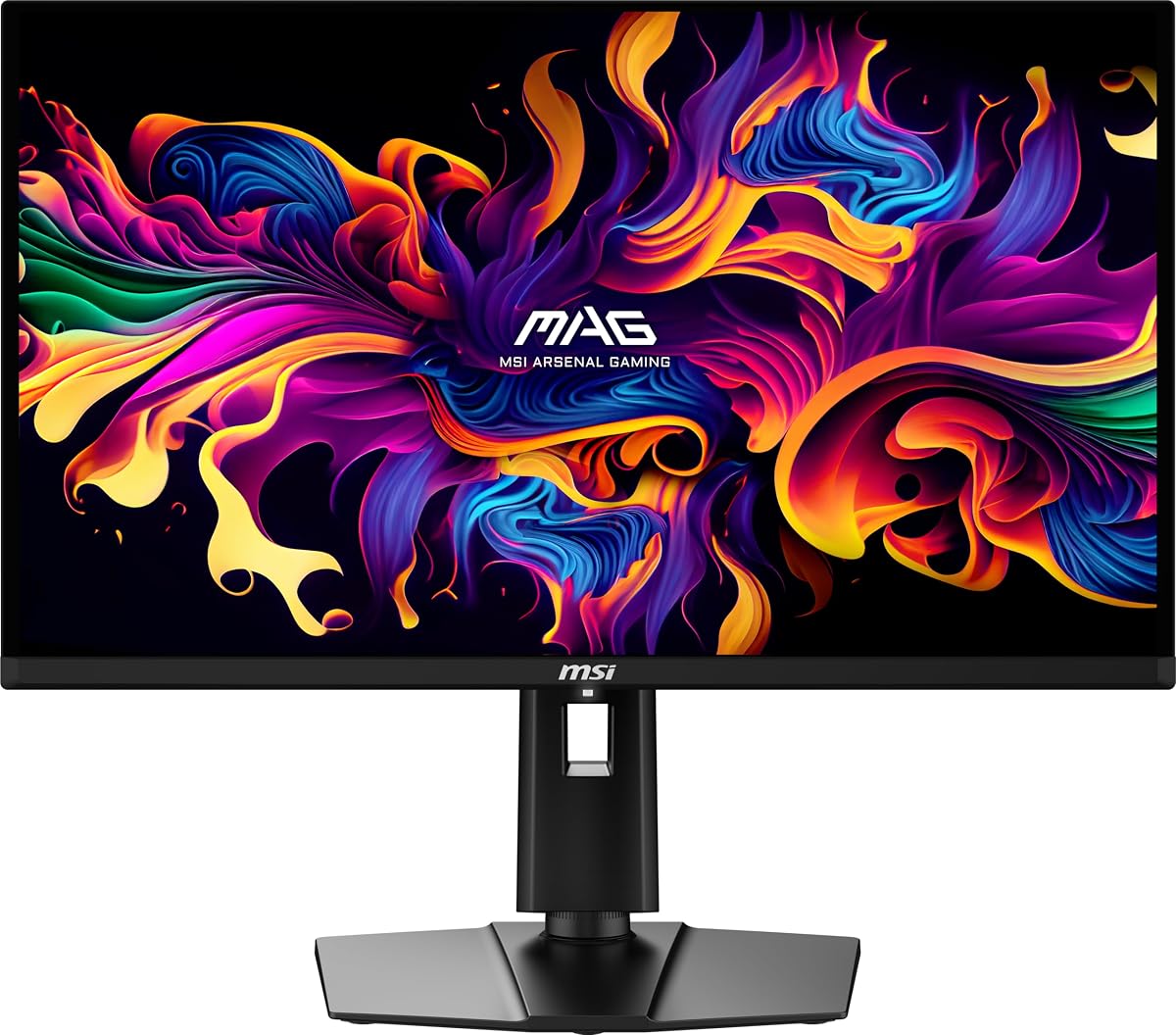
The MSI MAG 274QP combines QD-OLED tech with high-speed gaming capabilities. It holds a 4.6 rating for its stunning contrast and 240Hz refresh rate. The 0.03ms response time ensures virtually no ghosting in fast-moving scenes or competitive titles.
We may earn a commission when you buy through this link, at no additional cost to you.
Key features include HDMI 2.1 support for next-gen console compatibility at full resolution. The built-in software offers AI crosshair and OLED Care to extend panel life. The graphene heatsink keeps the unit cool without needing fans for silent operation.
Trade-offs involve higher cost compared to standard LCDs and a lower peak brightness than mini-LEDs. These factors are acceptable for users prioritizing color depth and response speed. It is an excellent choice for hybrid gaming and media setups.
Buyers wanting top-tier visual fidelity should consider this model for its balance of speed and depth. Ensure you have the right cables to utilize HDMI 2.1 benefits fully. Check warranty terms for OLED burn-in coverage before purchasing today.
HDMI 2.1 support allows you to run current consoles at full speed without resolution compromises.
OLED Care features monitor usage patterns to prevent static images from leaving lasting marks on the screen.
We may earn a commission when you buy through this link, at no additional cost to you.
The Alienware AW2723DF stands out for its premium design and robust feature set. With a 4.3 rating it features a 240Hz refresh rate and 1ms response time for smooth performance. The IPS Nano Color technology delivers vivid colors across wide viewing angles effectively.
We may earn a commission when you buy through this link, at no additional cost to you.
Key strengths include the fully adjustable stand supporting height tilt swivel and pivot adjustments. G-SYNC Compatible certification ensures tear-free gaming on NVIDIA GPUs. The Legend 2.0 design integrates lighting that enhances the battlestation aesthetic significantly.
Trade-offs include a high price point compared to generic brands with similar specs. The lighting features consume power and add to the overall aesthetic load. However for brand loyalists who value build quality this monitor delivers consistently.
Consider this model if you want a premium look paired with reliable high-speed gaming performance. It is ideal for users who value aesthetics as much as raw technical metrics. Check if the warranty covers lighting components before final purchase decisions.
The Legend 2.0 design seamlessly blends with modern gaming setups offering a cohesive visual theme.
Nano Color technology improves saturation and accuracy making games look more vibrant than standard IPS panels.
We may earn a commission when you buy through this link, at no additional cost to you.
The Acer Nitro KG271U offers balanced performance suitable for mixed usage. It holds a 4.4 rating for its solid 240Hz refresh rate and accurate colors. The IPS panel delivers sharp images with minimal motion blur for fast-paced titles effectively.
We may earn a commission when you buy through this link, at no additional cost to you.
Key features include FreeSync Premium which reduces tearing during gameplay. The zero-frame design maximizes screen space for a cleaner look. It supports 99% sRGB making it useful for color-critical tasks like design or photography work.
Trade-offs involve a basic stand with limited height adjustments. Input options are standard but lack HDMI 2.1 for next-gen console support. These are acceptable for users focused purely on PC gaming needs primarily.
Buyers looking for a no-frills high refresh rate monitor should consider this model. It fits well in setups where aesthetics and color accuracy matter alongside speed. Verify cable availability to ensure you can connect to your GPU without issues.
High sRGB coverage ensures games and media look true to life without excessive oversaturation.
FreeSync Premium keeps frames synchronized reducing stutter in single player games or competitive matches.
We may earn a commission when you buy through this link, at no additional cost to you.
The MSI MAG 271QPX brings advanced QD-OLED technology to competitive gaming. With a 4.6 rating it offers a 240Hz refresh rate and 0.03ms response time for fluid visuals. The panel delivers stunning contrast and color depth for immersive experiences.
We may earn a commission when you buy through this link, at no additional cost to you.
Key strengths include OLED Care 2.0 which protects against burn-in over time. The custom graphene heatsink allows silent operation without active fans. It supports True Black HDR for deep shadows and vibrant highlights simultaneously.
Trade-offs involve the lack of USB-C which limits laptop connectivity options. The price remains high compared to standard LCDs despite being competitive for OLEDs. For users wanting top-tier visuals this remains a strong contender in the market.
Buyers wanting OLED performance should check current availability and pricing carefully. It is ideal for single-player games where visual fidelity matters most. Ensure your PC supports the right output settings to maximize the panel capabilities.
The passive cooling system ensures the monitor runs quietly which is great for immersive gameplay.
QD-OLED delivers perfect blacks and vibrant colors that standard panels simply cannot match visually.
We may earn a commission when you buy through this link, at no additional cost to you.
Selecting the right monitor involves balancing speed resolution and panel type. This guide breaks down the key factors to help you make an informed choice.
Refresh rate determines how many frames appear per second while response time measures how quickly pixels change. Aim for at least 240Hz refresh and 1ms response for competitive play. Lower response times reduce motion blur and ghosting significantly during fast action.
Prioritize high refresh rates if you play shooters or racing games where fluidity is key.
IPS panels offer wide viewing angles and accurate colors which suits general gaming. OLED panels provide infinite contrast and true blacks for immersive visuals. QD-OLED combines OLED contrast with vibrant quantum dot colors for premium experiences.
Choose IPS for budget and versatility or OLED for the best picture quality possible.
Adaptive sync technologies like G-SYNC and FreeSync prevent screen tearing by matching refresh rates to frame output. Look for official certification from NVIDIA or AMD for reliable performance. This ensures smooth visuals without stuttering or visual artifacts.
Verify your GPU supports the specific sync standard listed for the monitor to avoid compatibility issues.
Connectivity options determine how you attach your console or PC. DisplayPort 1.4 is standard for high speeds on PC while HDMI 2.1 suits next-gen consoles. Check for USB-C if you plan to use laptops as your primary gaming device.
Ensure you have the correct cables included or sold separately to utilize full refresh rates.
A good stand should offer height tilt swivel and pivot adjustments to reduce strain. VESA mounting compatibility allows use of third-party arms for flexible desk setups. Look for adjustable feet if your surface is uneven for stability.
Prioritize ergonomic features if you spend long hours gaming or working on this monitor.
Color accuracy matters for creative work and visually rich games. Look for high DCI-P3 or sRGB coverage to ensure vibrant and realistic hues. Delta E values under 2 indicate professional grade color precision for accurate reproduction.
If you create content alongside gaming ensure the panel covers at least 99% of standard color spaces.
Brightness impacts visibility in well lit rooms and HDR content quality. Aim for at least 300 nits for daily use. HDR certification like HDR400 adds dynamic contrast but true HDR requires higher brightness and local dimming.
Choose high brightness models if you game in bright environments without heavy curtains.
Reliable brands offer better build quality and customer support for defects. Check warranty terms especially for OLED burn-in or dead pixels. A longer warranty period provides peace of mind for expensive premium monitors.
Look for brands with a proven track record for fast replacement service if issues arise.
Set your graphics card refresh rate in system settings to match the monitors 240Hz capability. Ensure you use DisplayPort or high bandwidth HDMI cables to achieve full speeds properly.
Adjust brightness and contrast to match your room lighting to reduce eye strain. Use built-in color presets or calibration tools for accurate visuals during long sessions.
If using OLED enable screen savers or pixel shift features to prevent static burn-in. Regularly clean the screen with a microfiber cloth and avoid harsh chemical cleaners.
Yes 240Hz provides visibly smoother motion especially in fast-paced shooters. The difference is subtle for single-player games but critical for competitive play. Upgrading can reduce input lag and improve reaction times significantly.
You need a PC capable of rendering high frame rates to utilize 240Hz fully. If your GPU caps at 144fps you will not see benefits. Ensure your hardware supports high FPS in the games you play.
IPS offers better burn-in protection and brightness while OLED provides perfect contrast. Choose IPS for general use or OLED for premium visual depth. Both excel at speed so pick based on budget and preference.
Most models support 1440p but full 240Hz often requires HDMI 2.1 or DisplayPort. Check specific console requirements for variable refresh rate. Some may cap at 120Hz depending on the HDMI version.
Use a DisplayPort 1.4 cable for the highest bandwidth on PC. HDMI 2.1 works for next-gen consoles if supported. Ensure cables are certified to handle high refresh rates without signal loss.
Higher refresh rates use slightly more power but the difference is minimal. Brightness and HDR features impact power more than refresh rate. Modern monitors remain efficient even at peak performance.
We highlighted ten excellent monitors ranging from budget-friendly IPS to premium OLED options. Each delivers the speed and clarity needed for competitive and immersive gaming experiences today.
Prioritize panel type and connectivity based on your specific setup and games. Consider ergonomics if you spend long hours at your desk for comfort.
Always verify current pricing and availability before purchasing to get the best deal. These models offer great performance but prices may fluctuate frequently.