
KAIGERR Light Gaming Laptop
4.6Editor score
Ryzen 7 5700U
16GB DDR4 RAM
512GB NVMe SSD
Finding the right laptop for emulators requires balancing processing power with graphics capabilities. Emulation demands consistent CPU clock speeds and sufficient memory to handle legacy system architectures efficiently without lag or stuttering during gameplay sessions.
We evaluated ten distinct models based on core specifications like thread count, RAM speed, and integrated graphics performance. Our comparison focuses on devices that deliver stable frame rates and quick boot times for various emulation software environments across different system requirements.
Each pick highlights specific strengths such as portability, display quality, or expandability options. Prices fluctuate frequently due to market conditions, so please verify current costs before purchasing to ensure you get the best value for your specific emulation needs.
4.6Editor score

4.4Editor score

4.4Editor score
As an Amazon Associate we earn from qualifying purchases.
The following table compares key specifications across all ten selected models to help you identify the right balance of performance and features for your emulation workload.


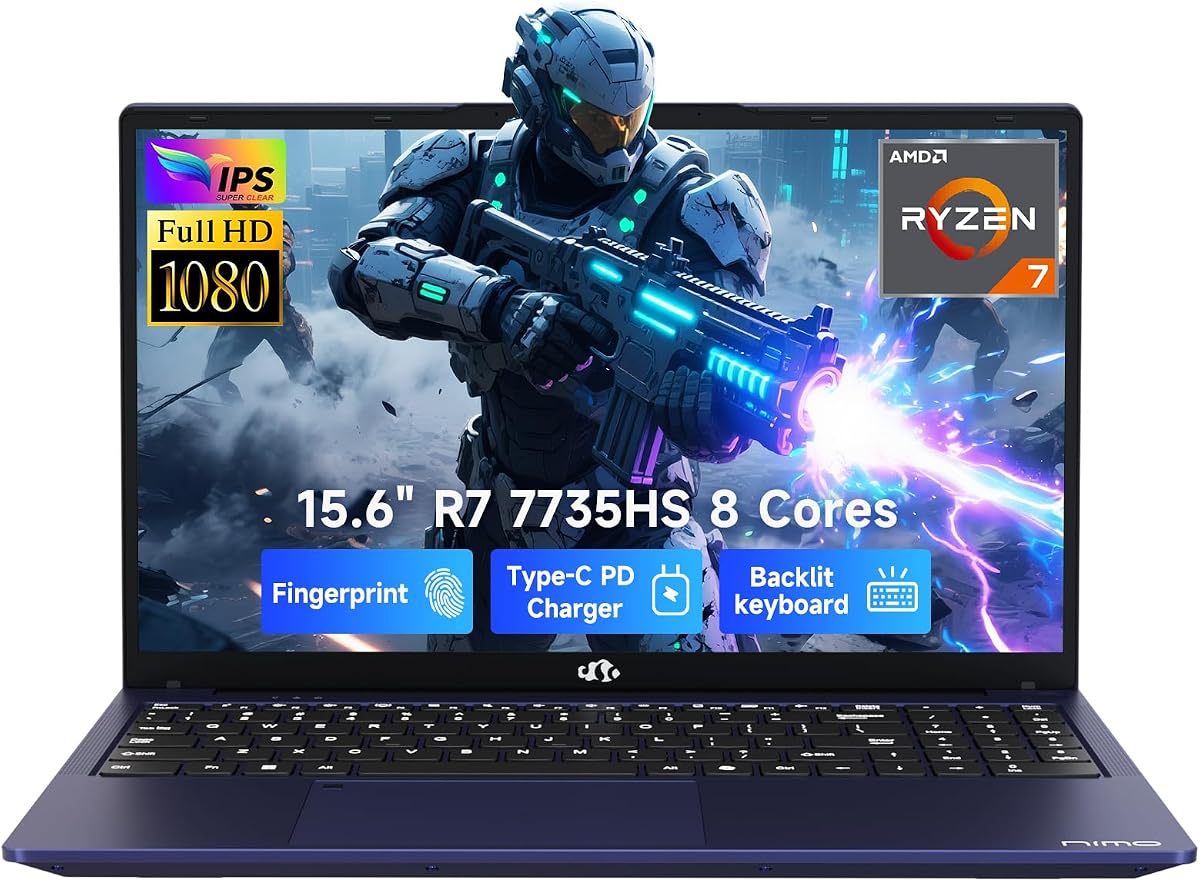


The NIMO Light Gaming Laptop offers a powerful AMD Ryzen 7 7735HS processor with 8 cores and 16 threads to handle demanding emulation tasks smoothly. Its Radeon 680M graphics provide solid performance for retro and modern game emulation without needing a dedicated GPU. The 15.6-inch FHD display delivers clear visuals for gameplay while maintaining a slim and portable design. A comprehensive 2-year warranty and 90-day return policy offer peace of mind for long-term use.
We may earn a commission when you buy through this link, at no additional cost to you.
This device excels in multitasking due to its dual DDR5 RAM slots which allow for easy upgrades up to future needs. The PCIe 4.0 SSD ensures rapid boot times and fast loading for emulation software and game libraries. With 28W TDP and Rembrandt architecture, the CPU maintains high clock speeds up to 4.75GHz for consistent frame rates. The backlit keyboard and fingerprint recognition add convenience for users working in varied lighting conditions or needing quick secure access.
While the battery life is decent at 53.58Wh, intensive emulation sessions may require keeping the 100W PD charger nearby to maintain full performance. The weight under 1.7kg is manageable but still requires a dedicated carrying case for travel. The 180-degree hinge is useful for screen sharing during collaborative debugging or presentations. Overall, this balance of performance and portability makes it a strong contender for emulation enthusiasts.
If you need a reliable machine for running complex emulation stacks alongside daily work, this NIMO model is an excellent choice. Its expandable design ensures longevity as emulation software demands increase over time. The dual USB-C ports support versatile connectivity for external monitors or dock stations. We recommend this for users prioritizing raw CPU power and future upgradeability within a compact form factor.
The Ryzen 7 7735HS provides 8 cores that are essential for emulating multi-core console architectures efficiently.
Radeon 680M graphics with RDNA 2 architecture offer strong i graphics performance for light gaming.
We may earn a commission when you buy through this link, at no additional cost to you.
The NIMO 17.3 Gaming Laptop provides a spacious display that is perfect for managing complex emulation interfaces and viewing gameplay at once. Its AMD Ryzen 5 6600H processor delivers strong multi-core performance that outperforms many common U-series CPUs in sustained loads. With 32GB of DDR5 RAM, this system handles heavy multitasking and memory-intensive emulation tasks with ease. The 1TB SSD offers ample space for storing multiple emulator ROM libraries and system images.
We may earn a commission when you buy through this link, at no additional cost to you.
The anti-glare IPS display reduces eye strain during long sessions which is beneficial for detailed work or immersive gaming. Dual SO-DIMM slots allow users to upgrade memory up to 64GB for future-proofing against increasing software requirements. The 100W PD fast charging capability helps mitigate battery anxiety by providing significant usage from short charge times. Physical webcam shutter and fingerprint login add necessary privacy and security features for business or personal use.
Connectivity is robust with multiple USB-C and USB-A ports along with HDMI 2.0 for external monitor support. The 17.3-inch size makes this unit less portable than smaller alternatives so it suits stationary setups better. The cooling system is designed to maintain steady performance during long gaming or study sessions without excessive noise. Wi-Fi 5 and Bluetooth 5.2 ensure reliable wireless connections for peripherals and network resources.
This laptop is ideal for users who prioritize screen real estate and memory capacity over portability. The expandable storage supports up to 4TB allowing for massive local game libraries. The 2-year warranty and US-based support provide reliability for professional or academic use cases. We recommend this for emulation enthusiasts needing a desktop replacement with high memory headroom.
32GB of DDR5 RAM ensures smooth performance when running multiple emulation instances simultaneously.
A 17.3-inch FHD IPS display provides a comfortable workspace for detailed emulation configurations.
We may earn a commission when you buy through this link, at no additional cost to you.
The KAIGERR Light Gaming Laptop features an AMD Ryzen 7 430U processor capable of clock speeds up to 4.3GHz which benefits single-threaded emulation performance. It includes 16GB of DDR4 RAM and a 512GB NVMe SSD for responsive multitasking and quick data access. The thin-bezel FHD display maximizes viewing area while keeping the chassis slim for easy portability. Integrated AMD Radeon Graphics handle basic gaming and photo editing tasks without needing a dedicated GPU.
We may earn a commission when you buy through this link, at no additional cost to you.
Its compact design makes it easy to carry anywhere which is great for emulation on the go. WiFi 6 and Bluetooth 5.2 ensure fast and reliable wireless connectivity for online features and peripherals. The M.2 NVMe SSD reduces latency and improves boot speeds for the operating system and applications. Rich interface options including HDMI and Type-C allow flexible connection to monitors and external drives.
The laptop is built with high-quality components to handle daily workloads and consistent performance. It weighs less than traditional desktops while delivering robust processing power for its size. The 12-hour support promise ensures you can get help quickly if issues arise with the device. Overall it offers a balanced experience for users needing efficiency and portability in a budget-friendly package.
This model is well-suited for emulation scenarios that rely heavily on CPU frequency rather than raw core count. The 16GB RAM is sufficient for most mid-range emulation tasks and software. Its lightweight build makes it ideal for students or professionals who need to work from various locations. We recommend this for users seeking a reliable and portable machine for everyday computing tasks.
The slim form factor allows for effortless transport making it perfect for mobile emulation setups.
Multiple ports including Type-C and HDMI enable versatile connections to external displays.
We may earn a commission when you buy through this link, at no additional cost to you.
This NIMO laptop combines an 8-core Ryzen 7 7735HS processor with 32GB DDR5 RAM to handle demanding emulation and multitasking workloads. The Radeon 680M GPU provides solid graphics performance for gaming and multimedia tasks without needing a discrete graphics card. A 1TB PCIe 4.0 SSD offers ample storage for games and files with fast load times. The 15.6-inch FHD IPS display features an anti-glare coating for comfortable viewing in varied environments.
We may earn a commission when you buy through this link, at no additional cost to you.
Inclusion of a 100W Type-C fast charger ensures you can quickly power up the device when needed. The laptop is partially assembled in the USA which may appeal to buyers seeking local manufacturing support. User-focused features like a fingerprint sensor and backlit keyboard enhance daily usability and security. The 90-day return policy allows users to test the device risk-free before committing to keep it.
Performance is optimized for heavy workloads thanks to the powerful processor and fast memory configuration. The dual SSD expansion support allows for future upgrades as storage needs grow over time. The slim metal chassis keeps weight manageable while maintaining structural durability for travel. Overall this device balances performance specs with practical features for both professional and personal use.
Ideal for users needing a robust system that can manage complex software and gaming simultaneously. The high RAM capacity helps prevent slowdowns when running multiple emulation apps at once. The fast charging technology supports mobility by reducing downtime between power sources. We recommend this for professionals seeking a reliable laptop for diverse computing needs.
32GB DDR5 RAM provides substantial headroom for running multiple heavy applications simultaneously.
100W Type-C PD charging offers fast power replenishment for on-the-go usage.
We may earn a commission when you buy through this link, at no additional cost to you.
This NIMO model features an AMD Ryzen 7 8745HS CPU with 8 cores and speeds up to 4.9GHz for top-tier processing power. It includes 64GB DDR5 RAM and a 2TB PCIe 4.0 SSD which provides exceptional headroom for massive game libraries. The Radeon 780M GPU with RDNA 3 architecture delivers smooth visuals for gaming and creative tasks. The slim metal chassis weighs under 1.7kg making it portable despite its high-end specifications.
We may earn a commission when you buy through this link, at no additional cost to you.
Dual SSD expansion and upgradeable RAM support future-proof the device for increasing software demands. The 100W USB-C PD adapter simplifies charging and allows compatible devices to share the same power brick. Full-size backlit keyboard and fingerprint login enhance productivity and security in diverse work environments. The 180-degree lay-flat hinge facilitates easy screen sharing for collaborative projects or presentations.
Connectivity includes USB4 HDMI 2.1 and multiple ports to avoid dongle overload during setup. The battery offers all-day freedom with intelligent power management optimizing energy use based on tasks. A 2-year warranty and 90-day return support offer confidence in the purchase for long-term reliability. This machine is designed for heavy workloads including emulation video editing and AI tasks.
Best suited for power users who need maximum memory and storage capacity without sacrificing portability. The high core count supports complex multi-threaded emulation tasks efficiently. Its lightweight metal body makes it ideal for travel while maintaining desktop-class performance. We recommend this for professionals requiring top-tier specs in a portable laptop form factor.
Desktop-class Ryzen 7 CPU ensures smooth handling of demanding emulation and editing tasks.
64GB RAM and 2TB SSD provide massive capacity for extensive game and project libraries.
We may earn a commission when you buy through this link, at no additional cost to you.
The KAIGERR light gaming laptop is powered by the AMD Ryzen 7 5700U processor built on Zen 3 architecture for efficient performance. It offers 8 cores and 16 threads with turbo speeds up to 4.3GHz for responsive multitasking. 16GB of DDR4 RAM paired with a 512GB NVMe SSD ensures fast boot times and ample storage. The thin-bezel FHD display maximizes screen real estate for an immersive viewing experience.
We may earn a commission when you buy through this link, at no additional cost to you.
Integrated AMD Radeon Graphics deliver smooth image processing for games and media without requiring a discrete GPU. The compact design makes it easy to carry anywhere while still delivering powerful computing capabilities. WiFi 6 and Bluetooth 5.2 provide strong wireless connectivity for devices and networks. A variety of ports including HDMI and Type-C allow flexible connections to peripherals.
High-quality components ensure consistent performance and longevity for daily workloads. The laptop is lightweight and durable making it suitable for students or mobile professionals. It reduces data read latency and boosts CPU efficiency through optimized memory usage. Overall this model delivers a balanced experience at an accessible price point for many users.
Ideal for users seeking reliable performance without overspending on unnecessary features. The 8-core processor handles everyday tasks and light gaming effectively. Its portable design fits easily into bags for work or travel. We recommend this for budget-conscious buyers needing solid multitasking and display capabilities.
Zen 3 architecture delivers efficient power usage and strong performance for emulation.
Thin-bezel FHD screen provides clear visuals and a modern look for gaming.
We may earn a commission when you buy through this link, at no additional cost to you.
This laptop is powered by an Intel Core i7 processor with speeds up to 3.9GHz for reliable multitasking performance. It includes 16GB RAM and a 512GB SSD to support smooth operation across applications. Windows 11 Pro and Office come included to allow immediate productivity for work or school. The 15.6-inch Full HD display delivers sharp text and images for comfortable viewing.
We may earn a commission when you buy through this link, at no additional cost to you.
The traditional clamshell design is lightweight and portable making it easy to fit in bags. A backlit keyboard helps typing in low light environments for late night productivity sessions. Battery life supports mobile lifestyles by keeping the laptop powered through classes and meetings. Multiple ports including USB and Mini HDMI allow connections to essential peripherals and displays.
It offers a complete solution for business tasks and casual entertainment in one device. The 2-year warranty and 180-day return support provide long-term protection for buyers. Its design balances performance with portability for students and professionals alike. This model is built to handle everyday workloads efficiently without unnecessary bulk or complexity.
Suitable for users prioritizing a ready-to-use software environment and business features. The Core i7 processor ensures fast response times for most applications. Its included Office suite removes setup steps for new users. We recommend this for students or professionals needing a dependable daily driver.
Windows 11 Pro and Office included streamline setup for work and school tasks.
Lightweight clamshell design ensures easy transport for daily commuting.
We may earn a commission when you buy through this link, at no additional cost to you.
The ASUS ROG Strix G16 features an Intel Core i7 Processor 14650HX and NVIDIA GeForce RTX 5060 GPU for high-level gaming performance. Its 16-inch FHD+ display with 165Hz refresh rate delivers smooth visuals and sharp details. Advanced ROG Intelligent Cooling keeps the system quiet and efficient during demanding workloads. The 16GB DDR5 memory and 1TB Gen 4 SSD support fast multitasking and storage.
We may earn a commission when you buy through this link, at no additional cost to you.
The RGB lightbar syncs with peripherals to showcase style in professional settings via Stealth Mode. Wi-Fi 7 ensures the fastest wireless connectivity available for low-latency gaming. The vapor chamber and tri-fan technology maintain cool temperatures during long sessions. Windows 11 Home provides a modern interface compatible with most emulation software tools.
This machine is designed for enthusiasts requiring dedicated graphics power for complex emulation tasks. The 16:10 aspect ratio offers more vertical screen real estate for coding or debugging. High-quality build materials ensure durability for frequent travel or daily use. Overall it represents a significant step up in performance compared to integrated graphics models.
Ideal for power users needing top-tier hardware for emulation and AAA gaming. The dedicated GPU ensures maximum compatibility and speed for modern game emulation. Its advanced cooling system supports sustained high performance without throttling. We recommend this for enthusiasts prioritizing raw power and display quality.
RTX 5060 GPU with DLSS 4 supports cutting-edge graphical features for emulation.
165Hz refresh rate ensures fluid motion during high-speed gameplay.
We may earn a commission when you buy through this link, at no additional cost to you.
The HP OmniBook 3 features a 17.3-inch FHD display with wide viewing angles for comfortable watching and work. Its AMD Ryzen 3 processor provides everyday performance for multitasking and streaming tasks. With 8GB LPDDR5 RAM and a 512GB SSD the laptop ensures responsive performance. AMD Radeon 610M graphics support smooth video and casual game experiences.
We may earn a commission when you buy through this link, at no additional cost to you.
Advanced AI noise reduction tracks your voice during calls for clearer team conversations. Fast Charge restores battery from 0 to 50% in about 45 minutes reducing downtime. The HDR auto-switch camera delivers detailed video calls even in challenging lighting. Wi-Fi 6 and Bluetooth 5.4 offer improved speeds and greater wireless capacity.
Windows 11 Home with a Copilot Key allows quick access to intelligent assistant tools. The design focuses on efficiency and connectivity for home or office use. Battery life supports long usage without frequent plugging in. Overall it is a practical device for general computing needs without heavy graphics demands.
Best for users needing a large screen and battery life for work and media. The 8GB RAM is sufficient for standard multitasking but not heavy emulation. Its connectivity options support modern wireless peripherals and networks. We recommend this for everyday productivity and casual entertainment use.
Fast Charge and 14-hour battery life keep you productive away from outlets.
HDR auto-switch camera ensures clear video calls in varied lighting.
We may earn a commission when you buy through this link, at no additional cost to you.
This KAIGERR laptop features an AMD Ryzen 7 430U processor with speeds up to 4.3GHz for robust multitasking. It includes 16GB DDR4 RAM and a 512GB SSD for fast system operation and ample storage. The 1920P FHD display offers clear visuals for gaming and work tasks. WiFi 6 and USB3.2 connectivity ensure fast wireless and data transfer speeds.
We may earn a commission when you buy through this link, at no additional cost to you.
A webcam cover slide adds physical privacy protection for sensitive meetings or sessions. Technical support is available for 12 months to help resolve any software or hardware issues. The thin-bezel design provides more screen real estate for immersive viewing. Its lightweight chassis makes it portable for students and mobile workers on the go.
Pre-installed operating system allows immediate use without extra setup steps. You can replace the SSD with up to 2TB for additional storage needs if required. Background programs can be closed for smoother game performance. This model balances efficiency and value for budget-conscious buyers needing reliable computing.
Ideal for users needing an affordable machine for light gaming and daily tasks. The high clock speed helps performance in emulation that relies on single-thread power. Its warranty support provides peace of mind for new computer buyers. We recommend this for entry-level gamers and students seeking solid basic specs.
Webcam cover slide ensures physical privacy during online meetings.
Unlimited technical support helps maintain performance over long term.
We may earn a commission when you buy through this link, at no additional cost to you.
Selecting the right laptop for emulation requires understanding key hardware factors that impact performance and stability.
Emulation often relies on high single-thread performance to replicate legacy CPU instructions efficiently. Look for processors with high clock speeds and sufficient cores to handle background tasks without lag. Modern AMD Ryzen 7 or Intel Core i7 chips are generally recommended for consistent emulation performance.
Prioritize CPUs with high clock speeds and multiple cores to ensure smooth emulation of complex systems.
RAM determines how many applications you can run simultaneously without slowing down the system. Emulation software can consume significant memory when running multiple ROMs or complex environments. Aim for at least 16GB of RAM to handle heavy multitasking and future software updates.
Ensure your laptop has at least 16GB of RAM to support smooth multitasking and emulation performance.
Integrated graphics like Radeon 680M are often enough for retro emulation but modern consoles may benefit from dedicated GPUs. Dedicated GPUs provide smoother frame rates and support for higher resolutions. However for most emulation tasks modern integrated graphics can deliver sufficient performance without extra cost.
Choose a laptop with powerful integrated graphics or a dedicated GPU to ensure smooth visual rendering.
An SSD drastically reduces boot times and load times for emulation software and game libraries. NVMe PCIe 4.0 SSDs offer faster data transfer rates for quicker access to large files. Having ample storage space prevents issues with downloading multiple large game ROMs and system images.
Opt for an SSD with NVMe support and sufficient capacity to store large game libraries efficiently.
A clear display with good contrast helps view gameplay details and debugging text more comfortably. IPS panels provide better color accuracy and viewing angles compared to standard TN panels. High refresh rates are a bonus but not strictly necessary for most non-action emulated games.
Look for an IPS display with clear visuals to enhance the viewing experience during emulation.
Portability is essential if you plan to carry your laptop to different locations for gaming or work. A lightweight chassis under 1.8kg makes travel easier without compromising too much on performance. Solid build quality ensures the device withstands daily use and occasional travel without damage.
Select a lightweight and durable build to ensure the laptop withstands travel and daily use.
Longer battery life allows uninterrupted use when outlets are not available during travel or study sessions. Emulation is power-intensive so a battery with 60Wh or more helps sustain longer sessions. Power efficiency features in modern processors can further extend usage time between charges.
Check battery capacity and efficiency to ensure enough runtime for your typical usage scenarios.
Multiple USB ports HDMI and WiFi capabilities are necessary to connect controllers and external monitors. USB-C with power delivery simplifies charging and allows connecting multiple devices via docking stations. Ensure the laptop supports the latest WiFi standards for stable network connections if online features are needed.
Verify the presence of essential ports like USB and HDMI to support controllers and peripherals.
Start by installing official emulator software from trusted sources to ensure security and compatibility. Configure your system settings to allocate enough CPU and RAM resources to the emulator for optimal performance. Update drivers regularly to maintain stable graphics and network connectivity.
Keep your laptop clean by using compressed air to remove dust from vents and ports periodically. Avoid placing liquids near the device to prevent accidental spills that could damage internal components. Use a cooling pad during extended gaming sessions to maintain internal temperatures within safe limits.
Organize your ROM files into folders to make managing multiple games easier and prevent clutter. Backup your save states regularly to avoid losing progress due to unexpected crashes or system failures. Regularly update the operating system and emulator software to benefit from security patches and bug fixes.
The most critical specifications include a high-clocked CPU for processing legacy instructions and at least 16GB of RAM for smooth multitasking. Strong integrated or dedicated graphics help render visuals clearly while an SSD ensures quick load times. A balanced combination of these elements prevents lag and stuttering during gameplay.
Not necessarily. Modern integrated GPUs like Radeon 680M can handle most retro and modern console emulation well. Dedicated GPUs are useful for high-resolution scaling or demanding emulated titles but add cost and battery consumption. If budget is a priority look for laptops with powerful integrated graphics first.
16GB of RAM is the recommended baseline for comfortable multitasking with emulation software. If you plan to run multiple emulators simultaneously or use memory-intensive systems 32GB or more provides better headroom. Most standard setups will perform smoothly with 16GB if managed correctly.
While not strictly required an SSD significantly improves boot times and load speeds for emulation software. HDDs can cause lag when loading large ROMs so an SSD is highly recommended for the best experience. NVMe SSDs offer the fastest performance and are ideal for gaming laptops.
Yes many of these models with modern Ryzen or Intel processors can handle modern emulation reasonably well. The CPU core count and clock speed play a big role in performance for demanding systems. Dedicated GPUs in premium models further enhance performance for high-fidelity emulation.
Windows 11 is widely supported by most emulation software and provides stable driver support for peripherals. Some users prefer Linux for specific emulation projects but Windows is generally the easiest to set up. Ensure your OS is up to date to maintain compatibility and security features.
Reduce screen brightness and close background applications to conserve power while running emulation software. Using the laptop plugged in ensures maximum performance since emulation draws significant power. Battery optimization settings in Windows can also help extend usage time when not connected.
We have explored ten diverse options offering performance ranging from budget-friendly to high-end capabilities for emulation. The NIMO Light Gaming Laptop stands out for its balanced CPU and DDR5 RAM providing a strong overall experience. For those prioritizing raw power the ASUS ROG Strix G16 offers dedicated graphics and top-tier specs.
Prioritize a CPU with high clock speeds and sufficient RAM to prevent lag during demanding emulation tasks. Ensure the laptop has an SSD for fast load times and enough ports to connect your preferred controllers and peripherals. Portability and battery life matter if you plan to use the device outside a stationary setup.
Remember that current market prices may fluctuate so checking real-time availability ensures the best deal. Use our comparisons and buying guide to match your specific needs with the right device. Whether you choose a budget option or a premium model focusing on core specs will guarantee a smooth emulation experience.