
SinLoon RJ45 Ethernet Adapter Cable 90 Degree Upward Male to Female Switch Adapter
4.6Editor score
Gold plated contacts included
Upward angle design
Supports Gigabit speeds
Universal LAN compatibility
This guide compares the top 90 degree Ethernet adapters for home and office networking, focusing on performance, durability, and cable management features.
Choosing the right 90 degree Ethernet adapter can significantly improve your network setup by reducing cable strain and saving valuable space behind devices. These adapters are essential for tight spaces where straight cables might bend awkwardly or disconnect easily. We have selected top models to help you find the perfect fit for your needs.
Our team evaluated each adapter based on build quality, rotation capabilities, and compatibility with various cable standards like Cat5e and Cat6. We looked at real-world performance to ensure stable connections without signal loss. This list covers a range of options from basic right-angle connectors to fully rotatable designs.
Each pick in this guide highlights specific strengths such as gold-plated contacts or reinforced housings. You will find detailed reviews and comparisons to make an informed decision. Please note that product availability and pricing can change frequently on retailer sites.
4.6Editor score
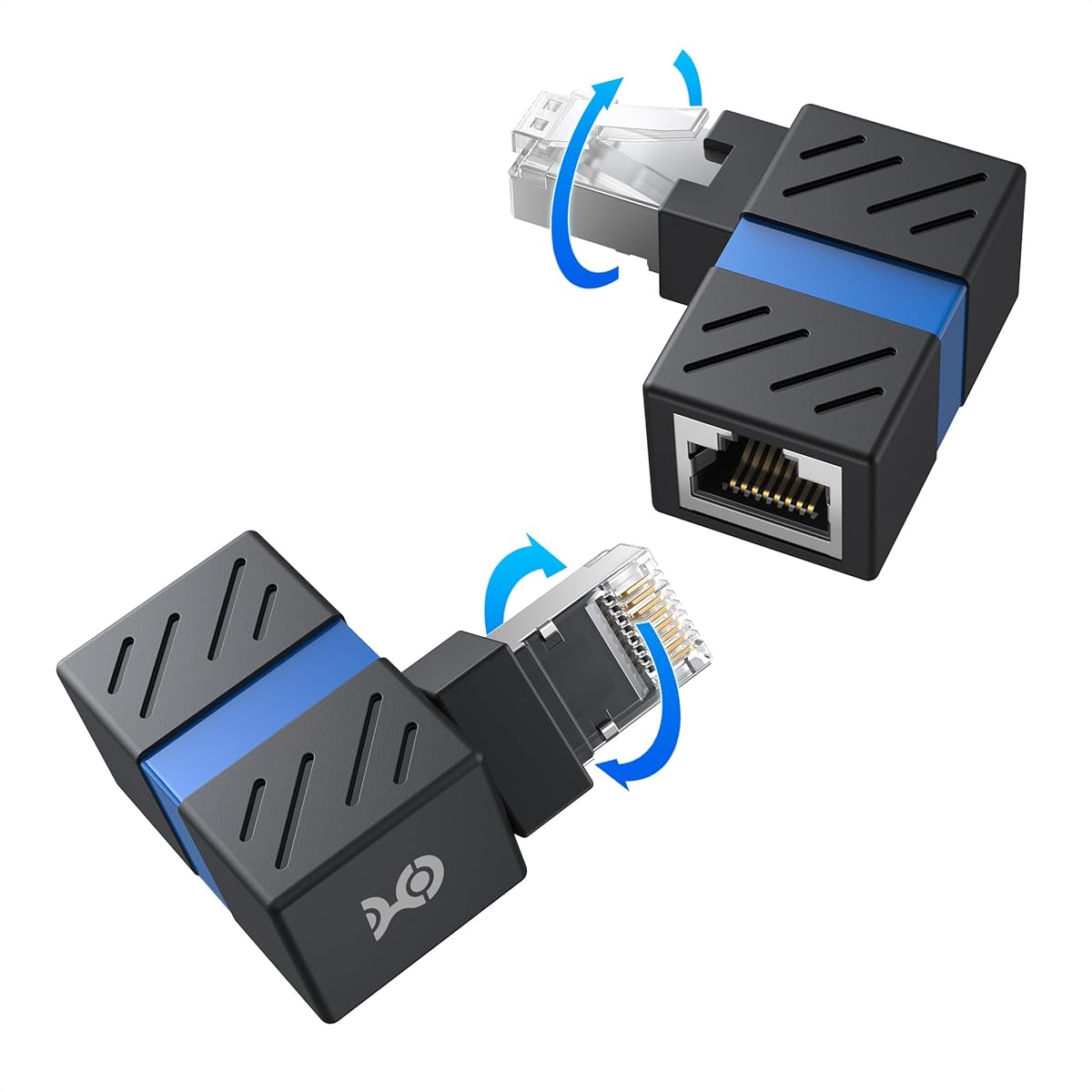
4.6Editor score

5.0Editor score
This table provides a side-by-side comparison of the top 90 degree Ethernet adapters available today. Each entry includes key specifications and direct links to learn more about the product features and performance capabilities.

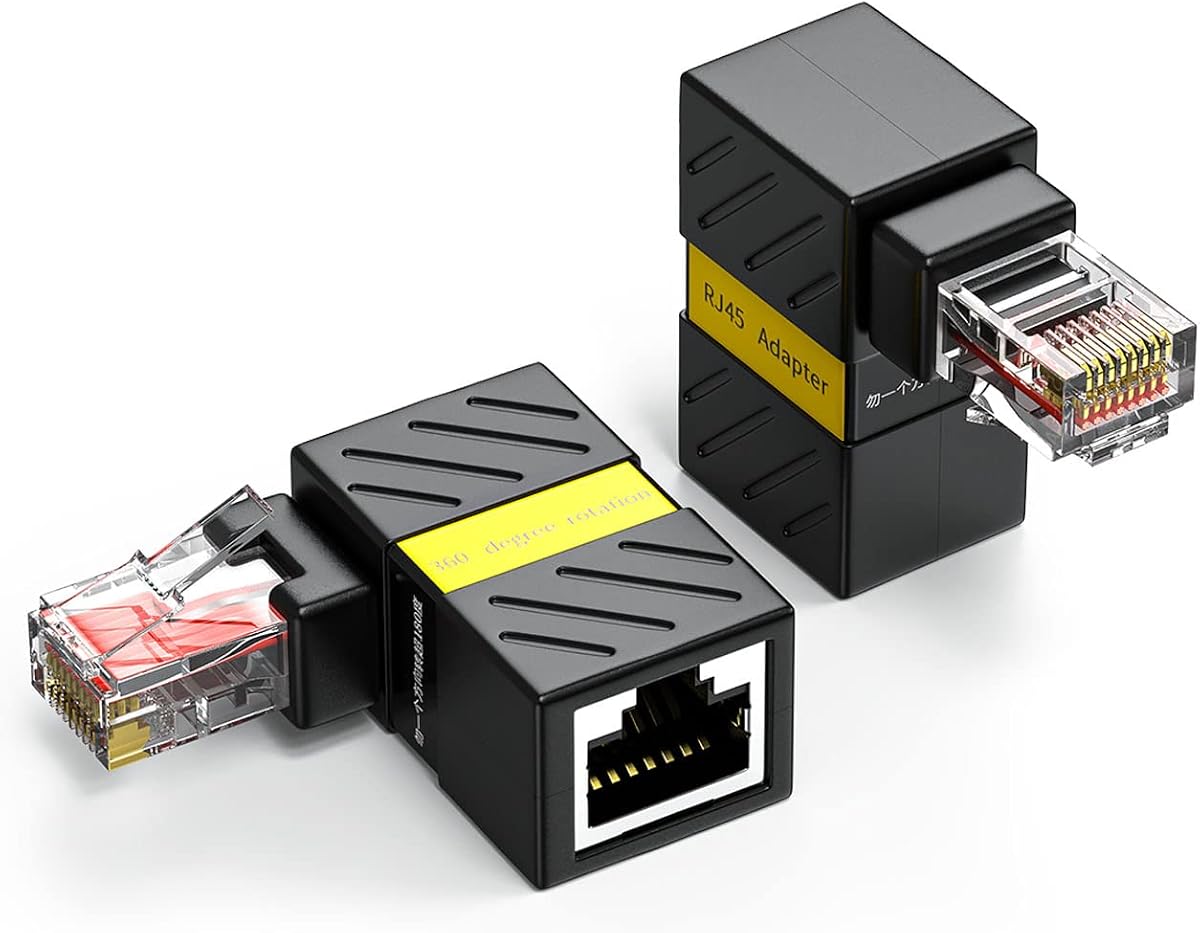


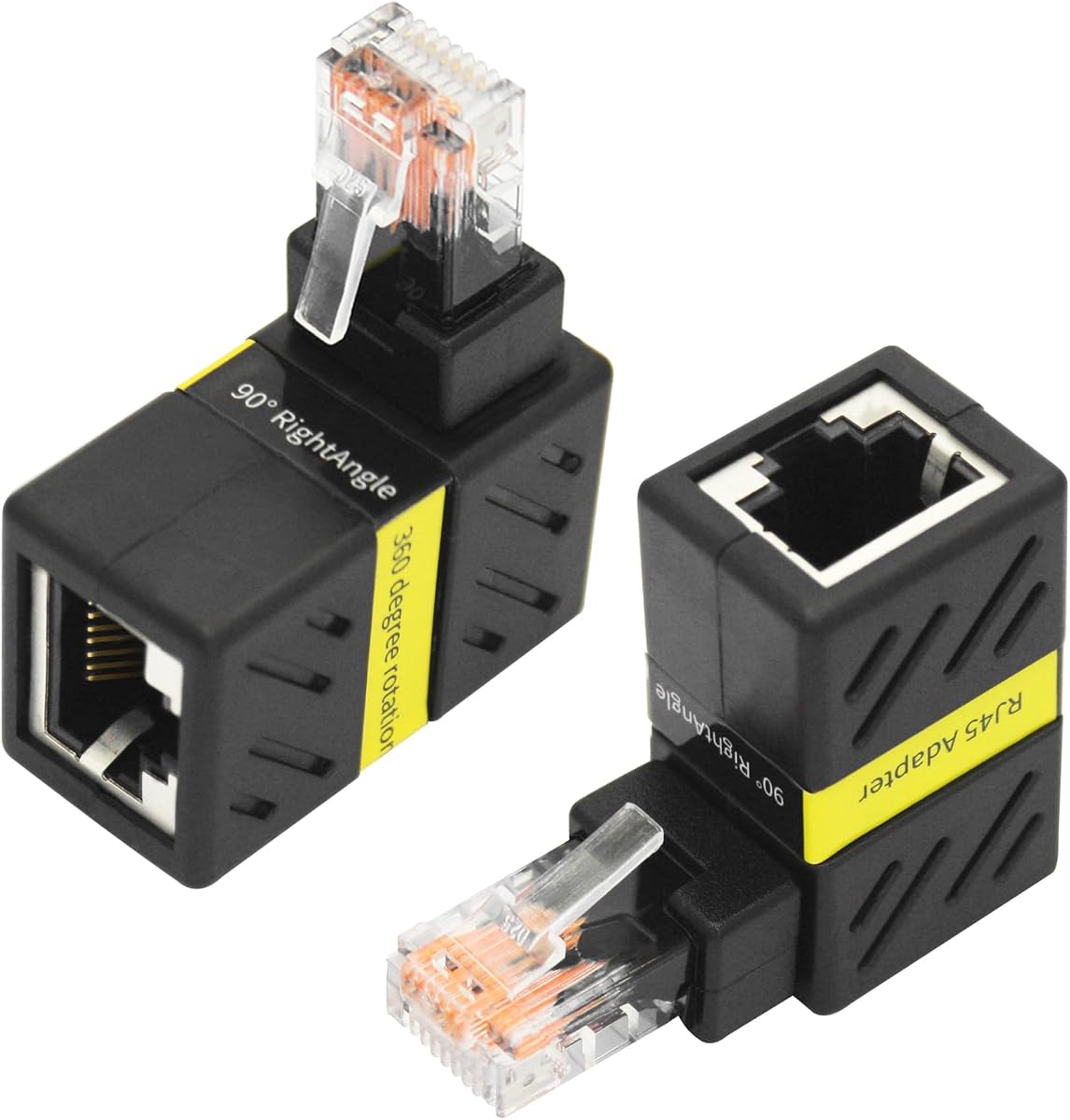
The Cable Matters 2-Pack adapter offers a robust solution for organizing network cables in tight spaces. With a 360-degree rotatable design, it allows you to position the cable exactly where you need it. This flexibility is unmatched by fixed-angle adapters and makes installation much easier.
We may earn a commission when you buy through this link, at no additional cost to you.
Performance is another strong point as this adapter supports Cat 6A standards for speeds up to 10Gbps. The gold-plated contacts ensure minimal signal loss even during high-bandwidth tasks like gaming or streaming. Users appreciate how it keeps the setup neat without compromising on connection stability.
While the rotatable feature is great, the housing is slightly bulkier than fixed adapters. This might be a consideration for very confined server racks where space is extremely limited. However, for most home and office setups, the trade-off for flexibility is well worth it.
This product is ideal for anyone needing a reliable and versatile Ethernet connection solution. It protects your device ports from wear and tear by taking the stress off the main jack. We recommend it as the top choice for users who value both performance and organization.
The 360-degree rotation allows you to route cables upward or sideways depending on your specific layout needs.
Engineered for Cat 6A standards this adapter handles future network upgrades without needing immediate replacement.
We may earn a commission when you buy through this link, at no additional cost to you.
The CERRXIAN adapter provides a straightforward and effective way to extend Ethernet connections in tight corners. Its upward angle design is perfect for connecting devices behind furniture where a straight cable would be awkward. The gold-plated connectors add a layer of durability and signal quality.
We may earn a commission when you buy through this link, at no additional cost to you.
Users find this adapter reliable for standard home networking tasks like connecting printers or smart TVs. The two-pack offers good value for managing multiple cables at once. The compact shape ensures it does not stick out too far from the wall or desk.
Because it is a fixed angle adapter it may not fit every single orientation requirement. You need to ensure the port direction matches the adapter before purchasing. This limitation is common for budget-friendly options and is acceptable for most standard setups.
We recommend this adapter for budget-conscious users who need a simple right-angle extension. It serves well for office environments or home media centers. If you need rotation you might look elsewhere but for fixed positions this is a solid choice.
The upward angle design helps route cables vertically away from the floor or desk edge neatly.
By using an extender you reduce the mechanical stress on the original device port from frequent plugging.
We may earn a commission when you buy through this link, at no additional cost to you.
The SinLoon adapter is an excellent entry-level option for extending your network reach. It features a fixed upward angle that simplifies cable management in cramped spaces. The gold-plated contacts ensure a clean signal transfer which is vital for stable internet performance.
We may earn a commission when you buy through this link, at no additional cost to you.
This adapter supports Gigabit Ethernet networks and is compatible with standard Cat 5 and Cat 6 cables. It works well with various devices including routers and game consoles. The short length keeps the setup tidy without adding unnecessary bulk to your workspace.
As a fixed adapter it lacks the flexibility of rotatable models. You must position your device carefully to match the cable direction. Additionally it is sold individually which might cost more if you need multiple units for a whole office.
For single device needs this adapter offers reliable performance at a low price point. It is ideal for temporary setups or specific connection issues. If you need rotation or multiple units consider other options in our list instead.
Works seamlessly with CAT 5 and CAT 6 sockets making it a versatile choice for older and newer devices.
Gold plated contacts help maintain high signal integrity reducing the risk of data loss during transmission.
We may earn a commission when you buy through this link, at no additional cost to you.
This generic 2-pack adapter brings a versatile adjustable angle at a competitive price. The 360-degree rotation allows you to point the cable in any direction which is very helpful in tight spots. It supports standard Cat6 speeds and is compatible with most modern devices.
We may earn a commission when you buy through this link, at no additional cost to you.
The ABS housing is durable enough for daily use and resists cracking under normal handling. Users have found it effective for connecting routers and smart TVs without worrying about cable bending. The plug-and-play nature means you can install it without any special tools.
The lack of metal shielding might make it less suitable for high-interference environments like server rooms. Also the plastic body feels lighter than metal counterparts. For general home use however it provides excellent functionality and flexibility.
We recommend this adapter for users who need to route cables in unconventional directions. It balances price and performance well. If you need heavy industrial shielding look for metal options but for home use this is a strong contender.
The full 360-degree rotation lets you align the cable perfectly regardless of the port orientation.
ABS plastic housing provides a good balance of strength and light weight for everyday home networks.
We may earn a commission when you buy through this link, at no additional cost to you.
The CableCreation adapter and cable combo offers superior protection against electromagnetic interference. The FTP shielding ensures that your data remains secure and stable even near electrical sources. The upward angled connector makes it easy to fit into restricted spaces behind devices.
We may earn a commission when you buy through this link, at no additional cost to you.
With speeds up to 1000mbps this option handles heavy network loads without dropping connection. The build quality is robust and users report longevity in daily use. The included warranty adds confidence to the purchase and shows manufacturer reliability.
The added shielding makes the cable slightly stiffer which might make routing harder in some tight spots. Also the price is higher than basic unshielded adapters. If you need top-notch stability though the extra cost is justified for professional or high-use settings.
We suggest this product for environments with high electrical noise or critical data needs. It is perfect for offices or dense home setups. The shielded design ensures that your network remains reliable under demanding conditions.
FTP shielding protects against interference from nearby wires ensuring stable data transmission.
Supports 250MHz bandwidth which is essential for high-speed internet and modern streaming.
We may earn a commission when you buy through this link, at no additional cost to you.
This 4-inch extension cable is designed for tight spaces where extra length is not needed. The upward angle helps route the cable cleanly away from the wall. Users appreciate that it maintains their original internet speed without any bottlenecks or signal loss.
We may earn a commission when you buy through this link, at no additional cost to you.
The short length keeps the setup extremely clean and prevents excess cable from tangling. It is perfect for connecting devices that sit very close to the wall or desk. The two-pack allows you to fix multiple ports in a single purchase.
The main limitation is the short length which is not suitable for reaching across rooms. Also being fixed angle you must ensure your device orientation matches. This is a minor drawback for users who specifically need short extensions for tight fits.
We recommend this adapter for setups where space is at a premium. It is ideal for under-desk mounting or behind entertainment centers. If you need more reach consider the longer options in this guide.
The 4-inch length ensures minimal cable bulk while still providing necessary extension for tight spots.
High-quality conductors ensure that your network speed remains consistent without drops.
We may earn a commission when you buy through this link, at no additional cost to you.
This 20-inch extension offers significant reach for devices that are further from the main router. The downward angle helps direct the cable neatly downwards or behind furniture. Users report excellent stability and high-speed performance even at this longer length.
We may earn a commission when you buy through this link, at no additional cost to you.
The clip on top ensures the cable stays secure and does not pop out easily. It protects the device port by reducing the strain caused by heavy cables. The build quality is solid and feels like a premium product compared to thinner options.
The length might be excessive for simple desk connections and could require management to avoid clutter. Also the downward angle is fixed which limits routing options compared to rotatable adapters. However for reaching distant spots this is a very strong option.
We recommend this adapter for users who need extra reach without compromising on signal quality. It is perfect for connecting devices hidden behind large cabinets. The durability and speed support make it a top choice for longer runs.
The 20-inch length provides ample distance to move your device further from the wall or source.
Integrated clip on the adapter ensures the cable remains firmly connected during movement.
We may earn a commission when you buy through this link, at no additional cost to you.
The CableGeeker adapter is designed for high-speed Cat 6A networks that require robust performance. Its 360-degree rotation offers maximum flexibility for cable routing in complex setups. Users value the ability to handle speeds up to 10Gbps which future-proofs their network.
We may earn a commission when you buy through this link, at no additional cost to you.
Built to withstand heavy use this adapter has passed rigorous durability tests. The materials are high-quality and resist wear over time. It connects easily to standard ports and ensures a reliable link for demanding applications like cloud computing.
The main drawback is the higher cost compared to basic Cat 5e adapters. It is also bulkier which might not fit in very tight server racks. For most users however the added performance and durability are worth the extra investment.
We recommend this adapter for professionals or power users with high-speed requirements. It is ideal for offices needing reliable data transfer. If you prioritize performance and longevity this is a premium choice to consider.
Supports 550MHz bandwidth making it suitable for 10Gbps networks and high-bandwidth applications.
Rigorously tested to ensure it withstands frequent connections without losing signal integrity.
We may earn a commission when you buy through this link, at no additional cost to you.
This SinLoon adapter features a fixed downward angle that helps route cables towards the floor. It is ideal for desktop setups where you want the wire to hang down naturally. The gold-plated contacts ensure efficient signal transfer for consistent performance.
We may earn a commission when you buy through this link, at no additional cost to you.
Supporting Gigabit networks it works well with routers and computers. The short length keeps the setup tidy without adding clutter. It is a straightforward solution for users who specifically need a downward extension for their ports.
As with other fixed adapters it lacks rotation flexibility. You must orient your device correctly before plugging it in. This limitation makes it less versatile than rotatable options but sufficient for static setups.
We recommend this adapter for users with a specific downward routing need. It is a reliable and affordable choice for standard home or office networks. Check your device orientation carefully before purchasing to ensure fit.
The downward angle is perfect for desktops and wall units where cables need to run vertically.
Gold plated connectors reduce oxidation and ensure a stable connection over time.
We may earn a commission when you buy through this link, at no additional cost to you.
This adapter offers a useful 180-degree rotation range for flexible cable management. It supports Gigabit speeds and is suitable for most home devices. The gold-plated connectors and ABS plastic shell ensure a reliable and durable connection for daily use.
We may earn a commission when you buy through this link, at no additional cost to you.
The design allows you to rotate the cable up to 180 degrees which helps in many common orientations. Users find it easy to install and appreciate the straightforward plug-and-play experience. It is a solid middle-ground option for those needing some flexibility.
The rotation range stops at 180 degrees so it is not fully rotatable like other models. This might limit some extreme angles in tight corners. For most standard setups however the range provided is sufficient and useful.
We recommend this adapter for users needing a balance of rotation and affordability. It is great for routers and game consoles that move occasionally. If you need full 360 rotation look at the models higher in this list.
The 180-degree rotation allows you to adjust the cable direction for common setup needs.
Supports up to 250MHz bandwidth ensuring stable data transfer for internet and streaming.
We may earn a commission when you buy through this link, at no additional cost to you.
Selecting the right 90 degree Ethernet adapter depends on your specific networking needs and physical setup constraints. We outline the key factors to consider before making your purchase.
Rotatable adapters allow you to adjust the cable direction to fit any orientation. This is essential for tight spaces where the port direction is not ideal. Fixed adapters are simpler but require exact alignment with your device port.
Choose rotatable models if you need flexibility and fixed models for simple straight routing.
Ensure the adapter supports your current cable standard such as Cat 5e or Cat 6. Higher standards like Cat 6A offer better speed and interference resistance. Using an adapter that matches your cable ensures optimal performance.
Check your existing equipment specs to match the adapter capabilities correctly.
Look for adapters made from durable materials like ABS plastic or metal housing. Gold-plated contacts help prevent oxidation and maintain a clean signal. A robust build ensures longevity and reduces the risk of connection failures.
Higher build quality leads to more reliable connections and longer product life.
Some adapters come with attached short extension cables which offer extra reach. Decide if you need a standalone adapter or an extension combo for your setup. Short cables keep things tidy while longer ones help with distance.
Select a length that fits your space without creating unnecessary clutter.
Adapters come with upward or downward angles depending on the port position. Choose the orientation that helps the cable run naturally from your device. Mismatched angles can cause strain and potential disconnection issues.
Check your device port direction to match the adapter angle appropriately.
Shielded adapters protect against electromagnetic interference which is crucial in busy networks. FTP or STP shielding ensures your data stays secure near power lines. Unshielded models are sufficient for home setups without high noise.
Use shielded options in environments with strong electrical interference for stability.
Many products come in multi-packs which offer better value than single units. Buying in bulk saves money if you have multiple devices to connect. Ensure all units in the pack meet the same quality standards.
Multi-packs are cost-effective for home offices or larger setups.
Confirm that the adapter supports the data speeds your network requires. Gigabit and 10Gbps adapters exist to match different network needs. Choosing a low-speed adapter can bottleneck your connection and limit performance.
Select an adapter rated for your internet speed to avoid unnecessary limits.
Begin by unplugging the existing Ethernet cable from your device to avoid any electrical issues. Align the male connector of the adapter with the female port on your device. Push firmly until you hear a click indicating the connection is secure.
Connect the other end of the adapter or extension to the Ethernet cable from your router. Ensure the cable bends gently around the adapter angle to avoid stress on the pins. A clean bend helps maintain signal stability over time.
Regularly check the adapter for dust or debris that might affect the connection. If needed gently wipe the connector with a dry cloth. Proper care ensures the longevity of your adapter and prevents connectivity problems.
No, a quality 90 degree adapter should not slow down your internet speed if it matches your cable standard. As long as the adapter supports the speed of your network it will maintain performance. Poor quality or incompatible adapters may cause signal loss.
Yes, most adapters in this guide are backward compatible with Cat 7 cables. However the performance will be limited to the adapter's rated speed. Check the product specs to ensure it matches your cable capabilities.
Check the direction your device port is facing to determine the correct angle. If the port points down choose a downward adapter and vice versa. Measuring the space helps you avoid buying the wrong orientation.
Rotatable adapters can be slightly more durable due to reinforced joints. However both types last well with normal use. Proper handling prevents wear regardless of the adapter design.
No special tools are required to install a 90 degree Ethernet adapter. They are plug-and-play devices that connect directly to existing ports. Simply push them in until they click securely.
Yes you can connect multiple adapters to extend your cable reach if needed. Be aware that too many connections might introduce signal loss. For long runs a single long cable is usually better.
We hope this guide helped you find the perfect 90 degree Ethernet adapter for your needs. Whether you need rotation flexibility or a simple fixed angle there is a great option on this list. The top picks offer reliable performance and excellent value.
Prioritize build quality and cable standards to ensure a stable connection for your network. Consider how you will route cables and choose an adapter that fits your physical space. The right choice can significantly improve your setup efficiency.
Please check current product details and pricing on retailer sites before purchasing. Availability can change and updated information ensures you get the best deal. We are confident these adapters will serve your network needs well.