
BenQ Zowie XL2566X+
4.3Editor score
400Hz fast response
DyAc2 technology
Sharp FHD visuals
Finding the right display can transform your gaming setup significantly. A quality screen delivers smooth motion and sharp visuals essential for competitive play and immersive adventures.
We evaluated ten standout Benq monitors focusing on refresh rates, panel types, and unique gaming features. Each model offers distinct advantages depending on your specific hardware and preferences.
Each pick highlights key strengths and ideal use cases for different gamers. Keep in mind that pricing fluctuates often so verify current deals before making your final purchase decision today.
4.3Editor score

4.6Editor score

4.2Editor score
As an Amazon Associate we earn from qualifying purchases.
The following table offers a side-by-side view of key specifications across all ten models to help you quickly identify which monitor aligns best with your needs.


The BenQ Zowie XL2586X+ stands out as the fastest gaming monitor available today with a stunning 600Hz refresh rate. It earns a high rating for its ability to eliminate motion blur completely during intense competitive matches.
We may earn a commission when you buy through this link, at no additional cost to you.
Its DyAc2 technology uses dual backlight control to enhance clarity while maintaining comfortable eye adaptation. The new vivid color film improves color performance by thirty five percent reducing washout compared to standard TN panels.
While TN panels generally have narrower viewing angles the sharpness and speed here are unmatched for FPS titles. Overshoot is significantly reduced thanks to improved electrical conductivity in the latest panel design.
This monitor is ideal for professional esports players or enthusiasts who prioritize frame rate above all else. If you need the absolute clearest motion this model delivers industry leading performance.
DyAc2 technology provides clearer images by reducing blur without sacrificing brightness or comfort.
The vivid color film ensures vibrant hues and better target visibility for spotting enemies quickly.
We may earn a commission when you buy through this link, at no additional cost to you.
The BenQ Zowie XL2566X+ offers a fantastic balance of speed and affordability for serious gamers. It delivers 400Hz refresh rates ensuring smooth gameplay that rivals much more expensive options on the market.
We may earn a commission when you buy through this link, at no additional cost to you.
DyAc2 technology remains a standout feature providing sharper outlines of moving images to help you focus without distractions. The redesigned panel enhances color performance offering more vibrant hues for identifying enemies easily.
Although it uses a TN panel the reduction in overshoot makes a noticeable difference during fast paced matches. The sharp FHD resolution ensures crisp visuals at common gaming resolutions used by pros.
For players seeking top tier motion performance without breaking the bank this monitor is an excellent choice. It remains a strong contender for those prioritizing competitive edge over color fidelity.
Get 400Hz performance with DyAc2 clarity at a more accessible price than higher refresh alternatives.
Native FHD resolution provides better image sharpness for common esports titles and resolutions.
We may earn a commission when you buy through this link, at no additional cost to you.
The BenQ MOBIUZ EX271U brings cinematic quality to gaming with its 4K resolution and HDMI 2.1 support. It earns praise for enabling console gamers to experience high fidelity visuals without needing extra adapters.
We may earn a commission when you buy through this link, at no additional cost to you.
Built-in eARC allows up to seven point one channels of audio directly through the monitor simplifying your setup significantly. The Pixsoul Engine enhances color details making every game look aesthetically pleasing and vibrant.
While 165Hz is lower than esports monitors it is perfect for immersive single player adventures and console titles. The ergonomic stand and eye-care tech ensure comfort during long sessions of exploration and storytelling.
This monitor is best suited for gamers who value resolution and audio integration over raw speed. If you want a stunning visual experience for next gen consoles this model excels.
HDMI 2.1 and eARC make this a powerhouse for PlayStation and Xbox Series X gaming setups.
Pixsoul Engine ensures vibrant worlds tailored to preferences for a pleasing aesthetic palette.
We may earn a commission when you buy through this link, at no additional cost to you.
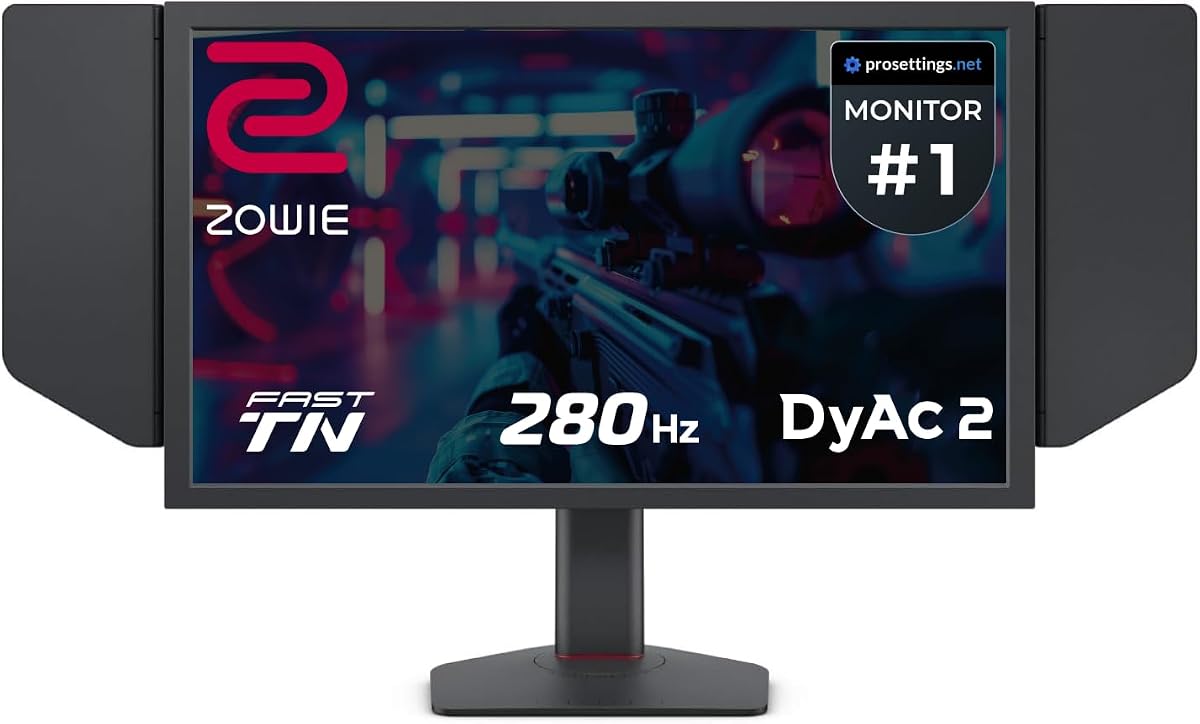
The BenQ Zowie XL2546X+ offers a solid entry point into high speed competitive gaming with 280Hz refresh rates. It maintains the signature DyAc2 technology for clear and sharper images compared to standard IPS alternatives.
We may earn a commission when you buy through this link, at no additional cost to you.
Fast TN panels provide clearer outlines of moving images helping you focus on the action without unwanted afterimages. The redesigned color performance offers more vibrant hues which aids in identifying enemies quickly during matches.
Overshoot is effectively reduced thanks to improved electrical conductivity in the panel design enhancing responsiveness significantly. The FHD resolution ensures sharp visuals suitable for the most common esports resolutions used globally.
Ideal for gamers transitioning from standard refresh rates this model delivers a noticeable upgrade in motion handling. It balances performance and cost effectively for players focused on tactical shooter titles.
Fast TN panels reduce unwanted afterimages helping you stay focused on critical game moments.
Redesigned panel offers vibrant hues for better enemy identification without sacrificing speed.
We may earn a commission when you buy through this link, at no additional cost to you.
The BenQ MA320U is tailored specifically for MacBook users offering calibrated colors that match Apple displays perfectly. It supports 4K resolution ensuring crisp visuals whether gaming or working across the desktop environment.
We may earn a commission when you buy through this link, at no additional cost to you.
Dual USB-C ports allow you to connect and expand your MacBook display with a single cable carrying data and power. Integrated controls let you adjust brightness and volume directly from your MacBook keyboard for convenience.
While it lacks high refresh rates the color accuracy and ergonomic adjustments make it a versatile daily driver. The adjustable stand provides comfort for extended sessions which is vital for hybrid productivity and play.
This monitor is best for Mac owners who want a consistent visual experience across their devices. If color consistency is your priority this model ensures your games and work look identical.
BenQ's exclusive color tuning ensures vibrant P3 gamut matches your MacBook Pro or Air display.
Single USB-C cable connects and charges your MacBook reducing clutter on your desk space.
We may earn a commission when you buy through this link, at no additional cost to you.
The BenQ GW2790Q offers a reliable blend of performance and eye comfort suitable for mixed usage environments. It features a 100Hz refresh rate that provides smoother visuals than standard office monitors for casual gaming.
We may earn a commission when you buy through this link, at no additional cost to you.
Low Blue Light Plus filters harmful radiation while maintaining vivid color quality ensuring comfort during long reading sessions. The Input Hotkey allows seamless device switching between work and play with just a single click.
IPS panels deliver better viewing angles than TN options making it versatile for different seating positions. Brightness Intelligence Tech auto adjusts based on ambient light to reduce strain automatically without manual input.
This monitor is ideal for users who split time between office tasks and leisure gaming. Its balance of eye care features and responsive performance makes it a practical daily choice.
Low Blue Light Plus reduces eye strain while preserving color quality for extended sessions.
Input Hotkey makes device switching effortless allowing instant transitions between work and play.
We may earn a commission when you buy through this link, at no additional cost to you.
The BenQ RD320U is designed with precision in mind offering a Nano Matte panel that minimizes distracting reflections. Its high contrast ratio delivers deeper blacks which helps with clarity in both coding and darker game genres.
We may earn a commission when you buy through this link, at no additional cost to you.
Coding modes provide clear fonts and better code differentiation reducing eye strain during long development sessions. MoonHalo backlight allows customizable light modes to ensure optimal eye protection and focus in dark rooms.
Night Hours Protection uses minimum brightness technology to enhance eye care when working or gaming late at night. This feature ensures you can maintain productivity without harsh brightness impacting your comfort levels.
This monitor is best for developers or strategy gamers who need sharp text and low glare. Its focus on ergonomics and eye care makes it an excellent choice for precision oriented tasks.
Nano Matte panel minimizes reflections delivering unparalleled clarity for peak performance and focus.
Adjustable height and tilt ensure an ideal environment for creativity and productivity sessions.
We may earn a commission when you buy through this link, at no additional cost to you.
The BenQ GW2486TC fits comfortably in smaller spaces with its edge-to-edge display design. It features IPS technology ensuring consistent colors and viewing angles whether you are working or gaming casually.
We may earn a commission when you buy through this link, at no additional cost to you.
USB-C connectivity synchronizes images and data while charging your mobile devices with a single cable. This reduces clutter on your desk and simplifies the setup for laptops or desktops alike.
A built-in noise cancellation microphone helps reduce background noise so you can focus on what matters most. This is particularly useful for video calls or multiplayer games where communication is key.
Ideal for users with limited desk space this monitor balances functionality and comfort effectively. It serves well for those who want a clean setup without sacrificing essential features.
Edge-to-edge display allows you to focus on the important stuff without distracting bezels.
Noise cancelling microphone reduces background noise for clearer communication during calls or play.
We may earn a commission when you buy through this link, at no additional cost to you.
The BenQ PD2706QN delivers factory calibrated color accuracy ensuring consistent visuals across different displays. With ninety five percent P3 coverage it provides a vibrant and true to life image for creative work.
We may earn a commission when you buy through this link, at no additional cost to you.
Daisy chain support allows multiple monitors to connect via USB-C reducing cable clutter significantly. This feature is ideal for multi-monitor setups requiring both productivity and gaming capabilities.
Anti-Glare Nano Matte panel diffuses ambient light preserving color accuracy while reducing glare. This ensures enhanced eye comfort during long design or gaming sessions under various lighting conditions.
This monitor is perfect for designers who need precise colors and occasional gaming on the side. Its professional features make it a top choice for high quality visual production.
Factory calibrated accuracy with Delta E less than two ensures intuitive color matching across displays.
Daisy chain support allows seamless connection of multiple displays with minimal cabling needed.
We may earn a commission when you buy through this link, at no additional cost to you.
The Acer Nitro KG241Y offers high refresh rates at an affordable price point making it accessible for many gamers. It features AMD FreeSync Premium to eliminate tearing ensuring smooth gameplay in fast titles.
We may earn a commission when you buy through this link, at no additional cost to you.
Zero-Frame design maximizes screen real estate reducing visual distraction and enhancing immersion during sessions. HDR Ready capabilities allow for better contrast and brightness in compatible content and games.
While the VA panel may have slower response times than TN the refresh rate compensates well for most users. The ergonomic tilt adjustment ensures comfort during extended play or work periods.
This monitor is a great budget option for those prioritizing smooth motion over absolute color precision. If you need high refresh performance without a high cost this model delivers.
165Hz refresh rate and AMD FreeSync Premium ensure fluid motion without screen tearing issues.
Zero-Frame design maximizes the screen area for a more immersive and distraction free experience.
We may earn a commission when you buy through this link, at no additional cost to you.
Selecting the ideal monitor depends on balancing performance needs with budget constraints and specific game genres.
Refresh rate determines how many frames per second the screen displays affecting motion smoothness. For competitive FPS titles higher refresh rates like 240Hz or 400Hz provide a tactical advantage. Response time measures how quickly pixels change color and lower values reduce ghosting effects during rapid movement.
Prioritize high refresh rates if you play fast-paced competitive shooters regularly.
TN panels offer the fastest response times and highest refresh rates but often lack color accuracy. IPS panels provide superior color and viewing angles but may have slightly higher response times. VA panels offer deep contrast ratios suitable for immersive single player games.
Choose TN for speed or IPS for color balance based on your gaming priorities.
Resolution impacts image sharpness with 4K offering detail but requiring powerful hardware. Screen sizes range from twenty four inches for competitive focus to thirty two inches for immersion. Balance size with GPU power to ensure smooth frame rates without lag.
Smaller screens with 1080p are often better for competitive play than larger 4K displays.
Technologies like DyAc help reduce motion blur by controlling backlight strobing. Sync features like G-Sync or FreeSync prevent screen tearing during variable frame rates. Some monitors include built-in audio or remote controls for convenience.
Look for blur reduction tech if clarity is your top priority in fast action games.
Modern gaming requires HDMI 2.1 for console compatibility or DisplayPort for high refresh PC gaming. USB-C ports can simplify desk setup by carrying video and power simultaneously. Ensure your GPU matches the monitor's required input standards.
Verify cable compatibility before purchase to avoid bandwidth limitations or signal issues.
Long sessions need flicker-free technology and low blue light filters to reduce strain. Ergonomic stands allowing height adjustment and pivoting improve posture over time. Adjustable brightness settings help match room conditions for comfort.
Select models with certified eye-care tech if you game for extended periods daily.
Entry-level models offer basic refresh rates while premium options include advanced imaging tech. Consider total cost including potential need for cable upgrades or GPU upgrades. Sometimes older models offer better value than cutting-edge releases.
Set a clear budget range and compare specs within that tier for best value.
Esports players should prioritize speed and motion clarity over color accuracy. Console gamers need HDMI 2.1 and higher resolutions for next gen experiences. Multi-purpose users may prefer IPS panels for mixed work and play.
Match the monitor's strengths to your primary gaming activities for best satisfaction.
To start ensure your PC has the necessary GPU to support the monitor's refresh rate. Connect using DisplayPort for maximum bandwidth or HDMI 2.1 for console compatibility. Adjust settings in the OS to match the native resolution for optimal sharpness.
Use built-in presets like game modes to optimize contrast and color for different genres. Enable sync features like FreeSync to prevent screen tearing during high frame scenarios. Regularly calibrate brightness to match ambient lighting for eye comfort.
Clean the screen with a microfiber cloth to avoid scratches on the glass surface. Avoid applying pressure to the panel directly when wiping to prevent dead pixels. Position the monitor at eye level to reduce strain on your neck and back.
Yes DyAc2 significantly reduces motion blur and provides clearer images during fast movement. It helps competitive gamers see enemies more clearly which can improve reaction times. While it may dim brightness slightly the clarity benefits are significant for FPS titles.
Competitive gamers usually prefer refresh rates of 240Hz or higher for smoothest motion. However 144Hz or 165Hz is also excellent for most casual and semi-pro players. Higher rates require powerful GPUs to maintain consistent frame rates.
Select BenQ models support HDMI 2.1 which is required for next gen consoles like PS5. Ensure you check the specific port specs before buying for console compatibility. Some models also support variable refresh rate for smoother console gameplay.
Yes TN panels still offer the fastest response times and lowest input lag. This makes them preferred by pros who prioritize speed over viewing angles. Modern TN panels have improved color performance compared to older versions.
Use monitors with Low Blue Light and flicker-free technology to reduce strain. Adjust brightness to match your room's lighting conditions comfortably. Take regular breaks and use the built-in ergonomics to position the screen properly.
Many BenQ models support Daisy Chain or MST allowing multiple displays via USB-C. This reduces cable clutter and allows easier setup for productivity or gaming. Check specific model support for multi-monitor configurations before purchasing.
While speed matters most accuracy helps distinguish enemies in shadows and dark maps. Many esports models now balance speed with improved color performance. If you play story-driven titles accuracy becomes even more important.
For 4K at high refresh rates you will need DisplayPort 1.4 or HDMI 2.1 cables. Standard cables may not support full bandwidth leading to reduced resolution or refresh. Always use high-speed certified cables to maximize monitor performance.
We have explored ten diverse monitors ranging from ultra-fast esports displays to immersive 4K panels. Each model serves a unique need whether you prioritize speed color or console integration.
Prioritize what matters most to you whether that is high refresh rates for competition or color accuracy for immersion. Your gaming style should dictate which features bring the most value to your setup.
Remember to check current pricing as deals fluctuate frequently across online retailers. We hope this guide helps you find the perfect monitor to elevate your gaming experience.