
Arsvita Laser Lens Cleaner Disc ARCD-04
4.3Editor score
Includes cleaning fluid
Twenty four support
Removes dust deposits
This guide compares the top ten CD and DVD player cleaner options to help you restore playback quality and extend device life with reliable cleaning solutions.
Maintaining optical drives requires regular attention to ensure smooth playback and prevent skipping issues during media consumption sessions.
We evaluated ten leading cleaning kits based on brush technology, compatibility, and user feedback to identify the most effective solutions for your needs.
Each pick highlights key features and performance traits while noting that prices fluctuate frequently so verify current offers before purchasing online.
4.3Editor score

4.2Editor score

4.2Editor score
This side-by-side comparison highlights key specifications and capabilities for each cleaning product to help you choose the right tool for your optical drives.





This Arsvita kit earns our top spot by delivering reliable lens cleaning with a simple two brush process that targets common playback issues.
We may earn a commission when you buy through this link, at no additional cost to you.
Its design removes dust deposits that cause video dropouts while extending service life and improving sound image quality simultaneously for better viewing.
The included glasses cloth adds value but users should note it does not work with PlayStation Xbox or Wii systems limiting its universal compatibility.
Ideal for home theater owners seeking a cost effective solution to restore optical drive performance without needing professional service assistance.
The two brush clean process specifically targets dirt and dust deposits that lead to audio and video dropouts during playback sessions.
Regular lens cleaning helps extend the service life of CD VCD DVD players while improving overall sound and image quality significantly.
We may earn a commission when you buy through this link, at no additional cost to you.
This variant adds cleaning fluid to the standard kit giving you more options for addressing stubborn residue on your optical player lens.
We may earn a commission when you buy through this link, at no additional cost to you.
It maintains the proven two brush technology that removes dirt deposits and extends device life while offering strong twenty four hours after sales support.
The additional fluid requires careful application but provides a deeper clean when the disc alone is not enough to resolve playback skipping issues.
Budget conscious buyers will appreciate the low price combined with extra tools that enhance versatility for maintaining older CD VCD DVD players effectively.
The kit includes disc cleaning fluid and a piece of glasses cloth to enhance the cleaning process beyond what the disc can achieve alone.
Users benefit from a dedicated after sales card and twenty four hours standby support to resolve any problems with the product quickly.
We may earn a commission when you buy through this link, at no additional cost to you.
Maxell delivers a premium cleaning experience with ultra-fine synthetic fibers impregnated with copper for maximum cleaning and demagnetization of the laser lens.
We may earn a commission when you buy through this link, at no additional cost to you.
This product is recommended for cleaning after every ten hours of use to prevent skipping and freezing while boosting player durability and image quality.
The brush system shows wear after twenty usages so replacement is needed but the investment ensures consistent performance for high end DVD players.
For enthusiasts who need a trustworthy solution for Blu-Ray and DVD devices this cleaner offers reliability that justifies its higher price point easily.
The Thunder on brush system features ultra-fine synthetic fibers impregnated with copper to ensure maximum cleaning and demagnetization of the laser lens.
It is recommended to clean the DVD player lens after every ten hours of use to maintain optimal playback quality and prevent skipping.
We may earn a commission when you buy through this link, at no additional cost to you.
Endust offers a reliable cleaning solution designed for any CD DVD compatible device including office desktops school use and home offices effectively.
We may earn a commission when you buy through this link, at no additional cost to you.
It removes dust and dirt from disc players while providing clear audio instructions that guide users through the safe cleaning process without confusion.
While effective for general maintenance the product requires turning device audio on for use instructions which may be slightly less intuitive for some users.
Ideal for schools and offices where multiple devices need occasional cleaning this trusted brand provides a safe method to maintain optical drive performance.
This cleaner safely cleans the lens of any device that is CD DVD compatible making it versatile for various office and home setups.
Important usage instructions are delivered via audio once the CD is inserted ensuring users can operate the cleaner correctly every time.
We may earn a commission when you buy through this link, at no additional cost to you.
This kit solves common playback problems like stuck playback or slow loading by cleaning the dirty laser lens that causes these disruptions regularly.
We may earn a commission when you buy through this link, at no additional cost to you.
Its simple operation features voice guidance and left right channel testing making the entire process take only three minutes for quick maintenance sessions.
The kit includes a microfiber cloth for cleaning discs and offers a six month after sales service period for extra peace of mind on your purchase.
Suitable for anyone facing playback issues this kit provides a fast comprehensive solution to restore your CD VCD DVD equipment to working order quickly.
Its operation is simple with voice guidance and channel testing ensuring the whole procession takes only three minutes without complex steps.
The kit includes the cleaning disc liquid and a microfiber cloth along with instructions and a six month after-sales service period for support.
We may earn a commission when you buy through this link, at no additional cost to you.
This version of the Nicer kit reduces cleaning time to one point five minutes which is perfect for quick maintenance checks on older devices.
We may earn a commission when you buy through this link, at no additional cost to you.
Like the NS-2 it includes voice guidance and a microfiber cloth but excludes cleaning fluid for a more straightforward and faster cleaning experience.
The fast speed makes it ideal for users who want to minimize downtime while still addressing the dirty laser lens causing playback problems regularly.
For those seeking a quick and affordable fix this kit restores better playback effects by targeting the root cause of slow loading and stuck discs.
The entire procession takes only one and a half minutes which allows for very quick maintenance checks on your CD VCD DVD equipment.
The kit includes the cleaning disc a microfiber cloth and instructions along with a six month after-sales service period for support.
We may earn a commission when you buy through this link, at no additional cost to you.
These wipes effectively restore discs to peak performance by removing dirt dust smudges and fingerprints that can impact playback quality and cause skipping.
We may earn a commission when you buy through this link, at no additional cost to you.
The pack contains twenty individual soft non-abrasive wipes offering a quick and safe way to clean your CDs and DVDs without causing damage to them.
While excellent for disc maintenance they do not clean the player lens so pairing them with a lens cleaner provides a complete maintenance routine.
Ideal for routine maintenance these wipes help maintain the longevity and optimal function of your media discs ensuring smooth uninterrupted experience constantly.
Maxell CD and DVD Quick Wipes effectively restore discs to peak performance by removing dirt dust smudges and fingerprints that impact playback.
The pack contains twenty individual soft non-abrasive wipes offering a quick and safe way to clean your CDs and DVDs without causing damage.
We may earn a commission when you buy through this link, at no additional cost to you.
Allsop provides a DVD and CD laser lens cleaner designed to remove static build-up that often leads to skipping during playback sessions.
We may earn a commission when you buy through this link, at no additional cost to you.
The eight brush carbon system is engineered to effectively clean the lens surface while preventing skipping issues that degrade your viewing experience quality.
Users note that packaging may vary which means visual differences might occur but the core functionality remains consistent for your cleaning needs.
For those facing persistent static related playback issues this cleaner offers a targeted solution to clear the lens and restore smooth playback performance.
The eight brush carbon system removes static build-up that can cause skipping and ensures smoother playback of your CD and DVD media.
This cleaner is compatible with DVD CD drives and game players making it a versatile choice for various optical device types effectively.
We may earn a commission when you buy through this link, at no additional cost to you.
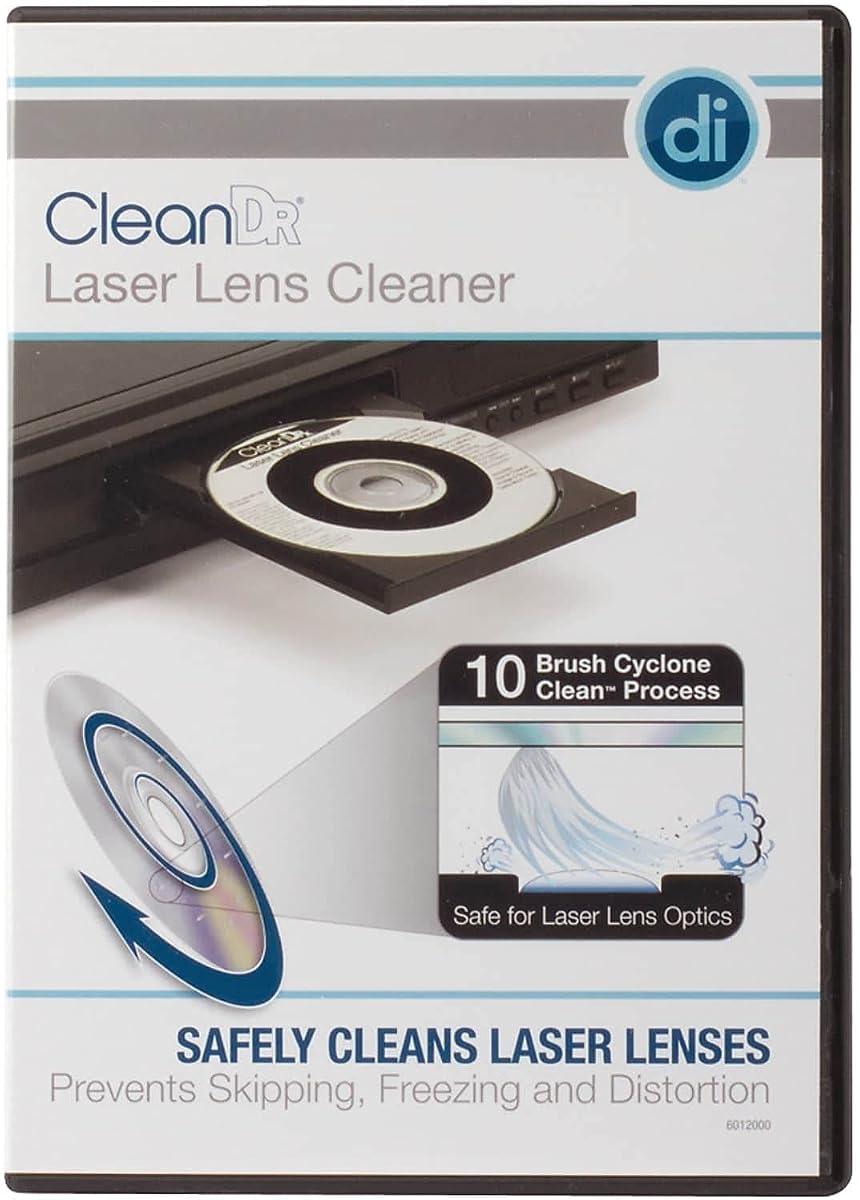
This cleaner uses an exclusive ten brush cyclone clean process to remove dust dirt and debris from the laser lens ensuring optimal performance.
We may earn a commission when you buy through this link, at no additional cost to you.
It demagnetizes and cleans the lens effectively which extends the life of the CD or DVD player while improving sound and image quality together.
While it is safe for Xbox and game systems it is not recommended for multi-disc players or Blu-Ray systems which limits some use cases.
Ideal for users with standard players this cleaner optimizes CDs DVDs and game system performance for a reliable and smooth media experience.
The exclusive ten brush cyclone clean process removes dust dirt and debris from the laser lens ensuring optimal performance and demagnetization.
It is safe for CD DVD players computers Xbox and PS1 PS2 game systems though not recommended for Blu-Ray or multi-disc players.
We may earn a commission when you buy through this link, at no additional cost to you.
This Arsvita cleaner provides a solid solution for users needing a quick fix for slow loading or freezing discs during media playback sessions.
We may earn a commission when you buy through this link, at no additional cost to you.
It uses a two brush clean process to remove dirt and dust deposits while including a small amount of cleaning fluid for enhanced lens contact.
The product extends service life and improves sound image quality but lacks compatibility with major gaming consoles which may limit broader appeal.
For basic CD VCD DVD players this option offers reliable maintenance with twenty four hours standby support to address any user inquiries easily.
The two brush clean process removes dirt and dust deposits that cause audio and video dropouts and distortions during playback effectively.
After sales service is available with twenty four hours standby support to serve you if you have any problems with the product.
We may earn a commission when you buy through this link, at no additional cost to you.
Choosing the right cleaning solution requires understanding your device type and the specific maintenance needs of your optical drives.
Most optical disc cleaners use a microfiber brush system attached to a disc that rotates inside your player. The brushes are designed to gently wipe the laser lens surface as the player spins the disc. Higher quality brushes often feature multiple bristles or specialized materials like copper for better static reduction.
Look for products that use fine synthetic fibers which are less likely to scratch delicate optical components compared to coarser materials.
Always verify that the cleaner is compatible with your specific player type. While many work with standard CD DVD and Blu-Ray players some exclude gaming consoles like PS4 or Xbox Series X. This is due to differences in lens mechanics and software protocols.
Check the compatibility list carefully to ensure the product will not void your warranty or damage a specific model like a game console or multi-disc changer.
Some cleaners operate for a few seconds while others run for several minutes to ensure thorough removal of dust and debris. The duration often correlates with the depth of cleaning required for a specific level of buildup on the lens.
Select a cleaner with a duration that fits your needs whether you want a quick fix or a comprehensive cleaning routine for older devices.
Kits often come with extra items like cleaning fluids microfiber cloths or storage cases. These accessories add value by allowing you to clean both the lens and the discs themselves for comprehensive care.
A kit with a separate cloth and fluid allows for more targeted maintenance beyond the standard automated cleaning process provided by the disc.
Established brands often have a track record of producing reliable electronics accessories. Reading user reviews for brands like Maxell or Allsop can help you gauge real world performance and longevity of the brushes.
Choosing a reputable brand reduces the risk of getting a low quality product that might fail to clean or potentially harm your player lens.
Safety is paramount when dealing with sensitive optical components. Look for products that explicitly state they are safe for your device type and avoid abrasive materials that could scratch the laser lens surface.
Products with non-abrasive bristles and clear safety warnings are better choices to ensure your player remains functional for as long as possible.
Prices vary from simple discs to complex kits with fluids and multiple tools. Determine your budget and prioritize features that matter most such as compatibility or extra accessories rather than just the lowest price.
Investing slightly more in a higher quality kit often pays off through better cleaning results and a longer lifespan for your optical drives.
Over time the brushes on a cleaning disc wear out and may need replacement. Check if the manufacturer sells replacement kits or if the entire unit needs to be repurchased after a certain number of uses.
Consider the long term cost of ownership and availability of replacement parts when deciding on a cleaning solution for your home theater.
Insert the cleaning disc with the arrow or logo facing up into your player tray and press play to start the cleaning cycle automatically. Most discs spin for a few minutes and the brushes sweep across the laser lens to remove dust and debris.
Wait for the cleaning cycle to complete before ejecting the disc and ensure you do not open the player door mid-cycle to avoid damage to the internal components. Store the disc in its protective case away from dust and moisture when not in use.
Perform regular maintenance every few months or whenever you notice skipping or playback issues to keep your optical drives in optimal condition. Follow the specific instructions provided with your kit such as using cleaning fluids or microfiber cloths for extra care.
Yes, optical disc cleaners are effective for fixing skipping issues caused by dust or dirt on the laser lens. By gently wiping the lens surface with microfiber brushes, they remove buildup that interferes with reading data. However they are not effective for physical scratches on the disc itself which require a different repair method.
It is recommended to clean your laser lens every three to six months depending on usage frequency. If you notice skipping or slow loading more frequently you may need to clean it more often. Over cleaning is generally safe but unnecessary maintenance can wear out the brushes.
You should check the specific compatibility before using a disc cleaner on a gaming console as many standard cleaners are not designed for PlayStation or Xbox systems. Some products are explicitly marketed for consoles so look for those to avoid warranty voiding or hardware damage.
A disc cleaner uses rotating brushes inside the player to clean the laser lens while a wipe is used manually on the surface of the disc. Disc cleaners are for the player mechanism and wipes are for removing fingerprints and smudges from the disc.
If skipping persists after cleaning the lens the issue might be physical scratches on the disc rather than a dirty lens. Another cause could be hardware failure in the player such as a worn motor or laser diode that needs professional repair.
Many modern lens cleaners are safe for Blu-Ray players but you must check the compatibility information on the product packaging. Some older discs might not fit or interact correctly with Blu-Ray mechanisms so verify this before purchasing to avoid compatibility issues.
You can tell the brushes are worn out if the disc stops improving playback performance after multiple uses or if visual inspection shows frayed bristles. Most manufacturers recommend replacing the disc after about twenty usages to ensure optimal cleaning results.
A cleaning kit that includes fluid and a cloth is often better because it allows for both automated and manual cleaning options. You can use the disc for the lens and the cloth for the discs themselves offering a more comprehensive maintenance routine.
Choosing the right CD and DVD player cleaner ensures your optical drives continue to function smoothly without playback interruptions. The Arsvita set and Maxell DVD-LC top this list by balancing effectiveness with ease of use for typical home theater setups.
Prioritize compatibility and brush quality when making your decision to avoid damaging sensitive laser components during the cleaning process. Consider whether you need just a quick fix or a full kit with fluids for complete maintenance of your optical ecosystem.
Always check current prices and availability before buying as deals may vary and you might find better value with specific bundles or discounts. Regular maintenance keeps your collection playable and extends the life of your favorite media devices significantly.