
Canon MegaTank G3270
4.1Editor score
Affordable entry price
High page yield capacity
Simple wireless setup
This guide compares the top ink tank printers for home and office use, evaluating print quality, cost savings, connectivity, and reliability to help you choose
Ink tank printers have revolutionized home and office printing by offering massive ink capacity and significantly lower costs per page. These devices replace traditional cartridges with refillable bottles, allowing users to print thousands of pages before needing a refill. Finding the right model requires balancing features like wireless connectivity, scan capabilities, and print speed against your specific workload needs.
We evaluated ten leading ink tank printers based on their performance, ease of use, and long-term value. Our analysis focused on ink efficiency, print quality for both text and photos, and the convenience of modern connectivity options. Each product was scrutinized for its build quality, user interface, and the reliability of its wireless printing functions across various devices.
Each pick in this list highlights a specific strength, whether it is budget-friendly operation, high-speed productivity, or exceptional photo quality. We include detailed pros and cons to help you weigh the trade-offs involved with each model. Please note that product availability and specifications can change over time, so verify details before making your final decision.
4.1Editor score

4.2Editor score

4.2Editor score
This table provides a side-by-side look at the key specifications and capabilities of each ink tank printer on our list. It helps you quickly identify which model offers the specific features you need for your home or office environment.





The Epson EcoTank ET-2803 stands out as a top performer for home offices seeking reliability and cost efficiency. With a solid rating from users, this printer delivers sharp text and vibrant color graphics without the burden of frequent cartridge changes. Its unique Micro Piezo Heat-Free technology ensures consistent quality across various paper types.
We may earn a commission when you buy through this link, at no additional cost to you.
Key strengths include the massive ink capacity that can last up to two years for average home users. The EcoFit bottles are designed to prevent mix-ups and spills, making refilling a stress-free experience. Additionally, the built-in scanner and copier allow for seamless document management directly from the device.
While the initial setup can be detailed, the long-term benefits outweigh the temporary inconvenience. The printer is slightly larger than basic models, which should be considered if desk space is limited. However, the reduction in physical cartridge waste and ongoing ink costs makes it a sustainable choice.
This model is ideal for families or small businesses that print regularly and want to avoid unexpected costs. If you prioritize low operating costs and high-quality output, the ET-2803 is a highly recommended investment for your workspace.
The included ink bottles equate to roughly eighty individual cartridges, offering dramatic savings compared to traditional printer models.
Users can print hands-free via voice activation and easily manage jobs through the intuitive Epson Smart Panel app.
We may earn a commission when you buy through this link, at no additional cost to you.
The Canon MegaTank G3270 offers an excellent entry point into the world of ink tank printing. Rated highly for its value, it provides a complete all-in-one solution without the premium price tag. It is an ideal choice for users who need reliable printing for school projects and home documents.
We may earn a commission when you buy through this link, at no additional cost to you.
Its standout feature is the incredible page yield, capable of printing thousands of pages from a single set of inks. The wireless capabilities allow for easy connection to laptops and mobile devices, ensuring you can print from anywhere in the room. The compact form factor fits well on smaller desks.
Limitations include single-sided printing only and a smaller LCD screen compared to more advanced models. These trade-offs are acceptable given the low cost and high ink capacity. Users looking for basic functionality without complex features will find this model sufficient.
For students or budget-conscious households, the G3270 is a practical solution. It balances essential features with economic efficiency, making it a strong contender for those entering the tank printer market for the first time.
Saving up to significant amounts on ink over time makes this printer financially smart for high-volume home users.
The square LCD display provides straightforward navigation for print and scan tasks without overwhelming the user.
We may earn a commission when you buy through this link, at no additional cost to you.
The Canon Megatank G3290 elevates the ink tank experience with premium features designed for convenience and efficiency. With a high user rating, it is built to handle substantial workloads with ease. The inclusion of auto duplex printing sets it apart from standard models in this category.
We may earn a commission when you buy through this link, at no additional cost to you.
The large color touchscreen makes navigating menus and adjusting settings intuitive. Combined with a massive ink capacity, this device ensures uninterrupted workflow for busy professionals or families. The print quality remains sharp and vibrant, suitable for both documents and photos.
While the price is higher than budget options, the time saved on double-sided printing and easier navigation justifies the cost. The unit requires a bit more desk real estate, so measure your space before purchasing. Overall, it offers a superior user experience.
If you need advanced features and higher print volumes, the G3290 is a worthy investment. It combines reliability with modern conveniences that make printing a seamless part of your daily routine.
Auto two-sided printing saves paper and time, making it perfect for creating reports and manuals.
The color LCD provides clear visual cues for ink levels and error messages, simplifying troubleshooting.
We may earn a commission when you buy through this link, at no additional cost to you.
The Epson EcoTank ET-2903 is designed for users who value speed and productivity. Its ability to print without warmup time means you can get documents instantly. This is particularly useful in home offices where quick turnarounds are necessary for daily tasks.
We may earn a commission when you buy through this link, at no additional cost to you.
A color touchscreen display enhances usability, allowing for easy navigation and status checks. The permanent printhead is engineered for reliability, ensuring consistent output over a long lifespan. Wireless connectivity remains seamless with support for AirPrint and mobile apps.
While it carries a slightly higher cost than the ET-2803, the speed improvements are noticeable. The paper tray capacity is modest, so frequent refilling may be required for large batches. Still, the overall performance is impressive for the size.
This printer suits users who need reliable speed without sacrificing ink economy. If you often print rush jobs or time-sensitive documents, the ET-2903 delivers the performance you need efficiently.
Zero warmup time ensures instant printing, ideal for when you need a document immediately.
The permanent printhead design reduces maintenance needs and ensures long-term consistent quality.
We may earn a commission when you buy through this link, at no additional cost to you.
HP Smart Tank 5003 brings modern features to the ink tank market with its AI-capable design. This model is engineered to simplify the printing process and enhance user experience through intelligent connectivity. It includes a massive three-year ink supply right out of the box.
We may earn a commission when you buy through this link, at no additional cost to you.
The mess-free refill system is a major convenience, allowing users to replenish ink without spills or complicated steps. Users can print borderless images for photos and creative projects. The wireless setup is straightforward, enabling easy connection to multiple devices.
The AI capabilities offer potential benefits in workflow optimization, though actual utility may vary by user. Print quality is consistent, and the design is practical for most home setups. Some may find the scanning speed standard compared to high-end models.
For users looking for a modern printer with smart features and easy maintenance, the 5003 is a strong choice. It balances performance with user-friendly design, making it a versatile option for varied printing tasks.
Easy-access bottles ensure a mess-free refill experience, allowing for quick replenishment without hassle.
Borderless printing capabilities allow for creating stunning full-page photos and custom designs.
We may earn a commission when you buy through this link, at no additional cost to you.
The Epson EcoTank ET-4800 focuses on delivering high-capacity performance for professional environments. It is built to handle consistent usage with minimal interruptions. The design emphasizes ease of use and sustainable printing practices.
We may earn a commission when you buy through this link, at no additional cost to you.
The color display simplifies navigation, while the flatbed scanner allows for high-quality document digitization. Wireless connectivity supports flexible placement around the office. Ink capacity ensures fewer refills, keeping workflow uninterrupted.
While user ratings are slightly lower than other models, the core functionality remains robust. Some users may find the color options limited, but text and graphics are sharp. Overall, it is a solid workhorse.
This model is best for offices that prioritize capacity and reliability over advanced features. If you need a dependable printer that can handle volume without constant maintenance, the ET-4800 is a practical choice.
High-capacity tanks reduce the frequency of refills, ideal for high-volume professional environments.
Wireless scanning allows for easy integration into digital workflows without physical connections.
We may earn a commission when you buy through this link, at no additional cost to you.
The Epson EcoTank ET-2980 combines efficiency with a compact design suitable for smaller spaces. It offers up to three years of ink in the box, making it a low-maintenance solution. The EcoFit bottles prevent mess and simplify refilling.
We may earn a commission when you buy through this link, at no additional cost to you.
Wireless connectivity enables printing from any device within range. The Smart Panel app provides intuitive control and status monitoring. This model is perfect for home users who value simplicity and cost savings.
While the touchscreen is small, the functions are well-organized. Print speeds are standard, which is sufficient for most personal needs. The overall reliability and value are key selling points.
For those with limited desk space but a need for quality printing, the ET-2980 is an excellent fit. It delivers the EcoTank benefits in a footprint that fits into tight corners.
A compact build makes this printer suitable for small desks or shared home office areas.
The Smart Panel app offers easy setup and management for seamless mobile printing experiences.
We may earn a commission when you buy through this link, at no additional cost to you.
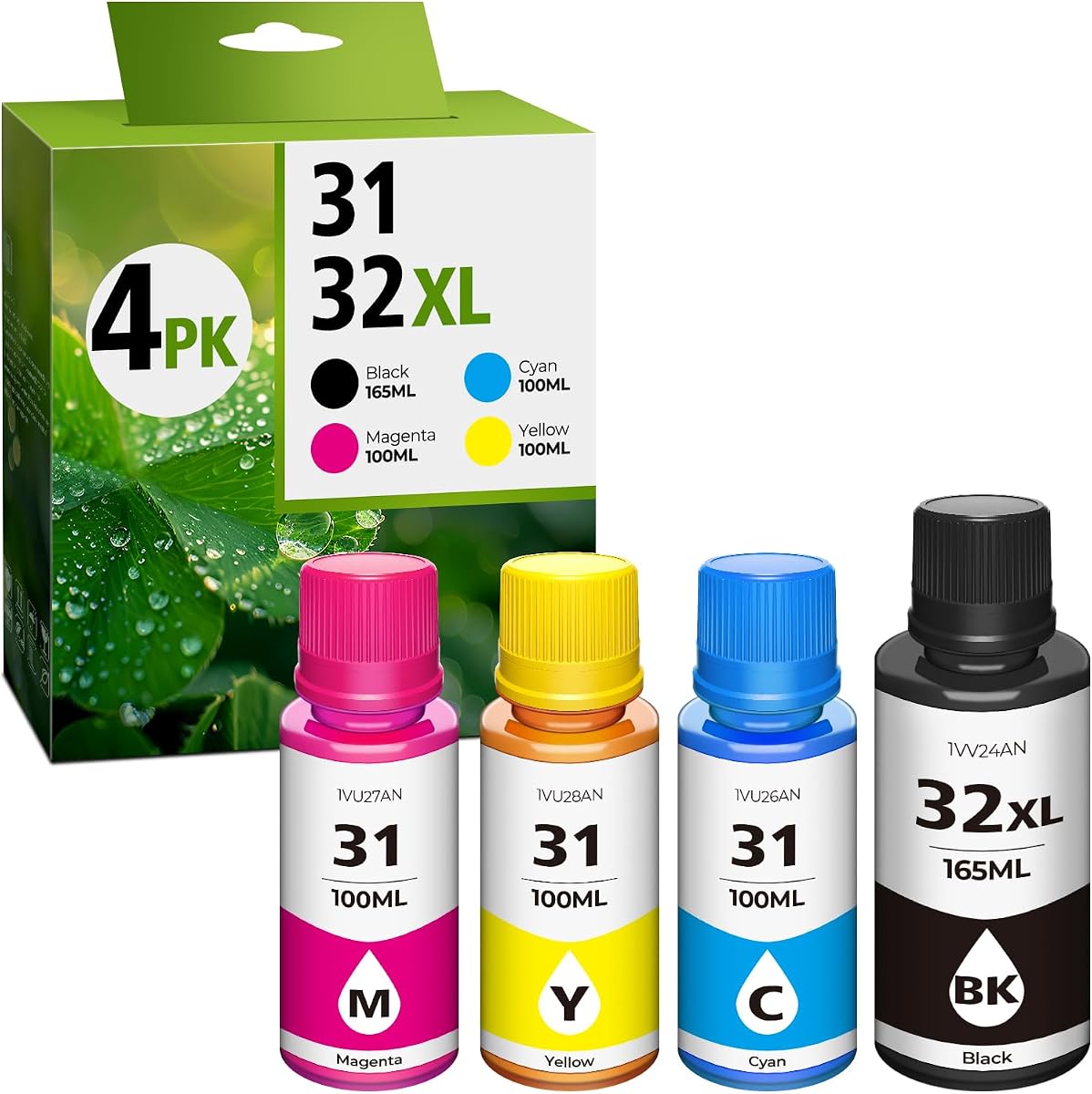
This ink bottle set provides a cost-effective solution for Smart Tank users seeking extended print volumes. Compatible with a wide range of HP printers, these bottles are designed for easy and leak-free refills. They are an excellent alternative for users looking to reduce ongoing costs.
We may earn a commission when you buy through this link, at no additional cost to you.
Each black bottle yields up to 9,500 pages, offering significant value compared to standard options. The dye-based ink ensures vibrant colors for photos and documents. The bottles are designed to prevent mixing and spills during refilling.
Note that this ink is dye-based rather than pigment, which is standard for most ink tank systems. Users should ensure they are using compatible models to avoid issues. Performance is generally reliable and consistent with OEM standards.
For owners of Smart Tank printers who want to maximize value, this refill set is a strong option. It helps maintain high print volumes without the high cost of branded ink replacements.
High yield capacity reduces the frequency of refills, making it ideal for heavy printing needs.
Supports a wide variety of Smart Tank models, ensuring broad utility across different devices.
We may earn a commission when you buy through this link, at no additional cost to you.
This HP model offers a reliable all-in-one solution for home use with significant ink capacity. It supports wireless printing and scanning, making it easy to integrate into your digital workflow. The mess-free refill system ensures convenience when it is time to replenish ink.
We may earn a commission when you buy through this link, at no additional cost to you.
Borderless printing allows for creative full-page outputs without white borders. The design is compact and fits well in most home offices. Users appreciate the simplicity of setup and operation.
While some users report mixed experiences, the core functions remain consistent and reliable. It is a practical option for those who prioritize ease of use and low maintenance. The wireless app provides convenient remote printing capabilities.
If you need a printer that balances cost and convenience for home use, this is a solid pick. It is particularly good for users who value low operating costs and flexible connectivity.
Wireless printing capabilities allow users to send documents from laptops and phones seamlessly.
The mess-free system ensures refills are quick and easy, reducing the risk of spills.
We may earn a commission when you buy through this link, at no additional cost to you.
The Epson EcoTank ET-2988 offers renewed value with high-speed printing and auto duplex capabilities. It is designed to save paper and time while delivering high-quality output. The color display enhances user interaction and navigation.
We may earn a commission when you buy through this link, at no additional cost to you.
With 15 pages per minute, it is one of the faster options in this category. Auto duplex printing automatically prints on both sides, reducing waste and improving efficiency. The renewed status allows for savings on the initial purchase price.
While it is a renewed unit, it undergoes testing to ensure functionality. Cosmetic wear may exist, but core performance remains robust. This is a cost-effective option for those needing speed and reliability.
For budget-conscious users who want speed and duplex features, this model is an excellent choice. It combines the EcoTank efficiency with advanced features at a reduced price point.
A fast 15 ppm speed helps maintain workflow efficiency for busy home offices.
Auto duplex printing significantly reduces paper usage, supporting eco-friendly office practices.
We may earn a commission when you buy through this link, at no additional cost to you.
Selecting the right ink tank printer involves evaluating several critical factors to ensure it meets your specific printing needs and budget constraints.
One of the most important factors is the ink capacity and how many pages a set of inks can produce. Look for models that offer a high page yield to minimize the frequency of refills. Ensure the included ink lasts long enough to meet your typical monthly print volume without interruptions.
Always check the estimated page yield for both black and color inks to ensure it aligns with your expected usage.
If you print frequently, consider the pages per minute (PPM) rating to ensure the printer can keep up with your demand. A higher duty cycle indicates a printer that can handle larger workloads without overheating or mechanical issues.
Choose a model with a duty cycle that matches your daily usage habits to avoid performance bottlenecks.
Modern ink tank printers should offer robust wireless connectivity options like Wi-Fi, AirPrint, and mobile apps. These features allow you to print from smartphones, tablets, and laptops without needing physical cables. User-friendly software interfaces simplify setup and management of print jobs.
Verify that the printer supports your preferred devices and operating systems for seamless integration.
Most ink tank printers are all-in-one devices that include scanning and copying capabilities. Determine if you need a flatbed scanner for documents or photos versus a simple document feeder. Multifunctionality adds value by reducing the need for separate machines.
Prioritize a scanner with high resolution if you frequently digitize images or documents.
Print quality is crucial for professional documents and photos. Look for models with high DPI (dots per inch) for sharp text and vibrant colors. Ensure the printer supports a variety of paper types if you plan on printing on cardstock or photo paper.
Review sample prints or specifications to confirm the output meets your standards for text and image clarity.
An efficient refill system saves time and prevents spills. Look for features like color-coded bottles and mess-free refill mechanisms. Easy access to ink tanks ensures you can replenish supplies without complicated steps or tools.
Check user reviews regarding the refill process to ensure it is straightforward and mess-free.
Measure your available desk space before purchasing to ensure the printer fits comfortably. Some models are compact and designed for smaller workspaces, while others may have larger footprints for better stability. Consider the overall aesthetic to ensure it blends with your office environment.
Select a design that balances size with functionality to maximize your workspace efficiency.
A comprehensive warranty provides peace of mind against mechanical failures. Check the duration of the warranty and what components are covered. Responsive customer support is also important for troubleshooting software or hardware issues.
Ensure the manufacturer offers reliable service channels to resolve any potential issues quickly.
When setting up your new ink tank printer, begin by filling the ink tanks carefully using the provided bottles. Ensure each bottle is inserted into the correct colored port to avoid mixing ink types, which can damage the printhead. Follow the manufacturer's instructions to prime the system and initialize the ink flow.
Regular maintenance is key to keeping your printer in top condition. Periodically print a test page to ensure all nozzles are firing correctly. If the text looks faded or lines are missing, run a printhead cleaning cycle through the printer's software or control panel.
To ensure long-term reliability, use genuine ink bottles recommended by the manufacturer. Non-genuine inks may cause clogs or damage that voids the warranty. Keep the printer covered when not in use for extended periods to prevent dust buildup and ensure the printhead does not dry out.
The main advantage is the significantly lower cost per page compared to traditional cartridge printers. You buy ink in large bottles that last for thousands of pages, which saves money over time and reduces waste.
Typically, the included ink in a new tank printer lasts up to two or three years for average home use. Replacement bottles can print anywhere from 4,000 to 10,000 pages depending on the model and print density.
While possible, using non-genuine ink is not recommended. It can cause clogs, poor print quality, and may void your printer's warranty. Genuine ink is formulated to work perfectly with the printhead technology.
Yes, like all ink printers, they can clog if left unused for long periods. To prevent this, print a test page at least once a week to keep the ink flowing through the nozzles.
Many models support borderless photo printing with vibrant colors. However, dedicated photo printers may offer better color accuracy. For general home photos, tank printers provide a convenient and affordable option.
They vary by model, but most are designed to fit standard desks. Some premium models may be larger to accommodate high capacities. Always check dimensions before purchasing to ensure it fits your workspace.
Yes, most modern models come with intuitive apps and wizards that guide you through the Wi-Fi connection. You simply connect the printer to your network and install the app on your device to start printing.
The printer will usually pause and alert you when an ink level is critically low. You can refill the bottle while the printer is on, and it will resume once the ink is detected.
We have reviewed the top ten ink tank printers available in November 2026 to help you find the right fit. From the budget-friendly Canon G3270 to the high-speed Epson ET-2988, each model offers unique benefits for different needs.
Prioritize factors like ink capacity, print speed, and connectivity based on your workflow. If you value cost savings, look for models with high yields. For office use, consider speed and duplex capabilities to maximize productivity.
Remember to check current availability and specifications before buying as features may vary by region. Choose a model that aligns with your long-term printing goals to enjoy a reliable and cost-effective printing experience.