
Canon imageCLASS LBP6030w
3.8Editor score
Compact space-saving design
Wireless connectivity options
Low power consumption mode
This guide compares the top ten laser printers with cheap toner options to help you find the best value for home and small office printing needs.
Finding a laser printer with cheap toner is essential for anyone looking to save money on long-term printing costs. These devices offer sharp black and white output while minimizing the expense of consumables over time.
We have evaluated ten top-rated models based on their initial price, toner yield, connectivity features, and overall reliability. Our analysis focuses on genuine and third-party options that keep running costs low without sacrificing quality.
Each pick highlights key specifications and real-world performance metrics to guide your decision. Please note that product availability and pricing can change frequently, so verify details before purchasing.
3.8Editor score

4.1Editor score

4.3Editor score
The following table provides a side-by-side comparison of all ten selected laser printers. It highlights key specifications and features to help you quickly identify the model that best fits your budget and office requirements.





The Brother HL-L2405W stands out as a top choice for those seeking a laser printer with cheap toner potential. It delivers crisp black and white output at speeds up to 30 pages per minute, making it efficient for daily document printing tasks.
We may earn a commission when you buy through this link, at no additional cost to you.
Its dual-band wireless connectivity ensures seamless integration with multiple devices, while the Brother Mobile Connect app allows for easy management of supplies. The option to use the Refresh EZ Print Subscription Service can further reduce long-term toner costs significantly.
While the standard toner cartridges are not the cheapest on the market, the availability of high-yield options helps offset this. The lack of automatic duplex printing is a minor trade-off for the compact footprint and reliable performance it offers to small teams.
Home office users and small businesses will appreciate the balance of speed and connectivity. If you prioritize consistent quality and potential subscription savings, this model is a strong recommendation for your next purchase.
The dual-band Wi-Fi ensures stable connections even in busy networks, reducing print interruptions.
The Refresh service can save up to 50% on genuine toner, lowering overall ownership costs.
We may earn a commission when you buy through this link, at no additional cost to you.
The Canon imageCLASS LBP6030w is an excellent entry-level option for anyone needing a laser printer with cheap toner capabilities without a high upfront cost. It produces sharp text documents and fits neatly into small home offices or desks.
We may earn a commission when you buy through this link, at no additional cost to you.
Its wireless capabilities allow for convenient printing from mobile devices, though the speed is modest at 19 pages per minute. The energy saver mode helps keep electricity bills low, complementing the low maintenance cost profile of this model.
While the toner yield is standard, the initial price of the printer makes it a great value for light users. The limited features compared to higher-end models mean you sacrifice speed for affordability and simplicity in this package.
Individuals or very small offices with low volume needs will find this model suitable. If budget is your primary concern and you do not need high-speed printing, this Canon printer is a practical choice.
The compact build ensures it fits on crowded desks without taking up valuable workspace.
Low power consumption and reasonable toner costs make it ideal for tight budgets.
We may earn a commission when you buy through this link, at no additional cost to you.
The Brother MFC-L2820DW combines high performance with the potential for low running costs through its compatibility with high-yield toners. It is designed for small offices that need fast, multifunctional printing without compromising on quality.
We may earn a commission when you buy through this link, at no additional cost to you.
Its 36 pages per minute speed and 50-page auto document feeder make it highly efficient for processing multi-page documents. The 2.7-inch touchscreen simplifies navigation, and the ability to subscribe to the Refresh service ensures you never run out of toner.
Although the upfront cost is higher, the productivity gains and supply savings justify the investment. The lack of color printing is expected in this class, but the monochrome output is crisp and professional for business documents.
Small teams needing a robust workhorse will benefit most from this model. If you value speed and convenience alongside cost-effective toner options, this all-in-one printer is an outstanding premium choice.
Scan and copy functions integrate seamlessly into daily workflows, saving time and space.
The subscription service automates toner delivery, ensuring continuous operation without interruption.
We may earn a commission when you buy through this link, at no additional cost to you.
The Canon imageCLASS MF3010 VP offers a straightforward solution for those who prefer wired connections and need immediate toner value. It comes with a 2,300 page yield toner in the box, reducing initial supply costs right away.
We may earn a commission when you buy through this link, at no additional cost to you.
While it lacks wireless features, the USB connectivity ensures stable performance without network interference. The ID card copy feature adds utility for small offices needing to manage identification documents efficiently and securely.
The trade-off is convenience for stability. If your printing needs are limited to a single computer and you want to avoid wireless setup hassles, this model provides solid performance and good value.
Ideal for users who prioritize simplicity and immediate value. The included toner makes it a compelling option for those looking to minimize the upfront cost of printer supplies significantly.
Direct USB connection eliminates wireless dropouts, ensuring consistent print reliability.
Starting with a full toner cartridge reduces the immediate need for repurchasing supplies.
We may earn a commission when you buy through this link, at no additional cost to you.
The Brother HL-L2460DW is a strong contender for those prioritizing paper savings through automatic duplex printing. With speeds up to 36 pages per minute, it handles high-volume jobs efficiently while keeping supply costs manageable via the Refresh service.
We may earn a commission when you buy through this link, at no additional cost to you.
The dual-band wireless ensures reliable connections in modern networks, allowing for seamless mobile printing. The 250-sheet tray reduces the frequency of refills, and the overall design fits well in busy office environments.
While the duplex function adds complexity, it significantly reduces paper waste over time. The toner options are competitive, especially when leveraging the subscription discounts provided by Brother's ecosystem.
This printer is perfect for small teams focused on efficiency and cost reduction. If you need speed and automatic double-sided printing without breaking the bank on supplies, this model delivers excellent value.
Two-sided printing saves paper and creates more professional document layouts automatically.
Large paper trays and fast speeds support busy workflows without frequent interruptions.
We may earn a commission when you buy through this link, at no additional cost to you.
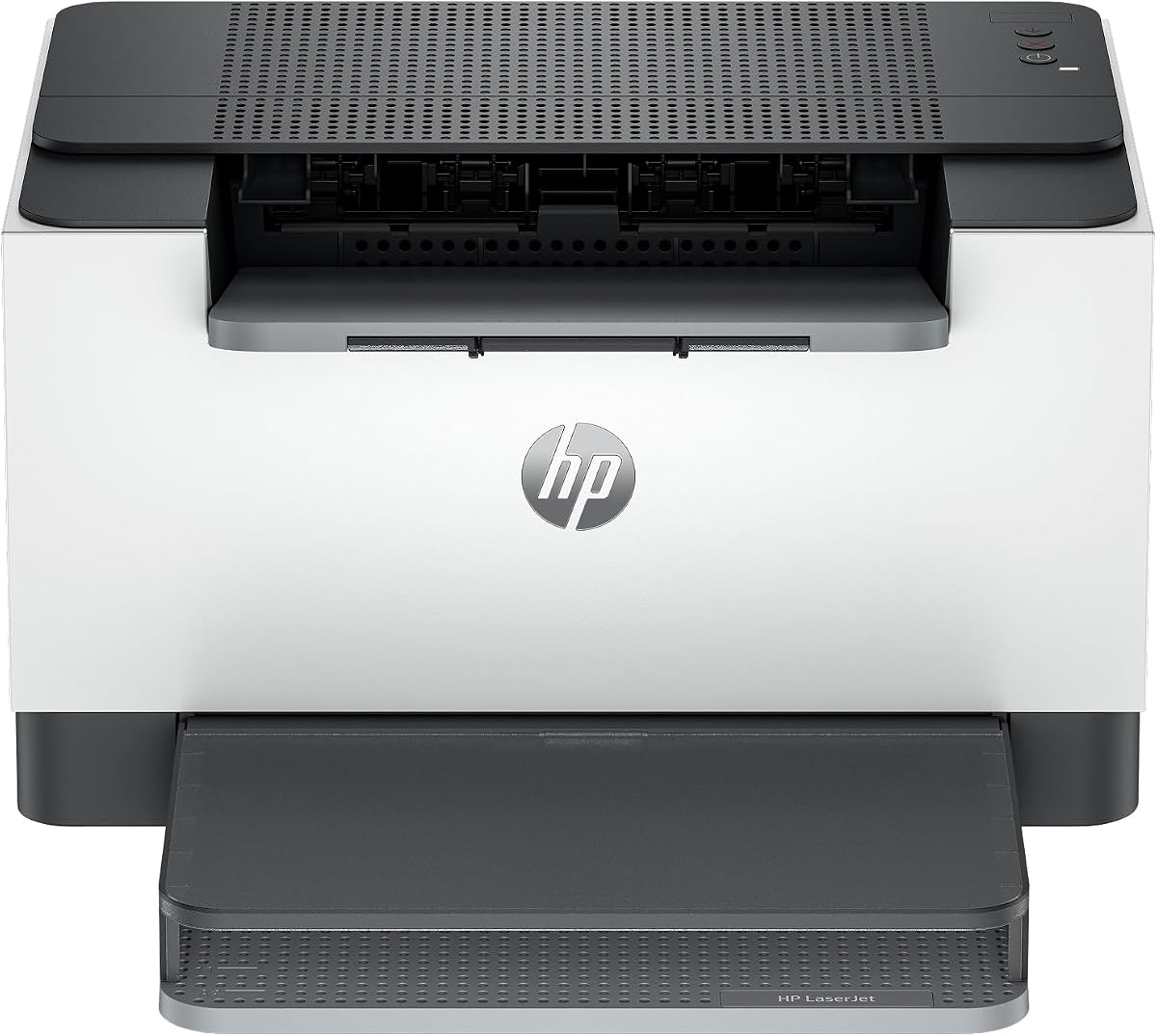
The HP LaserJet M110w is designed for small spaces where size is a premium. It offers fast printing speeds and easy wireless setup, making it accessible for teams with limited technical resources.
We may earn a commission when you buy through this link, at no additional cost to you.
The HP Smart app simplifies printing tasks, but users should be aware of HP's strict cartridge security measures. This means non-HP chips are blocked, which can impact long-term toner costs if you prefer third-party options.
Despite these limitations, the low upfront cost makes it attractive for light use. If you stick to genuine or compatible cartridges that work within the security protocols, the operational costs remain reasonable.
Home offices and small startups will find this printer a reliable entry point. Prioritize genuine supplies to avoid errors, and you will enjoy a compact, efficient solution for daily black and white printing.
Its tiny size allows it to fit in cubicles or small desks easily.
The Smart app provides cloud access and easy scanning features on mobile devices.
We may earn a commission when you buy through this link, at no additional cost to you.
The HP LaserJet M209dw stands out due to its eligibility for the Instant Ink program, which can significantly lower toner costs based on your actual usage. It offers fast speeds and robust security features ideal for small teams.
We may earn a commission when you buy through this link, at no additional cost to you.
Its dual-band Wi-Fi provides reliable connectivity, and the automatic two-sided printing helps reduce paper waste. While the cartridge security ensures quality, it limits third-party options unless you choose compatible alternatives that pass checks.
For organizations comfortable with subscription models, this printer offers predictable operating costs. The speed and build quality are solid, making it a dependable choice for regular business document production.
If you want to avoid running out of toner unexpectedly, Instant Ink is a valuable feature. This model is a smart pick for those who want modern features and potential supply savings.
The subscription plan sends toner automatically, saving money and preventing interruptions.
Connects to both frequency bands for stable performance in busy environments.
We may earn a commission when you buy through this link, at no additional cost to you.
The Canon imageCLASS LBP122dw combines speed and duplex capability in a compact form factor suitable for home offices. It delivers up to 30 pages per minute, ensuring your documents are ready quickly.
We may earn a commission when you buy through this link, at no additional cost to you.
The wireless connectivity and mobile app allow for easy printing from various devices. While it lacks multifunction features, it focuses on core printing tasks effectively, keeping the design simple and affordable.
Toner costs are reasonable with genuine options, and the duplex function saves paper over time. This model is ideal if you need fast, automatic two-sided printing without investing in a larger all-in-one machine.
Small offices needing just printing will find this efficient and effective. If your priorities are speed and space-saving design, this Canon printer offers a solid value proposition.
Automatic two-sided output reduces paper usage and creates professional documents.
The Canon PRINT app enables seamless printing from smartphones and tablets anywhere.
We may earn a commission when you buy through this link, at no additional cost to you.
The HP LaserJet MFP M235sdw is designed for small offices requiring a secure and versatile all-in-one solution. It offers fast scanning and copying alongside printing, with strong security features to protect your documents.
We may earn a commission when you buy through this link, at no additional cost to you.
Ethernet connectivity ensures stable network performance, while dual-band Wi-Fi supports wireless needs. The two-sided printing helps keep supply costs down, and the overall build quality is solid for daily office use.
While the security features are excellent, they can sometimes complicate setup for non-technical users. However, for businesses prioritizing data safety, this model provides a necessary layer of protection.
If you need a reliable multifunction printer with strong security and speed, this is a great option. It balances performance and safety, making it suitable for various professional environments.
Built-in security features protect your device from external threats effectively.
Scan, copy, and print tasks are handled efficiently in one compact unit.
We may earn a commission when you buy through this link, at no additional cost to you.
The Brother HL-L2480DW is a highly rated multifunction printer that delivers speed and versatility for small offices. With scanning, copying, and printing capabilities, it handles all document needs efficiently.
We may earn a commission when you buy through this link, at no additional cost to you.
Its touchscreen interface makes navigation easy, and cloud integration adds convenience for remote work. The Refresh subscription service helps keep toner costs low, making it a smart long-term investment.
While it costs more upfront than basic models, the features and reliability justify the price. Users appreciate the consistent performance and ease of use, making it a favorite among many.
For teams needing a reliable workhorse with modern features, this model is excellent. If you want speed and low supply costs, the Brother HL-L2480DW is a top recommendation.
Consistently high user reviews reflect its reliable performance and ease of use.
Direct cloud app support simplifies document management and remote access.
We may earn a commission when you buy through this link, at no additional cost to you.
Selecting a printer with affordable toner involves considering several factors beyond the sticker price. This guide outlines the key elements to look for to ensure you get the best long-term value.
Toner yield refers to how many pages a single cartridge can print. Higher yield cartridges often have a higher upfront cost but a lower cost per page. Always calculate the cost per page to determine true savings.
Look for models that offer high-yield XL cartridges or subscription options to maximize savings over time.
The initial cost of the printer is important, but it should be weighed against long-term operating costs. Some cheaper printers use toner that is expensive to replace. Aim for a balance between hardware cost and supply costs.
Budget-friendly models are great for light users, but frequent users should prioritize total cost of ownership.
Wireless connectivity allows you to print from any device on your network. Dual-band Wi-Fi ensures stability in busy environments. Wired options like USB are reliable but limit flexibility.
Choose wireless models for home offices to maintain convenience and flexibility in your workspace.
Print speed is measured in pages per minute (ppm). Higher speeds are essential for offices with heavy printing volumes. Slower speeds are acceptable for light personal use.
Ensure the speed matches your daily needs to avoid bottlenecks in your workflow.
A larger paper tray means fewer refills. Standard trays hold around 250 sheets, while compact ones may hold less. Consider your typical print volume when selecting capacity.
Higher capacity is useful for busy offices to minimize interruptions.
Automatic duplex printing prints on both sides of the paper. This feature reduces paper usage and can lower overall costs. Manual duplexing is cheaper for the printer but more labor-intensive.
Opt for automatic duplex if you want to save on paper costs easily.
Some brands offer subscription services that deliver toner automatically. These can save up to 50% on supplies and ensure you never run out. Check the terms before committing.
Subscriptions are ideal for consistent users who want predictable costs.
Major brands like Brother, Canon, and HP offer reliable support and warranties. Longer warranties provide peace of mind and protection against defects. Check the support resources available.
Prioritize brands with a reputation for reliability and good customer service.
Proper usage starts with setting up the printer correctly. Place it on a flat, stable surface near an outlet and network. Follow the manufacturer's installation guide to connect drivers or Wi-Fi settings.
Use genuine or compatible toner cartridges to avoid damage. Open the access door, remove the old cartridge, and insert the new one until it clicks. Close the door and restart the device if necessary.
Regular cleaning helps maintain quality. Use a soft, dry cloth to wipe the exterior. Remove paper jams gently and check for dust. Keeping the printer clean extends its life and ensures good output.
A laser printer with cheap toner offers a low total cost of ownership. This includes affordable consumables, high yield cartridges, or subscription discounts that reduce the price per page significantly.
Third-party toners are generally safe if they are compatible with your model. However, some manufacturers may void warranties or block non-original chips. Check reviews and warranty terms first.
You can save money by using high-yield cartridges, subscribing to delivery services, or printing in draft mode when quality is not critical. These steps reduce waste and cost.
Not all laser printers support wireless printing. Many modern models do, but some budget or compact versions may be USB-only. Verify connectivity options before purchasing.
For a home office, a compact model with wireless connectivity and low running costs is ideal. The Brother HL-L2405W is a strong choice for its balance of speed and affordability.
Cartridge life depends on usage. Standard cartridges last for thousands of pages, while high-yield options can reach higher counts. Check the yield specifications provided by the manufacturer.
If your office has multiple printers with different models, toner cartridges usually differ. Stick to one brand to streamline supplies. Otherwise, stock different types for each device to avoid mix-ups.
We reviewed ten top laser printers that offer excellent value through affordable toner options. Each model balances performance, features, and supply costs to meet different needs.
Prioritize long-term value over upfront savings. Consider yield, connectivity, and subscription options to minimize total costs. The right fit depends on your printing volume and office space.
Prices and availability change frequently. Always verify the current details and toner compatibility before purchasing to ensure the best deal for your specific situation.