
LG 24U411A-B
4.6Editor score
Full HD IPS display panel
120Hz refresh rate motion
HDR10 color support range
Frameless computer monitors have revolutionized how we interact with digital displays by minimizing bezels and maximizing screen real estate. These sleek devices offer immersive viewing experiences that reduce distractions and enhance productivity for professionals and gamers alike. Choosing the right model involves considering resolution, refresh rates, and panel technology to match your specific workflow needs.
We evaluated ten leading frameless monitors based on display quality, connectivity options, eye care features, and overall build durability. Our analysis focuses on how well each model handles multitasking, gaming performance, and visual fidelity under various lighting conditions. This comprehensive review helps you identify the best options for home offices, creative studios, and competitive gaming rigs.
Each selection highlights unique strengths such as color accuracy, refresh rates, and ergonomic adjustments to suit different user preferences and budgets. While we provide detailed insights based on manufacturer specifications and user feedback, pricing and availability can fluctuate over time. Please verify current offers and compatibility with your existing hardware before making a final purchase decision.
4.6Editor score

4.7Editor score

4.2Editor score
As an Amazon Associate we earn from qualifying purchases.
The following table provides a side-by-side comparison of all ten selected frameless monitors, highlighting their key specifications and unique features to help you make an informed decision based on your specific needs and budget constraints.


The ViewSonic VA2256-MHD stands out as a top contender in the frameless monitor category with its impressive rating and reliable performance. It delivers consistent colors and wide viewing angles thanks to its IPS panel technology which is crucial for accurate work and seamless viewing from any position. The frameless design ensures that when you connect multiple units, the visual gap between screens is minimal enhancing your overall workspace efficiency.
We may earn a commission when you buy through this link, at no additional cost to you.
One of the key strengths of this model is its integrated eye care features including Flicker-Free technology and a Blue Light Filter. These features are essential for professionals who spend long hours in front of the screen as they help minimize eye fatigue during extended workdays or study sessions. Additionally the included AMD FreeSync technology eliminates screen tearing and stuttering providing a fluid multimedia performance that is ideal for both work and casual entertainment.
While the monitor lacks advanced ergonomic adjustments like height or pivot it compensates with practical connectivity options. The DisplayPort-out technology allows you to Daisy Chain multiple monitors using a single cable connection between displays which keeps your desk clutter-free and organized. This feature is particularly beneficial for users who need to extend their workspace without dealing with a tangle of cables.
This monitor is best suited for students and professionals seeking an affordable yet reliable display solution for home office setups. The ViewMode presets allow you to optimize screen performance for different tasks ranging from gaming to text reading ensuring you get the ideal gamma curve and brightness for any application. Overall it offers a balanced mix of performance and comfort that justifies its high rating among users.
Quickly switch between Game Movie Web Text and Mono modes to get the ideal gamma curve contrast and brightness for any task or application.
Utilize DisplayPort-out technology to Daisy Chain multiple monitors allowing you to extend your workspace with a single-cable connection between displays for a clutter-free desk.
We may earn a commission when you buy through this link, at no additional cost to you.
The LG 24U411A-B offers exceptional value for budget-conscious users who demand high performance from their display. With a rapid 120Hz refresh rate and 1ms Motion Blur Reduction this monitor delivers smooth visuals that are perfect for both gaming and fast-paced work environments. The Full HD IPS panel ensures vibrant colors from virtually any angle making it a versatile choice for various tasks.
We may earn a commission when you buy through this link, at no additional cost to you.
A standout feature of this model is its HDR10 support which enables rich vivid color across a wide spectrum for immersive gaming and creative projects. The ultra-slim bezels and 3-side virtually borderless design create a clean modern look that keeps your focus where it belongs on the screen. This sleek aesthetic is complemented by a slim stand base that adds a floating feel to your desk setup.
While the stand offers limited adjustability it does provide tilt adjustment which helps you find your ideal viewing angle for video calls and multitasking. The included Reader Mode lowers blue light levels creating a more comfortable viewing experience for extended periods of reading documents or browsing the web. These eye care features are essential for maintaining visual health during long work sessions.
This monitor is an ideal choice for gamers and home office users looking for a balance between performance and affordability. The Dynamic Action Sync minimizes input lag for faster reactions and Black Stabilizer brightens dark scenes helping you spot enemies hiding in the shadows. If you need a reliable frameless display that handles motion well without breaking the bank this is a strong contender.
Experience smoother frame transitions with fast 120Hz refresh rate enjoying more fluid visuals with less screen stutter and motion blur during work or gaming.
IPS monitor with Full HD resolution delivers sharp vibrant visuals from virtually any angle keeping you clear focused and productive across all tasks.
We may earn a commission when you buy through this link, at no additional cost to you.
The CRUA 27 4K UHD monitor is a premium choice for creatives and professionals who require ultra-sharp visuals and professional-grade color accuracy. Its 4K UHD resolution makes text look crisper and images appear more detailed providing ample screen space for spreadsheets coding and video calls. The IPS panel with wide viewing angles ensures consistent visuals from any position which is essential for collaborative work environments.
We may earn a commission when you buy through this link, at no additional cost to you.
One of the key strengths of this model is its impressive color performance with 120% sRGB and 98% DCI-P3 coverage. This delivers rich accurate colors and smooth gradients that are ideal for designers and creators who need to trust what they see on screen. The height-adjustable stand and tilt adjustment allow you to find a comfortable viewing position throughout the day reducing strain during long work sessions.
Connectivity is another strong suit with a USB Type-C port along with dual HDMI and DisplayPort options. This versatility allows for easy connection to laptops desktop PCs and various peripherals while built-in speakers help keep your workspace minimal and efficient. The sleek silver metal housing adds a modern professional look that fits seamlessly into any home office or workstation setup.
This monitor is best suited for users who prioritize resolution and color fidelity over high refresh rates. While the 60Hz refresh rate is not designed for competitive gaming it provides smooth tear-free viewing for casual use and daily productivity. If you need a reliable premium display for creative work or detailed content consumption this model offers the features you need to excel.
IPS panel with 120% sRGB and 98% DCI-P3 delivers rich accurate colors and smooth gradients ideal for designers and collaborative work.
Features USB-C HDMI and DP ports allowing for easy connection to laptops and desktops while built-in speakers keep workspace minimal.
We may earn a commission when you buy through this link, at no additional cost to you.
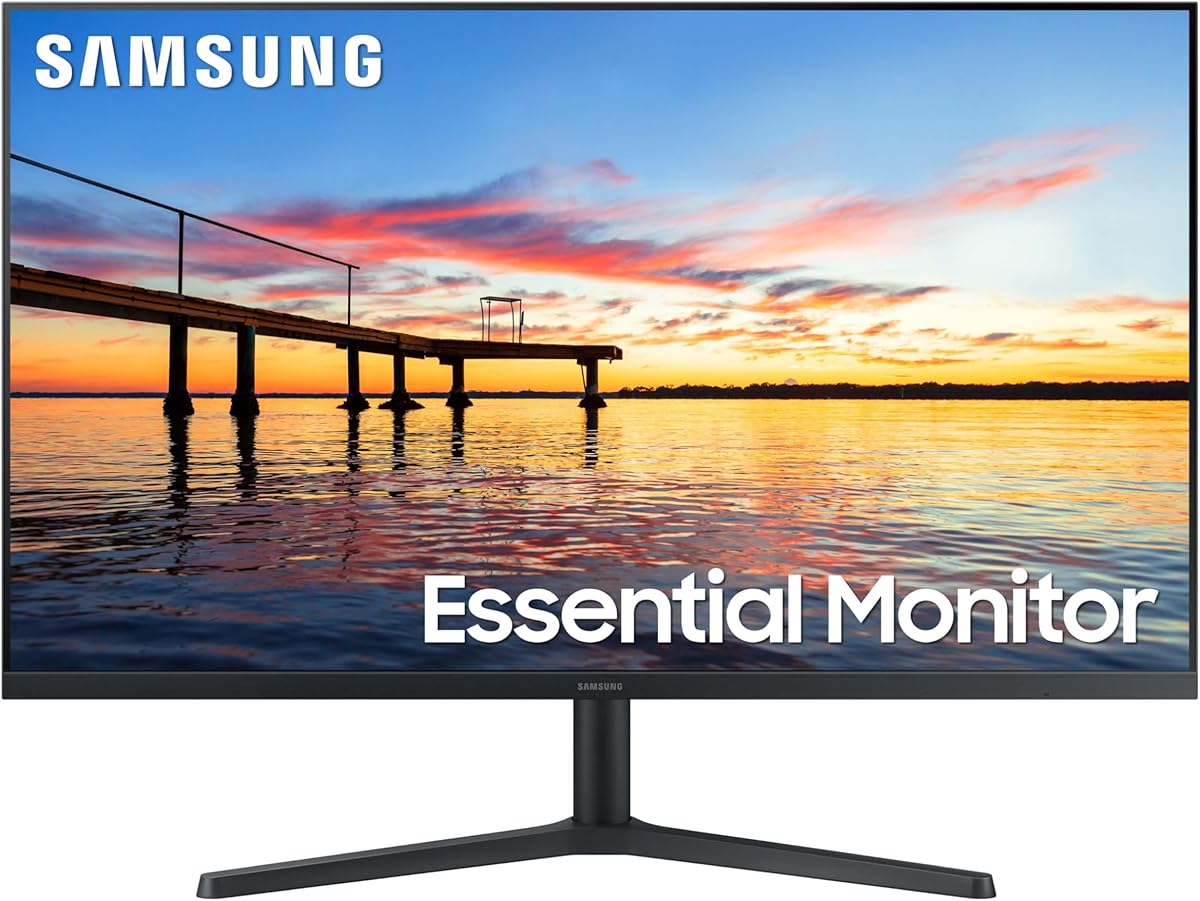
The Samsung 32 Flat Monitor offers a large screen experience that enhances productivity and immersion without the distraction of thick bezels. Its three-sided borderless display brings a clean modern aesthetic to any working environment and allows for a virtually gapless view in multi-monitor setups. This seamless arrangement is perfect for users who need to monitor multiple projects simultaneously on a single desk.
We may earn a commission when you buy through this link, at no additional cost to you.
Performance is supported by AMD FreeSync technology which keeps your monitor and graphics card refresh rate in sync to reduce image tearing. Whether you are watching movies or playing games the 75Hz refresh rate ensures every frame on screen moves smoothly for fluid scenes without lag. This makes it a solid choice for casual gaming and everyday multimedia consumption.
The monitor also prioritizes viewer comfort with advanced eye care technology that reduces eye strain for less strenuous extended computing. Flicker Free technology continuously removes tiring and irritating screen flicker while Eye Saver Mode minimizes emitted blue light to protect your vision. These features are essential for those who spend many hours staring at a screen every day.
This monitor is ideal for users who want a large display for work or entertainment but do not need ultra-fast refresh rates. Game Mode adjusts any game to fill your screen with every detail in view giving you the edge when it matters most. If you need a spacious frameless display that supports multi-monitor layouts effectively this Samsung model is a worthy consideration.
The three-sided borderless display brings a clean and modern aesthetic to any working environment for a virtually gapless view without distractions.
Advanced eye comfort technology reduces eye strain for less strenuous extended computing with Flicker Free and Eye Saver Mode.
We may earn a commission when you buy through this link, at no additional cost to you.
The ViewSonic VS2725-2K delivers a high-performance Quad HD display that elevates your home office with a smooth 100Hz refresh rate. The IPS panel and frameless design deliver consistent colors and wide viewing angles which are essential for seamless setups and accurate color representation. This combination of resolution and refresh rate makes it an attractive option for users seeking a balance between clarity and motion handling.
We may earn a commission when you buy through this link, at no additional cost to you.
One of the key strengths of this model is its support for VESA Adaptive Sync technology which ensures a smooth 75Hz refresh rate for consistent frame rates and reduced screen tearing. This feature enables a fluid visuals for casual gaming and multimedia which enhances the overall viewing experience significantly. The seamless frameless design maximizes your viewing area with an immersive edge-to-edge screen for a more productive workspace.
ViewSonic backs this monitor with an industry-leading 3-year warranty which provides peace of mind with limited coverage and access to their US-based customer service team. Enhanced Viewing Comfort features include Flicker-Free technology and a Blue Light Filter to minimize eye fatigue during long workdays or study sessions. This commitment to quality and user care makes it a reliable choice for professional and personal use alike.
This monitor is best suited for users who want a high-resolution display without the premium price tag of higher-end models. The ViewMode presets allow you to optimize screen performance for any task quickly switching between Game Movie Web Text and Mono modes. With its durable construction and solid performance it stands out as a practical investment for long-term productivity.
27 Inch 2K LED monitor featuring a smooth 100Hz refresh rate with IPS panel and frameless design for consistent colors and wide viewing angles.
Have peace of mind with 3-year limited warranty coverage and access to US-based customer service team supporting long-term productivity.
We may earn a commission when you buy through this link, at no additional cost to you.
The ASUS BE249QG-R is designed with versatility in mind offering a Full HD IPS panel with frameless design for efficient workflows. Its SmoothMotion 120Hz refresh rate delivers a seamless and tear-free visual experience that is beneficial for both work and entertainment. The wide color gamut covering 95% DCI-P3 and 100% sRGB ensures accurate and vibrant color reproduction across your applications.
We may earn a commission when you buy through this link, at no additional cost to you.
One of the key strengths of this model is its extensive connectivity options including HDMI DisplayPort earphone jack and USB hub for maximum flexibility. It is TAA Compliant which makes it a viable option for government and enterprise procurement needs. Additionally users receive a free 1-month Adobe Creative Cloud Subscription adding extra value to the purchase for creative professionals.
Eye Care Technology features TV Rheinland-certified Flicker-free and Low Blue Light technologies to ensure a comfortable viewing experience during extended use. The ergonomic design offers comprehensive adjustability with tilt swivel pivot and height adjustments for comfortable viewing angles during prolonged use. These features collectively help reduce strain and maintain productivity throughout your workday.
This monitor is ideal for enterprise users and professionals who require compliance features alongside reliable display performance. The frameless design minimizes bezels bringing maximum concentration to your screen whether you are coding designing or analyzing data. With its robust build and useful extras like the Creative Cloud subscription it offers strong value for specific workflow requirements.
95% DCI-P3 and 100% sRGB coverage for accurate and vibrant color reproduction ideal for creative work and media consumption.
Trade Agreements Act compliant option available for government and enterprise procurement meeting strict regulatory standards easily.
We may earn a commission when you buy through this link, at no additional cost to you.
The SAMSUNG 34 ViewFinity S50GC Series offers a wide display featuring a 21:9 aspect ratio that maximizes screen real estate for multitasking. Ultra WQHD provides the simplest way to experience truly seamless multitasking on just one screen allowing you to see every detail with ease. The ambient light sensor on the monitor detects lighting in your workstation and automatically adjusts brightness to protect your eyes.
We may earn a commission when you buy through this link, at no additional cost to you.
A standout feature of this model is its HDR10 support which displays over 1 billion colors compared to 16.7 million for typical SDR technology. This ensures dark colors are darker and the brightest are even brighter so content is experienced as the creator intended. Additionally AMD Radeon FreeSync keeps the refresh rate of your monitor and graphics card in sync to reduce image tearing for a superfluid entertainment experience.
The monitor also includes PIP and PBP features which let you view input from 2 simultaneous sources at native resolution. This allows you to review 2 projects or run 2 programs simultaneously enhancing your productivity without needing multiple screens. The virtually bezel free screen shows you the full picture and looks almost gapless when used in a dual monitor setup.
This monitor is best suited for users who need a large workspace for productivity tasks like video editing or stock trading. The faster than average refresh rate of 100Hz reduces lag and motion blur when playing games or watching videos. If you want a wide immersive display that supports multiple inputs efficiently this Samsung model is an excellent choice for your desk.
See every detail on the wider display featuring a 21:9 aspect ratio to maximize screen real estate and experience seamless multitasking on just one screen.
Ambient light sensor detects lighting and adjusts brightness automatically while Eye Saver Mode minimizes excessive blue light for comfort.
We may earn a commission when you buy through this link, at no additional cost to you.
The BenQ GW2491 is recognized for its stunning visuals and exceptional eye care features making it a top choice for readers and professionals. Its IPS panel provides accurate color and image reproduction from any angle ensuring that your content looks great from every position. The 100Hz refresh rate reacts more quickly to changes resulting in a smoother user experience for daily tasks and light gaming.
We may earn a commission when you buy through this link, at no additional cost to you.
One of the key strengths of this model is its ePaper Mode which ensures effortless readability and long reading sessions with maximum eye comfort. It is also TUV-Certified and Eye-friendly with Flicker-Free and Low Blue Light Plus technology to reduce harmful emissions. This certification ensures that the display meets strict standards for reducing eye strain during prolonged use which is critical for your health.
The ultrathin bezel design enhances focus on a frameless monitor making it ideal for multi-monitor setups or compact desks. The color modes allow you to switch between different viewing experiences quickly whether you are working on text documents or viewing media. This simplicity combined with robust eye care features makes it a reliable tool for anyone focused on reading or writing.
This monitor is best suited for users who prioritize eye health and visual comfort over high-performance gaming specs. The reduced blue light is vivid colors maintain image quality without compromising on brightness or clarity. If you spend long hours reading documents or coding this BenQ model offers the protection and clarity you need to stay focused and comfortable.
Ensures effortless readability and long reading sessions eye comfort making it ideal for heavy readers and writers.
TÜV-certified plus eye-friendly with Flicker-Free and Low Blue Light Plus ensuring reduced blue light with vivid colors.
We may earn a commission when you buy through this link, at no additional cost to you.
The Dell 24 Plus Monitor brings clarity with its FHD resolution and a high 144Hz refresh rate that supports a smooth tear-free viewing experience. The 1ms Moving Picture Response Time ensures that fast-paced action remains sharp whether you are gaming or watching videos. Additionally it includes integrated dual 3W speakers which deliver a wider range of frequencies for a more immersive experience without external speakers.
We may earn a commission when you buy through this link, at no additional cost to you.
One of the key strengths of this model is its comprehensive ergonomics including height tilt pivot and swivel adjustability to suit your preference throughout the day. You can prioritize visual comfort with this 4-star TÜV-certified display which reduces harmful blue light emissions while maintaining stunning image quality. The Dell Display and Peripheral Manager application helps optimize the performance of your entire Dell PC workspace for seamless productivity.
AMD FreeSync technology keeps the refresh rate of your monitor and graphics card in sync to reduce image tearing for a superfluid entertainment experience. This makes it a versatile choice for both work and play as it handles motion blur and lag effectively. The compact design ensures it fits well on smaller desks while still offering robust features that enhance user experience.
This monitor is best suited for users who need a compact display with excellent ergonomics and audio integration. The combination of a high refresh rate and adjustable stand makes it perfect for active workdays and gaming sessions. If you want a reliable all-rounder that balances performance and comfort effectively this Dell model is a solid option to consider.
The FHD resolution and 1500:1 contrast ratio bring clarity while 144Hz refresh rate and 1ms MPRT deliver smooth tear-free viewing.
Prioritize visual comfort with this 4-star TÜV-certified display reducing harmful blue light emissions while maintaining stunning image quality.
We may earn a commission when you buy through this link, at no additional cost to you.
The Dell 27 Plus QHD Monitor brings astounding depth and vivid detail with its QHD resolution and high 144Hz refresh rate for smooth tear-free viewing. The 1ms Moving Picture Response Time ensures that fast-paced action remains sharp whether you are gaming or watching videos. Additionally it includes integrated dual 3W speakers which deliver a wider range of frequencies for a more immersive experience without external speakers.
We may earn a commission when you buy through this link, at no additional cost to you.
One of the key strengths of this model is its comprehensive ergonomics including height tilt pivot and swivel adjustability to suit your preference throughout the day. You can prioritize visual comfort with this 4-star TÜV-certified display which reduces harmful blue light emissions while maintaining stunning image quality. The Dell Display and Peripheral Manager application helps optimize the performance of your entire Dell PC workspace for seamless productivity.
AMD FreeSync technology keeps the refresh rate of your monitor and graphics card in sync to reduce image tearing for a superfluid entertainment experience. This makes it a versatile choice for both work and play as it handles motion blur and lag effectively. The compact design ensures it fits well on smaller desks while still offering robust features that enhance user experience.
This monitor is best suited for users who need a compact display with excellent ergonomics and audio integration. The combination of a high refresh rate and adjustable stand makes it perfect for active workdays and gaming sessions. If you want a reliable all-rounder that balances performance and comfort effectively this Dell model is a solid option to consider.
The QHD resolution and 1500:1 contrast ratio bring depth while 144Hz refresh rate and 1ms MPRT deliver smooth tear-free viewing.
Prioritize visual comfort with this 4-star TÜV-certified display reducing harmful blue light emissions while maintaining stunning image quality.
We may earn a commission when you buy through this link, at no additional cost to you.
Selecting the right frameless computer monitor requires evaluating several critical factors to ensure it meets your performance and ergonomic needs.
IPS panels are generally preferred for frameless monitors because they offer consistent colors and wide viewing angles which are crucial for multi-monitor setups and collaborative work. If you work with images or videos look for models that cover a high percentage of the sRGB or DCI-P3 color gamut to ensure accurate representation.
For most users a panel that offers at least 99% sRGB coverage is a safe bet for accurate colors. Prioritize IPS technology over TN or VA if color consistency from different angles is important for your workflow.
Refresh rate determines how many times the screen updates per second and is critical for smooth motion in gaming and video playback. A refresh rate of 75Hz or higher is recommended for general use while gamers may prefer 120Hz or 144Hz for a more responsive experience.
Look for a response time of 1ms to 5ms to minimize motion blur and ghosting. Higher refresh rates and faster response times ensure that fast-paced content remains clear and crisp without distracting artifacts.
Resolution defines the sharpness and clarity of your display and should align with the screen size you choose. For a 24-inch monitor Full HD (1080p) is adequate while 27-inch and larger models benefit from QHD or 4K resolution to avoid visible pixelation.
Select a size that fits comfortably on your desk while maintaining a comfortable viewing distance. Larger screens like 32-inch or 34-inch models offer more space for multitasking but require more room and better hardware to drive them effectively.
Modern monitors offer a range of ports including HDMI DisplayPort and USB-C to connect various devices. Ensure the monitor has at least one HDMI and one DisplayPort if you plan to connect multiple devices or use features like Daisy Chaining.
USB-C connectivity is increasingly important for laptops and mobile devices as it can provide both video and power over a single cable. Verify that the ports match your current setup or consider adapters if needed for seamless integration.
A good stand should allow for tilt height and swivel adjustments to help you find a comfortable viewing position. Ergonomic features reduce neck strain and eye fatigue during long work sessions and are essential for health and productivity.
Check if the monitor supports VESA mounting if you prefer a flexible or arm-based setup. Even a simple tilt adjustment can make a significant difference in daily comfort compared to fixed bases.
Long hours in front of a screen can cause discomfort so look for features like Flicker-Free technology and Low Blue Light modes. These features reduce strain and help maintain visual health over time without compromising image quality.
Certifications like TÜV Rheinland can confirm that the eye care claims are validated. Prioritize models that have these certifications to ensure the display meets safety standards for prolonged use.
Frameless monitors are often used in multi-monitor setups so consider bezel thickness and alignment. A virtually bezel-free design ensures that the transition between screens is minimal allowing for a seamless panoramic view.
Check if the monitor supports features like Picture-by-Picture (PBP) or Daisy Chaining to manage multiple inputs efficiently. These tools help you organize your workspace without the clutter of multiple cables and controllers.
Determine your budget early to narrow down options that offer the best balance of performance and price. While premium models offer higher resolutions and faster refresh rates entry-level options can still deliver excellent frameless designs for basic tasks.
Consider the long-term value by checking warranty terms and customer support. A monitor with a solid warranty and responsive support team can save you money and hassle if issues arise after purchase.
When setting up your frameless monitor ensure you place it on a stable surface to prevent accidents and allow for easy adjustment. Use the provided cables and connectors to link the monitor to your computer securely avoiding loose connections that could cause flickering or signal loss.
Regularly clean the screen with a soft microfiber cloth to remove dust and fingerprints without scratching the surface. Avoid using harsh chemicals or abrasive materials that could damage the coating and reduce the clarity and longevity of your display.
To maximize eye comfort adjust the brightness and contrast settings according to your room lighting conditions. Utilize built-in eye care modes like Blue Light Filter or E-Saver during night hours to reduce strain and maintain focus throughout the day.
A frameless monitor features ultra-thin bezels that surround the screen on all sides minimizing the visual barrier between the display and the frame. This design enhances immersion and allows for seamless multi-monitor setups where gaps between screens are barely noticeable.
Yes frameless monitors are ideal for multi-monitor setups because their slim bezels reduce the gaps between screens creating a more cohesive and immersive viewing experience. This is particularly beneficial for users who need to span content across multiple displays without distractions.
The frameless design itself does not directly affect color accuracy but many frameless models come with IPS panels that provide consistent colors and wide viewing angles. These panels ensure that what you see on the screen remains accurate regardless of your viewing position.
To clean a frameless monitor use a soft dry microfiber cloth to gently wipe the screen and bezels. Avoid using liquids or chemical cleaners directly on the screen and never apply excessive pressure to prevent damage to the panel or surrounding materials.
For 24-inch monitors Full HD (1080p) is sufficient while 27-inch and larger screens benefit from QHD or 4K resolution to maintain sharpness. Higher resolutions ensure text and images remain crisp which is essential for productivity and detailed work.
Absolutely many frameless monitors are designed with high refresh rates and response times that support smooth gameplay. Features like FreeSync and G-Sync compatibility help reduce screen tearing and input lag making them suitable for both casual and competitive gaming.
We reviewed ten top frameless monitors ranging from budget-friendly options to premium models with high resolutions and advanced features. Each product offers unique strengths whether you need a versatile tool for work a sharp display for creative projects or a fluid screen for gaming.
When choosing prioritize factors like panel type refresh rate and ergonomics to ensure the monitor fits your specific needs. A frameless design is a great aesthetic choice but performance and comfort should guide your final decision to maximize productivity and satisfaction.
Remember that pricing and availability can change quickly so verify current offers and compatibility with your existing hardware before purchasing. We hope this guide helps you find the perfect monitor to elevate your workspace and deliver a seamless viewing experience for years to come.