
Apple 2025 MacBook Pro
4.7Editor score
Apple M5 Chip
16GB Unified Memory
Liquid Retina XDR Display
Finding the right laptop for Adobe Premiere Pro requires careful consideration of processing power, memory, and graphics capabilities to ensure smooth editing workflows without frustrating lag or crashes.
We have analyzed top models from Dell, Apple, MSI, and HP to identify machines that handle 4K timelines, color grading, and effects rendering efficiently while maintaining portability for creative professionals.
Each pick includes detailed specifications and honest pros and cons to help you choose the perfect machine for your budget and workflow, keeping in mind that prices and availability can change frequently.
4.7Editor score

4.4Editor score

5.0Editor score
As an Amazon Associate we earn from qualifying purchases.
The following table provides a side-by-side comparison of the top ten laptops selected for their ability to handle the demanding requirements of Adobe Premiere Pro editing workflows.




This Dell Precision 7680 is a powerhouse workstation designed for professionals who need top-tier performance for video editing and content creation tasks without compromise.
We may earn a commission when you buy through this link, at no additional cost to you.
Equipped with the Intel Core i9-13950HX processor and 32GB of DDR5 RAM, it handles complex 4K timelines and effects rendering with ease, ensuring a smooth editing experience.
The large chassis accommodates robust cooling which maintains performance under heavy load, though it adds weight and makes it less ideal for frequent travel on the go.
If you prioritize raw processing power and reliability for daily professional workflows over portability, this machine delivers exceptional value and productivity for serious video editors.
The i9 processor ensures that even demanding effects and color grading tasks complete quickly, saving valuable time on every project you tackle daily.
The FHD+ anti-glare screen provides accurate colors and sharp details essential for precise editing decisions and client presentations in various lighting conditions.
We may earn a commission when you buy through this link, at no additional cost to you.
The 2025 MacBook Pro with the M5 chip sets a new standard for premium mobile editing with exceptional performance and efficiency that rivals larger desktop workstations.
We may earn a commission when you buy through this link, at no additional cost to you.
Its unified memory architecture allows for seamless multitasking and quick data access making it ideal for editing long timelines or working with multiple applications simultaneously without lag.
While the 16GB memory configuration is fixed and cannot be upgraded later it provides sufficient capacity for most 4K workflows and delivers incredible performance per watt compared to Intel rivals.
Creators seeking the best portability combined with top-end screen quality and battery life will find this machine perfectly suited for professional work anywhere without constant power needs.
Apple Silicon optimizes Premiere Pro to run smoothly while keeping fans quiet even during intense rendering sessions that would typically generate significant heat and noise.
The XDR display delivers 1600 nits brightness and deep blacks ensuring accurate color grading and vibrant playback for content consumed on high-end devices.
We may earn a commission when you buy through this link, at no additional cost to you.
This HP 17 Laptop offers an accessible entry point for students and hobbyists looking to start editing video without breaking the bank on expensive workstation hardware immediately.
We may earn a commission when you buy through this link, at no additional cost to you.
Powered by the AMD Ryzen 5 processor it handles basic to intermediate editing tasks competently and the larger 17 inch screen provides ample workspace for timelines and panels.
Upgrading the RAM and storage is recommended for heavier workloads and the base configuration works best for HD content or short projects rather than complex 4K productions requiring speed.
For those needing a functional tool for learning and light editing tasks this laptop provides solid value and performance that exceeds expectations for its specific price category significantly.
It delivers core editing capabilities at a fraction of the cost of higher-end models making it perfect for beginners or secondary devices in a multi-machine setup.
The generous screen real estate allows editors to keep multiple panels open without clutter improving efficiency even when working on modest hardware specifications overall.
We may earn a commission when you buy through this link, at no additional cost to you.
The Precision 3581 delivers reliable workstation performance at a lower cost making it an excellent choice for professionals who need certified hardware without flagship pricing or features.
We may earn a commission when you buy through this link, at no additional cost to you.
Its Intel Core i7-13800H processor paired with 32GB of DDR5 RAM ensures smooth handling of multi-tasking and moderate rendering loads typical of standard business video production needs.
The RTX A500 graphics card provides stable drivers for professional applications which is crucial for preventing crashes during critical project phases though it lacks high-end gaming capabilities.
This machine suits users who value stability and warranty support over premium display quality and is a practical solution for office environments where durability matters most daily.
Dell offers on-site service which minimizes downtime for professionals who cannot afford long repair waits when their main editing machine fails unexpectedly.
By balancing component choices this model offers a sweet spot for budgets that need robust processing power without paying for unnecessary premium features or screens.
We may earn a commission when you buy through this link, at no additional cost to you.
This massive mobile workstation is designed for professionals working with incredibly complex projects requiring immense memory and graphics power to render and edit without bottlenecks.
We may earn a commission when you buy through this link, at no additional cost to you.
The 128GB of DDR5 RAM allows for extensive multitasking and handling of massive 8K timelines or complex 3D integration while the RTX ADA GPU accelerates rendering tasks efficiently.
While the display is limited to FHD resolution the sheer raw performance and memory capacity make it a desktop replacement for demanding engineering and creative workflows in offices.
Buyers with specific high-demand needs and the budget to match will find this machine capable of tasks that smaller laptops simply cannot manage effectively or reliably.
With 128GB of RAM users can load entire projects into memory ensuring instant responsiveness even when managing dozens of applications and massive datasets simultaneously.
The NVIDIA RTX ADA 3500 ensures certified stability for professional software and provides the VRAM needed for complex effects and large texture handling.
We may earn a commission when you buy through this link, at no additional cost to you.
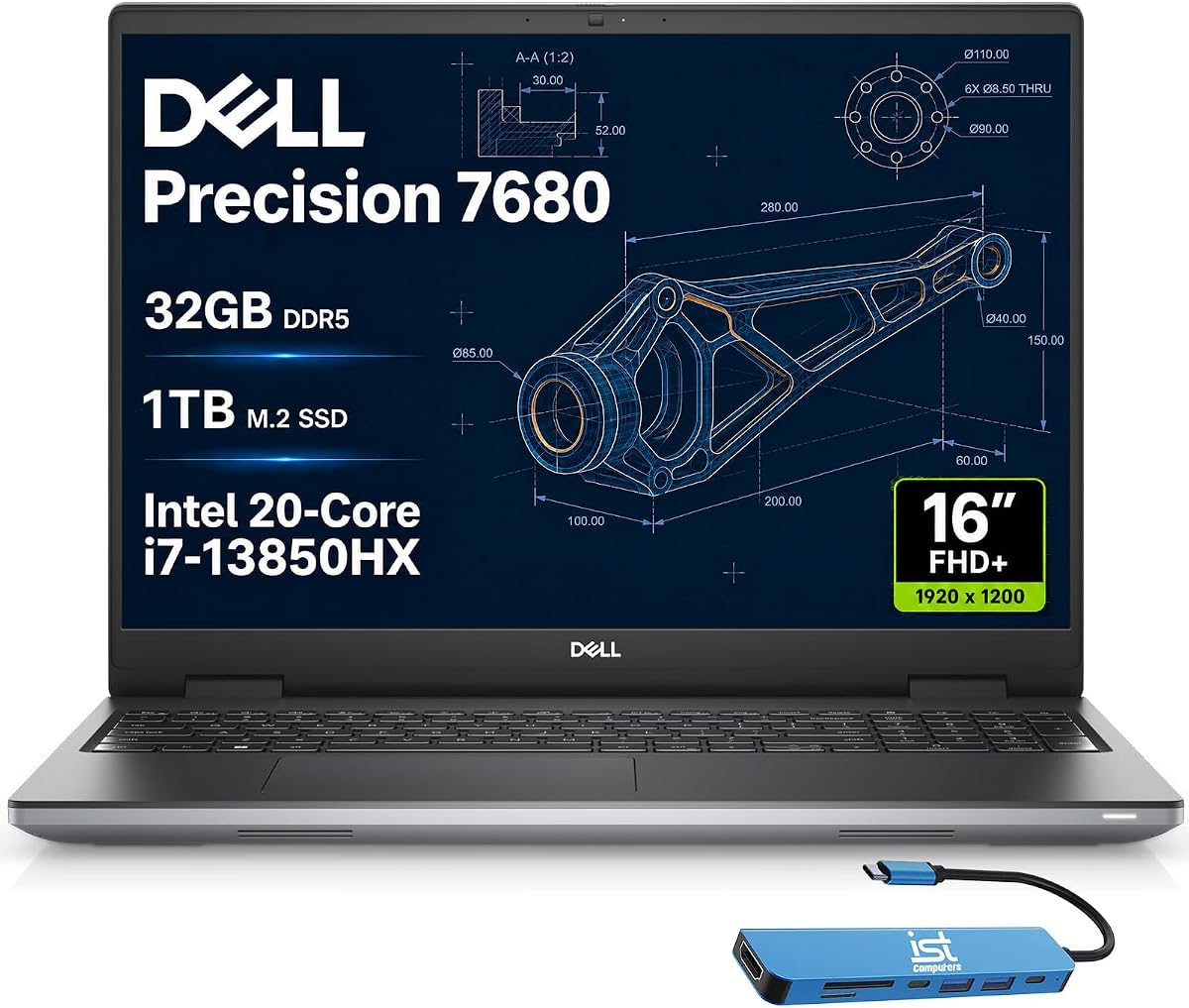
This configuration of the Precision 7680 offers a balanced approach for professionals who need strong CPU performance without requiring the absolute highest-end graphics hardware available.
We may earn a commission when you buy through this link, at no additional cost to you.
The Core i7-13850HX processor delivers excellent multi-threaded performance for rendering and encoding while the 32GB RAM supports smooth operation during complex editing sessions.
Although it lacks a discrete graphics option the integrated graphics are sufficient for basic editing tasks and the robust chassis ensures durability for daily transport and use.
It is an ideal choice for businesses looking for reliable hardware that meets professional standards and offers strong performance for general video editing needs at a lower cost.
This setup provides sufficient power for most professional tasks without the added cost and weight of high-end dedicated graphics options needed for heavy rendering.
The MIL-STD-810H tested chassis ensures the laptop can withstand the rigors of travel and daily professional use in varied environments.
We may earn a commission when you buy through this link, at no additional cost to you.
This configuration highlights storage and memory capacity making it ideal for professionals who manage large media libraries and need space for multiple project drafts simultaneously.
We may earn a commission when you buy through this link, at no additional cost to you.
With 2TB of NVMe storage users can keep active projects locally without relying heavily on external drives while the 64GB of RAM supports heavy multitasking and complex timelines.
The RTX 1000 GPU provides certified stability for professional workflows though it is not designed for high-end gaming or heavy 3D rendering compared to top tier options.
Buyers prioritizing storage and memory over graphical power will find this model offers excellent value and reliability for video editing workflows that require local data access.
The 2TB drive provides enough room for extensive footage archives and project files reducing the need for external storage solutions during the editing process.
Dell ProSupport Plus ensures rapid access to technical assistance which is critical for maintaining productivity when hardware issues arise unexpectedly.
We may earn a commission when you buy through this link, at no additional cost to you.
This renewed model offers a cost-effective way to access workstation-grade hardware with robust memory and storage suitable for moderate editing needs without the premium price tag.
We may earn a commission when you buy through this link, at no additional cost to you.
The Core i7 processor and 32GB of RAM provide solid performance for HD and basic 4K editing while the renewed status ensures functional units at reduced costs for buyers.
While it lacks the newest generation features it remains a reliable option for professionals or students seeking established workstation reliability and stability at a lower entry price.
Those comfortable with older hardware can save significantly by choosing this model which still delivers sufficient power for many standard professional workflows and tasks effectively.
Renewed units offer significant savings for those willing to accept previous generation technology that still meets performance needs for many modern editing tasks.
With 32GB of RAM this machine handles multitasking and moderate editing loads smoothly ensuring productivity remains high even on older hardware.
We may earn a commission when you buy through this link, at no additional cost to you.
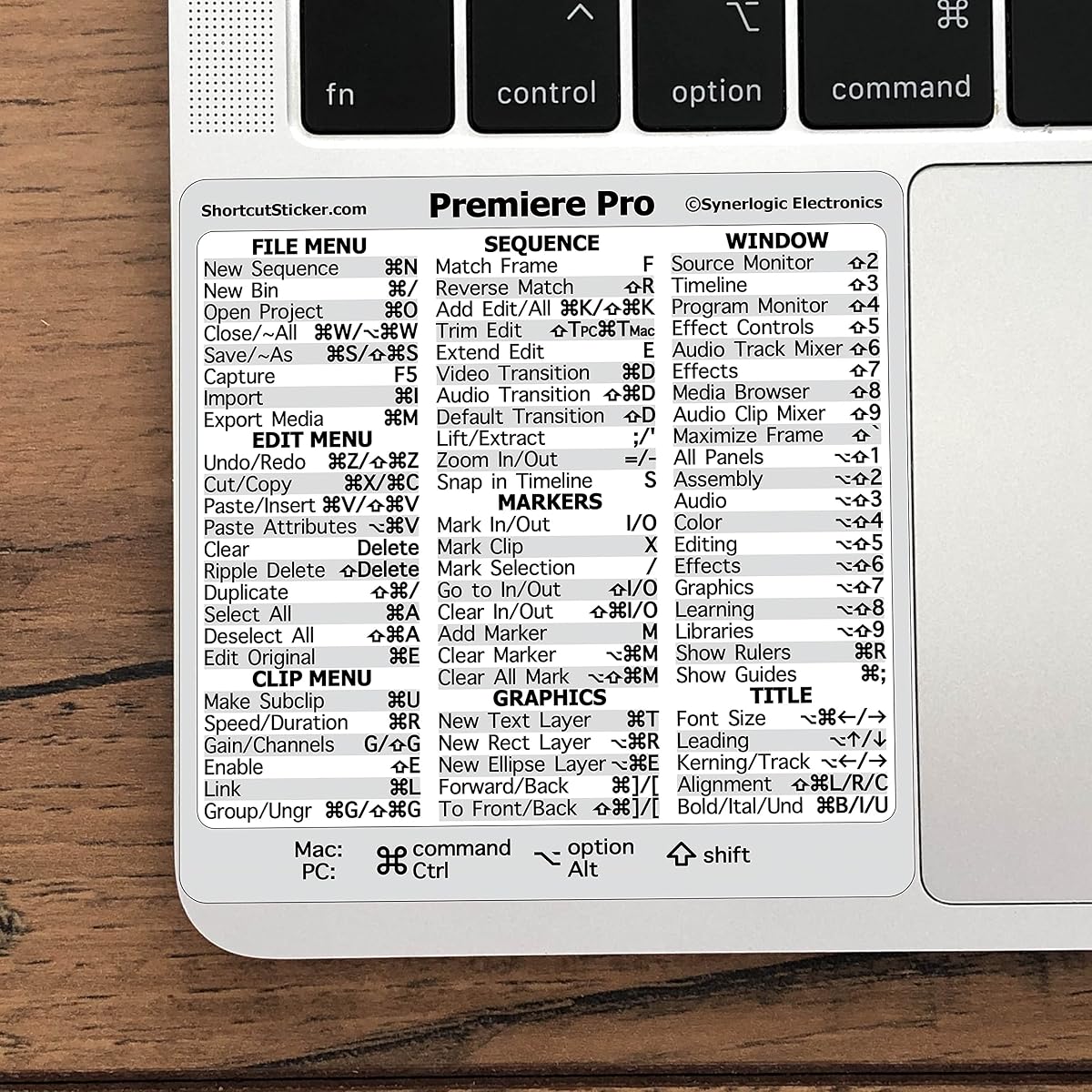
This keyboard sticker is an essential accessory for editors looking to maximize efficiency and reduce reliance on mouse clicks during long editing sessions and complex projects.
We may earn a commission when you buy through this link, at no additional cost to you.
By placing essential shortcuts directly on the keyboard it accelerates workflow and helps users memorize commands quickly improving overall productivity and creative focus significantly.
The durable vinyl construction ensures longevity even with frequent use though some users may need to remove it carefully if they plan to switch keyboards later.
It is a cost-effective investment for anyone serious about mastering Premiere Pro and streamlining their editing process regardless of the laptop hardware they own.
Quick access to shortcuts reduces time spent searching menus and allows editors to focus more on creative decisions rather than software navigation tasks.
Regular visual exposure to shortcuts reinforces muscle memory making the transition to keyboard-based editing faster and more intuitive for users of all skill levels.
We may earn a commission when you buy through this link, at no additional cost to you.
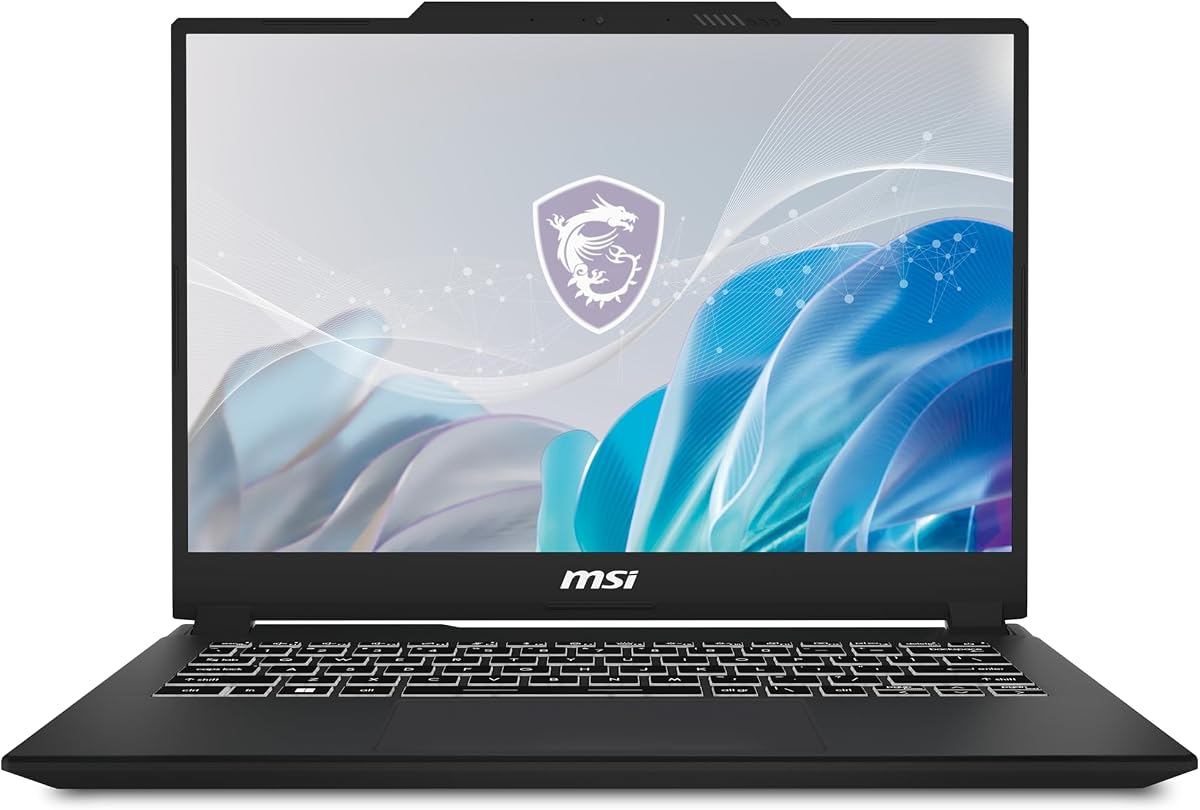
This compact laptop offers a strong balance of portability and performance ideal for creators who need a powerful machine to edit on the go without compromising on screen quality.
We may earn a commission when you buy through this link, at no additional cost to you.
The 2.8K display provides vibrant colors and sharp details for accurate grading while the RTX 4050 GPU accelerates rendering tasks ensuring smooth playback during editing sessions.
Although the 16GB memory is fixed it suffices for most creative tasks and the overall design ensures high performance remains accessible in a slim and travel-friendly form factor.
For travelers and remote workers requiring quality visuals and solid rendering power this machine delivers excellent versatility and efficiency for professional video creation anywhere needed.
Despite its small size this laptop handles demanding creative software efficiently making it perfect for editors who work from various locations daily.
The 2.8K resolution and color accuracy make it easy to judge visual details and colors without needing an external monitor for basic grading tasks.
We may earn a commission when you buy through this link, at no additional cost to you.
Selecting the right laptop for video editing involves balancing several technical factors to ensure your machine meets your specific workflow needs efficiently.
The central processing unit handles decoding encoding and basic playback so a high core count and modern architecture are essential for smooth 4K and higher resolution editing.
Prioritize Intel Core i7 or i9 or AMD Ryzen 7 or 9 processors from the latest generation to ensure longevity and speed in your editing workflows.
RAM determines how many applications and browser tabs you can run simultaneously and is critical for handling large timelines without stuttering or crashing.
Aim for at least 32GB of DDR5 RAM for professional 4K editing to ensure responsive performance and future proofing your investment.
A dedicated graphics card accelerates rendering effects and color grading tasks and is vital for smooth playback and faster export times.
Look for NVIDIA RTX series cards with at least 6GB VRAM to handle modern effects and ensure compatibility with professional software features.
Solid state drives provide the fast read write speeds needed to load projects quickly and playback high bitrate footage without lag.
Choose a laptop with a 1TB NVMe SSD and ensure it has extra slots for expansion to store growing libraries of footage and archives.
Accurate color representation and high resolution are crucial for grading and ensuring your final video looks consistent across different devices.
Look for screens with high color gamut coverage and brightness above 300 nits to maintain visibility in various lighting conditions.
If you travel often consider weight and battery life since editing requires power and carrying heavy machines can become burdensome over time.
Invest in a sturdy chassis that protects internal components during travel and offers reliable hinge durability for frequent opening and closing.
Video editors need multiple ports for connecting external drives monitors and cameras so ensure the laptop offers sufficient USB and Thunderbolt ports.
Prioritize models with Thunderbolt 4 support for high speed data transfers and the ability to drive high resolution external displays reliably.
Both Windows and macOS support Premiere Pro but each has its own ecosystem advantages depending on your existing devices and software preferences.
Choose the operating system that integrates best with your workflow and offers the drivers and stability you need for professional daily use.
Always use your laptop on a hard flat surface to ensure proper airflow and prevent overheating during long editing sessions or rendering tasks.
Install regular software updates for both your operating system and Adobe Premiere Pro to maintain compatibility and access performance improvements.
Clean the screen gently with a microfiber cloth and avoid harsh chemicals to preserve display quality and accuracy for professional color work.
Yes, a dedicated GPU is highly recommended for smooth playback and faster rendering especially when using effects or working with high resolution footage.
For 4K editing aim for 32GB of RAM to ensure smooth performance and avoid system slowdowns during complex tasks like color grading.
Yes, high-end models with powerful CPUs and GPUs can handle 8K video editing but expect higher system load and longer rendering times than with 4K.
Both platforms work well but macOS offers optimized performance and color accuracy while Windows provides more hardware flexibility and customization options.
A 16 inch or larger display provides ample workspace for timelines and panels which improves productivity and reduces the need for external monitors.
Battery life is important for travel but most editors work plugged in during sessions so prioritize performance and charging speed over longevity.
We have highlighted ten exceptional laptops ranging from powerful workstations to portable creator tools to help you find the perfect machine for your editing needs.
Prioritize processing power and RAM capacity for smooth workflows while considering display quality and portability based on where you typically work and edit.
Check current prices and availability before buying as deals change frequently to ensure you get the best value for your investment in professional tools.