10 Best Energy Consumption Monitors For PC in 2026
Discover the top energy consumption monitors for PC to track usage and save costs. We compare features accuracy and smart capabilities for efficient power
As an Amazon Associate we earn from qualifying purchases. We may earn a commission when you buy through links on this page, at no additional cost to you. Read our affiliate disclosure.As an Amazon Associate we earn from qualifying purchases.Purchases through our links may earn us a commission, at no extra cost to you. Read our affiliate disclosure.
Finding the right energy consumption monitors for PC is essential for anyone looking to optimize their home or office power usage. These devices provide critical insights into how much electricity your computer setup draws, helping you identify inefficiencies and reduce monthly bills. Whether you are a gamer with high-performance rigs or a professional with multiple workstations, understanding your power profile is the first step toward sustainability and savings.
We have carefully evaluated a wide range of power monitoring solutions available on the market today to bring you this comprehensive list. Our comparison focuses on accuracy, ease of installation, smart home integration, and the depth of data provided to users. Each product has been selected based on user ratings, technical specifications, and real-world performance feedback from verified owners who rely on these tools daily.
Each pick in this guide highlights specific strengths that cater to different needs, from simple plug-in meters to advanced whole-home monitoring systems. You will see detailed breakdowns of features, pros, cons, and usage scenarios to help you make an informed decision. Please note that product availability and pricing can change frequently, so always check the current details before finalizing your purchase.
Top 3 Picks for Best Energy Consumption Monitors for PC
Best Budget
Upgraded Watt Power Meter Plug Home Electrical Usage Monitor Consumption Energy Voltage Amps Kill Tester with Backlight Overload Protection 7 Modes Display
Emporia Vue 3 Home Energy Monitor Smart Home Automation Module and Real Time Electricity Usage Monitor Power Consumption Meter Solar and Net Metering for UL Certified Safe Energy Monitoring
Top 10 Best Energy Consumption Monitors for PC in 2026 Compared
This side-by-side comparison highlights the key specifications and capabilities of the top ten energy monitors selected for this guide. Whether you need a simple outlet plug or a whole-house panel monitor, this table helps you quickly identify the right tool for your specific PC setup and budget constraints.
The Emporia Vue 3 stands out as a top-tier solution for anyone serious about tracking energy consumption monitors for PC usage in their home environment. It offers certified safety and real-time data that helps users manage their electricity costs effectively. This system is designed to be reliable and accurate, making it a trusted choice for homeowners who want to understand their power habits.
Pros
Certified safe for home use
Monitors solar and net usage
App provides detailed insights
Tracks real-time electricity data
Protects with a warranty
Cons
Requires Wi-Fi connection
Needs circuit panel access
We may earn a commission when you buy through this link, at no additional cost to you.
Its ability to monitor solar power and net metering makes it incredibly versatile for modern energy setups. The app provides actionable notifications and live reporting that you can use to optimize when you run high-draw devices like PCs or gaming rigs. With detailed tracking of usage patterns, you can easily identify energy hogs and take steps to reduce waste.
While it does require installation in your circuit panel and a 2.4 GHz Wi-Fi connection, these are standard requirements for comprehensive home monitoring. The need to access your electrical panel might be a barrier for some, but the detailed data it provides is worth the initial setup effort for most users.
This monitor is ideal for homeowners who want to see where their money goes and reduce their bills through informed decisions. It is perfect for those with solar systems or complex home setups. If you want accurate, real-time data and peace of mind about safety, this is the best choice for energy monitoring.
Solar and Net Metering
This feature allows you to track both energy consumed and energy generated, giving you a complete picture of your home's net usage and potential savings from solar panels.
Real-Time Energy Data
You can view live reporting on your app to see exactly how much power your devices are drawing at any moment, helping you catch spikes instantly.
For those seeking an affordable entry point into energy tracking, this watt power meter plug is an excellent choice that delivers reliable data without breaking the bank. It measures various parameters like volts, amps, and energy usage clearly on a bright screen. This makes it a practical tool for checking the draw of a single PC or workstation outlet.
Pros
Monitors power watts and energy
Clear backlight LCD display
Overload protection included
Adjustable backlight time settings
Data memory function
Cons
Limited to outlet use only
No smart app features
We may earn a commission when you buy through this link, at no additional cost to you.
The upgraded LCD display is large and features a backlight that can be adjusted for visibility in any lighting condition. You can cycle through seven different display modes to see specific metrics like power factor or cumulative cost. The ability to set overload protection helps prevent electrical hazards if your device draws too much power.
While it does not offer smart home connectivity or app history, it keeps data locally on the device for later reference. This simplicity is both a strength and a limitation. It is great for spot-checking usage but won't give you long-term trend analysis like more advanced systems.
This plug is best for users who want to verify how much power a specific device uses before deciding on bigger changes. It is simple to plug in and start using immediately. If you need a low-cost, no-fuss tool to check a single PC outlet, this is the perfect budget pick.
Adjustable Backlight Time
You can customize how long the backlight stays on to save energy or keep visibility high, with options ranging from 10 minutes to always on.
Data Memory Function
If you unplug the meter or lose power, it saves your cumulative data so you do not lose your progress when you reconnect the device later.
This smart home energy monitor stands out for its focus on privacy and local data storage, which is rare in the connected home space. It offers real-time power tracking and integrates deeply with Home Assistant for advanced automation. This makes it a premium choice for users who want to automate their PC power usage based on solar availability.
Pros
Local data privacy protection
Integration with Home Assistant
Advanced energy automation
Monitors home power and cost
Detects solar surplus energy
Cons
Requires Home Assistant setup
High initial investment
We may earn a commission when you buy through this link, at no additional cost to you.
The ability to detect solar surplus and automatically power EV chargers or water heaters ensures you use free energy rather than wasting it. You can set custom alerts for unusual usage spikes without needing a subscription or cloud lock-in. This gives you full control over your energy data and privacy settings at all times.
The setup requires some technical knowledge, especially if you want to leverage the local data features fully. It works best for users who already have a smart home ecosystem in place. While expensive, the long-term savings and privacy benefits justify the cost for power users.
This monitor is perfect for tech-savvy homeowners who want to automate their energy usage and protect their data. If you care about privacy and want deep integration with smart home platforms, this is the top premium choice for energy monitoring and control.
Local Data Privacy
All your energy data stays within your local network, ensuring your habits are never sent to the cloud or third parties without your consent.
Solar Surplus Detection
The system identifies when your solar panels are producing extra power and can trigger high-energy tasks to run during those efficient times.
This outlet watt meter is a solid, reliable tool for measuring power consumption of individual devices like PCs or monitors. It supports a wide voltage range and offers high accuracy in its readings. The compact design allows it to plug in without blocking the lower outlet, which is a thoughtful detail for tight wall spaces.
Pros
Wide voltage range support
90 days data memory
Class 1.0 accuracy
Compact space-saving design
Clear LCD backlight display
Cons
Small screen for some users
Manual cost setup needed
We may earn a commission when you buy through this link, at no additional cost to you.
The 90-day data hold memory means you can unplug the meter and still retrieve your usage history later. This is useful if you want to test different devices without losing your cumulative data. The clear backlight ensures you can read the numbers even in low light conditions.
While it does not connect to the internet or a phone app, it gets the job done for local measurements. The cost calculation requires you to input your rate manually, which adds a small setup step. Overall, it is a straightforward device for basic monitoring needs.
This meter is best for users who want accurate local measurements without complex setups. If you need to check multiple outlets over time and want a device that saves data locally, this is a reliable and efficient option for daily use.
Data Memory
You can remove the device and return later to see your last recorded stats, making it easy to swap between devices without losing data.
Space Saving Design
The plug shape is designed to allow a second device to be plugged in below it, keeping your outlet strip tidy and functional.
This system offers detailed energy monitoring with 16 individual sensors to track power usage across different circuits in your home. It is particularly useful for renters or shared apartments where you need to allocate costs fairly among roommates. The privacy mode lets you run locally without relying on external cloud services if you prefer that.
Pros
16 circuit level sensors
Rental home bill allocation
Real-time power usage tracking
Privacy mode without cloud
Compatible with Home Assistant
Cons
Complex panel installation
Requires Wi-Fi setup
We may earn a commission when you buy through this link, at no additional cost to you.
You can track specific circuits like air conditioners or home offices to see exactly how much power your PC setup uses. The app provides history and real-time stats to help you manage your electricity bills. This level of detail is rare for systems in this price range.
Installation involves working in your circuit panel, which may require a professional if you are not comfortable with electrical work. The system does need a Wi-Fi connection for full app functionality, though local options exist. It is a robust choice for serious monitoring needs.
This monitor is ideal for those who want to track usage at the circuit level without overspending on a whole-home system. If you have a complex setup or need to manage costs in a shared living situation, this provides the right level of detail and flexibility.
Smart Electric Bill Allocation
You can set custom electricity rate templates to calculate costs for different rooms or circuits, helping landlords or roommates split bills fairly.
Privacy Mode
You can run the system on your local network without internet access, keeping your energy data private and secure on your own devices.
This watt meter plug provides an affordable way to monitor the energy usage of your PC or other household appliances. It tracks power, voltage, and energy consumption with a clear backlit display. You can switch through nine different modes to see the exact metrics you need at any time.
Pros
9 data display modes
Backlit LCD screen
Safe to use design
Data storage included
Save money and energy
Cons
No Wi-Fi connectivity
No app tracking
We may earn a commission when you buy through this link, at no additional cost to you.
The wide viewing angle makes it easy to read data even if the device is installed at an awkward angle. It stores data locally so you do not lose information during power outages. This ensures you can track cumulative usage over days or weeks without needing a constant power source.
While it lacks smart features or app connectivity, it is very user-friendly for manual checking. The safety design limits usage to standard voltage and current ranges to prevent hazards. It is a straightforward tool for checking if your PC is drawing more power than expected.
This plug is best for users who want a simple, low-cost solution to check outlet usage. If you do not need app history or remote access and just want reliable local data, this is a great choice for basic energy monitoring tasks.
Data Storage
Cumulative data is saved locally on the device, so you can unplug it and come back later without losing your progress tracking.
Wide Viewing Angle
The screen is designed to be readable from almost any angle, so you do not have to stand directly in front to see the numbers.
This energy monitor plug makes it easy to check the power usage of your PC with a simple one-click interface. It calculates electricity costs automatically if you set the rate. The high-precision chip ensures accurate measurements and stores data safely during power failures.
Pros
One-click interface switching
Overload protection alerts
Built-in data storage chip
Upgraded LCD display
Monitor home appliances easily
Cons
No smart alerts
No Wi-Fi connection
We may earn a commission when you buy through this link, at no additional cost to you.
The device alerts you with visual and audio cues if the load exceeds the set limit. This protection helps prevent damage to both the meter and your connected appliances. It is great for devices like gaming PCs that might have fluctuating power draws.
While it does not send notifications to your phone, it is very effective for manual monitoring. The viewing angle is improved so you can read the screen from the side. It is a practical choice for households that want to keep track of bills.
This meter is ideal for anyone who wants an easy way to plug in and start monitoring. If you need accurate data without complex settings and want alerts if something goes wrong, this is a strong option for daily use and safety.
Monitor Home Appliances
You can insert the meter between any appliance and outlet to measure its power draw and calculate the cost based on your local rates.
Overload Protection
If the device exceeds the threshold, it displays warnings and stops working until the load is reduced, keeping your devices safe.
Buying this 2-pack gives you two meters to monitor multiple devices or outlets at once. It features eight different display modes to track everything from voltage to total cost. The backlight helps you see data clearly at night or in dark corners of your office.
Pros
Multi-function power monitor
Overload protection feature
Premium ABS body material
Backlight display included
Easy reset functionality
Cons
Plastic build feels basic
Manual settings only
We may earn a commission when you buy through this link, at no additional cost to you.
The premium ABS material makes the unit durable and fireproof for safe use. It stores settings and cumulative data so you can reset and swap devices without losing track. This is useful if you have multiple PCs or peripherals you want to test.
While it lacks smart integration, it is a great value for the price. The reset is easy and does not need tools. This pack is perfect for a home office with several workstations that you want to check individually.
This set is best for users who want to monitor more than one outlet without spending a lot. If you need a reliable pair of meters to track a PC and a monitor or printer separately, this offers great value and flexibility.
Multi-Function Power Monitor
You can switch between modes to see power, energy, voltage, and cost data all on one simple display without needing extra devices.
Data Memory Function
Cumulative data saves automatically when unplugged, so you can pick up where you left off when you plug the device back in.
This classic energy usage monitor is a well-known tool for assessing appliance efficiency and consumption. It counts kilowatt-hours and calculates expenses by day or week. The design is simple and connects directly to appliances for immediate feedback on power use.
Pros
Classic design usage monitor
Kilowatt-hour consumption count
Compatible with inverters
Large LCD display counts
Assesses efficiency easily
Cons
Older technology
No backlight
We may earn a commission when you buy through this link, at no additional cost to you.
It supports inverters and works with 115-volt appliances making it versatile for various setups. The large LCD display counts consumption clearly so you can read the numbers easily. It is a staple tool that has been trusted for years in many homes.
While it does not have modern smart features, its reliability is its main strength. It is great for quick checks but lacks the advanced reporting of newer models. If you prefer a simple mechanical feel without apps, this is a solid option.
This monitor is ideal for users who want a no-nonsense way to track usage. If you do not need app data or remote access and just want to verify your PC's draw, this classic device does the job reliably.
Kilowatt-Hour Count
The display counts your total energy usage in kWh so you can estimate costs based on your local rate without any manual math.
Compatible with Inverters
You can use it with solar inverters to check if your solar setup is providing enough power to run your devices efficiently.
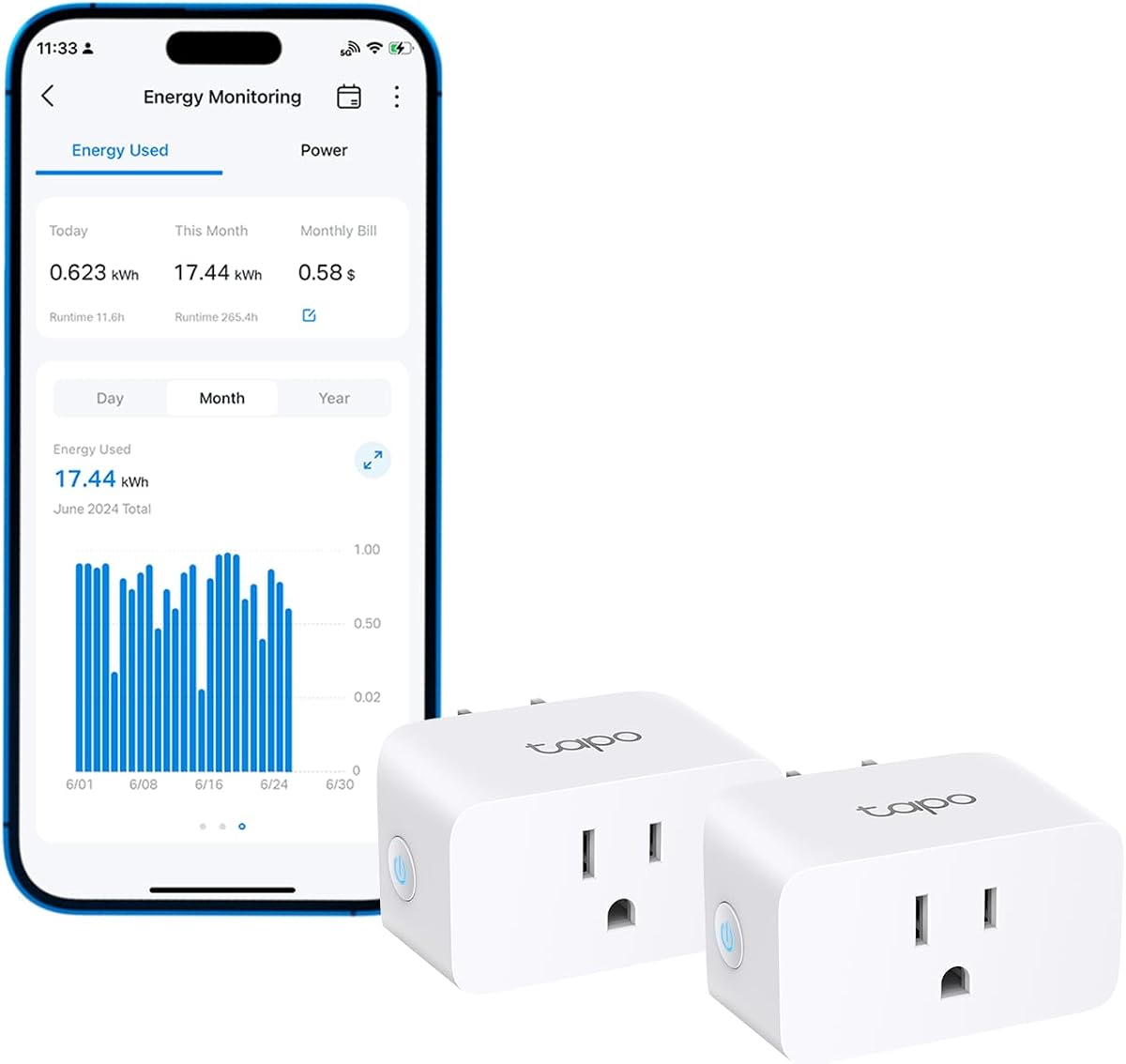
This smart plug offers energy monitoring with clear charts to help you understand your PC usage. It integrates with Alexa and Google Assistant for voice control and scheduling. You can set rules to turn off devices automatically when you are not using them.
Pros
Insightful energy tracking charts
Smart charging power cut
Auto shutoff protection
Voice and remote control
Estimate energy bill
Cons
Requires Wi-Fi network
No circuit panel access
We may earn a commission when you buy through this link, at no additional cost to you.
The auto-shutoff feature prevents overload and can cut power to devices that draw too much. It helps you estimate your bill by showing usage patterns in the app. This level of control is great for optimizing energy use without manual intervention.
While it is limited to plug-in devices, it is very convenient for smart homes. You can schedule high-consumption devices to run during off-peak hours to save money. The 2-pack allows you to monitor multiple devices simultaneously.
This plug is best for users who want smart control and usage data. If you already use smart speakers and want to track your PC's power without complex wiring, this is a great modern solution for efficient management.
Estimate Energy Bill
You can input your electricity rates to see estimated costs in the app so you know exactly how much your devices are costing per day.
Smart Charging Power Cut
The plug can automatically stop power to your device when it reaches a certain battery level to prevent overcharging and save energy.
We may earn a commission when you buy through this link, at no additional cost to you.
Buying Guide – How to Choose the Best Energy Consumption Monitors for PC
Choosing the right energy monitor depends on your specific needs, from basic plug-in units to advanced whole-home systems.
Accuracy of Measurements
Accuracy is critical when tracking energy consumption monitors for PC because small errors can lead to incorrect cost estimates. Look for devices with a stated accuracy percentage, such as ±1% or ±2%, to ensure you are getting reliable data for your decisions.
Always check the product specifications for accuracy ratings before buying to ensure the device provides trustworthy readings for your PC setup.
Ease of Installation
Installation ranges from simple plug-in devices to complex circuit panel setups. Plug-in meters are the easiest to use as you just plug them into an outlet and plug your device in. Panel monitors require electrical work and may need a professional to install safely.
Select an installation method that matches your comfort level and technical skills to ensure you can set up the device correctly.
Smart Home Integration
Many modern monitors offer app control, voice commands, and automation through Home Assistant or similar platforms. If you want to automate power cut-offs or schedule tasks based on energy usage, ensure the device supports your preferred ecosystem.
Verify compatibility with your existing smart home setup before purchasing to get the most out of connected features.
Data Storage and Privacy
Some devices store data locally while others upload it to the cloud. If privacy is a concern for you, look for options that allow local storage or have a privacy mode that keeps data within your home network.
Review the privacy settings of the device to understand how your usage data is stored and accessed by the manufacturer.
Solar and Net Metering
If you have solar panels, some monitors can track net usage and surplus power generation. This feature helps you understand how much energy you are producing versus consuming, which is essential for optimizing solar investments.
Check if the device supports solar and net metering if you plan to track renewable energy alongside your PC usage.
Cost and Value
Prices vary significantly from cheap plug-in units to expensive whole-home systems. Consider how much money you hope to save on bills to determine if a higher upfront cost is justified. Sometimes a simple meter is enough to spot major waste.
Calculate the potential savings against the device cost to ensure you are making a value-driven choice.
Display Readability
A clear display is important if you want to check readings without using a phone app. Look for backlighting and large numbers if you plan to read the device directly. Good viewing angles also help if the device is not at eye level.
Ensure the display meets your needs for visibility and clarity if you will be checking it manually.
Warranty and Support
Reliable support and a warranty can save you money if the device fails. Check the length of the warranty and whether customer support is available to help with setup issues. Good support ensures long-term usability.
Look for products with solid warranties and positive support reviews to protect your investment.
How to Use and Care for Your Energy Consumption Monitors for PC
Plug your PC into the energy monitor and then plug the monitor into the wall outlet. Wait a few minutes for the device to initialize and display the live power usage numbers. You can then adjust your PC settings to see how they affect the watts drawn.
Keep the monitor dry and clean from dust to ensure accurate readings. If it has a screen, gently wipe it with a soft cloth to keep it readable. Do not use harsh chemicals that could damage the LCD or plastic casing.
Regularly check the data to track trends over time. Reset cumulative counters when you know a month starts to measure fresh usage periods. This helps you see if changes in your PC habits reduce your overall energy footprint.
Frequently Asked Questions
How do I know if an energy monitor is compatible with my PC?
Most plug-in monitors work with any PC that uses a standard power outlet. Check the maximum wattage rating to ensure it can handle your PC's power supply load without triggering an overload warning.
Can I use energy monitors with multiple monitors or peripherals?
Yes, you can plug multiple peripherals into the monitor if their total wattage is within the limit. Alternatively, use multiple meters to track each device individually for detailed insights.
Do energy monitors work with UPS units?
You can connect the UPS to the monitor to see the total draw including the PC. Just ensure the UPS does not exceed the monitor's maximum capacity when the PC is under load.
Are there energy monitors that require no Wi-Fi?
Yes, many plug-in meters have local displays and data storage without needing a Wi-Fi connection. These are perfect for users who prefer simple setups and do not want app connectivity.
How accurate are the costs calculated by these monitors?
The cost accuracy depends on your input of the local electricity rate. Most devices allow you to enter your rate, and they calculate based on the measured energy usage for precise estimates.
Do these monitors work in all countries?
You should check the voltage compatibility before buying. Some monitors support wide ranges like 90 to 250 volts, while others are designed for specific regions like 120 volts in the US.
Final Thoughts on Choosing the Best Energy Consumption Monitors for PC
Choosing the right energy consumption monitor for PC helps you gain insights into your power usage and potential savings. The top picks in this guide range from simple plug-in meters to advanced home systems. Each offers unique features to suit different monitoring needs.
Prioritize the device that fits your budget and installation preferences. If you want smart features, look for app integration. If you need local data, choose a meter with strong privacy settings.
Remember that prices and availability can change. Always verify the latest details on the product pages before making a purchase to ensure you get the best value.
This guide compares the top Intel Nuc Mini PC models for office and creative work, evaluating performance, connectivity, and design to help you choose.
This guide compares ten top cheap interactive whiteboard options for classrooms and offices, evaluating features, performance, and value to help you choose.