
Rongta Bluetooth Shipping Label Printer
4.0Editor score
Affordable Price Point
Automatic Label Detection
Compact Portable Design
This comprehensive guide compares the top 10 label printers for Pirate Ship users to find the best thermal device for fast and accurate shipping label creation.
Finding the right label printer for Pirate Ship can streamline your shipping workflow significantly. A good thermal printer ensures crisp barcodes and addresses that scan easily, reducing returns and delays for your business.
We evaluated ten top-rated models based on connectivity, speed, compatibility with Pirate Ship, and overall build quality. Our analysis focuses on how well each device integrates with your existing e-commerce setup for seamless operations.
Each pick highlights key features and ideal use cases to help you decide quickly. Remember that availability and pricing may fluctuate, so check the latest details before making your final purchase decision today.
4.0Editor score

4.6Editor score

4.4Editor score
Below is a detailed side-by-side comparison of all ten selected label printers to help you evaluate their specifications and features against your specific Pirate Ship needs.






The Rollo USB Shipping Label Printer stands out as the top choice for Pirate Ship users needing reliability. With a 4.6 rating, it delivers commercial-grade performance that handles high volumes without slowing down.
We may earn a commission when you buy through this link, at no additional cost to you.
Its direct thermal technology ensures fast output at 150mm per second, making it ideal for busy shipping days. The compatibility with all major platforms means you can switch between Shopify and Pirate Ship seamlessly.
While it relies on USB connectivity which limits wireless options, this ensures a stable connection during printing. The higher price is justified by its longevity and consistent performance over time.
Business owners looking for a long-term solution should choose this model. It reduces downtime and ensures every label scans perfectly, protecting your reputation with customers.
Built to withstand daily heavy use in warehouses or home offices without breaking down.
Beyond shipping, it creates custom stickers and barcodes with ease using the included app.
We may earn a commission when you buy through this link, at no additional cost to you.
For startups watching costs, the Rongta Bluetooth Shipping Label Printer offers incredible value. It features wireless printing and auto-label detection that simplifies setup for new users.
We may earn a commission when you buy through this link, at no additional cost to you.
The automatic label detection feature eliminates manual calibration, saving minutes with every order. It connects to your mobile devices via Bluetooth, allowing you to print directly from your phone.
While the build quality is basic compared to industrial models, it handles standard shipping tasks well. The lower price makes it accessible for small businesses just getting started on Pirate Ship.
Choose this if you need a functional printer without a large investment. It proves you don't need to spend a fortune to print professional labels.
The printer detects label sizes automatically so you don't waste time adjusting settings manually.
Its compact size fits easily on any desk or shelf, ideal for small home offices.
We may earn a commission when you buy through this link, at no additional cost to you.
The Westinghouse Thermal Shipping Label Printer brings enterprise-level features to smaller setups. It supports Ethernet which allows multiple users to share the printer over a network easily.
We may earn a commission when you buy through this link, at no additional cost to you.
Its commercial-grade design ensures it handles high volumes without overheating or jamming. The optimized print quality guarantees sharp text that scans accurately at shipping centers.
While it lacks Bluetooth connectivity, the USB and Ethernet options provide stable alternatives for office environments. The need for specific driver installation adds a step but ensures reliability.
This model suits businesses planning to scale operations quickly. It offers the robustness needed to grow your Pirate Ship volume without replacing equipment soon.
Connect via Ethernet to let multiple computers print labels without needing separate devices.
Supports industry-standard ZPL software for advanced label design and customization options.
We may earn a commission when you buy through this link, at no additional cost to you.
The Nelko Bluetooth Thermal Shipping Label Printer offers a balanced mix of speed and connectivity. It prints at 72 labels per minute, making it efficient for daily Pirate Ship order fulfillment.
We may earn a commission when you buy through this link, at no additional cost to you.
Users can connect via Bluetooth for mobile printing or use USB for a stable desktop setup. The app is easy to download and navigate for creating and printing labels quickly.
Mac users on M1 or M2 CPUs might find limitations with Bluetooth, as it only supports USB. However, for most Windows users, this device offers flexible connectivity options.
Choose this if you need a compact printer that saves space but delivers speed. The included driver videos help setup go smoothly without frustration.
Switch between Bluetooth for mobile use and USB for desktop stability depending on your needs.
Its small design means it fits on cluttered desks without taking up much room.
We may earn a commission when you buy through this link, at no additional cost to you.
This model stands out for its extensive app features and offline capabilities. The FlashLabel Pro app provides thousands of templates, allowing you to customize labels beyond standard shipping.
We may earn a commission when you buy through this link, at no additional cost to you.
Offline storage means you can design labels even without an internet connection. This is useful for ensuring you keep working if your Wi-Fi drops during busy shipping sessions.
The 203 DPI resolution ensures barcodes are sharp and easy to scan. While it prints in black and white, this is standard for thermal shipping labels.
Select this if you want design flexibility alongside shipping needs. It balances cost with a strong feature set that supports growing businesses.
With 1800 plus templates, you can create branded labels for products or internal use easily.
Store designs locally to keep printing without worrying about cloud download speeds.
We may earn a commission when you buy through this link, at no additional cost to you.
The JADENS printer uses a high-tech Japanese printhead for crisp output. Its setup is fast, taking just one minute to get printing via USB or Bluetooth.
We may earn a commission when you buy through this link, at no additional cost to you.
It supports a wide range of platforms, making it versatile for multi-channel sellers. The driver and videos provided help you troubleshoot issues quickly without waiting for support.
Like many models, Mac users may face Bluetooth restrictions and need to use USB. However, the one-year warranty offers peace of mind for new buyers.
Choose this for its balance of speed and ease of use. It is a reliable workhorse for small businesses needing consistent label quality.
Get started printing in one minute with included instructions and driver software.
Backed by a one-year warranty and accessible customer support channels for help.
We may earn a commission when you buy through this link, at no additional cost to you.
This printer is known for its impressive speed and stylish compact design. It prints at 180mm per second, which is faster than most competitors in this price range.
We may earn a commission when you buy through this link, at no additional cost to you.
The included templates and icons allow for creative labeling beyond shipping addresses. It supports Chrome OS and Linux, expanding compatibility for diverse work environments.
While it is limited to black and white, that is standard for shipping. The fast speed helps reduce wait times during peak shipping periods significantly.
Pick this if speed is your top priority. It delivers high efficiency in a package that looks modern on your desk.
With 180mm per second print speed, it processes orders faster than standard thermal printers.
Compatibility with Chrome OS extends usability to Chromebooks and Linux environments.
We may earn a commission when you buy through this link, at no additional cost to you.
The MUNBYN printer is trusted by over 80000 entrepreneurs for its reliability. It features a web editor that allows printing directly from Google Chrome without extra installations.
We may earn a commission when you buy through this link, at no additional cost to you.
Its support for specialty label series adds value for branding needs like gradient or glitter effects. The OCR feature lets you scan text from images to reuse quickly.
Recommend using genuine paper for best results as noted in the description. The color options let you match office aesthetics with functional shipping tools.
Choose this for its strong community trust and versatile design tools. It balances shipping needs with branding opportunities.
Use the Google Chrome web editor to design labels without downloading drivers.
Print gradient, rainbow, or glitter labels for branding alongside standard shipping labels.
We may earn a commission when you buy through this link, at no additional cost to you.
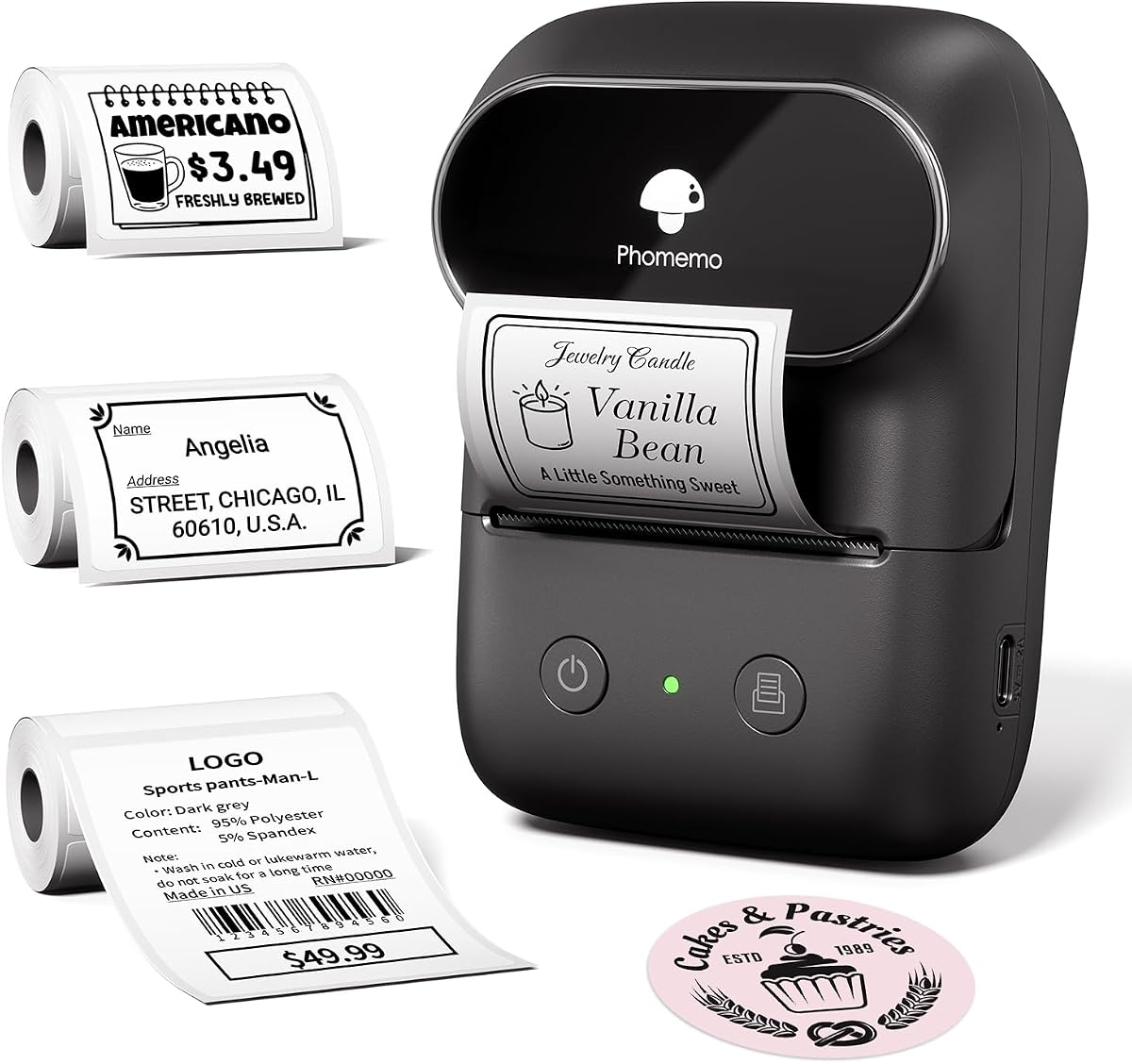
Phomemo is known for its responsive technical support team available via chat and phone. This ensures that any setup issues can be resolved quickly without delaying your shipping.
We may earn a commission when you buy through this link, at no additional cost to you.
The labels are engineered to resist fading, keeping your packages looking professional over time. Step by step guides simplify the connection process for mobile and desktop users.
While it is limited to black and white, this is standard for thermal. The remote desktop support is a rare and valuable feature for troubleshooting.
Choose this if you value strong customer support. It provides peace of mind for businesses that rely on shipping to run smoothly.
Use their specific labels to ensure text stays sharp and readable for shipping periods.
Access remote desktop help to resolve technical issues quickly during setup.
We may earn a commission when you buy through this link, at no additional cost to you.
While not a standard 4×6 printer, this machine is useful for smaller labels. It comes with 3 rolls of tape, making it ready to use right out of the box.
We may earn a commission when you buy through this link, at no additional cost to you.
The Print Master app supports voice input and templates for creative design. Its lightweight design and battery make it ideal for labeling on the go.
For shipping large packages, a 4×6 printer is better. But for internal organization or small items, this adds versatility to your setup.
Add this for supplementary labeling needs. It complements a main printer by handling small tags or organizational labels efficiently.
Use voice input in the app for hands-free label creation while handling packages.
Start immediately with three rolls of tape included in the package box.
We may earn a commission when you buy through this link, at no additional cost to you.
Choosing the right printer for Pirate Ship involves considering connectivity, speed, and compatibility with your existing workflow. This guide breaks down the key factors to help you make an informed decision.
Connectivity is crucial for integrating your printer with your computer or mobile devices. Bluetooth offers flexibility for mobile printing but may be less stable than USB. Ensure the printer supports your device's operating system like Windows or macOS seamlessly.
Look for models that offer both Bluetooth and USB to switch modes as needed.
High volume shipping requires a printer that can keep up with your order flow. Faster speeds reduce wait times and help you fulfill orders quickly. Check the mm per second rating when comparing models to ensure efficiency.
Choose a model with at least 150mm per second speed for optimal performance.
Pirate Ship uses standard 4×6 shipping labels, so your printer must support this width. Some models also support narrower labels for internal use or branding. Confirm the max width compatibility to avoid purchasing the wrong device.
Ensure the printer explicitly supports 4×6 width to handle all shipping needs.
The printer should work with Pirate Ship and any other e-commerce platforms you use. Most thermal printers integrate well via standard drivers or dedicated apps. Check for community reviews on compatibility to avoid software issues.
Select a printer known for working with major platforms like Shopify and eBay too.
Durability matters if you plan to ship many packages daily. Commercial grade printers last longer but may cost more. Home use models are cheaper but might wear out faster under heavy use. Consider your expected volume before buying.
Invest in commercial grade if you anticipate high daily shipping volumes.
Quick setup minimizes downtime when getting started. Look for printers with clear instructions and drivers that install easily. Some models offer video guides which simplify the process significantly for new users.
Prioritize models with one minute setup claims to save time initially.
Reliable customer support is essential if issues arise. Check if the brand offers live chat or phone support. A good warranty can save money on repairs if the device fails prematurely.
Look for models with at least a one year warranty for peace of mind.
To start, download the required drivers or app provided by the manufacturer. Connect your printer via USB or Bluetooth and ensure it is powered on. Calibrate the device to recognize the label size correctly to avoid misprints.
Always use high-quality thermal labels to protect the printhead. Avoid touching the printhead with bare hands as oils can damage it. Store labels in a cool dry place to prevent them from degrading before use.
Clean the printer regularly using a soft cloth to remove dust. If using USB, keep cables organized to prevent tripping hazards. Update firmware when available to ensure performance remains optimal over time.
Yes, thermal printers are fully compatible with Pirate Ship. You simply select the printer in the shipping label section and print. Ensure the label size matches 4×6 inches for best results.
No, thermal printers use heat to print directly on the label. This eliminates the need for ink or toner, saving you money on consumables. This is why they are ideal for high-volume shipping businesses.
USB offers a more stable connection which is ideal for desktop use. Bluetooth provides flexibility for mobile devices like phones. Choosing both gives you the best of both worlds depending on your workflow.
Thermal labels can fade if exposed to direct sunlight or heat over time. For shipping, they usually stay readable throughout the journey. Store unused labels in a cool dark place to maximize their lifespan.
Most standard thermal printers print in black and white only. Color thermal printing requires specialized machines which are rare. For shipping labels, black and white is standard and sufficient for scanning.
If detection fails, check the label width settings in the software. Clean the sensors on the printer to remove dust. Adjust the sensor position according to the manual for correct alignment.
Yes, Pirate Ship ships labels in standard 4×6 format. Ensure your printer supports this width. Smaller printers may not fit the label size correctly and cause printing errors.
We highlighted the Rollo as the top choice for overall reliability. The Rongta offers excellent value for those watching their budget. Consider your volume and connectivity needs to pick the right fit.
Prioritize speed and durability if you ship many packages daily. For smaller operations, features like app support might matter more. Evaluate what saves you the most time in your workflow.
Remember to check current availability and compatibility before purchasing. Technology updates may change drivers so verify support. Choose the one that aligns best with your shipping goals.