
Thermal Grizzly Delid-Die-Mate
4.5Editor score
Compatible with Intel 12th/13th Gen
Made in Germany for durability
Enables direct die cooling
This guide compares the top ten delidding kits for CPUs and consoles, evaluating tools for precision, compatibility, and safety to help you choose the right
Delidding kits are essential tools for enthusiasts seeking to lower thermal throttling in processors and consoles. Removing the integrated heatspreader allows direct die cooling, significantly improving heat dissipation. Choosing the right kit ensures safety during this delicate procedure.
We evaluated ten top-rated delidding tools based on precision, durability, and user compatibility. Our analysis covers specialized CPU removers, BGA repair kits, and console-specific solutions. This list helps you find the safest option for your specific hardware needs.
Each pick highlights key features, pros, and cons to guide your decision. We included budget-friendly options and premium tools from trusted brands. Please note that prices and availability change frequently, so verify details before purchasing.
4.5Editor score

4.6Editor score
4.6Editor score
The following table compares the key specifications and features of all ten products to help you identify the best fit for your specific processor or console.


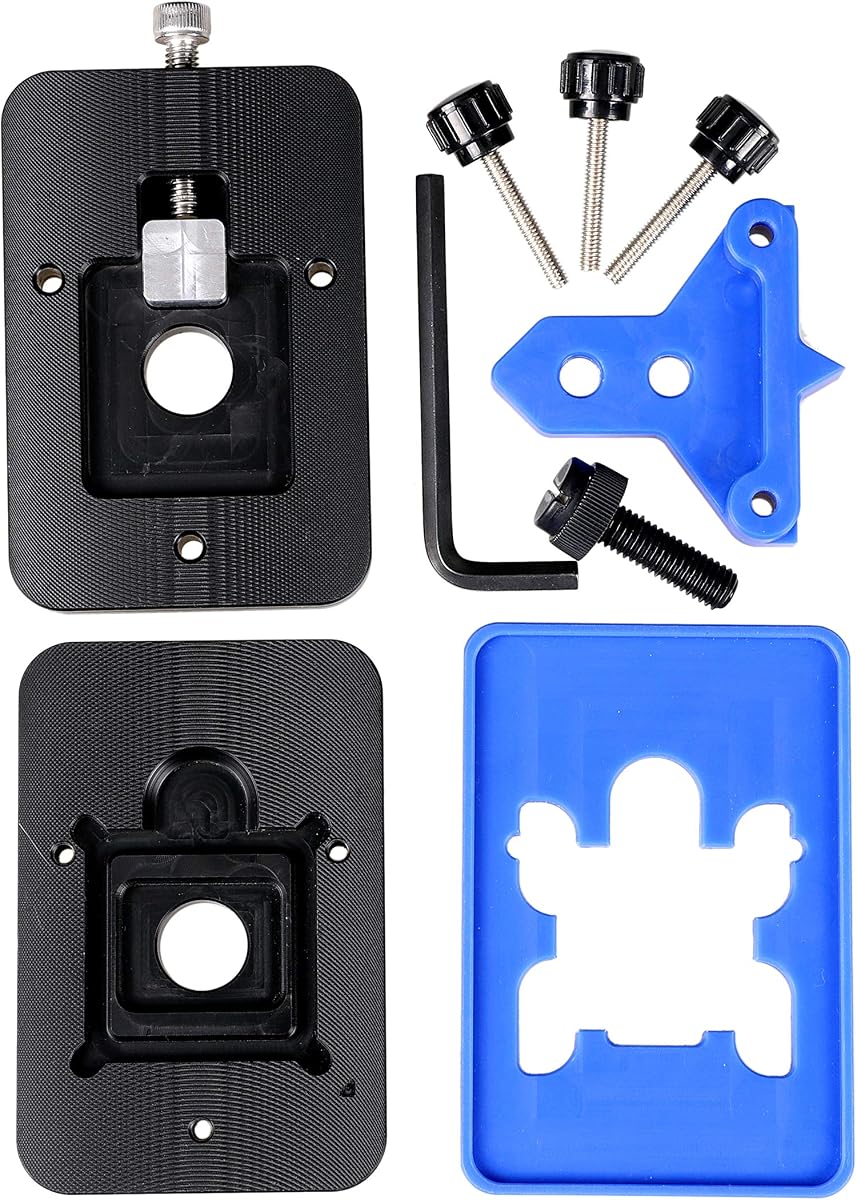
The Delid Tool V3 is a precision instrument designed to address overheating in PlayStation 3 consoles. With a 4.6 rating, it stands out for its specific design and user-friendly approach. This tool reduces risks compared to makeshift alternatives.
We may earn a commission when you buy through this link, at no additional cost to you.
Its version 3 features a sharper, more flexible blade, ensuring clean and accurate delidding. The replaceable blade design supports long-term usability, making it a sustainable choice for enthusiasts who service multiple units.
While highly effective, users must exercise care as delidding carries inherent risks. The tool is purpose-built to minimize these, but it still requires a steady hand and patience to avoid damaging the main board.
If you own a PS3 Fat or Slim model and want to improve thermal performance, this is the recommended tool. It offers professional results without the complexity of generic repair kits.
This tool is specifically optimized for the PS3 architecture, ensuring better fit and safety than generic blades.
The ability to swap blades extends the tool's life, ensuring consistent performance for future repairs.
We may earn a commission when you buy through this link, at no additional cost to you.
The der8auer Delid-Die-Mate X is a trusted tool for enthusiasts targeting high-end Intel CPUs. It transforms a risky act into a routine procedure, safeguarding the CPU die during heatspreader removal.
We may earn a commission when you buy through this link, at no additional cost to you.
Designed specifically for Skylake-X and Kaby Lake-X processors, this tool ensures safe access to the die. Its durable construction provides stability during the delicate process, reducing the likelihood of accidental damage.
However, it comes with a high cost and is only compatible with socket 2066 CPUs. Users must also ensure their cooler supports lower mounting heights after delidding.
For owners of X-series processors seeking maximum overclocking potential, this tool offers the safest and most reliable method. It is a premium investment for serious builders.
Roman der8auer is a well-known figure in CPU delidding, and his tool reflects decades of expertise in safe removal.
Unlike generic prying tools, this is engineered to avoid stress on the silicon core corners.
We may earn a commission when you buy through this link, at no additional cost to you.
This Knife Repair Kit is a versatile solution for BGA chip and motherboard maintenance tasks. With a 3.6 rating, it offers ultra-thin blades ideal for removing adhesive and dismantling chips.
We may earn a commission when you buy through this link, at no additional cost to you.
The blades are made from SK5 steel, providing heat tolerance and sharpness. Its ergonomic handle ensures safe operation, making it a practical option for repair technicians on a budget.
While it is not exclusively a CPU delidding tool, its thin design allows for similar precision. However, users must be cautious as it lacks the specific safety features of dedicated CPU removers.
For general circuit board repair and adhesive scraping, this kit provides excellent value. It is best suited for those with experience in micro-soldering and repair.
The blades are thinner than solder points, allowing movement between chips and baseplates without damage.
SK5 steel construction ensures the blades maintain sharpness even after extended repair sessions.
We may earn a commission when you buy through this link, at no additional cost to you.
The Thermal Grizzly Delid-Die-Mate is designed for the latest Intel 12th and 13th Gen Core processors. It enables direct die cooling, potentially reducing temperatures by 10-20 degrees.
We may earn a commission when you buy through this link, at no additional cost to you.
Developed by Roman der8auer, this tool combines durability with aesthetics using black and red anodized aluminum. It ensures the heatspreader removal process is straightforward and efficient for users.
While highly effective, users must verify their cooler allows for reduced mounting height after delidding. The tool is specific to newer sockets and may not fit older hardware.
If you have a modern Intel system and want significant thermal improvements, this tool is a top choice. It simplifies the process while maintaining professional standards.
This tool addresses the specific challenges of the 12th and 13th Gen architecture for optimal removal.
The anodized aluminum build not only looks good but ensures the tool withstands repeated use.
We may earn a commission when you buy through this link, at no additional cost to you.
This scraper is designed to safely remove adhesive and solder residue after delidding. With a high 4.8 rating, it is a favorite among enthusiasts for its safety on delicate surfaces.
We may earn a commission when you buy through this link, at no additional cost to you.
Made of acrylic, it reduces the risk of scratching or damaging the CPU package. The ergonomic design allows for precise control, making cleanup tasks straightforward.
It is important to note that this is a cleanup tool, not for removing the lid itself. It complements other delidding kits by ensuring the die is clean for new thermal paste.
If you have already removed a lid or plan to, this scraper ensures a clean application surface. It is an essential safety accessory for the final steps.
Acrylic construction ensures that the hard die surface remains free of scratches during the cleaning process.
The narrow tip is designed to target adhesive residue effectively without spreading it to other components.
We may earn a commission when you buy through this link, at no additional cost to you.
The EG Starts Kaby CPU Delid kit is a cost-effective solution for users of 1150, 1151, and 1155 sockets. It claims to be the safest and easiest method for opening Intel CPUs.
We may earn a commission when you buy through this link, at no additional cost to you.
It includes a relid tool, allowing you to restore the processor after overclocking. The design ensures the aluminum block is correctly positioned to prevent board damage.
Users must follow instructions carefully to avoid damaging the CPU board if the aluminum block is not aligned. However, for most compatible systems, it offers a straightforward process.
If you want to overclock a standard Intel CPU without spending much, this kit is a strong candidate. It balances affordability with essential functionality.
This kit includes the opener and the cap tool, allowing for a full delid and relid cycle.
Supports older and mid-generation Intel sockets, making it versatile for budget builds.
We may earn a commission when you buy through this link, at no additional cost to you.
This QianLi tool set is designed for professionals tackling adhesive removal and chip lifting. It features a 12-in-1 handle system, allowing quick swaps between different blade types.
We may earn a commission when you buy through this link, at no additional cost to you.
Crafted from high-grade steel, the blades offer surgical precision. The handle is designed to reduce fatigue and provide maximum stability during intricate work.
While it is not a single-purpose CPU delid tool, its versatility makes it valuable for repair technicians working on motherboards or phones. It handles various challenges effectively.
If you are a serious repair technician, this kit provides a professional upgrade to your station. It is reliable for handling sensitive electronic components with control.
The 12-in-1 design ensures you always have the right tool for the specific repair stage.
The metal handle design reduces hand strain during long repair sessions.
We may earn a commission when you buy through this link, at no additional cost to you.
This tool is specialized for removing the integrated heat spreader from the PS3 RSX GPU chip. It is compatible with Fat and Slim models but not the Super Slim version.
We may earn a commission when you buy through this link, at no additional cost to you.
It helps keep the working edge away from the main board, reducing risk during delidding. This access allows for maintenance or replacement of aged thermal paste on the GPU.
Users must note it does not remove the CELL CPU IHS. Delidding carries risks, so care is required. It is a targeted solution for GPU overheating issues.
If your PS3 has GPU thermal problems, this tool enables safe maintenance. It is a vital resource for console repair enthusiasts.
Specifically built for the RSX GPU, ensuring a proper fit for that chip package.
The tool design minimizes accidental contact with the board, lowering damage risks.
We may earn a commission when you buy through this link, at no additional cost to you.
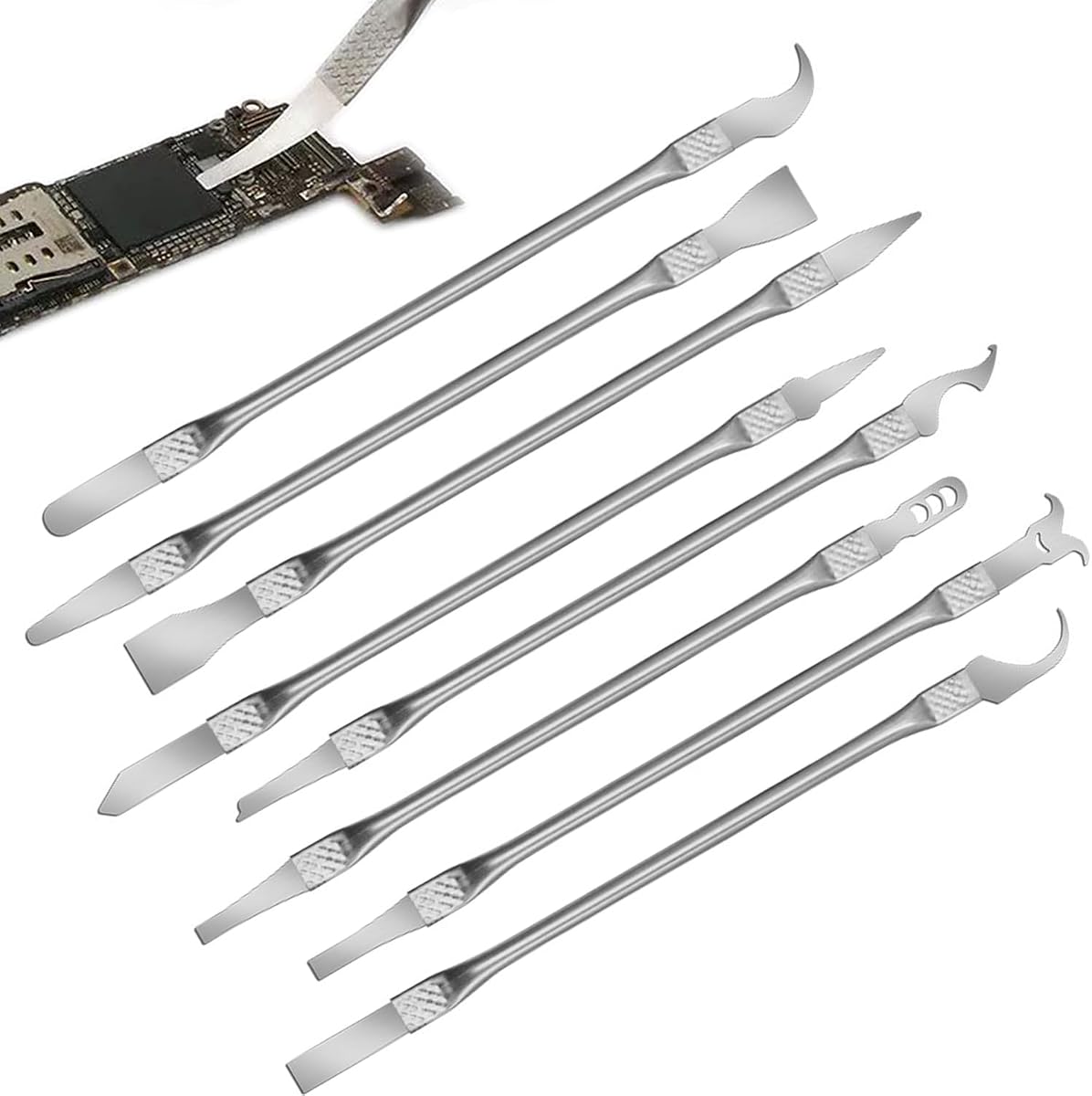
This 8-piece set is a versatile kit for removing BGA chips and small components from smartphones and computers. It offers integrated blade and handle designs for easy use.
We may earn a commission when you buy through this link, at no additional cost to you.
Made from high-quality alloy, it resists corrosion and bending. The ergonomic design ensures comfort, making it suitable for extended repair sessions.
While it may lack the specialization of dedicated delidding kits, it provides a practical solution for general tasks. It is an affordable option for those handling various repairs.
If you need a budget-friendly toolkit for general electronics maintenance, this set works well. It provides reliable tools for safe component removal.
These tools work for both phone and computer repair, making them versatile for general tech fixes.
The design focuses on user comfort to prevent hand fatigue during use.
We may earn a commission when you buy through this link, at no additional cost to you.
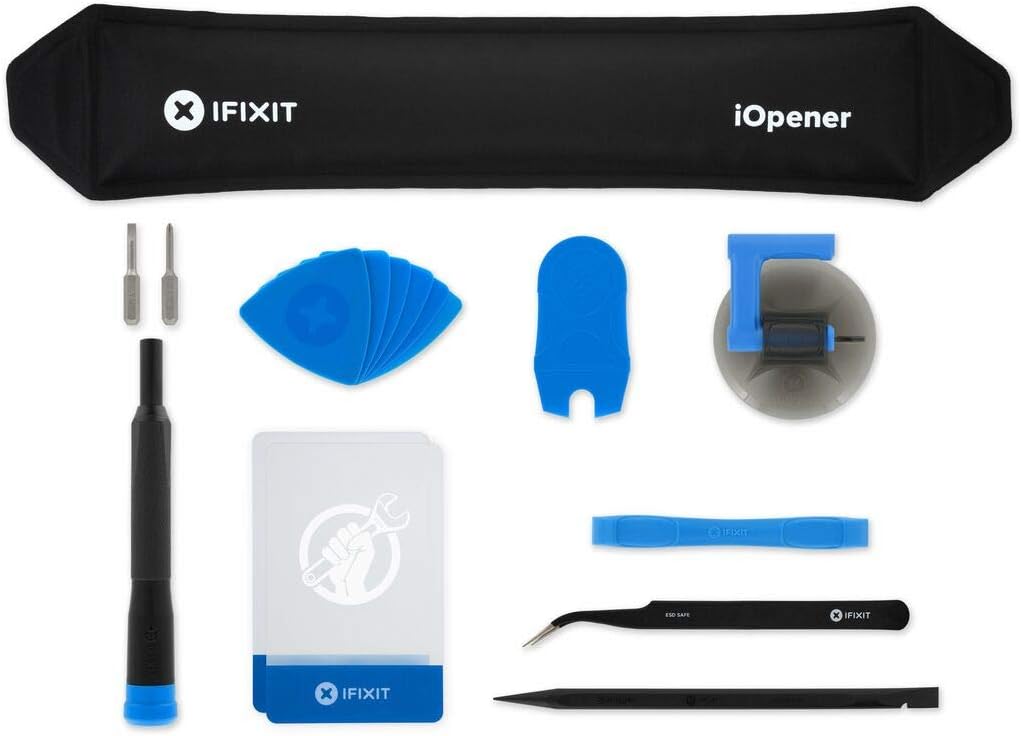
The iFixit iOpener applies heat to loosen adhesives during disassembly. It is non-toxic and food-safe, making it safe for home DIY repair without chemicals.
We may earn a commission when you buy through this link, at no additional cost to you.
While not a blade for delidding, it is useful for removing parts that require heat. It works with many devices including phones and laptops, providing a safe way to open components.
This tool is essential for any repair process involving heat-sensitive adhesives. It complements mechanical tools by ensuring components can be removed without force.
If you are repairing electronics and need a safe heat application, this is a top choice. It ensures confidence and safety in DIY projects.
Made from safe materials, it allows you to apply heat without exposing yourself to toxins.
Its versatility across many device types makes it a standard tool in repair kits.
We may earn a commission when you buy through this link, at no additional cost to you.
Selecting the right delidding kit requires understanding your hardware and the risks involved. This guide helps you evaluate factors that ensure safety and success.
Always verify the tool is designed for your specific device, CPU socket, or GPU model. Using a generic tool may damage components not built for its shape.
Match the tool to your CPU generation or console model to avoid fit issues.
Look for tools with thin, durable blades designed for accurate removal. A well-designed tool minimizes the risk of touching sensitive parts like PCBs.
Precision-engineered tools reduce risks compared to improvised blades.
High-quality materials like steel or aluminum ensure the tool lasts and remains stable during use. Cheap materials may bend or break during the process.
Choose durable materials like SK5 steel or aluminum for longevity.
Ergonomic handles and user-friendly designs make the process safer for DIY users. Complex tools may increase the risk of slips and accidental damage.
Select tools that feel comfortable and allow steady operation.
Some kits offer replaceable blades, extending the tool's life for future repairs. This is useful if you plan to service multiple devices.
Replaceable blades ensure consistent performance and reduce replacement costs.
Tools specifically built for delidding should minimize board contact and stress on the die. Avoid makeshift solutions that increase risk.
Purpose-built tools reduce risks compared to improvised alternatives.
Brands with a history of reliability often produce safer, better-designed tools. Expert-designed kits often include better tolerances.
Check reviews and expert backing before purchasing unfamiliar brands.
Set a budget based on your needs, as prices vary widely. Dedicated tools may cost more but offer safety and reliability.
Balance cost against the risk of damaging expensive hardware.
Always power off and disconnect your device before starting. Remove the cooler carefully to access the CPU or GPU package without applying unnecessary force.
Use the tool according to the manufacturer's instructions, ensuring the blade aligns correctly with the chip. Apply steady pressure to avoid slipping or damaging surrounding components.
After use, clean the blade with alcohol wipes to remove residue and dry it thoroughly. Store the tool safely to prevent dulling or damage to the edges.
A delidding kit is a specialized tool used to safely remove the integrated heat spreader from processors or GPUs. This process exposes the die for better thermal contact and improved cooling performance.
Delidding can be safe if performed with the correct tools and care. However, it carries risks such as damaging the chip or voiding warranties. Always proceed at your own risk.
No, general knives are not safe or precise enough. Dedicated delidding tools are designed to minimize contact with sensitive parts and reduce the risk of breaking the CPU core.
Not always. Removing the heatspreader lowers the mounting height. Verify your cooler allows for reduced mounting height before starting the process.
Yes, removing the heatspreader usually invalidates the manufacturer's guarantee. Ensure you are comfortable with this risk before proceeding with the modification.
Yes, a precision scraper helps clean old adhesive and solder residue from the die. This ensures proper thermal paste application and prevents overheating.
Tools specifically designed for the PS3 RSX GPU or CELL CPU are best. Dedicated console delidding tools reduce board contact and improve safety during removal.
Consider compatibility with your hardware, material quality, and safety features. Select tools that offer ergonomic designs and replacement parts for longevity.
We compared ten delidding kits to help you find the right tool for your needs. Whether you need a CPU-specific tool or a console repair solution, there is an option for everyone.
Prioritize safety, compatibility, and precision when choosing. A reliable tool reduces risks and ensures you get the most out of your hardware modifications.
Prices and availability change often, so check the latest details before purchasing. Ensure the tool fits your specific device for the best results.