
HP Chromebook 14 Laptop
4.3Editor score
Long battery life
Thin and portable design
Chrome OS security
Finding a reliable laptop that fits your budget without sacrificing essential performance can be challenging. Everyday tasks like browsing, streaming, and document editing require a machine that balances cost with capability. This guide explores affordable options designed to meet these needs effectively.
We evaluated ten distinct models based on processor speed, memory capacity, display quality, and battery life. Our analysis focuses on real-world usability for students, remote workers, and casual users. Each product was selected to offer strong value within the entry-level market segment.
Each pick highlights specific strengths such as portability, storage options, or operating system features. We also note common trade-offs to help you make an informed decision. Please remember that availability and pricing can fluctuate frequently online.
4.3Editor score

4.8Editor score

As an Amazon Associate we earn from qualifying purchases.
The following table provides a side-by-side look at the core specifications and key attributes of each recommended laptop. This comparison helps you quickly identify which model aligns best with your specific daily computing requirements.


This HP Chromebook offers an accessible entry point for users needing a reliable machine for basic tasks. With a solid rating, it is known for staying ready throughout the workday. Its thin design makes it easy to carry between rooms or locations.
We may earn a commission when you buy through this link, at no additional cost to you.
The Intel Celeron N4120 processor handles web browsing and media streaming efficiently. Users appreciate the fast charge capability which restores significant power quickly. The anti-glare display ensures comfort during extended viewing sessions indoors.
While storage is limited to 64 GB, cloud integration helps mitigate this constraint. The device does not support heavy gaming or complex video editing workflows. These trade-offs are acceptable given the target audience and price category.
Students and casual users seeking a simple, secure computer should consider this model. It provides essential features without unnecessary complexity. This laptop serves well for homework, communication, and entertainment needs.
Weighing very little, this device fits easily into backpacks for daily commuting.
Chrome OS automatically updates to protect against threats without user intervention.
We may earn a commission when you buy through this link, at no additional cost to you.
The Amzboy laptop stands out for its combination of a larger high-definition screen and quiet operation. It receives high praise for handling daily tasks without noise interference. The fanless design also reduces dust accumulation over time.
We may earn a commission when you buy through this link, at no additional cost to you.
Equipped with a 15.6-inch Full HD display, this device offers clear visuals for streaming. It runs Windows 11 providing access to familiar desktop applications. Connectivity is flexible with dual Type-C ports for modern peripherals.
Storage expansion is possible via an external slot which adds versatility. However, battery endurance may require more frequent charging during travel. These minor limitations are outweighed by the performance and screen quality.
Professionals needing a quiet workspace or students preferring Windows tools will benefit. The balance of features makes it a top contender in its class. It delivers a complete computing experience at an attractive cost.
The anti-glare FHD screen improves readability in various lighting environments.
Compact Type-C charging simplifies carrying power accessories for travel.
We may earn a commission when you buy through this link, at no additional cost to you.
This 2026 edition model brings forward-looking features like Copilot AI for productivity tasks. It is designed with a sleek Natural Silver chassis that appeals to modern aesthetics. The inclusion of Microsoft 365 adds significant value right out of the box.
We may earn a commission when you buy through this link, at no additional cost to you.
Powered by the Intel N150 processor, it handles multitasking smoothly for daily workflows. The SSD storage ensures quicker boot times compared to traditional options. Wi-Fi 6 support guarantees fast and stable internet connections.
While the display resolution is standard HD, the anti-glare coating helps with comfort. Battery life is robust enough for a full day of video playback. Some users may find the initial stock limited during early availability.
Young professionals and students seeking a modern look and AI tools will appreciate this pick. It balances style with functionality effectively. This laptop is a strong choice for those prioritizing future readiness.
Copilot AI helps summarize text and manage research tasks efficiently.
Wi-Fi 6 ensures reliable connectivity even in crowded network environments.
We may earn a commission when you buy through this link, at no additional cost to you.
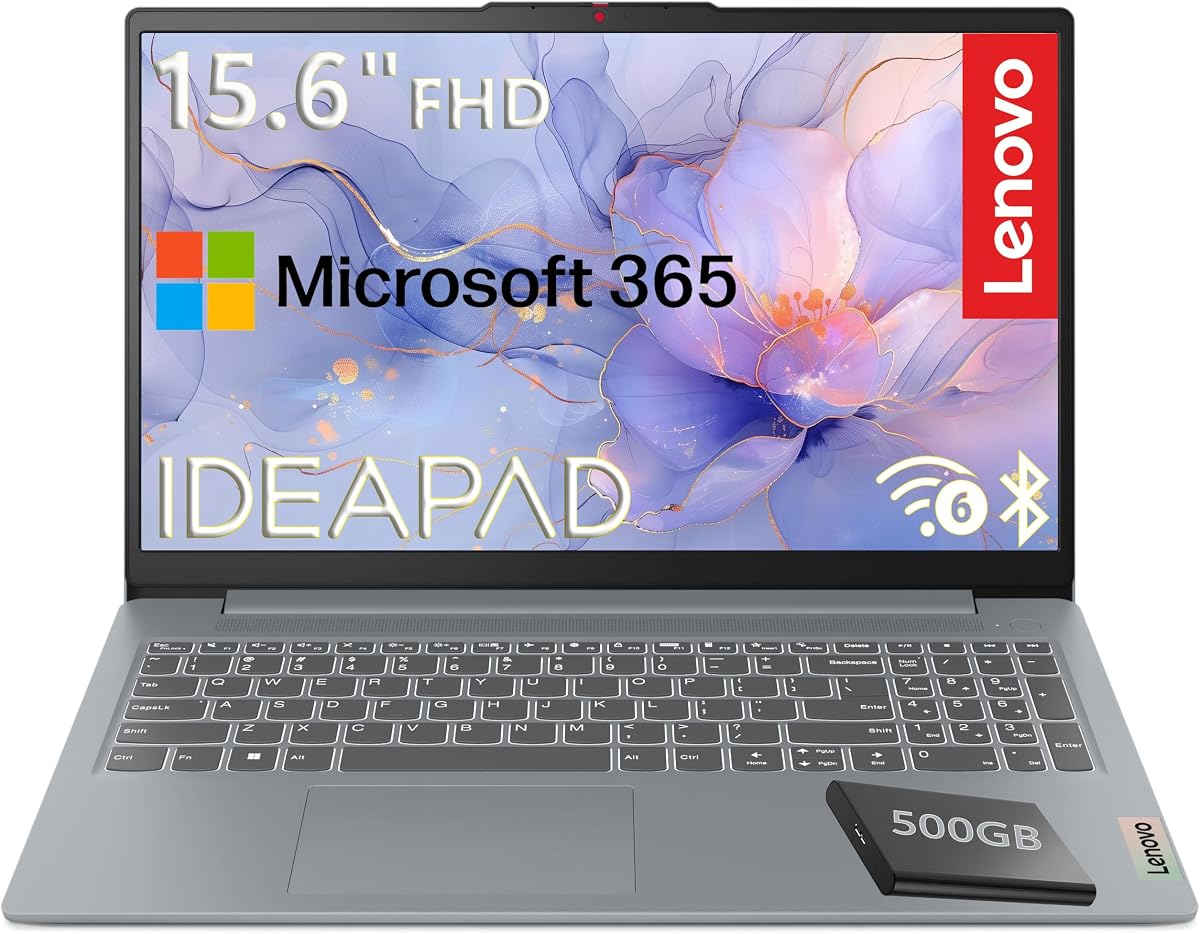
The Lenovo 2026 Edition emphasizes storage capacity and durability for active users. It includes a portable external hard drive for expanded data retention needs. The military-grade certification suggests it can withstand rough handling better than peers.
We may earn a commission when you buy through this link, at no additional cost to you.
Its Full HD display delivers clear images suitable for media consumption. The 4-core CPU provides steady performance for standard office applications. Security is enhanced with a physical privacy shutter on the webcam.
The external drive setup might require careful management during travel. Weight is slightly higher due to the durable chassis design. These factors are minor compared to the robust features offered.
Families or users requiring extra storage space will find this model practical. It serves well for home entertainment and educational purposes. Durability is a key benefit here for long-term use.
Combined internal and external storage keeps files accessible and organized.
The privacy shutter offers peace of mind when not video conferencing.
We may earn a commission when you buy through this link, at no additional cost to you.
This model boosts performance with 8 GB of RAM which helps with multitasking. The UFS storage offers faster read speeds than standard eMMC options. It runs Chrome OS which is lightweight and focused on web productivity.
We may earn a commission when you buy through this link, at no additional cost to you.
The Intel N100 processor is efficient for streaming and general browsing tasks. Users benefit from a system that requires minimal maintenance and updates. The design is sleek with a professional Chalkboard Gray finish.
Offline capability depends heavily on installed Android apps or specific extensions. The HD screen might appear less detailed on high-resolution content. Still, it is a powerful device for its category.
Users prioritizing speed and simplicity should look at this option. It is ideal for cloud-based workflows and quick interactions. The extra memory makes it stand out among similar Chromebooks.
The 8 GB RAM allows for more browser tabs without slowdown.
UFS technology ensures apps and files load faster than typical.
We may earn a commission when you buy through this link, at no additional cost to you.
The S330 is a lightweight option designed for portability and ease of use. It comes with cloud storage credits which helps overcome internal space limits. The MediaTek processor supports basic Chrome OS functions efficiently.
We may earn a commission when you buy through this link, at no additional cost to you.
Users can carry it easily due to its slim profile and low weight. Battery life allows for extended use away from power sources. The setup process is streamlined requiring only a Google account to start.
The 32 GB storage is restrictive for large files not stored online. The processor may struggle with multiple heavy web apps simultaneously. It is best suited for very basic computing needs.
Children or users needing a simple backup device might find it useful. It provides a secure environment for browsing and learning. The focus is on simplicity and mobility above all.
Integrated Google Drive helps keep files accessible across devices.
Weighing only 3.3 lbs it fits in any small bag.
We may earn a commission when you buy through this link, at no additional cost to you.
This Essential Laptop focuses on practical tools for modern productivity tasks. It features a dedicated Copilot key for quick AI assistance during work. The Willow Green finish gives it a distinct professional look.
We may earn a commission when you buy through this link, at no additional cost to you.
The N150 processor paired with LPDDR5 RAM handles daily apps well. Video calls are clear thanks to noise reduction technology on the microphone. Connectivity includes a fast USB-C port for rapid data transfer.
Port selection is minimal but covers most common peripherals efficiently. The screen is standard HD which may not suit design work. However, for general tasks it is highly competent.
Professionals needing a stylish and functional tool will like this model. It balances aesthetics with useful productivity features. It is a strong contender for general business use.
Dedicated keys provide quick access to helpful AI tools.
The Willow Green cover stands out from standard grey laptops.
We may earn a commission when you buy through this link, at no additional cost to you.
This Flagship model offers a Full HD touchscreen that enhances interaction. The MediaTek Kompanio 520 provides a strong processor for a Chromebook. It is designed to be slim and easy to hold for touch input.
We may earn a commission when you buy through this link, at no additional cost to you.
The Abyss Blue color adds a modern touch to the design. Wi-Fi 6 ensures that connectivity remains stable during online classes. IPS technology offers wide viewing angles for collaborative work.
RAM is limited which might slow down many simultaneous apps. Storage requires reliance on cloud services for most files. Still the touch interface adds significant utility for browsing.
Students using digital textbooks will benefit from the responsive screen. It bridges the gap between a tablet and a laptop effectively. Touch navigation makes it intuitive for daily use.
Fingertip navigation makes scrolling through content more natural.
The 8-core processor handles updates and apps smoothly.
We may earn a commission when you buy through this link, at no additional cost to you.
This Slim Laptop prioritizes a sleek form factor for easy transport. It utilizes DDR5 memory for improved data transfer speeds. The design is compact and fits well in small bags.
We may earn a commission when you buy through this link, at no additional cost to you.
Users gain access to AI tools via the Copilot key for efficiency. Video call quality is supported by hardware noise reduction features. It runs Windows 11 providing familiar desktop functionality.
Battery metrics are average for this class but still adequate. Ports are standard which limits direct high-speed external display options. Overall it is a balanced option for basic computing.
Those seeking a thin device for travel should consider this model. It offers modern specs without a bulky footprint. It is practical for users who value portability highly.
DDR5 RAM ensures faster system responsiveness for open apps.
The thin chassis makes it easy to fit into tight bags.
We may earn a commission when you buy through this link, at no additional cost to you.
This laptop stands out with a generous 12 GB of RAM. It uses a Pentium Gold processor capable of efficient performance for daily tasks. The screen is IPS with Full HD resolution for clear images.
We may earn a commission when you buy through this link, at no additional cost to you.
Users get a wide range of ports including USB-C and HDMI. The privacy slider on the camera adds a layer of security. It is marketed as lightweight for easy student use.
The CPU might not handle heavy loads but is fine for standard work. Branding is generic which may imply limited direct support. Still the specs are compelling for the price.
Multitaskers needing memory without high cost should check this unit. It provides a robust feature set for everyday computing. It is a practical choice for home and school.
12 GB of RAM supports running many apps at once.
IPS technology ensures colors stay vibrant from any angle.
We may earn a commission when you buy through this link, at no additional cost to you.
Selecting the right device requires understanding your core needs. This section breaks down the key factors to consider before purchasing.
The processor acts as the brain of the laptop. Look for modern options like Intel N-series or Celeron for basic efficiency. These chips handle web browsing and office apps well without draining battery.
Prioritize newer generations for better longevity and smoother operation.
RAM determines how many tasks you can run simultaneously. 4 GB is the minimum for basic use but 8 GB is preferred for comfort. More memory helps prevent lag when switching between windows.
Choose models with at least 8 GB if possible for future proofing.
Solid state drives load apps much faster than mechanical drives. eMMC or UFS are common in budget models but SSD is superior. Consider cloud storage if local space is limited.
Look for SSD options or expandable slots for flexibility.
A clear screen reduces eye strain during long sessions. IPS panels offer better viewing angles than TN types. Anti-glare coatings are essential for indoor and outdoor use.
Aim for Full HD resolution for sharper text and images.
Battery endurance affects how long you can work unplugged. Check for estimates of 10 hours or more for all-day use. Fast charging features help recover power quickly between meetings.
Prioritize high capacity batteries if you travel often.
Windows provides desktop access while Chrome OS is secure and fast. Select based on software requirements for your school or work. Android app support adds versatility to Chrome devices.
Ensure the OS supports your necessary tools and apps.
Enough ports reduce the need for extra hubs or dongles. USB-C offers fast transfer and charging capabilities. HDMI ports allow connection to external monitors easily.
Check connectivity options match your current peripherals.
Durability matters if the laptop will be carried daily. Lightweight materials help reduce shoulder strain. Privacy shutters on cameras add security for remote work.
Consider weight and finish to match your lifestyle.
Keep your device clean by using a microfiber cloth to wipe the screen and keys. Avoid eating or drinking near the keyboard to prevent spills that could damage internal components. Regular cleaning extends the life of your hardware effectively.
Manage your storage by clearing temporary files and unused applications regularly. Cloud storage services can help you keep data accessible without filling up local space. Organizing files helps the system run efficiently over time.
Update your software regularly to ensure security and performance. Enable automatic updates in your settings so you do not miss critical patches. Proper maintenance keeps your laptop safe from threats and stable.
Yes, most models in this guide support basic multitasking. Models with 8 GB RAM offer better performance for heavy browsing. If you keep many tabs open regularly look for higher memory options to avoid slowdowns.
Chromebooks are excellent for students due to their speed and simplicity. They allow easy access to Google Classroom and web tools. Their secure operating system minimizes maintenance tasks for users.
Battery life varies by model but many offer all-day use. Some claim up to 14 hours of video playback depending on usage. Always check specific specs for your selected device to confirm endurance.
Many budget laptops have limited internal storage. Using cloud services or external drives can expand capacity. Check for SD card slots if you want easy local expansion.
Upgradability depends on the specific chassis design. Some models allow simple upgrades while others do not. Research the specific product before buying to know upgrade possibilities.
Windows laptops support traditional desktop software better than Chromebooks. Ensure the model runs Windows 11 if you need specific programs. Chrome OS is limited to web apps and Android apps.
Full HD resolution provides sharp text suitable for work. Some entry-level models offer HD which is acceptable for basic browsing. For text clarity choose a model with at least 1366×768 pixels.
Most laptops include HDMI or USB-C ports for external displays. Check the ports available on the specific unit you select. You can connect to a large screen for better productivity.
We reviewed ten laptops ranging from Chromebooks to Windows devices. The Amzboy 15.6” Laptop offers a balanced mix of screen and value. HP and Lenovo provide reliable alternatives for different needs.
Prioritize RAM and storage based on your workflow requirements. Portability matters if you commute frequently to classes or meetings. Ensure the operating system aligns with your software needs.
Always check current availability before making your final decision. Prices and stock levels change regularly across retailers. We hope this guide helps you find the perfect machine.